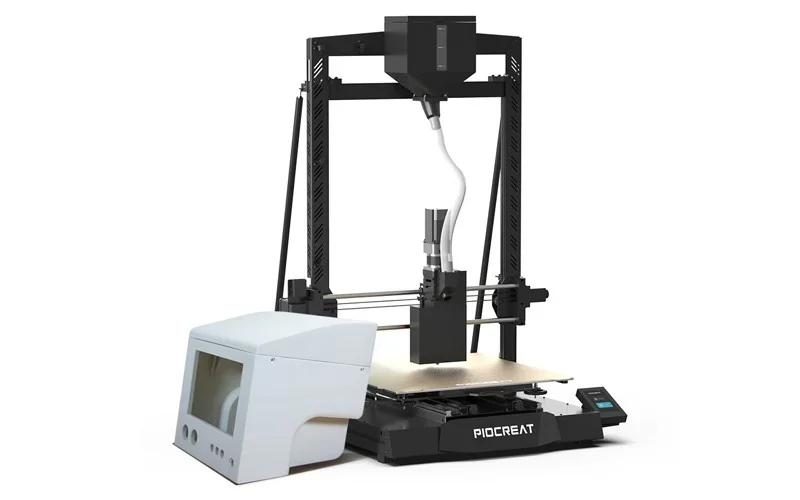
Piocreat G5 Ultra: Pellet 3D Printer
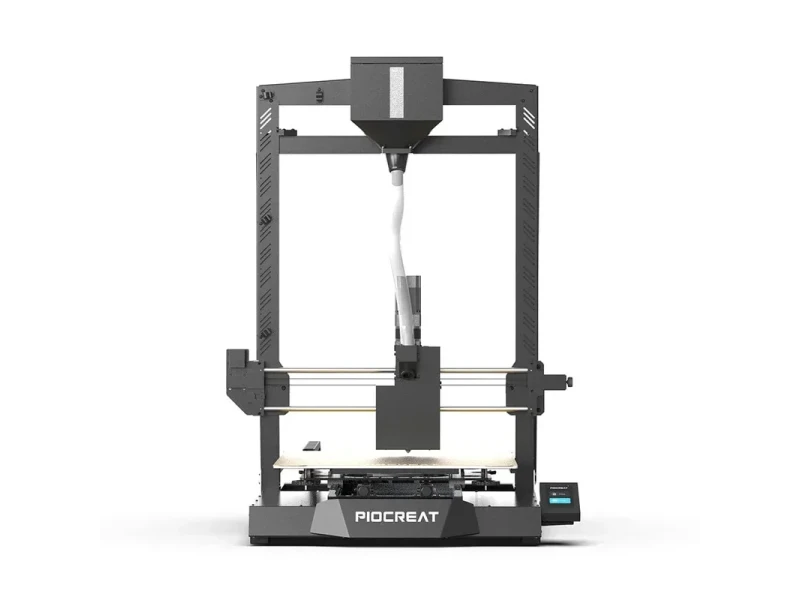
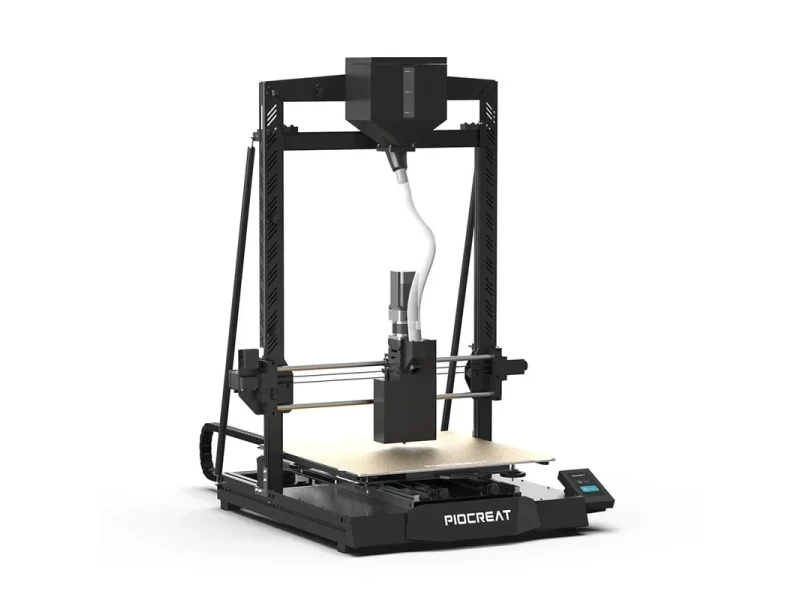
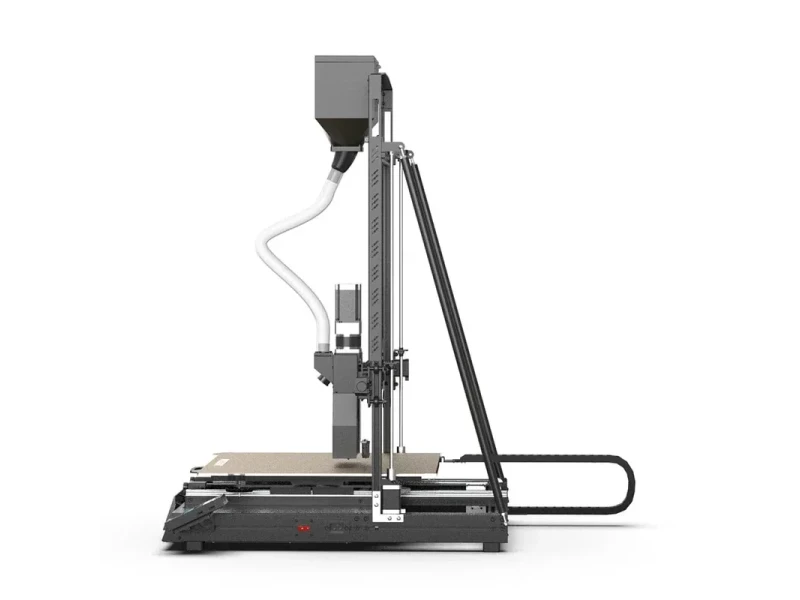
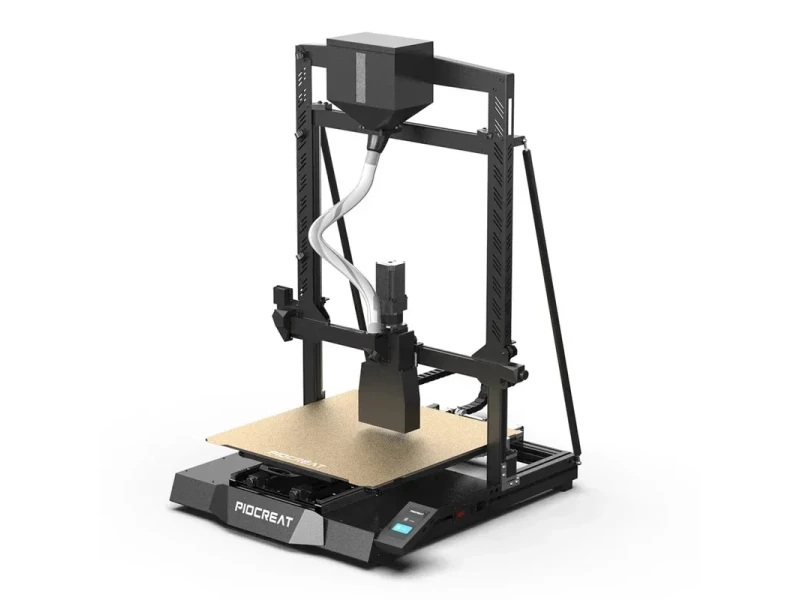
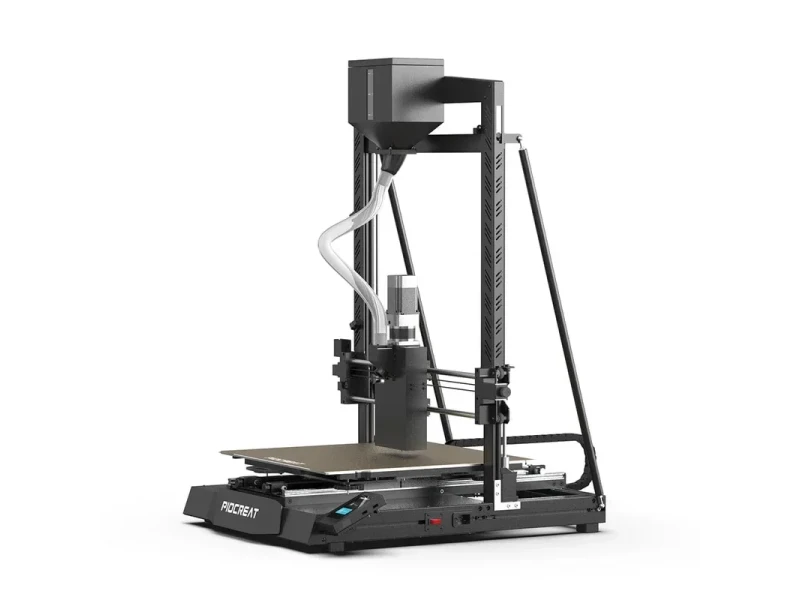
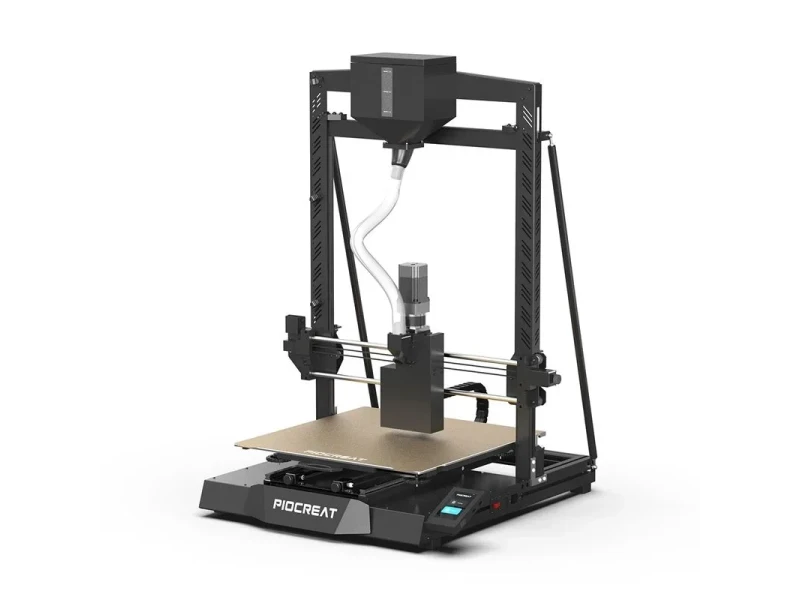


- Prints with low-cost plastic pellets
- High 420°C extruder and 0.8 kg/h flow
- Compatible with recycled thermoplastic materials
- Auto-leveling with magnetic bed removal
- Flexible Payment Terms
- 1 Year Warranty
- Local Technical Support
- Free Online Training
- Base frame and gantry frame
- CR-Touch auto-leveling sensor
- 2 kg ABS granules
- Assembly tools and wrench set
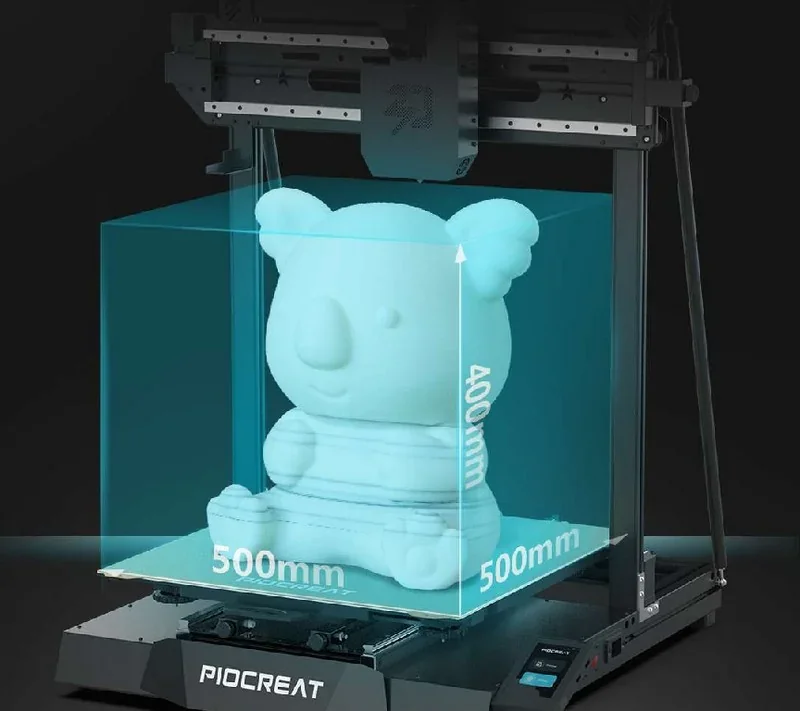
The Piocreat G5 Ultra Pellet 3D Printer uses Fused Granulate Fabrication (FGF) to print with plastic pellets, lowering costs, lead times, and environmental impact. Its screw-type extruder melts pellets from a 3-liter hopper, printing precise layers at up to 260 mm/s within a 500 x 500 x 400 mm build volume. With a 420°C extruder, 0.8 kg/h flow rate, clog-resistant design, auto-leveling, and a magnetic bed for easy part removal, it ensures reliable performance. Compatible with 2–5 mm thermoplastic pellets — including PLA, PETG, ABS, and recycled materials — the G5 Ultra suits architecture, design, mold making, education, and prototyping, with smart features like material sensing, pellet run-out detection, and power-loss recovery.
- What is the 3D print quality and performance of the Piocreat G5 Ultra?
- Which plastic pellet materials can you use with the Piocreat G5 Ultra?
- What is the build volume of the Piocreat G5 Ultra pellet 3D printer?
- What is the difference between the Piocreat G5 Ultra Pellet 3D printer and its competitors?
- What printer controls are available on the Piocreat G5 Ultra?
- What connectivity options are available on the Piocreat G5 Ultra FGF printer?
- What software is offered with the Piocreat G5 Ultra?
- What is the design and build quality of the Piocreat G5?
- What comes included in the box with Piocreat G5 Ultra?
- What upgrades and accessories are available for the Piocreat G5 Ultra?
- What maintenance does Piocreat G5 Ultra require?
- What support and warranty come with the Piocreat G5 Ultra?
- How much does the Piocreat G5 Ultra cost?
What is the 3D print quality and performance of the Piocreat G5 Ultra?
The Piocreat G5 Ultra delivers high print quality with layer thicknesses from 0.2 to 1.0 mm, suitable for detailed work or fast production. Its extruder ensures stable 0.8 kg/h material flow with consistent force. Interchangeable nozzles from 0.4 to 2.0 mm (optional 3.0 mm) offer flexibility between precision and volume. The below example show the shoe slicing and manufacturing process on the Piocreat G5.
The G5 Ultra prints up to 260 mm/s, a major improvement over the original G5’s 100 mm/s. Its dual Z-axis lead screws, tie rods, and metal frame ensure stability and precision at high speeds. Running on Klipper firmware, it also supports advanced features like WiFi for remote monitoring.
The G5 Ultra ensures consistent print quality with automatic and auxiliary bed leveling, a heated bed up to 120°C for ABS materials, and a detachable magnetic steel platform for easy part removal. Its material level sensor detects low pellet levels and resumes printing after refills, preventing interruptions during long jobs.
Research Study: Researchers at Politecnico di Torino found that printing PA12 with 10% short carbon fibers using a PioCreat G5 Pro (FGF) from pellets or recycled flakes results in denser microstructures, less porosity, and up to 20% higher tensile strength than comparable filament-based parts.
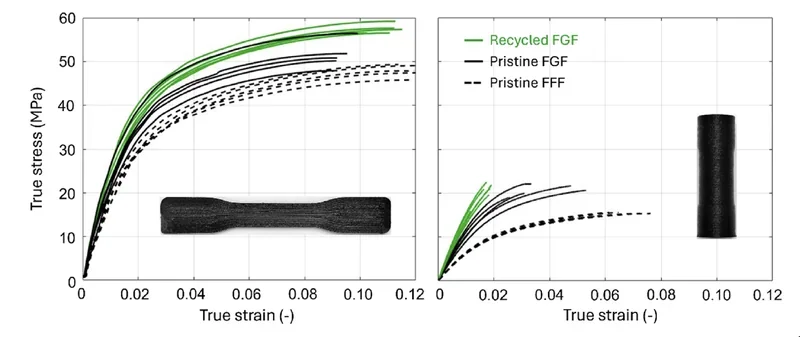
Study: “Recycling a carbon fiber-reinforced polyamide through 3D printing: A mechanical and physicochemical analysis.” Bandinelli, F.; Tito, E.; Parisi, E.; Peroni, L.; Scapin, M. (2025)
Research Study: Researchers at Universidade Federal de Itajubá (UNIFEI) showed that a PioCreat G5 (FGF) can pellet-print PA6 + 20% CF and ePA6 + 25% CF mirror-adapter prototypes that are far cheaper (≈ 89–93% cost reduction) than machined Al 6061-T6 and exhibit first modal frequencies of ~827–879 Hz (vs. ~1105 Hz for aluminum), though still ~12–17% below a >1 kHz target.
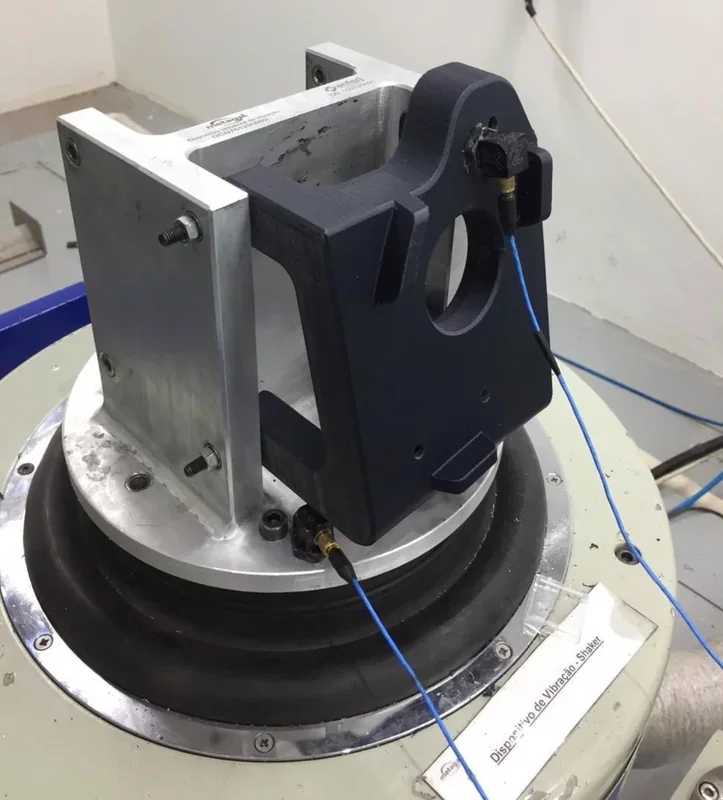
Study: “Análise de viabilidade estrutural e financeira para a troca de peças usinadas por impressas em um dispositivo de retrovisão.” Pereira, M. C.; Barbosa, T. T.; Papandréa, P. J. (2023). Journal of Open Research (ISSN 2675-293X).
Bending Tests on the TPU, PP and PA Parts:
3D Printed Sample: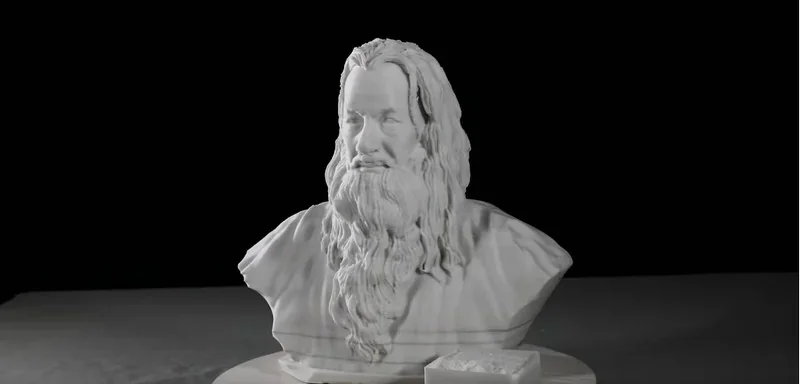
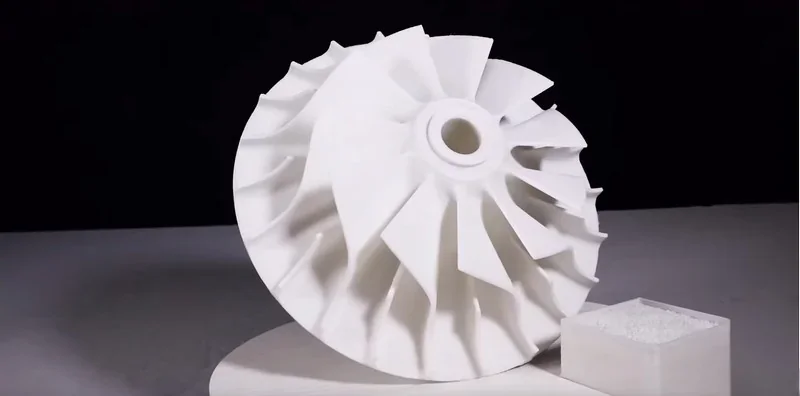
3D print sample: Impeller
Which plastic pellet materials can you use with the Piocreat G5 Ultra?
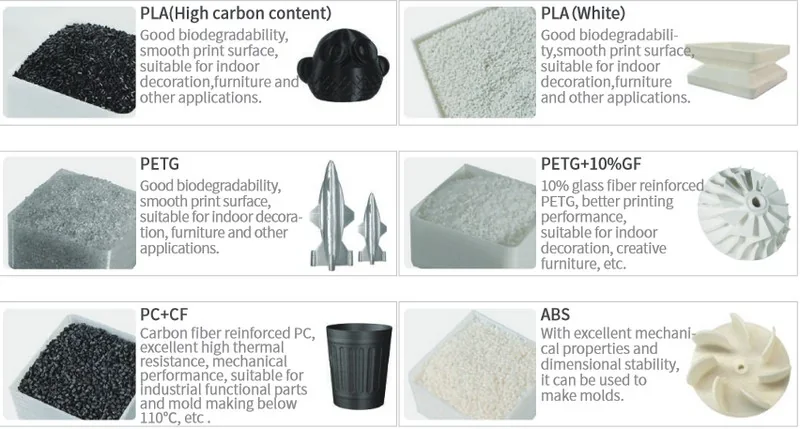
The Piocreat G5 Ultra FGF 3D printer supports 2–5 mm plastic pellets, handling both standard and engineering-grade materials with its 420°C high-temperature extruder. Compatible pellets include PLA, rPLA, PETG, ABS, PP, TPU, TPE, and fiber-reinforced composites like PA-CF, PC-CF, PLA-CF, PETG-GF, PP-GF, GPPS. Piocreat 3D handles both brand-new and recycled plastic.
The G5 Ultra prints with both virgin and recycled pellets, including flakes and regrind, supporting sustainable, circular manufacturing. By skipping filament production, it cuts material costs by 60–90% and reduces environmental impact through spool-free printing and plastic waste reuse.
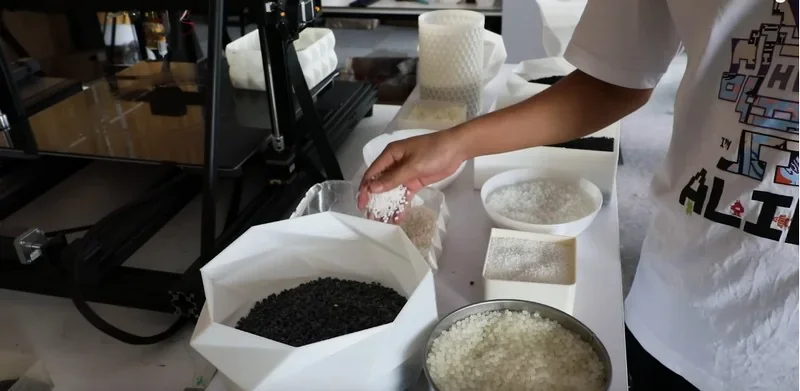
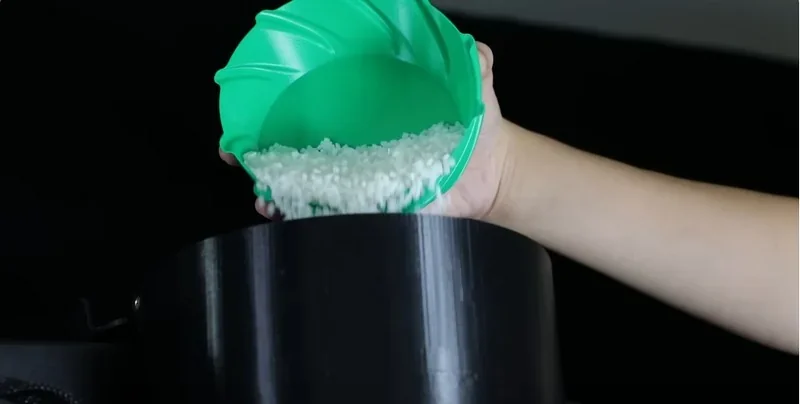
The G5 Ultra’s pellet system enables fast material changes and multi-material printing within a single project. Users can customize colors by adding masterbatch to pellets. Its 3-liter hopper ensures steady supply, while a material sensor pauses printing when pellets run low and resumes seamlessly after refilling, preventing waste and print failures.
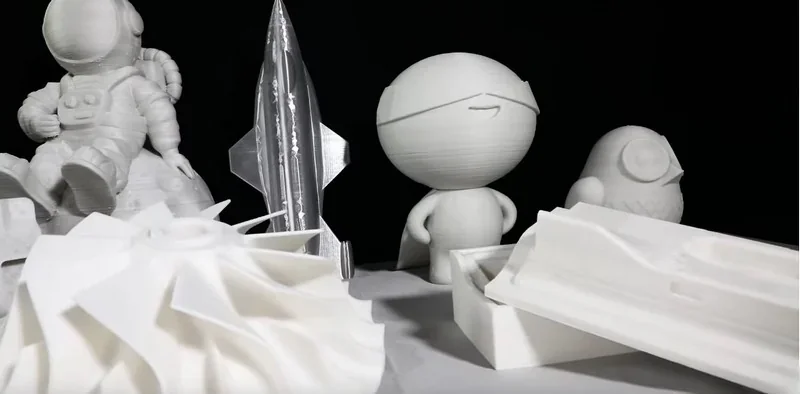
PLA 3D print sample: 250 x 185 x 295 mm Koala 3D printed in 15 hours (with a 0.8 mm nozzle)
PLA 3D Print Sample: Pumpkin
TPU 3D print sample: Shoe sole
TPU 3D Print Sample: A Plastic Bag
ABS + 20% CF 3D print sample: Arm splint
Polypropylene 3D Print Sample: 617g Arm Protector produced in 90 minutes.
TPU 3D print sample: V-wheel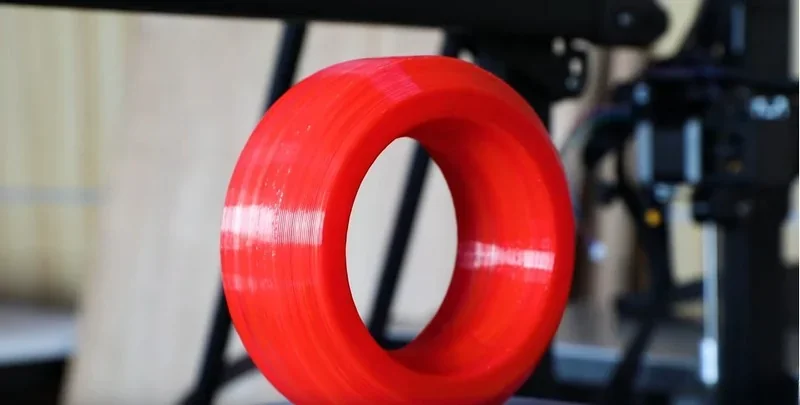
PP 3D print sample: V-wheel
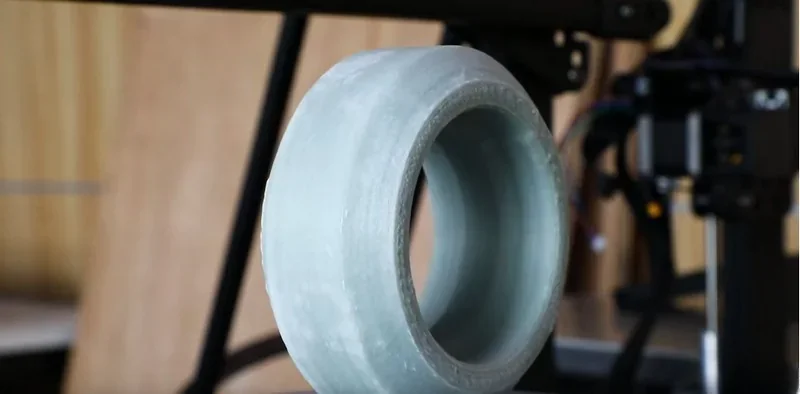
PA 3D print sample: V-wheel
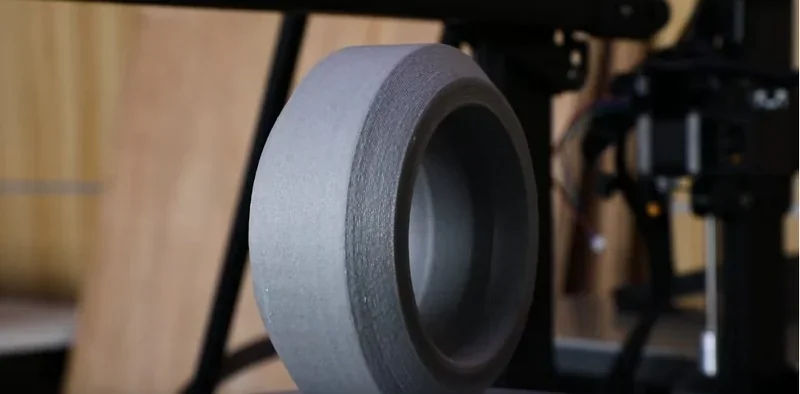
Research Study: Satbayev University researchers found that 10% glass-fiber composite printed well on a PioCreat G5 FGF system, while 20–30% GF led to defects due to increased solids and reduced binder, which weakened matrix-filler adhesion. GF-10% parts reached ~81 MPa tensile strength at 270 °C, 0.3 mm layers, and 100% infill.
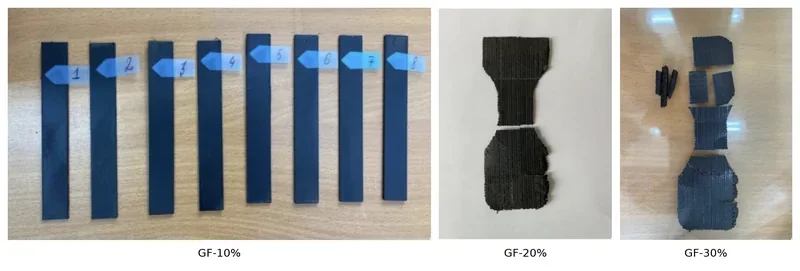
Study: “The influence of technological factors of 3D printing on the strength of standard details made of glass-filled polymer composite.”, Abilezova G., et al (2024)
Research Study: Researchers at Universidade Federal de Santa Catarina used a Piocreat G5 with a screw extruder and metal-MEX process to print carbonyl-iron feedstock with PP/EVA/paraffin binders. After debinding and sintering, they produced dense, hermetically sealed metal parts with stable, closed cavities.
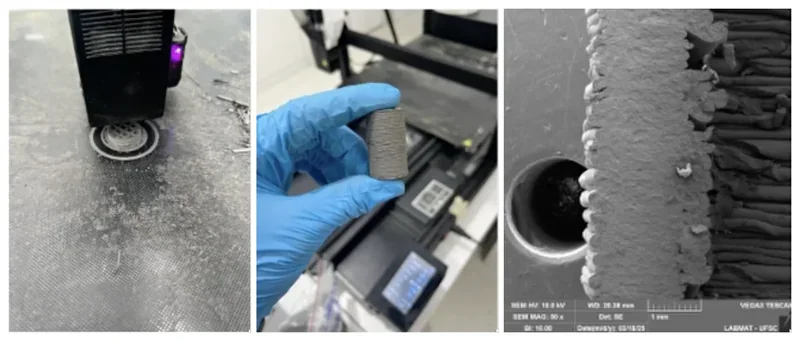
Study: “Controle de Porosidade Comunicante em Peças Metálicas Ocas Produzidas via Manufatura Aditiva (MEX).”, Dorneles, L. C. (2025).
What is the build volume of the Piocreat G5 Ultra pellet 3D printer?
The G5 Ultra offers a large 500 x 500 x 400 mm build volume for printing big models or multiple parts at once. Despite its capacity, it has a compact 765 x 890 x 1040 mm footprint, making it suitable for workshops, labs, and home studios.
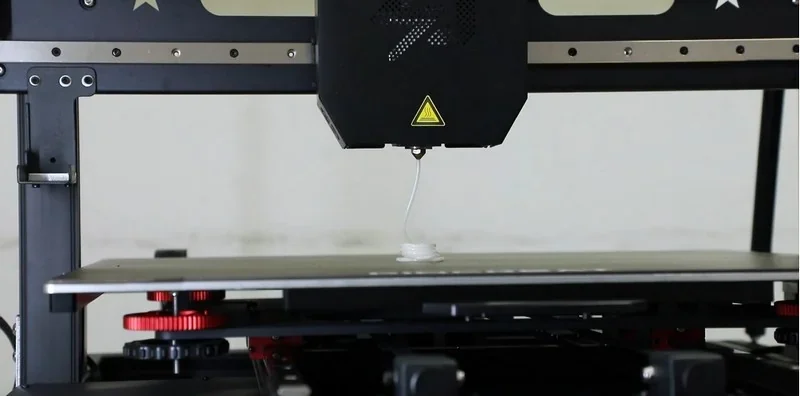
What is the difference between the Piocreat G5 Ultra Pellet 3D printer and its competitors?
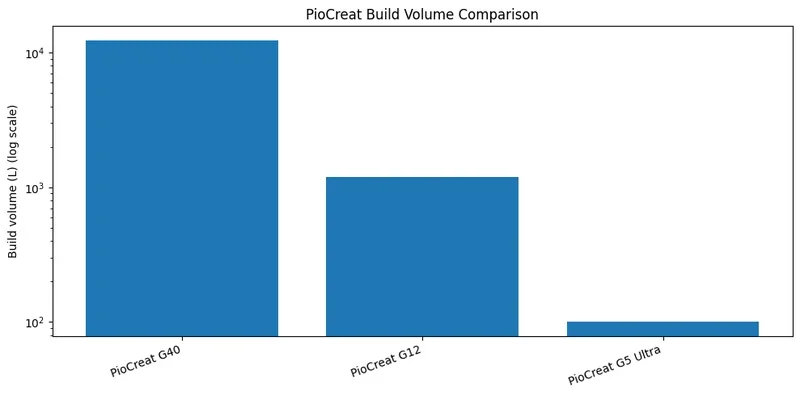
- The Piocreat G5 Ultra offers a compact, lab-friendly solution with a 500 × 500 × 400 mm build volume, ~0.8 kg/h flow rate, and speeds up to 220 mm/s — ideal for R&D, fixtures, and mid-size parts without high power or space demands (1450 W vs 7000 W for G12, 65 kW for G40).
- The Piocreat G12 targets large-format production with a 1200 × 1000 × 1000 mm volume and ~3 kg/h flow, prioritizing payload and cycle-time over footprint.
- The Piocreat G40 is a factory-scale system for massive parts (3725 × 2500 × 1330 mm), ultra-high flow (~25 kg/h), and includes integrated 5-axis CNC for post-processing.
All support high-temp printing (420–450 °C nozzles, 120–130 °C beds) and 2–5 mm pellets. Key differences lie in size, throughput, and power: choose G5 Ultra for agile R&D, G12 for serious scale-up, and G40 for monolithic builds with in-line finishing.
| Feature | PioCreat G5 Ultra | PioCreat G12 | PioCreat G40 |
|---|---|---|---|
| Build Volume | 500 × 500 × 400 mm | 1200 × 1000 × 1000 mm | 3725 × 2500 × 1330 mm |
| Material Flow Rate | ~0.8 kg/h | ~3 kg/h | ~25 kg/h |
| Max Nozzle Temp | ≤ 420 °C | ≤ 450 °C | ≤ 450 °C |
| Bed/Workbench Temp | ≤ 120 °C | ≤ 130 °C | ≤ 120 °C |
| Nozzle Diameter Range | 0.4–2.0 mm (kits: 0.8/1.0/2.0) | 0.6–4.0 mm | 3–8 mm |
| Layer Height | 0.2–1.0 mm | 0.2–1.5 mm | 0.2–1.0 mm |
| Printing Speed | up to 220 mm/s | 80–100 mm/s | — |
| Pellet Size | 2–5 mm | 2–5 mm | 2–5 mm |
| Rated Power & Voltage | 1450 W, AC100–240 V | 7000 W, AC220 V | 65 kW, — |
| Machine Size | 765 × 890 × 1040 mm | 2135 × 1775 × 2305 mm | 5962 × 4220 × 4800 mm |
What printer controls are available on the Piocreat G5 Ultra?
Physical Controls (3 categories):
- Power combination switch.
- USB interface.
- Touchscreen.
Touchscreen Controls (6 main interfaces):
Starting a Print Job Interface:
- Tap Printing on home screen.
- Choose file from USB or Local Storage.
- Preview model and hit Printing.
- Monitor progress, temperature, and remaining time; pause or stop as needed.
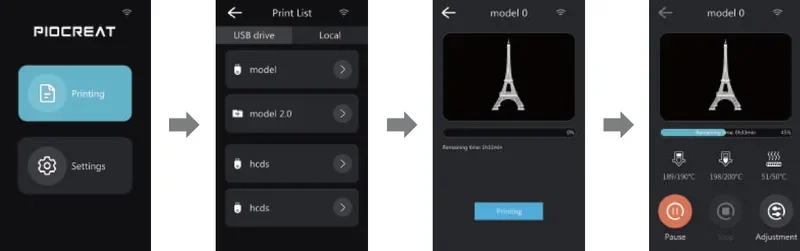
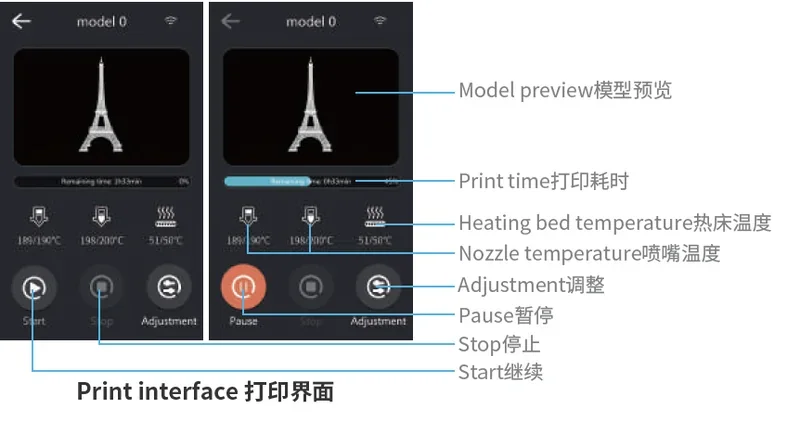
Print Interface Overview:
- Start a print, stop, or open adjustment menu.
- See model preview, bed temp, nozzle temp, and print time.
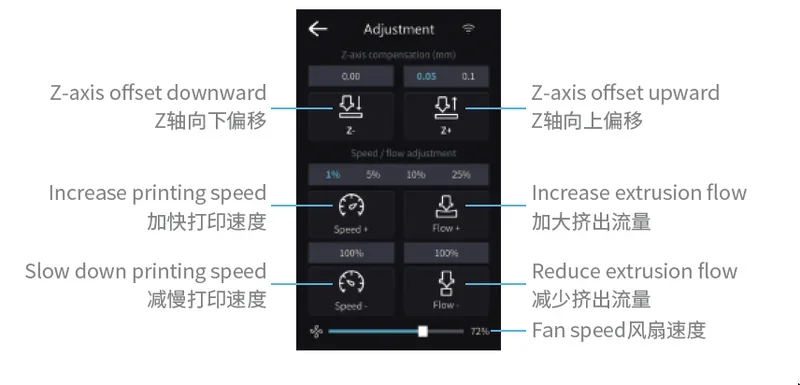
Adjustment Panel During Printing
Z-axis Offset:
- Z-: Lower the nozzle.
- Z+: Raise the nozzle.
Print Speed:
- Speed+: Increase speed.
- Speed–: Decrease speed.
Extrusion Flow:
- Flow+: Increase extrusion.
- Flow–: Decrease extrusion.
Fan Speed: Adjustable via slider at the bottom.
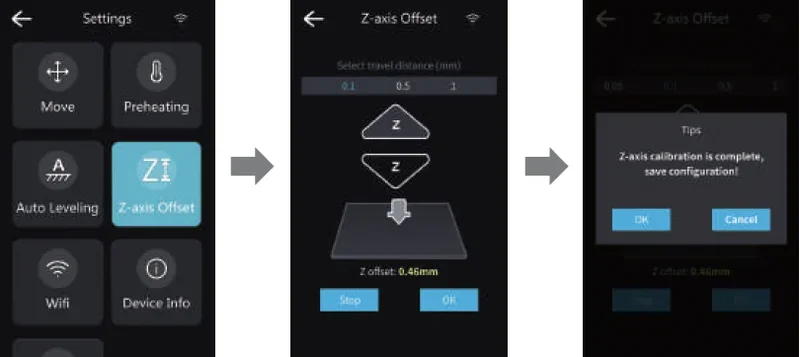
Z-Axis Offset Adjustment Interface
- Access the Z-axis Offset from the Settings menu.
- Adjust nozzle height using ▲ and ▼ arrows. Travel distance steps: 0.1, 0.5, 1 mm.
- Live Z-offset value is shown below (e.g., 0.46 mm).
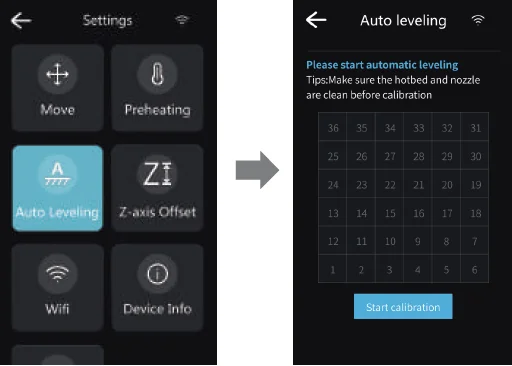
Auto-Leveling Interface
- Enter Auto Leveling from settings.
- Tap Start Calibration. Machine checks multiple grid points on the bed.
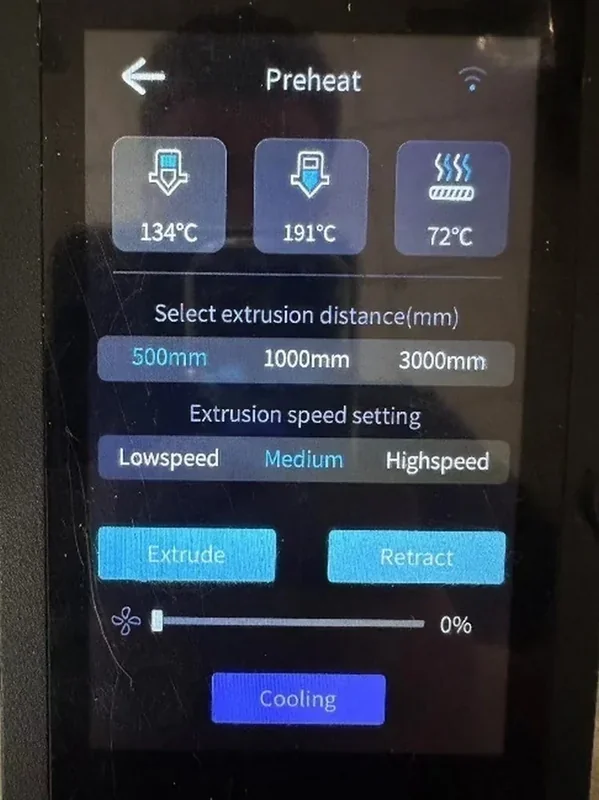
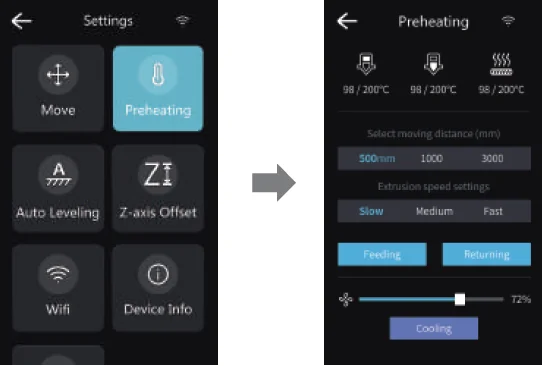
Preheating Menu Interface
- Enter via Settings > Preheating.
- Set temperatures for nozzle (upper/lower zones) and bed.
- Choose extrusion distance (500, 1000, 3000 mm) and speed (Slow, Medium, Fast).
- Press Feeding to extrude; Cooling ends preheat.
What connectivity options are available on the Piocreat G5 Ultra FGF printer?
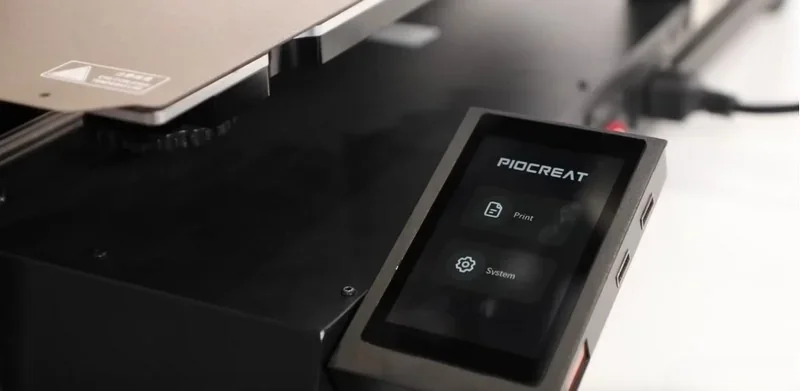
The G5 Ultra offers USB, WiFi, and Ethernet for file loading and networked printing. Files can be loaded via USB without a computer. Built-in WiFi supports wireless transfers and real-time monitoring.
What software is offered with the Piocreat G5 Ultra?
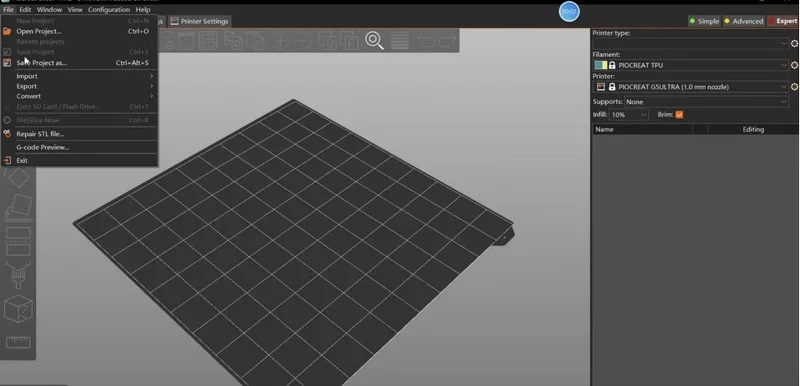
The G5 Ultra includes Piocreat Slicer (supports STL, OBJ, AMF) with essential editing tools and is compatible with Cura and Simplify3D. Now powered by Klipper, it offers wireless transfers, real-time monitoring, and better performance than the original G5. A Dragon slicer license is also included, enabling simulation-based slicing, auto speed adjustment, and access to 40+ material profiles for reliable pellet printing.
What is the design and build quality of the Piocreat G5?
What is the design and form factor of the Piocreat G5 Ultra?
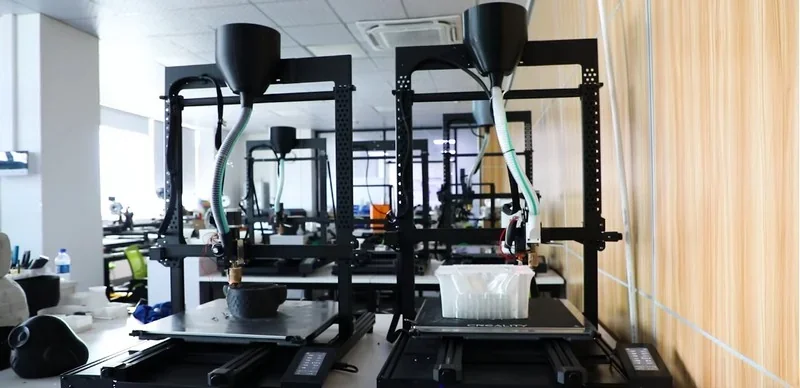
The G5 Ultra has an open-frame gantry made of sheet metal and aluminum, with tie rods and support feet, but no full enclosure. It offers a 500 x 500 x 400 mm build volume.
What is the motion system of the Piocreat G5 Ultra?
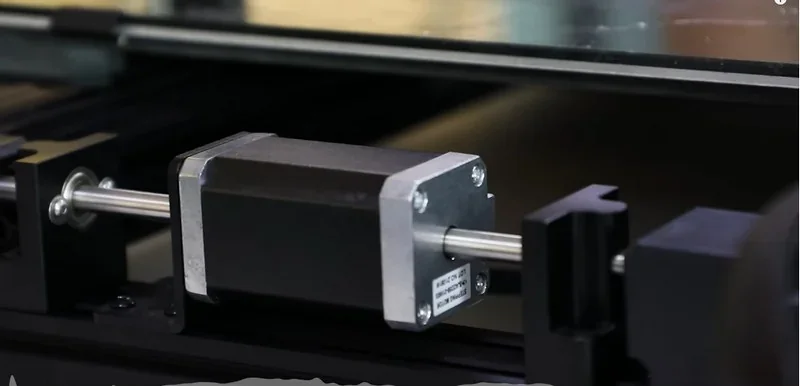
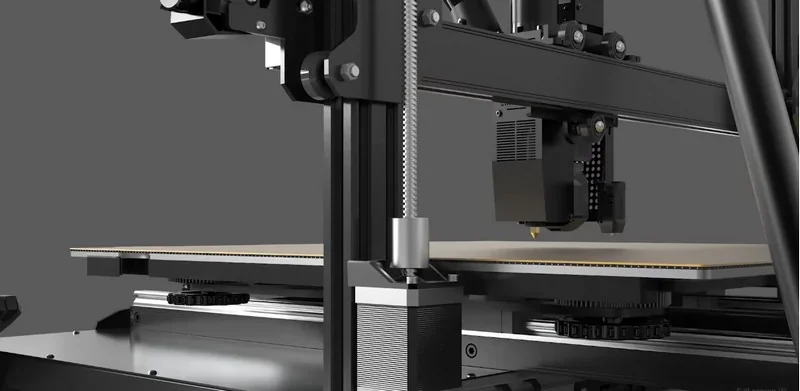
The G5 Ultra uses a Cartesian bedslinger motion system: belt-driven X and Y (the bed moves in Y), with two Z motors driving T-type lead screws to lift the gantry; guidance uses X- and Z-axis sliding-roller carriages with an X-axis beam guide, and the machine includes linear slides that require periodic lubrication.
What are the build platform specifications of the Piocreat G5 Ultra?
The G5 Ultra features a heated glass build platform with a max temperature of 120°C. It can be manually leveled using knobs and supports automatic leveling via the CR-Touch Auto Leveling Kit.
What is the hotend and extruder system of the Piocreat G5 Ultra?
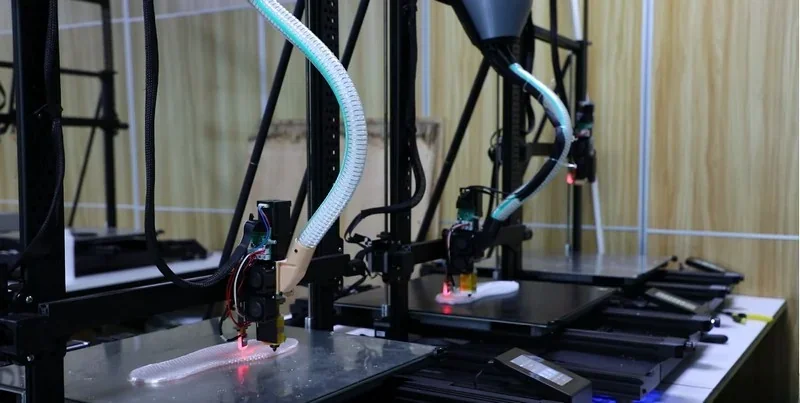
The G5 Ultra uses a single-nozzle FGF extrusion system with a screw motor to process 1.0–5.0 mm pellets. Its hotend has upper and lower heating zones reaching 360°C and 420°C. Standard nozzle sizes include 0.8 mm, 1.0 mm, and 2.0 mm.
How does the Piocreat G5 Ultra handle the storage and feeding of thermoplastics?
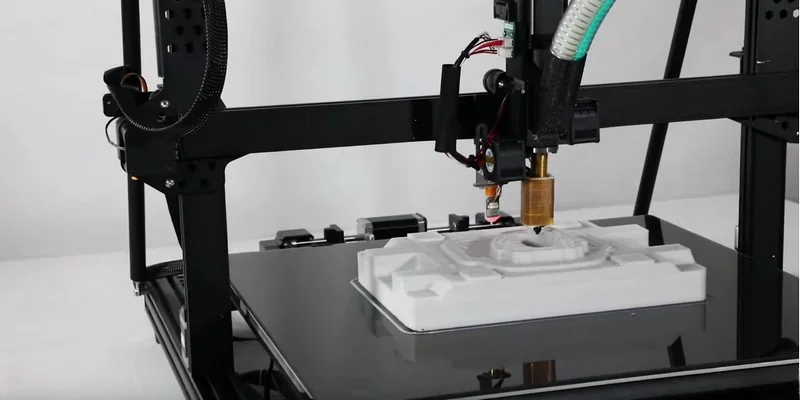
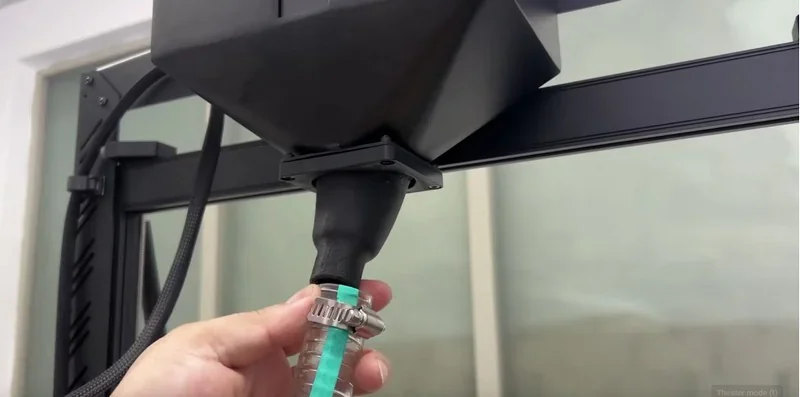
The G5 Ultra features a 3L hopper for a steady material supply and a sensor that alerts users when to refill. If pellets run out, printing pauses, sounds a warning alarm, and resumes from the same point after refilling. Pellets are loaded into a hopper on the print head and fed to the extruder via a tube.
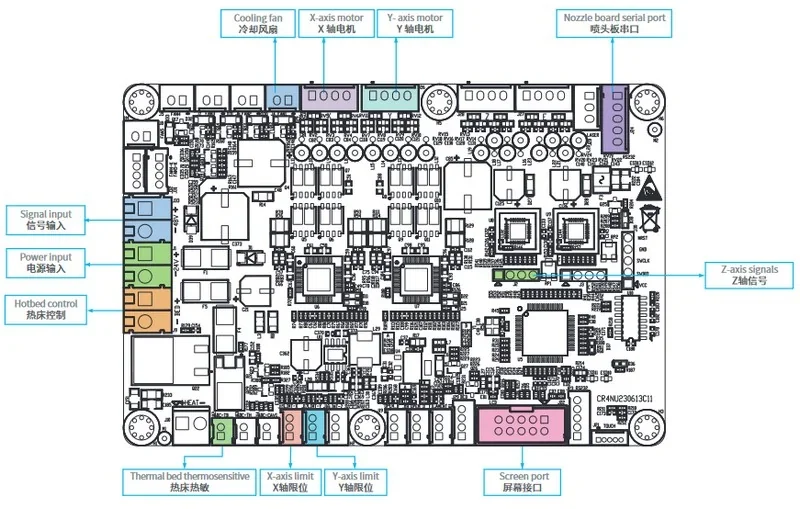
What is the mainboard of the Piocreat G5 Ultra?
The G5 Ultra's electronics are enclosed in a motherboard power box. The manual does not specify the mainboard model, manufacturer, MCU type, or expansion features.
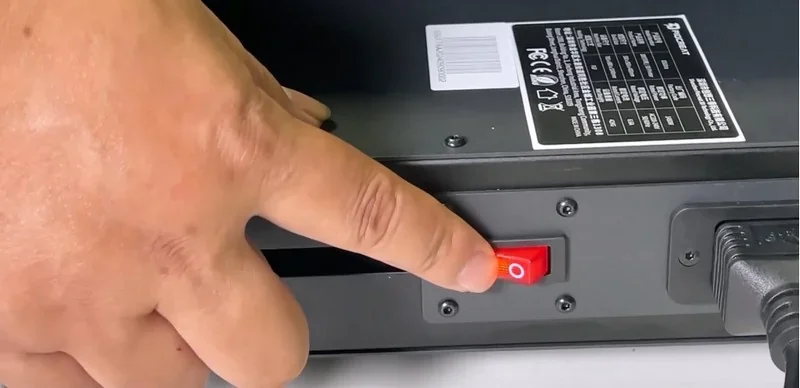
What are the power supply specifications of the Piocreat G5 Ultra?
he G5 Ultra uses a 1450 W power supply with an input of AC 100–240 V, 50/60 Hz and a DC 24 V output. It requires a grounded three-prong outlet and the included power cord.
What comes included in the box with Piocreat G5 Ultra?
- 1× Base frame; 1× Gantry frame; 1× Display; 1× Power cord.
- 2× Hexagon flat round head screws M5×12; 8× M5×18.
- 2× Pull rods.
- 2× Hexagon flat round head screws M5×20; 2× M5 flat pads (for pull-rods).
- 4× Sems screws M5×40 (for gantry mounting).
- 8× Hexagon flat round head screws M5×18 + 2× L-shaped connecting pieces (for gantry bracing).
- 4× Sems screws M3×6 (for feed inlet/feeder tube).
- 1× CR-Touch auto-leveling sensor.
- Starter consumables: 1× 2 kg bag of ABS granules.
- Nozzles: 1× 0.8 mm, 1× 1.0 mm, 1× 2.0 mm.
- Tools: 1× Metal blade/scraper; 2× Nozzle cleaners; 1× Nippers; 10× Cable ties; 1× Socket wrench; 1× Wrench set; 4× Open-end wrenches; 3× Screwdrivers.
- Removable media/software: 1× U-disk (USB drive) that contains instructions/videos and slicing software; the manual directs installation from this drive or from the official website.
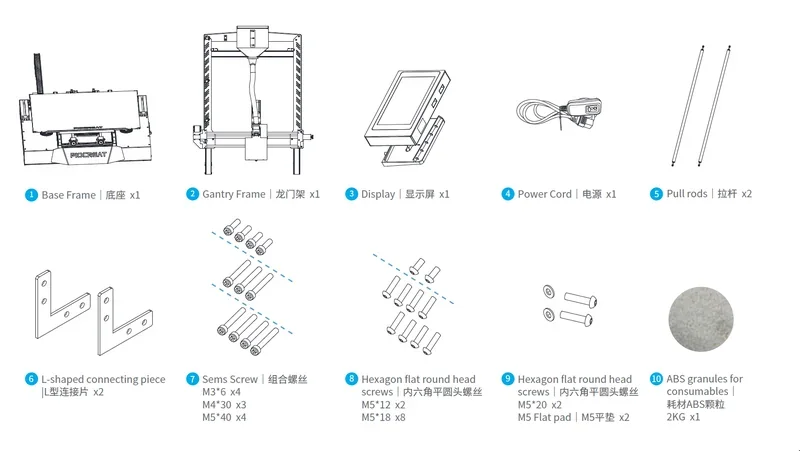
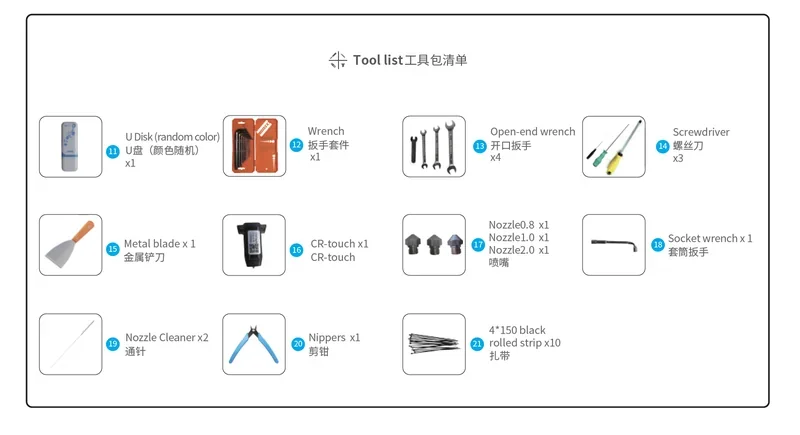 Assembly state: Partially assembled kit — you assemble the gantry to the base, mount the display and feed tube, install the two side pull-rods, and connect the cables before use.
Note: Package contents may vary. Contact a Top3DShop sales representative to confirm included items before ordering.
What upgrades and accessories are available for the Piocreat G5 Ultra?
Piocreat supplies over 7 additional parts.
| Name | Functionality |
|---|---|
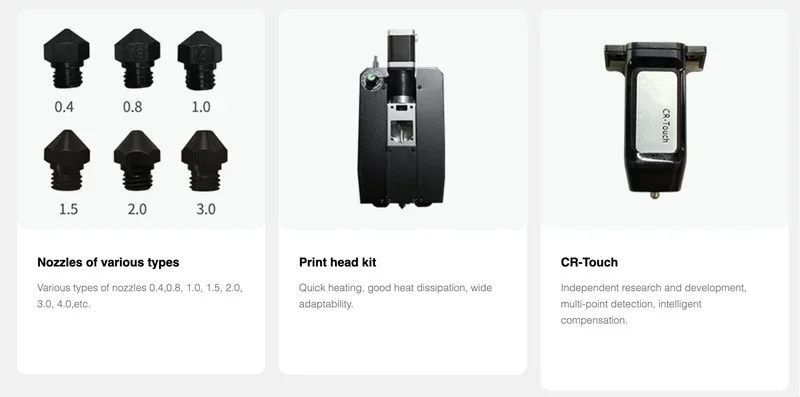
| Additional Nozzle Sizes | Expands nozzle diameter options beyond standard set |
| Print Head Kit | Replacement/upgrade for hotend assembly |
| CR-Touch Enhanced | Advanced multi-point bed detection system |
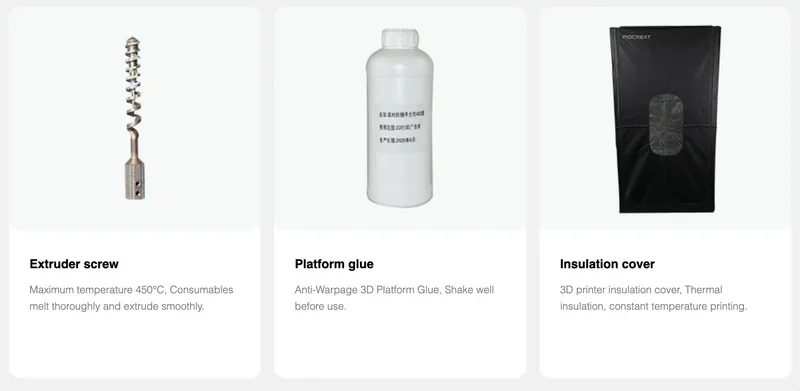
| Replacement Extruder Screw | Spare/replacement screw for material extrusion |
| Additional Platform Glue | Extra adhesive for bed preparation |
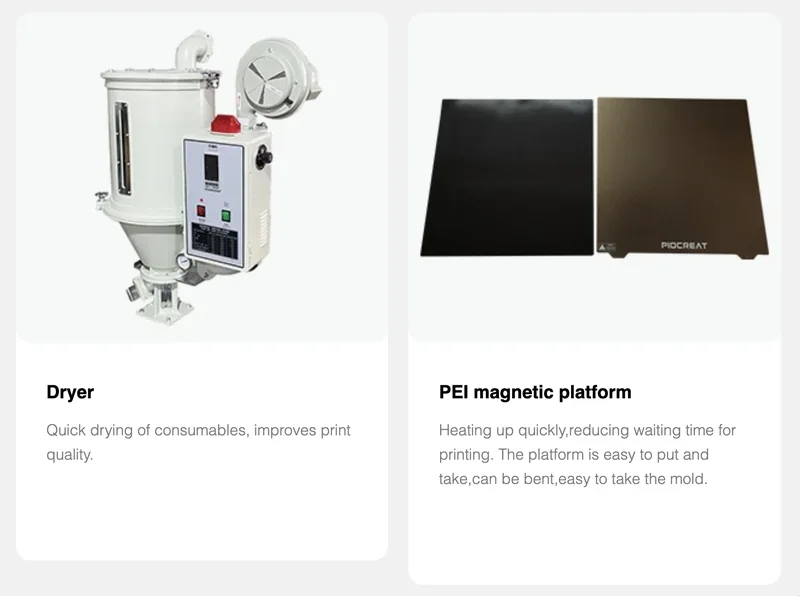
| Material Dryer | Pellet moisture removal for improved print quality |
| PEI Magnetic Platform | Flexible sheet to lift, bend, and pop prints off |
Additional Nozzle Sizes
Adds nozzle sizes beyond the standard 1.2mm–4.0mm, including 0.4mm, 0.8mm, and 1.0mm for finer detail.
Print Head Kit
Replacement printhead with fast heating, efficient cooling, and broad material compatibility for consistent extrusion.
CR-Touch Enhanced
Advanced bed leveling uses independent multi-point detection and smart compensation for higher accuracy than standard methods.
Replacement Extruder Screw
High-temp extruder screw rated for 450°C, ensuring full material melting and smooth, consistent extrusion.
Additional Platform Glue
Anti-warpage adhesive for large prints, improves bed adhesion on tough materials; shake well before use.
Material Dryer
Dedicated drying system for removing moisture from thermoplastic pellets, improving print quality by eliminating moisture-related defects such as bubbling and poor layer adhesion.
PEI Magnetic Platform
PEI build plate heats quickly to cut wait time. The removable, flexible sheet lets you lift, bend, and pop prints off easily.
What maintenance does Piocreat G5 Ultra require?
The G5 Ultra requires 4 main maintenance procedures to ensure smooth operation and extend component lifespan.
Every 3 months:
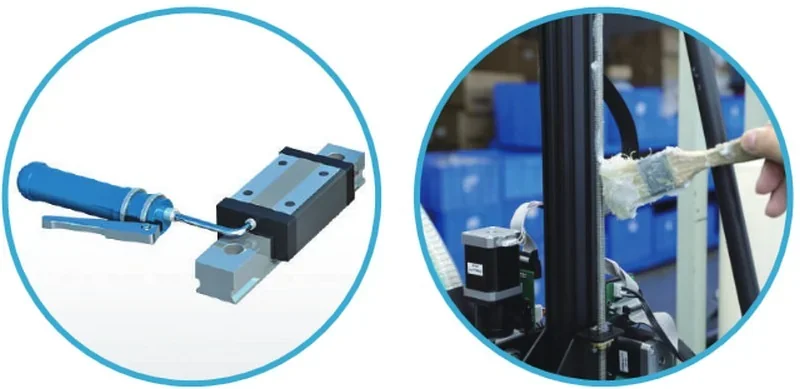
- Linear Slide Maintenance: Lubricate slide blocks using a grease gun via the grease nipple. Use oil with 32–150 cSt viscosity.
- Screw Maintenance: Apply lithium soap-based grease to lead screws with a brush. Use grease with a dropping point of at least 258 °C
As needed during or after use:
- Clean the printer with a dry cloth while powered off to remove dust, residue, and debris from the frame, guide rails, and wheels.
- Clean the print surface with glass cleaner or isopropyl alcohol.
What support and warranty come with the Piocreat G5 Ultra?
Piocreat 3D includes a 1-year limited warranty covering workmanship defects from the purchase date, with proof of purchase and serial number required for claims. Piocreat offers lifetime technical support, including USB setup videos, online resources, and direct help via after@piocreat3d.com or Top3DShop’s support team.
Support guide: https://www.piocreat3d.com/3d-printer-user-guide/
How much does the Piocreat G5 Ultra cost?
The Piocreat G5 Ultra is is priced at $5,499.00. It offers industrial-grade pellet 3D printing with a 500×500×400 mm build volume, 420°C nozzle temperature, and 0.8 kg/h material flow rate, supporting engineering thermoplastics like PA-CF, PC-CF, and recycled pellets. Contact Top3DShop for a personalized quote.