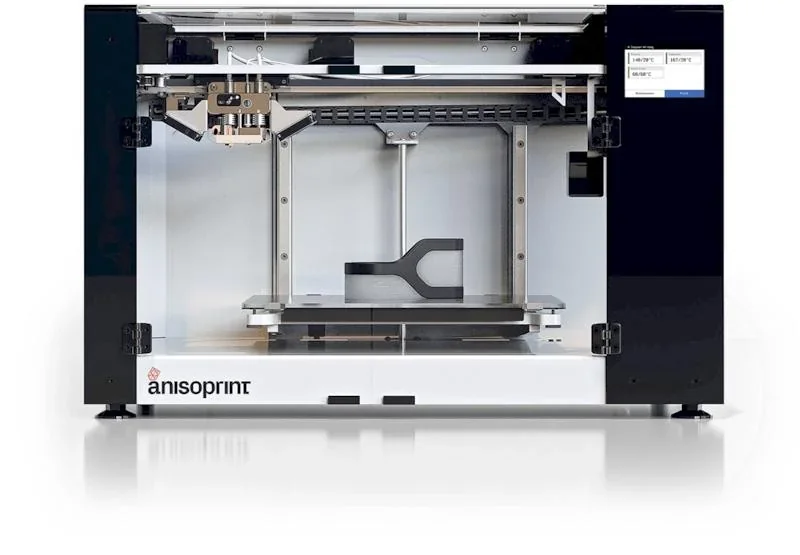
Anisoprint Composer A4 3D Printer: Continuous Fiber 3D Printing (Desktop Anisoprinting)


- Parts up to 30× stronger than plastic
- 7× lighter than steel components
- Up to 60% fiber volume capacity
- Dual-nozzle CFC technology with custom reinforcement
- Flexible Payment Terms
- 1 Year Warranty
- Local Technical Support
- Free Online Training
- Fully assembled printer
- 2 filament spools
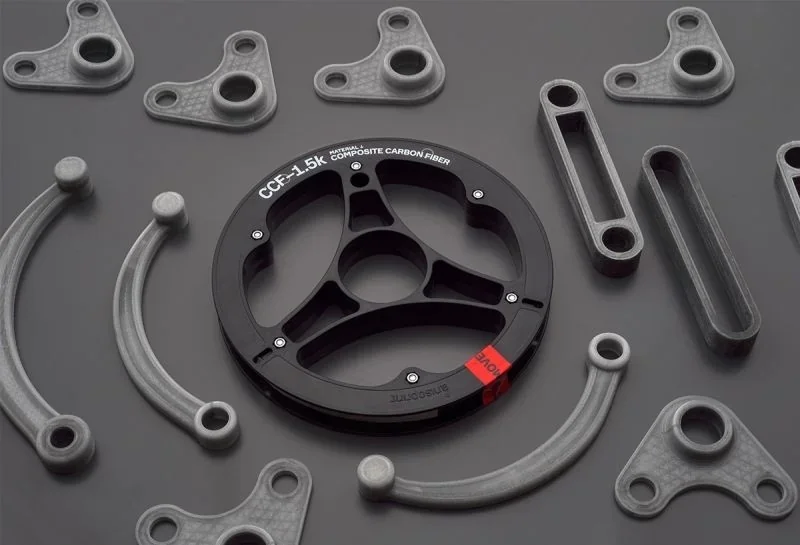
- CCF-1.5k fiber spool
- Tool kit
The Anisoprint Composer A4 is a desktop 3D printer that uses Composite Fiber Co-extrusion (CFC) to produce lightweight, high-strength parts—up to 30× stronger than plastic and 7× lighter than steel—within an A4-sized build volume. Its dual-nozzle system combines FFF with continuous carbon or basalt fiber reinforcement, supporting open materials up to 270°C and achieving up to 60% fiber volume. Used in aerospace, automotive, robotics, and research, it enables custom reinforcement via Aura software and replaces machined metal in prototypes, fixtures, and end-use parts.
- What is the print quality and performance of the Anisoprint Composer A4?
- Which filaments and composite fibers can you use with the Anisoprint Composer A4 Continuous Fiber 3D Printer?
- What is the build volume of the Anisoprint Composer A4?
- What printer controls are available on the Anisoprint Composer A4?
- What connectivity options are available on the Anisoprint Composer A4?
- What software is offered with the Anisoprint Composer A4?
- What is the design and build quality of the Anisoprint Composer A4?
- What comes included in the box with Anisoprint Composer A4?
- What upgrades and accessories are available for the Anisoprint Composer A4?
- What maintenance is required for the Anisoprint Composer A4?
- What support and warranty come with the Anisoprint Composer A4?
- How much does the Anisoprint Composer A4 cost?
What is the print quality and performance of the Anisoprint Composer A4?
The Anisoprint Composer A4 delivers high-quality prints with 60μm layers, printing plastic at 10–80 mm/sec and composite fiber at 1–10 mm/sec for precise fiber placement. Its macro-layer system balances speed and quality, using 0.3mm layers for inner perimeters and 0.2mm for smoother outer surfaces.
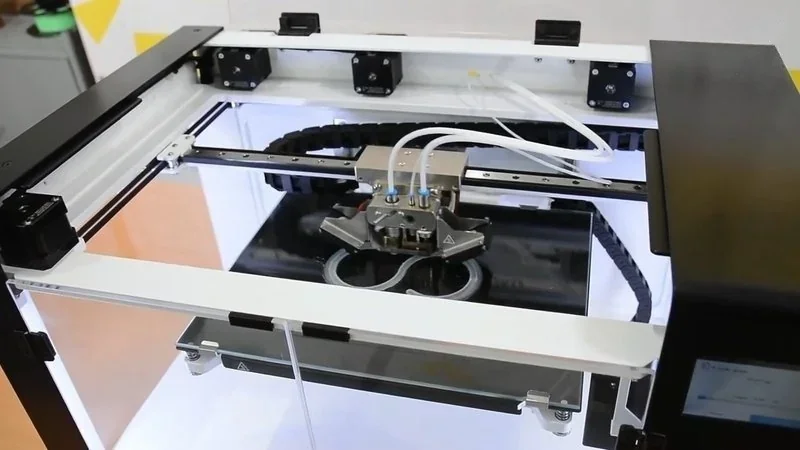
The dual-nozzle system switches between plastic and fiber using a front-right activation mechanism. Two 4010 turbine fans cool the print area, while a metal barrier protects heating units. An enclosed chamber and heated buildplate (up to 120°C) reduce warping in materials like ABS.
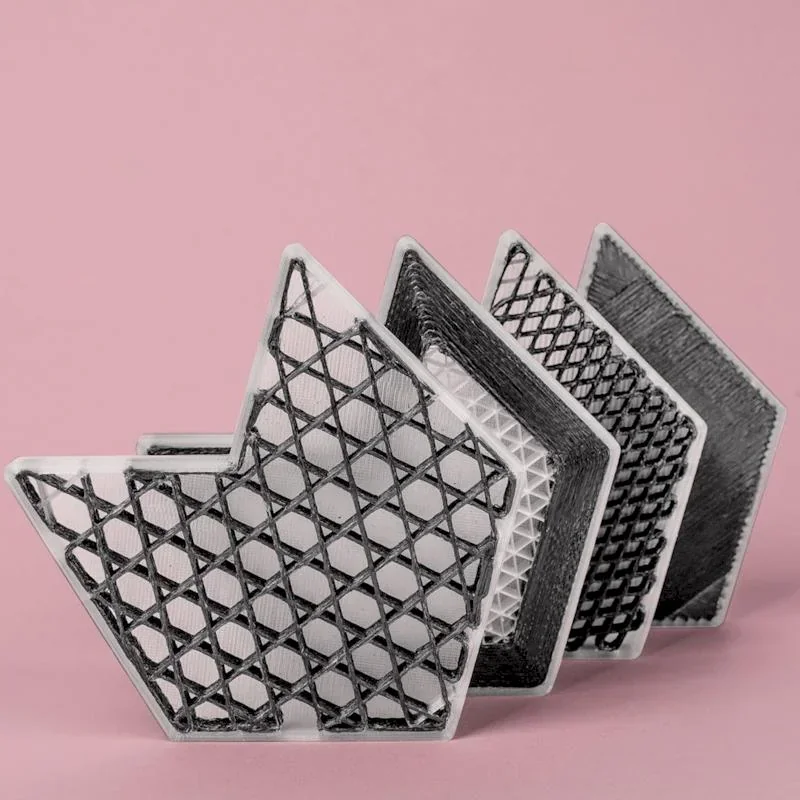
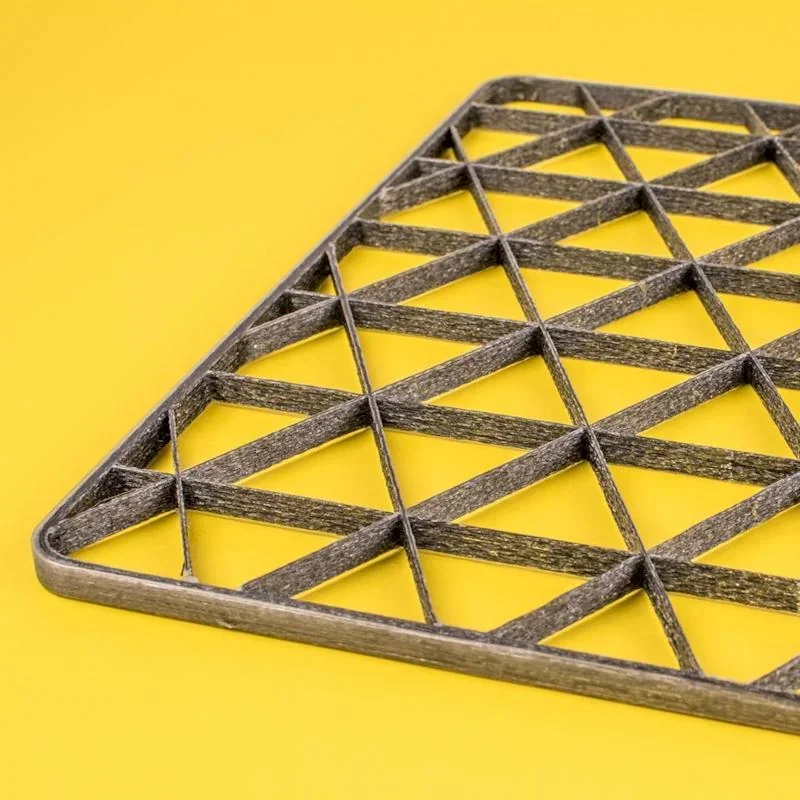
A real-world test showed the Composer A4 printing a reinforced wall bracket in 6 hours. The 25g part cost 9 euros, using 2 composite outer perimeters and 40% composite isogrid infill. Coextruding polymers increases part strength, while keeping weight and cost to to a minimum. There are 4 types of lattice structures — rhombic, isogrid, anisogrid, and tetragrid — each offering distinct mechanical properties.
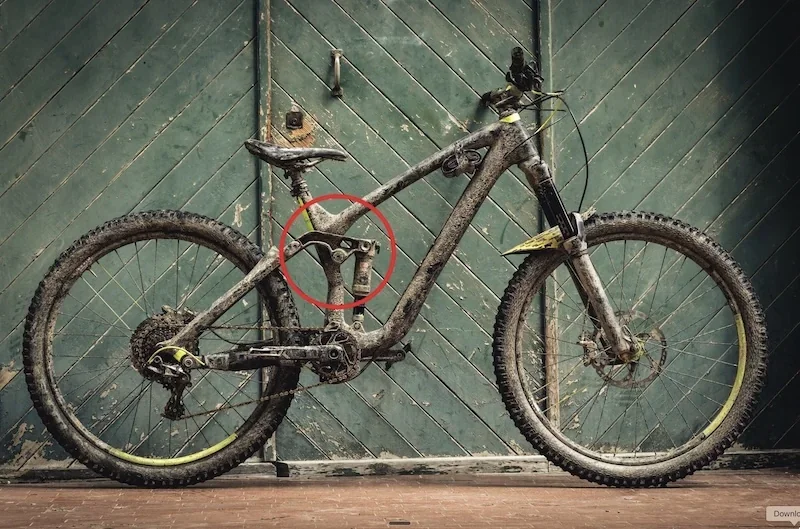
Anisoprint 3D printed a Scott Gambler bike rocker with carbon fiber–reinforced PA, matching CNC metal strength while cutting weight by 35% and costs by 40%.
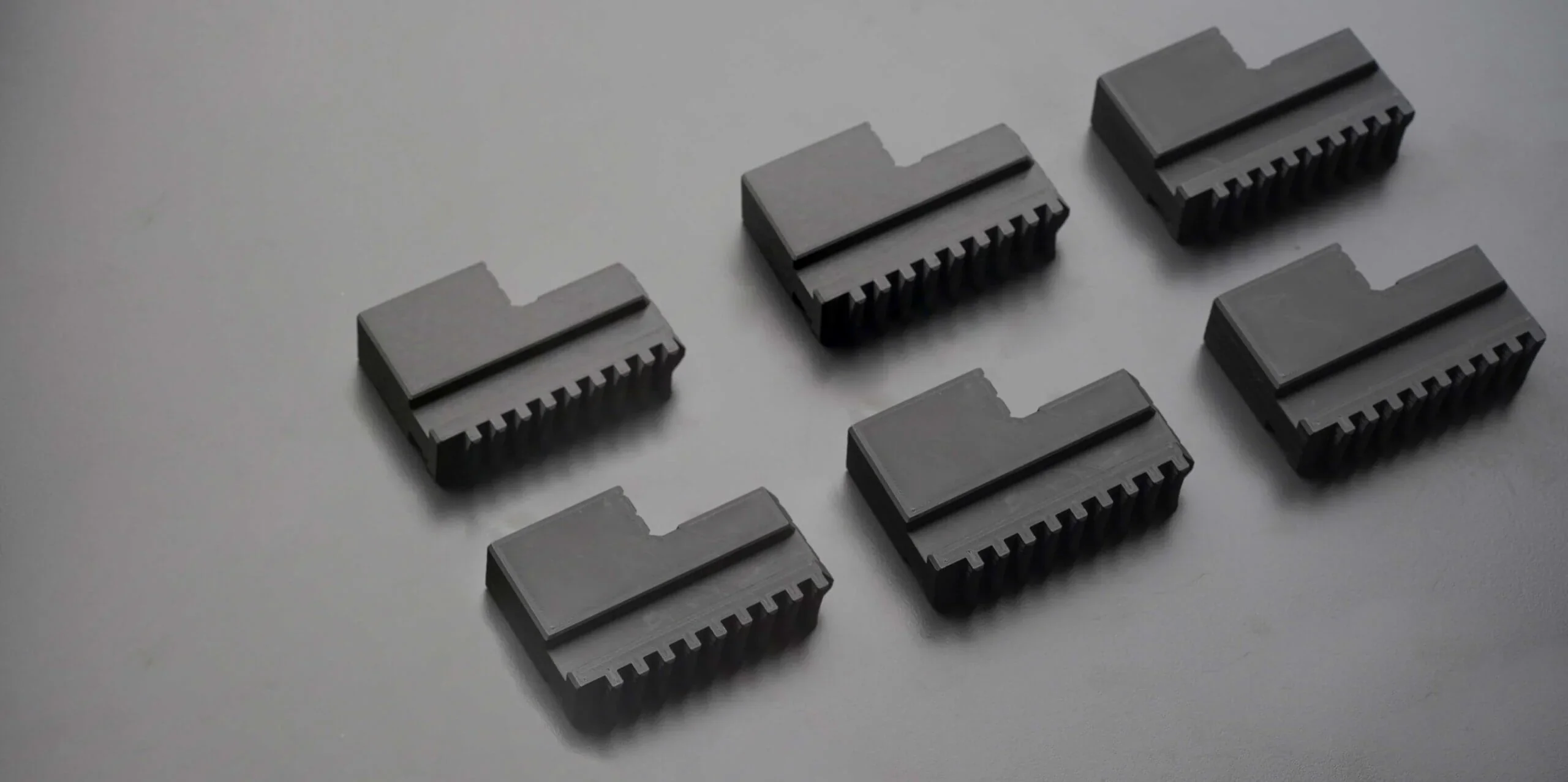
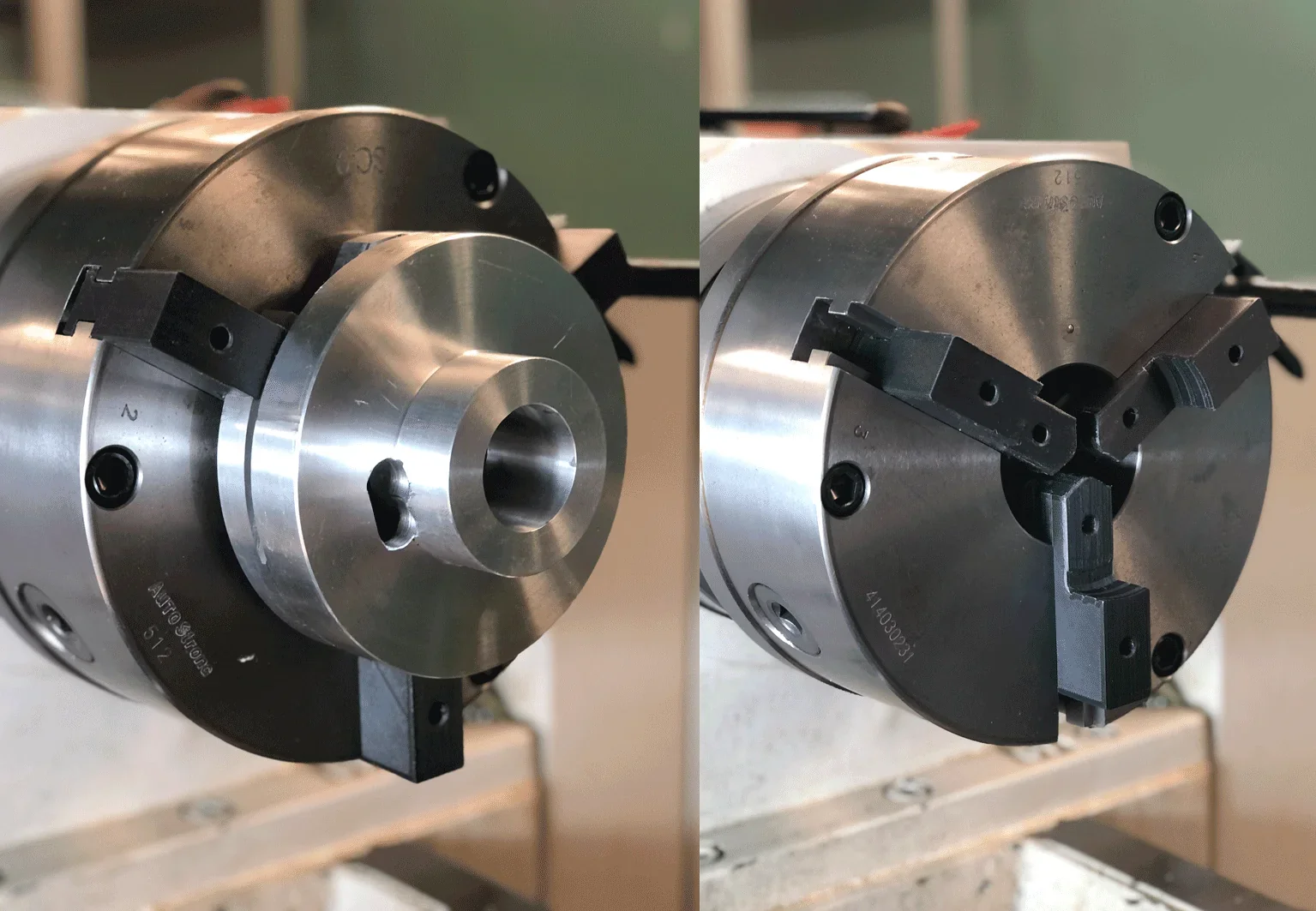
WEBER LABS 3D printed custom lathe soft jaws with carbon fiber–reinforced plastic, reducing weight by 58% and costs by 60%, while improving clamping control and lowering vibration for delicate, non-standard parts.
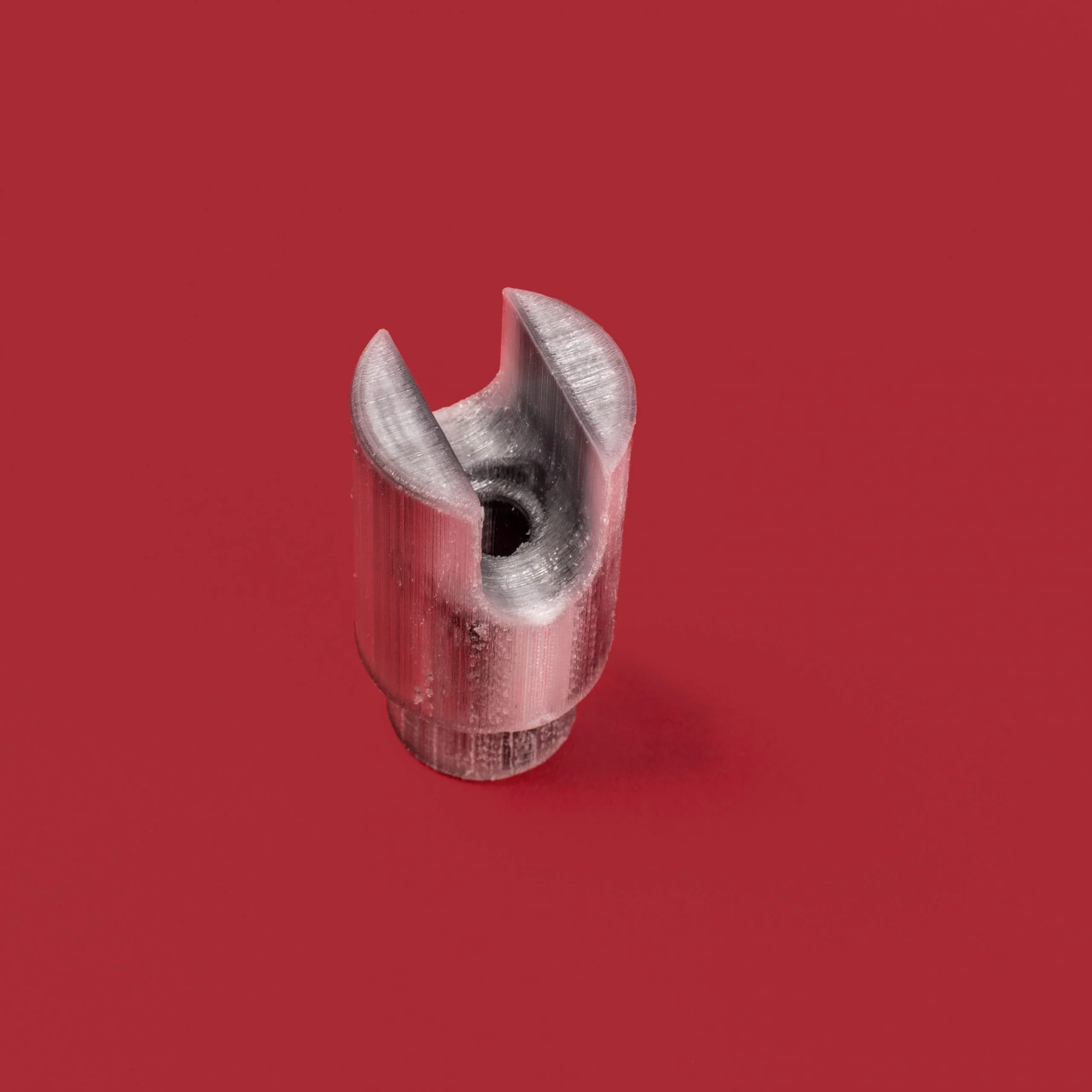
Anisoprint 3D printed a dairy production clevis from carbon fiber–reinforced PETG, cutting replacement time from 3 months to 6 hours and improving hydrogen peroxide resistance for longer service life.
What is the difference between two composite 3D printing approaches, Markforged's pre-preg approach and the coextrusion desktop Anisoprinting?
Markforged’s Continuous Fiber Reinforcement (CFR) uses a pre-preg filament, where reinforcing fiber is pre-impregnated with a thermoplastic like nylon. Anisoprint’s patent-pending Composite Fiber Coextrusion (CFC) uses separate thermoplastic and fiber inputs combined in the print head to form a bi-matrix composite with adjustable fiber ratios. This enables fiber steering, aligning reinforcement with stress lines to strengthen features like holes without extra weight.
Which filaments and composite fibers can you use with the Anisoprint Composer A4 Continuous Fiber 3D Printer?
The Anisoprint Composer A4 supports standard 1.75mm thermoplastic filaments up to 270°C, including PLA, PETG, PA, PC, ABS, and TPU. It works with both unfilled and chopped-fiber plastics, offering options for heat resistance, friction control, UV stability, chemical resistance, or flame retardancy.
Anisoprint and Polymaker developed two PA12-based filaments: Smooth PA with 10% chopped carbon fiber for smooth, low-layer prints, and CFC PA, a low-viscosity material for strong fiber binding. Both resist moisture and warping.
Anisoprint Aura software controls material access by license tier: Neat allows only Anisoprint materials, Ext adds verified third-party profiles, and Open enables full parameter control for any compatible material, including experimental fibers. The enclosed chamber and 120°C heated buildplate improve results with warp-prone, temperature-sensitive filaments.
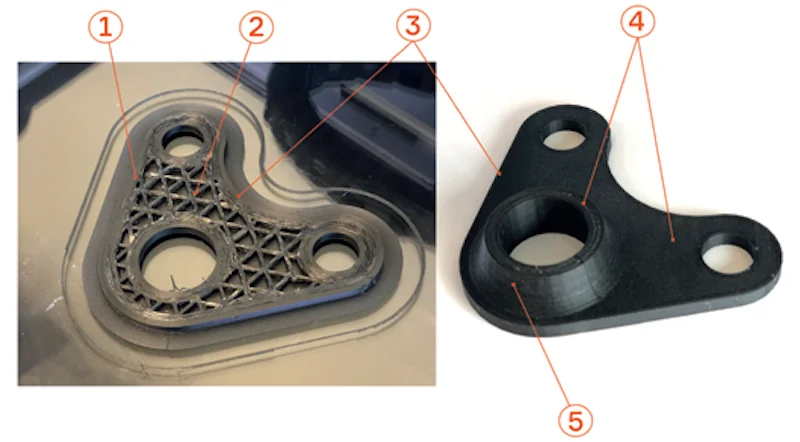
- Fiber perimeters
- Cellular fiber infill
- Outer plastic perimeters
- Plastic top cover
- Plastic shell
What is the difference between Anisoprint's Composite Materials – the Composite Carbon Fiber (CCF) and Composite Basalt Fiber (CBF)?
Anisoprint’s Composite Carbon Fiber (CCF) offers maximum strength and stiffness at low weight, while Composite Basalt Fiber (CBF) provides good strength, electrical insulation, and a lower cost.
What is the difference between continuous fiber 3D printing and additive manufacturing with chopped fiber (CFC)?
Continuous fiber 3D printing uses long fibers aligned within a plastic matrix to boost strength dramatically (e.g., by several times), whereas chopped fiber additive manufacturing mixes short, randomly oriented fibers into thermoplastics, improving stiffness and heat resistance but only providing limited strength enhancement.
What is the build volume of the Anisoprint Composer A4?
The Anisoprint Composer A4 has a 297 × 210 × 140 mm build volume, matching A4 paper size and optimized for horizontal fiber reinforcement. Its cantilevered glass build plate heats to 120°C and is secured with rear brackets and front hinges for easy removal.
The Anisoprint Composer A4 offers 30% more build volume than the Markforged Mark Two, with a wider Y-axis (210 mm vs 132 mm) and taller Z-axis (140 mm vs 154 mm) despite the Mark Two’s longer X-axis. For larger needs, the Composer A3 provides 460 × 297 × 210 mm, giving 341% more volume than the Mark Two and 61% more than Markforged’s X7.
| Printer Model | Build Volume (mm) |
|---|---|
| Markforged Mark Two | 320 x 132 x 154 |
| Anisoprint Composer A4 | 287 x 210 x 140 |
| Markforged X7 | 330 x 270 x 200 |
| Anisoprint Composer A3 | 460 x 297 x 210 |
| Anisoprint Prom IS 500 | 600 x 420 x 300 |
The Composer A4’s build volume supports functional parts like brackets, fixtures, and mechanical components. A Scott Gambler bike rocker took 100 hours with 10 composite perimeters and 80% isogrid infill, while 250g aircraft seat supports were printed in 40 hours with 10 perimeters, showing its capability for aerospace parts.
The 140mm build height suits CFC technology, which lays carbon fiber horizontally. Parts are best printed flat to handle front-facing loads, maximizing strength without needing extra vertical capacity rarely used in composite applications.
What printer controls are available on the Anisoprint Composer A4?
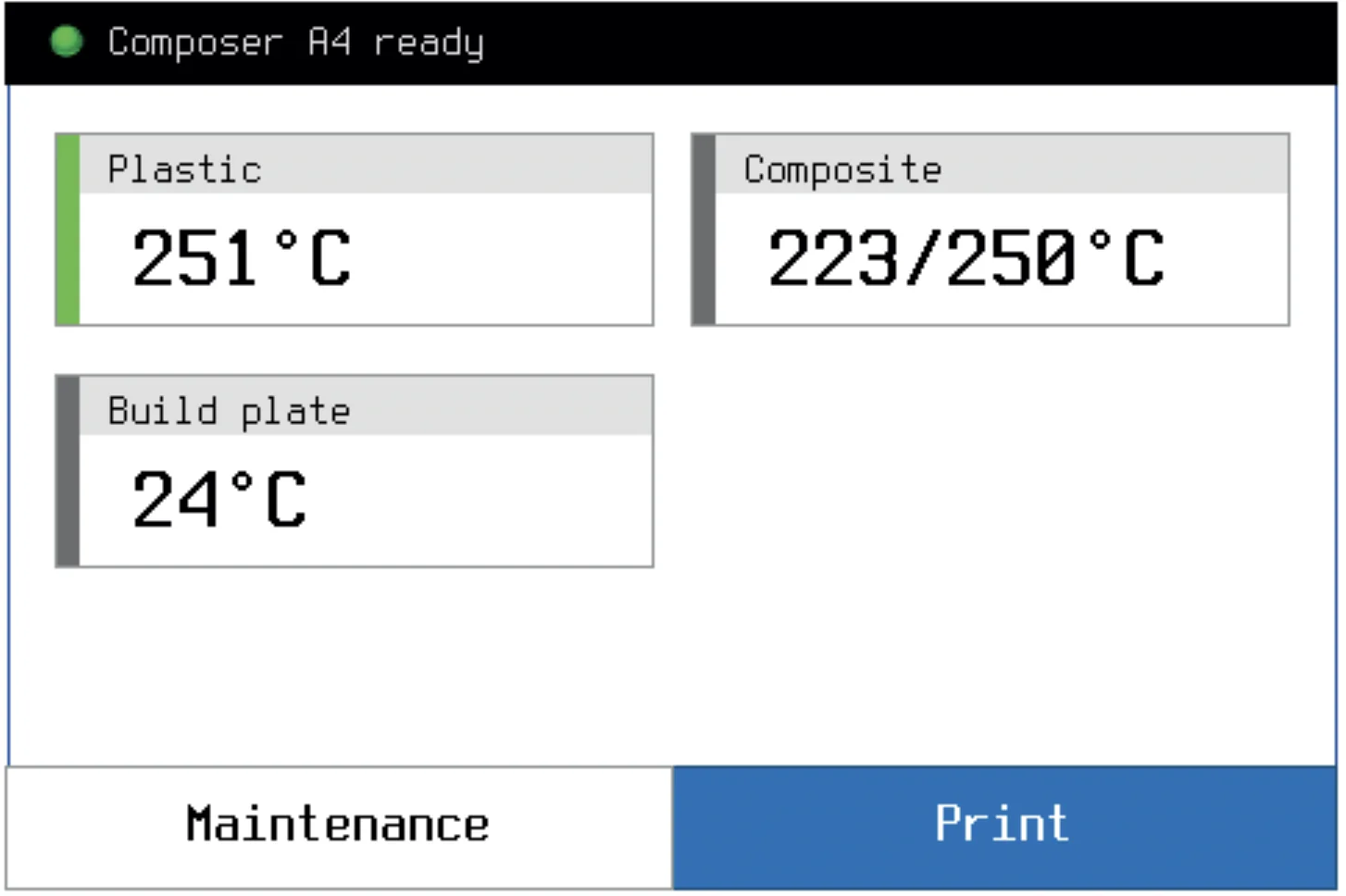
The Anisoprint Composer A4 offers 12 touchscreen controls via the 3.5" screen:
- Plastic extruder temperature (up to 270°C)
- Buildplate temperature (up to 120°C)
- Composite extruder temperature
- Print – select/start G-code files
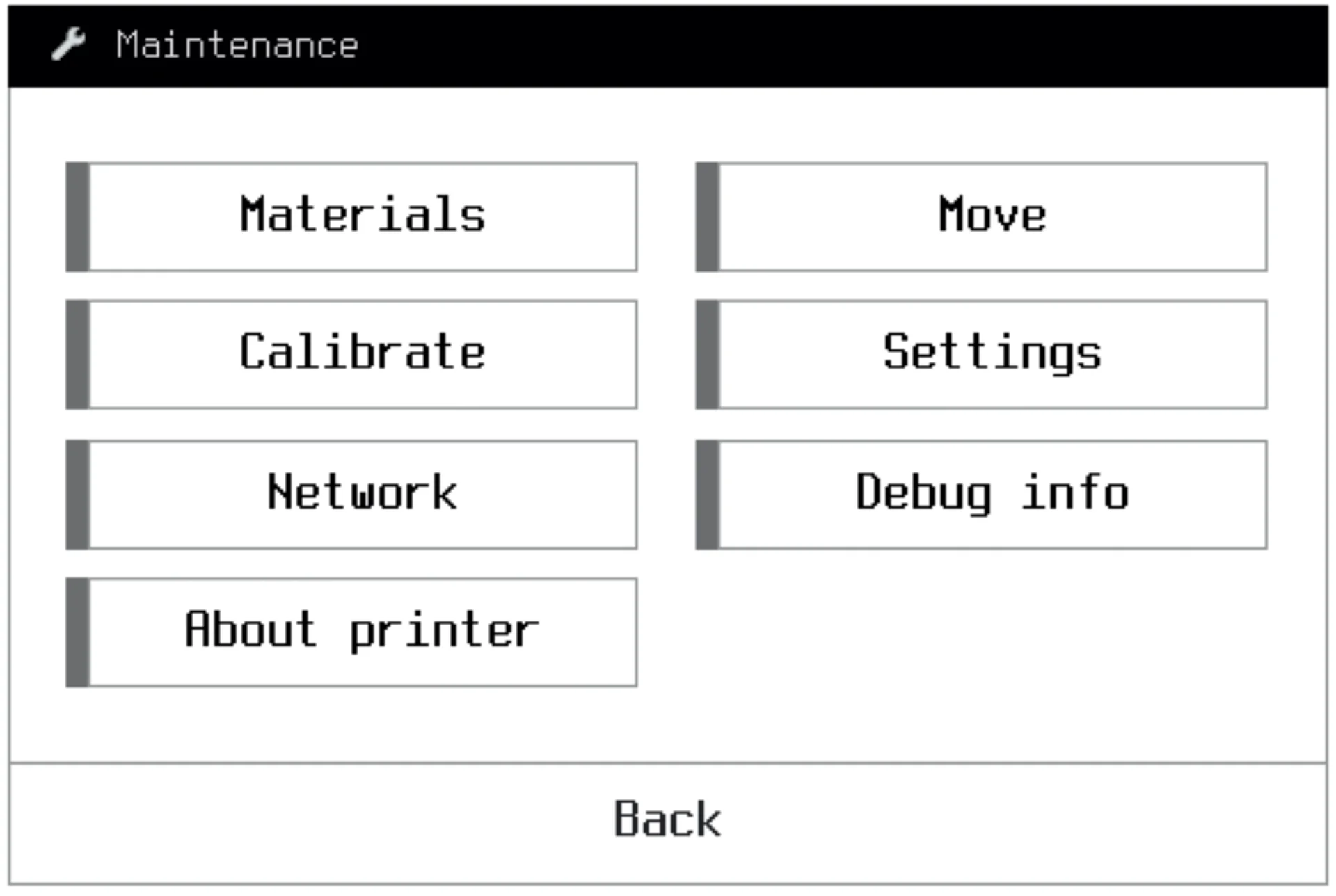
- Maintenance – access to service functions
- Materials – load/unload plastic or fiber
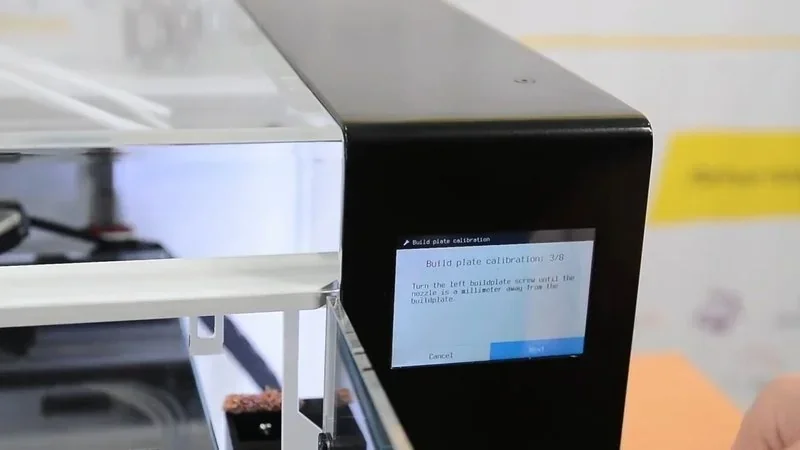
- Calibrate – buildplate, Z-axis, and head offset
- Network – connection settings
- About printer – serial, version, build date
- Move – manual axis positioning and homing
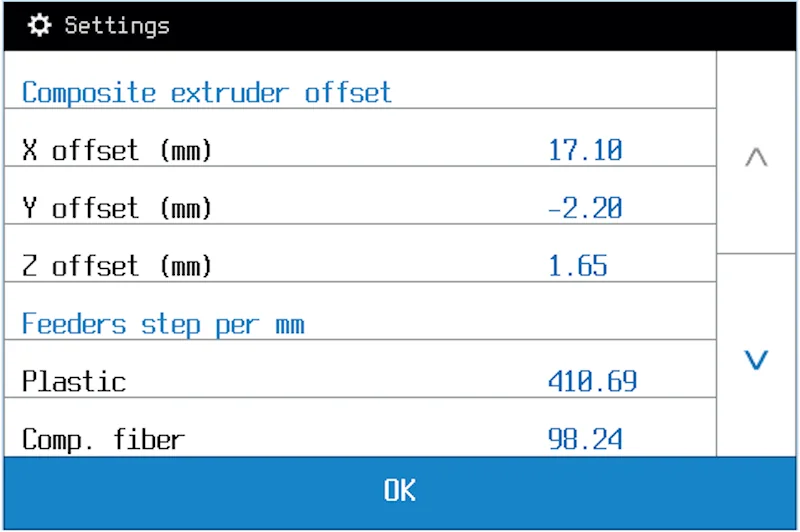
- Settings – printer parameter configuration
- Debug info – troubleshooting data
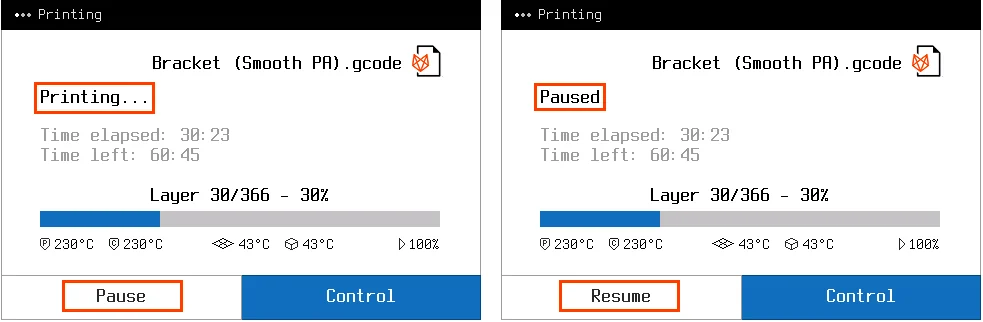
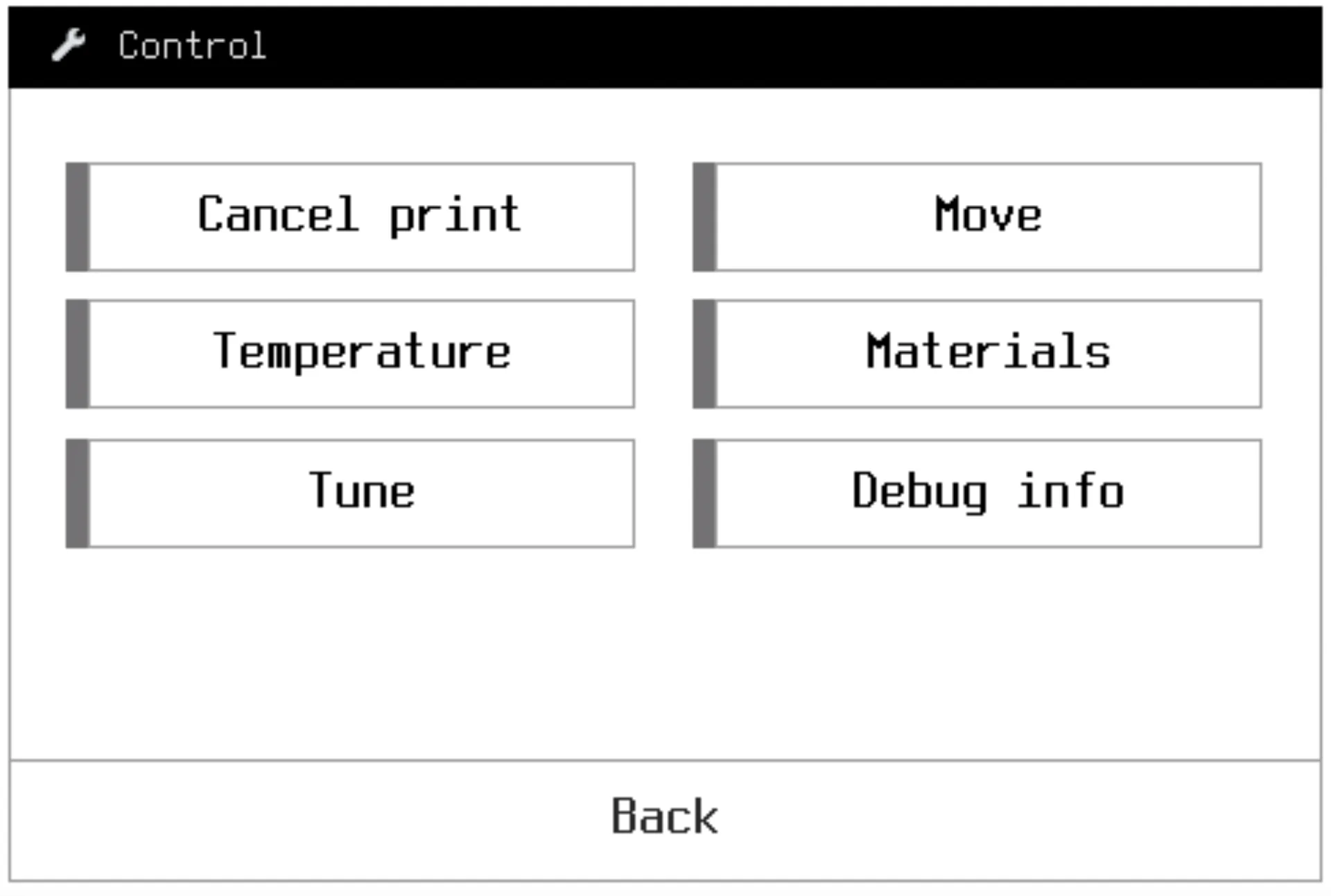
During the printing process, extra controls appear under Control and Pause. Users can adjust feed rate (25–200%), plastic flow (25–150%), temperature (±100°C), and fan power (±100%). The Pause function repositions the printhead while keeping temperature stable for inspections or adjustments.
The Move control includes an Extruders sub-menu for retracting/supplying filament, switching extruders, activating the fiber cutter, and controlling the nozzle fan.
What connectivity options are available on the Anisoprint Composer A4?
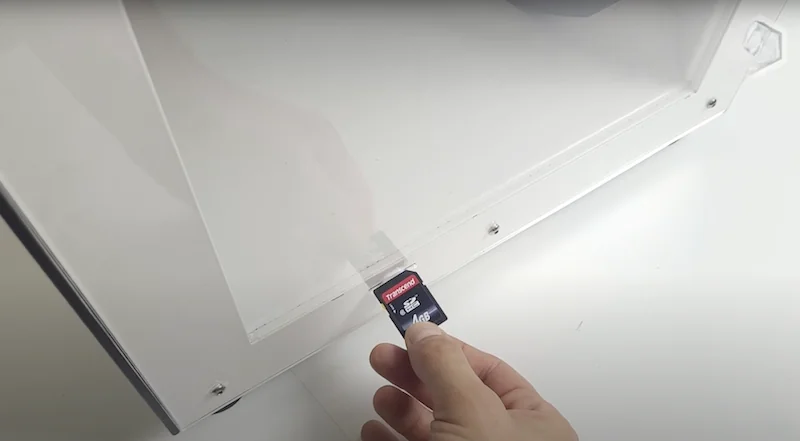
The Anisoprint Composer A4 industrial 3D printer connects via USB Type-B, SD card, or Wi-Fi. USB allows direct control and firmware updates, the SD slot (on the right side) supports standalone printing, and Wi-Fi (in “nw” models) enables wireless file transfer and remote management.
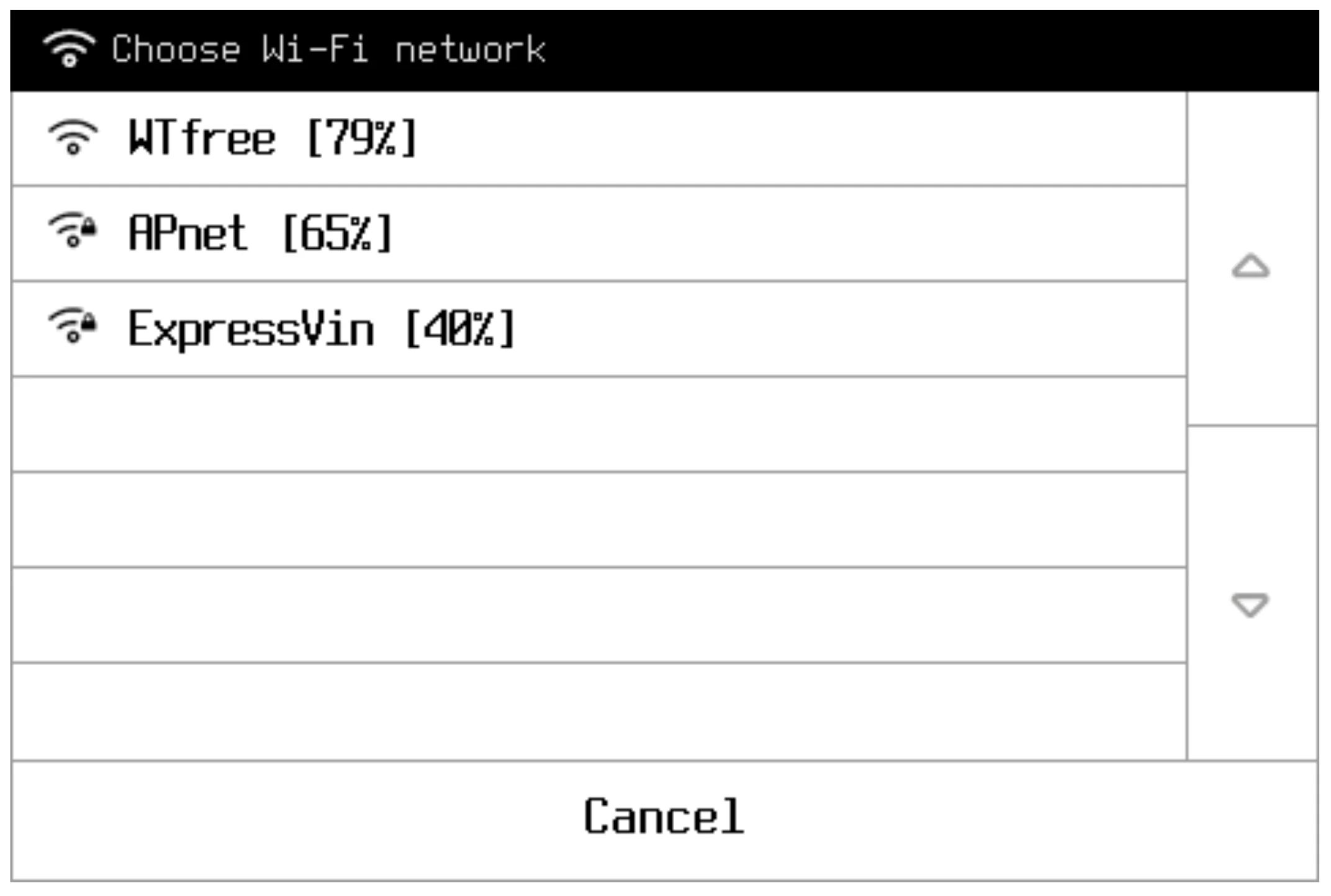
Wi-Fi setup is done via Network > Connections > Choose Wi-Fi network on the touchscreen. The Composer A4’s network bridge updates four times daily when online. For firewalled networks, Ubuntu Snap Store addresses must be accessible. Connectivity integrates with Aura software, which slices models locally to keep data confidential.
What software is offered with the Anisoprint Composer A4?
The Anisoprint Composer A4 uses Aura slicing software for CFC printing, offered in three tiers: Neat (preset Anisoprint profiles), Ext (adds verified third-party materials and more settings), and Open (full customization with advanced controls like adaptive layers and fiber ratio). For standard FFF 3D printing, it also works with Cura and Slic3r.
Anisoprint Aura runs locally for data security and offers masking for targeted reinforcement, macro-layering, and multiple infill patterns (solid, rhombic, isogrid, anisogrid, tetragrid). For each layer, it generates reinforcing fibertrajectories. It supports STL, STEP, STP, 3DS, and OBJ files with visualization tools for layer analysis. Firmware updates are handled via USB through Aura. Each license tier includes AM training, from basic use to advanced composite design.
What is the design and build quality of the Anisoprint Composer A4?
What is the design and form factor of the Anisoprint Composer A4?
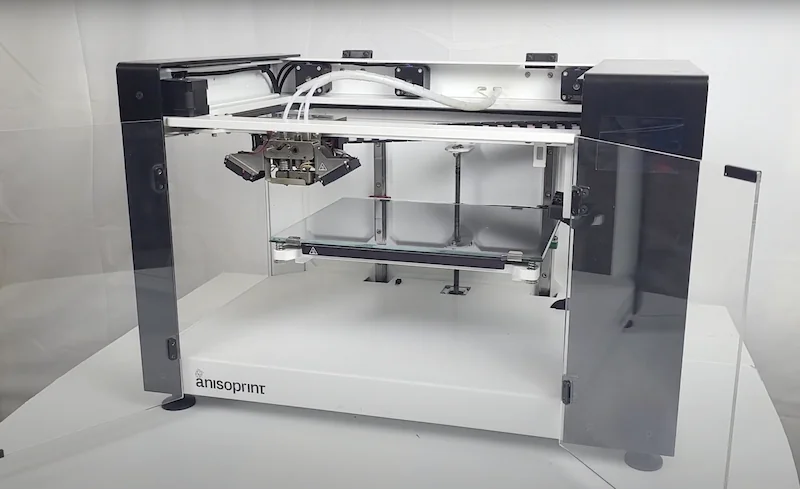
The Anisoprint Composer A4 has an industrial desktop design with an 8mm aluminum frame, measuring 610 × 400 × 400 mm and weighing 25.6 kg. Its build chamber is fully enclosed with acrylic panels.
The Composer A4 has dual front doors with magnetic locks and a hinged top cover, open for low-temp materials or closed for a passive heated chamber. An exhaust fan in the rear top corner activates automatically at 60°C.
What is the motion system of the Anisoprint Composer A4?
The Anisoprint Composer A4 uses a CoreXY system with two Gates 8mm timing belts. Its X and Y axes run on 12mm Hiwin rails, driven by front-mounted NEMA 17 stepper motors for precise movement.
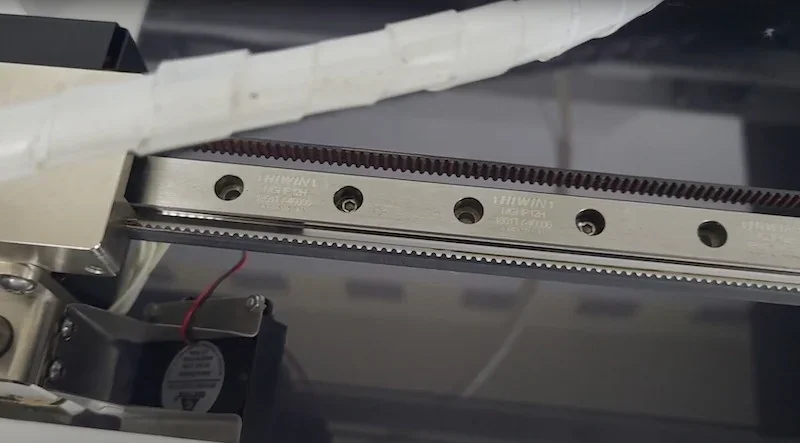
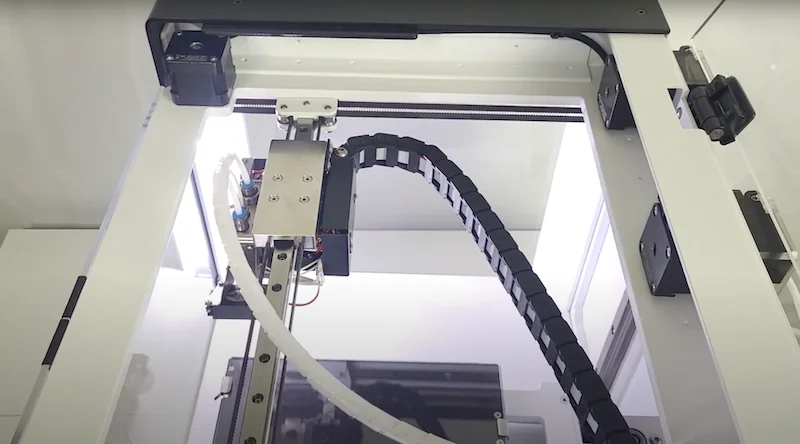
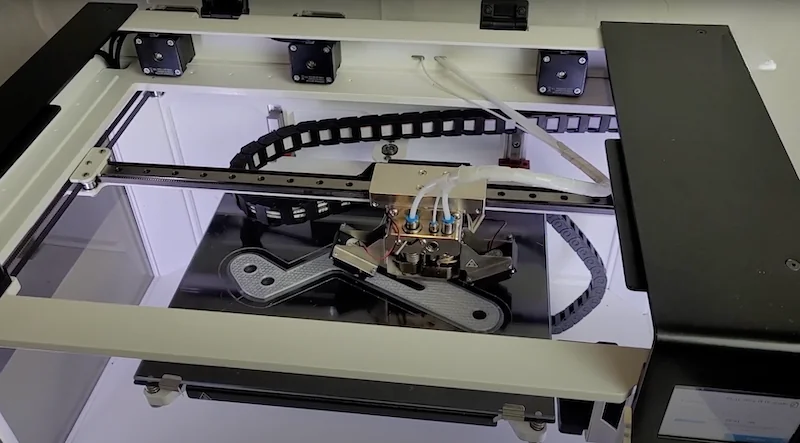
The Z-axis runs on two 15mm Hiwin rails with a direct-drive motor and a single-thread trapezoidal screw, eliminating couplings.
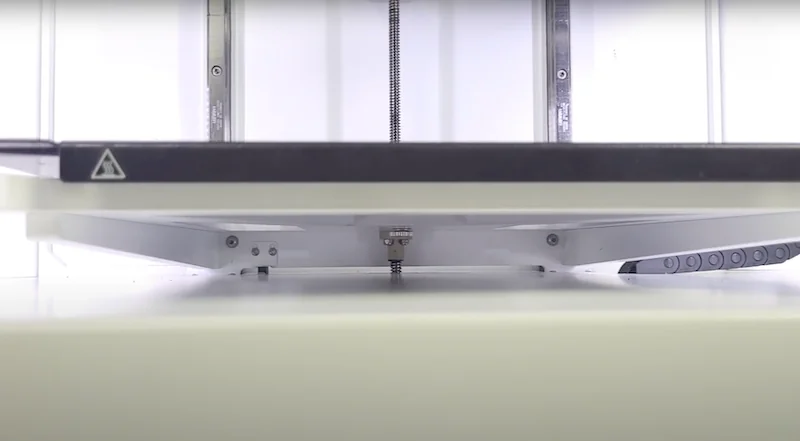
The Z-axis motor sits in the lower compartment, with a motion system designed for precise FFF printing and composite fiber co-extrusion.
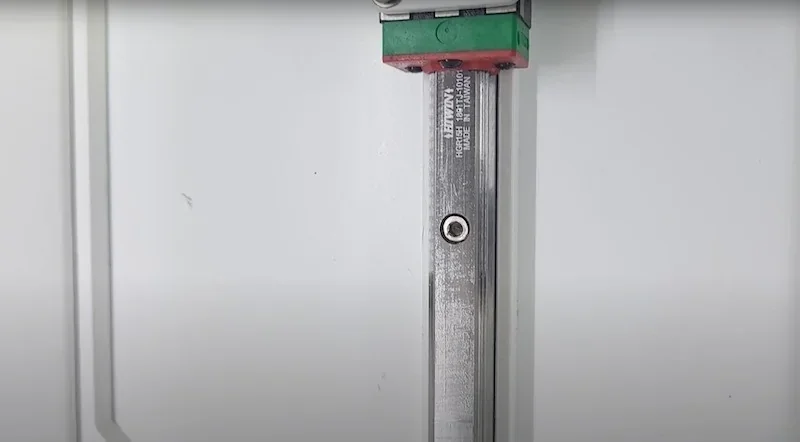
The Composer A4 uses optical endstops on all axes to ensure precise positioning before printing.
What are the build platform specifications of the Anisoprint Composer A4?
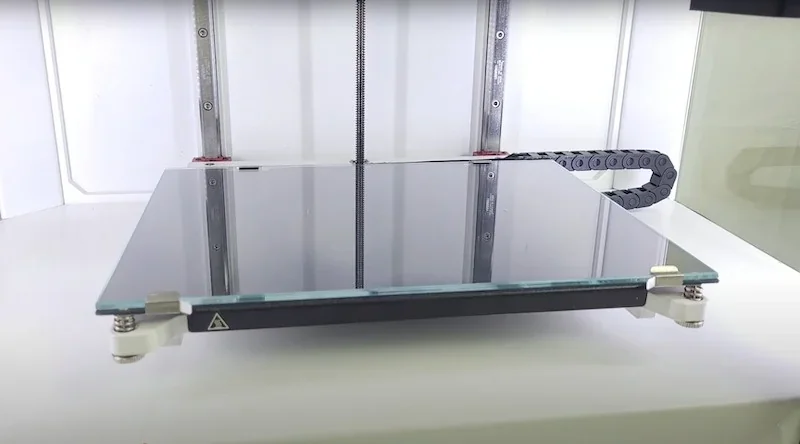
The Composer A4 has a cantilevered glass build plate (297 × 210 × 140 mm) that heats to 60°C in normal use and up to 120°C with the chamber open. A solid bed frame prevents swaying during prints.
The Composer A4 build plate is held by two rear fixed brackets and two front hinges for easy removal. Calibration uses three adjustment points with a software assistant. The glass surface can be detached for part removal and maintenance.
What is the hotend and extruder system of the Anisoprint Composer A4?
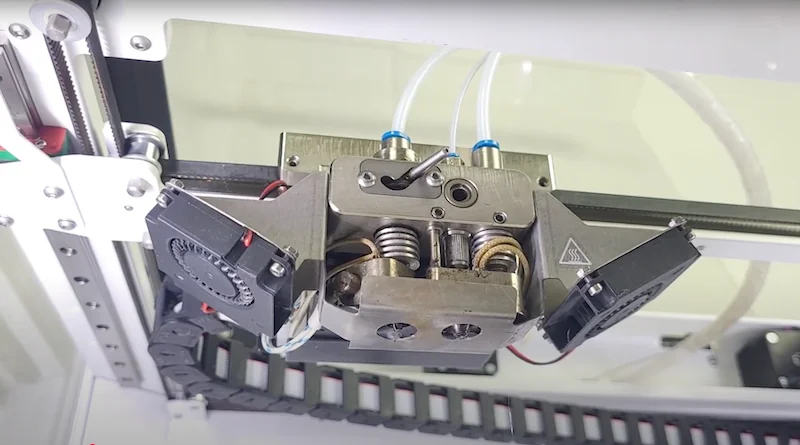
The Composer A4 has dual extruders: a standard FFF hotend and a composite extruder. The left hotend uses a hardened 0.4mm V6-type nozzle (up to 270°C), with optional 0.6mm compatibility. It includes a V-notch lifting mechanism activated by printhead movement.
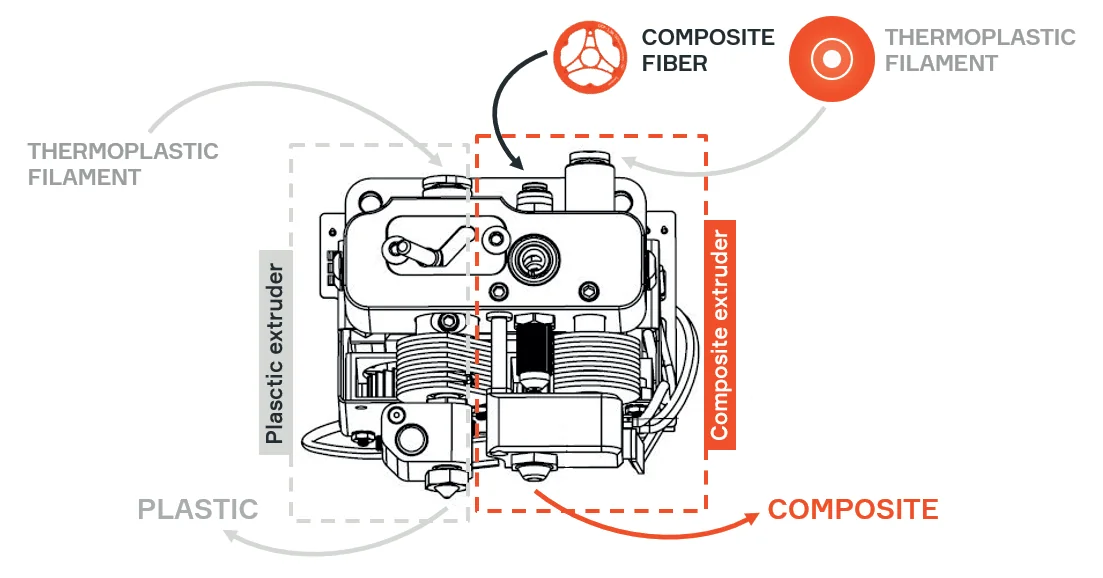
The Composer A4’s right composite extruder has a 0.8mm nozzle, taking fiber from the top and polymer from the side, combining them before extrusion. A servo-driven rotary cutter at the hotend top handles fiber cutting.
Both Composer A4 extruders use Bowden systems with feeders mounted on the rear wall.
The Composer A4 uses a Titan-type geared feeder for plastic materials.
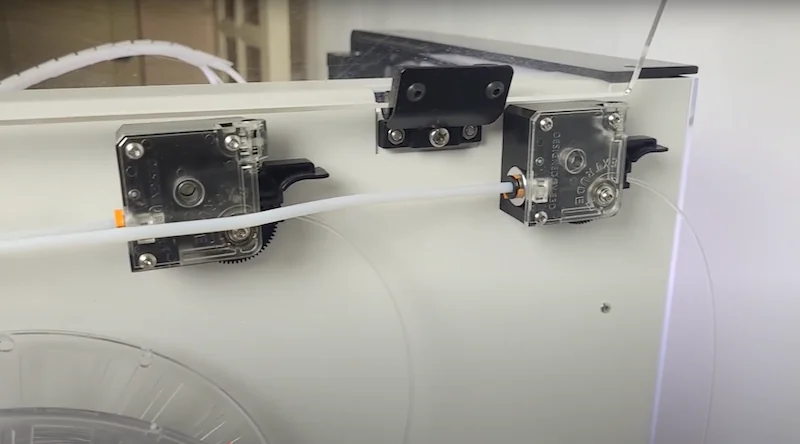
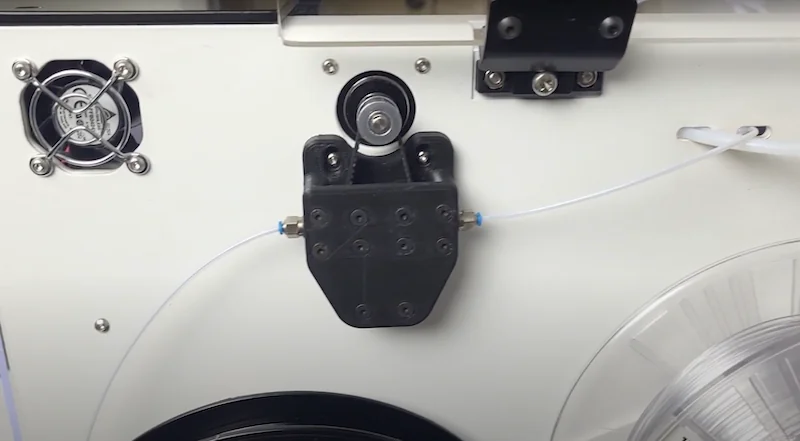
For composite fiber, the Composer A4 uses a proprietary dual-belt feeder that prevents slipping and avoids damage during feeding.
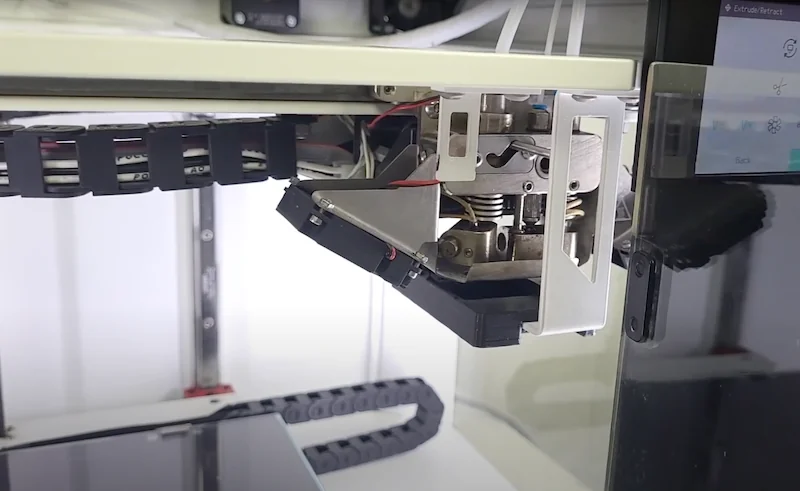
The Composer A4 switches extruders with a mechanical lifting system: the printhead moves to a right-side projection that shifts a lever in a V-notch, raising or lowering the plastic extruder without extra motors or servos.
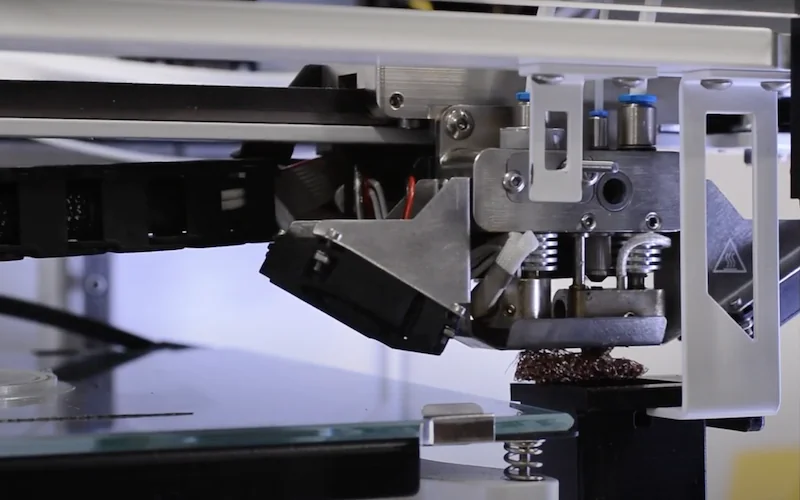
Both extruders are cooled by GDSTime 4010 fans, which run quietly and without noticeable vibration.
How does the Anisoprint Composer A4 handle filament storage and feeding?
The Anisoprint Composer A4 stores materials on three rear-mounted spool holders: center for the left extruder filament, right for auxiliary filament to the composite extruder, and left for fiber spools. Materials feed through PTFE tubes from the rear feeders to the hotends.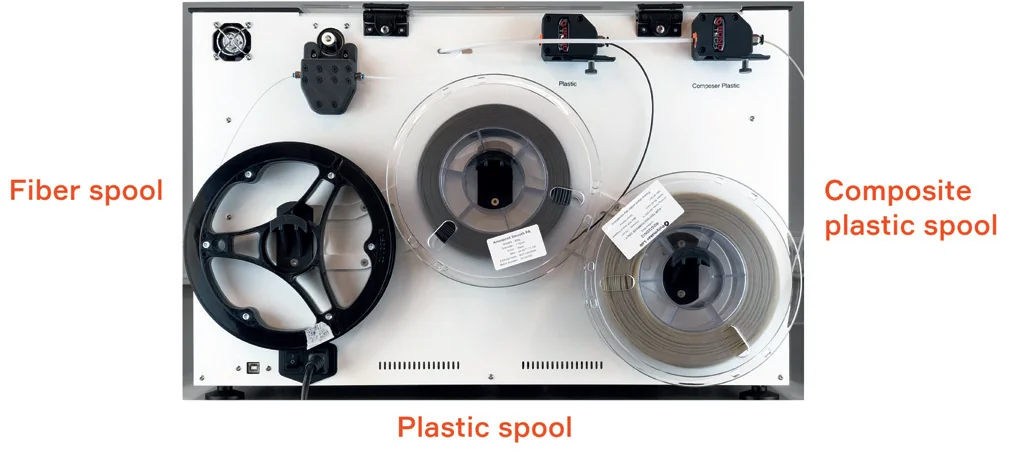
What are the power supply specifications of the Anisoprint Composer A4?
The Composer A4 runs on 220–240V AC with optional 100–120V support at 50/60Hz, consuming up to 800W.
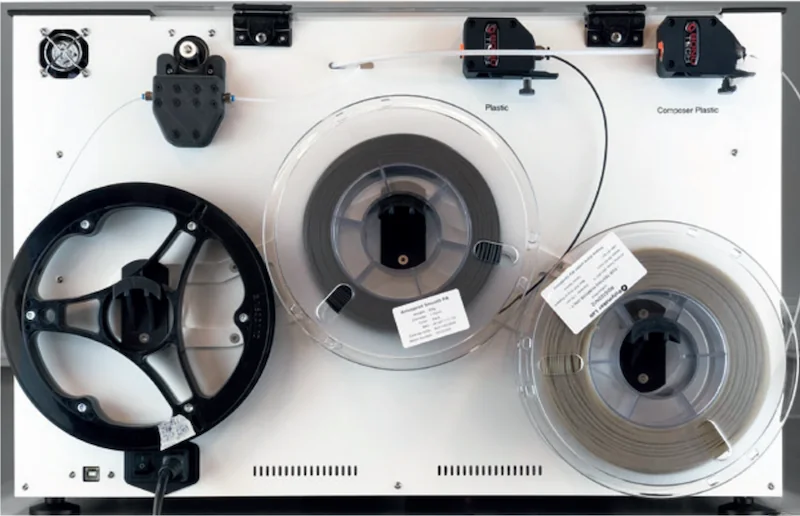
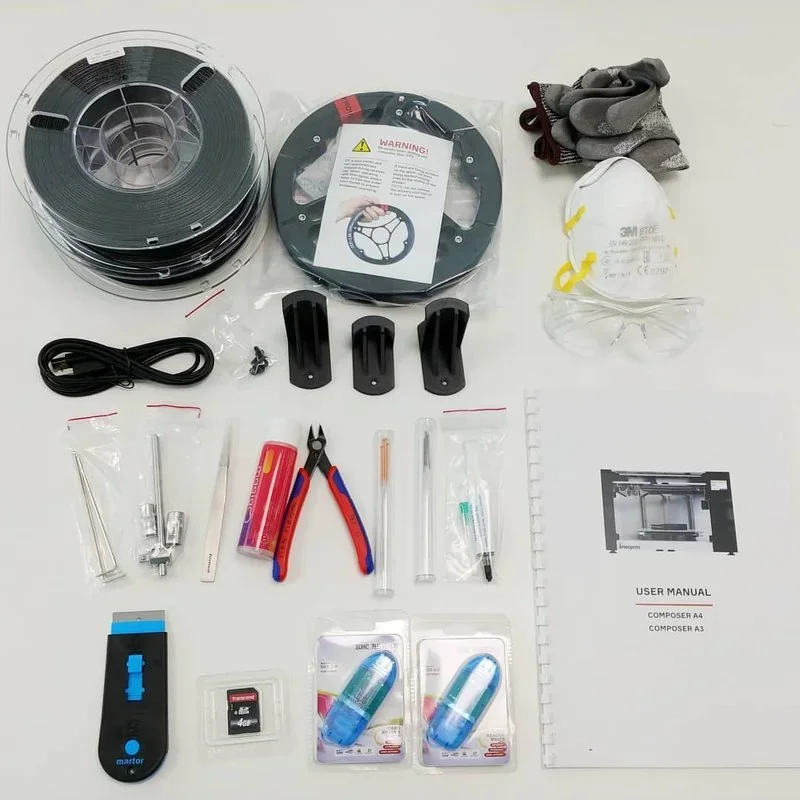
What comes included in the box with Anisoprint Composer A4?
- Fully assembled printer
- 2 filament spools (Smooth PA, CFC PA)
- CCF-1.5k fiber spool
- Tool kit (hex keys, socket wrench, cleaning needle, brass brush, tweezers, barbed needle)
- PPE kit (gloves, safety glasses, mask)
- Spare parts kit
- SD memory card
- User manual
- Glass build plate
- Wipe station part
The Composer A4 ships fully assembled and ready to use. It includes Smooth PA and CFC PA filaments, one CCF-1.5k fiber spool, a full maintenance tool kit, and PPE for safe handling of conductive, splinter-prone carbon fiber.
Note: Package contents may change without notice. Confirm current inclusions with a Top3DShop sales representative before ordering.
What upgrades and accessories are available for the Anisoprint Composer A4?
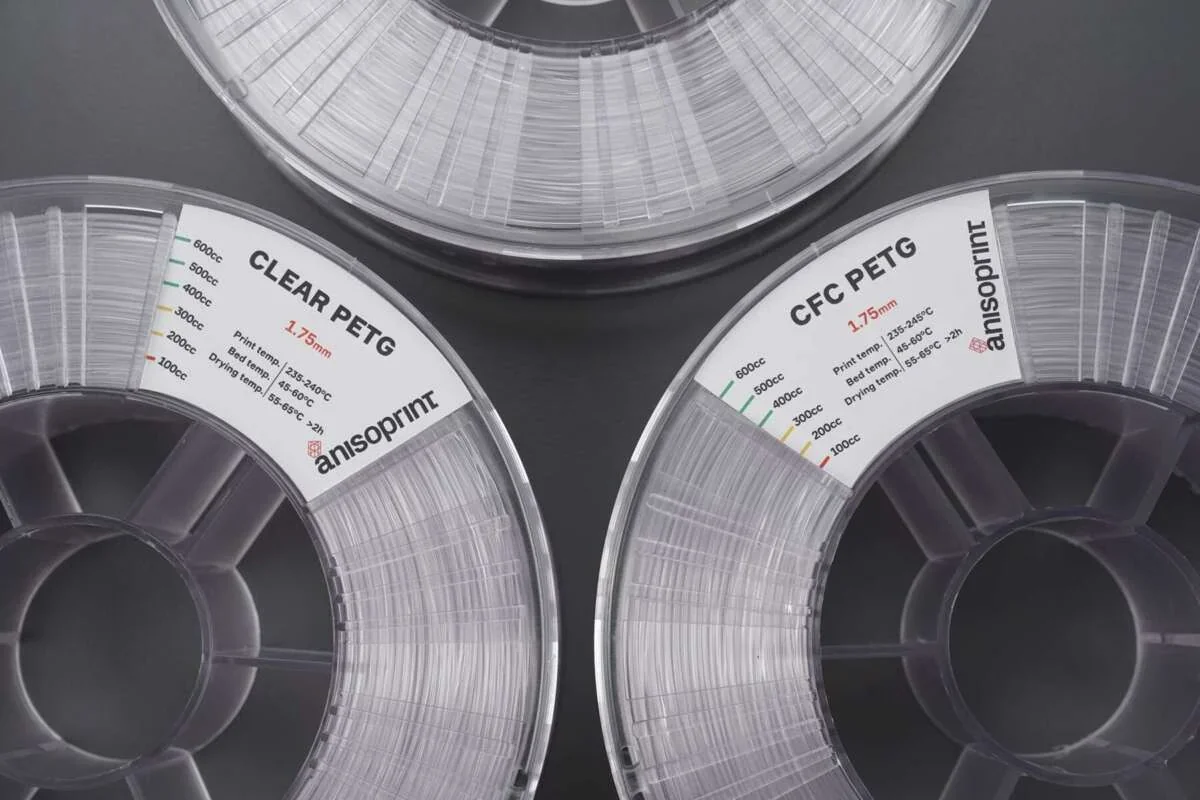
The Anisoprint Composer A4 offers upgrades including a range of specialized consumable materials like continuous carbon fiber (CCF) and basalt fiber (CBF) for high-strength reinforcement, multiple software licenses from Neat Pack to Open Pack with increasing control and training options, plus accessories such as bed adhesion solutions, filament dry boxes, and maintenance parts for extruders.
Consumable Materials:
| Item | Description | Application | Compatibility |
|---|---|---|---|
| Smooth PA | PA12 + 10% chopped carbon fiber | External shells, unreinforced sections | Plastic extruder |
| CFC PA | Low-viscosity PA12 matrix material | Matrix for reinforced sections | Composite extruder |
| Clear PETG | Transparent thermoplastic | Quick prototypes, translucent parts | Plastic extruder |
| CFC PETG | PETG-based matrix material | Matrix for reinforced sections | Composite extruder |
| Composite Carbon Fiber (CCF) | Pre-impregnated continuous carbon fiber | High-strength reinforcement | Composite extruder |
| Composite Basalt Fiber (CBF) | Pre-impregnated continuous basalt fiber | Non-conductive, RF-transparent reinforcement | Composite extruder |
| Magigoo Original | Bed adhesion solution | PETG printing | Glass build plate |
| Magigoo PA | Bed adhesion solution | Polyamide printing | Glass build plate |
| PolyBox | Filament dry box | Material storage and feeding | All filaments |
Software Licenses:
| License Type | Features | Target User | Upgradability |
|---|---|---|---|
| Neat Pack | Basic parameters, preset profiles for proprietary materials | Manufacturing companies, beginners | Upgradable to Ext or Open |
| Ext Pack | Additional materials, expanded parameter control, 6-hour training | Advanced users, small businesses | Upgradable to Open |
| Open Pack | Complete parameter access, custom materials, 2-day training, free printhead replacement | Research institutions, material developers | Full version |
| Aura Premium | DfAM plugin with advanced masking options | Professional designers, engineers | Add-on for any license |
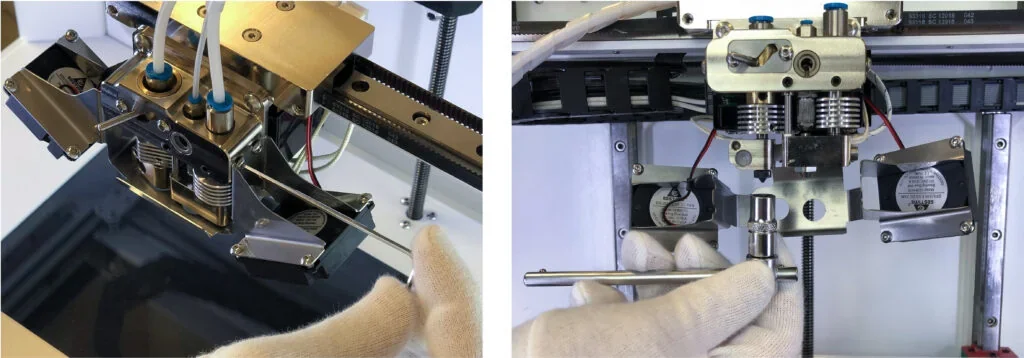
The Composer A4 requires periodic maintenance with replacement parts for both extruders. Consumables include barbed cleaning needles, brass brushes, copper washers for nozzle installation, and special lubricants for the motion system.
AM Academy offers training aligned with license tiers, covering composite design principles. The Open Pack includes a two-day course on advanced composite manufacturing and material research.
What maintenance is required for the Anisoprint Composer A4?
Before Each Print
- Clean glass build plate with damp cloth
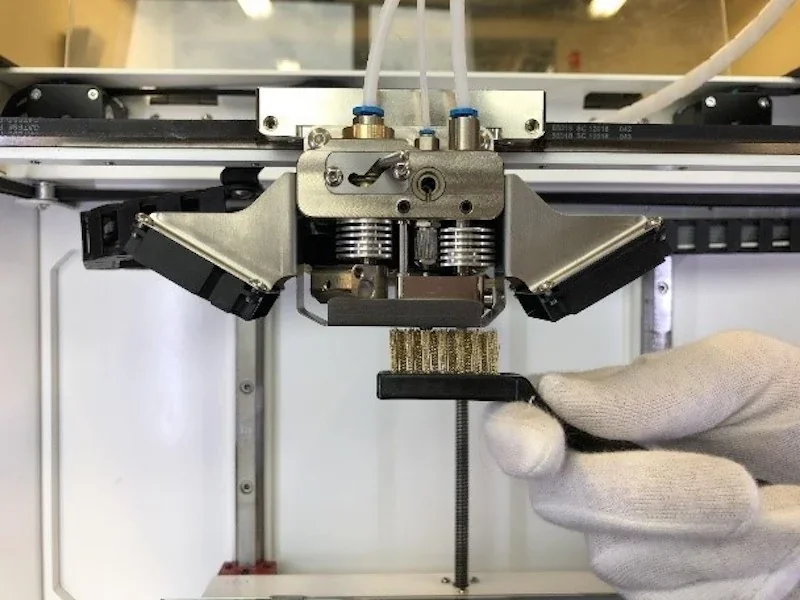
- Clean composite extruder channel with barbed needle and brass brush
Weekly
- Remove debris from internal space with cloth and vacuum
- Clean composite nozzle contact surface with brass brush
As Needed (Calibration)
- Buildplate calibration for uneven layers
- Z-axis calibration after nozzle change or adhesion issues
- Z-offset calibration after nozzle replacement
- XY offset calibration using NozzleOffsetTest.gcode
Component Replacement
- Replace plastic nozzle if clogged or worn
- Replace composite nozzle parts if clogging persists
Semi-Annual
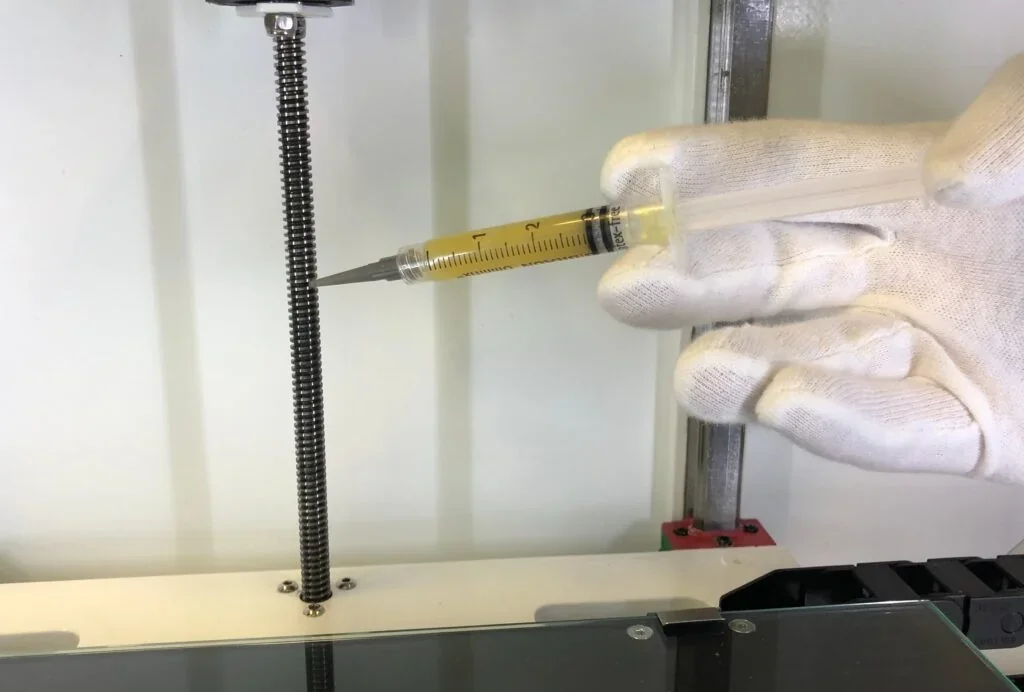
- Lubricate X, Y, Z guides, Z screw, and nozzle switch every 6 months
The Composer A4’s accessible design includes removable fan brackets and extruders for easier maintenance. Built-in heaters allow thermal cleaning, and the touchscreen guides calibration. The package includes cleaning tools (barbed needles, brass brushes, tweezers) and specialized lubricants for mechanical parts.
What support and warranty come with the Anisoprint Composer A4?
The Composer A4 includes a 1-year manufacturer’s warranty, valid when used per the User Manual. Warranty coverage for the Anisoprint Composer series can be extended to 3 years.
Anisoprint provides support via support.anisoprint.com, offering guides, troubleshooting, firmware, and calibration files. Anisoprint training matches license tiers, from basic tutorials (Neat Pack) to a two-day intensive (Open Pack). Direct help is available at: support@anisoprint.com
Top3DShop offers Anisoprint support through its service center, with technical experts available Monday–Friday to help with setup and operational issues.
How much does the Anisoprint Composer A4 cost?
For configuration needs and license options (NEAT, EXT, OPEN), contact Top3DShop for a custom quote. The Ext Pack adds advanced software features with 6-hour training, while the Open Pack includes full customization, 2-day training, and extended warranty options. For larger industrial applications, the Composer A3 offers 77% more build volume than the A4.