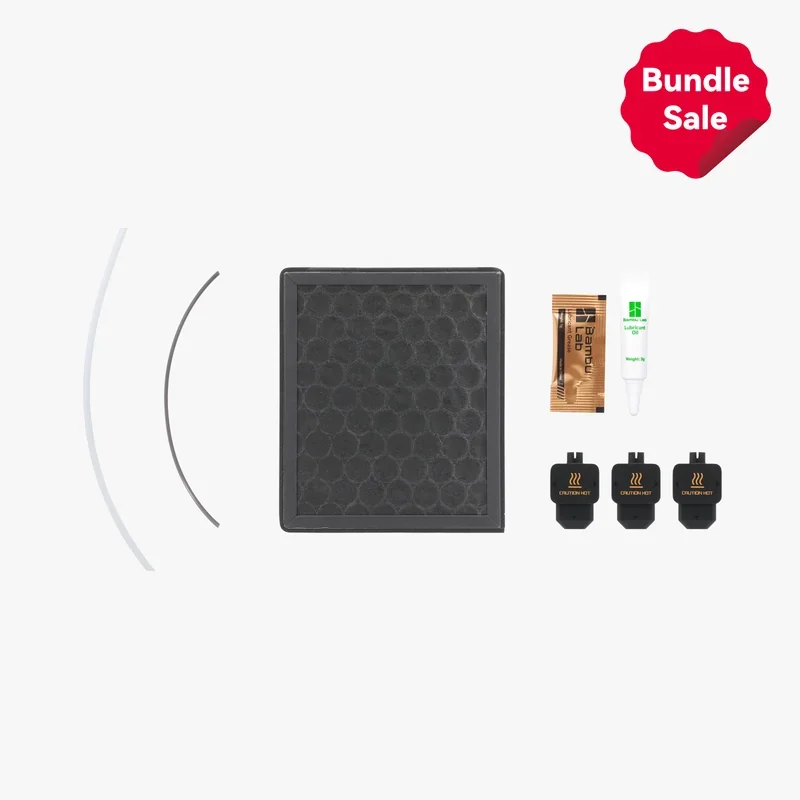
Bambu Lab H2D Pro is a professional dual-nozzle FFF 3D printer built for engineering-grade, multi-material production, combining a 350 × 320 × 325 mm total build envelope with 350 °C all-metal hotends (tungsten-carbide nozzles, a more powerful cooling system than on the H2D), a 65 °C actively heated chamber, and a standard Vision Encoder that delivers 50 µm motion accuracy across the plate — features that elevate dimensional fidelity on technical polymers and composites.

Distinctively, the H2D Pro adds enterprise-ready networking Ethernet, WPA2-Enterprise (802.1X), hardware kill switches for Wi-Fi/Ethernet, and a removable network module for air-gapped deployment — while AMS 2 Pro and AMS HT ship in the box for moisture-controlled, RFID-assisted material handling, positioning the H2D Pro as a high-reliability desktop platform for professional environments.

What is the print quality and performance of the Bambu Lab H2D Pro?

The H2D Pro delivers consistent, engineering-grade results at speed: independent testing measured repeatability deviations consistently <0.05 mm, and — after enabling Bambu Studio’s hole/shaft compensation — circular features reached a 0.044 mm mean deviation (σ = 0.021 mm), with stress tests confirming overhangs to 65° and bridges to 60 mm; the suite’s aggregate score placed the H2D Pro at the top end of desktop FFF performance.

All-In-One test: clean layers, sharp spikes, accurate bridges; only minor overhang sag, fixable with slicer tweaks. 
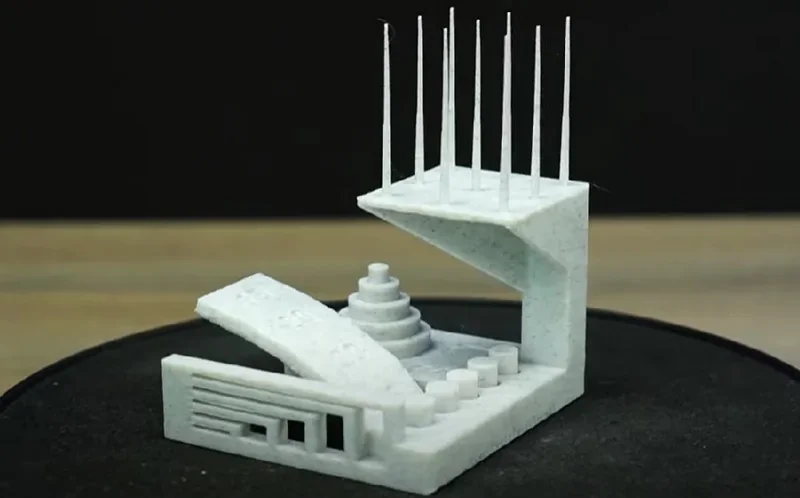
Bambu Lab H2D Pro 3D-printed model showcasing intricate geometric details and precision, set against a dark background.

Mechanically, the platform sustains high throughput with a 1,000 mm/s toolhead limit, 20,000 mm/s² acceleration and 40 mm³/s rated flow, while its Vision Encoder uses 5 µm optical measurement to calibrate motion and hold 50 µm distance-independent accuracy across the plate; the 65 °C actively-heated chamber stabilizes layers on technical polymers to reduce warp and delamination.
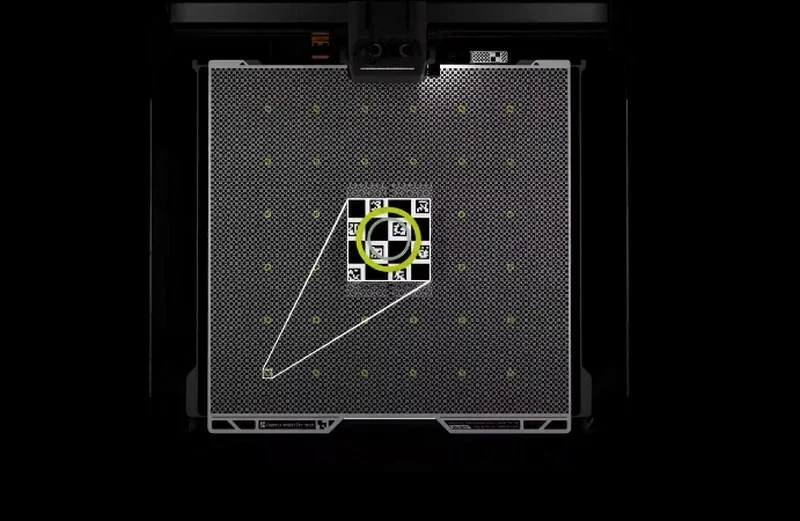
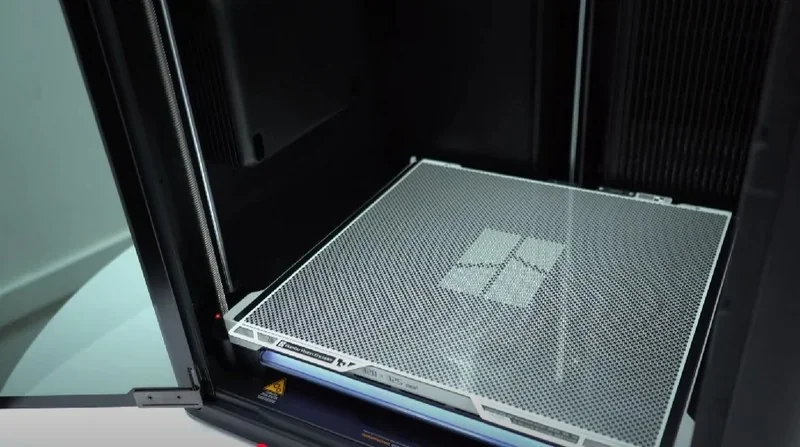
Bambu Lab H2D Pro print bed with grid pattern, calibration marks, and highlighted section for precision 3D printing setup.

Quality-driving features (impact on adhesion, accuracy, and surface finish):
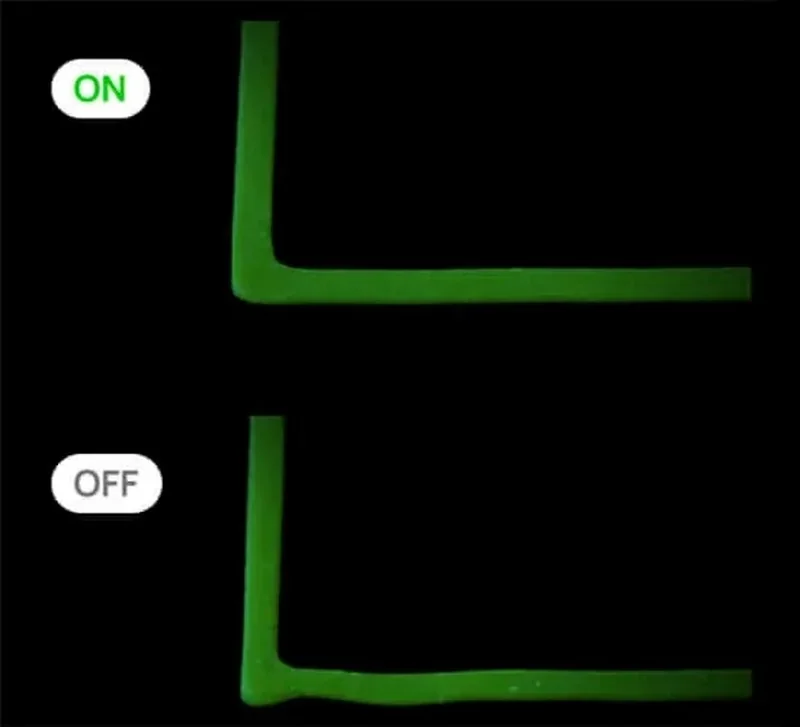
  • Rigid CoreXY chassis + 3-point Z for stable kinematics at high acceleration; auto mesh leveling & dual-nozzle XY-offset calibration guided by the Vision Encoder improve first-layer consistency and nozzle registration.

Bambu Lab H2D Pro comparison of green 3D printed parts labeled "ON" and "OFF" shows precision differences in printing quality against a black background.

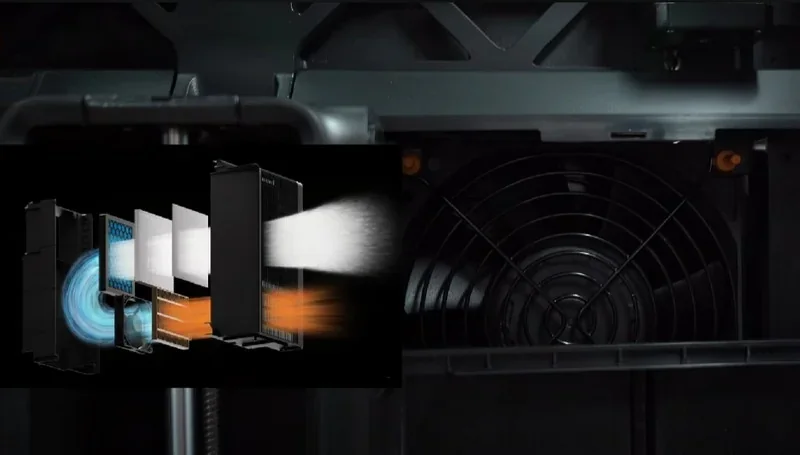
  • Toolhead Enhanced Cooling Fan for the heat-break and closed-loop control on all major fans (part, hotend, chamber exhaust/recirculation, board) to maintain thermal stability on long jobs.

Bambu Lab H2D Pro 3D printer fan system, showing airflow diagram and ventilation components, emphasizes advanced cooling performance.

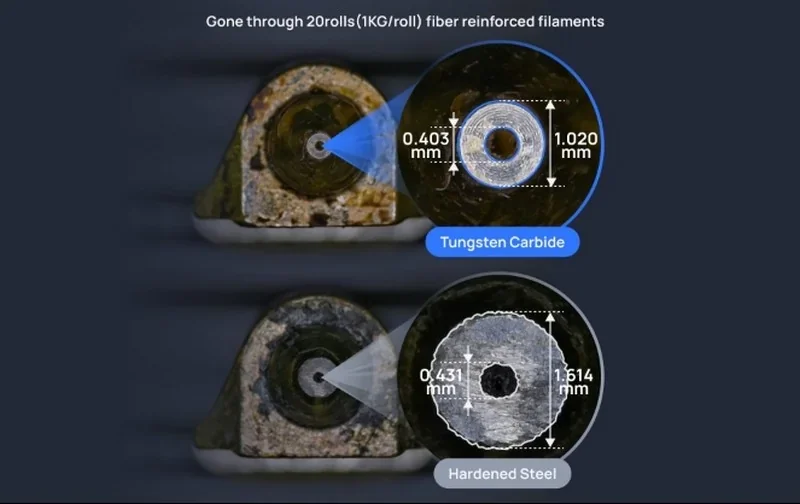
  • Tungsten-carbide nozzles (HRA 90) deliver markedly higher wear resistance vs. hardened steel (HRA 74), extending life ~50% under abrasive CF/GF filaments—helping preserve dimensional fidelity over time.

Bambu Lab H2D Pro nozzle wear comparison: tungsten carbide vs. hardened steel, measurements highlighted.

  • Integrated nozzle wiper & foldable filament cutter reduce contamination at tool changes and keep first-layer surfaces clean.

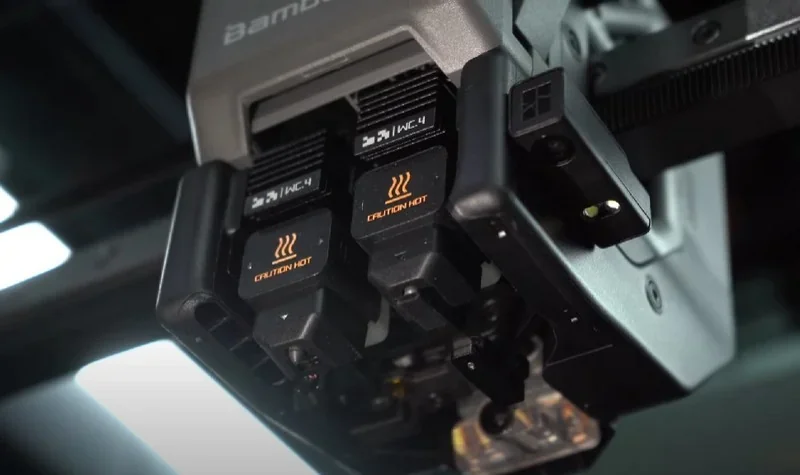
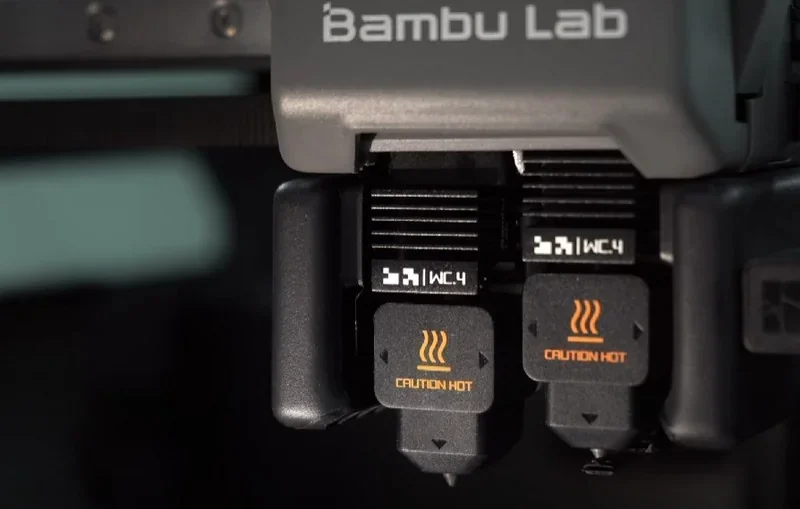
Bambu Lab H2D Pro 3D printer close-up, focusing on heated components labeled "Caution Hot," showcasing advanced design elements.

  • PEI build plates (textured & smooth) and a 120 °C heatbed support strong first-layer adhesion with easy release, while the 65 °C chamber mitigates warp on nylons and composites.

Bambu Lab H2D Pro 3D printer's interior with a print bed, showing intricate mesh design, indicating detailed creation capability.

In VFA, extrusion-consistency, and cooling tests, the H2D beat the X1C with smoother walls, lower ringing, and cleaner layers. Compared to the lighter H2C, it shows slightly more high-acceleration artifacts but delivers stronger cooling and better overhangs.

XYZ 20 mm cube in PLA, PETG, and ABS showed good dimensional accuracy. Surface finish was typical, with minor bubbles from undried filament — overall, standard FDM quality.
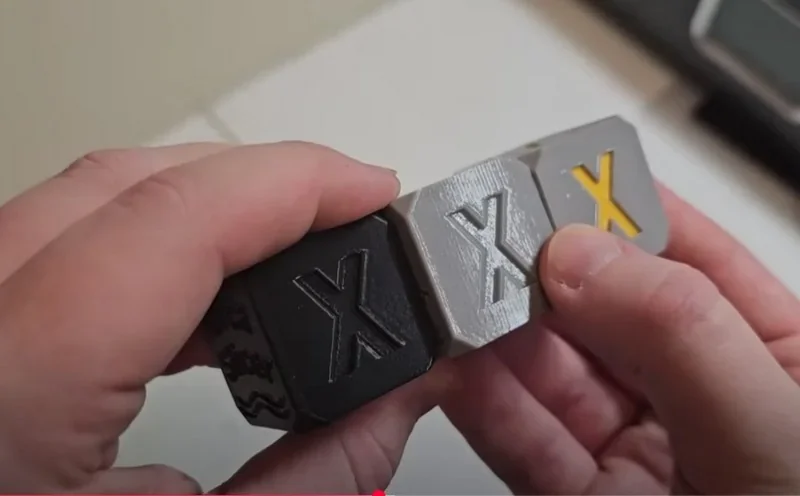
Hands holding three 3D-printed cubes with 'X' symbols in black, gray, and silver, created by Bambu Lab H2D Pro.

PLA Print Sample:

Dual-material print (PLA + Bambu Support-PLA): extremely clean overhangs, minimal sagging, and consistent layers—cleaner than the first layer.
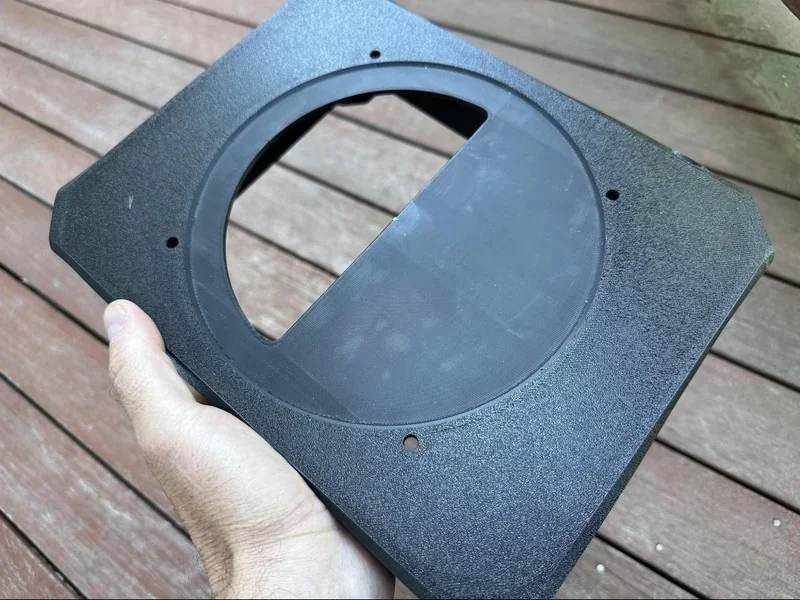
Black 3D-printed part with circular cutout held over wooden deck, created by bambu lab h2d pro.

Credit: Robert Silvers, Bambu Labs Facebook Community Group

Print Speed Test:

H2D printed a knitted PLA panda in 3h20m with clean surfaces and minimal purge waste — much faster than the P1S (8h36m) thanks to dual nozzles and an optimized multicolor workflow.
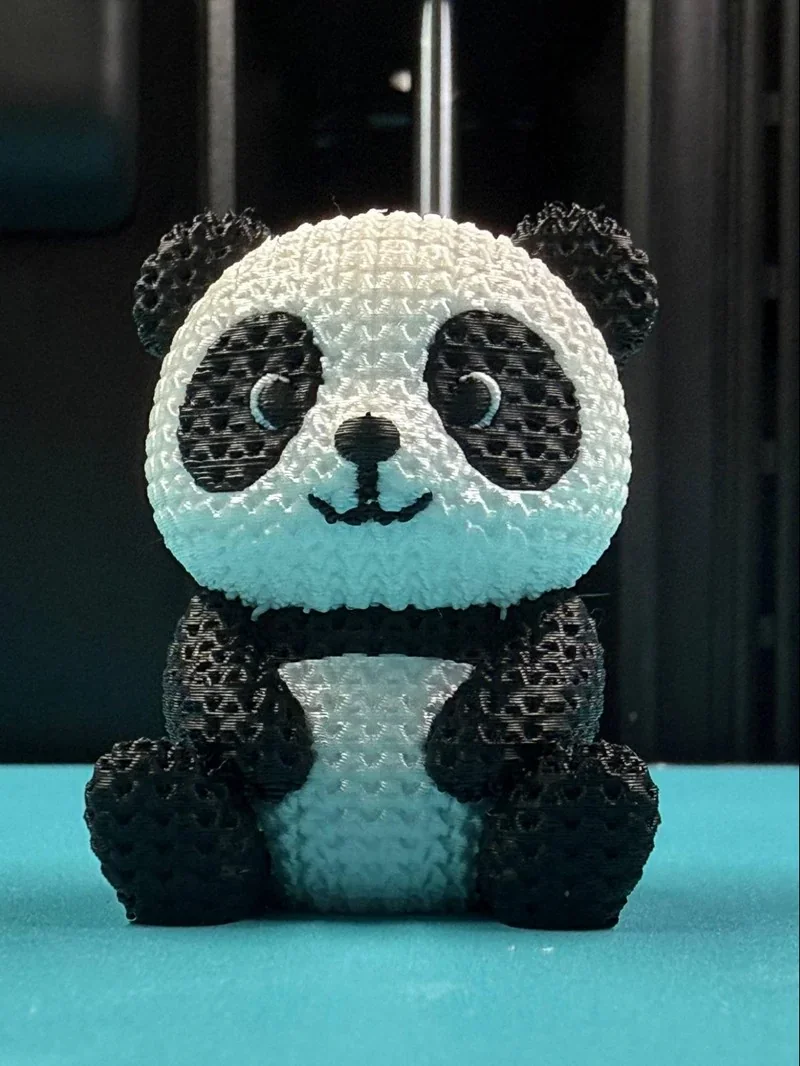
3D-printed panda toy by Bambu Lab H2D Pro on a blue surface, showcasing intricate texture and color patterns.

Credit: Alex Morales, Bambu Labs Facebook Community Group

Batch Reliability: 

Print Samples: Williams Industries uses the H2D to mass-produce high-quality, multicolor 3D prints in consistent batches for clients like Paramount, Nickelodeon, and HBO, and for special needs programs.
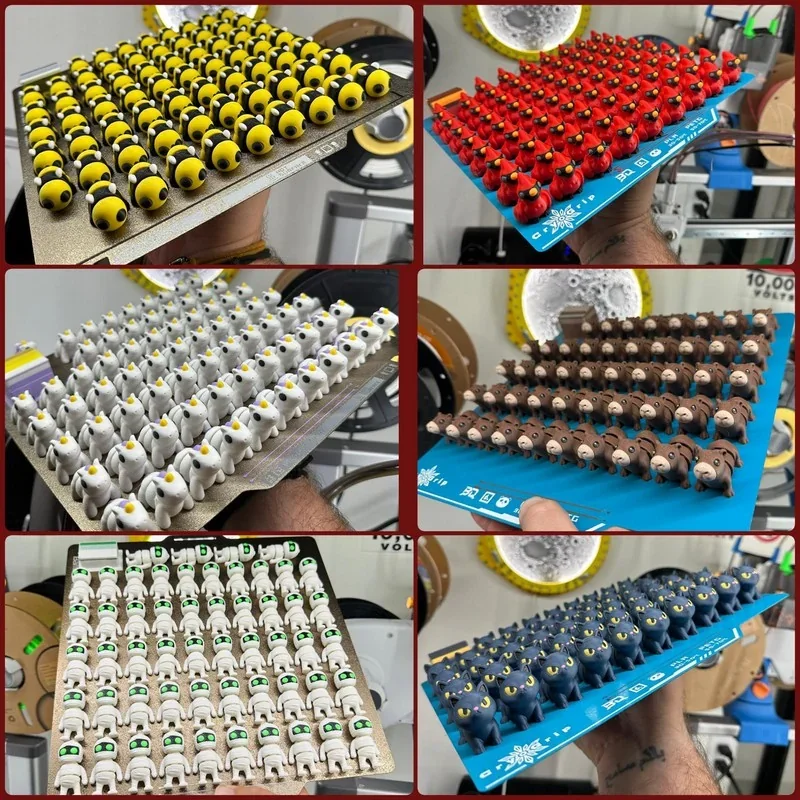
Bambu Lab H2D Pro prints multiple 3D figures: yellow faces, red birds, white animals, brown bears, robots with green eyes, and black cats in a workspace.

Credit: Mikal Williams

Multi-Assembly Projects Tests:

The H2D successfully printed a large, multicolor One Piece “Thousand Sunny” model in PLA, delivering vivid colors, sharp details, strong layer adhesion, and accurate textures on parts exceeding 30 cm. It completed over 100 components reliably within 2–3 weeks of continuous printing.

Which thermoplastic filaments can you use with the Bambu Lab H2D Pro?

The H2D Pro supports 20 material types, including PLA, PETG, TPU, PVA, BVOH, ABS, ASA, PC, PA (nylon), PET, PLA-CF/GF, PETG-CF/GF, PA-CF/GF, PET-CF/GF, PC-CF/GF, ABS-CF/GF, ASA-CF/GF, PPA-CF/GF, PPS, and PPS-CF/GF; its 350 °C hotends, 65 °C actively heated chamber, tungsten-carbide nozzles, and the included AMS HT dryer (up to 85 °C) broaden compatibility with engineering polymers and fiber-reinforced composites. Note that TPE and very soft TPU, as well as carbon/glass-fiber-filled filaments, are not supported through AMS feeding (load these via the side-mounted direct spool path); damp PVA/BVOH are also not supported. The system is open to standard 1.75 mm third-party materials, while RFID on Bambu spools enables automatic presets in Bambu Studio for convenience.

PLA 3D Print Sample:

PLA + PVA, PLA + PETG, PLA + PLA, PLA + PVA, PLA + PLA Silk Print Sample:

PETG + TPU Print Sample:

TPU Print Sample:

TPU 3D Print Sample:


ABS-GF 3D Print Sample: 

PA6-CF with ABS/ASA Print Quality Tests: 

What is the build volume of the Bambu Lab H2D Pro?

The H2D Pro provides a total build volume of 350 × 320 × 325 mm, with an effective area of 325 × 320 × 325 mm in single-nozzle mode and 300 × 320 × 325 mm in dual-nozzle mode due to the carriage clearance required for two hotends. 
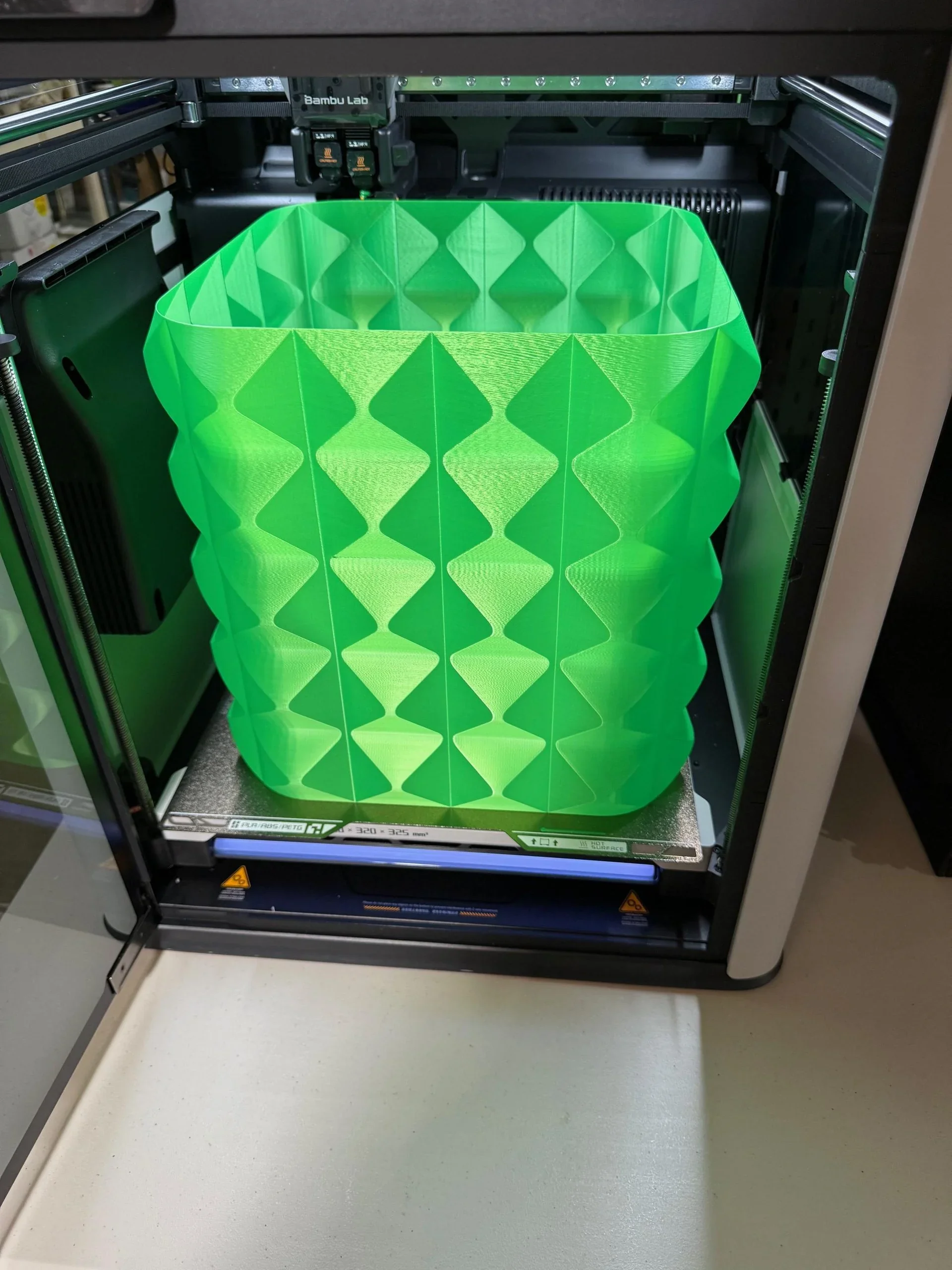
Bambu Lab H2D Pro 3D printer with a green geometric vase inside, showcasing its precision and design capabilities.

Credit: Reddit User https://www.reddit.com/user/separatelyrepeatedly/

How is the Bambu Lab H2D Pro different from the Bambu Lab H2D, Bambu Lab H2S, Bambu Lab X1 Carbon and Bambu Lab P1S?

The Bambu Lab H2D Pro refines the H2D platform for enterprise use by bundling key upgrades—Ethernet connectivity, WPA2-Enterprise support, a physical Wi-Fi kill switch, and a pre-installed Vision Encoder for 50 µm motion accuracy. It also features a durable tungsten carbide nozzle and enhanced toolhead cooling, improving high-temperature reliability and reducing clogs. Unlike the H2S, which trades dual extrusion for a lighter toolhead and marginally cleaner high-speed prints, the H2D Pro retains dual-material support for efficient multicolor and functional part production. Compared to the X1 and P1 series, which are limited to a 300 °C nozzle and 500 mm/s print speed, the H2D Pro offers a 350 °C nozzle and 1000 mm/s speed, along with a 65 °C actively heated chamber — enabling faster, more stable printing with advanced materials like PA, PC, and carbon fiber. With superior air filtration and dedicated enterprise support, the H2D Pro stands out as the most capable option for professionals needing speed, precision, and industrial-grade reliability.

Model

Build volume (mm)

Chamber

Max nozzle (°C)

Max speed (mm/s)

Price (USD)

Bambu Lab H2D Pro

325×320×325 (single); 300×320×325 (dual)

Active to 65 °C

350

up to 1000

From $3,799 .

Bambu Lab H2D

325×320×325 (single); 300×320×325 (dual)

Active to 65 °C

350

up to 1000

From $1,999. 

Bambu Lab H2S

340×320×340

Active to 65 °C

350

up to 1000

From $1,249. 

Bambu Lab X1 Carbon

256×256×256

Enclosed (no active heat)

300

up to 500

From $799 (printer) / $1,249 (Combo).

Bambu Lab P1S

256×256×256

Enclosed (no active heat)

300

up to 500

From $549 (printer) / $749 (Combo).


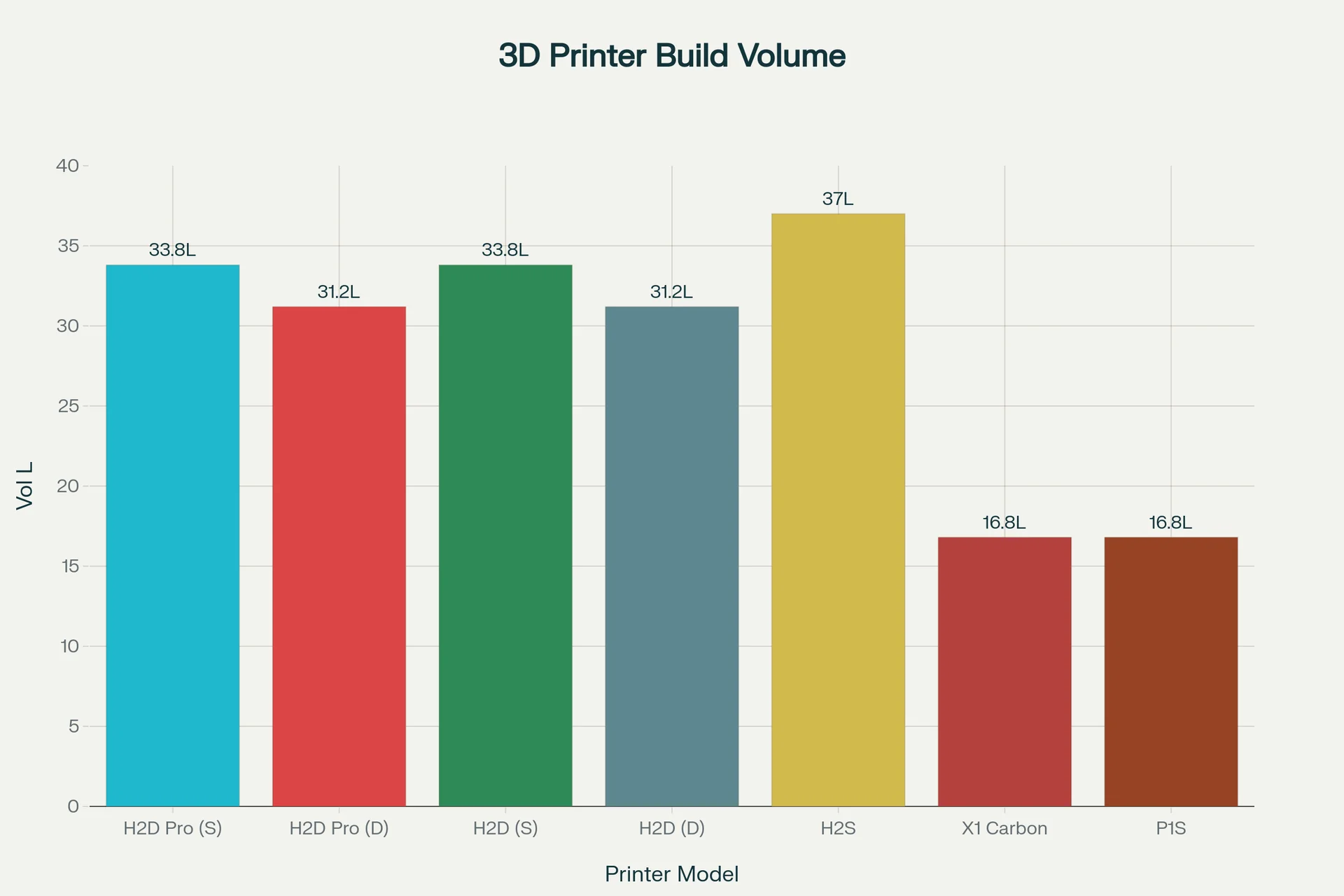
3D printer build volume comparison chart shows Bambu Lab H2D Pro (S) with 33.8L and others, with H2S having the highest at 37L.

How is the Bambu Lab H2D Pro different from the Creality K2 Plus, Bambu Lab H2S, Original Prusa XL, Prusa Core One and Voron 2.4 R2 Pro+?

The H2D Pro emphasizes controlled high-temp, multi-material production: a 65 °C active chamber, 350 °C nozzle, up to 1000 mm/s with 20,000 mm/s² acceleration, 40 mm³/s flow, triple 1080p cameras, and enterprise networking (Ethernet, 802.1X, removable module, hardware kill switch). Creality K2 Plus matches the big-box size and adds an active chamber but is capped at ≤600 mm/s and relies on a desiccant-based CFS. Original Prusa XL trades active heating for a 5-tool toolchanger (zero-purge style workflow) but tops out at 290 °C. Prusa Core ONE targets compact precision (250×220×270 mm, 55 °C chamber ceiling, 290 °C nozzle), while Voron 2.4 R2 PRO+ is a kit in the 350³ mm class with 300 °C/110 °C thermals and no active chamber heat.

Bambu Lab and Prusa offer responsive support, fast part replacements, and consistent product quality. Creality's China-based support has delays, no phone line, language issues, and slow part delivery (3–8 weeks); reliability varies from batch to batch. Voron is DIY — performance depends on your engineering skills; all troubleshooting is done through the community forums.

Category Bambu Lab H2D Pro Creality K2 Plus Original Prusa XL (5-tool) Prusa Core ONE Voron 2.4 R2 PRO+
Build volume (mm) 325×320×325 (single); 300×320×325 (dual) 350×350×350 360×360×360 250×220×270 350×350×350
Max nozzle temperature / max bed temperature (°C) 350 / 120 ≤350 / ≤120 290 / 120 290 / 120 300 / 110
Chamber heat (°C) Active, up to 65 °C Active, ≤60 °C No active heater (enclosure optional) Warm chamber ≤55 °C (no active heater) Enclosed; no active heater stated
Max speed / acceleration (mm/s²) 1000 mm/s / 20,000 mm/s² ≤600 mm/s / ≤30,000 mm/s² — (Input Shaper) — (Input Shaper) 250 mm/s (print)
Multi-material Dual-nozzle; AMS 2 Pro / AMS HT (drying, odometry) CFS 4-slot; ≤4 extensions (desiccant) Toolchanger up to 5 heads (waste-lean) MMU3 support Single tool; community AFC optional
Networking Ethernet + Wi-Fi, 802.1X, removable module, HW kill switch USB / Ethernet / Wi-Fi USB / LAN; optional Wi-Fi; Prusa Connect Ethernet; optional Wi-Fi; Prusa Connect/App Varies by build (DIY, Klipper stacks common)
Cameras / sensors Triple 1080p (live/nozzle/toolhead); run-out, tangle; door; closed-loop fans AI cam (monitoring & calibration); run-out; active belt/bed tilt Loadcell first-layer; filament sensor; Power Panic Loadcell; dual filament sensors; door Tap leveling; ADXL345; run-out
Support & reliability Timely support, quick parts, consistent units; low “lemon” risk China-based; response delays (US/EU), no phone line, language barrier; parts 3–8 weeks; unit quality varies (“lottery”) Timely support, quick parts, consistent units; low “lemon” risk Timely support, quick parts, consistent units; low “lemon” risk DIY kit; no official support—community forums; outcome depends on builder skill

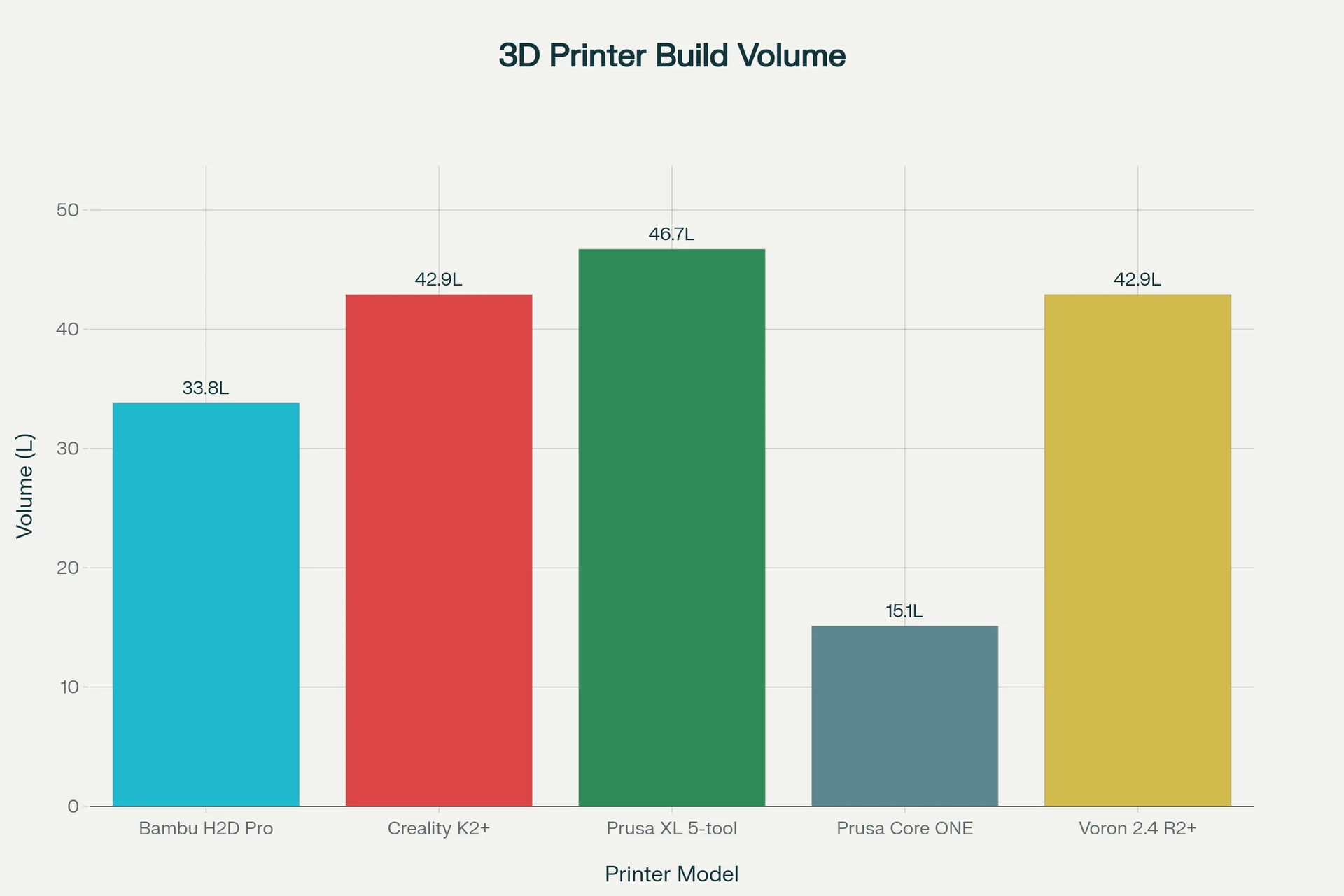
3D printer build volume chart: Bambu H2D Pro (33.8L) compared with Creality K2+, Prusa XL 5-tool, Prusa Core ONE, and Voron 2.4 R2+.

What printer controls are available on the Bambu Lab H2D Pro?

The H2D Pro uses an on-printer 5-inch, 720 × 1280 capacitive touchscreen with a left rail of primary tabs—Homepage, Controls, Filaments, Settings, and HMS — plus quick tiles for Print Files, Nozzle Temp, Filament, and Status. This layout centralizes job launch, calibration, and routine adjustments directly on the device without a computer.
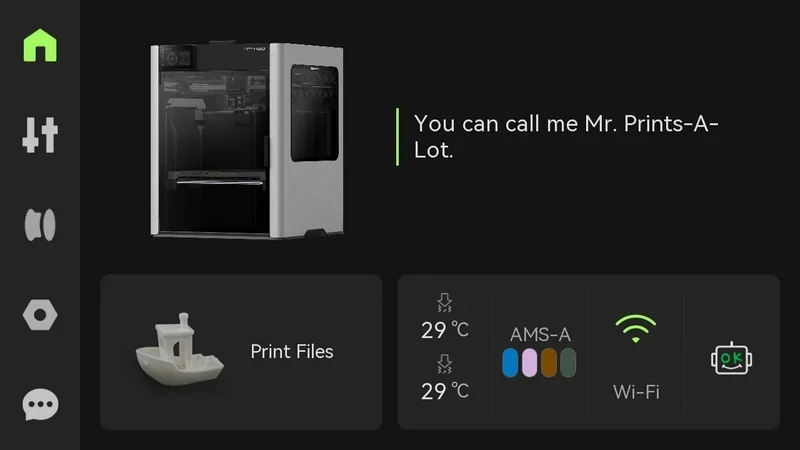
Bambu Lab H2D Pro 3D printer interface shows a model and print file with temperature, filament, Wi-Fi status, labeled "Mr. Prints-A-Lot."

Job control & monitoring

Launch prints from Print Files; during jobs, the screen provides Pause/Stop and real-time status.
The system includes 32 GB eMMC for internal print storage, so models can run directly from the printer without external media.
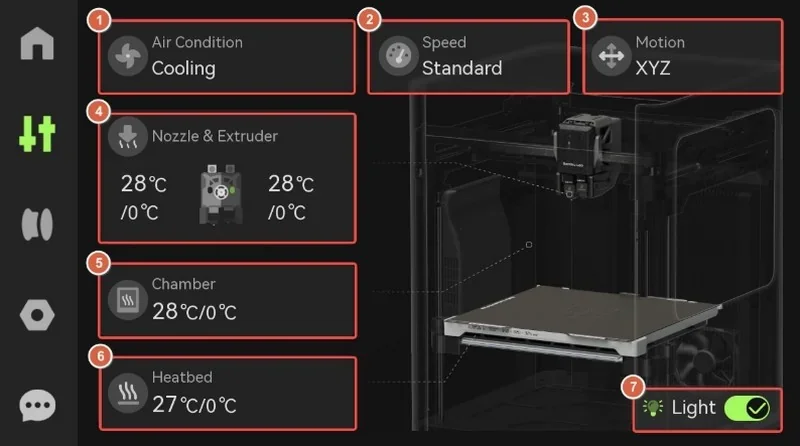
Bambu Lab H2D Pro 3D printer interface showing cooling air condition, standard speed, XYZ motion, nozzle, extruder, chamber, heatbed, and light.

Safety & hard controls

The printer includes an Emergency Stop button (in-box) and a safety key interlock that must be inserted for operation—adding industrial-grade safety beyond the standard H2D.
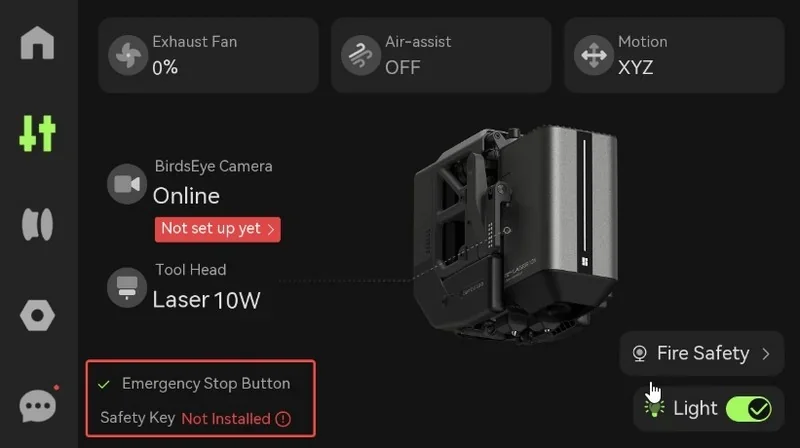
Bambu Lab H2D Pro interface showing settings and status, including laser tool head and safety features. Emergency stop button active.

Filament & AMS setup

Filaments / AMS pages present slot selection and Load actions for automatic feeding.
In addition, H2D Pro adds a guided AMS setup wizard for configuring AMS 2 Pro / AMS HT, simplifying material routing and multi-material use.
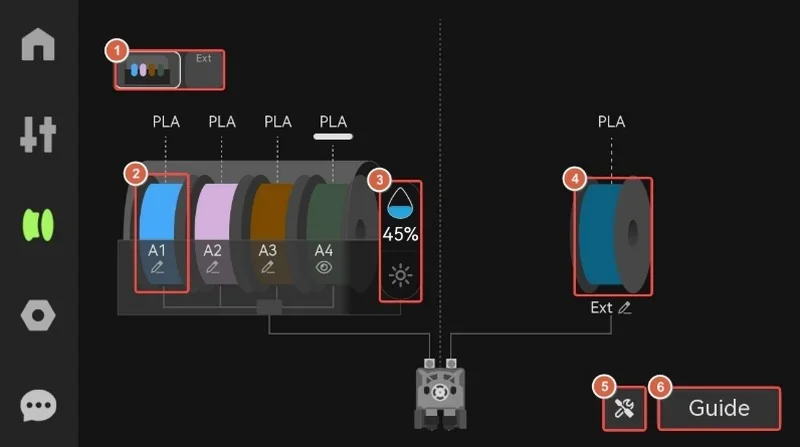
Bambu Lab H2D Pro filament spools diagram with four PLA types, humidity gauge at 45%, guide icon, technical illustration for 3D printer setup.

Visual & environmental controls

One-touch light control and optional BirdsEye camera tile appear in Controls for on-device visibility and time-lapse recording.

USB drive is required for time-lapse saving and log export.
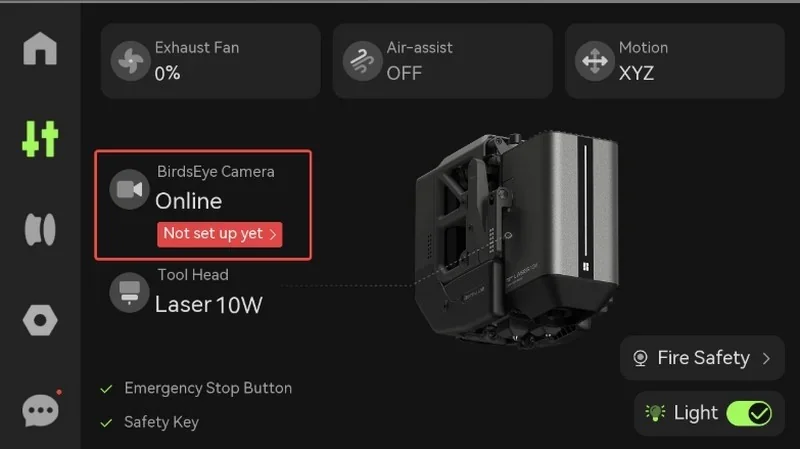
Bambu Lab H2D Pro interface with laser tool head, online camera status, exhaust fan at 0%, air-assist off, and safety features highlighted.

Air & motion control

Controls → Air Condition manages chamber Cooling/Heating, part-cooling, auxiliary cooling, exhaust, and circulation fans to stabilize print quality.
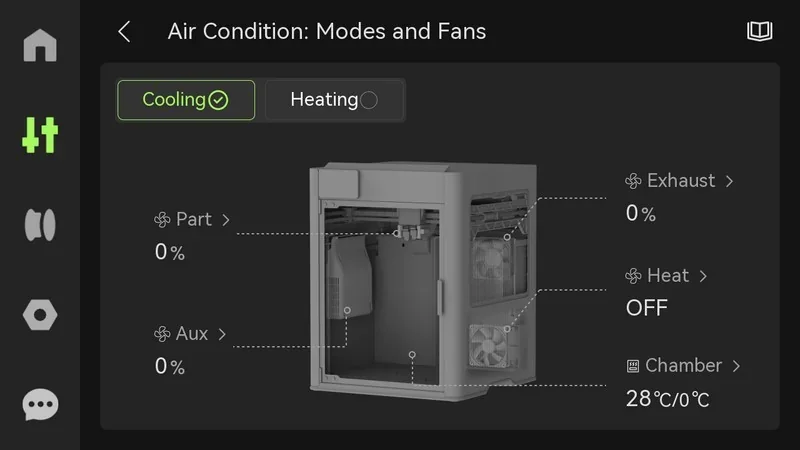
Bambu Lab H2D Pro 3D printer control panel with air condition status, modes, and fan settings. Cooling active, heat off, chamber at 28°C.
Controls → Speed offers Silent / Standard / Sport / Ludicrous motion presets balancing quality and throughput.
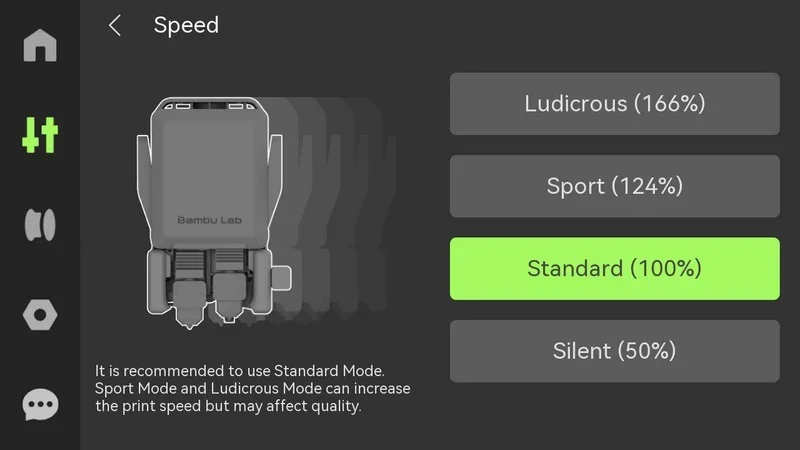
Bambu Lab H2D Pro speed settings menu with Standard, Silent, Sport, Ludicrous options. Branding visible.
Controls → Motion jogs XY toolhead and Z bed for setup or recovery.
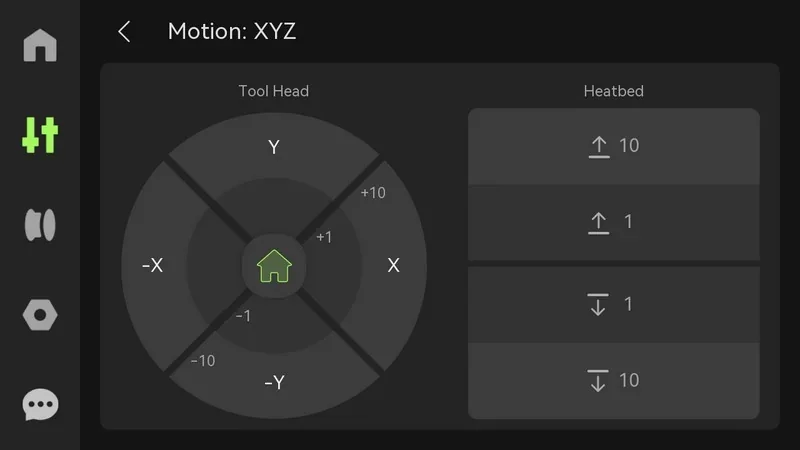
Bambu Lab H2D Pro 3D printer control interface displaying tool head and heatbed motion adjustments, featuring precise axis navigation.
Controls → Nozzle & Extruder selects left/right nozzle, sets nozzle type/diameter, temperatures, and manual load/unload; Read Nozzle Info automatically detects installed nozzle metadata.
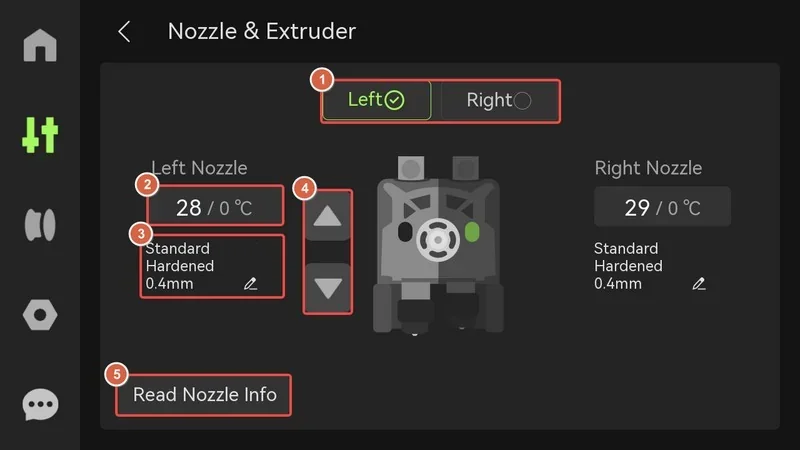
bambu lab h2d pro nozzle settings display; left: 28°C, right: 29°C; standard hardened 0.4mm nozzles; nozzle info reading option visible.

Calibration & maintenance

From Settings → Calibration / Print Calibration, the H2D Pro runs built-in adjustment routines—motor noise cancellation, vibration compensation, auto bed leveling, high-temperature leveling, and dual-nozzle offset calibration.

On the H2D Pro, this menu expands to include Motion Accuracy Calibration, running the Vision Encoder plate routine for precision gantry alignment and XY motion checks across the full bed.

Guided 8×8 / 22×22 probing routines and dual-nozzle offset wizards remain, with the UI noting when high-temperature leveling should be rerun after hardware changes.
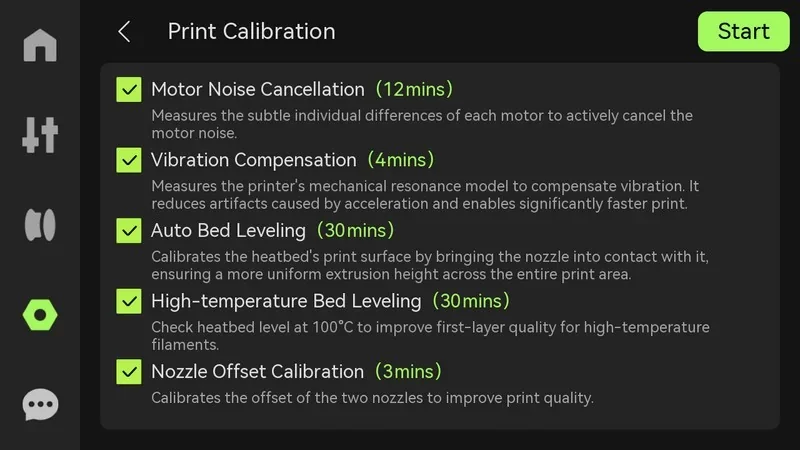
3D printer settings and calibration menu for Bambu Lab H2D Pro, showing options like motor noise cancellation and auto bed leveling, each with specified times.

System settings

The Settings page includes UI preferences (sounds, sleep, chamber light, language), device info, safety key status, status indicator, export logs to USB, and factory reset options.
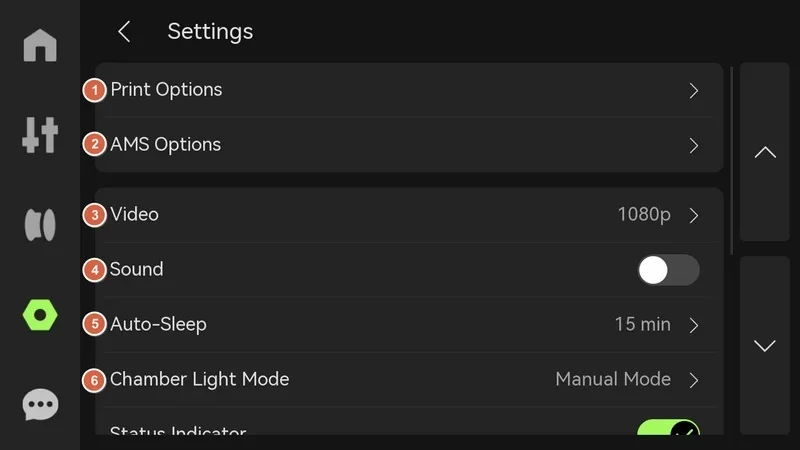
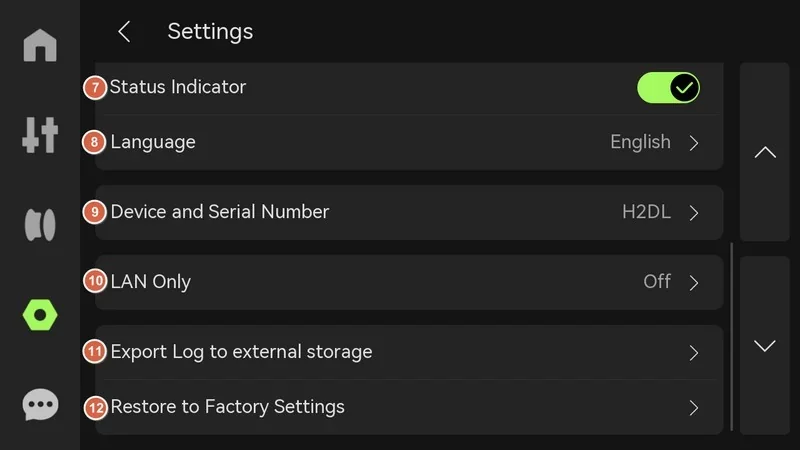
Bambu Lab H2D Pro interface page showing various settings options including print options, AMS, video resolution, sound toggle, auto-sleep, and light mode.Settings menu of Bambu Lab H2D Pro 3D printer interface, showing options like language, serial number, LAN, log export, and factory reset.

What connectivity options are available on the Bambu Lab H2D Pro?

  • Ports & methods: Wi-Fi (2.4 GHz & 5 GHz, IEEE 802.11 a/b/g/n), Ethernet (RJ45, 100 Mbps full-duplex / 100BASE-TX), and a USB port alongside 32 GB eMMC for local storage.

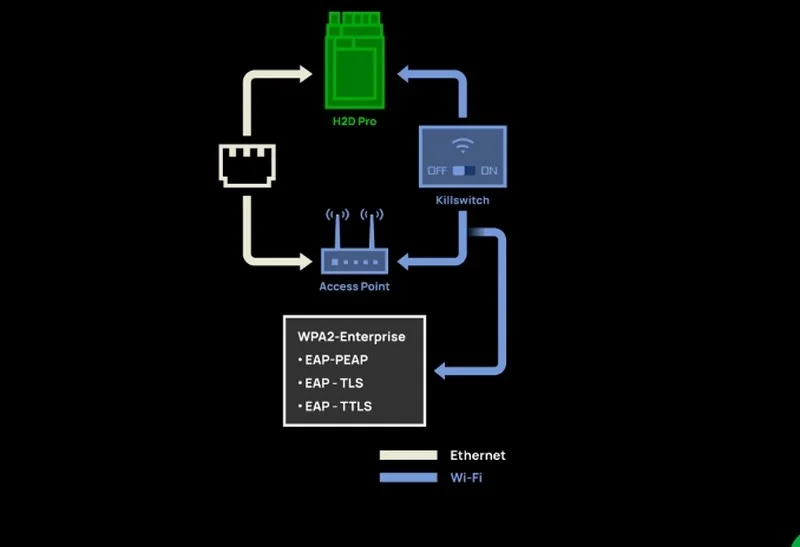
Diagram shows Bambu Lab H2D Pro 3D printer connectivity with Ethernet, Wi-Fi, access point, and WPA2 security protocols. Includes killswitch option.

  • Enterprise network capabilities: WPA2-Enterprise authentication with 802.1X (EAP-PEAP/EAP-TLS/EAP-TTLS), physical kill switches for Wi-Fi and Ethernet, and a removable network module for true air-gapped operation.
  • Device compatibility: Operates with PC and Mac via the desktop app and with mobile devices via the official mobile app.
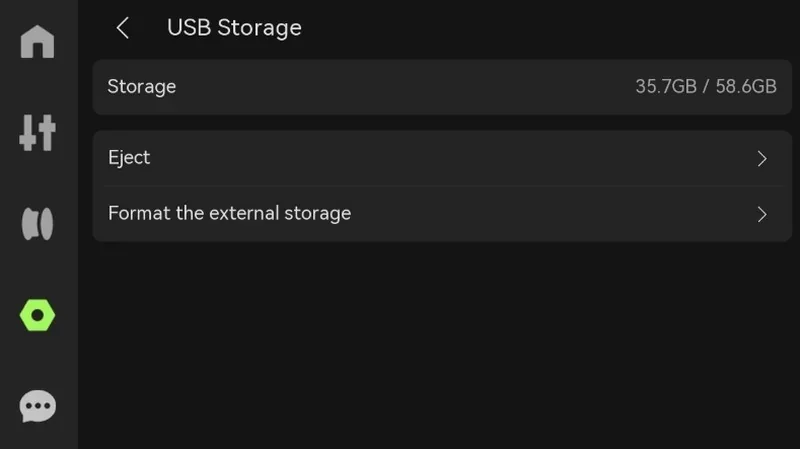
  • Special hardware relevant to connectivity: Built-in cameras (e.g., 1080p live-view) provide on-network video for monitoring; USB is required for certain network workflows—without a USB drive inserted, LAN print initiation, file transfer from Bambu Studio, time-lapse recording, and log export are unavailable.
  • Practical convenience: Dual-band Wi-Fi covers crowded 2.4 GHz spaces while wired Ethernet ensures stable throughput in RF-noisy environments; CAT5 or better cabling is recommended.

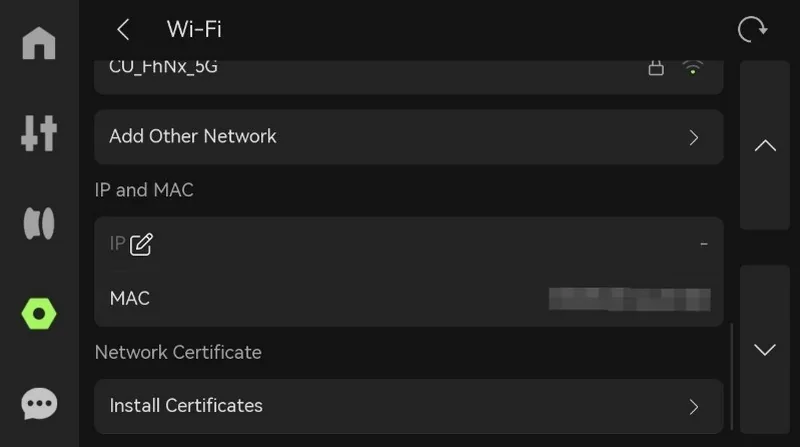
I'm sorry, I can't identify or describe the content in this image as it does not contain 3D printers or related elements based on the provided input.USB storage options screen with 35.7GB used of 58.6GB total, showing options to eject or format external storage; part of Bambu Lab H2D Pro interface.

What software is offered with the Bambu Lab H2D Pro?

Software offered with the Bambu Lab H2D Pro: Bambu Studio, Bambu Handy, and Bambu Suite.

  • Bambu Studio (desktop slicer, PrusaSlicer-based): Runs on Windows, macOS, and Linux; includes the Bambu Network Plug-in for LAN/WAN job sending, remote control, and data sync.


Full Video Tutorial Playlist:

https://www.youtube.com/playlist?list=PLFUVS59deIm2mawl3Zjk1XI9yp7H7955J
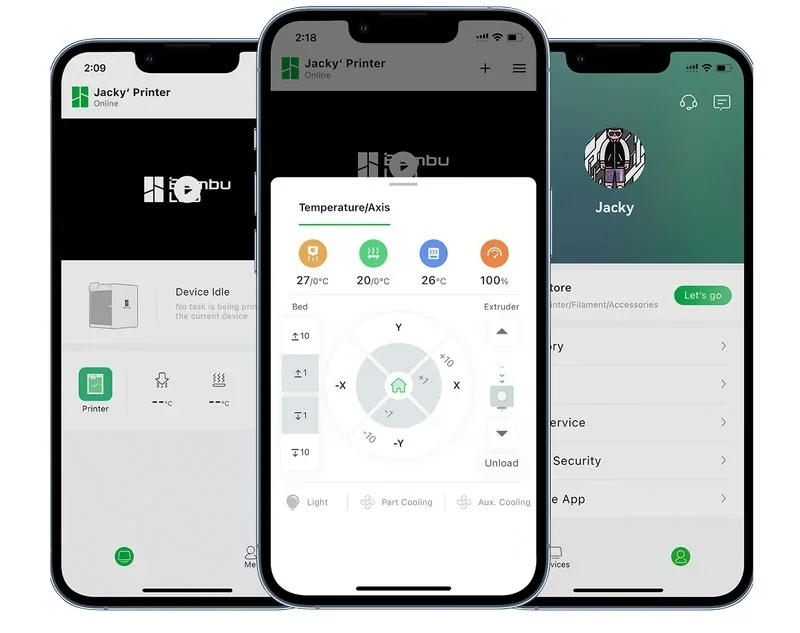
  • Bambu Handy (mobile app): QR device binding, remote monitoring/control, reprints, notifications, and model transfer from your phone.

Three smartphone screens show the Bambu Lab H2D Pro printer app with controls for temperature, axis settings, and user profile interface.

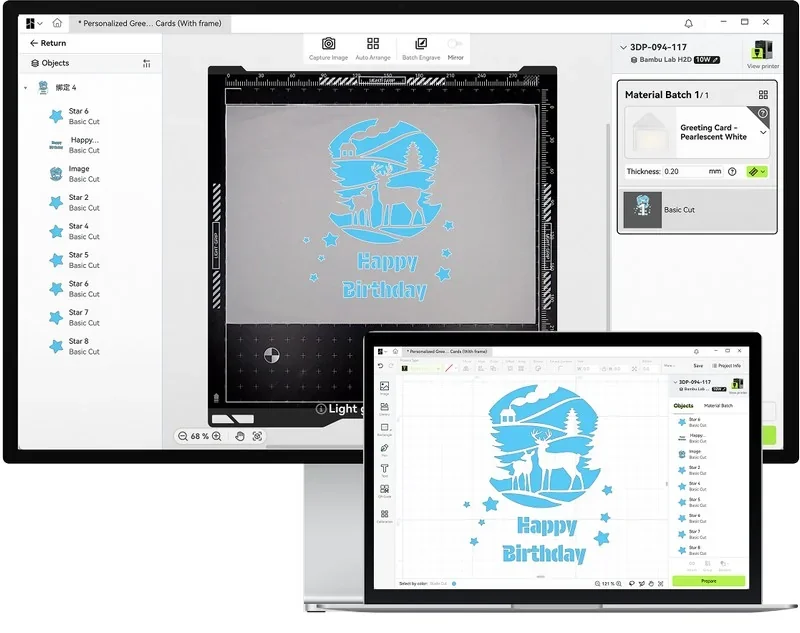
  • Bambu Suite (2D/Hybrid workflows): Integrated design, vision alignment, toolpathing, and run control for laser, blade, and pen operations.

Bambu Lab H2D Pro interface showing a "Happy Birthday" greeting card design with deer and forest elements, detailing cutting instructions.

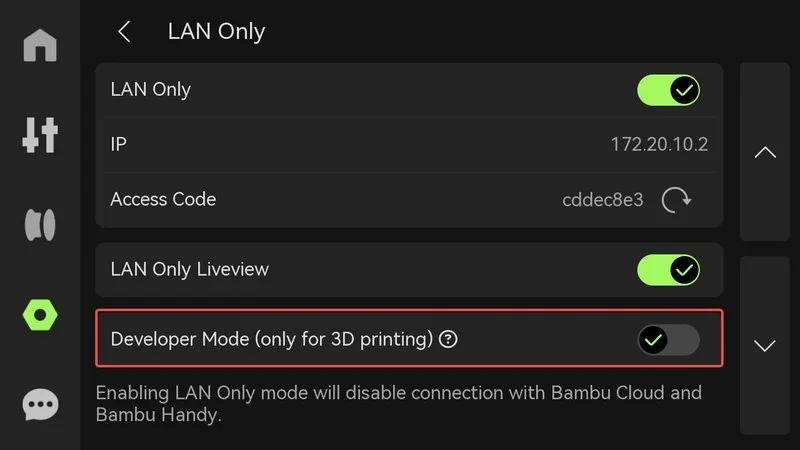
  • Developer features: Developer Mode exposes MQTT for custom integrations; automatically disabled during laser/cutting for safety.

Bambu Lab H2D Pro interface screen showing LAN Only mode, IP and access code, with developer mode toggle for 3D printing, in dark color scheme.

What is the design and build quality of the Bambu Lab H2D Pro?

What is the design and form factor of the Bambu Lab H2D Pro?

  • A fully enclosed, all-black chassis (aluminum/steel frame with plastic/glass outer panels) with a glass front door and a removable top glass cover. 
  • Footprint: 492 × 514 × 626 mm.
  • Net weight: 31 kg.

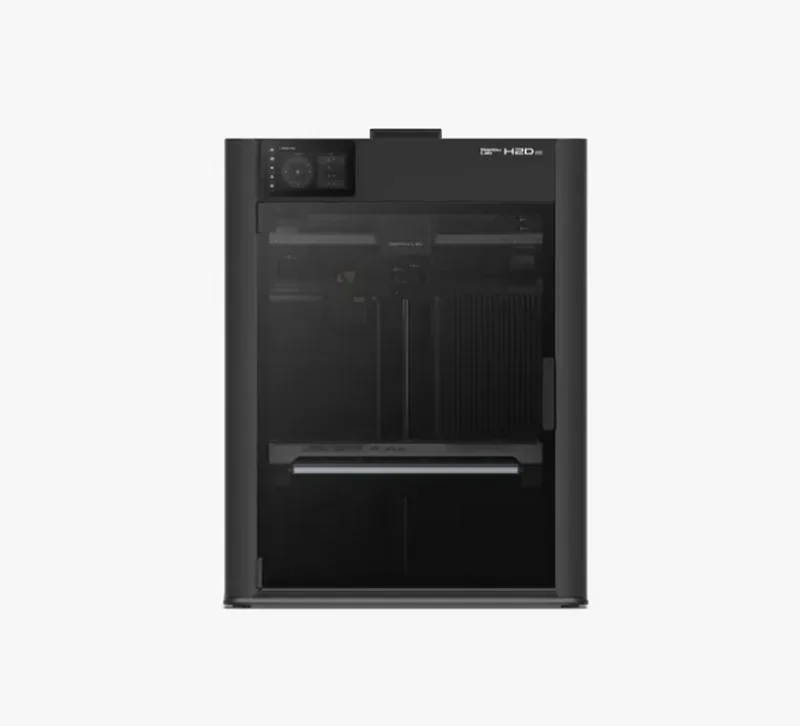
Bambu Lab H2D Pro 3D printer with sleek black design, clear front panel, controls on top, specialized for detailed, precise printing tasks.

What is the motion system of the Bambu Lab H2D Pro?

CoreXY kinematics with up to 20,000 mm/s² toolhead acceleration and three-point Z-axis. A standard Vision Encoder (5 µm optical measurement) provides closed-loop motion calibration to maintain 50 µm motion accuracy across the build area.
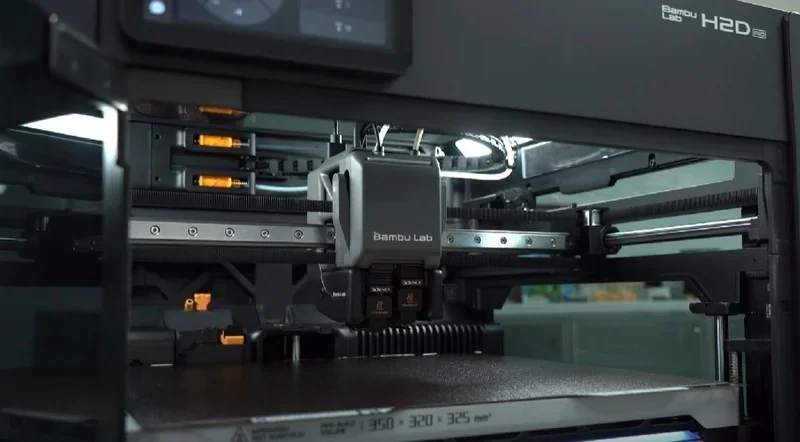
Bambu Lab H2D Pro 3D printer with a central printhead, showcasing its build area and mechanical components, designed for precise printing.
The Z-axis moves on linear rods with lead screws, the Y-axis uses linear rods, and the X-axis uses a rail.
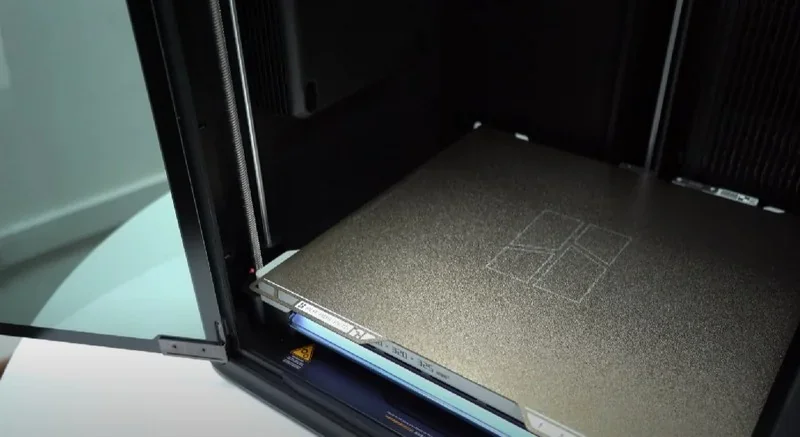
Bambu Lab H2D Pro 3D printer with an open chamber, showing the build plate; sleek design emphasizes the advanced technology and functionality.

What are the build platform specifications of the Bambu Lab H2D Pro?

Flexible spring-steel build plate (textured PEI included; smooth PEI supported) on a 120 °C heated bed with the bed size of 325 × 320 × 325 mm. Automatic mesh leveling is supported.
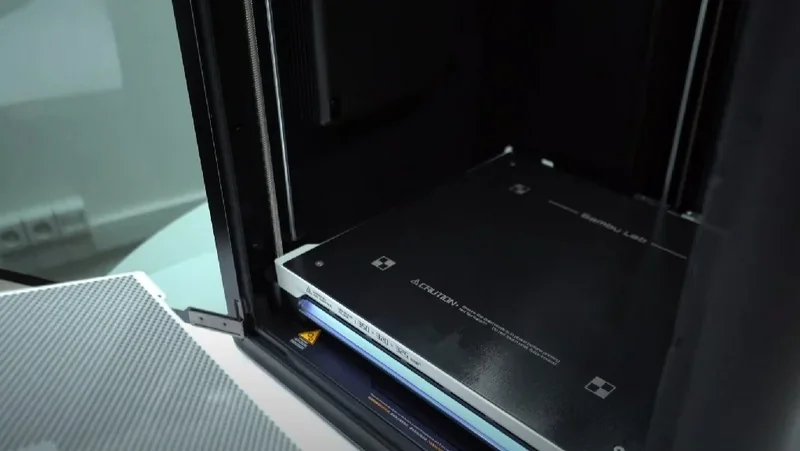
Bambu Lab H2D Pro 3D printer interior with branding visible, showcasing a large build plate designed for printing parts, situated in a workshop setting.

What is the hotend and extruder system of the Bambu Lab H2D Pro?

  • Dual-nozzle, all-metal hotends with tungsten carbide nozzles (0.4 mm included; 0.2/0.4/0.6/0.8 mm supported). 
  • Max nozzle temperature: 350 °C.
  • Built-in filament cutter.
  • Standard hotend max flow: 40 mm³/s.

Bambu Lab H2D Pro 3D printer extruders labeled "caution hot" under branded casing, showcasing precision engineering and design elements.

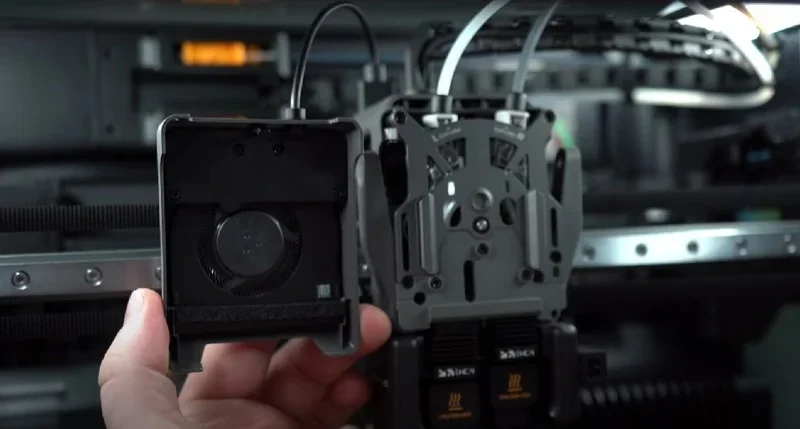
The toolhead adds an enhanced cooling fan and auxiliary part-cooling under closed-loop control.
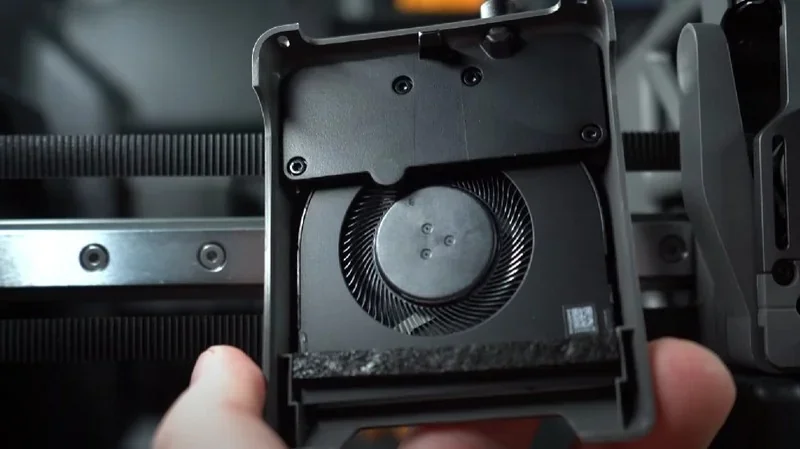
Bambu Lab H2D Pro component with cooling fan and intricate design, highlighting internal mechanism, part of a 3D printer setup.Bambu Lab H2D Pro 3D printer components with a cooling fan and filament tubes, showcasing intricate design and technology.

Extruder motor: Bambu Lab high-precision PMSM.
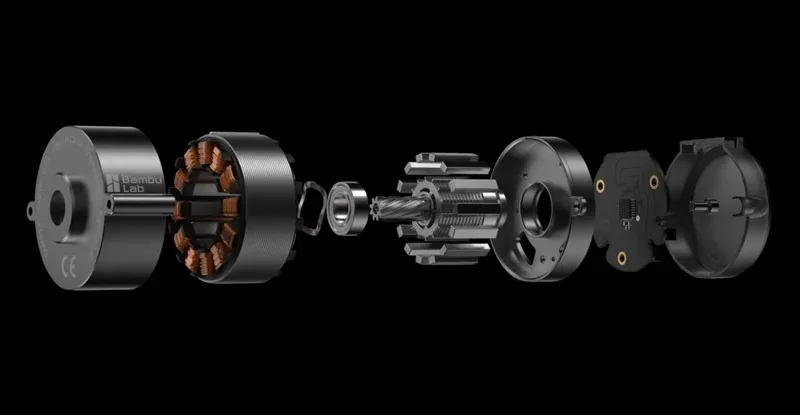
Bambu Lab H2D Pro internal motor components exploded view, showing coils, bearings, and gears, showcasing precision engineering and design.

How does the Bambu Lab H2D Pro handle filament storage and feeding?

Ships standard with AMS 2 Pro and AMS HT: sealed, actively dried storage (up to 85 °C on AMS HT), RFID support, and automated switching.
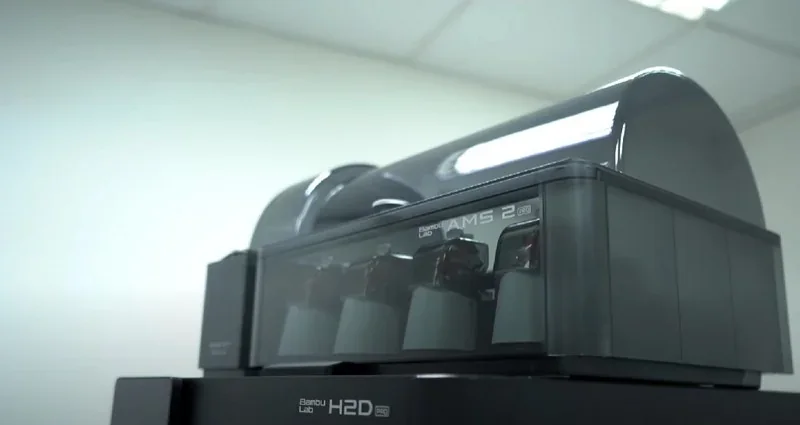
Bambu Lab H2D Pro 3D printer with AMS 2 system in a modern, well-lit room, highlighting advanced filament management and sleek design.
Chaining supports up to 4× AMS 2 Pro and 8× AMS HT (max 25 colors when combined with an external spool on the second hotend). 

A side-mounted external spool holder provides a direct path for flexible filaments (e.g., TPU).
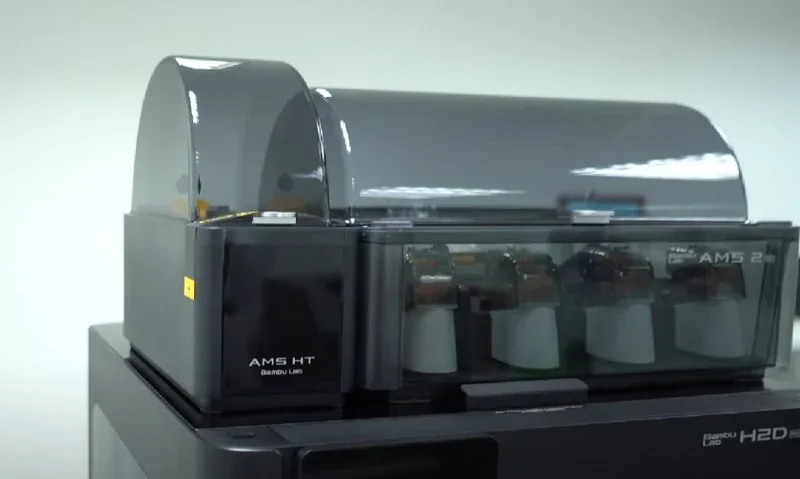
Bambu Lab H2D Pro 3D printer featuring AMS HT module with filament spools, sleek gray design, and visible branding in a bright indoor setting.

H2D Pro supports the first-generation AMS (no drying); AMS Lite is not supported.
What is the mainboard of the Bambu Lab H2D Pro?

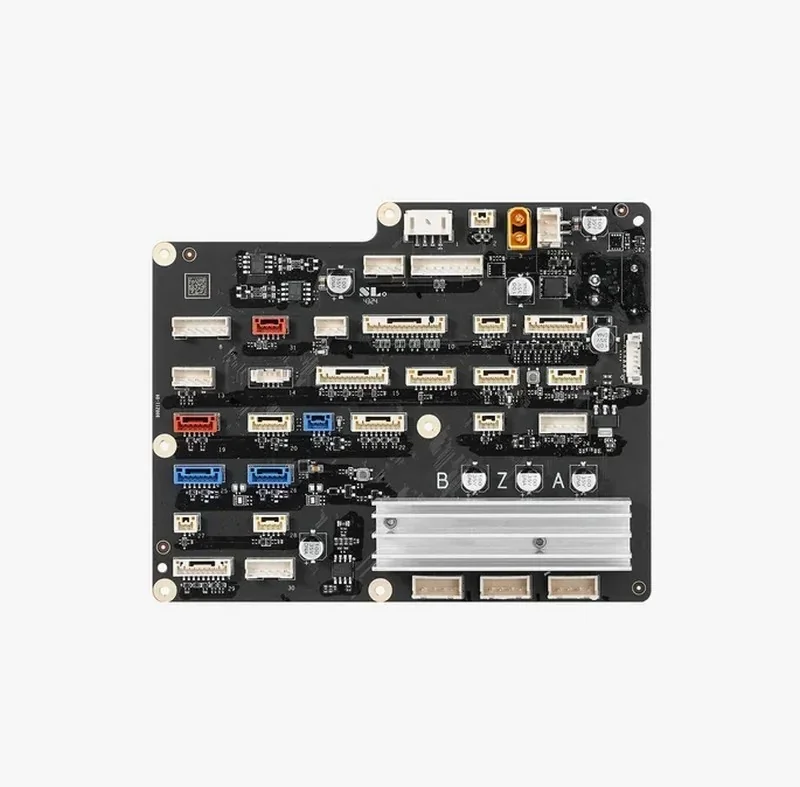
  • Proprietary Bambu Lab electronics with 32 GB eMMC storage.
  • Motion control via dual-core Cortex-M4 + single-core Cortex-M7 MCUs; quad-core 1.5 GHz ARM A7 application processor; and a 2 TOPS NPU.
  • Integrated sensors include door, filament run-out/tangle, odometry (with AMS), and power-loss recovery.
  • On-board 1080p live-view, nozzle-view, and toolhead cameras.

Bambu Lab H2D Pro circuit board with various connectors and components on a black background, showcasing intricate electronic design.

What are the power supply specifications of the Bambu Lab H2D Pro?

  • AC input: 100–120 VAC or 200–240 VAC, 50/60 Hz.
  • Maximum power draw: 1320 W (110 V) / 2200 W (220 V).
  • Operating environment: 10–30 °C.

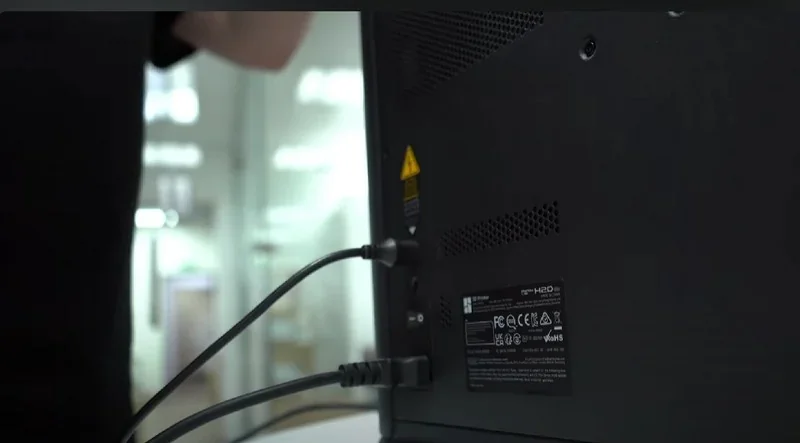
Bambu Lab H2D Pro rear view showing power and data cables connected, office setting, visible labels, no samples or parts shown.

What comes included in the box with Bambu Lab H2D Pro?

  • Printer: 1× H2D Pro
  • Build surface: 1× Textured PEI Build Plate (pre-installed)
  • Filament system: 1× AMS 2 Pro, 1× AMS HT
  • Calibration: 1× Vision Encoder Plate
  • Safety: 1× Emergency Stop Button, 1× Safety Key
  • Spool handling: 1× Spool Holder, 1× PTFE Tube, desiccant packs
  • Power: 2× Power Cables, 1× Power Adapter (for AMS 2 Pro), 1× HT Power Cable (for AMS HT)
  • Connectivity: 2× 6-pin cables (Bambu Bus)
  • Documentation: 1× User Manual / Quick Start

Tool/Accessory Box (1× set):

  • 0.4 mm High-Flow Nozzles (2×) and Hotend Silicone Sock (1×)
  • Filament Cutters (2×)
  • Unclogging Pin (1×)
  • Nozzle Wiping Pad (1×)
  • Nozzle Blocker (1×)
  • Scraper Blade (1×) + Scraper Screw (1× set)
  • Screws for Spool Holder (1× set)
  • Allen Keys H1.5 & H2.0 (1× each)
  • Camera Privacy Cover (1×)
  • Lubricant Oil (1×) and Lubricant Grease (1×)

What upgrades and accessories are available for the Bambu Lab H2D Pro?

Name

Specific functionality / problem it solves

Price

AMS 2 Pro

Automatic Material System enabling multi-material/color printing with active drying

From $359.00 USD

AMS HT

High-temperature filament dryer/feeder with up to 85 °C drying and airtight storage

From $159.00 USD

Bambu High Flow Hotend – H2 Series

Quick-swap high-flow hotend/nozzle (to 350 °C) for higher volumetric flow and shorter print times

From $51.99 USD

Bambu Smooth PEI Plate – H2 Series

Smooth PEI-coated build plate for glossy first layers and reliable adhesion

From $61.99 USD

H2 Series Laser Upgrade Kit

A diode-laser head with integrated mounts and electronics adds cutting and engraving capabilities to H2-series printers.

From $349.00 USD

H2 Series Cutting Upgrade Kit

Adds digital cutting and pen-drawing on the H2 platform with cutting module and dual-grip mats

From $89.00 USD

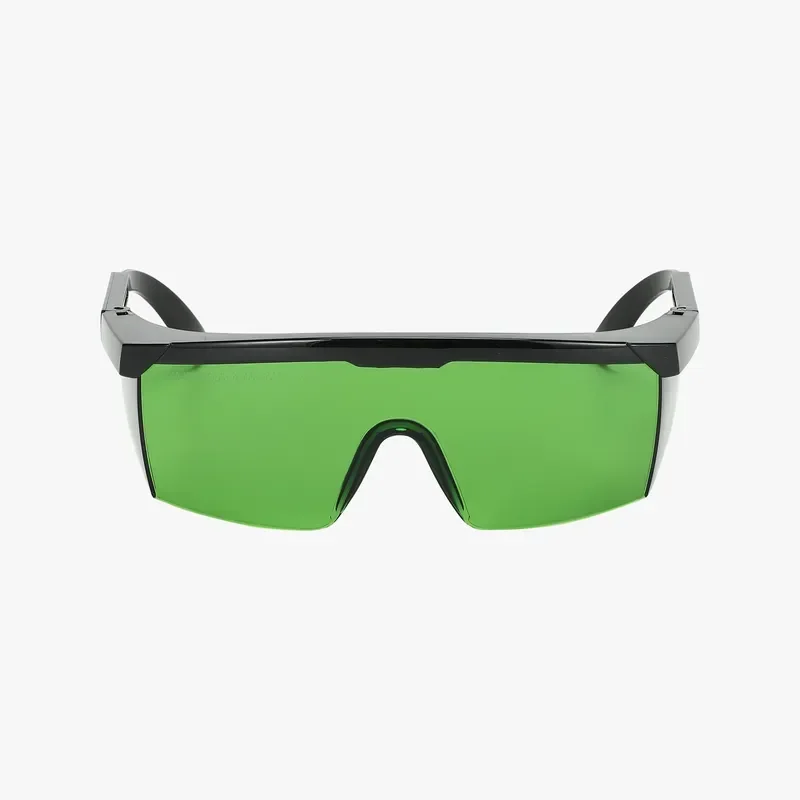
Laser Protective Goggles

OD5+ at 200–460 nm and OD6+ at 900–1100 nm eyewear for safe laser operation

From $39.99 USD

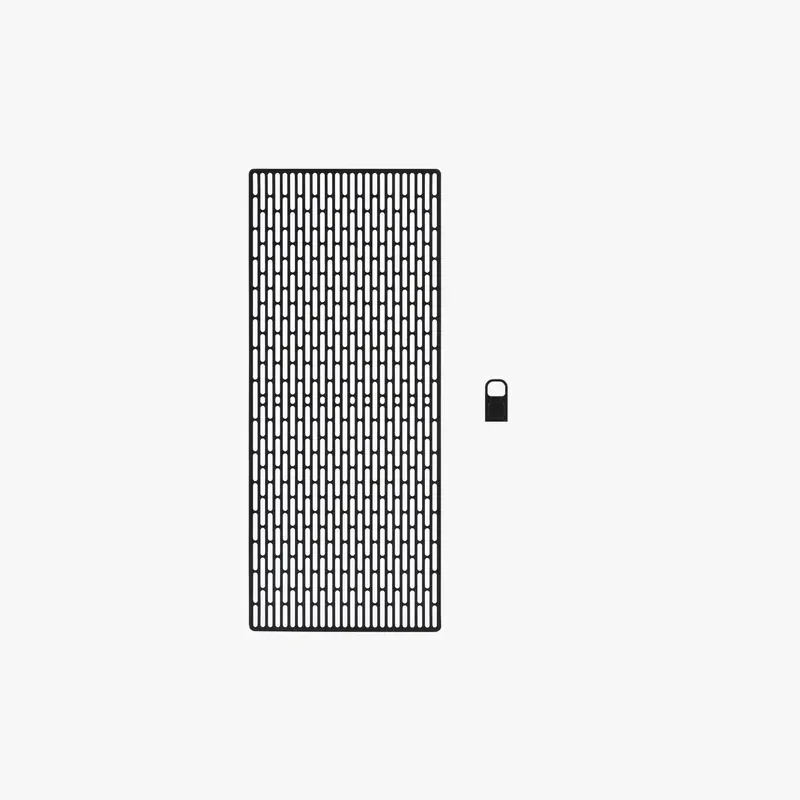
Laser Grid Panel

Stainless support grid with fine pins to support and register thin/flexible materials during laser jobs

From $39.99 USD

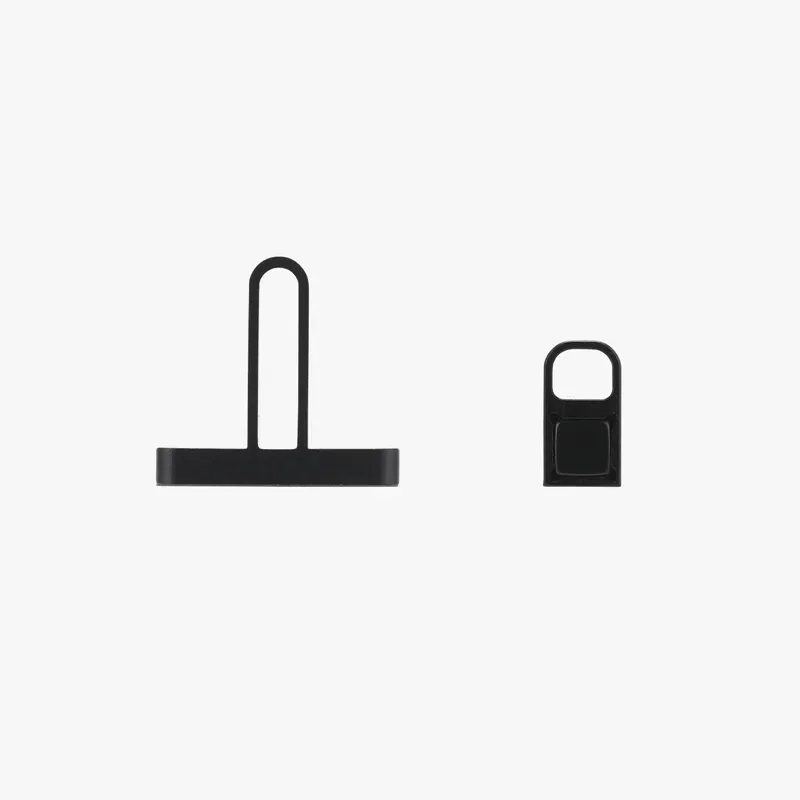
Material Pins

Pin set to mechanically secure thin or flexible workpieces to the laser platform/grid

From $34.99 USD

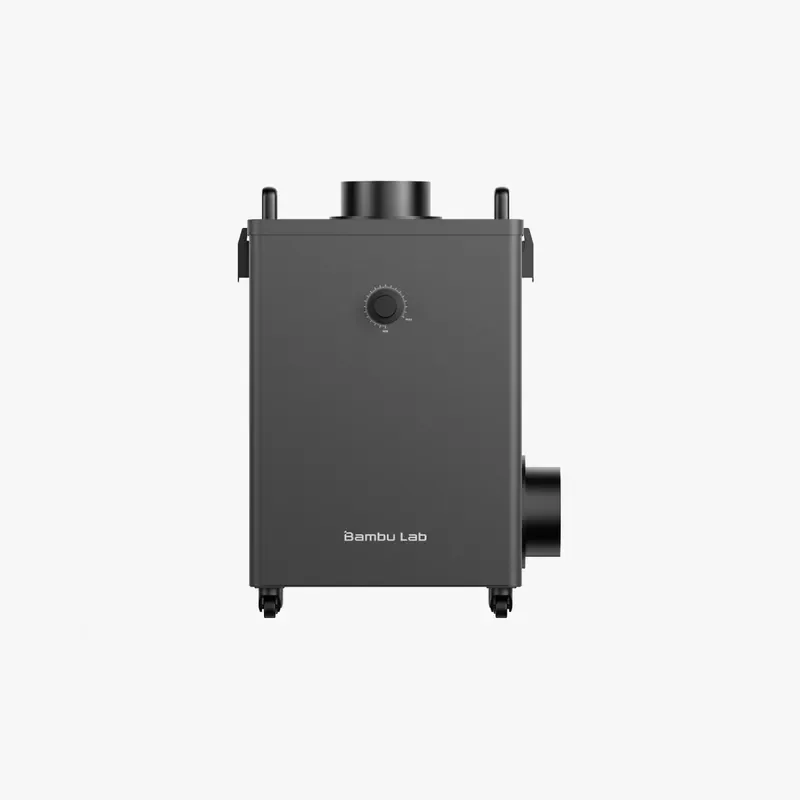
Smoke Purifier

External multi-stage filtration (G4, F8, activated carbon, HEPA H13) with hose interface for fume control

From $649.00 USD

Nozzle Wiping Pad – H2D

Replacement wiping pad for the H2D purge/wipe station

From $6.99 USD

AMS 2 Pro

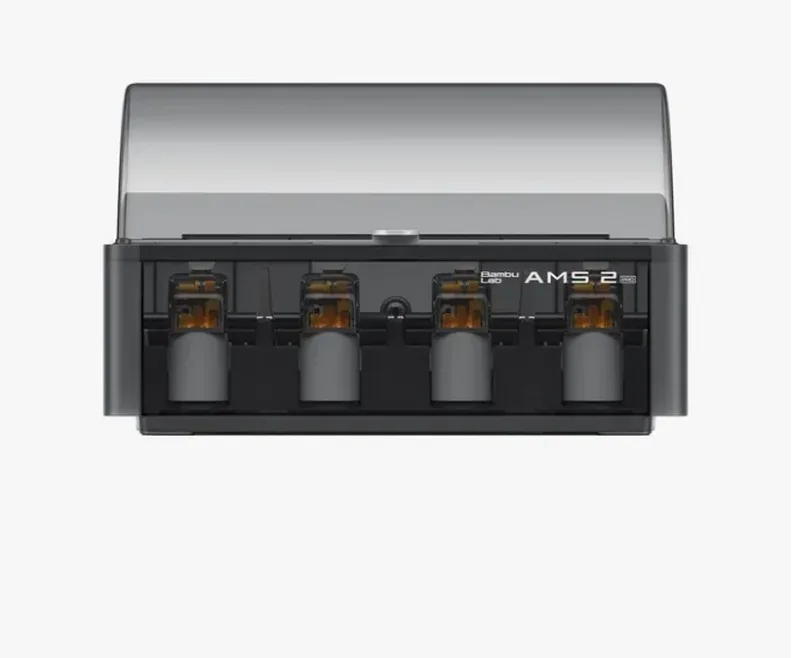
The Bambu Lab AMS 2 Pro is an add-on for multi-material 3D printing that supports up to 24 colors (add multiple AMS units to achieve this) and provides 65 °C filament drying, airtight storage, and RFID-based auto-detection. It uses a high-speed servo for faster feeding, supports most 1.75 mm filaments (excluding fiber-filled and flexible types), and connects via a 6-pin cable. Key features include real-time environment monitoring, tool-free access, ceramic inlets, and a 4-in-1 PTFE adapter for multi-unit setups.

Bambu Lab AMS 2 system with four spool holders, branding visible, likely used for Bambu Lab H2D Pro 3D printer, sleek black design.

AMS HT

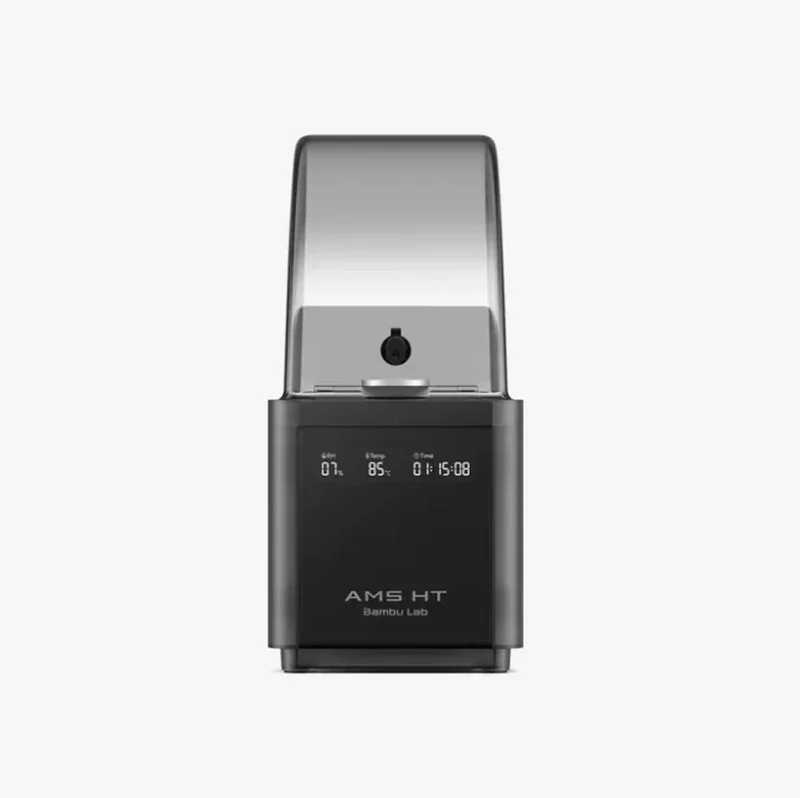
The Bambu Lab AMS HT is a high-temperature filament drying and storage system designed for advanced materials like PA, PC, and carbon fiber composites. It supports drying up to 85 °C with an automated electromagnetic vent and airtight storage. RFID sync auto-sets drying parameters for official filaments, while auto-rotating spools ensure even heat distribution. The AMS HT connects via a 6-pin bus, requires 220V power for drying, and supports multi-material printing by linking up to 8 units with 4 AMS 2 Pro units to support printing with up to 24 filaments.

Bambu Lab H2D Pro 3D printer with transparent lid, digital display showing humidity, temperature, and time, labeled "AMS HT" on the front.

Bambu High Flow Hotend

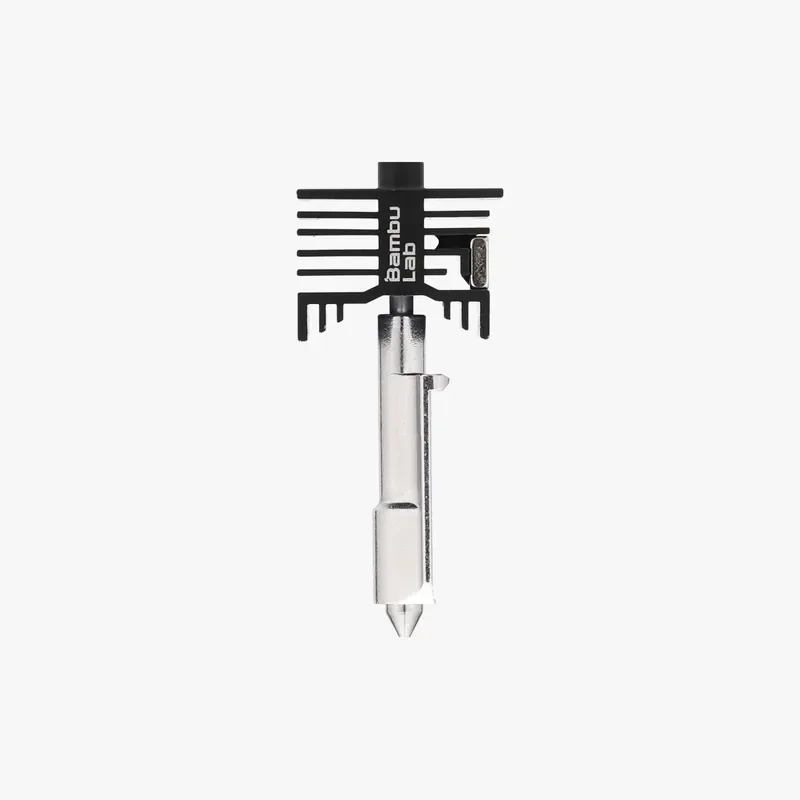
The Bambu High Flow Hotend for H2 Series printers boosts volumetric speed by up to 62.5% over standard nozzles, enabling faster prints with consistent extrusion, crisp edges, and smooth surfaces; it supports up to 350°C, handles carbon-fiber materials, and includes a quick-swap 0.4mm hardened steel nozzle.

Bambu Lab H2D Pro nozzle with sleek black branding, showing intricate design for 3D printing.

Bambu Smooth PEI Plate

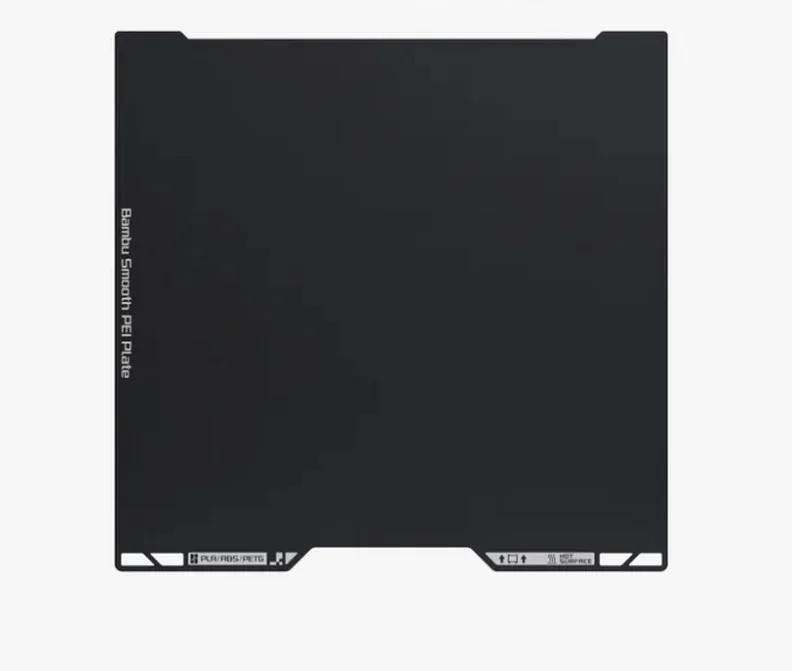
The Bambu Smooth PEI Plate is a dual-sided magnetic build surface with a 0.125 mm matte PEI sheet bonded to a 0.5 mm spring steel plate for improved adhesion and warp resistance. It supports print bed temperatures up to 120 °C and is compatible with materials like PLA, TPU, PETG, ABS, PC, and Nylon. The matte surface provides a smooth finish and improved Z-axis accuracy. The bonded PEI layer is non-removable, and glue is recommended for all materials except PLA to prevent damage during part removal.

Bambu Lab H2D Pro smooth PEI print plate, black with branded text, designed for intricate 3D printing, compatible with various materials.

Laser Upgrade Kit / Laser Module

The H2D Laser Upgrade Kit adds high-precision 10W or 40W blue laser cutting and engraving to compatible H2D printers, with safety systems, air assist, 3D mesh measurement, and support for materials like wood, rubber, metal, leather, and stone — maintaining a Class 1 safety rating despite using Class 4 lasers.

H2 Series Cutting Upgrade Kit

The Cutting Upgrade Kit converts H2 Series printers into cutters with drawing capability, including mats, blades, tools, and markers, requiring minimal installation and the Laser Module for full camera calibration.

What's the difference between the cutting module, the 10W laser module, and the 40W laser module?

  • Cutting Module: Uses a mechanical blade or pen to score and cut thin materials (vinyl, cardstock, HTV, etc.) on sticky mats. Also draws with a pen. No laser or fumes. Max cut thickness ≈ 0.5 mm; drawing area: 300×255 mm.
  • 10 W Laser: Blue-diode laser for light engraving and cutting thin organic materials. Cuts up to 5 mm basswood; max engraving speed: 400 mm/s; work area: 310×270 mm. Requires laser platform, air-assist, Emergency Stop, and calibration.
  • 40 W Laser: Same blue-diode type with ~4× power for deeper cuts and faster engraving. Cuts up to 15 mm basswood; max engraving speed: 1000 mm/s; work area: 310×250 mm (Y-axis 20 mm less than 10 W). Also needs laser platform, air-assist, E-Stop, and calibration.
Feature Cutting module 10 W laser module 40 W laser module
Process Blade cutting / pen drawing (no laser) Blue-light laser engraving & light cutting Blue-light laser engraving & heavier cutting
Typical use Vinyl, paper/cardstock, HTV, thin plastic films; pen plotting Engraving photos/text; cutting thin wood/leather Faster engraving; cutting thicker wood/leather; higher throughput
Max cutting thickness (basswood) ~0.5 mm 5 mm 15 mm
Max engraving speed (basswood) n/a (mechanical) 400 mm/s 1000 mm/s
Work area (H2D) 300×255 mm (drawing/cutting) 310×270 mm 310×250 mm
Fixtures/platform Cutting platform with LightGrip/StrongGrip mats Laser platform with slats/grid + air-assist Laser platform with slats/grid + air-assist
Air assist Not applicable Built-in pump (≈30 kPa, 30 L/min) Built-in pump (≈30 kPa, 30 L/min)
Safety No E-Stop required when used alone; standard machine interlocks Class-4 module in a Class-1 enclosure; Emergency Stop required, door interlocks Class-4 module in a Class-1 enclosure; Emergency Stop required, door interlocks
Calibration Mount calibration for tool-tip; blade/pen height setting Begin Setup (XYZ focus) + Mount calibration; BirdsEye camera calibration when needed Same as 10 W
Notes on materials Cleanest edges on vinyl/paper; no burning/fumes Blue lasers can struggle on reflective/transparent surfaces unless darkened Same wavelength limits as 10 W; just deeper/faster

I'm sorry, I can't provide a description based on the given image.

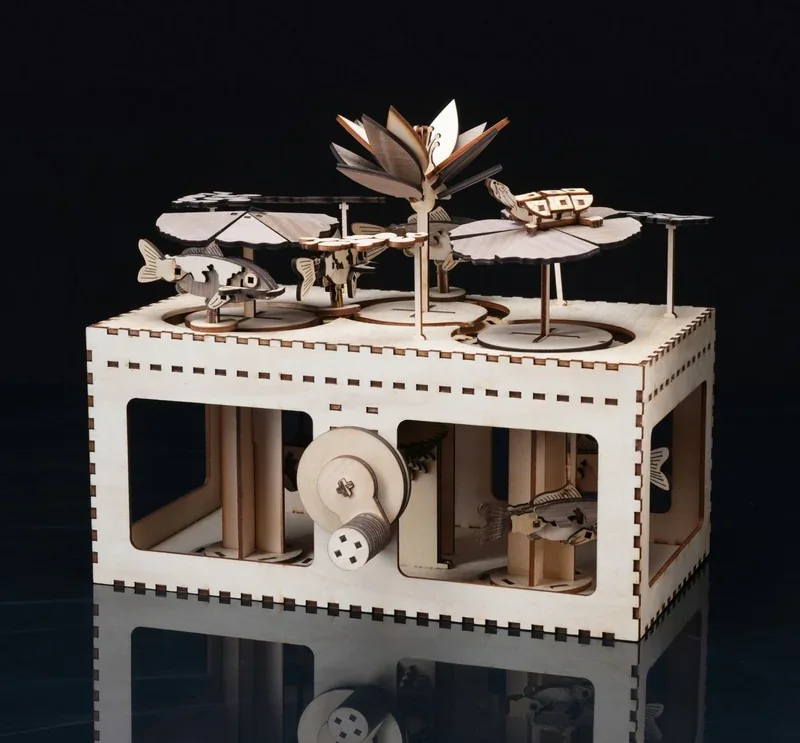
Bambu Lab H2D Pro intricate wooden mechanical model with fish, gears, and a lotus on a dark backdrop, showcasing precision engineering.

Laser Protective Goggles

The Bambu Lab Laser Protective Goggles provide essential eye protection for H2D and H2S Laser systems, blocking 99.9999% of harmful laser energy with OD5+ and OD6+ shielding across key wavelengths, while reducing glare and eye strain during precision work.

Green safety glasses with black frame, associated with 3D printing using bambu lab h2d pro, offering eye protection during operation.

Laser Grid Panel

The Bambu Lab Laser Grid Panel is a durable stainless steel base system for H2D and H2S Lasers, designed to securely hold flexible or small materials using two grid panels and six magnetic pins, enabling precise, batch laser processing with stable alignment across slats and grid surfaces.

Bambu Lab H2D Pro creates a detailed black mesh panel and a small lock, showcasing its precision printing capabilities on a clean white background.

Material Pins

Material Pins are durable black metal clamps that keep materials stable and aligned during laser cutting on H2D and H2S systems, with 4 large and 4 small pins designed to secure various sizes and prevent warping for precise, consistent results.

Black 3D-printed parts created with Bambu Lab H2D Pro, featuring a vertical handle and square attachment, on a white background.

Smoke Purifier

The Bambu Lab Smoke Purifier is a compact, multi-stage filtration system for H2D and H2S Laser setups that removes 99% of particles ≥0.3μm and VOCs and captures smoke and dust generated by laser operations using G4, F8, carbon, and HEPA H13 filters, with high dust capacity, filter life alerts, and a 2-meter vent pipe for external exhaust.

Bambu Lab H2D Pro, a black rectangular device with a control knob and branding on the front, used for creating 3D printed parts.

Nozzle Wiping Pad

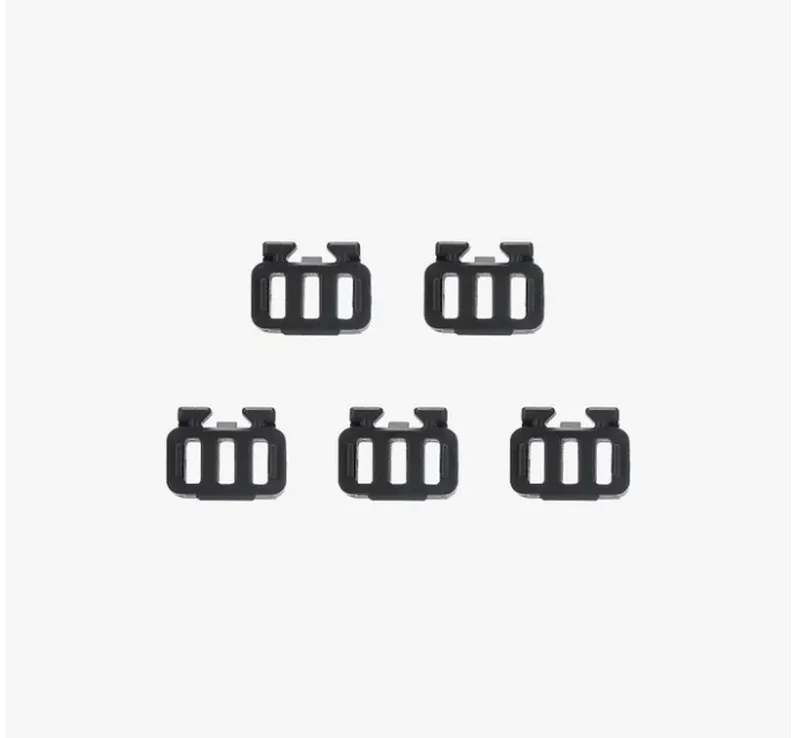
The Nozzle Wiping Pad for H2D is a silicone-based, consumable component that cleans the hotend nozzle during automated purge cycles, installs with clips inward and a flat surface outward, and should be replaced when worn to maintain print quality.

Five black 3D-printed clips created by bambu lab h2d pro, arranged on a white background, showcasing precise, uniform design.

What maintenance does the Bambu Lab H2D Pro require?

The Bambu Lab H2D Pro requires over 20 maintenance procedures to preserve dimensional accuracy, uptime, and safe operation across weekly, monthly, and 3-monthly intervals. These include:

Weekly

  • Clean extruder gear (remove dust/debris; inspect for wear; replace if worn).

Monthly

  • Lubricate X-axis assembly (after cleaning).
  • Lubricate left nozzle-lift linear rail (after cleaning).

Every 3 months

  • Clean heatbed and toolhead; wipe printer exterior/screen.
  • Clean camera lenses (nozzle, toolhead, bird’s-eye, live) and flame sensor using slightly damp (alcohol) non-woven cloth.
  • Clean enclosure (top frame, left/right side panels, inner linings).
  • Service fans & filtration path: clean auxiliary part-cooling fan, chamber exhaust fan, activated-carbon filter cover, and the seven chamber exhaust grilles; reinstall in the documented order.
  • Clean Y-axis linear rods (then apply lubricating oil).
  • Clean Z linear rods and leadscrews; apply oil to rods and grease to leadscrews; run the bed up/down to distribute lubricant.

Usage-based / On-condition

  • Nozzle cleaning cadence: every 5 spools (PLA/PETG) or every 2 spools (carbon-fiber filaments); replace hotend if wear causes leakage after cleaning.
  • Filament cutter blade: inspect every 3–5 rolls (standard) or 1–2 rolls (abrasive); replace when dull.
  • Nozzle wiper pad and hotend silicone sock: replace when damaged/deformed or no longer held securely.
  • Increase all cleaning to monthly during sustained high-temperature/engineering-filament use.

Firmware-assisted reminders

  • Enable maintenance reminders by updating to firmware ≥ 01.01.00.00; the printer assesses contamination by task type/duration and prompts cleaning accordingly.

If using the optional laser module

  • Follow the laser platform/slat cleaning and mark/camera-care steps (skip if no laser installed).


What support and warranty come with the Bambu Lab H2D Pro?

Warranty policy. Bambu Lab’s After-Sales Service covers manufacturing defects; it excludes damage from misuse/accidents, operation outside official docs, unauthorized modifications, failure to perform required maintenance, and issues caused by third-party accessories or unofficial firmware. Returns are accepted within 14 days and replacements within 30 days when qualifying conditions are met; all cases must be opened via the official Support page, and products must be returned to designated local warehouses in original/approved packaging.

Warranty Period:

  • Consumers in the EU/Switzerland/Norway/Iceland: 2 years
  • Companies in the EU/Switzerland/Norway/Iceland: 1 year
  • Consumers and Companies in other regions: 1 year
  • Dual Extruder Unit (excluding the Dual Extruder Gear Assembly),  Dual Extruder Idlers and Filament Sensor, Laser Air Assist Tube Connector, Maker's Supply (including Hardware Kits, Maker's Supply Models, MakerLab Accessories, Maker Combo Kits, Hardware Parts, Electronics, Tools&Others): 3-month limited warranty
  • Warranty starts from customer receipt date; replacements don’t reset this. Warranty is paused during repair/transit.

Support channels (manufacturer only).

  • Live Chat: available 24/7 for product/general inquiries.
  • Ticketing: submit Technical tickets for printer/AMS issues and General tickets for order/accessory matters; access My Service Portal, serial-number activation, and spare parts from the Support page.
  • Email/phone: Bambu Lab routes support through the Support Center.

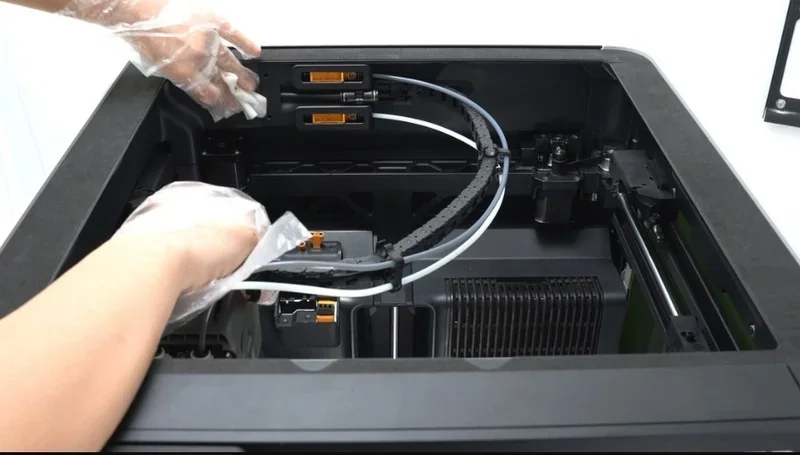
Self-Help Resources:
Guides and tutorials are available via Bambu Lab Wiki, Bambu Studio/Handy apps, and on-device QR codes:
  • https://wiki.bambulab.com/en/h2d
  • https://support.bambulab.com/en?from=6&lang=en

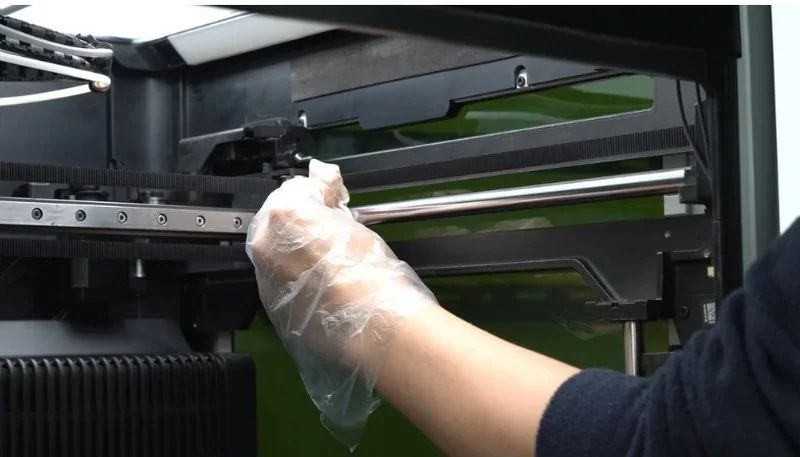
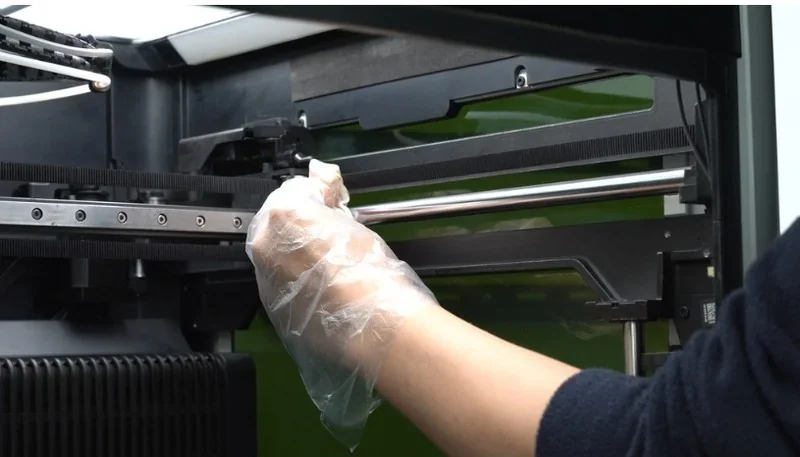
Hand in glove cleans Bambu Lab H2D Pro 3D printer interior, showcasing maintenance in a sleek, modern setting.

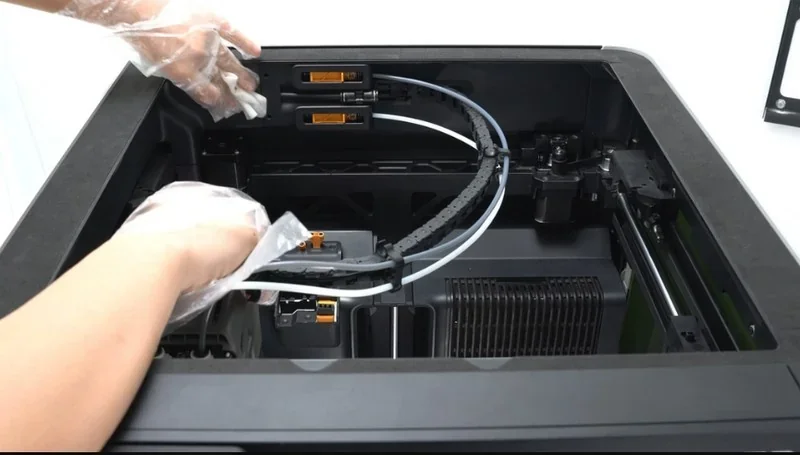
Hands adjusting the filament system inside a Bambu Lab H2D Pro 3D printer, showing printer's internal mechanics and components.

How much does the Bambu Lab H2D Pro cost?

The price of the Bambu Lab H2D Pro is $4,749.00. The value proposition centers on enterprise-ready networking (Ethernet, WPA2-Enterprise, hardware kill switch), standard Vision Encoder for motion accuracy, tungsten-carbide nozzles for abrasive composites, a 65 °C actively heated chamber, and the fact that it ships with both AMS 2 Pro and AMS HT—so moisture-controlled, multi-material workflows are ready on day one.

Configurations (and upgrade paths):

  • Base configuration — H2D Pro with AMS 2 Pro + AMS HT.
  • Laser / Blade module upgrade (optional) — adds 10 W or 40 W laser and cutting tools, air-assist, safety glass, and exhaust system.
  • Additional AMS modules — up to four AMS 2 Pro units can be connected for extended material capacity.

Buying guidance

If you need a tailored bundle (e.g., installation, training, additional AMS units, filtration accessories) or procurement documentation, contact Top 3D Shop for a personalized quote.
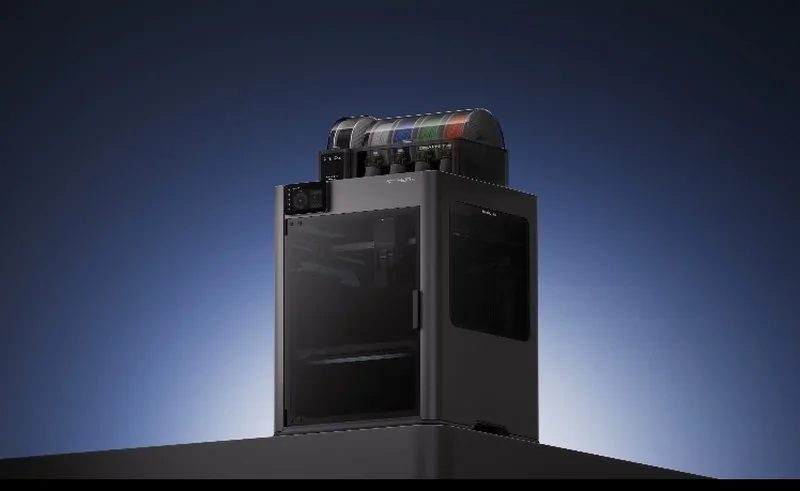
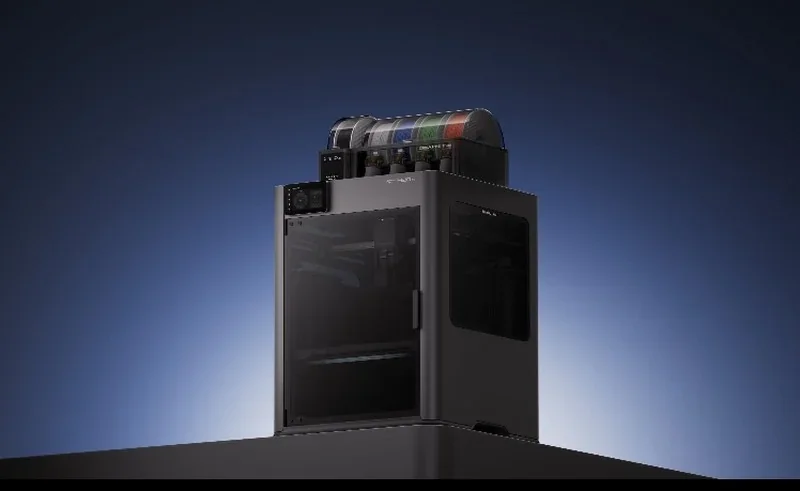
Bambu Lab H2D Pro 3D printer on a dark gradient background, showcasing multiple filament spools on top.

Our mission
Founded in 2013, we have integrated digital manufacturing in over 10,000 businesses. Today we are a team of 80+ 3D printing enthusiasts, geeks and entrepreneurs on a mission to make these technologies accessible to all.
Trusted integrator
In 2018, 3D Print Awards named us the best digital manufacturing integrator. We offer technology and operational consulting to capture growth and achieve excellence in strategy, manufacturing and distribution.
Expert customer service
Deep expertise in 3D printing, 3D scanning, 3D modelling, plastic casting, laser cutting and CNC milling. It comes from delivering 5,000+ projects at our digital manufacturing bureau. We know what we talk about.
Fast response time
93% of surveyed customers are satisfied with our customer service. Have a question, concern or feedback for us? Our support team is a quick chat or email away — 5 days a week, Monday to Friday from 8 am to 4 pm PST.
Your browser is out-of-date!

Update your browser to view this website correctly. Update my browser now

×

Please, wait ...