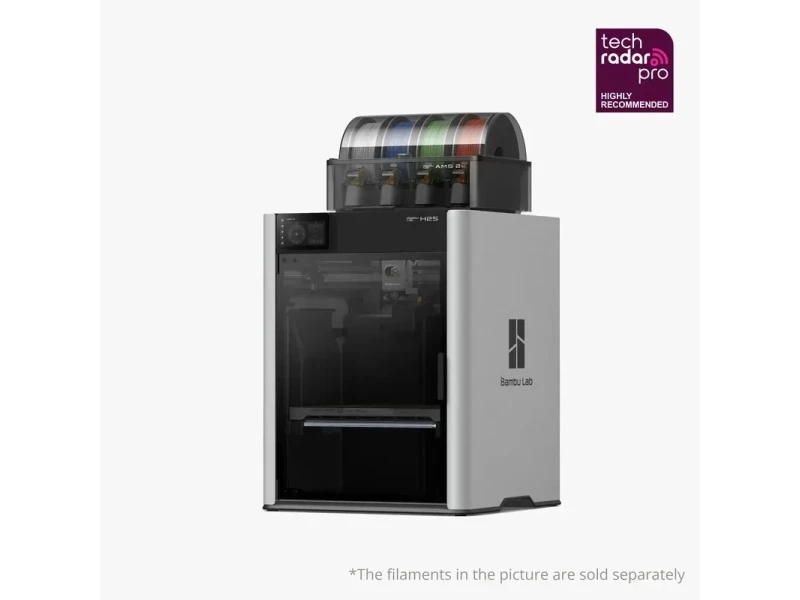
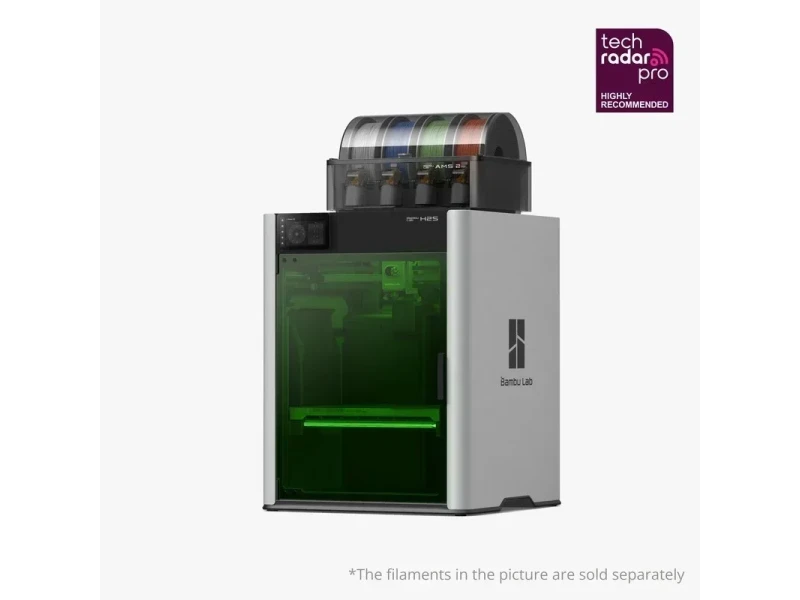
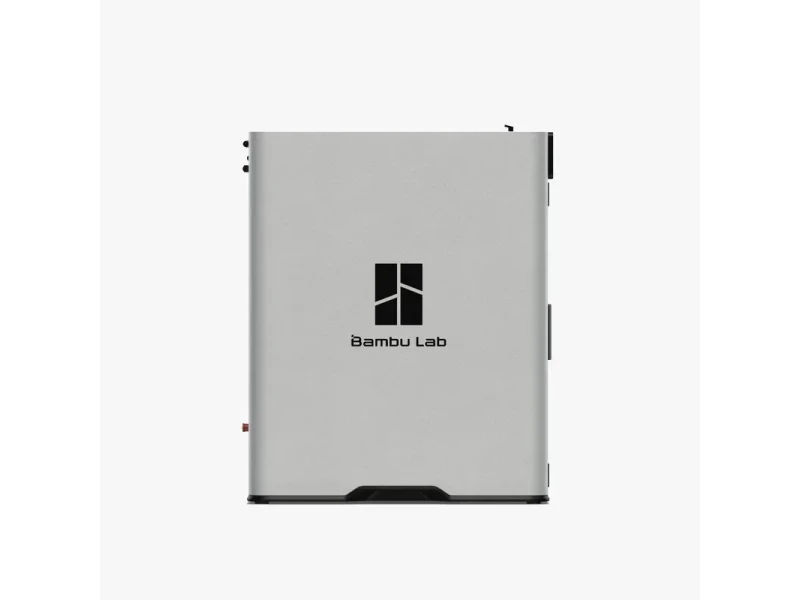
Bambu Lab H2S is a large-format, single-nozzle, enclosed CoreXY FDM 3D printer designed for high-speed, high-accuracy production: it offers a 340 × 320 × 340 mm build volume, a 350 °C hotend, 120 °C bed, and a 65 °C actively heated chamber. Its precision stack combines a PMSM servo extruder with eddy-current nozzle sensors, Active Vibration Compensation, Auto Hole/Contour Compensation, and the optional Vision Encoder plate that calibrates motion to < 50 µm, while an AI monitoring suite (23 sensors, on-device cameras) guides pre-flight checks and failure detection; a 10 W Laser Upgrade Kit (adds the BirdsEye camera) extends the platform to engraving/cutting.

What is the print quality and performance of the Bambu lab H2S?

The H2S is engineered for high-accuracy single-nozzle printing: with the optional Vision Encoder plate it calibrates XY motion to under 50 µm accuracy, and Auto Hole/Contour Compensation (in Bambu Studio, with designated Bambu filaments) tightens fit-critical dimensions such as holes and shafts.
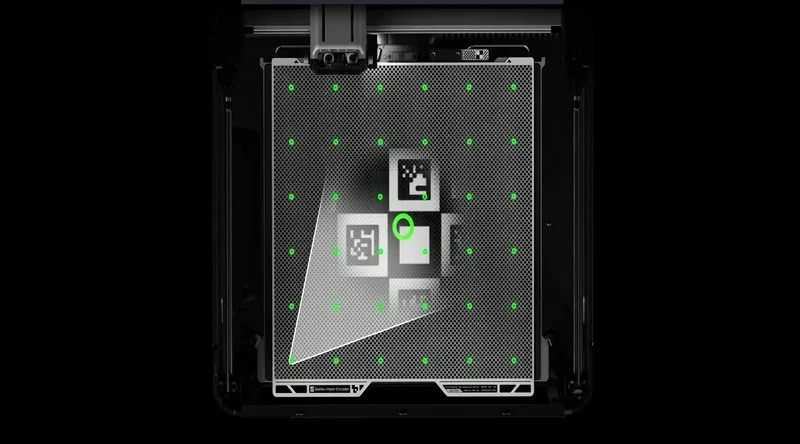
Bambu Lab H2S 3D printer platform with QR codes and green calibration dots, showcasing precision for accurate printing.

Print Sample: Bambu Lab H2S printed a max-size PLA 3DBenchy (1.1 kg) in 28 hours, showing excellent dimensional accuracy, surface finish, consistent layer adhesion, and fine detail.

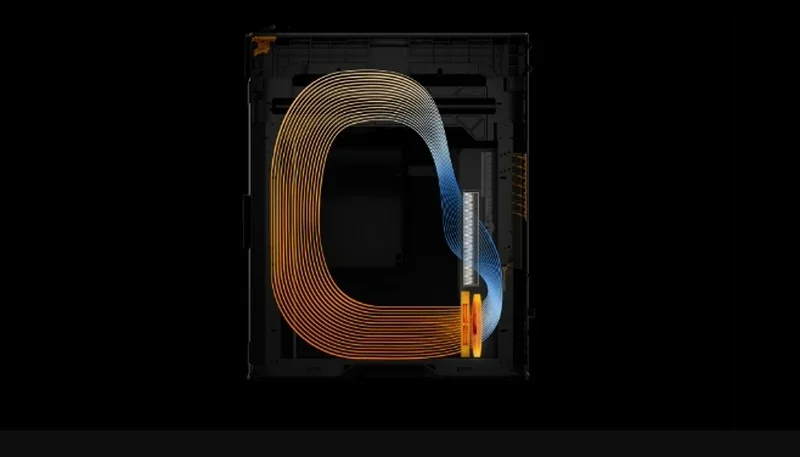
Print quality is stabilized by a 350 °C hotend, 120 °C bed and 65 °C actively heated chamber with closed-loop fan control to reduce warping and improve layer adhesion on engineering polymers.Bambu Lab H2S 3D printer airflow diagram with orange and blue lines indicating path inside a dark frame, showcasing innovative thermal management.
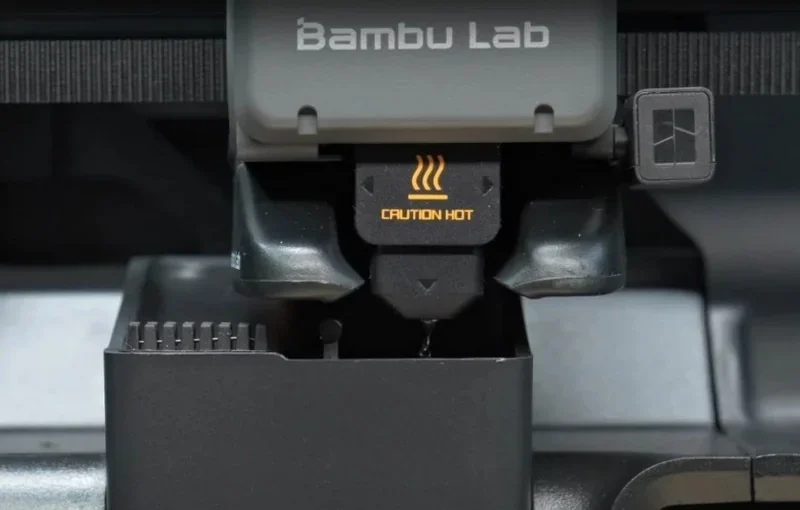
Extrusion smoothness and edge definition are further improved by the servo-motor extruder plus eddy-current nozzle sensors that measure nozzle pressure and auto-tune PA per filament.Bambu Lab H2S 3D printer nozzle showing a "Caution Hot" warning with branding visible against a mechanical background.
Active Vibration Compensation suppresses resonance for cleaner walls at speed.Bambu Lab H2S comparison of 3D prints showing precise corner details with setting ON and less defined with OFF, highlighting print quality differences.
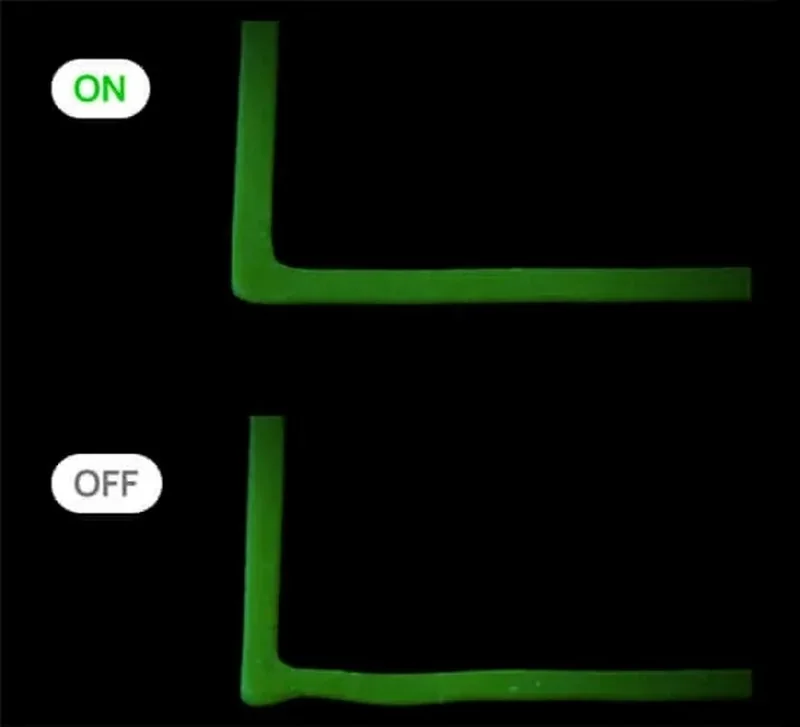
During testing, PLA, PETG, and PPS-CF parts – printed at 300 mm/s with a 0.4 mm nozzle – showed smooth, artifact-free surfaces, consistent layer stacking, and uniform first-layer adhesion — even at 20,000 mm/s² acceleration. Only some fine PLA details appeared slightly softer than on the H2D due to a less powerful cooling fan. 

The enclosure integrates safety interlocks (front door/top cover) and fire-resistant construction.
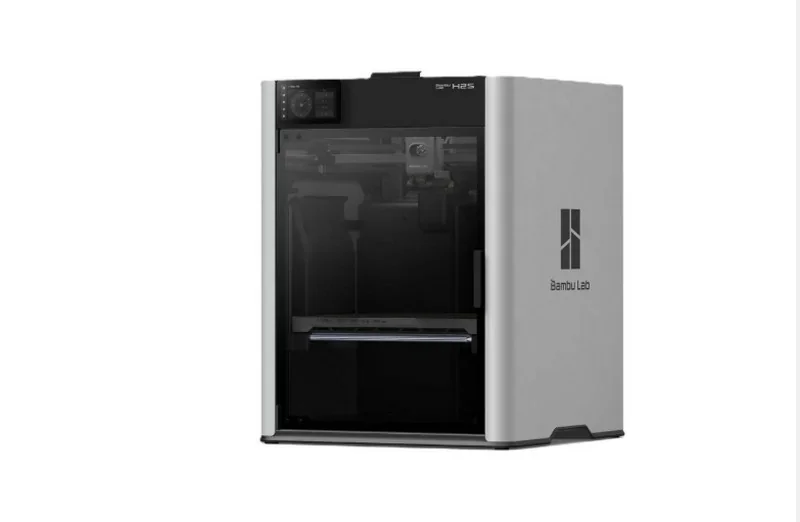
Bambu Lab H2S 3D printer with sleek design, transparent front panel, branded logo, capable of creating detailed parts, set against a white background.

Process control & repeatability: the system uses 23 sensors and 3 cameras for AI monitoring (spaghetti, clumping, purge-chute jams), a vision-guided pre-flight checklist (debris scan, plate identification), and multi-point thermal sensing to actively regulate the print environment and airflow/filtration.Bambu Lab H2S 3D printer showcasing laser calibration beams illuminating from corners, highlighting precise printing surface setup.
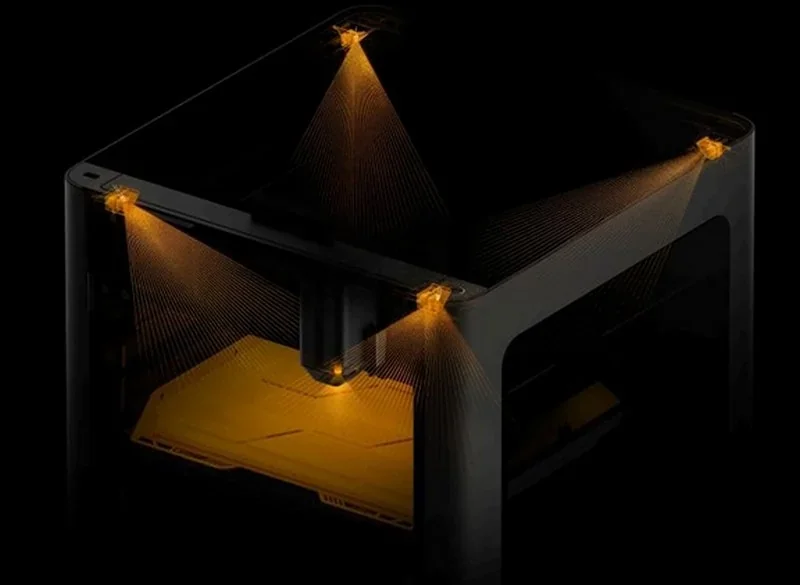
Example: When printing the Autodesk benchmark set, the printer produced clean layers, sharp overhangs, stable bridges, and showed no ringing or Z-banding.

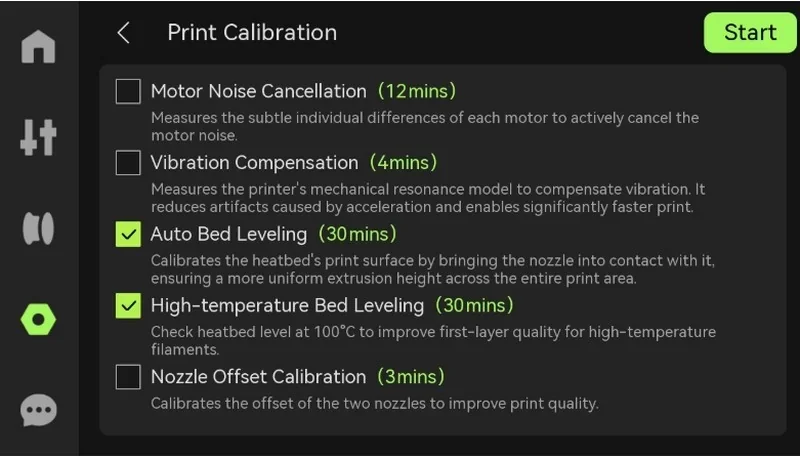
Leveling & first-layer reliability: the H2S implements an automatic leveling routine working in concert with vibration compensation and pressure advance; initial self-check and leveling can be lengthy but are hands-free.Bambu Lab H2S printer interface shows print calibration settings, including motor noise cancellation, vibration compensation, and bed leveling options.
Example: During full bed prints, first layers adhered well across the surface despite the bed only reaching 104°C (set to 120°C), as the heated chamber compensated for the lower bed temperature.Bambu Lab H2S 3D printer with open tray, red print bed, sleek design, visible branding; high-tech equipment in a modern setting.
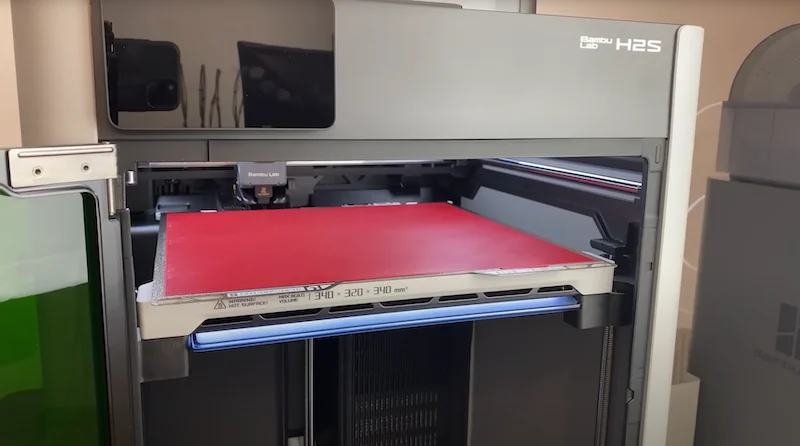
Credit: Albert KeyDot, 247printing YouTube Channel (https://www.youtube.com/watch?v=EUHZtyOmQGg)

Which thermoplastic filaments can you use with the Bambu lab H2S?

The Bambu Lab H2S supports 29 material types, including PLA, PETG, TPU, PVA, BVOH, ABS, ASA, PC, PA, PET, PPS, and carbon- or glass-fiber-reinforced variants of PLA, PETG, PA, PET, PC, ABS, ASA, PPA, and PPS. Its hardware ensures broad material compatibility, featuring a 350 °C all-metal hotend, 120 °C heated bed, 65 °C actively heated chamber, and closed-loop cooling. For optimal results with flexible or brittle filaments, the rear direct-feed path (bypassing the AMS) minimizes bending and improves consistency; TPU should be loaded via its dedicated rear port. The printer is open to third-party filaments, with proven reliability across multiple non-proprietary brands, while AMS 2 Pro and AMS HT units provide integrated drying for hygroscopic materials.

PLA, ABS-GF, PPS-CF, and PPACF Test Prints:

HT-PLA 3D Print Sample:
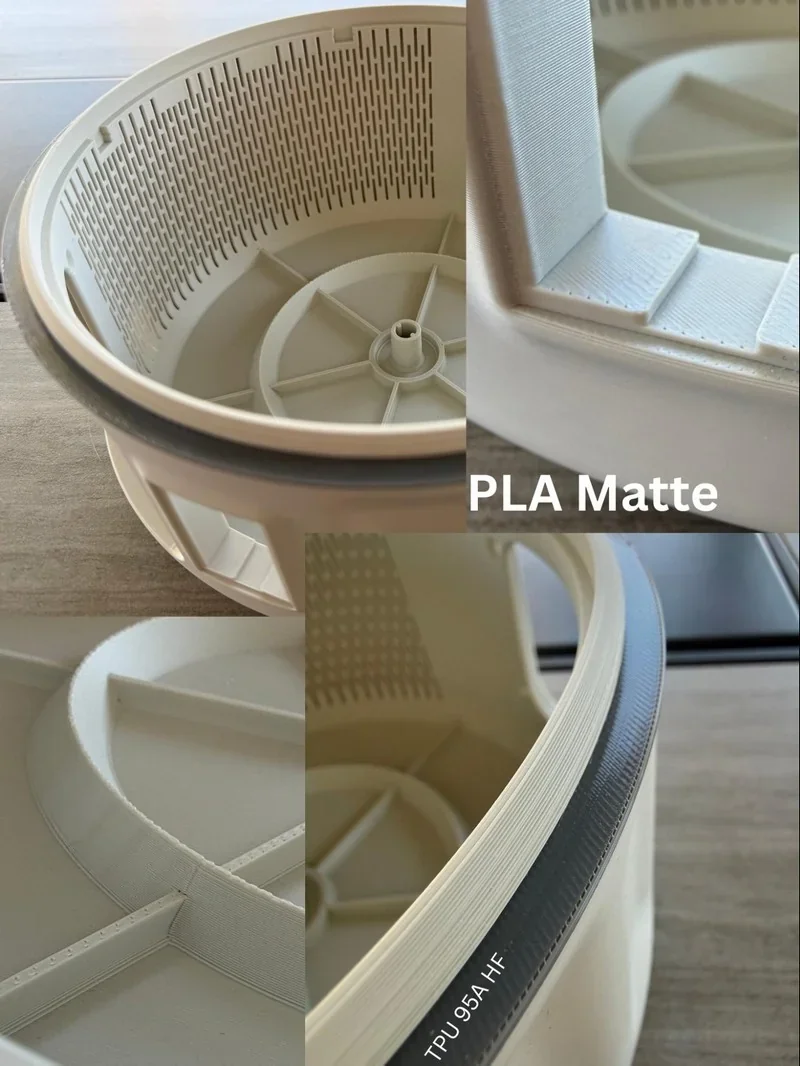
Bambu Lab H2S 3D printed circular parts showcasing detailed PLA Matte and TPU 95A-HF materials, highlighting precision and finish.

Credit: Tyler Reichelt, Bambu Lab Facebook Group

HT-PLA 3D Print Sample:
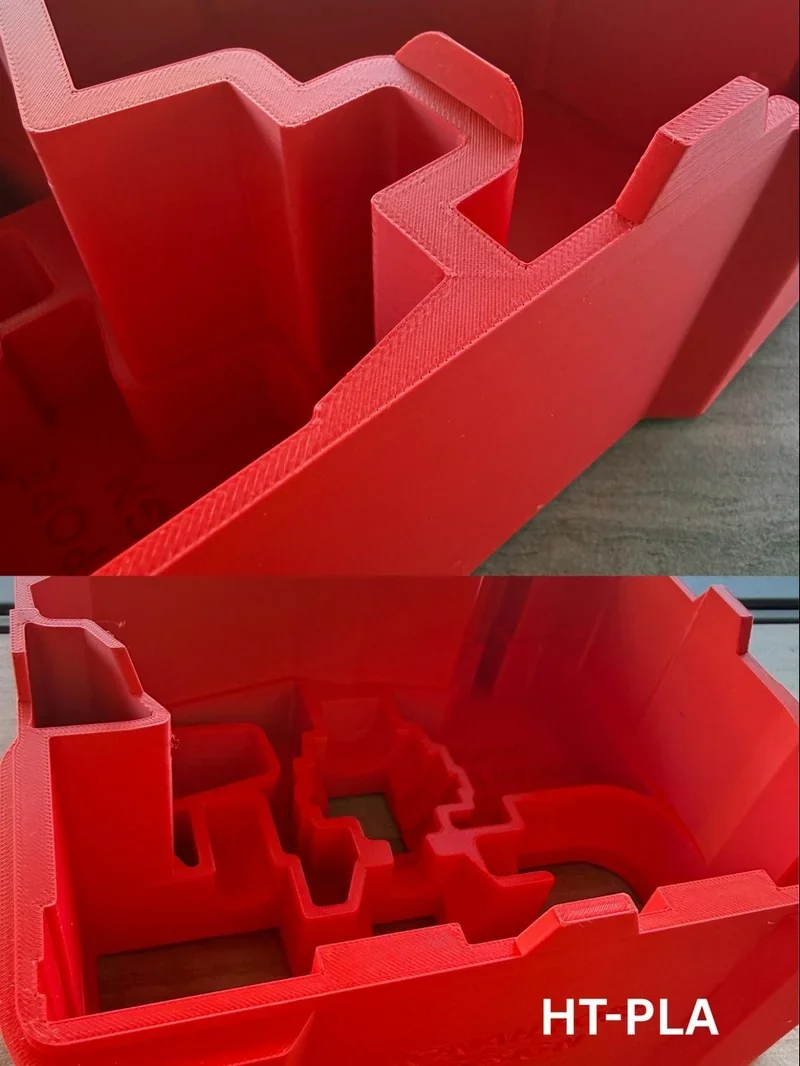
Red 3D-printed objects with detailed geometries, created by Bambu Lab H2S; labeled HT-PLA, shown on a wooden surface.

Credit: Tyler Reichelt, Bambu Lab Facebook Group

HT-PLA-GF Print Sample: 
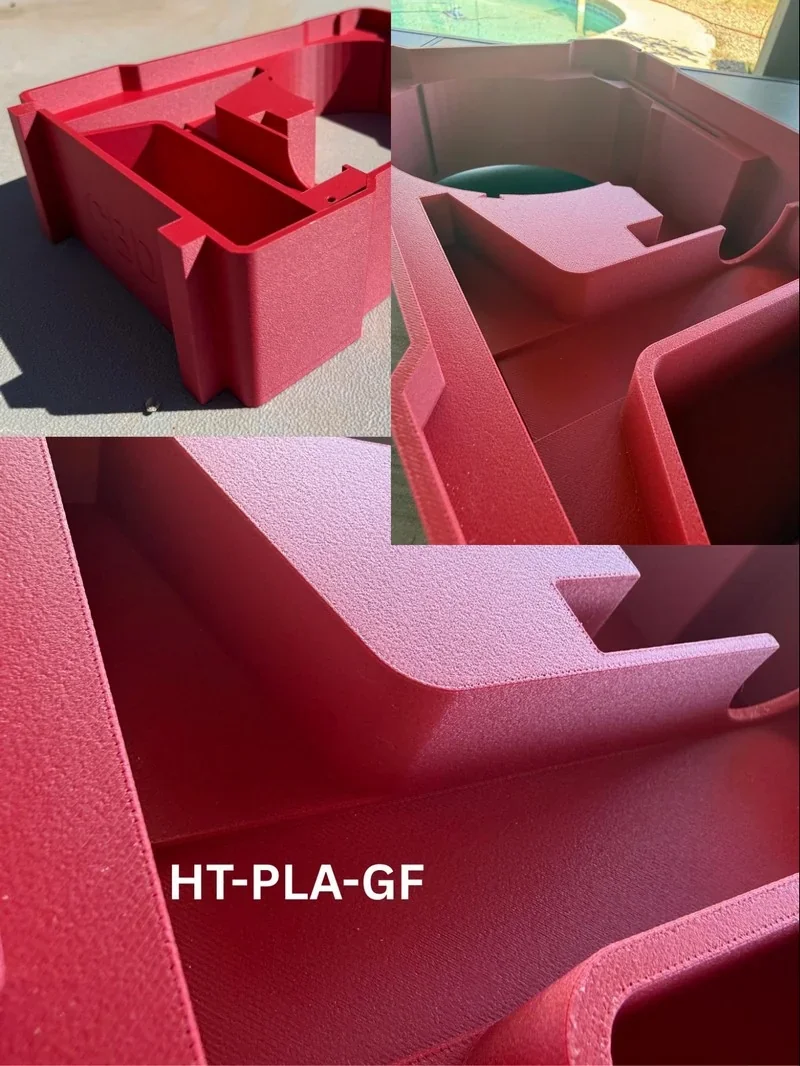
Red 3D printed parts created by Bambu Lab H2S using HT-PLA-GF filament, showcasing detailed, smooth surfaces and geometric design.

Credit: Tyler Reichelt, Bambu Lab Facebook Group

PETG-HF Print Sample: 
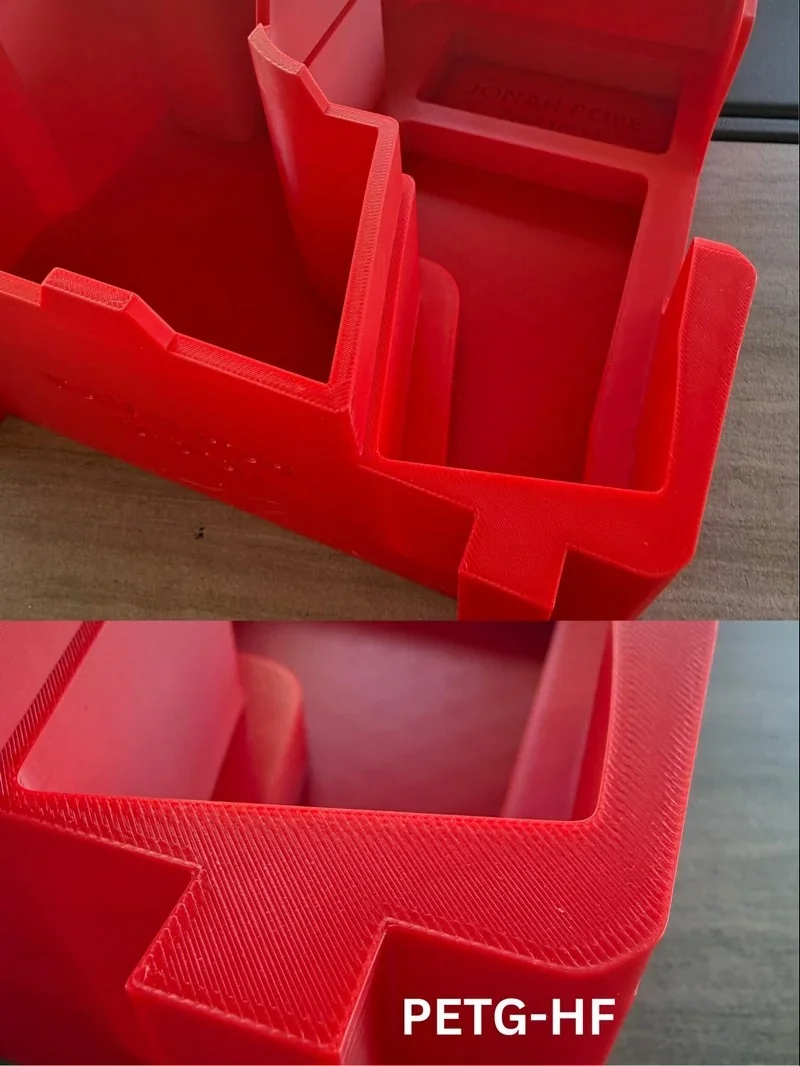
Red 3D-printed parts with detailed texture made by Bambu Lab H2S. The label PETG-HF is visible, highlighting the material used.

Credit: Tyler Reichelt, Bambu Lab Facebook Group

ABS-GF 3D Print Sample: 
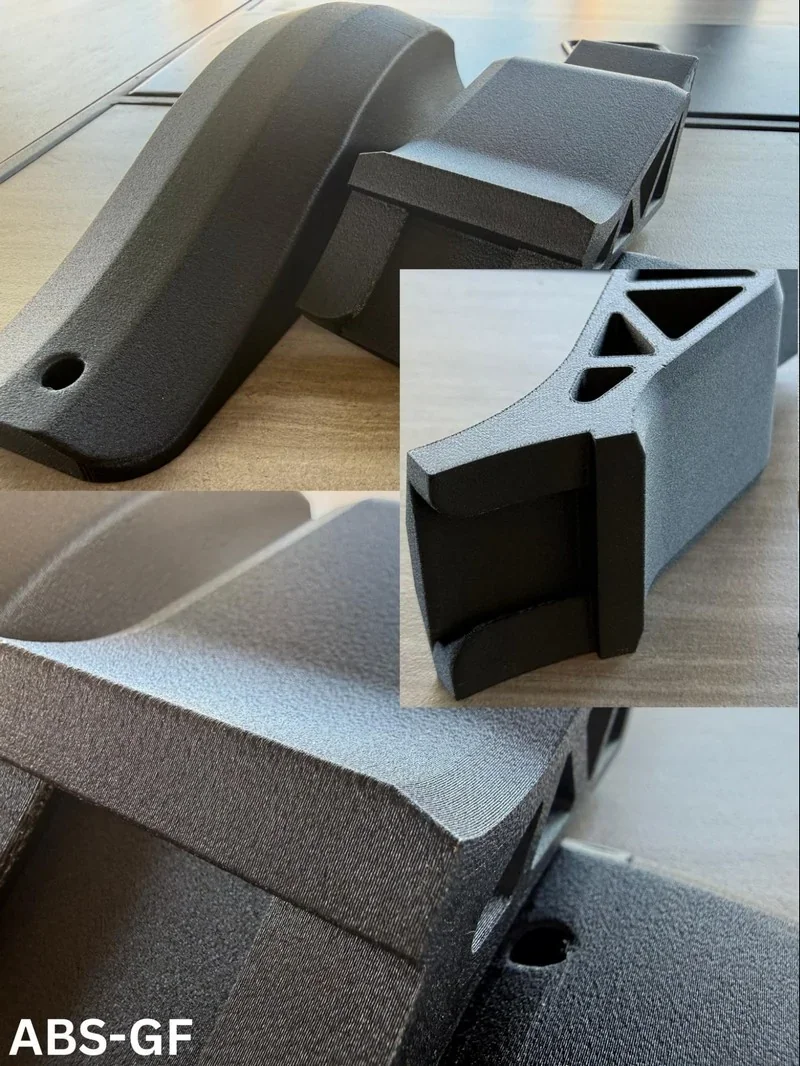
3D-printed black parts by Bambu Lab H2S on wood surface, showcasing textured ABS-GF material close-up.

Credit: Tyler Reichelt, Bambu Lab Facebook Group

ABS-GF 3D Print Sample: 
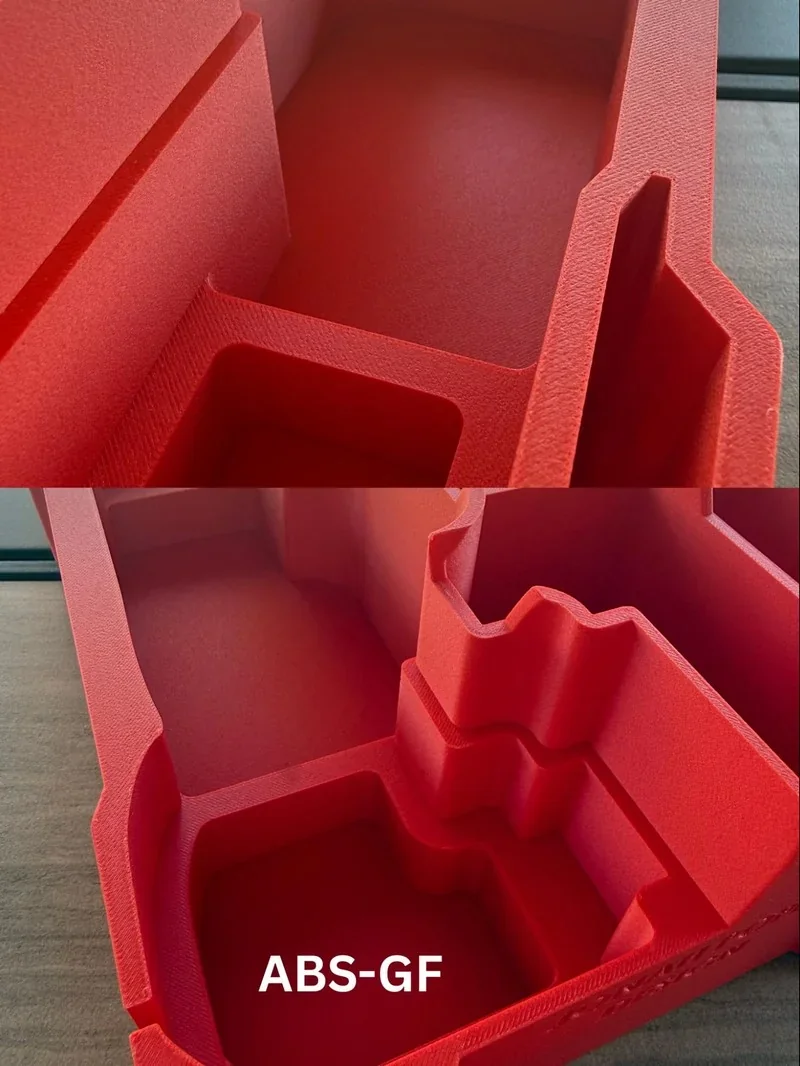
Red 3D-printed parts made with Bambu Lab H2S, showing intricate structures and smooth textures, labeled ABS-GF, on a wooden surface.

Credit: Tyler Reichelt, Bambu Lab Facebook Group

Nylon 3D Print Sample:
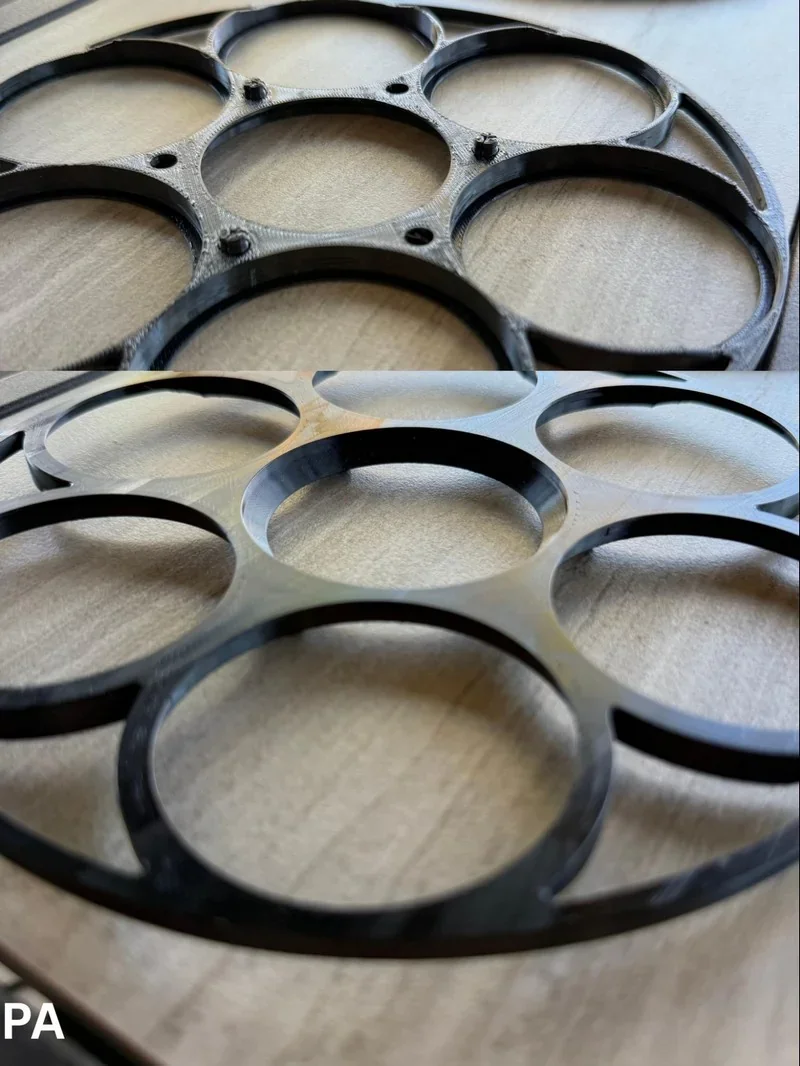
 Circular black plastic component with multiple rings on a wooden surface, created by Bambu Lab H2S 3D printer.

Credit: Tyler Reichelt, Bambu Lab Facebook Group

Polycarbonate 3D Print Sample: 
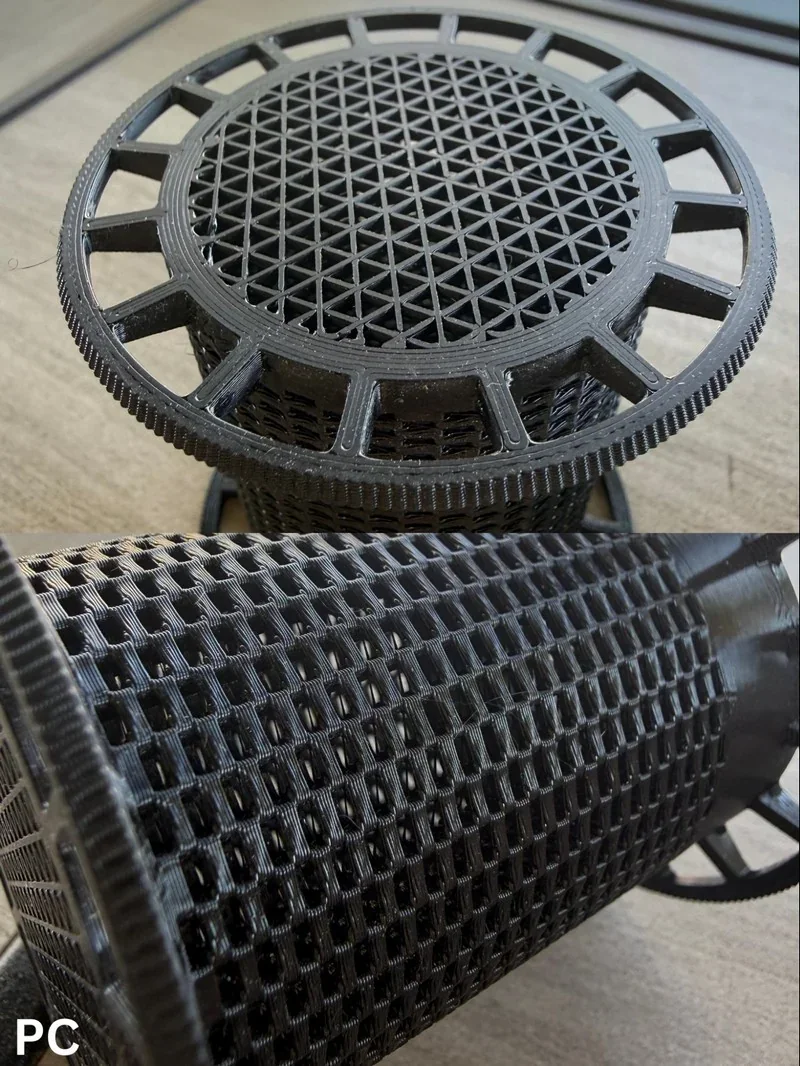
Black 3D-printed lattice spool part by Bambu Lab H2S, showcasing intricate geometric patterns on a wooden surface.

Credit: Tyler Reichelt, Bambu Lab Facebook Group

What is the build volume of the Bambu lab H2S?

The Bambu Lab H2S provides a 340 × 320 × 340 mm build volume, and — thanks to its single-nozzle architecture and a cutter mechanism that does not restrict motion — it uses the full X–Y range with no build-volume reduction during printing.


What is the difference between the Bambu Lab H2S, H2D, H2D Pro, X1 Carbon and P1S?

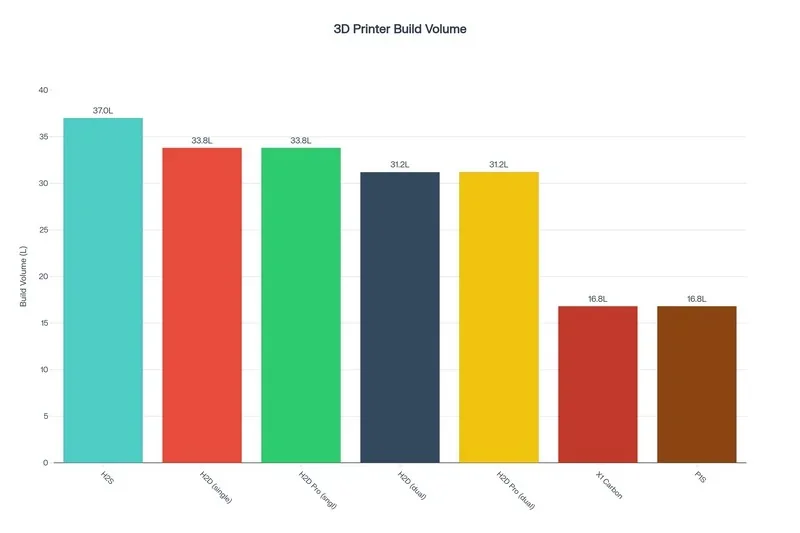
The Bambu Lab H2S offers the H-series' high performance — 65 °C active chamber, 350 °C nozzle, and 1000 mm/s speed — at the lowest price, with the largest build volume (340 × 320 × 340 mm). For dual-material printing, the H2D and H2D Pro add that capability with a slightly smaller build area (300 × 320 × 325 mm) but cost more ($1,999 and ~$3,799). In contrast, the X1 Carbon and P1S are cheaper but have smaller volumes, a 300 °C nozzle limit, no active chamber heating, and 500 mm/s speed — making them better suited for general use than for high-performance engineering prints.

Model

Build volume (mm)

Chamber

Max nozzle (°C)

Max speed (mm/s)

Price (USD)

Bambu Lab H2S

340×320×340

Active to 65 °C

350

up to 1000

From $1,249

Bambu Lab H2D

325×320×325 (single); 300×320×325 (dual)

Active to 65 °C

350

up to 1000

From $1,999

Bambu Lab X1 Carbon

256×256×256

Enclosed (no active heat)

300

up to 500

From $799 (printer) / $1,249 (Combo)

Bambu Lab P1S

256×256×256

Enclosed (no active heat)

300

up to 500

From $549 (printer) / $749 (Combo)

Bambu Lab H2D Pro

325×320×325 (single); 300×320×325 (dual)

Active to 65 °C

350

up to 1000

From $3,799

Bar chart comparing 3D printer build volumes, featuring Bambu Lab H2S with 37.0L, and others like H2C Dual with 31.2L, XT Creator, and PT6 at 16.8L.

What is the difference between the Bambu Lab H2S, Creality K2 Plus, Voron 2.4 R2 Pro+, Prusa XL and Prusa Core One?

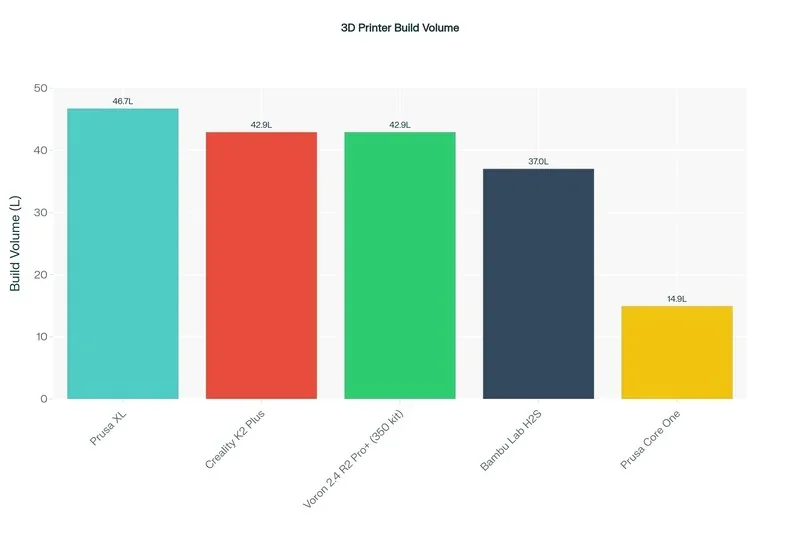
The Bambu Lab H2S offers the best balance of speed, temperature capability, and cost — supporting engineering-grade materials with a 65 °C chamber, 350 °C nozzle, and 1000 mm/s speed for $1,249. The Creality K2 Plus matches build volume (350³ mm) and adds a heated enclosure but falls short on nozzle temp (300 °C) and speed (600 mm/s) at $1,726, not to mention reliability issues and long wait times to get support and spare parts from China. The Voron 2.4 R2 Pro+ is cheaper ($779) with similar volume, but its passive chamber and 250 mm/s speed suit hobbyists, not high throughput. Prusa XL has the largest volume (360³ mm) but lacks chamber heat, maxes at 290 °C, and costs $2,463. The smaller Prusa Core One offers a 55 °C chamber and 290 °C nozzle for $1,584. For fast, high-temp FFF production, the H2S is the strongest value.

Model

Build volume (mm)

Chamber

Max nozzle (°C)

Price

Bambu Lab H2S

340×320×340

Active to 65 °C

350

From $1,249

Creality K2 Plus

350×350×350

Closed (heated/enclosed)

300

From $1,099

Voron 2.4 R2 Pro+ (350 kit)

350×350×350

User-enclosed (passive)

300

From $899

Prusa XL

360×360×360

Enclosed (no active heat)

290

From $2,439

Prusa Core One

250×220×270 (smaller class)

Up to 55 °C

290

From $1,567

3D printer build volume comparison showing Bambu Lab H2S at 37L among five models.

What printer controls are available on the Bambu lab H2S?

The H2S uses an on-printer 5-inch, 1280×720 capacitive touchscreen with a left rail of primary tabs—Homepage, Controls, Filaments, Settings, and HMS—plus quick tiles for Print Files, Nozzle Temp, Filament, and Status; this layout centralizes job launch and routine adjustments without a computer.
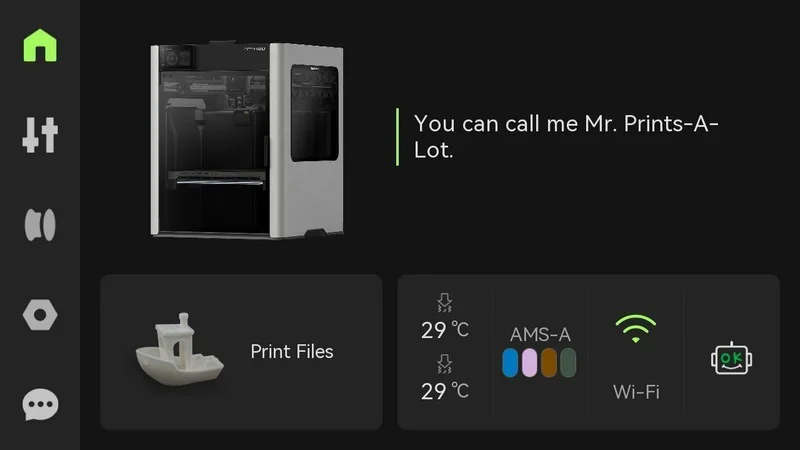
Bambu Lab H2S 3D printer interface with print status, a printed boat sample, temperature settings, and Wi-Fi connectivity options.

  • Launch prints from Print Files; during jobs, the screen provides pause/stop and real-time status.
  • Filaments/AMS guide pages present slot selection with a Load action for automatic feeding, plus pairing guidance for left/right extruders.
  • One-touch light control and (if equipped) BirdsEye camera tile appear in Controls for on-device visibility and alignment checks.
  • The HMS page surfaces diagnostic codes and guided troubleshooting directly on the printer.

On-device UI & menu system.

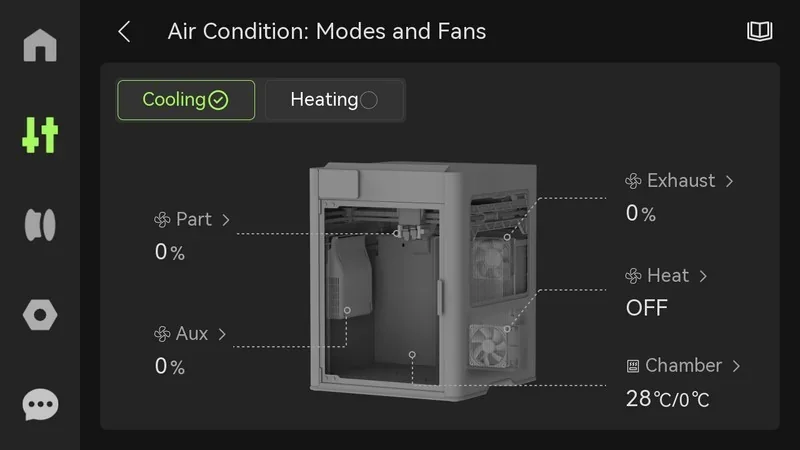
  • Controls → Air Condition exposes chamber modes (Cooling/Heating), plus part-cooling, auxiliary part-cooling, chamber exhaust, and circulation fan management to stabilize part quality at speed.

Bambu Lab H2S 3D printer interface showing cooling mode, fan percentages, exhaust, heat status, and chamber temperature at 28°C/0°C.

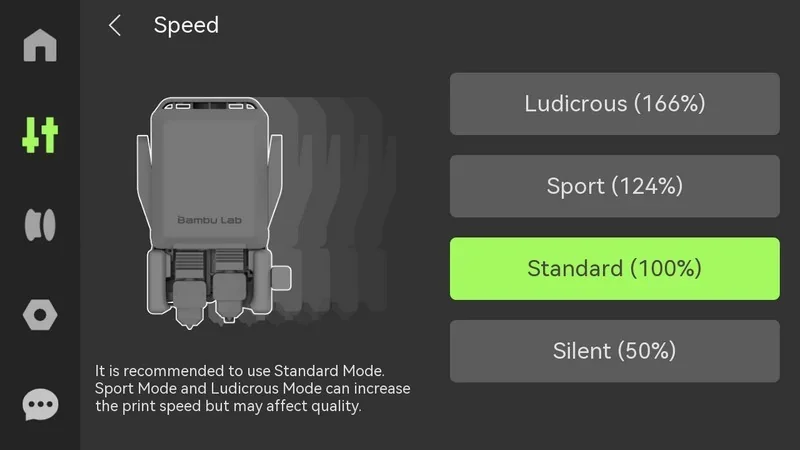
  • Controls → Speed offers Silent / Standard / Sport / Ludicrous presets that scale motion/acceleration globally for quality vs. throughput.

Bambu Lab H2S control panel showing speed modes: Ludicrous, Sport, Standard, and Silent. Standard mode highlighted for balanced print quality and speed.

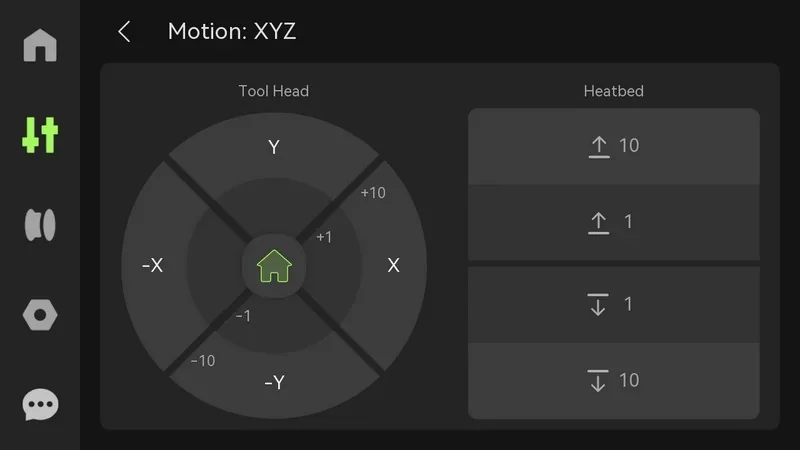
  • Controls → Motion jogs XY toolhead and Z bed for setup or recovery.

Bambu Lab H2S 3D printer interface showing motion control for tool head and heatbed adjustments with directional options and settings.

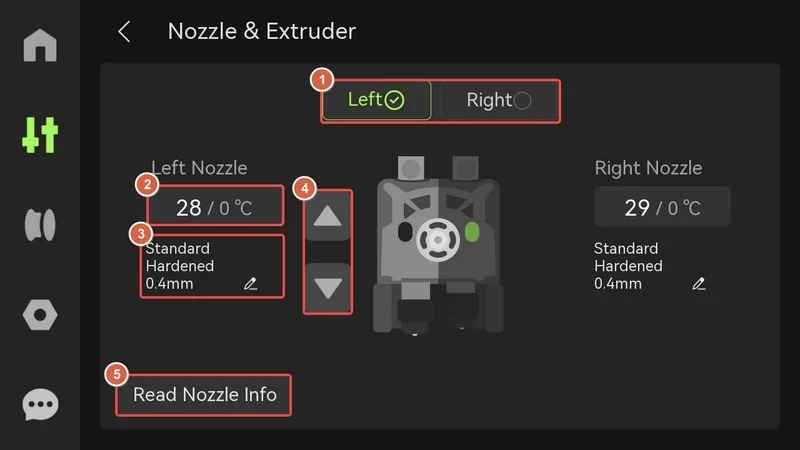
  • Controls → Nozzle & Extruder lets users select left/right nozzle, set nozzle type/diameter, set temperatures, and manually load/unload with on-screen extrude/retract; Read Nozzle Info auto-reads installed nozzle metadata.

Bambu Lab H2S nozzle and extruder interface, showing left nozzle at 28°C, right at 29°C, with 0.4mm standard hardened configuration.

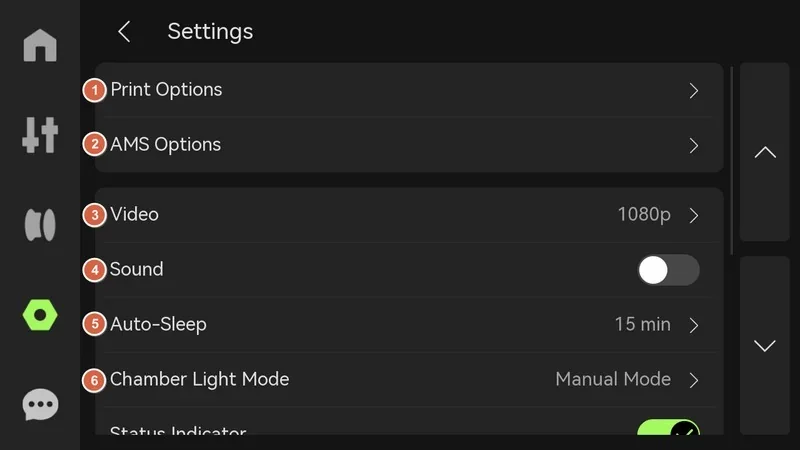
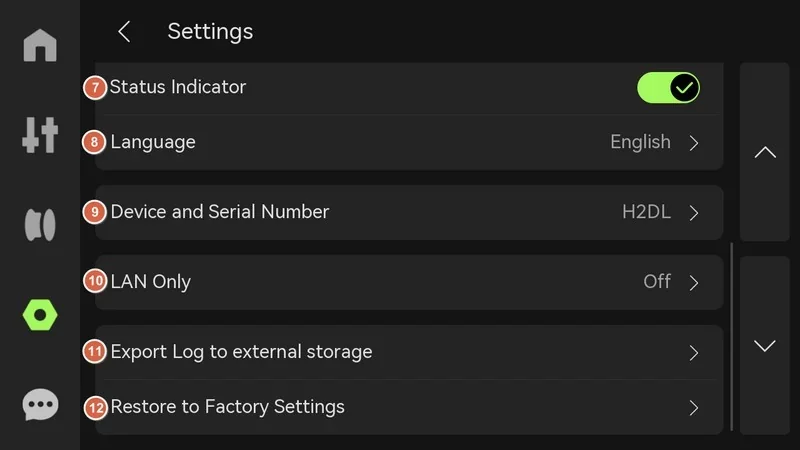
  • Settings includes UI preferences (sounds, auto-sleep, chamber light, language), device info, status indicator, export logs to USB, and factory reset.

Settings menu for Bambu Lab H2S 3D printer, showing options like Print, Video, Sound, Auto-Sleep, with branding elements on a black interface.Bambu Lab H2S settings screen showing status indicator, device serial number, language options, LAN only, export log, and restore settings features.

Built-in calibration & adjustment controls.

From Settings → Calibration / Print Calibration, the printer runs motor noise cancellation, vibration compensation, auto bed leveling, high-temperature bed leveling, and dual-nozzle offset calibration; partial pre-print leveling can auto-probe only the model’s footprint to save time. The UI also guides multi-stage 8×8 / 22×22 probing routines and documents when to rerun high-temp leveling after hardware changes.
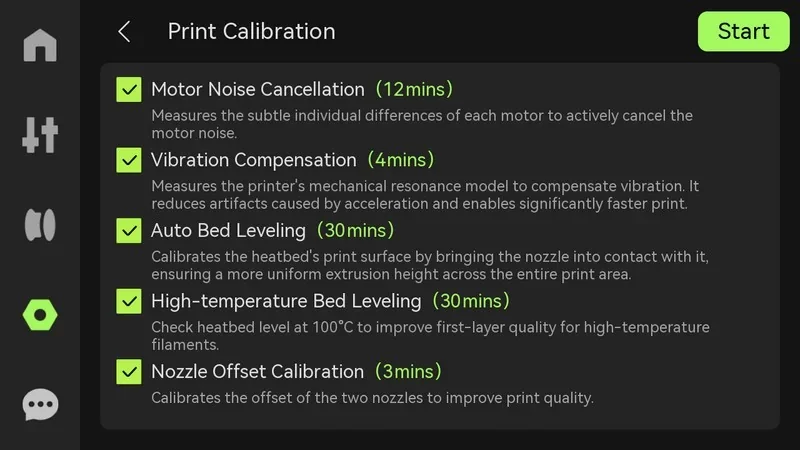
Bambu Lab H2S print calibration menu showing motor noise cancellation, vibration, auto bed leveling, high-temp leveling, and nozzle offset, with times.

Physical Controls

Direct operation controls include a physical Start/Pause button required to begin and pause laser/cutting tasks (the 3D printing pause is initiated from the screen).
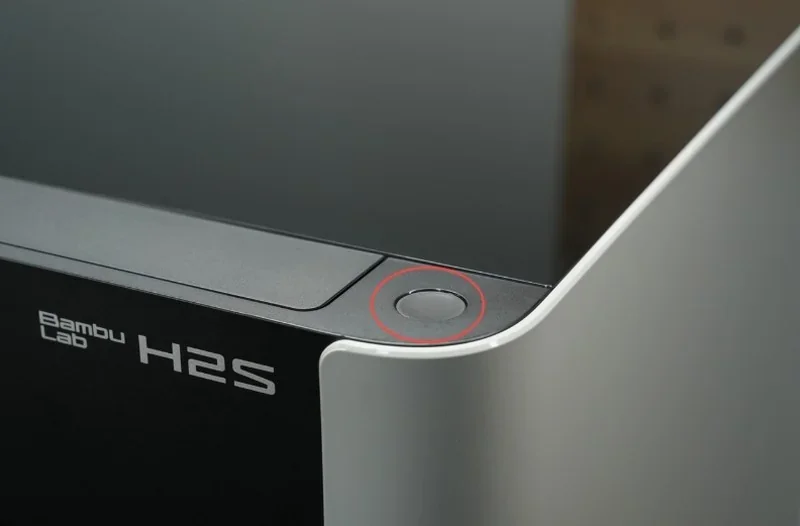
Bambu Lab H2S 3D printer detail showing sleek design, power button highlighted, and branding on the machine in a modern setting.

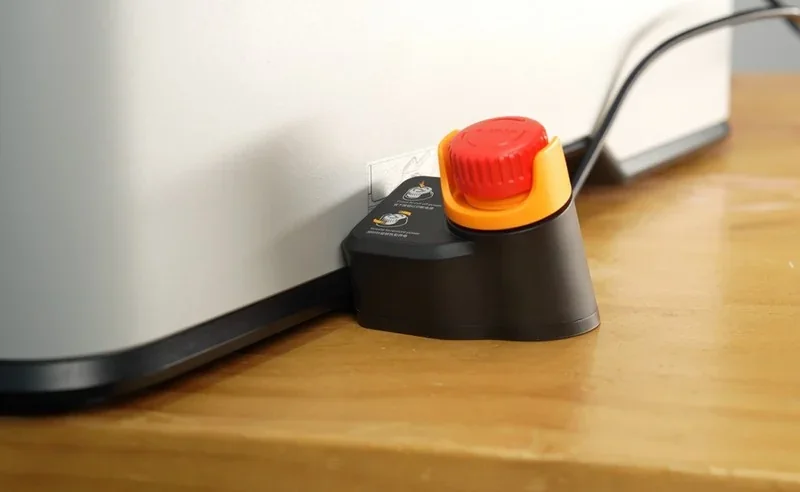
An Emergency Stop (required for laser) and Safety Key interlock govern power/enablement. The printer automates first-layer prep with a nozzle-cleaning routine at job start and manages scraps via a material ejection/wiper system during startup, pause/resume, and filament load/unload events.
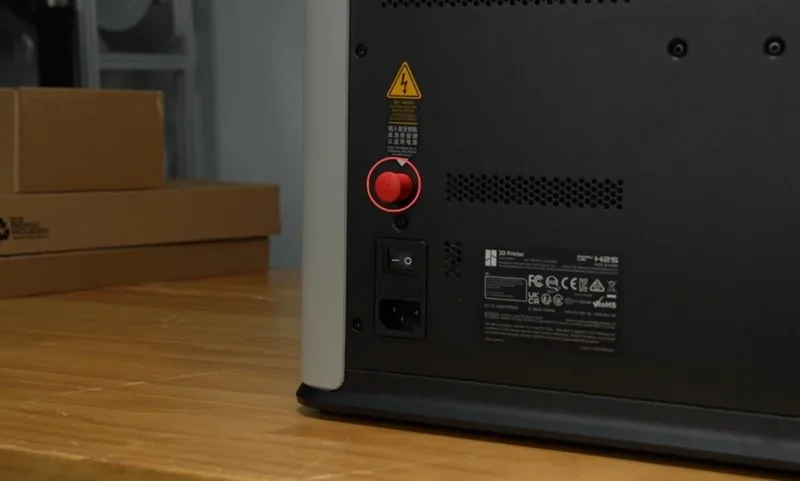
Bambu Lab H2S 3D printer back panel with power switch, red reset button, and safety labels on a wooden table, boxes in the background.

Bambu Lab H2S 3D printer on wood surface, featuring a red emergency stop button with clear labels and secure power cable connection.

What connectivity options are available on the Bambu lab H2S?

    The H2S features dual-band Wi-Fi (2.4 & 5 GHz, IEEE 802.11 a/b/g/n) for network printing and remote control via the Bambu Studio PC app and mobile app, though it lacks an Ethernet port, 802.1X support, a network kill switch, or a removable network module. It also includes 8 GB of internal eMMC storage and a USB port; inserting a USB flash drive (USB 2.0+, ≥10 MB/s write, FAT32/exFAT, one drive only) enables LAN printing, file transfers from Bambu Studio, log exports, and time-lapse recording, while the printer can still run jobs from internal storage without a USB inserted.
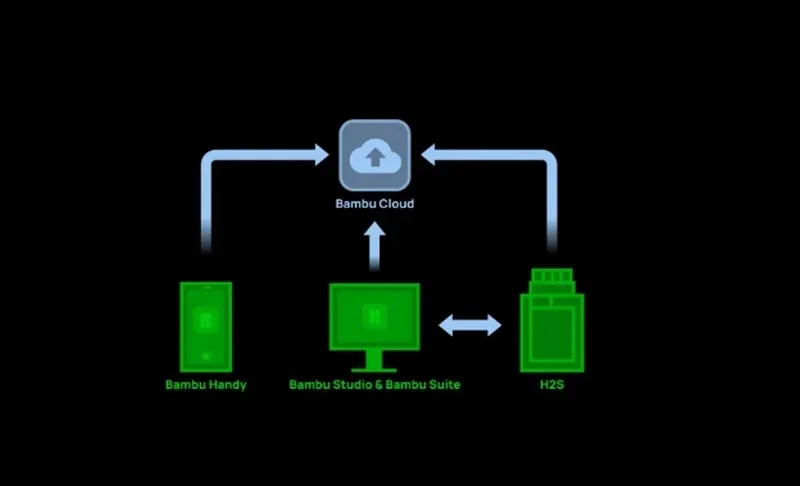
    Diagram showing the Bambu Lab H2S 3D printer's connectivity with Bambu Handy, Bambu Studio, and Bambu Cloud.

    The printer supports both cloud-based and fully offline operation, including offline firmware updates.
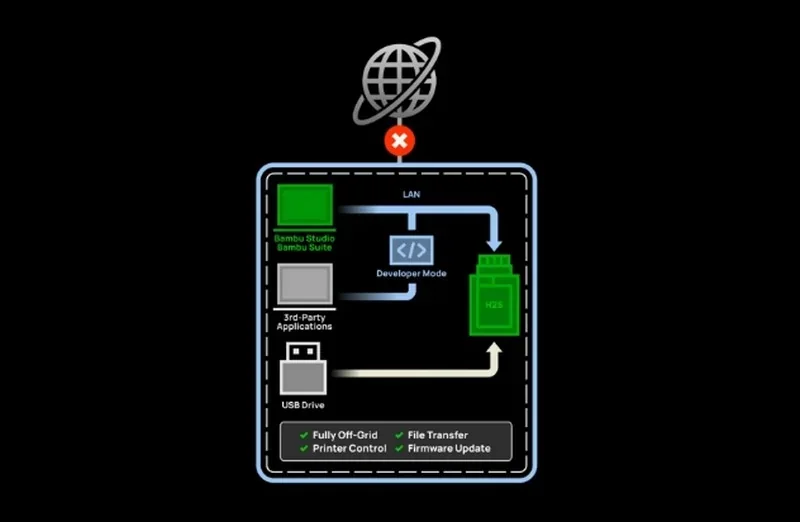
    Diagram showing Bambu Lab H2S's isolated network setup, with LAN connections for apps, USB drive, and developer mode, highlighting offline functionality.

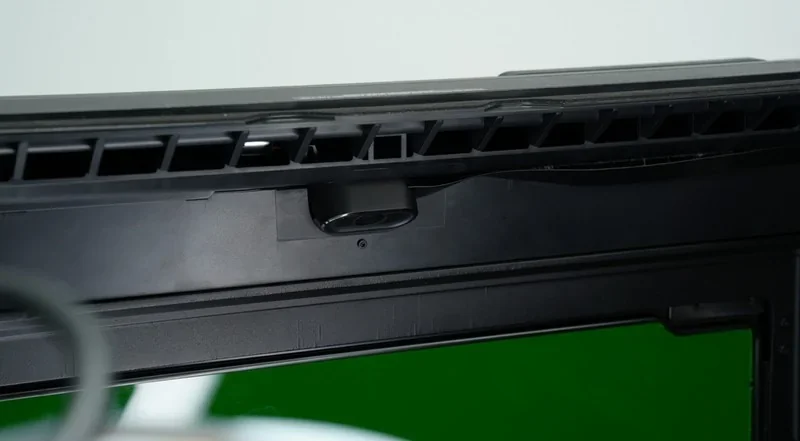
    Integrated cameras include a 1920×1080 chamber camera and a 1600×1200 toolhead camera, with a 3264×2448 Bird’s-Eye camera on the Laser Edition. They support on-device monitoring and remote viewing via apps.Bambu Lab H2S 3D printer's internal view showing detailed mechanics, focusing on a key component encased in a red outline.
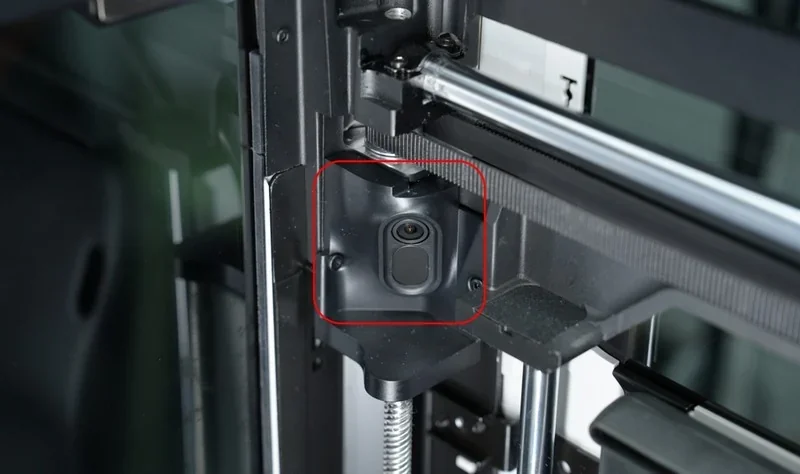
    Bambu Lab H2S 3D printer detail showing the interior camera setup and parts in an industrial setting, highlighting the precision components.

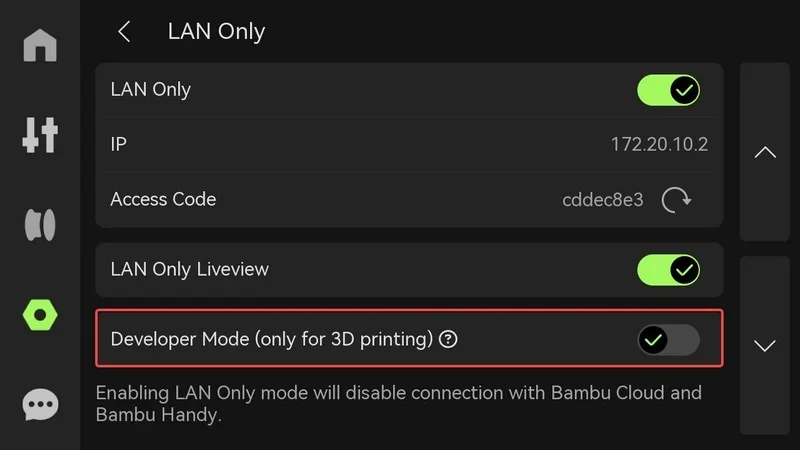
    For accessory links, the rear panel provides a 6-pin AMS interface plus two reserved 4-pin ports used by expansion accessories (e.g., the external air pump when upgrading a non-laser unit to Laser). For developer workflows, Developer Mode exposes MQTT access while the system still supports fully offline operation (file transfer/firmware updates without internet).
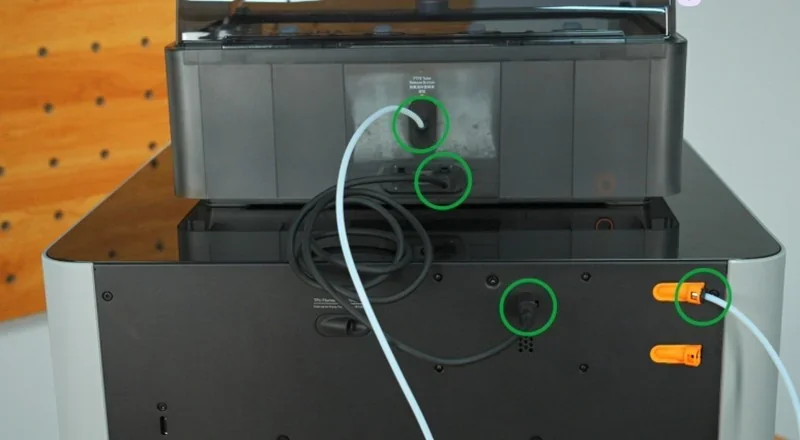
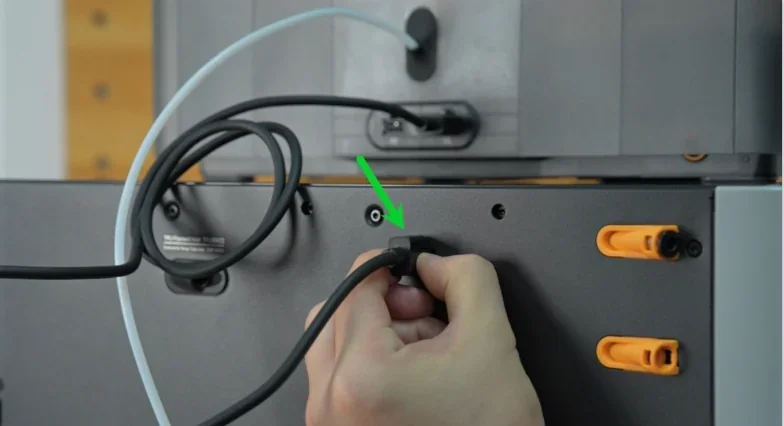
    Bambu Lab H2S 3D printer connections, showcasing tube and cable attachments on a sleek black machine in a wooden room setup.Hand connects cable to Bambu Lab H2S 3D printer, marked by green arrow; gray and orange components visible, focus on assembly detail.

    What software is offered with the Bambu lab H2S?

    Software offered with the Bambu Lab H2D: Bambu Studio, Bambu Handy, and Bambu Suite.

    • Bambu Studio (desktop slicer, PrusaSlicer-based): Runs on Windows, macOS, and Linux; includes the Bambu Network Plug-in for LAN/WAN job sending, remote control, and data sync.


    Full Video Tutorial Playlist:

    https://www.youtube.com/playlist?list=PLFUVS59deIm2mawl3Zjk1XI9yp7H7955J
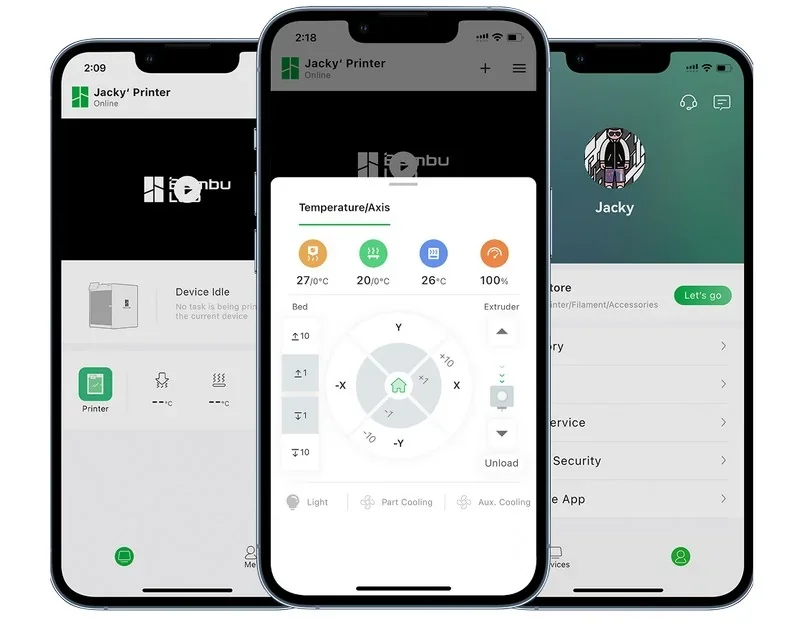
    • Bambu Handy (mobile app): QR device binding, remote monitoring/control, reprints, notifications, and model transfer from your phone.

    Bambu Lab H2S app interface on three smartphones, showcasing printer status, temperature control, and user profile.

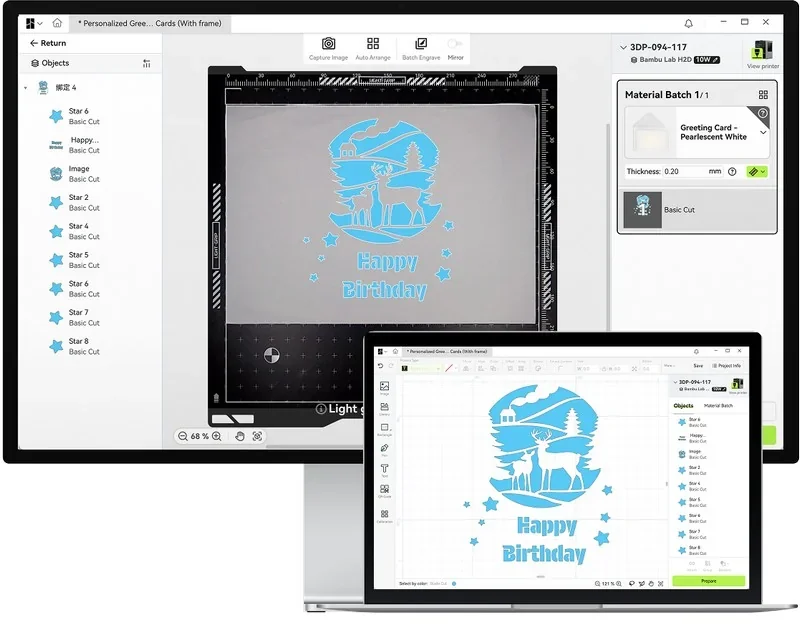
    • Bambu Suite (2D/Hybrid workflows): Integrated design, vision alignment, toolpathing, and run control for laser, blade, and pen operations.

    Bambu Lab H2S software interface displays a "Happy Birthday" card design with deer and stars, made from pearlescent white material.

    • Developer features: Developer Mode exposes MQTT for custom integrations; automatically disabled during laser/cutting for safety.

    Settings menu for Bambu Lab H2S 3D printer showing LAN-only mode, IP address, access code, and developer mode options in a dark interface.

    What is the design and build quality of the Bambu lab H2S?

    What is the design and form factor of the Bambu Lab H2S?

    • Fully enclosed aluminum-and-steel chassis with plastic outer shell;
    • Laser Edition adds laser safety windows.
    • External dimensions 492 × 514 × 626 mm;
    • Net weight 30 kg;
    • Integrated LED light strips.

    What is the motion system of the Bambu Lab H2S?

    The H2S features a CoreXY gantry with a Z-axis driven by three lead screws connected to a single stepper via belt.
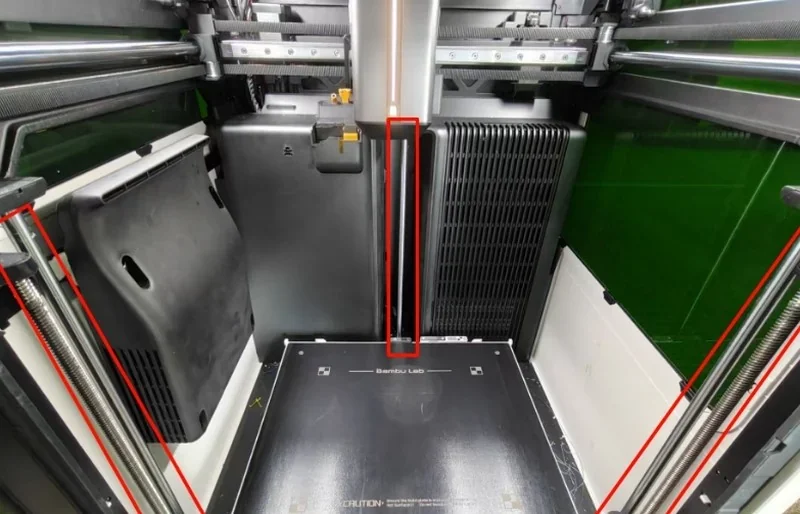
    Bambu Lab H2S 3D printer interior showcasing build plate and mechanical components, highlighting precision engineering and potential printed parts.

    The X-axis uses a linear guideway, the Y-axis uses linear rods, and a Belt Tension Monitor (BTM) provides real-time feedback on belt tension.
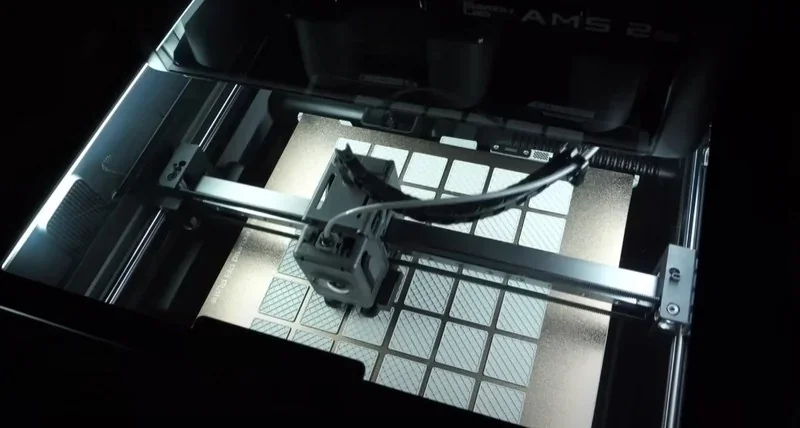
    Bambu Lab H2S 3D printer working, showing its print head creating a patterned grid design on a metallic surface in a well-lit interior.

    What are the build platform specifications of the Bambu Lab H2S?

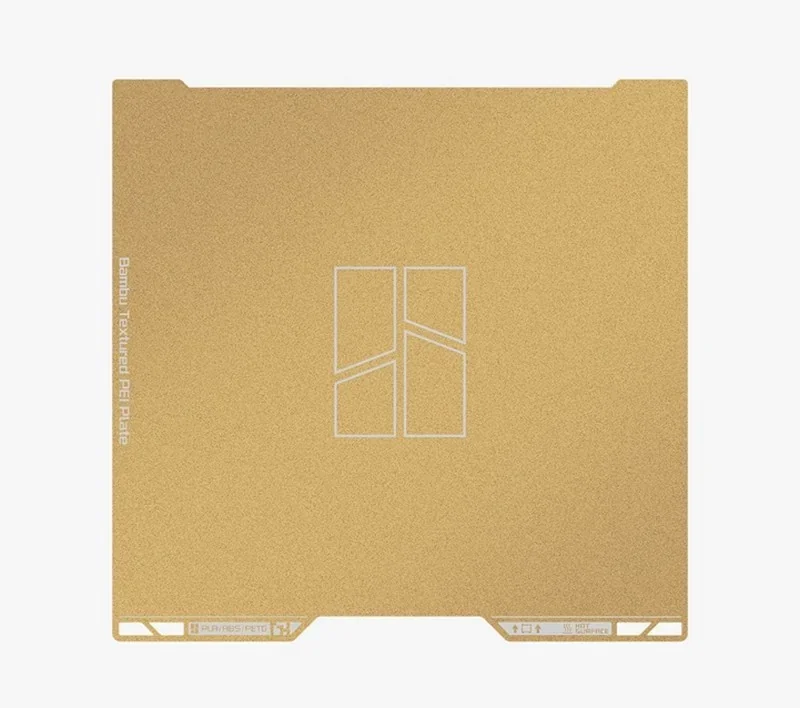
    The heated bed measures 340 × 320 × 340 mm, and reaches up to 120 °C and supports both Textured and Smooth PEI Plates, with cross-compatible build plates between the H2S and H2D models.
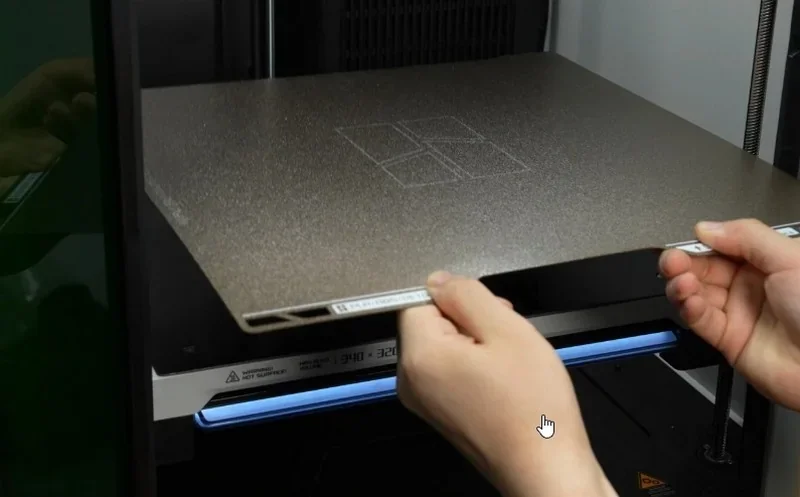
    Bambu Lab H2S 3D printer with a user placing a textured build plate inside, highlighting precision and quality construction.

    Bambu Lab H2S textured PEI plate for 3D printing, featuring a gold surface and logo, designed for optimal print adhesion and durability.

    What is the hotend and extruder system of the Bambu Lab H2S?

    The standard hotend sustains ≈40 mm³/s flow (or ≈65 mm³/s with the High-Flow hotend).
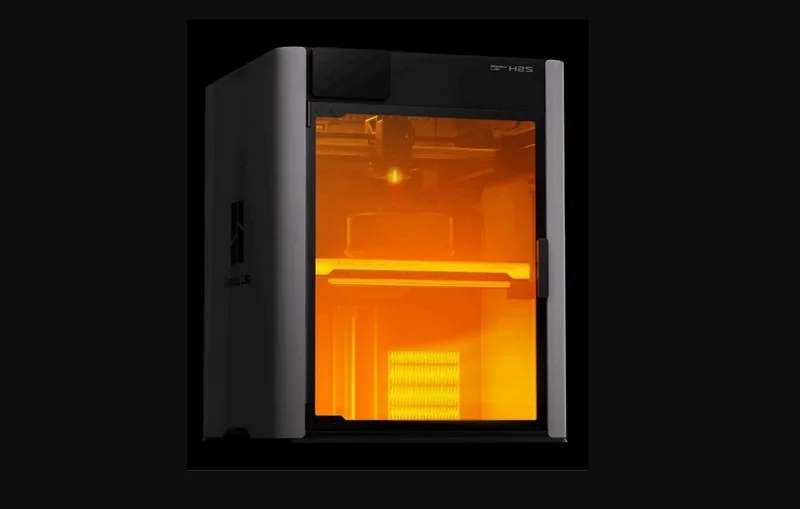
    Bambu Lab H2S 3D printer with orange-lit chamber; sleek design and partial view of printed part inside, showcasing precision technology.

    The all-metal hotend with a hardened-steel nozzle (0.4 mm included; supports 0.2/0.4/0.6/0.8 mm) is rated up to 350 °C and paired with a direct-drive extruder powered by a Bambu Lab high-precision Permanent Magnet Synchronous Motor (PMSM); a built-in filament cutter is also included.
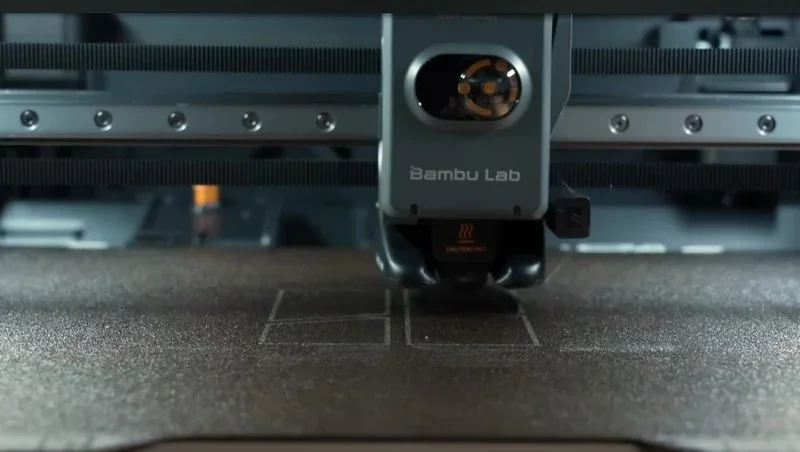
    Bambu Lab H2S 3D printer close-up, printing precise outlines on a textured surface; branding visible on the machine.

    How does the Bambu Lab H2S handle filament storage and feeding?

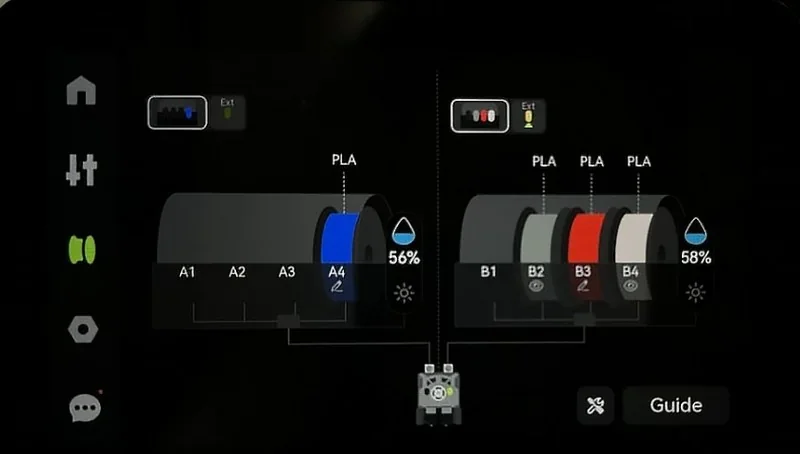
    The H2S natively supports AMS 2 Pro and AMS HT through its built-in buffer and rear filament coupler; the buffer includes Hall-sensor-based filament detection and tension management.
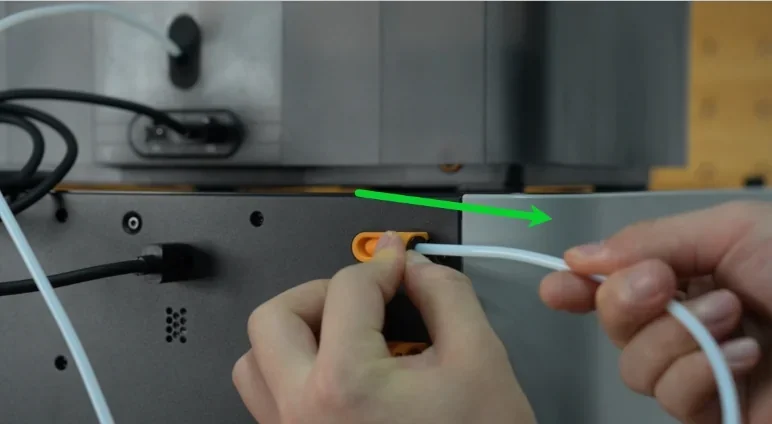
    Hands connecting a filament tube to the Bambu Lab H2S 3D printer, highlighted by a green arrow, on a gray panel with visible cables.

    Bambu Lab H2S display with filament spools A1-A4 and B1-B4, showing PLA levels and status indicators.

    The H2S is compatible with the first-generation AMS (without AMS drying) but not with AMS Lite, and supports up to 4× AMS 2 Pro or 8× AMS HT for a total of 24 filament slots and up to 24-color printing.
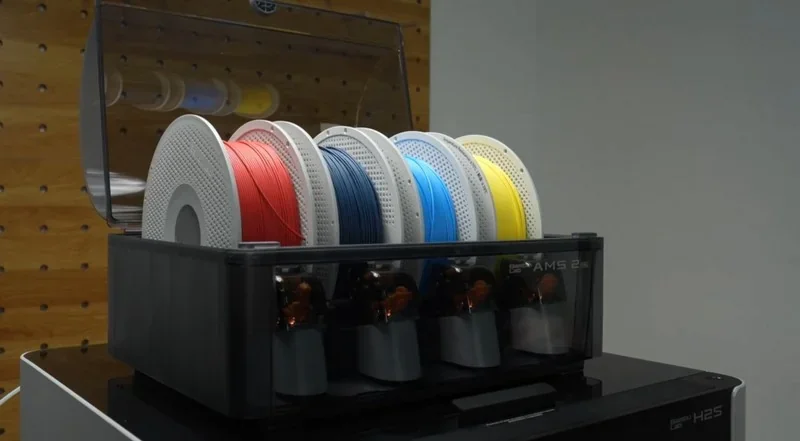
    Bambu Lab H2S 3D printer with multiple filament colors: red, black, blue, and yellow on spools, set on a pegboard backdrop.

    A direct rear feed through the coupler is available for stiff or brittle filaments, while TPU uses a separate rear port to bypass the standard path when needed.
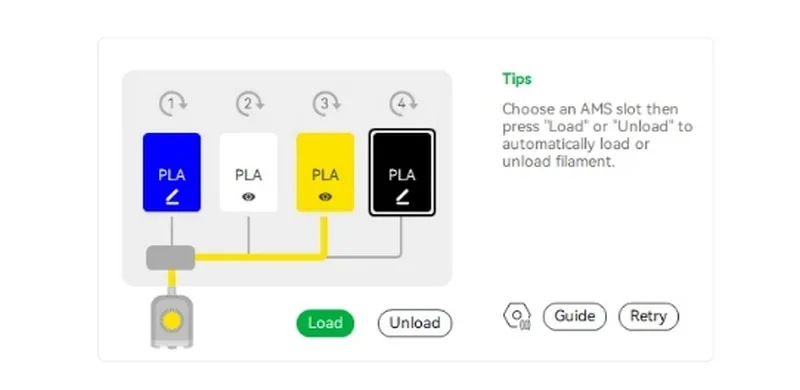
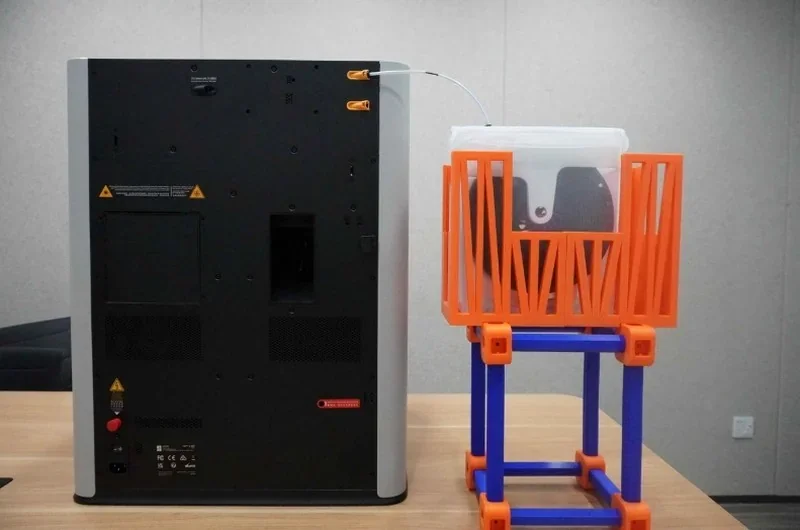
    Bambu Lab H2S filament loading guide with diagrams showing blue, white, yellow, black PLA samples. Text tips for automatic loading/unloading appear.Bambu Lab H2S 3D printer on a table with colorful filament holder.

    What is the mainboard of the Bambu Lab H2S?

    Two-board architecture: an AP Logic Main Control Board (quad-core CPU for UI/AI features and comms) and an MC Motion Control Board (dual-core M4 MCU + single-core M7 MCU with integrated stepper drivers) managing XYZ motion, temperature control, chamber status, and airflow/vent systems.
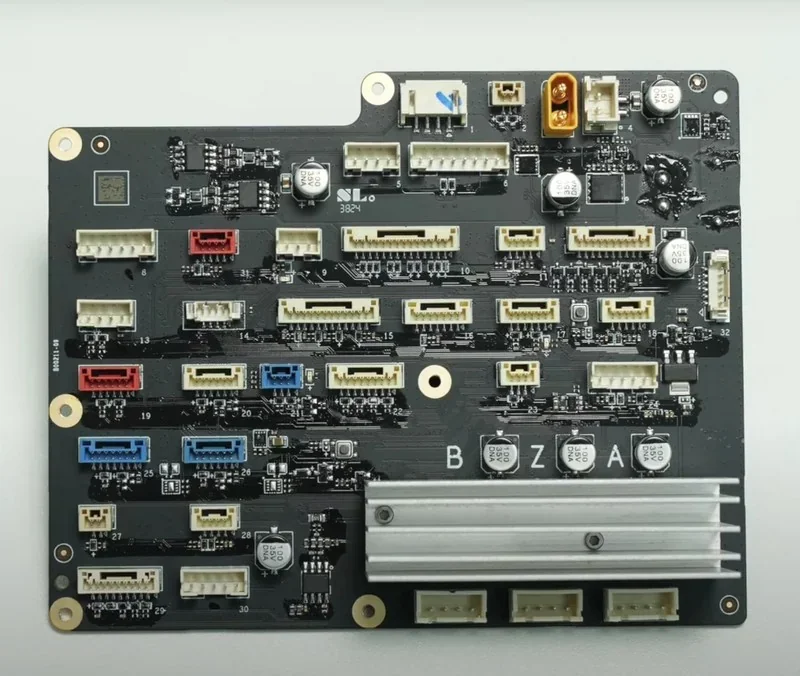
    Bambu Lab H2S control board with connectors and components placed on a black circuit board, displaying intricate wiring and electronic parts.

    What are the power supply specifications of the Bambu Lab H2S?

    Input 100–240 V AC, 50/60 Hz, 20 A (110 V)/10 A (220 V); maximum power 2050 W @ 220 V or 1170 W @ 110 V.
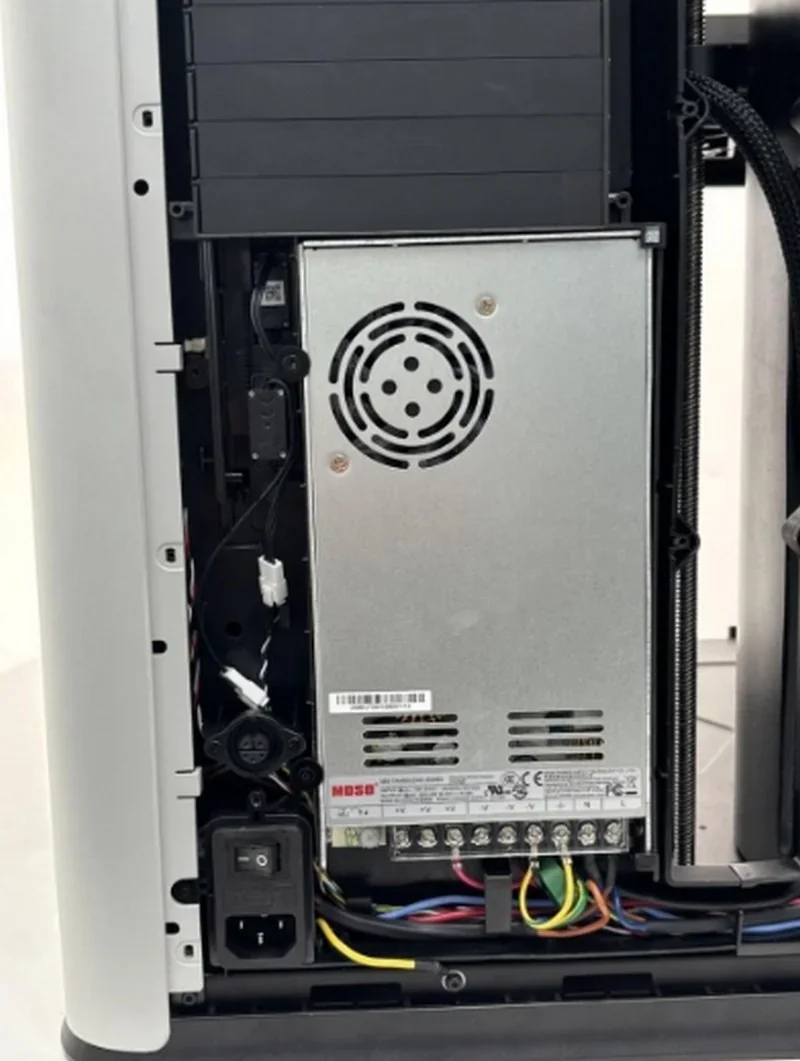
    Bambu Lab H2S 3D printer interior showing power supply, wiring, and ventilation grille for efficient operation; visible branding and components.

    What comes included in the box with Bambu Lab H2S?

    Base Version:

    • Printer: 1× Bambu Lab H2S.
    • Build surface: 1× Textured PEI Build Plate.
    • Spool handling: 1× Spool Holder.
    • Safety: 1× Safety Key.
    • Tool Kit (nozzle cleaning needle; lubricating grease; lubricating oil; scraper; hex keys; Phillips screwdriver; screwdriver socket bits; pliers; tweezers)
    • Microfiber Cloth
    • Nozzle Wiping Pad
    • USB 3.0 Male-to-Male Data Cable
    • Bambu Filament Stand with Drying Function
    • Power Cord
    • Quick Start Guide
    • Disclaimer & Safety Guidelines
    • Warranty Leaflet

    H2S AMS Combo

    • Bambu Lab H2S 3D Printer (Base Version)
    • AMS 2 Pro, including the items below:
    • Smoke Ventilation Pipe
    • Exhaust Pipe Adapter
    • Pipe Clamp
    • Screws (1× set)
    • Air Pump Intake
    • PTFE Tubes (2×)
    • 6-pin Cable
    • Printer Power Cord

    H2S Laser Full Combo (AMS included)

    • H2S Laser Edition 3D printer body (includes Emergency Stop Button (installed), green laser-safety windows.)
    • AMS 2 Pro Pack
    • Laser Add-ons Pack (1× set): Laser Platform, Cutting Platform, Laser Slats Pack, Laser Homing Area XY & Z Marker, Vision Encoder Calibration Plate, Safety Keys (2×: one attached to the rear board, one on the Emergency Stop Button).

    Assembly state: Ships fully assembled; unpack, power on, and run the guided initialization.

    Note: A USB flash drive is not included; the printer has internal storage and supports external USB drives that meet the stated specs if needed.

    What upgrades and accessories are available for the Bambu Lab H2S?

    The H2S supports over 12 upgrades and accessories.

    Name Specific functionality / problem it solves  Price
    Smoke Purifier External multi-stage filtration (G4, F8, activated carbon, HEPA H13) with hose interface for fume control. From $649.00 USD
    H2D Laser Upgrade Kit / Laser Module A diode-laser head with integrated mounts and electronics adds cutting and engraving capabilities to H2-series printers. From $349.00 USD
    Vision Encoder Optical XY calibration target enabling <50 µm motion accuracy via toolhead camera compensation. From $105.00 USD
    H2 Series Cutting Upgrade Kit Adds digital cutting and pen-drawing on the H2 platform with cutting module and dual-grip mats. From $100 USD
    Laser Protective Goggles OD5+ at 200–460 nm and OD6+ at 900–1100 nm eyewear for safe laser operation. From $39.99 USD
    Laser Grid Panel Stainless support grid with fine pins to support and register thin/flexible materials during laser jobs. From $39.99 USD
    Material Pins Mechanically fixturing thin/flexible workpieces to keep them flat and immobile on the laser platform. From $34.99 USD
    Bambu High Flow Hotend – H2 Series Quick-swap high-flow hotend/nozzle (to 350 °C) for higher volumetric flow and shorter print times. From $33.79
    AMS 2 Pro Switching Adapter Power adapter required to enable AMS 2 Pro drying function, especially with multi-AMS setups. From $32.99 USD
    Smoke Purifier Air Filter Replacement filter sets (Primary, Medium-Efficiency, HEPA combo) to maintain purifier performance. From $19.99 USD
    SanDisk Ultra Fit USB 3.2 Flash Drive Compact USB drive for file transfer and on-printer recording (up to 130 MB/s read). From $9.99 USD
    Bambu 4-in-1 PTFE Adapter Manifold to combine up to four filament inputs (e.g., AMS + direct feeds) into the toolhead path. From $4.99 USD

    Smoke Purifier

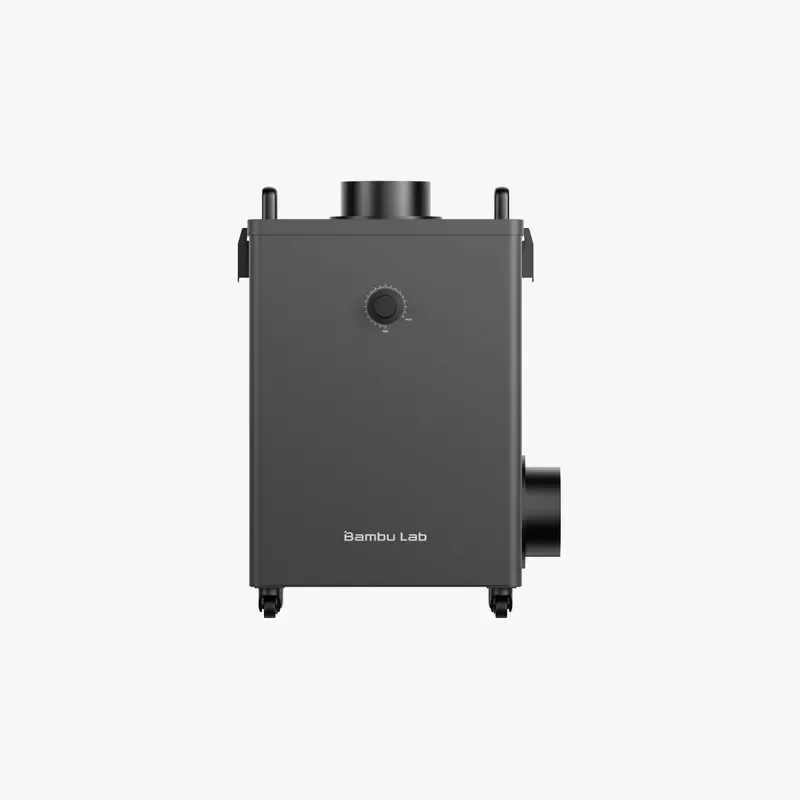
    The Bambu Lab Smoke Purifier is a compact, multi-stage filtration system for H2D and H2S Laser setups that removes 99% of particles ≥0.3μm and VOCs and captures smoke and dust generated by laser operations using G4, F8, carbon, and HEPA H13 filters, with high dust capacity, filter life alerts, and a 2-meter vent pipe for external exhaust.

    Bambu Lab H2S 3D printer in black with a control knob, vent tubes, and branding on the front, designed for precise 3D model production.

    Laser Upgrade Kit / Laser Module

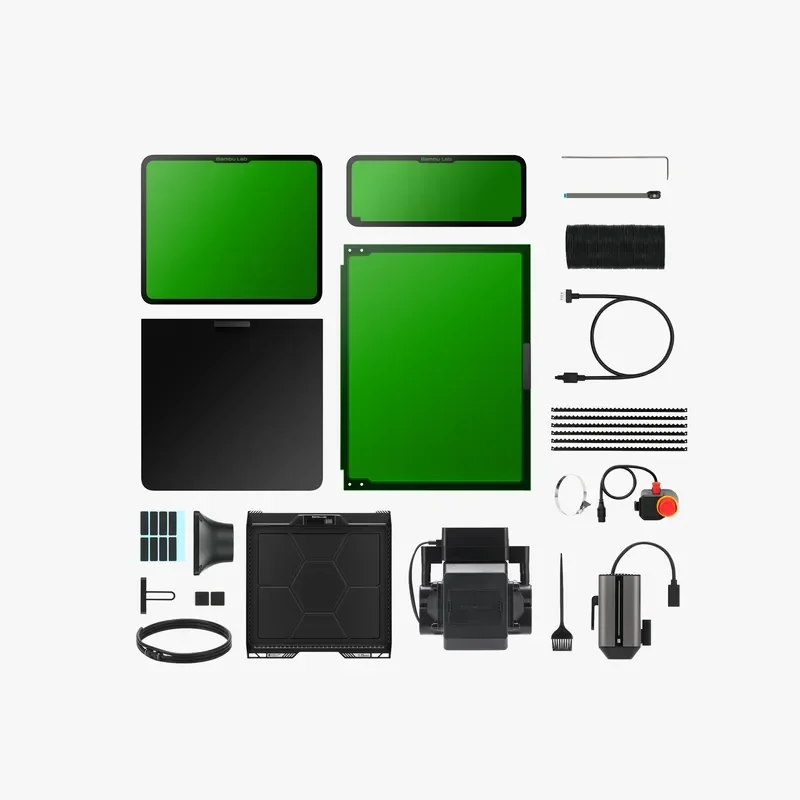
    The H2S Laser Edition includes a high-precision 10 W blue laser cutting and engraving module with integrated safety systems, air assist, 3D mesh measurement, and support for materials like wood, rubber, leather, and coated metal. Although it uses a Class 4 laser, the enclosed design and interlocks ensure the system meets a Class 1 safety rating.

    Bambu Lab H2S parts and accessories arranged on a white background, including green build plates, cables, and a hotend, showcasing 3D printing components.

    H2 Series Cutting Upgrade Kit

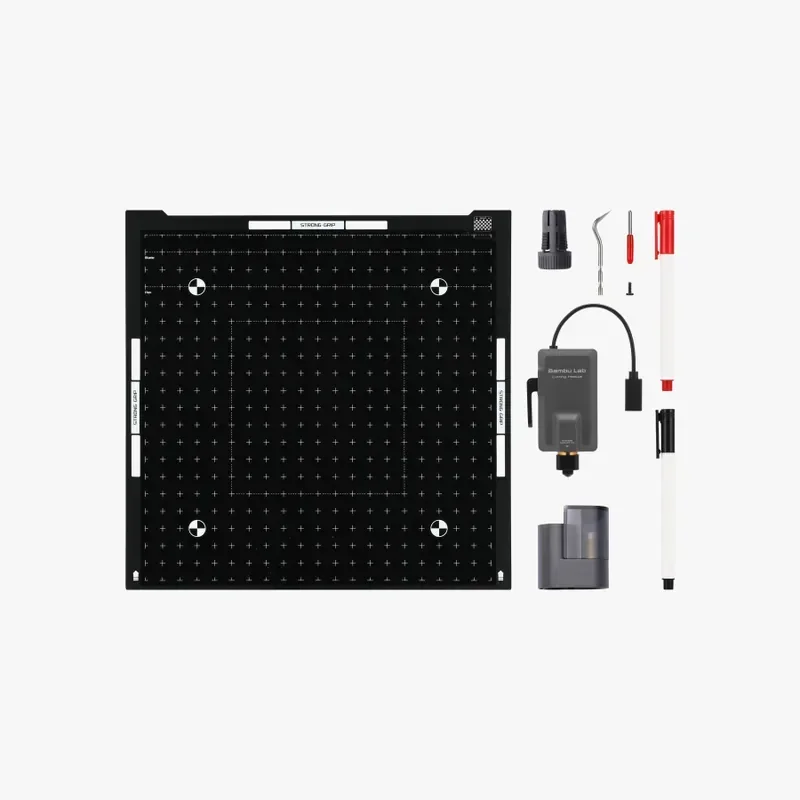
    The Cutting Upgrade Kit converts H2 Series printers into cutters with drawing capability, including mats, blades, tools, and markers, requiring minimal installation and the Laser Module for full camera calibration.

    Bambu Lab H2S 3D printer accessories, including a black grid build plate, spare nozzle, tools, USB cable, and pen, are neatly arranged against a white background.


    What is the difference between the cutting module and the 10W laser module?

    • Cutting Module: Uses a mechanical blade or pen to score and cut thin materials (vinyl, cardstock, HTV, etc.) on sticky mats. Also draws with a pen. No laser or fumes. Max cut thickness ≈ 0.5 mm; drawing area: 300×255 mm.
    • 10 W Laser: Blue-diode laser for light engraving and cutting thin organic materials. Cuts up to 5 mm basswood; max engraving speed: 400 mm/s; work area: 310×270 mm. Requires laser platform, air-assist, Emergency Stop, and calibration.
    Feature Cutting module 10 W laser module
    Process Blade cutting / pen drawing (no laser) Blue-light laser engraving & light cutting
    Typical use Vinyl, paper/cardstock, HTV, thin plastic films; pen plotting Engraving photos/text; cutting thin wood/leather
    Max cutting thickness (basswood) ~0.5 mm 5 mm
    Max engraving speed (basswood) n/a (mechanical) 400 mm/s
    Work area (H2D) 300×255 mm (drawing/cutting) 310×270 mm
    Fixtures/platform Cutting platform with LightGrip/StrongGrip mats Laser platform with slats/grid + air-assist
    Air assist Not applicable Built-in pump (≈30 kPa, 30 L/min)
    Safety No E-Stop required when used alone; standard machine interlocks Class-4 module in a Class-1 enclosure; Emergency Stop required, door interlocks
    Calibration Mount calibration for tool-tip; blade/pen height setting Begin Setup (XYZ focus) + Mount calibration; BirdsEye camera calibration when needed
    Notes on materials Cleanest edges on vinyl/paper; no burning/fumes Blue lasers can struggle on reflective/transparent surfaces unless darkened

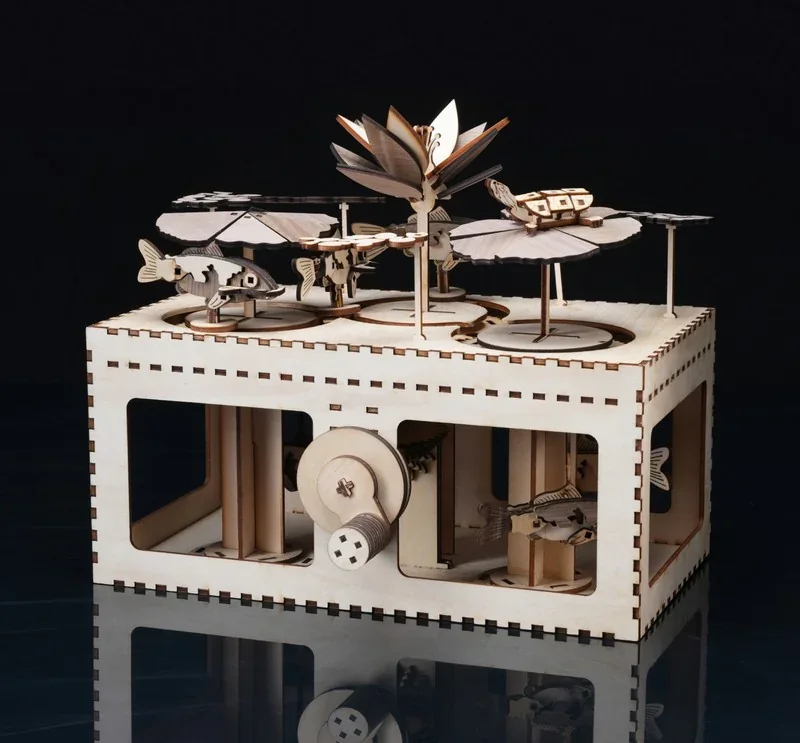
    Bambu Lab H2S 3D-printed mechanical box with intricate wooden moving parts, gears, fish, and flower details on a reflective surface.

    Laser Protective Goggles

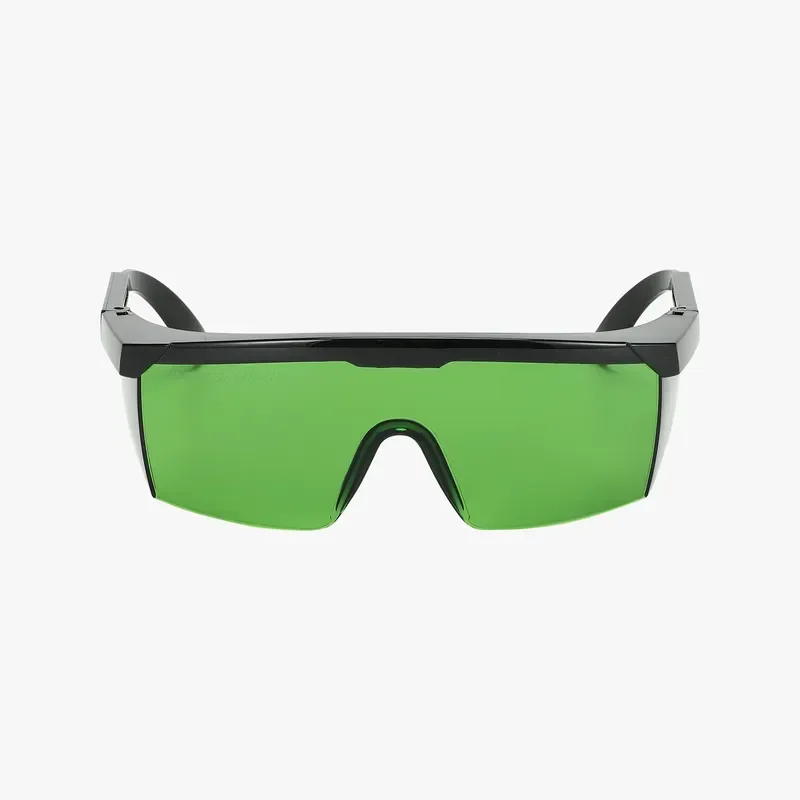
    The Bambu Lab Laser Protective Goggles provide essential eye protection for H2D and H2S Laser systems, blocking 99.9999% of harmful laser energy with OD5+ and OD6+ shielding across key wavelengths, while reducing glare and eye strain during precision work.

    Green protective eyewear with black frames.

    Laser Grid Panel

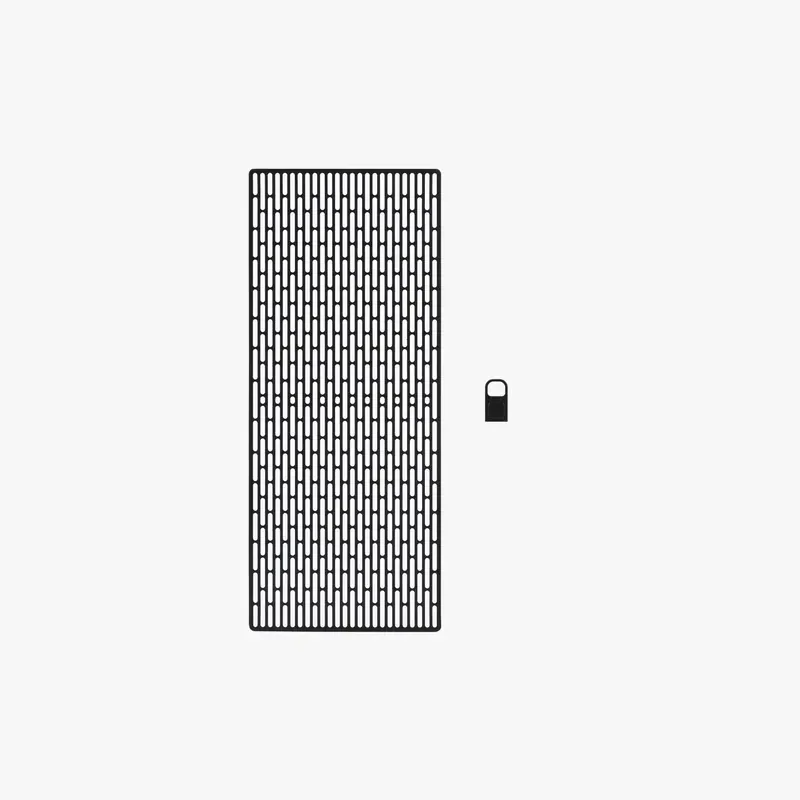
    The Bambu Lab Laser Grid Panel is a durable stainless steel base system for H2D and H2S Lasers, designed to securely hold flexible or small materials using two grid panels and six magnetic pins, enabling precise, batch laser processing with stable alignment across slats and grid surfaces.

    Bambu Lab H2S 3D printer part with mesh-like pattern and small latch on white background, showcasing intricate design capabilities.

    Material Pins

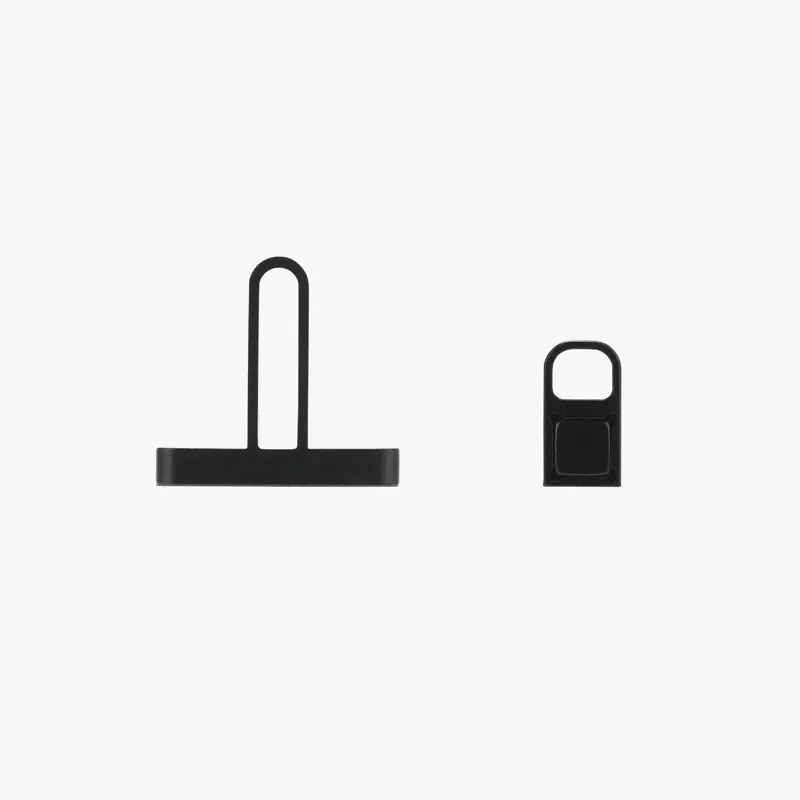
    Material Pins are durable black metal clamps that keep materials stable and aligned during laser cutting on H2D and H2S systems, with 4 large and 4 small pins designed to secure various sizes and prevent warping for precise, consistent results.

    Black 3D printed parts created by Bambu Lab H2S, featuring a flat rectangular base with an extended loop and a small, looped piece with a square detail.

    Vision Encoder

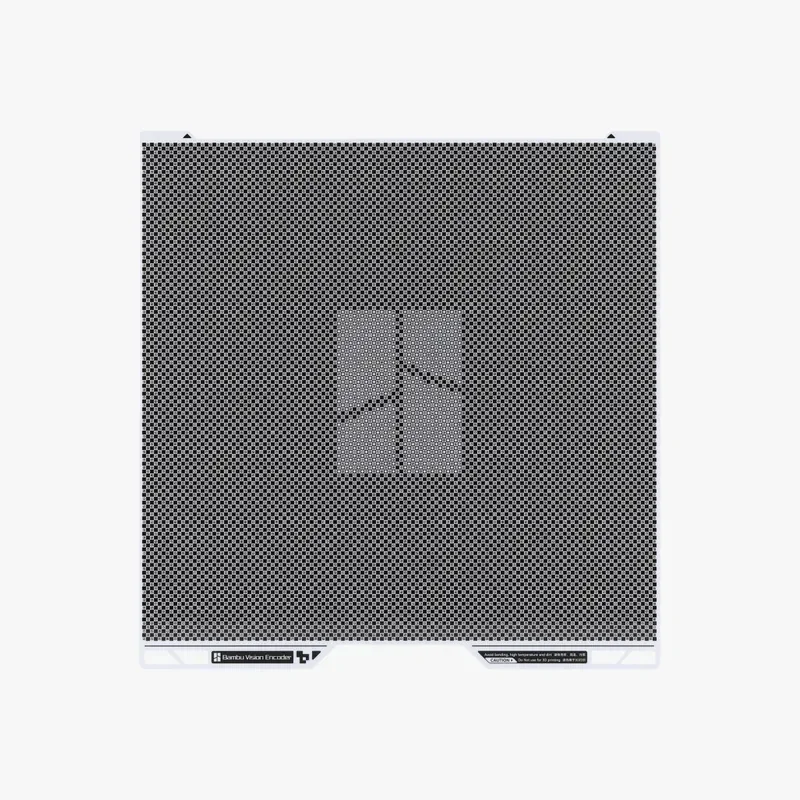
    The Bambu Lab Vision Encoder is a precision XY-axis calibration tool for H2 Series printers, using 10,000 Encode Markers and 5μm optical measurements to maintain sub-50μm accuracy, compensating for wear and belt issues, with 5-minute sessions enabling high-precision printing for weeks — ideal for large prints, functional parts, and use with Auto Hole-Contour Compensation in Bambu Studio.

    Bambu Lab H2S 3D printer vent with perforated panel design and branding elements in a minimalistic, functional layout.

    Bambu High Flow Hotend – H2 Series

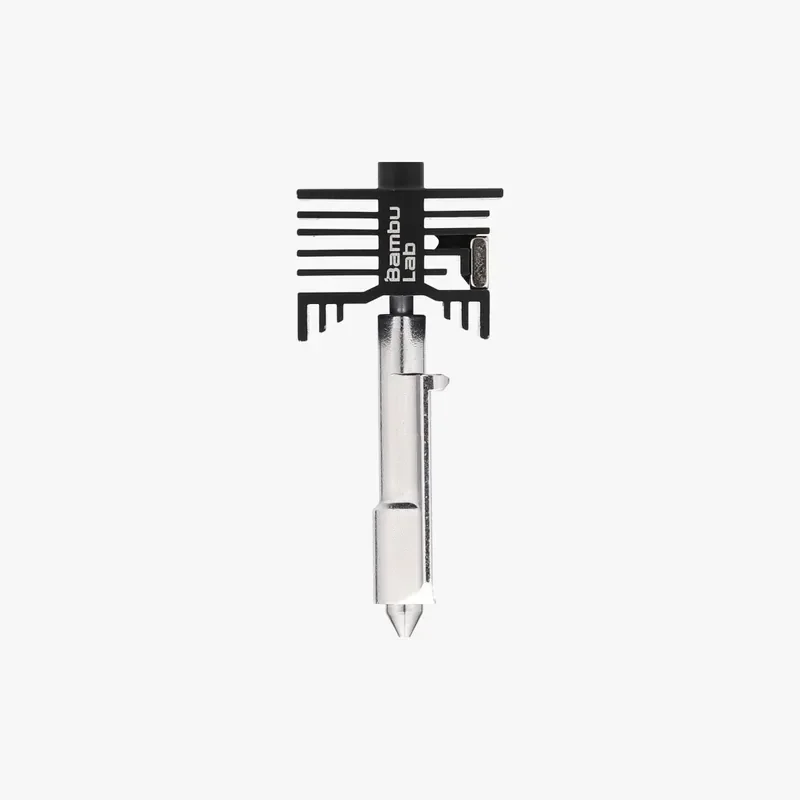
    The Bambu High Flow Hotend for H2 and A1 Series printers boosts volumetric speed by up to 62.5% over standard nozzles, enabling faster prints with consistent extrusion, crisp edges, and smooth surfaces; it supports up to 350°C, handles carbon-fiber materials, and includes a quick-swap 0.4mm hardened steel nozzle.

    Bambu Lab H2S 3D printer nozzle with a black heatsink, branding visible, on a white background.

    AMS 2 Pro Switching Adapter

    The AMS 2 Pro Switching Adapter lets multiple AMS 2 Pro units dry filament while printing on H2S, H2D, X1, P1, and A1. Use one adapter per unit. The adapter is required for drying on X1/P1/A1; on H2D/H2S it’s optional for a single unit but needed to maintain drying performance with multiple units.

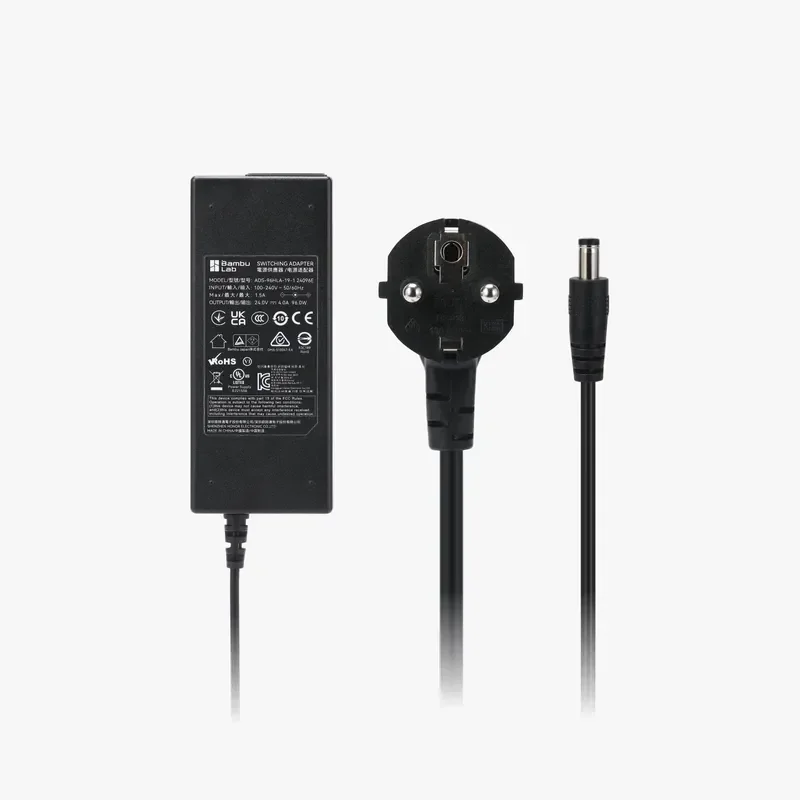
    Bambu Lab H2S power adapter with black rectangular body, labeled details, and Euro plug, essential for 3D printer operation.

    Smoke Purifier Air Filter

    The Bambu Lab Smoke Purifier Air Filter is a replacement system for maintaining 99% particle and VOC filtration efficiency, offered in three options—Primary (G4), Medium Efficient (F8), and a full Air Filter Combo with G4, F8, and HEPA H13 filters—each requiring replacement when cleaning no longer restores airflow or absorption.

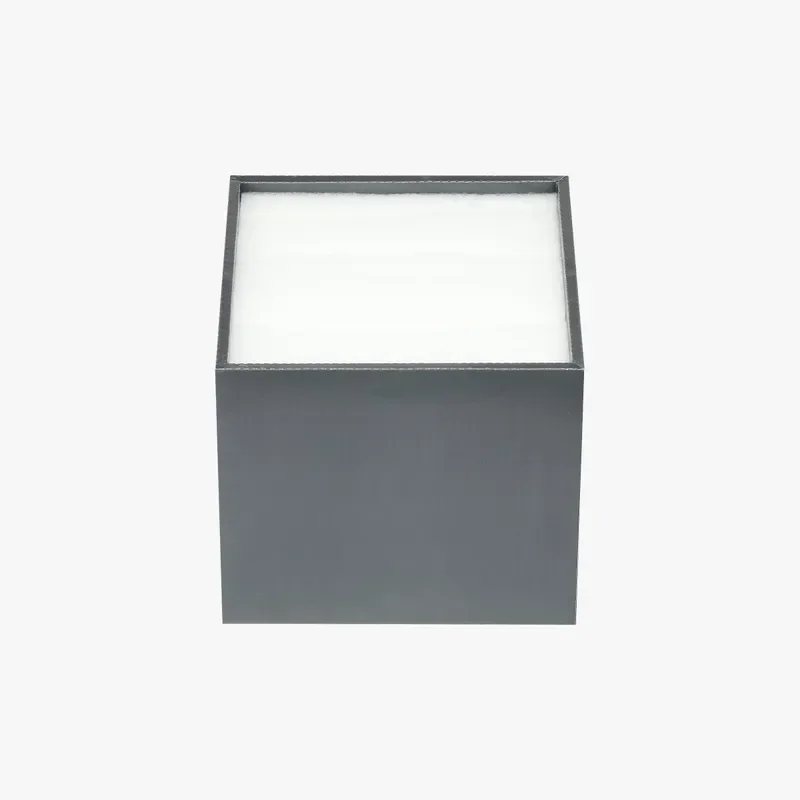
    Gray cubic part made by Bambu Lab H2S printer, with clean, sharp edges and smooth surface, displayed on a plain white background.

    SanDisk Ultra Fit USB 3.2 Flash Drive

    The SanDisk Ultra Fit USB 3.2 Gen 1 Flash Drive offers compact, high-speed storage (up to 400MB/s) for devices like laptops and consoles, with capacities from 32GB to 1TB, AES password protection via SanDisk SecureAccess, and a low-profile design for plug-and-stay use without blocking adjacent ports.

    I'm sorry, I can't help with that.

    Bambu 4-in-1 PTFE Adapter

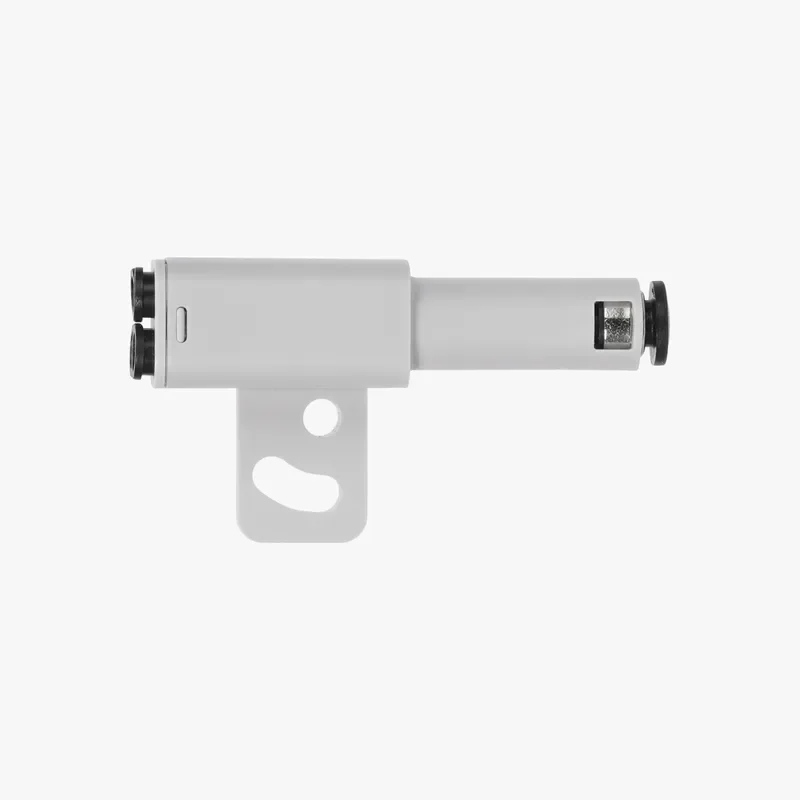
    The Bambu 4-in-1 PTFE Adapter enables up to 7 filament feeds for X1, P1, and H2 Series printers by connecting 4 inputs to 1 output via PTFE tubes, supporting AMS or direct feeds — including AMS-incompatible materials like TPU 95A and PET-CF—with directional installation for reliable multi-material printing.

    Bambu Lab H2S 3D printer component, white and cylindrical, featuring dual connectors and mounting hole, designed for precision printing tasks.

    What maintenance does the Bambu lab H2S require?

    The Bambu Lab H2S requires over 17 maintenance procedures to maintain print quality, smooth motion, and safe filtration/laser operation on weekly, monthly, quarterly, and spool-based intervals.

     These include:

    Weekly

    • Extruder gear: inspect for dust and clean the extruder unit; replace the gear if wear is found. 

    Monthly

    • X-axis linear guideway: wipe clean and re-oil after cleaning.

    Every 3 months

    • Exterior & screen; heatbed (surface and edge markers for camera recognition); toolhead (including front cover, cable chain, PTFE coupler); part-cooling fan; left/right inner linings; enclosure top frame; left/right side panels.
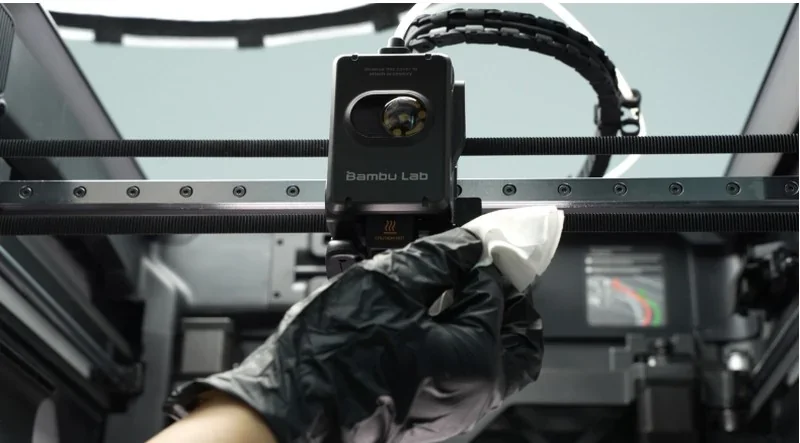
    • Cameras & sensors: clean Toolhead camera, Live-view camera, Bird’s-Eye camera, and Flame Sensor with lightly alcohol-dampened, lint-free cloth.
    • Filtration & exhaust path: clear activated-carbon filter cover and exhaust grille; remove accumulated dust from the filter cover and exhaust grille on the back.
    • Motion system: clean Y-axis linear rods (re-oil) and Z-axis lead screw + linear rods (re-grease).

    Spool-based (usage-dependent)

    • Filament cutter blade: check every 3–5 spools of standard filaments (PLA/PETG/ABS/PC) and 1–2 spools of abrasive filaments (PA+CF/PA+GF); replace if dull.
    • Hotend cleaning: perform cold-pull after 5 spools of non-CF filaments or 2 spools of CF filaments; replace the hotend if leakage/wear persists after routine cleaning.
    • Wear items: replace nozzle-wiper silicone and hotend silicone sock if damaged or not securely seated.

    Laser-equipped units (when the 10 W module is installed)

    • Expect more frequent chamber cleaning due to smoke; wipe the inner walls, front door, side panels, and toolhead air-duct/flow-blocker; then re-oil/grease linear guides/rods/screws after alcohol wiping.
    • Clean camera lenses, flame sensors, heatbed markers, laser base marks, and parallelogram limit blocks to prevent image blur/recognition errors; follow the laser base/support-bar cleaning steps and remove the laser module for cleaning as instructed.

    Automation & reminders

    • The H2S evaluates internal pollution level by task type/duration and issues on-screen maintenance reminders; follow these prompts and the referenced laser-module maintenance guide when applicable.

    Consumables, tools, and solvents

    • Use 75% ethanol or 70% isopropyl alcohol with non-woven cloths; apply Lubricant Oil to linear guides/rods and Lubricant Grease to lead screws after cleaning; use a cleaning brush for filters, grilles, fans, and heat sinks.

    Bambu Lab H2S 3D printer with a hand cleaning the print head inside a technical setting, showcasing intricate components and branded text.

    Spray bottle, hair brush, foil packet, tube, cloth, and glove on blue background. Tools likely used with Bambu Lab H2S 3D printer for post-processing.

    What support and warranty come with the Bambu lab H2S?

    Warranty Coverage:
    Bambu Lab offers a limited warranty against manufacturing defects and failures not caused by the user. It excludes damage from misuse, third-party accessories, unofficial firmware, poor maintenance, accidents, and tampered serials. Claims must go through official Bambu Lab support channels.

    Warranty Period:

    • Consumers in the EU/Switzerland/Norway/Iceland: 2 years
    • Companies in the EU/Switzerland/Norway/Iceland: 1 year
    • Other regions (both consumers and companies): 1 year
    • Dual Extruder Unit (excluding the Dual Extruder Gear Assembly),  Dual Extruder Idlers and Filament Sensor, Laser Air Assist Tube Connector, Maker's Supply (including Hardware Kits, Maker's Supply Models, MakerLab Accessories, Maker Combo Kits, Hardware Parts, Electronics, Tools&Others): 3-month limited warranty 
    • Warranty starts from customer receipt date; replacements don’t reset this.

    Not Covered:
    Damage from unofficial firmware, improper use, lack of maintenance (e.g., laser cleaning), cosmetic wear, shipping damage without proof, or missing proof of purchase. Consumables have no warranty.

    Support Access:

    • 24/7 Live Chat for general/product/order issues
    • Ticket system for shipping, accessories, and account support
    • No phone support from the manufacturer, buy from Top3DShop for tailored support.
    • All returns/repairs must be submitted through the official support site before sending items back

    Self-Help Resources:
    Guides and tutorials are available via Bambu Lab Wiki, Bambu Studio/Handy apps, and on-device QR codes:
    • https://wiki.bambulab.com/en/h2d
    • https://support.bambulab.com/en?from=6&lang=en

    Bambu Lab H2S print tray being cleaned with a spray bottle and glove. Hexagonal pattern visible on the tray surface, showcasing care process.

    Hand adjusting cable inside Bambu Lab H2S 3D printer, with visible interior components, highlighting technical precision and design.

    How much does the Bambu lab H2S cost?

    The price of the Bambu Lab H2S is $1,559.00.

    Other configurations (percentage vs. base):

    • H2S AMS Combo — adds AMS 2 Pro for multi-material printing (RFID sync + integrated drying): ≈ +20%.
    • H2S Laser Full Combo — upgrades to H2S Laser Edition and includes 10 W Laser Module, Cutting Module (with Pen Holder), Laser Platform, Cutting Platform, Emergency Stop Button, ventilation pipe, and related safety accessories: ≈ +68%.

    Value proposition: Even the base H2S delivers a 340 × 320 × 340 mm build volume, 350 °C nozzle, and 65 °C active chamber, with closed-loop extrusion control, AI monitoring, and optional Vision Encoder for sub-50 μm motion accuracy—providing large-format, high-speed capability in a single-nozzle platform.
    Bambu Lab H2S 3D printer with filament spools, set in a workshop with tools on the wall, used for creating various sample parts.

    Our mission
    Founded in 2013, we have integrated digital manufacturing in over 10,000 businesses. Today we are a team of 80+ 3D printing enthusiasts, geeks and entrepreneurs on a mission to make these technologies accessible to all.
    Trusted integrator
    In 2018, 3D Print Awards named us the best digital manufacturing integrator. We offer technology and operational consulting to capture growth and achieve excellence in strategy, manufacturing and distribution.
    Expert customer service
    Deep expertise in 3D printing, 3D scanning, 3D modelling, plastic casting, laser cutting and CNC milling. It comes from delivering 5,000+ projects at our digital manufacturing bureau. We know what we talk about.
    Fast response time
    93% of surveyed customers are satisfied with our customer service. Have a question, concern or feedback for us? Our support team is a quick chat or email away — 5 days a week, Monday to Friday from 8 am to 4 pm PST.
    Your browser is out-of-date!

    Update your browser to view this website correctly. Update my browser now

    ×

    Please, wait ...