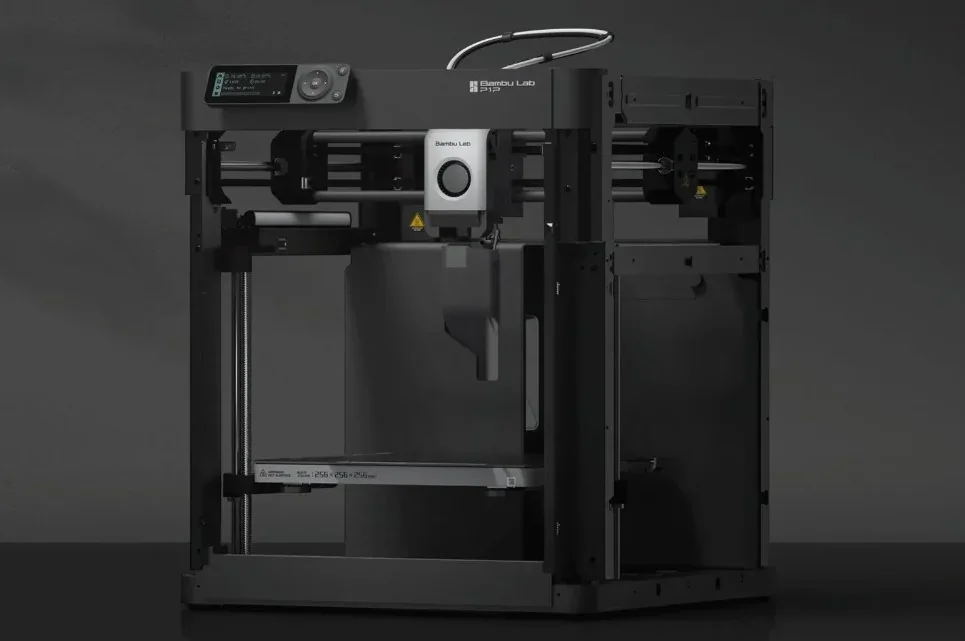
Bambu Lab P1P 3D Printer: High-Speed FDM Printing Solution


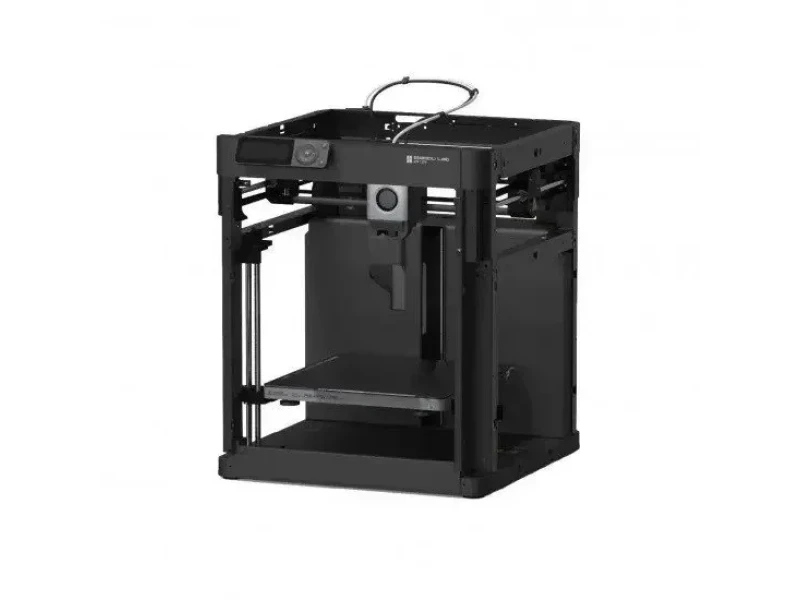


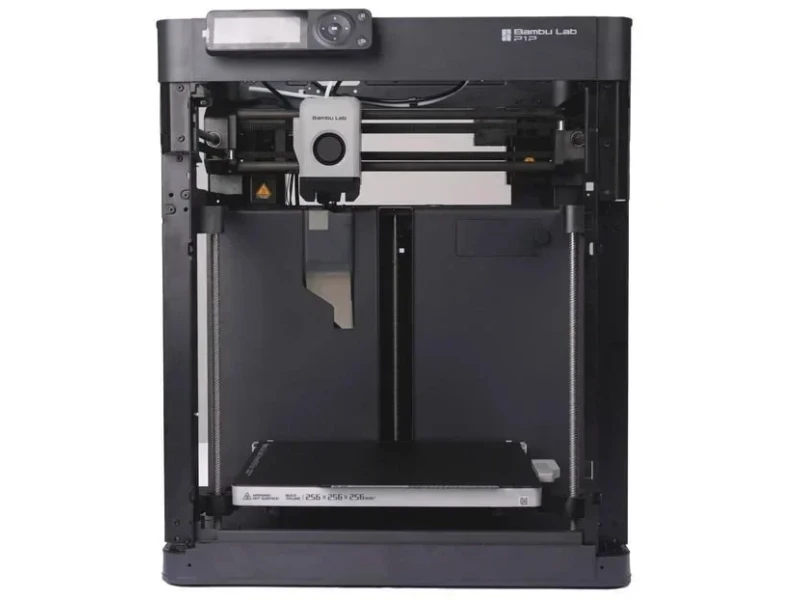


- 20,000 mm/s² acceleration for fast printing
- 300°C all-metal hotend for advanced materials
- Magnetic toolhead cover for quick hotend swaps
- Auto bed leveling via direct nozzle probing
- Flexible Payment Terms
- 1 Year Warranty
- Local Technical Support
- Free Online Training
- Bambu Lab P1P 3D Printer
- 750g Bambu PLA Basic
- Dual-sided textured PEI build plate
- Spare hotend
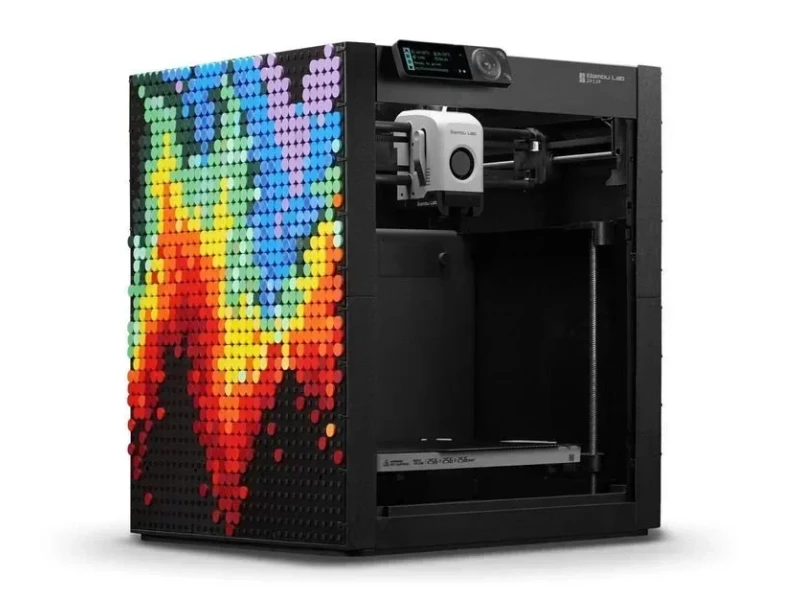
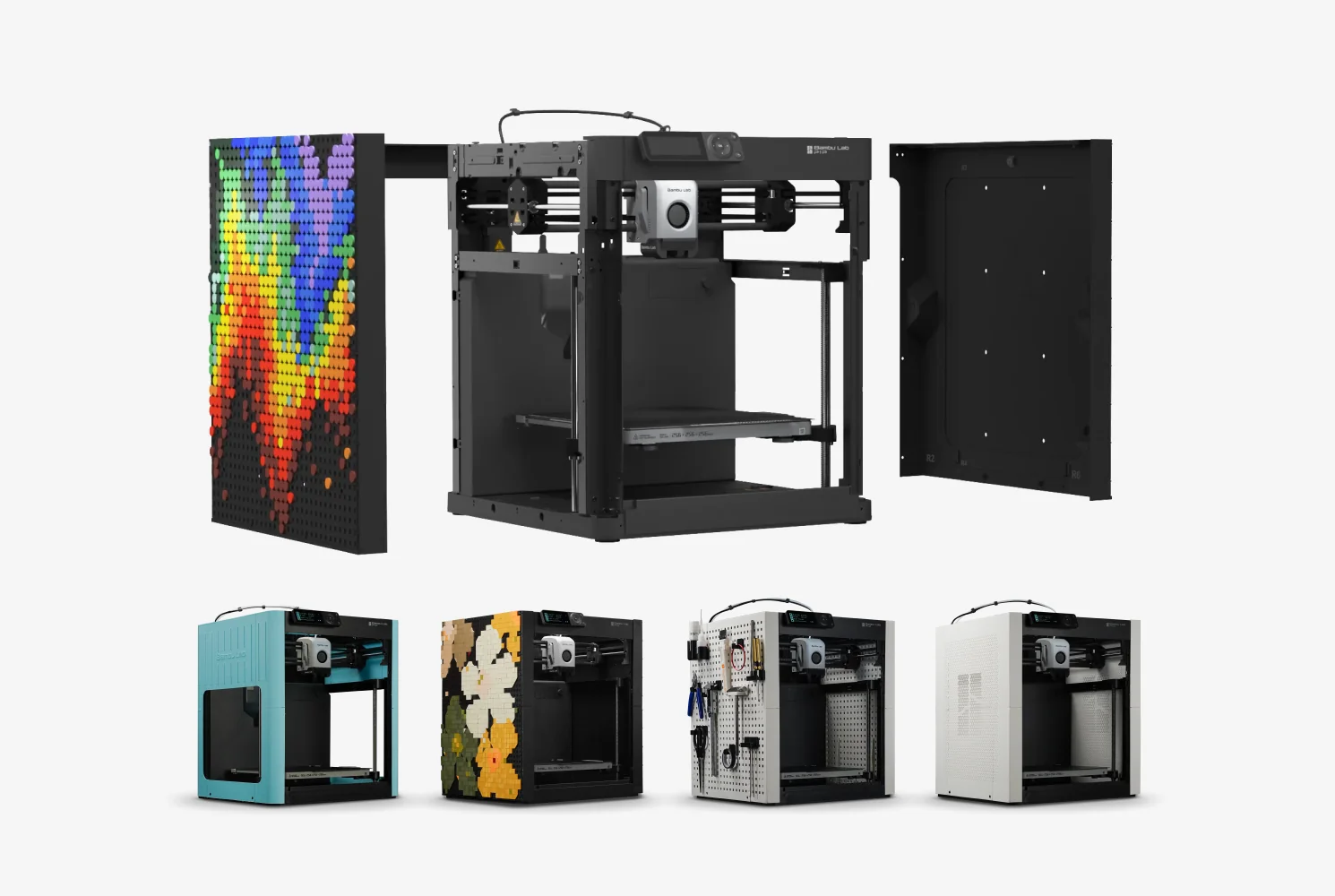
The Bambu Lab P1P is a CoreXY 3D printer based on the X1 Carbon platform, offering up to 500 mm/s speed with 20,000 mm/s² acceleration and a 256 × 256 × 256 mm build volume in an open-frame design. It features auto bed leveling via direct nozzle probing, a 300°C all-metal hotend for materials like PLA, PETG, TPU, and ASA, and a magnetic toolhead cover for quick hotend swaps. Suitable for both beginners and advanced users, it delivers fast, high-quality prints and can be upgraded with the AMS for multi-color printing, a monitoring camera, and customizable modplate side panels that reduce noise and improve material performance.
- What is the print quality and performance of the Bambu Lab P1P 3D Printer?
- Which filaments can you use with the Bambu Lab P1P FDM 3D printer?
- What is the build volume of the Bambu Lab P1P desktop 3D printer?
- What is the difference between the Bambu Lab P1P, Bambu Lab X1C, Creality K1, FlashForge Adventurer 5M, Anycubic Kobra S1, Prusa Core One, QIDI X-Max 3?
- What printer controls are available on the Bambu Lab P1P?
- What connectivity options are available on the Bambu Lab P1P?
- What software is offered with the Bambu Lab P1P?
- What is the design and build quality of the Bambu Lab P1P?
- What comes included in the box with Bambu Lab P1P?
- What upgrades and accessories are available for the Bambu Lab P1P?
- How reliable is the Bambu Lab P1P?
- What maintenance is required for the Bambu Lab P1P?
- What support and warranty come with the Bambu Lab P1P?
- How much does the Bambu Lab P1P cost?
What is the print quality and performance of the Bambu Lab P1P 3D Printer?
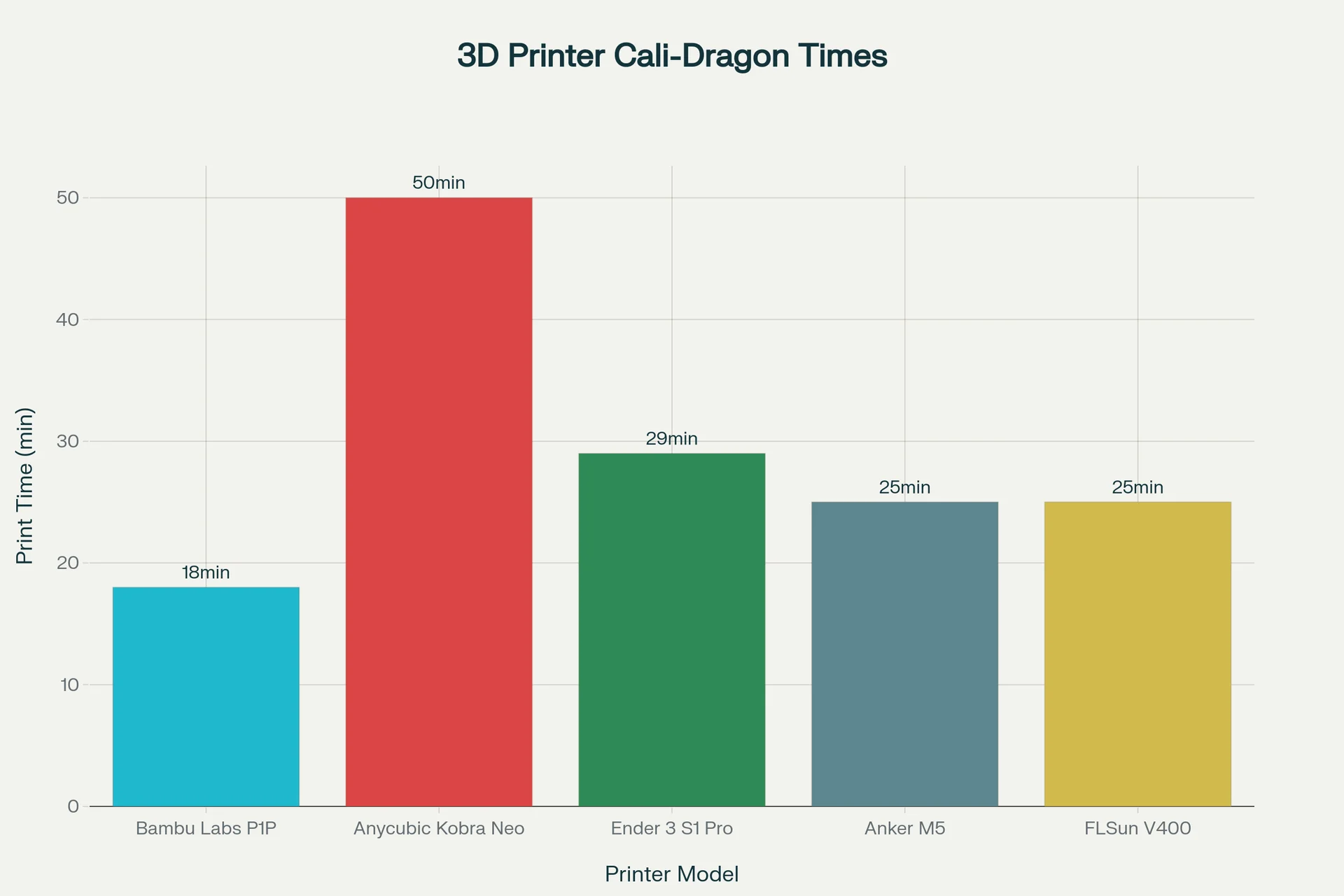
The Bambu Lab P1P delivers exceptional print quality with detailed layers down to 0.06mm using a 0.2mm nozzle and smooth surfaces through advanced motion control, while achieving high performance by printing complex models like a Cali-Dragon in just 18 minutes at 300mm/s—significantly faster than comparable printers—and maintaining strong reliability and dimensional accuracy at speeds up to 500mm/s with 20,000 mm/s² acceleration.
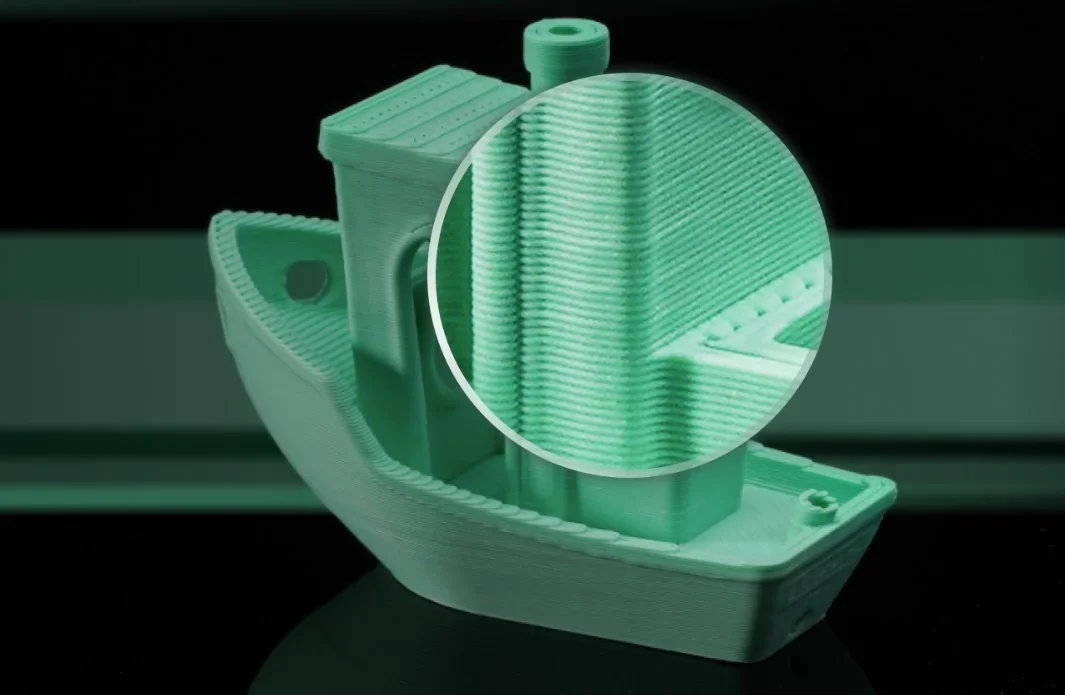 The P1P uses input shaping, XY active vibration compensation, and pressure advance to guarantee smooth surfaces, minimal layer lines, and accurate dimensions even at high speeds.
The P1P reaches speeds up to 500mm/s with 20,000 mm/s² acceleration, taking just 0.025 seconds to accelerate from zero to maximum speed. In tests, it printed a Cali-Dragon in 18 minutes at 300mm/s (Ludicrous Mode), outperforming the Anycubic Kobra Neo (50 min), Ender 3 S1 Pro with Klipper (29 min), Anker M5 (25 min), and FLSun V400 (25 min).
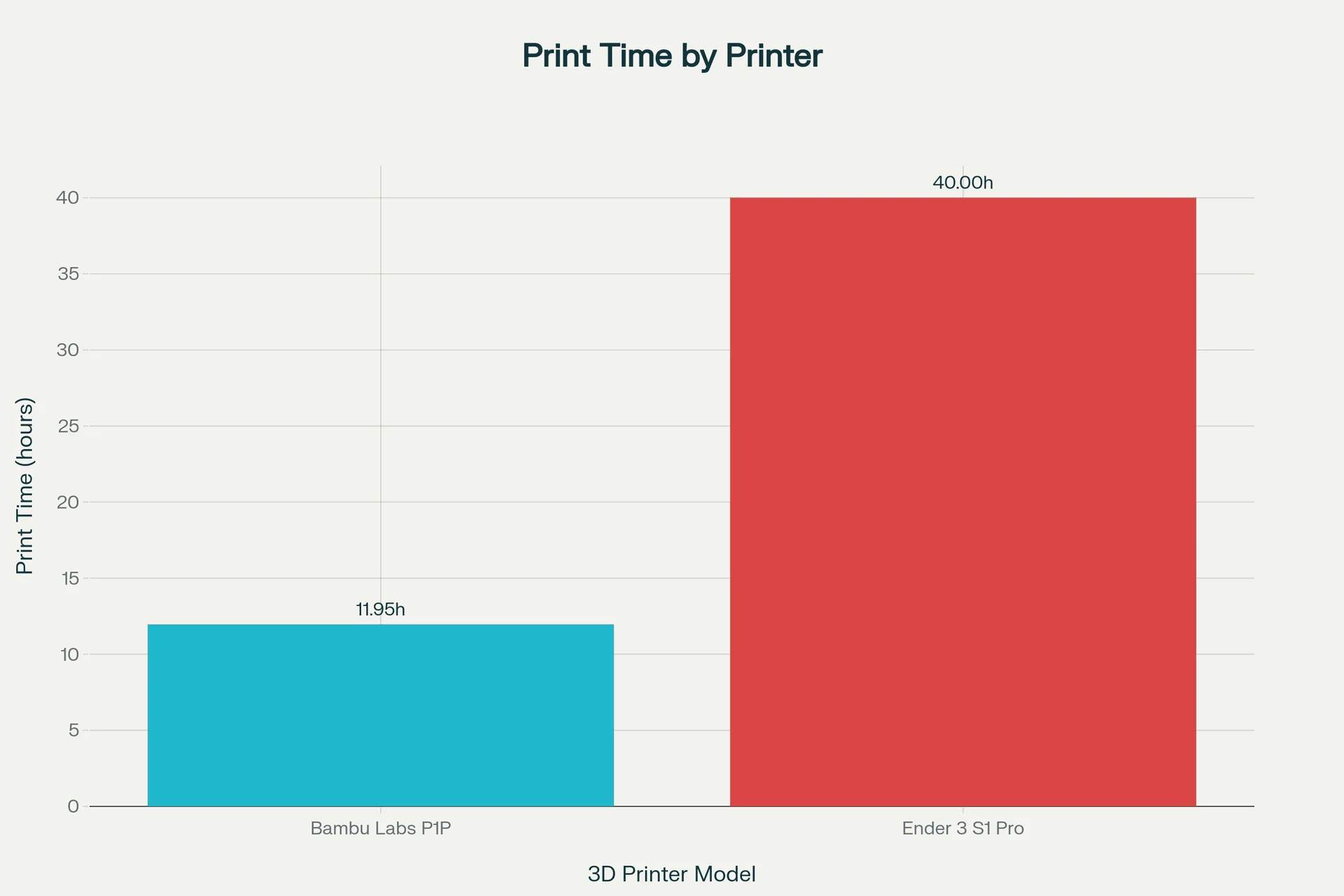
A Vertebranium Headphone Stand printed on the P1P at 300mm/s took 11 hours 57 minutes, versus 40 hours on the Ender 3 S1 Pro at 150mm/s.
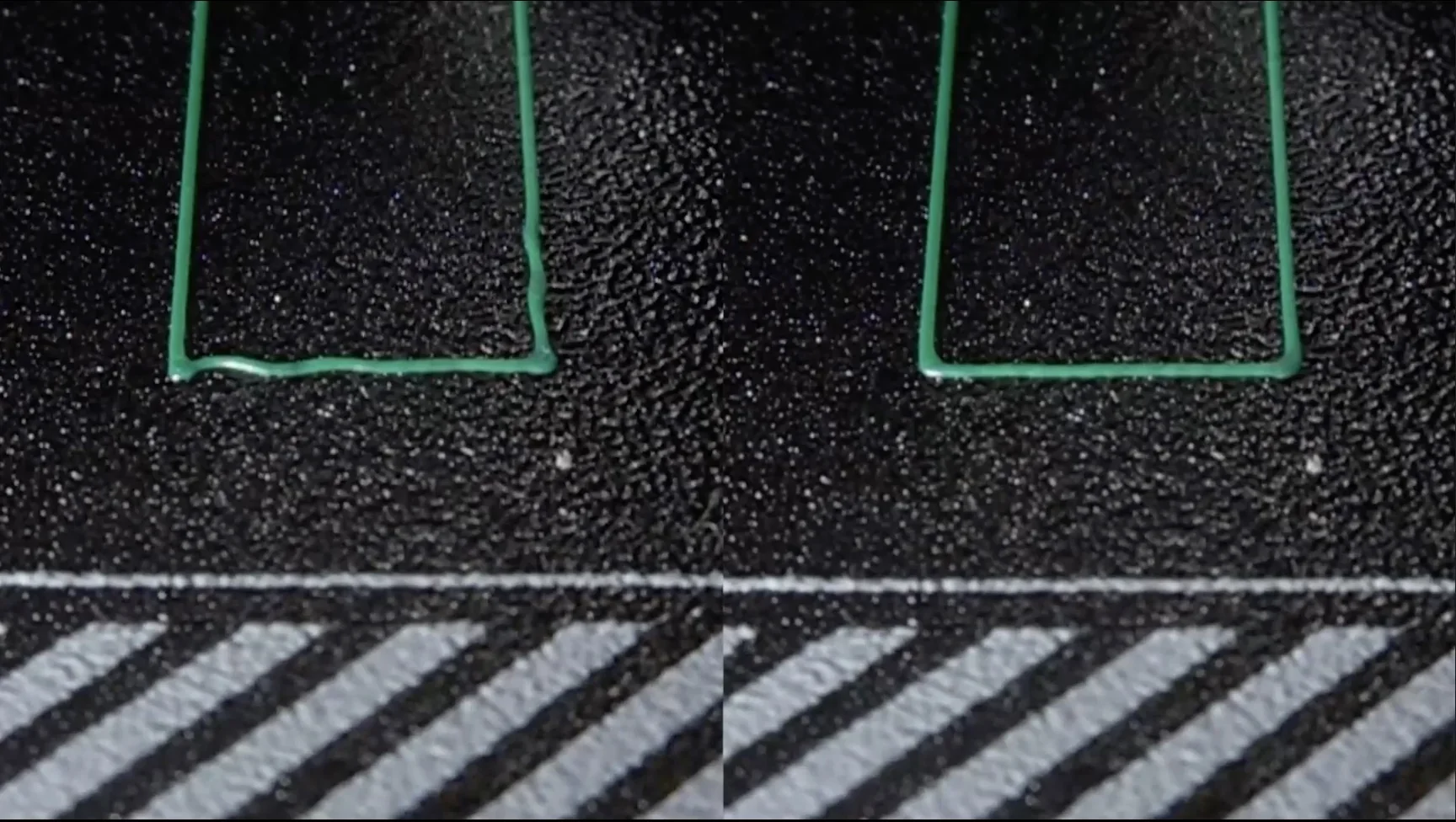
The P1P’s proprietary automatic bed leveling (ABL) uses direct nozzle probing to set precise Z-height automatically, ensuring a perfect first layer and improving print quality and reliability.
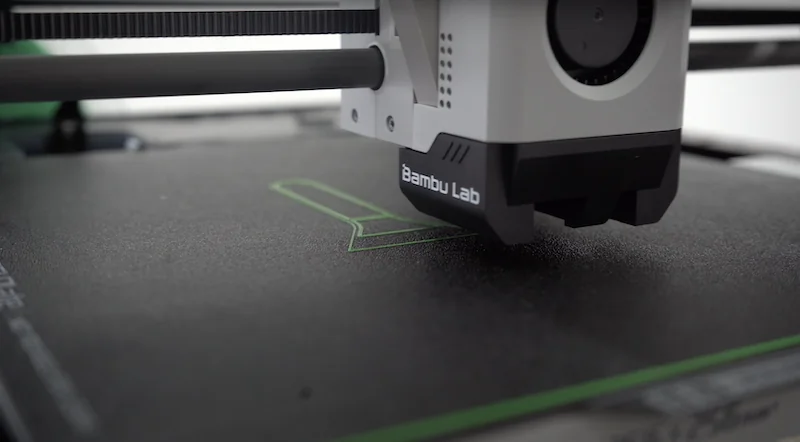
The textured PEI-coated spring steel plate ensures strong first-layer adhesion.
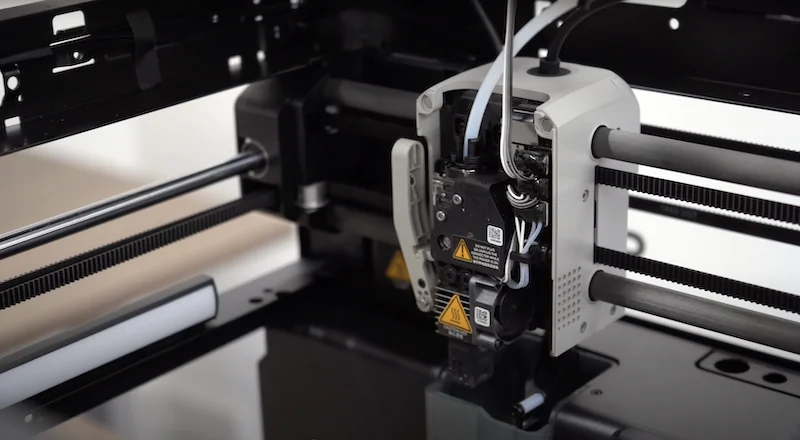
The all-metal hotend with stainless steel nozzle delivers consistent extrusion up to 300°C.
Closed-loop control of all cooling fans keeps printing temperatures stable.
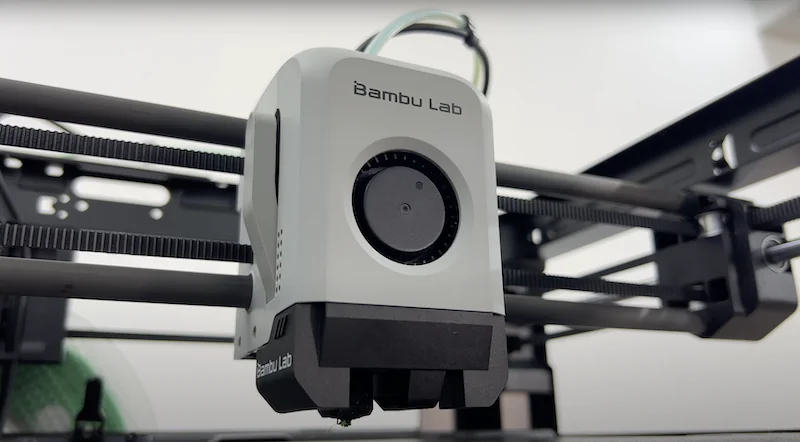
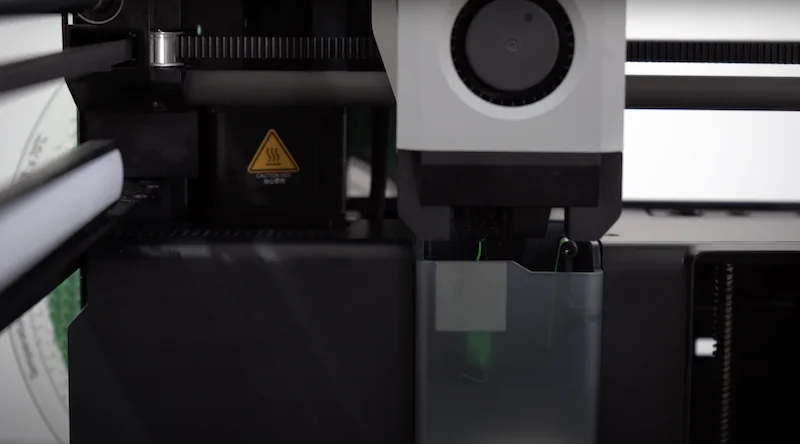
The self-cleaning tool head with “poop chute” diverts purged filament away from the build plate, preventing contamination.
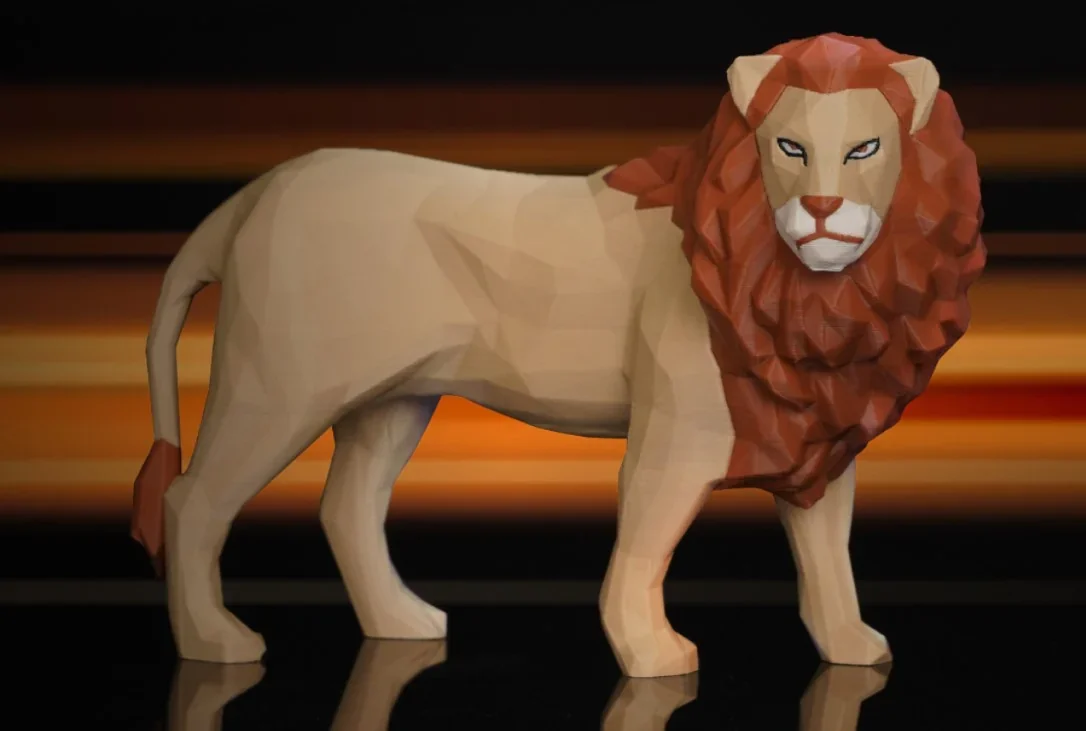
The P1P prints reliably with PLA, PETG, TPU, and ABS (with partial enclosure). With the AMS hub, it produces clean multi-color prints, though at slower speeds—a horse model took 10h 28m in three colors versus 1h 25m single color. Terrain pieces at 0.08mm showed paint-ready quality, though drybrushing revealed some layer lines. Across tests, the P1P outperformed even heavily tuned competitors in out-of-box print quality.
Which filaments can you use with the Bambu Lab P1P FDM 3D printer?
The Bambu Lab P1P supports over nine filament types including PLA, PETG, TPU (95A at reduced speed), ASA, PVA, and PET out of the box, while with an enclosure it can reliably print high-temperature materials like PA (Nylon), PC, and ABS, leveraging its 300°C all-metal hotend and versatile build surfaces. Tests showed detailed, high-speed PLA prints, smooth Carbon Fiber PLA results without ringing, and strong PETG performance, including custom side panels printed in IC3D Recycled PETG without speed loss.
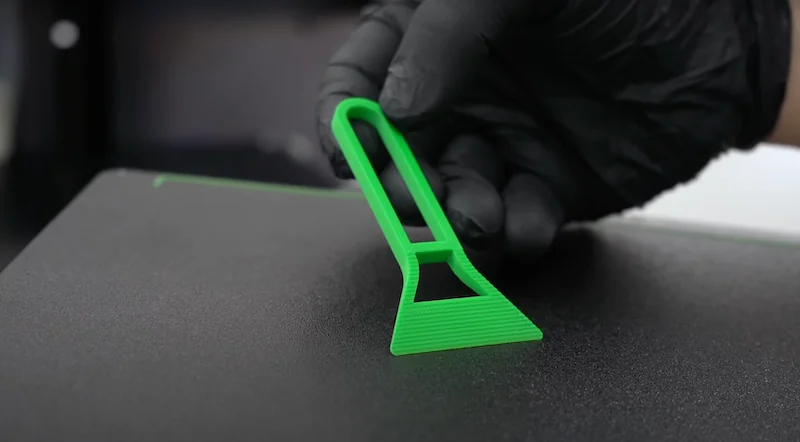
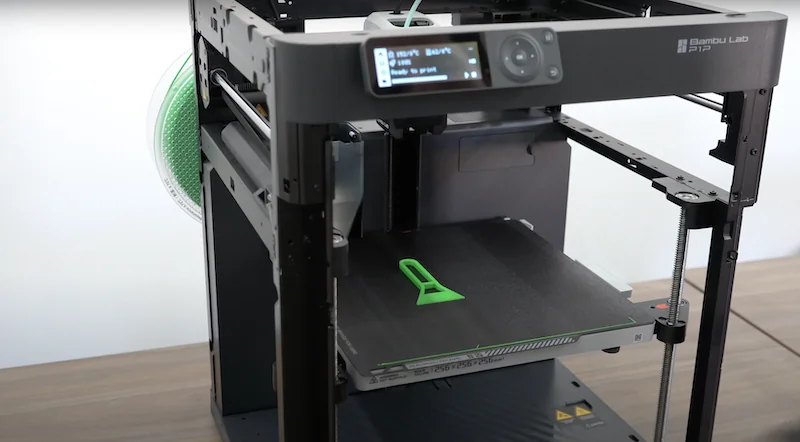
PLA 3D Print Sample: Print Bed Scraper produced in 6 minutes.
PLA 3D Print Sample: A Bluetooth speaker housing printed in 8 hours compared to 26 hours on conventional printers, a 69% time reduction.
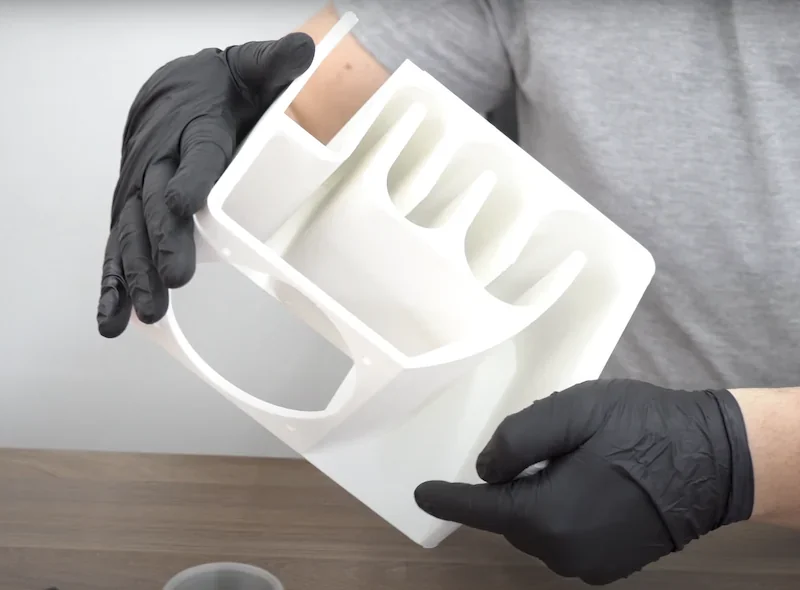
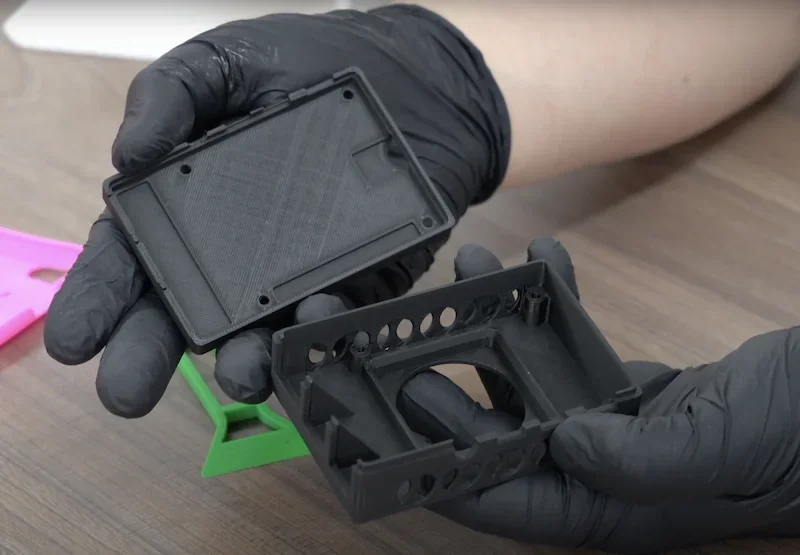
PLA Print Sample: P1P printed an electronic board enclosure in 58 minutes.
TPU Print Sample: Bambu Lab P1P produced a phone case in 1 hour and 10 minutes.
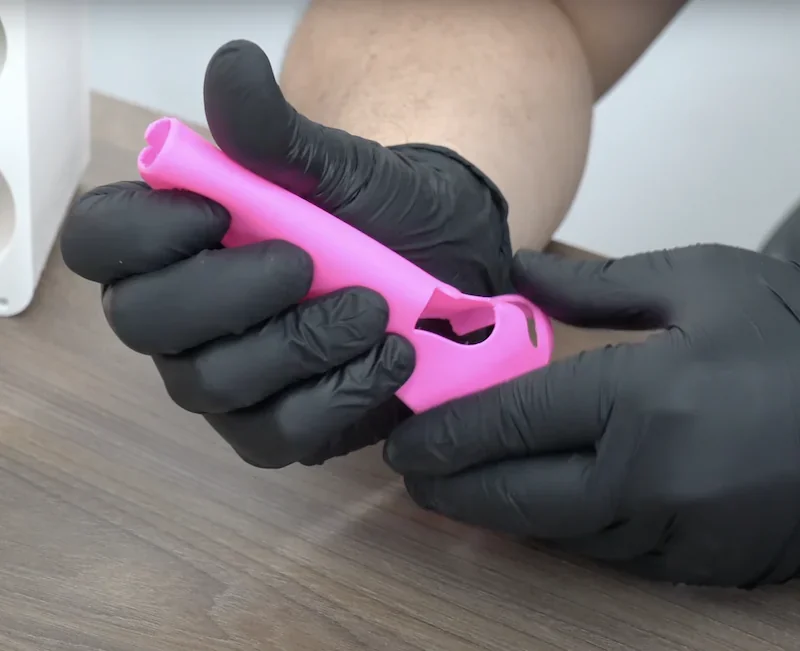
When printing TPU 95A, the volumetric speed had to be reduced from 21 mm³/s to 6.4 mm³/s for reliable results.
With an enclosure, the P1P can print PA (Nylon), PC (Polycarbonate), and ABS. Users report decent ABS results using partial enclosures that reach around 30°C.
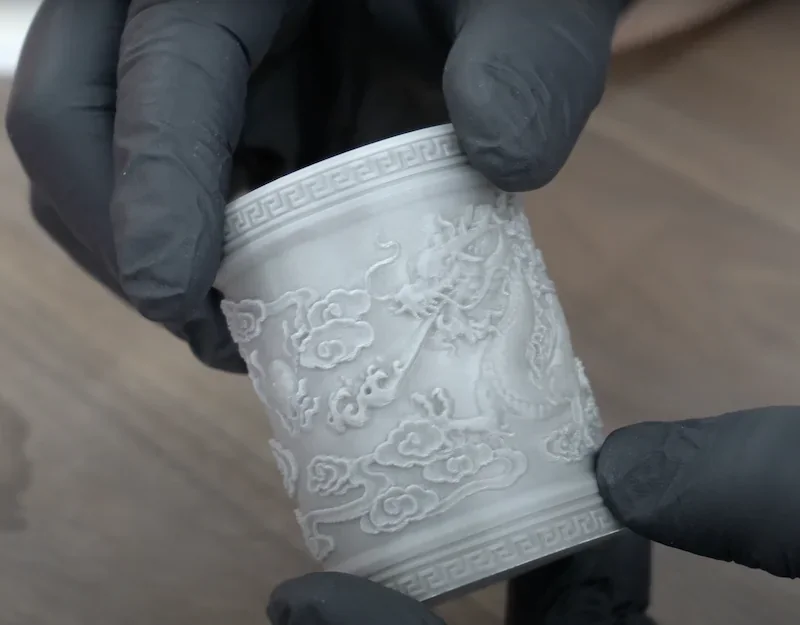
ABS Print Sample: Bambu Lab P1P produced a relief-decorated cup in 40 minutes.
For reliable printing with high-temperature or warp-prone materials, the enclosed Bambu Lab P1S is the better choice.
The P1P supports both Bambu Lab and third-party filaments. With RFID-equipped Bambu spools, the AMS auto-detects material and applies settings; third-party filaments need manual setup. Tests confirmed compatibility with brands like Inland Silk PLA, 3D Fuel Buzzed, Protopasta Empire Strikes Black, and IC3D Recycled PETG.
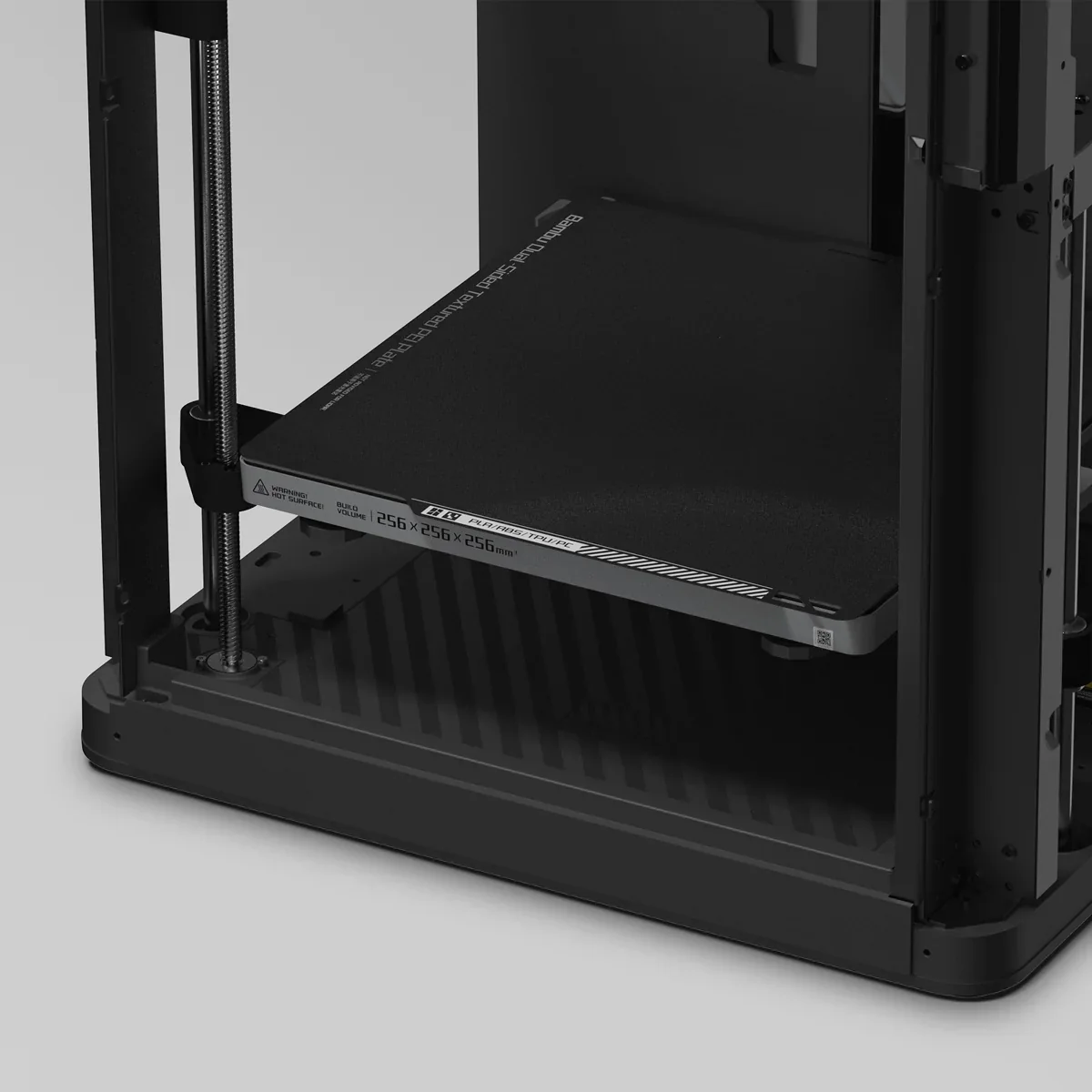
Beyond its 300°C hotend, the P1P supports varied materials with a textured PEI spring steel plate for strong adhesion. It also accepts optional build surfaces: the Bambu Cool Plate, Engineering Plate, and High Temperature Plate.
What is the build volume of the Bambu Lab P1P desktop 3D printer?
The P1P offers a 256 x 256 x 256 mm cubic build volume, balanced for versatile prints. Its CoreXY system moves efficiently within a compact 386 x 389 x 458 mm footprint, allowing both tall and wide objects to be produced with equal ease.
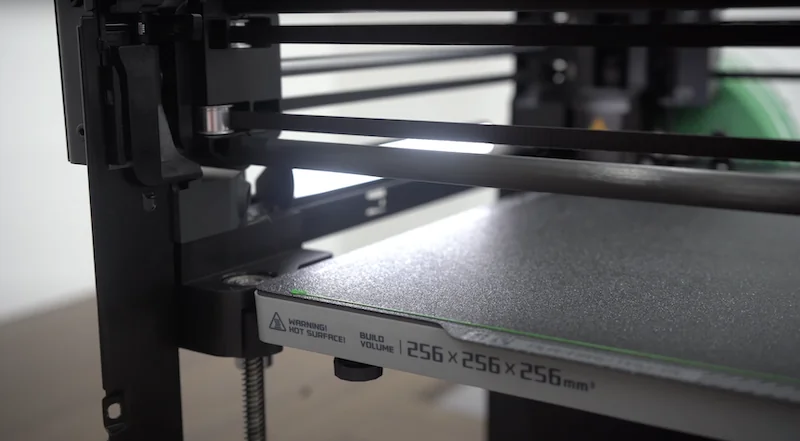
The P1P’s build volume enables large projects, such as 15 custom side panels in IC3D Recycled PETG over 40 hours, a one-piece Vertebranium Headphone Stand in 11h 57m at 300mm/s, and a large DND dice tower in 20 hours.
The P1P’s 256 mm cubic build volume suits terrain and miniature gaming, printing tall models, bunkers, and terrain without splitting. The square base allows batch printing of smaller items, while also supporting organizers and functional parts like Paintpal storage. Combined with high speed, this capacity enables efficient production of both large pieces and batches.
What is the difference between the Bambu Lab P1P, Bambu Lab X1C, Creality K1, FlashForge Adventurer 5M, Anycubic Kobra S1, Prusa Core One, QIDI X-Max 3?
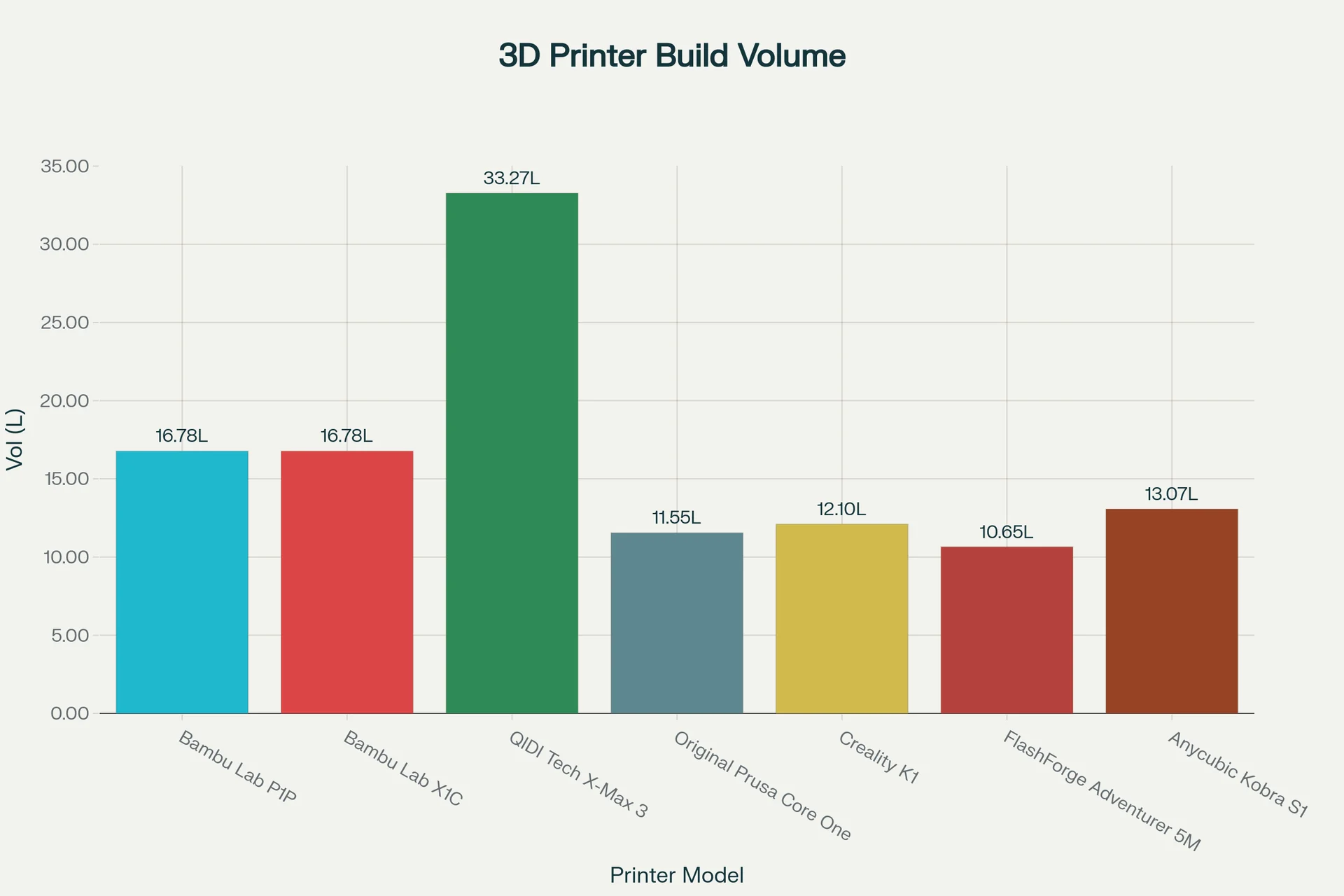
At $400+, the Bambu Lab P1P offers 16.78L of build volume — the second largest among compared models — matching the X1C while costing $600 less. It surpasses budget rivals like the Creality K1 (12.10L), FlashForge Adventurer 5M (13.07L), and Anycubic Kobra S1 (13.07L). Positioned between budget printers and professional machines like the Prusa Core One ($1,200+) or QIDI X-Max 3 ($700+), the P1P delivers premium build capacity at an entry-to-mid price, maximizing value per dollar.
| 3D Printer Model | Build Volume (mm) | Build Volume (L) | Price (USD) |
|---|---|---|---|
| Bambu Lab P1P | 256 × 256 × 256 | 16.78 | $400+ |
| Bambu Lab X1C | 256 × 256 × 256 | 16.78 | $1000+ |
| QIDI Tech X-Max 3 | 325 × 325 × 315 | 33.25 | $700+ |
| Original Prusa Core One | 250 × 210 × 220 | 11.55 | $1,200+ |
| Creality K1 | 220 × 220 × 250 | 12.10 | $400+ |
| FlashForge Adventurer 5M | 220 × 220 × 220 | 13.07 | $300+ |
| Anycubic Kobra S1 | 220 × 220 × 270 | 13.07 | $450+ |
What printer controls are available on the Bambu Lab P1P?
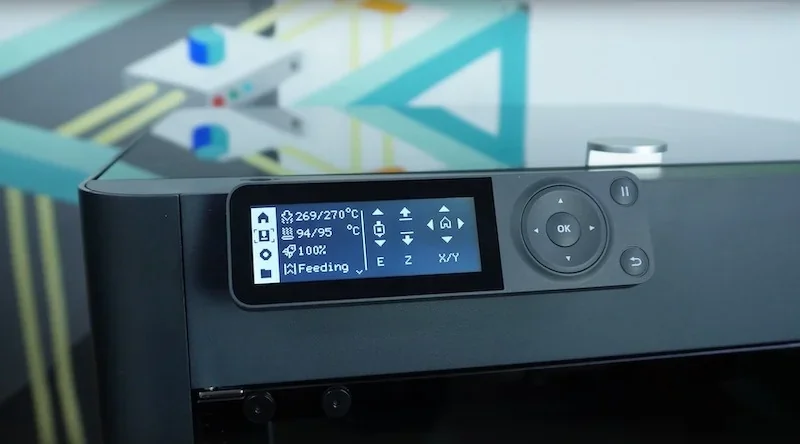
The Bambu Lab P1P features 19 touchscreen controls including precise temperature adjustments, four print speed modes from Silent (50%) to Ludicrous (166%), filament feeding options, manual extrusion, XY and Z-axis movement, AMS reset, extensive settings for Wi-Fi, calibration, firmware, accessories, language, and file management—all accessible via an intuitive home screen displaying real-time print status.
Controls Section (8)
- Nozzle & Heatbed Temperature – quick arrow adjustments
- Printing Speed – four modes: Ludicrous (166%), Sport (124%), Standard, Silent (50%)
- Feeding – load, unload, retry filament
- Extruder – 1cm manual extrude/eject
- Z-Axis Lift – raise/lower heatbed
- XY-Axis Dial – move toolhead in X/Y
- AMS Reset – when AMS is connected
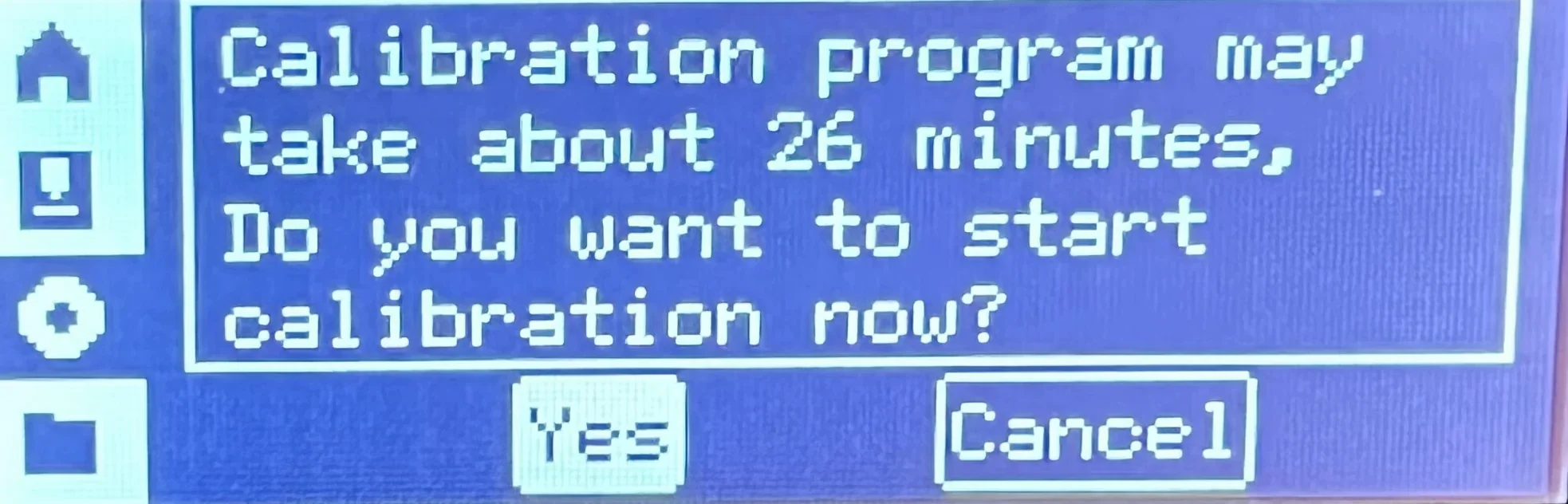
Settings Section (10)
- Account – QR scan for Bambu Handy mobile app setup
- WLAN – QR scan for Wi-Fi setup
- SD Card – view capacity, format card
- Device – printer model, serials, usage time
- Firmware – version info
- Accessories – nozzle type/size selection
- Calibration – start printer calibration
- Auto-Sleep – set idle duration before sleep
- Language – choose display language
- Factory Reset – restore default settings (irreversible)
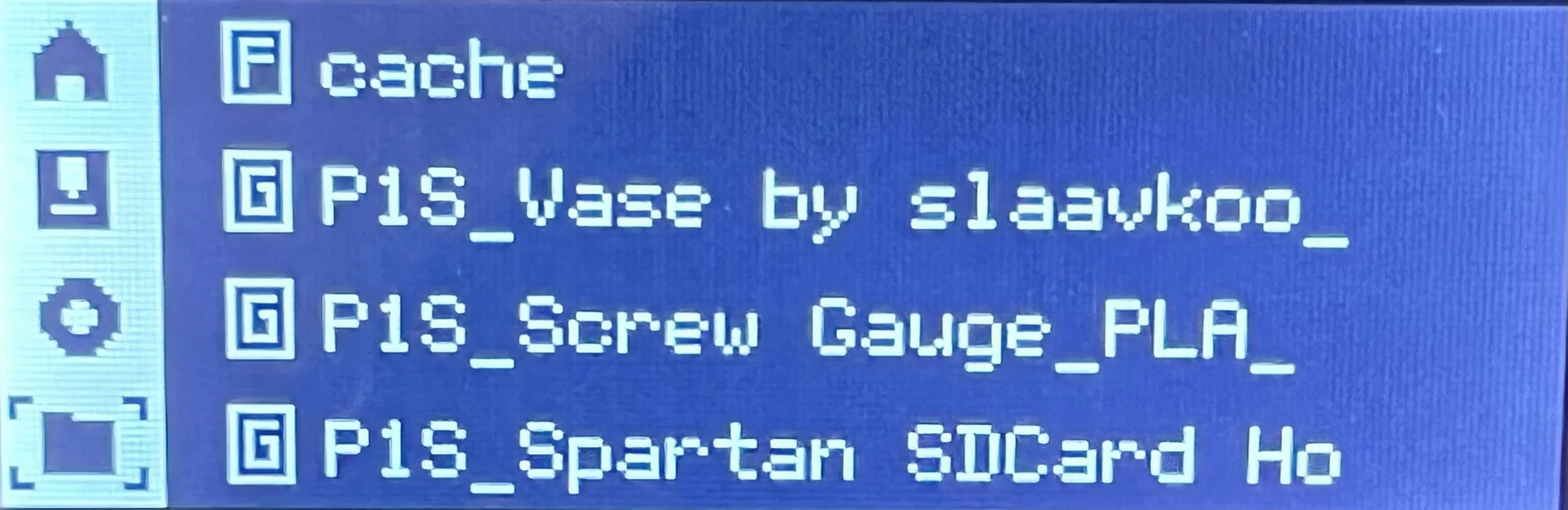
File Management (1)
- Folders and Files - Navigate SD card folders and internal model files, with indicators for folders (F) and .gcode files (G).
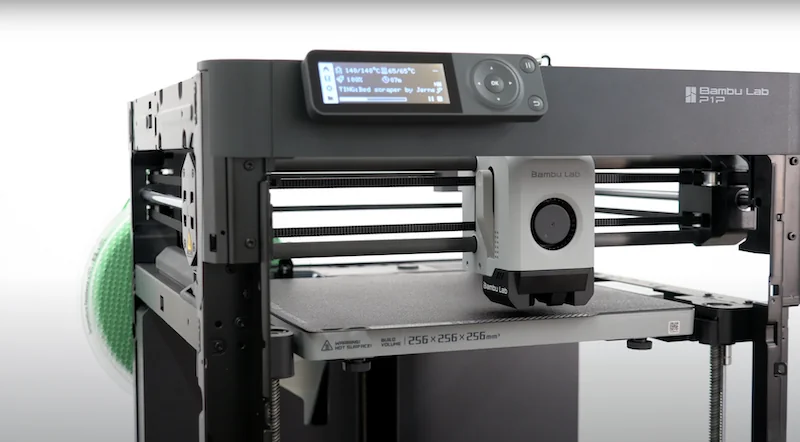
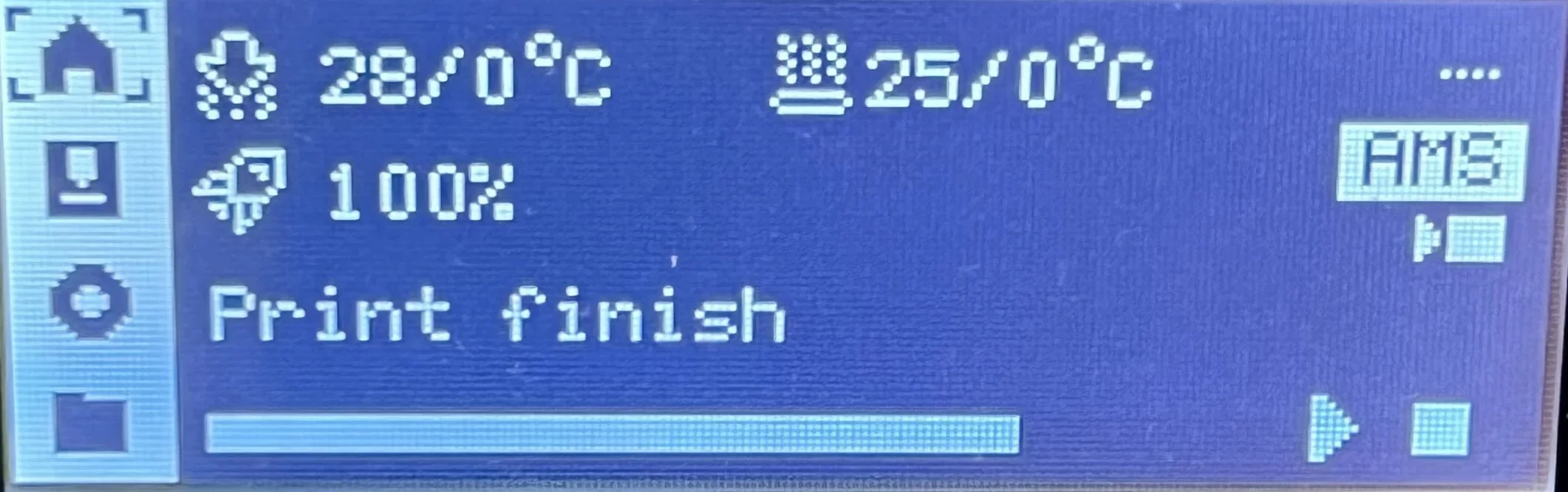
The 2.7 inch monochrome LCD screen displays the home screen showing real-time nozzle and bed temperatures, print speed, and active job status.
What connectivity options are available on the Bambu Lab P1P?
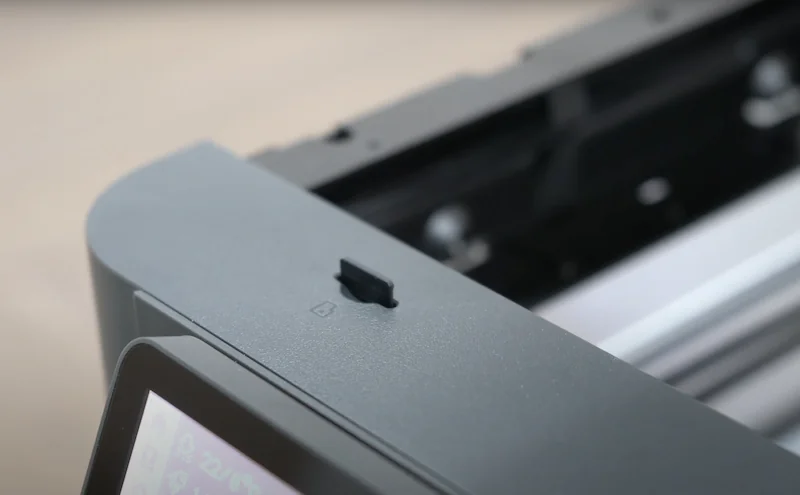
The P1P supports Wi-Fi (2.4 GHz, IEEE802.11 b/g/n), Bluetooth 5.0, and microSD for file transfer, but no USB data port. Printing can run via Bambu’s cloud or LAN mode for local access. A 5V/1.5A USB output powers accessories only.
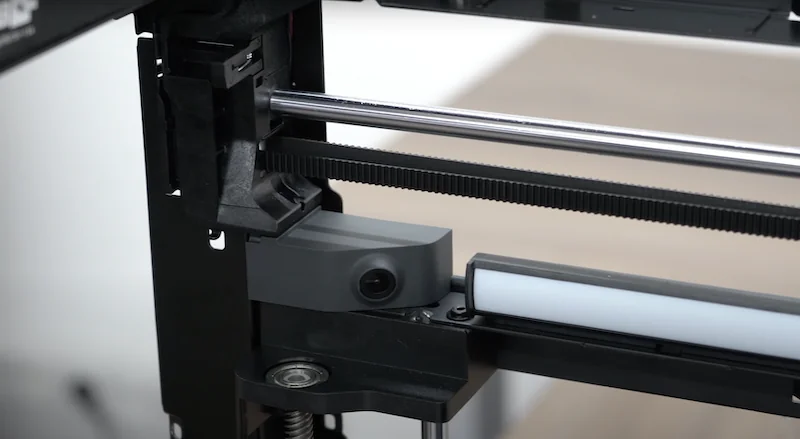
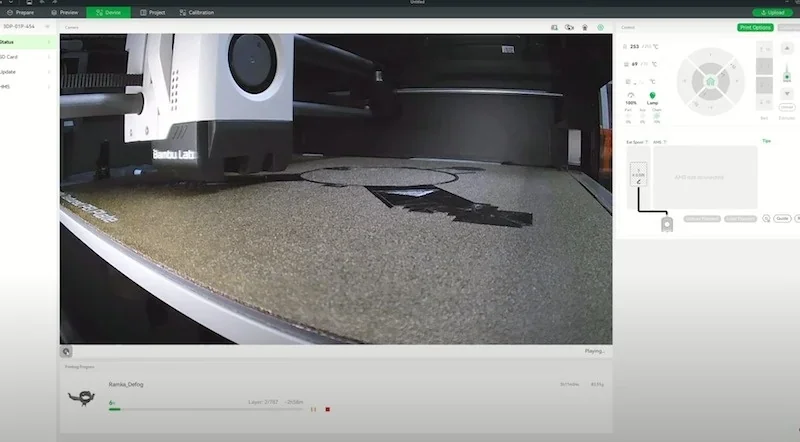
The P1P offers an optional built-in camera upgrade running at 0.5 fps, providing clear remote monitoring of print progress.
What software is offered with the Bambu Lab P1P?
The Bambu Lab P1P runs on Bambu Studio, a Windows/macOS slicer with material presets, 3MF format support, and calibration tools for flow tuning. It also supports third-party slicers like Super Slicer, PrusaSlicer, and Cura, though advanced features stay exclusive to Bambu Studio. OrcaSlicer offers dedicated P1P profiles for advanced control.
The P1P connects through Bambu Cloud via Bambu Studio (desktop) and Bambu Handy (mobile app) for remote monitoring, control, camera viewing, file transfer, and speed mode changes. It integrates with MakerWorld for one-click model printing. LAN mode is available for local use. Firmware features include auto bed leveling, vibration calibration, auto-sleep, power loss recovery, and filament runout detection, with updates installable via app, desktop, or the printer itself.
What is the design and build quality of the Bambu Lab P1P?
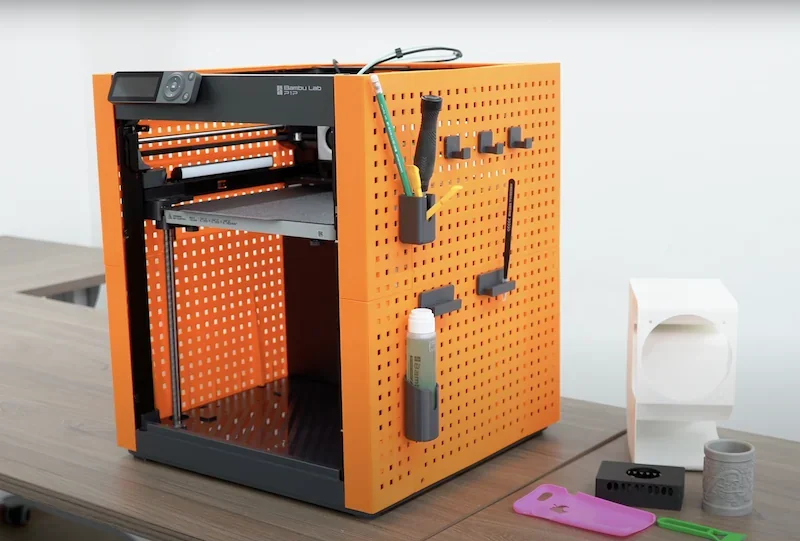
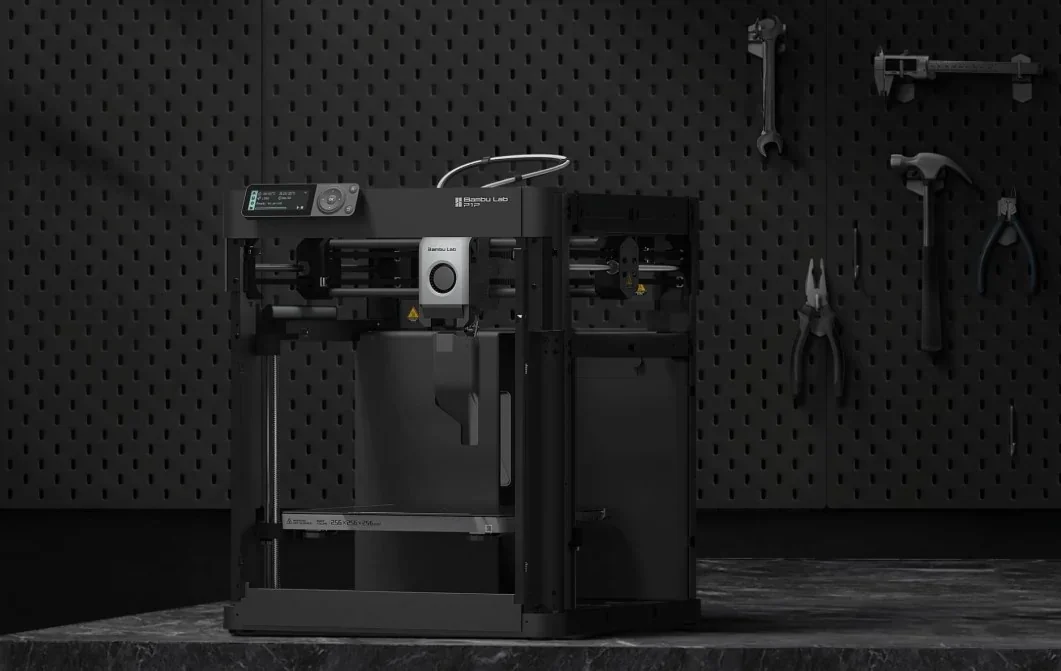
The P1P has an open-frame steel chassis weighing 9.65 kg and measuring 386 x 389 x 458 mm. Its design allows users to print custom side panels for personalization. The all-black finish, including screws and components, gives it a cohesive look.
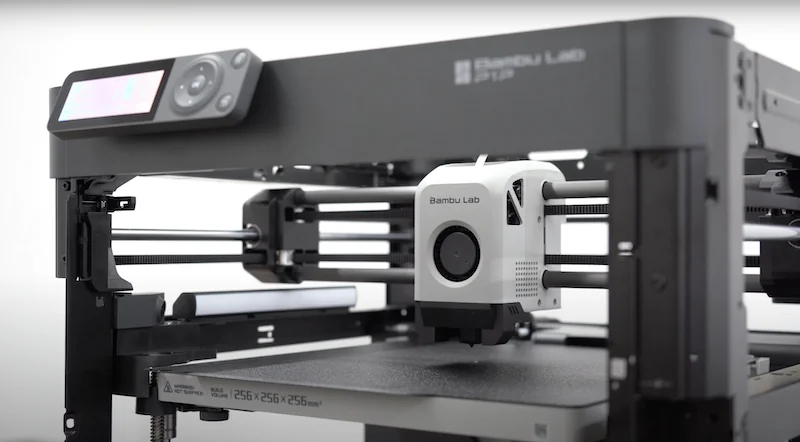
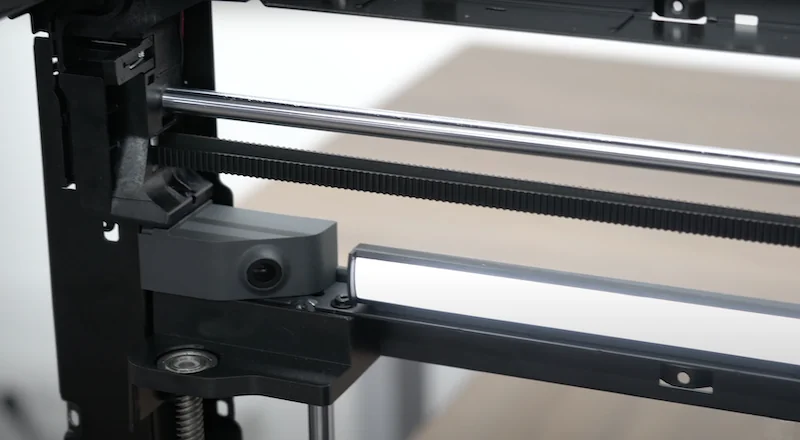
The P1P CoreXY kinematics and motion control system inherits the proven design from the Bambu Lab X1 series, using carbon rods on the X-axis and LMU8-bearing linear rods on Y and Z, enabling precise movement up to 500 mm/s with 20,000 mm/s² acceleration. With input shaping, active vibration compensation algorithm, and semi-automatic belt tensioning, it prints up to four times faster than bed-slinger models without losing quality.
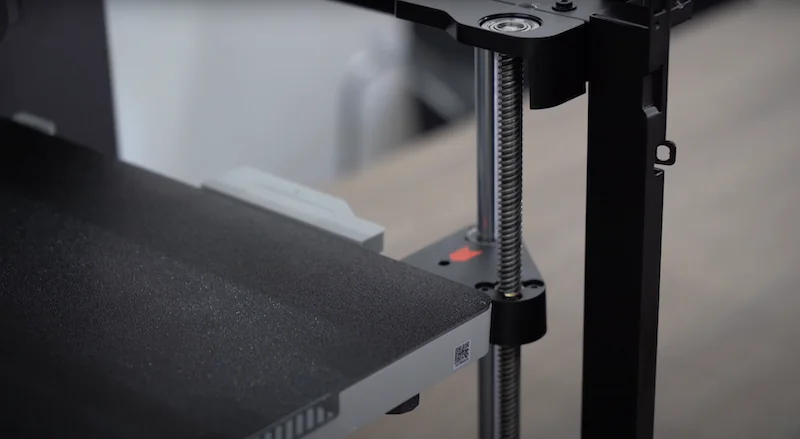
Three Z-axis lead screws stabilize the heated bed, while the direct-drive extruder ensures precise filament flow for clean, accurate prints.
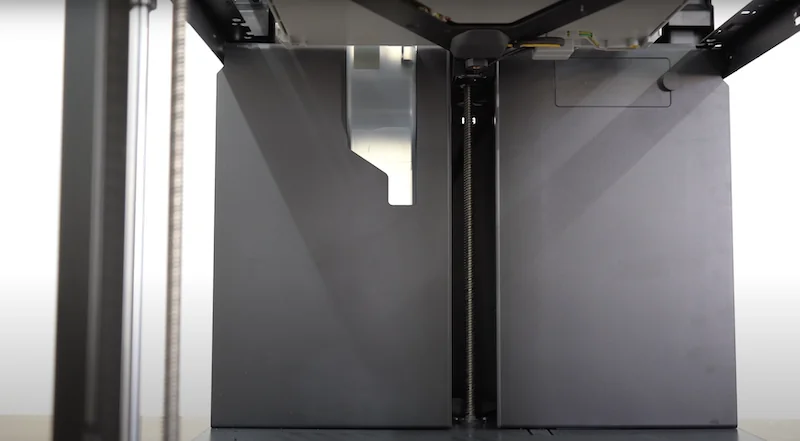
The P1S adds practical features like a built-in LED light for the print chamber, though users note it isn’t very bright.
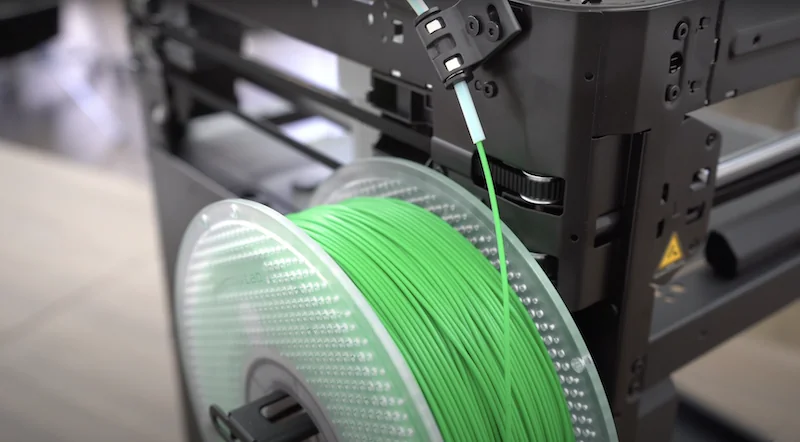
A rear spool holder fits standard filament rolls, feeding through a PTFE tube to the print head. During color changes, an excess chute expels waste filament but has no built-in collection container.
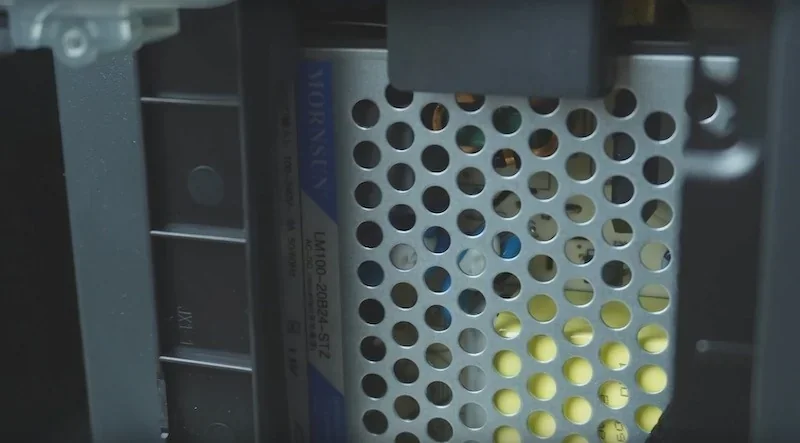
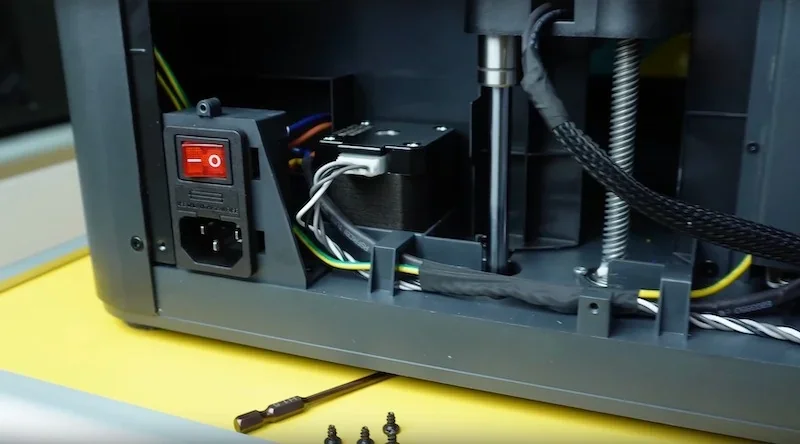
The power supply unit is made by MornSun, a trusted component manufacturer.
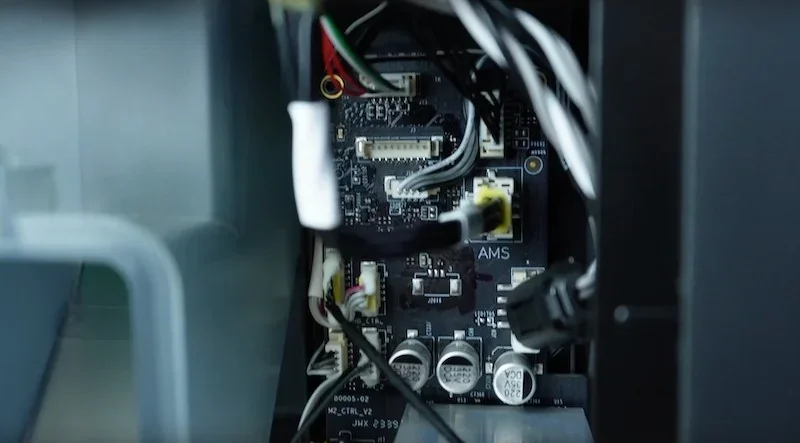
Bambu Lab’s proprietary mainboard uses integrated motor drivers with an aluminum heatsink. Connectors lack thermal adhesive, making servicing easier.
Power Supply Unit:
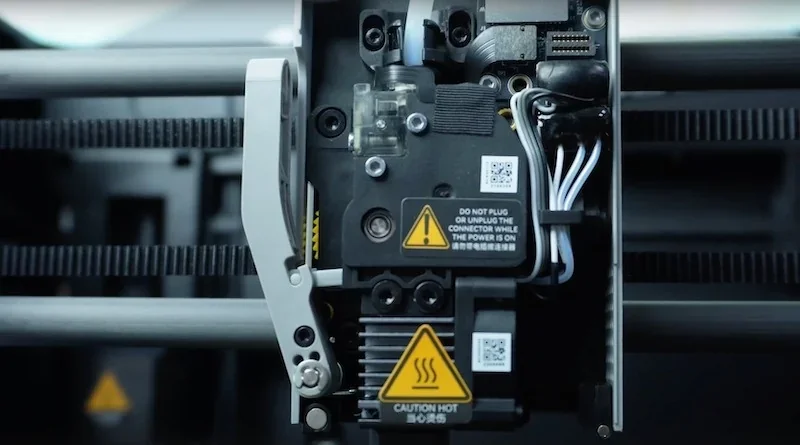
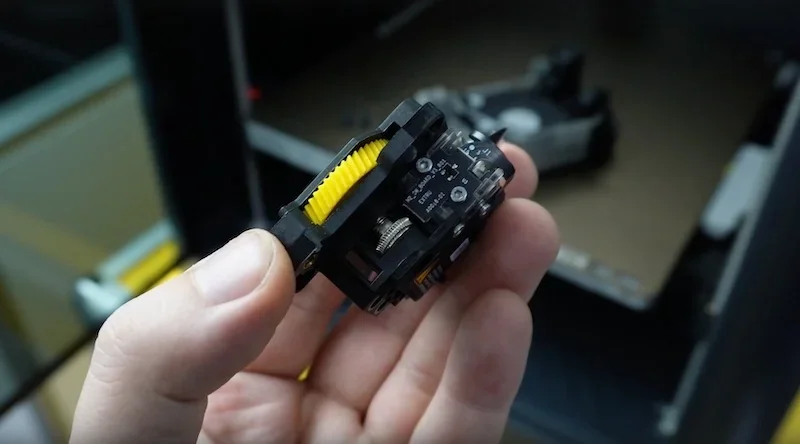
The front cooling shroud uses a magnetic quick-release with built-in fan mount. The visible filament feed assembly follows a modular design, with precision-made components. Both the hotend and feed mechanism can be removed or disassembled easily for maintenance.
What comes included in the box with Bambu Lab P1P?
- Bambu Lab P1P 3D Printer (mostly pre-assembled)
- Screen (requires installation)
- Spool holder (requires installation)
- PTFE tube anchor (requires installation)
- 750g Bambu PLA Basic (white)
- Dual-sided textured PEI build plate
- Spare hotend
- 2 nozzle wiping pads
- Allen Keys (H1.5 & H2)
- Bambu scraper
- Unclogging pin tool
- PTFE tube
- Power cord
- MicroSD card with test models
- Getting started guide
- Screws for spool holder and PTFE tube anchor
The P1P comes ready to print right out of the box, needing only the screen, spool holder, and PTFE tube anchor installed with the included screws and Allen keys. Users must also remove shipping safety screws from the hot bed and tool head. The box includes all essentials for immediate printing: 750g white PLA spool, dual-sided textured PEI plate, and a microSD card with test models. A spare hotend, two nozzle wiping pads, unclogging pin, and scraper support long-term maintenance.
Note: Package contents may vary by manufacturer. Confirm included items with a Top3DShop sales representative before ordering.
What upgrades and accessories are available for the Bambu Lab P1P?
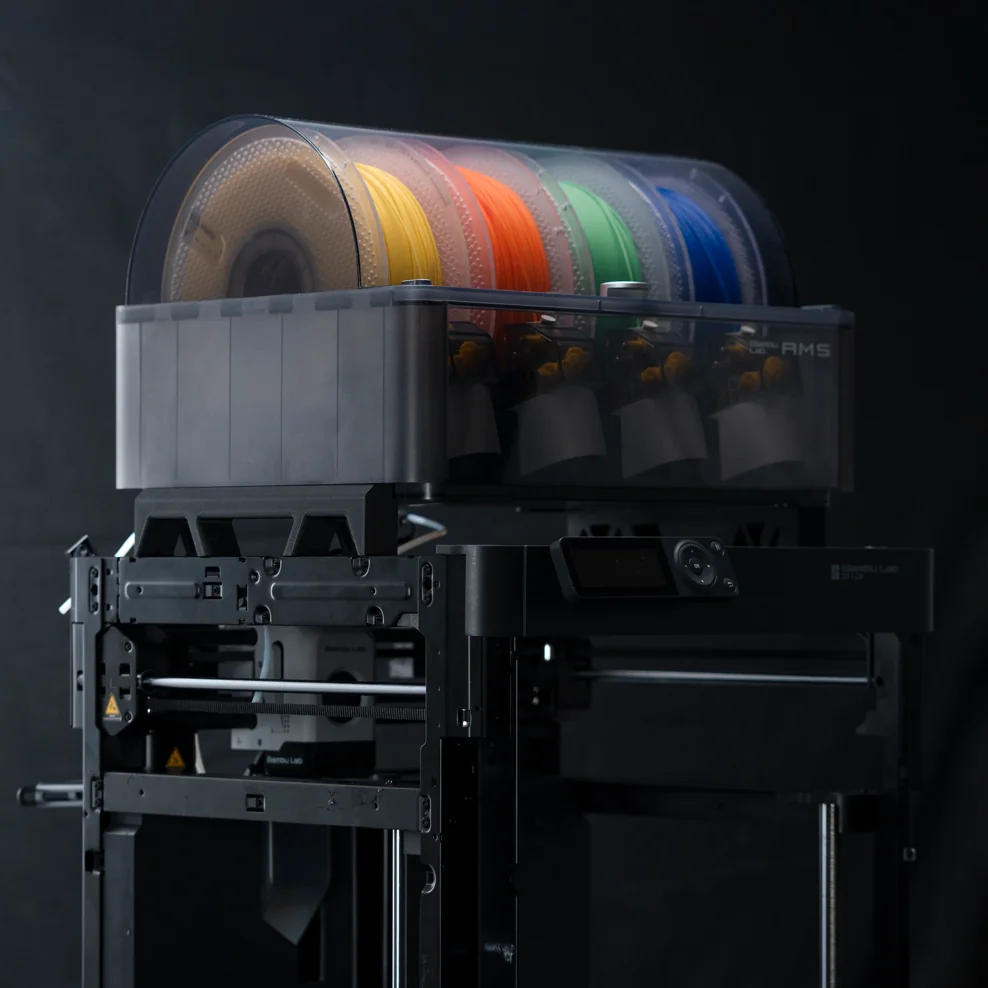
The Bambu Lab P1P supports a range of upgrades and add-ons including the Automatic Material System (AMS) for up to 16-color printing, a 0.5 FPS chamber monitoring camera for remote monitoring, auxiliary part cooling fans for improved detail, interchangeable build plates for specialized adhesion, swappable hotends with 0.2mm to 0.8mm nozzles, and an enclosure kit for printing ABS, ASA, and Nylon.
| Accessory | Description | Function | Target User | Price | Compatibility |
|---|---|---|---|---|---|
| Automatic Material System (AMS) | Four-spool filament feeder (expandable) | Enables up to 16-color printing without manual changes | Multi-color enthusiasts | $350+ | Requires printed mounting brackets |
| Chamber Monitoring Camera | Remote print monitoring camera | Provides 0.5 FPS viewing and timelapse capture | Remote monitoring users | $30+ | Direct attachment |
| Auxiliary Part Cooling Fan | Additional print cooling | Improves overhangs and fine detail printing | Detail-oriented users | $30+ | Direct attachment |
| Alternative Build Plates | Cool, Engineering, High Temp plates | Optimized adhesion for different materials | Material specialists | $20+ | Direct replacement |
| Replacement Hotends | Hotend assemblies with various nozzles | Allows fine detail (0.2mm) or faster prints (0.6–0.8mm) | Detail work (0.2mm) or speed (0.6mm, 0.8mm) | $20+ | Magnetic attachment, 2 screws |
| P1P Enclosure Kit | Side panels for open frame | Creates enclosed chamber for ABS, ASA, and Nylon printing | ABS/ASA/Nylon users | $280+ | Direct attachment |
The P1P’s modular system allows upgrades like the flagship AMS, which enables automatic multi-color printing with four filaments. Integrated with Bambu Studio for color painting and filament swaps, it can be stacked for up to 16 materials in one job.
The optional 0.5 FPS camera enables remote print checks and timelapse creation via Bambu Studio and Bambu Handy. An auxiliary part cooling fan improves overhangs and fine details with extra targeted cooling.
The P1P’s open-frame design supports user-made side panels, while Bambu Lab’s enclosure kit improves temperature control for ABS, ASA, and nylon. Optional build plates (Cool, Engineering, High Temp) enhance adhesion for specific filaments. Swappable hotend assemblies in 0.2mm, 0.6mm, and 0.8mm sizes attach with two screws via the magnetic toolhead cover, allowing quick changes for detail or speed.
Check out more accessories options below.
P1P to P1S upgrade kit
The Bambu Lab P1P to P1S Upgrade Kit provides all components to convert a P1P into a P1S, except the Bambu Textured PEI Plate (sold separately). The kit includes:
Enclosing parts:
- Glass cover plate
- Front glass door
- Front door mounting kit
- Left plastic panel
- Right plastic panel
- Rear metal panel
- Front cover
Upgrade parts:
- Activated carbon air filter
- Auxiliary part cooling fan
- Control board fan
- Chamber temperature regulator fan
- Cable chain assembly
- P1S toolhead cable
- PTFE tube
Bambu Lab AMS (Automatic Material System)
The Bambu Lab AMS is a sealed, humidity-controlled unit with four filament slots, keeping materials dry and ready. It supports multi-material printing but is not recommended for flexibles or composites, except Bambu PA-CF and PAHT-CF. Each AMS includes four reusable spools.
Stainless steel extruder unit — P1 series
The stainless steel extruder uses double gears for stronger grip and slip-free extrusion. It supports most filaments and includes a sensor for filament break detection to prevent print failures.
Hotend with nozzle
The Bambu Lab hotend integrates heatsink, throat, heater block, and nozzle into one unit. A nozzle guide helps users choose the right size for different tasks and materials.
| Nozzle diameter | Incompatible filaments | Applicable printing requirements |
| 0.2 mm | Not allowed: TPU PLA Sparkle PLA Marble PLA-CF/GF PA-CF/GF PET-CF/GF |
Ultra-fine detail but long print time |
| 0.4 mm | Not recommended: filaments containing carbon fiber or glass fiber |
Fine detail with reasonable print time |
| 0.6 / 0.8 mm | None | Less detail for shorter print time |
| Nozzle material | Hardness | Incompatible filaments |
| Hardened steel | 55 – 60 HRC | None |
| Stainless steel | 25 – 30 HRC | Filaments containing fiber, particles, metal powder |
Ceramic heater & thermistor — P1P (3 pcs)
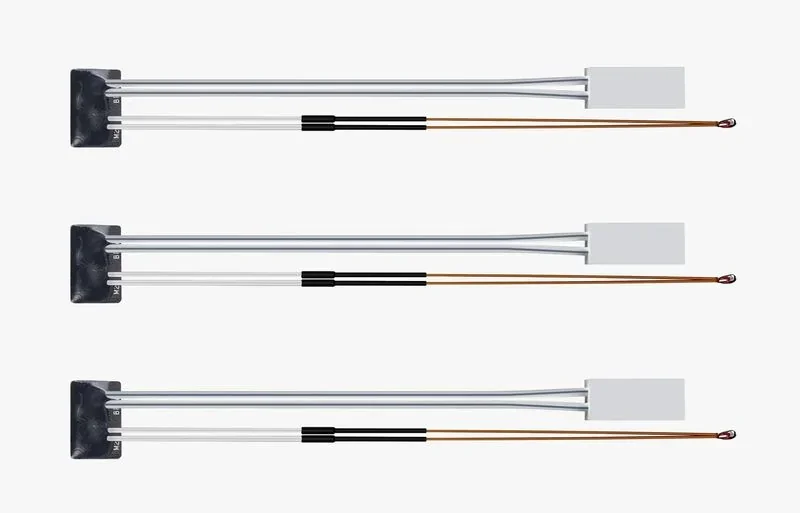
The P1P’s ceramic heater and thermistor are combined in one module with a terminal connector. The thermistor ensures accurate readings, while the heater raises nozzle temps up to 300 °C. Operating range: –10 to 300 °C.
PTFE tube (4 pcs)
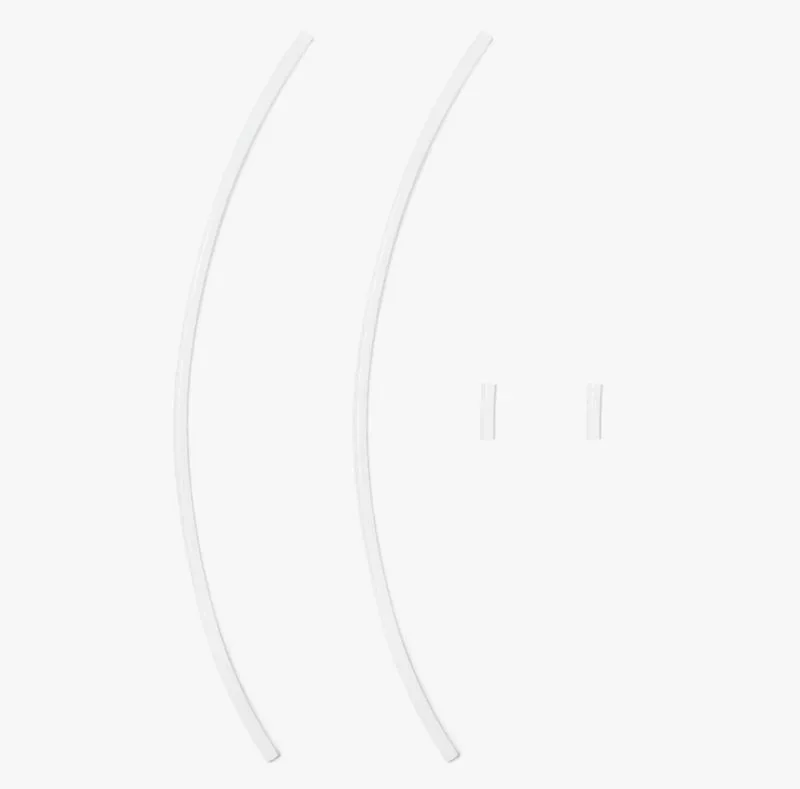
The pack includes four PTFE tubes (2.5 mm ID, 4 mm OD): two at 530 mm and two at 30 mm.
PTFE tube (8 pcs) — for AMS inside
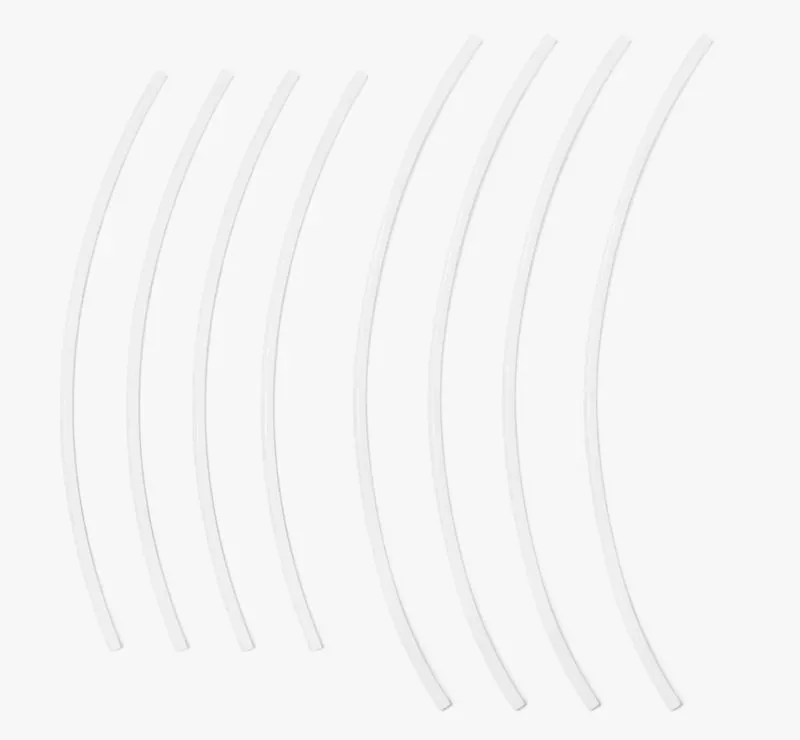
The AMS pack includes eight PTFE tubes (2.5 mm ID, 4 mm OD): four at 195 mm and four at 230 mm.
Replacement filament cutter (3 pcs)
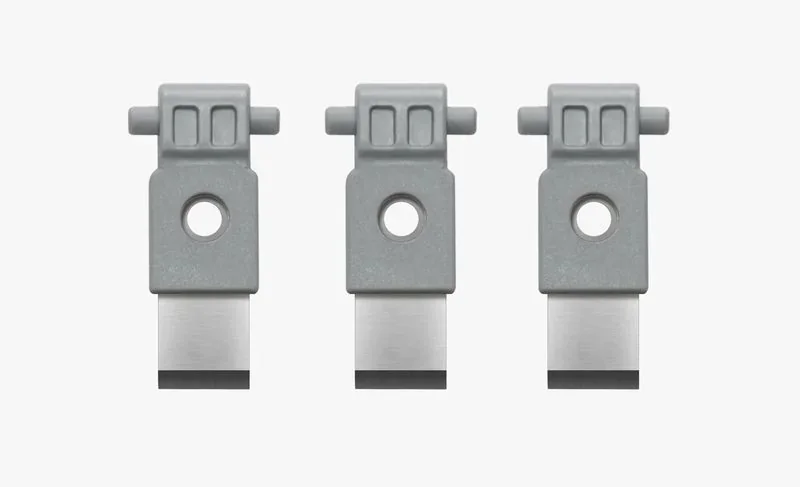
Filament cutters prevent clogs and enable smooth material switching in the AMS.
Nozzle wiper (3 pcs)
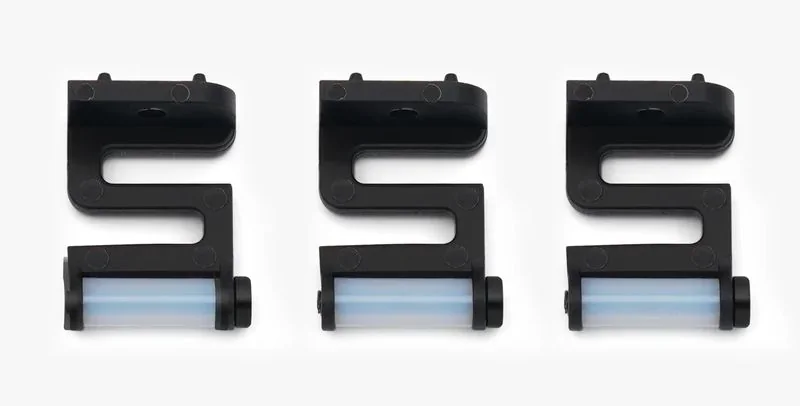
Nozzle wipers clean excess material from the nozzle and must be replaced when worn out.
Silicone sock for hotend (3 pcs)
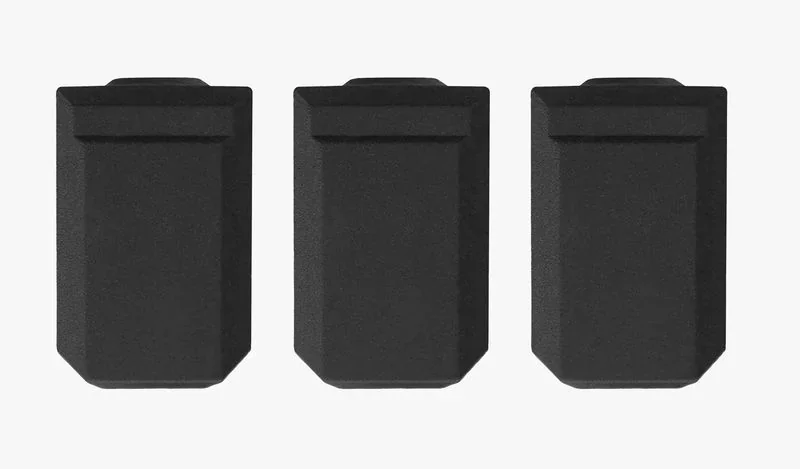
The hotend silicone sock provides thermal insulation, tear resistance, and protects the nozzle from cooling air and plastic buildup.
How reliable is the Bambu Lab P1P?
The P1P has proven highly reliable with 100,000+ combined print hours. Print quality stays consistent even after 4,000 hours, and the carbon rod motion system has shown no failures despite durability concerns.
- Primary failure modes include bed adhesion errors, failed crash detection, and Z-offset miscalibration from nozzle residue. Hardware failures are rare, with only two extruder issues (stripped gear and feeding problem), both fixable for $35.
- Software-related issues are more common, including mid-print freezes, Wi-Fi/Bluetooth connection failures, and microSD card corruption in about 12 units, likely from frequent data writes during continuous printing.
What maintenance is required for the Bambu Lab P1P?
Monthly:
- Clean X-axis carbon rods with IPA and cloth
- Check Y/Z linear rods for debris
- For ABS/ASA, clean rods every 5 rolls
Quarterly:
- Grease Z-axis lead screws (BX-300/F, Super Lube 92003, or Lucas Oil 10533)
- Apply anti-rust treatment to linear rods
Usage-Based:
- Inspect filament cutter: every 3–5 rolls (PLA/PETG/ABS/PC) or 1–2 rolls (PA+CF/PA+GF)
- Clean extruder yellow gear with compressed air when dusty
- Replace PTFE tube: ~10 rolls (standard) or 5 rolls (abrasive)
Operational:
- Weekly: clean hotend, front cover, and auxiliary fans with compressed air
- Before each print: check nozzle wiper for alignment/debris
- Weekly (ABS): clean chamber camera lens with IPA and microfiber
Lubrication & Cleaning:
- Oil idler pulleys with Super Lube 52004 only if squeaking
- Clean nozzle at 200°C if under-extrusion or buildup occurs
- Replace hotend silicone sock when worn or loose
What support and warranty come with the Bambu Lab P1P?
The P1P warranty is 2 years for private customers in the EU, Switzerland, Norway, and Iceland, and 1 year elsewhere or for EU business customers. It covers manufacturing defects and hardware failures, with free repair or replacement from Bambu Lab.
Some components have a limited 3-month warranty:
- (Dual) Extruder Unit (excluding gear assemblies and filament sensor)
- Air Assist Tube Coupler
- AMS/AMS Lite Feeder Unit (excluding feeding funnels)
- AMS Lite Rotary Spool Holder (excluding spool claw)
- 32 GB MicroSD card
- Maker’s Supply items (hardware kits, models, accessories, combo kits, parts, electronics, tools, etc.)
Consumables are excluded from warranty, including:
- Complete hotend and parts (nozzle, heater assembly, fans, ceramic heater, thermistor, silicone sock)
- Extruder gear assembly
- Build plates, spare sheets, glue sticks/liquid glue
- PTFE tubes and connectors
- AMS parts (support shafts, feeder funnels, spool claws)
- Filament cutter lever, scraper, wipers, carbon filters, desiccants, air/pump filters, smoke purifier filters, nozzle blocker, Bambu filament
- Bambu materials, 45° fine-point blade, laser and cutting platforms, etc.
Full up-to-date warranty terms are available on the manufacturer's website: https://bambulab.com/en/policies/warranty
Bambu Lab offers structured support via tickets submitted on its website or through the Bambu Handy app. The printer’s Health Monitoring System generates error codes linked to troubleshooting guides in the Bambu Wiki. For advanced issues, users can upload logs directly, enabling remote diagnostics without physical inspection.
After warranty, Bambu Lab supports users with its Wiki, offering maintenance guides, replacement instructions, and setup tutorials. Firmware updates via the Bambu Handy app add features and fix bugs. Top3DShop provides pre-sales advice, setup help, and warranty claim support, giving P1P owners reliable assistance throughout ownership.
How much does the Bambu Lab P1P cost?
The Bambu Lab P1P is priced at $825.00, offering strong value in the high-performance 3D printer segment. It includes a CoreXY system with auto bed leveling, vibration compensation, a self-cleaning tool head, and a 300 °C all-metal hotend. Built on a steel chassis, it delivers reliable 500 mm/s printing with high accuracy. For added functionality, the P1S adds enclosure panels at ~15% higher cost, while the P1S Combo with AMS for multi-color printing is ~107% more than the base model. Each option builds on the P1P foundation to fit different user needs.