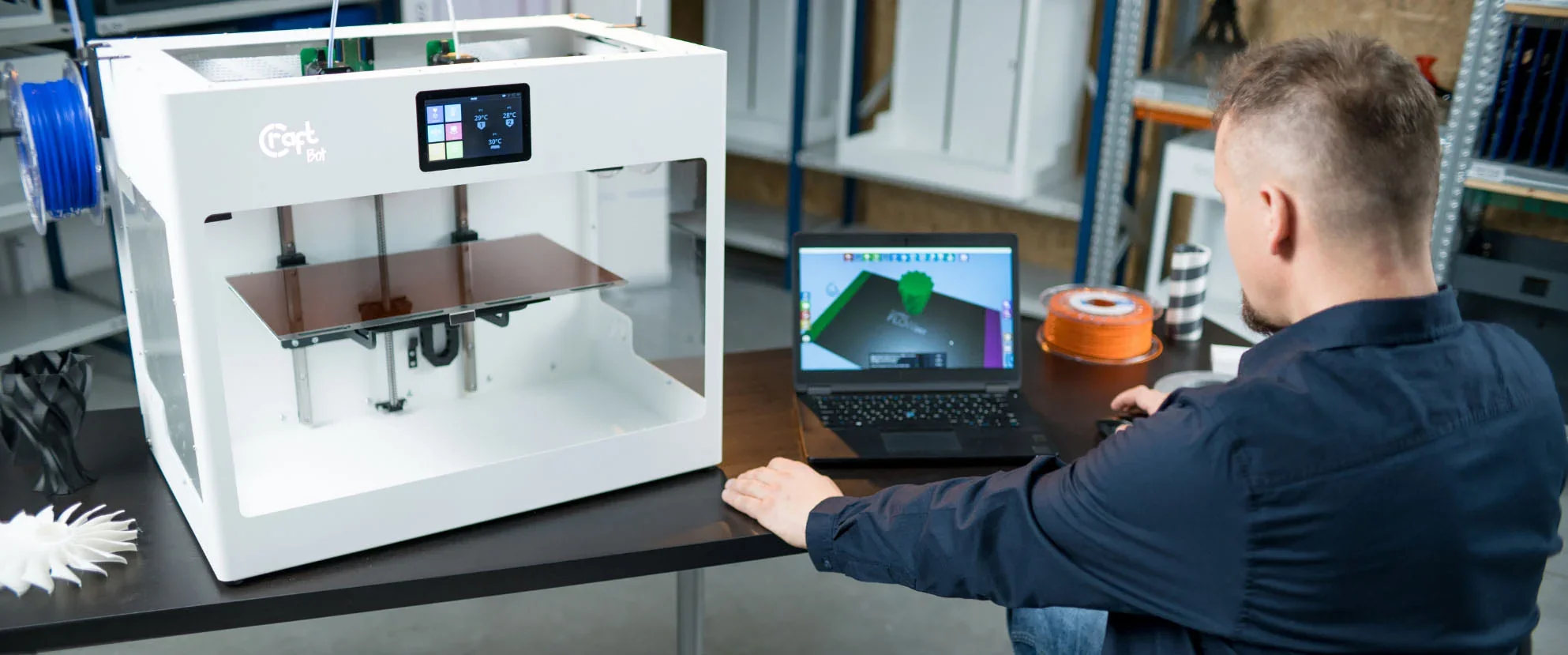
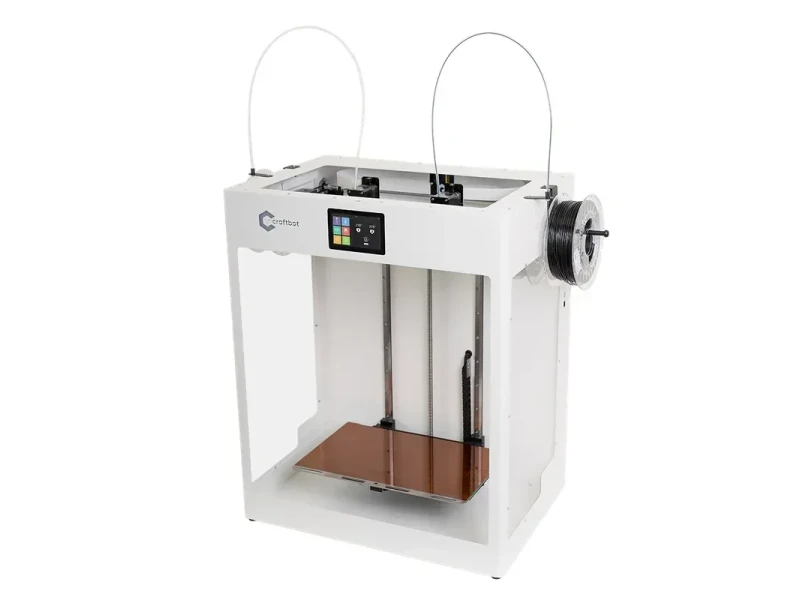
CraftBot Flow IDEX XL: Largest IDEX 3D Printer with Dual Extrusion Technology






- Independent dual extrusion for mirror/duplicate printing
- All-metal hotends support up to 300°C
- Built-in camera with Wi-Fi connectivity
- Magnetic Kapton bed with mesh leveling
- Flexible Payment Terms
- 2 Years Warranty
- Local Technical Support
- Free Online Training
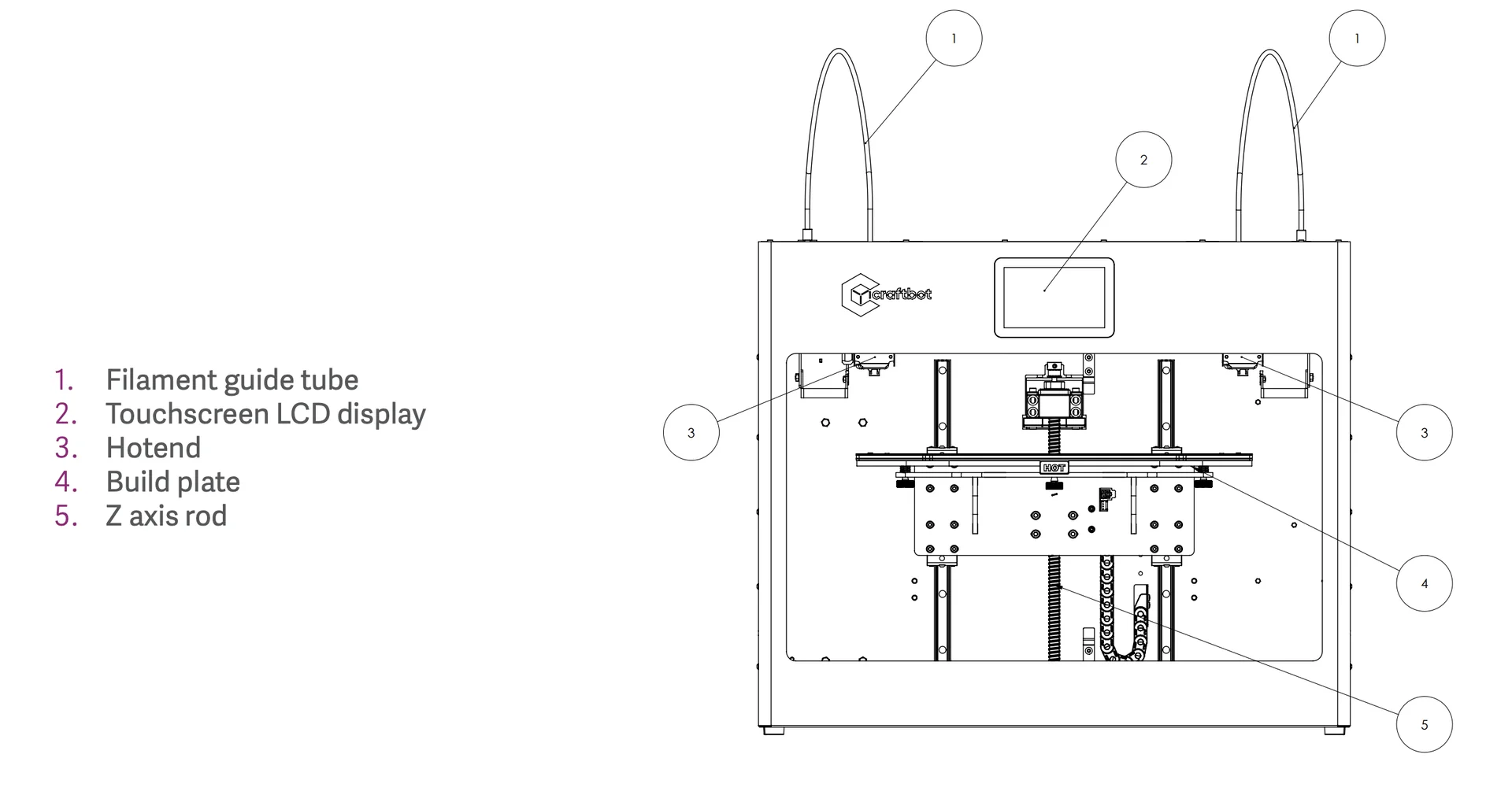
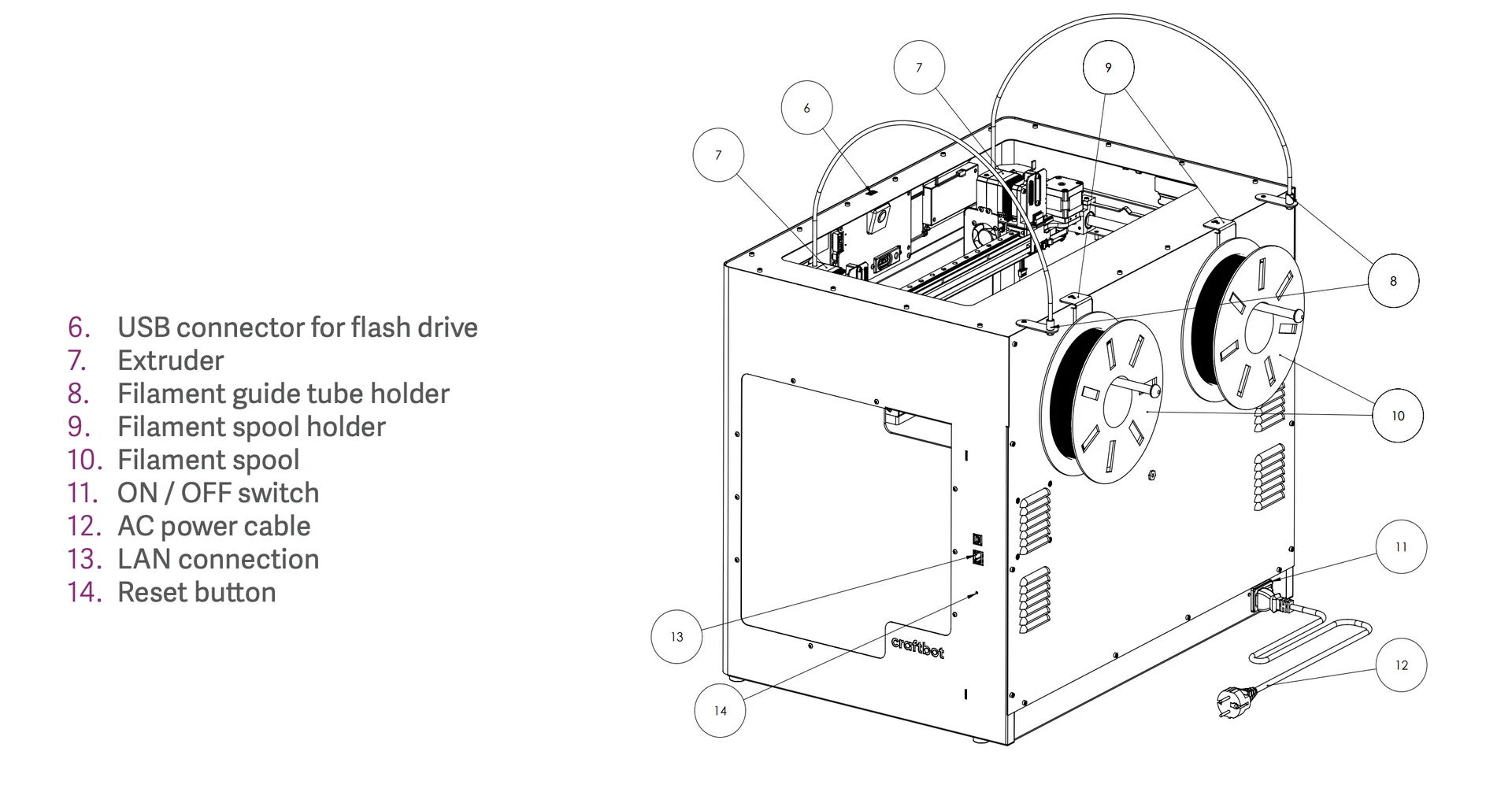
- AC power cable
- Filament guide tubes
- USB A-B cable
- Nozzle kits
The CraftBot Flow IDEX XL is a large-format 3D printer with a 425 x 250 x 500mm build volume, ideal for tall prints like architectural models. Its Independent Dual Extrusion system enables duplicate or mirror printing, boosting productivity. With all-metal hotends reaching 300°C, it supports materials like ABS, PET-G, PVA, and nylon. A steel frame, magnetic Kapton-coated bed, mesh bed leveling, and dual-drive extruders ensure precision and reliability. Additional features include a 5" touchscreen, built-in camera, Wi-Fi, and filament runout detection, making it a professional-grade printer suited for workshop environments.
- What is the print quality and performance of the CraftBot Flow IDEX XL?
- Which filaments can you use with the CraftBot Flow IDEX XL?
- What is the build volume of the CraftBot Flow IDEX XL?
- What printer controls are available on the CraftBot Flow IDEX XL?
- What connectivity options are available on the CraftBot Flow IDEX XL?
- What software is offered with the CraftBot Flow IDEX XL?
- What is the design and build quality of the CraftBot Flow IDEX XL?
- What comes included in the box with CraftBot Flow IDEX XL?
- What upgrades and accessories are available for the CraftBot Flow IDEX XL?
- What maintenance is required for the CraftBot Flow IDEX XL?
- What support and warranty come with the CraftBot Flow IDEX XL?
- How much does the CraftBot Flow IDEX XL cost?
What is the print quality and performance of the CraftBot Flow IDEX XL?
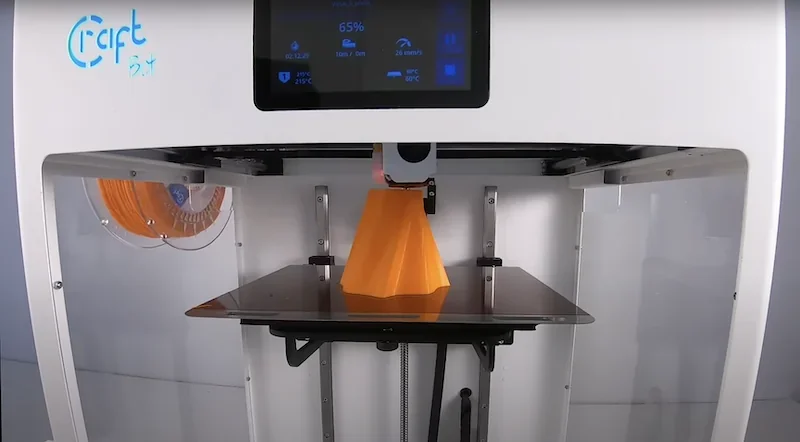
The CraftBot Flow IDEX XL offers 50-micron resolution and speeds up to 200mm/s, balancing detail with efficiency. Its 38kg steel frame and linear rails reduce vibrations, ensuring consistent accuracy even on tall 500mm prints, making it suitable for functional parts.
Test Print 1 – Parrot Puzzle Pieces (Single-Color)
- Material/Settings: PLA, 0.4mm nozzle, stock Craftware profile
- Bed Surface: Bare PEI on 0.5mm spring steel; perfect adhesion, easy removal
- Accuracy: Passed clearance gauge down to 0.15mm
- Quality: Smooth walls, no z-banding; slight ringing from aggressive acceleration
- Result: 100% success, reliable over months of repeated use
Test Print 2 – Custom SD-Card Drawer (Single-Color)
- Same material/settings as Test 1
- Fit/Function: Drawer fit perfect without post-processing
- Finish: Consistent sheen; minor ghosting on long walls
- Result: 100% success; confirmed reliable dimensional accuracy for functional prints
Test Print 3 – Headphone Holder (Single-Color)
- Material/Settings: PLA, Craftware default
- Bed Adhesion: Full-contact footprint released cleanly after flex
- Strength: Held daily headphone weight without deformation or layer separation
- Noise: Extremely quiet during print ("almost like a ghost")
- Outcome: 100% success; confirmed structural reliability
Test Print 4 – Dual-Color Pikachu, Craftware (150%)
- Settings: Two PLA spools, 0.4mm nozzles, default purge tower (~20mm Ø) at high speed
- Failures: Purge tower toppled; severe under-extrusion from nozzle ooze
- Outcome: Failed
Test Print 5 – Dual-Color Pikachu, Simplify3D (150%)
- Improvements: Custom tool-change script to reduce ooze
- Result: Model completed, but with visible under-extrusion in color layers; requires paid slicer
- Outcome: Marginal pass
Test Print 6 – Dual-Color Pikachu, PrusaSlicer (150%)
- Tweaks: Purge on wiper comb, slower tool-park retracts
- Result: Best geometry; occasional filament drags on outer walls needing cleanup
- Outcome: Near-pass
Test Print 7 – Dual-Color Pikachu (Post-Firmware Update, Craftware)
- Firmware: Latest beta
- Result 1: Complete model printed with improved extrusion
- Result 2: Repeat print failed due to purge tower detachment; pre-change extrusion function still buggy
- Outcome: Inconsistent; slicer/firmware interaction remains unreliable
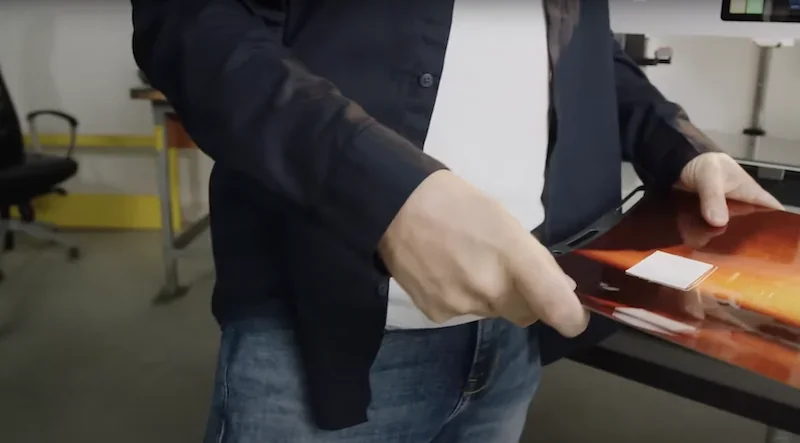
The CraftBot Flow IDEX printer ensures consistent quality with mesh bed leveling, 300°C all-metal hotends, and a magnetic Kapton-coated build plate for strong adhesion and easy part removal.
Which filaments can you use with the CraftBot Flow IDEX XL?
The CraftBot Flow IDEX XL FFF 3D printer prints thermoplastics up to 300°C, handling PLA, ABS, PET-G, nylon, and PVA supports. It uses 1.75mm filament with dual-drive extruders for reliable feeding.
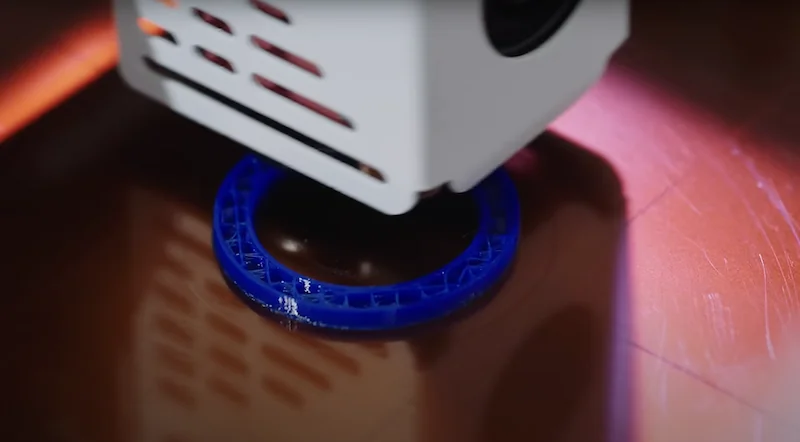
The printer supports both Craftunique and third-party filaments, though Craftunique’s PLA needs slightly higher temperatures and flow rates. The IDEX system handles multi-material jobs well, especially with PVA supports that dissolve cleanly for easy post-processing.
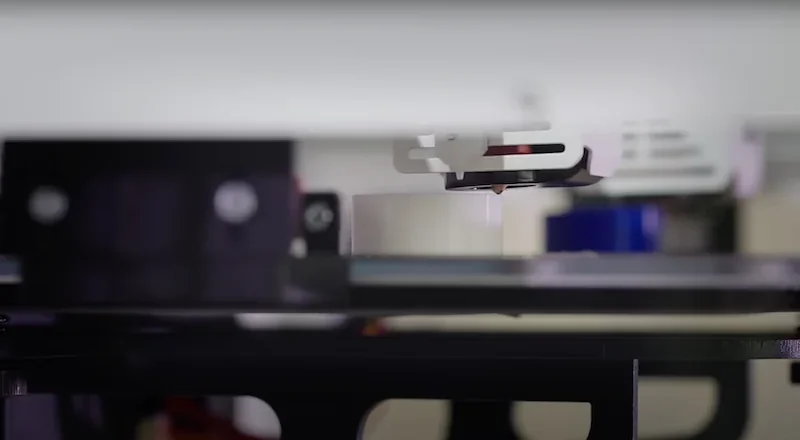
A 110°C heated bed and Kapton-coated flexible plate improve adhesion and simplify part removal.
Filament monitoring sensor pauses prints for easy swaps, making the machine reliable for both standard and engineering-grade filaments.
What is the build volume of the CraftBot Flow IDEX XL?
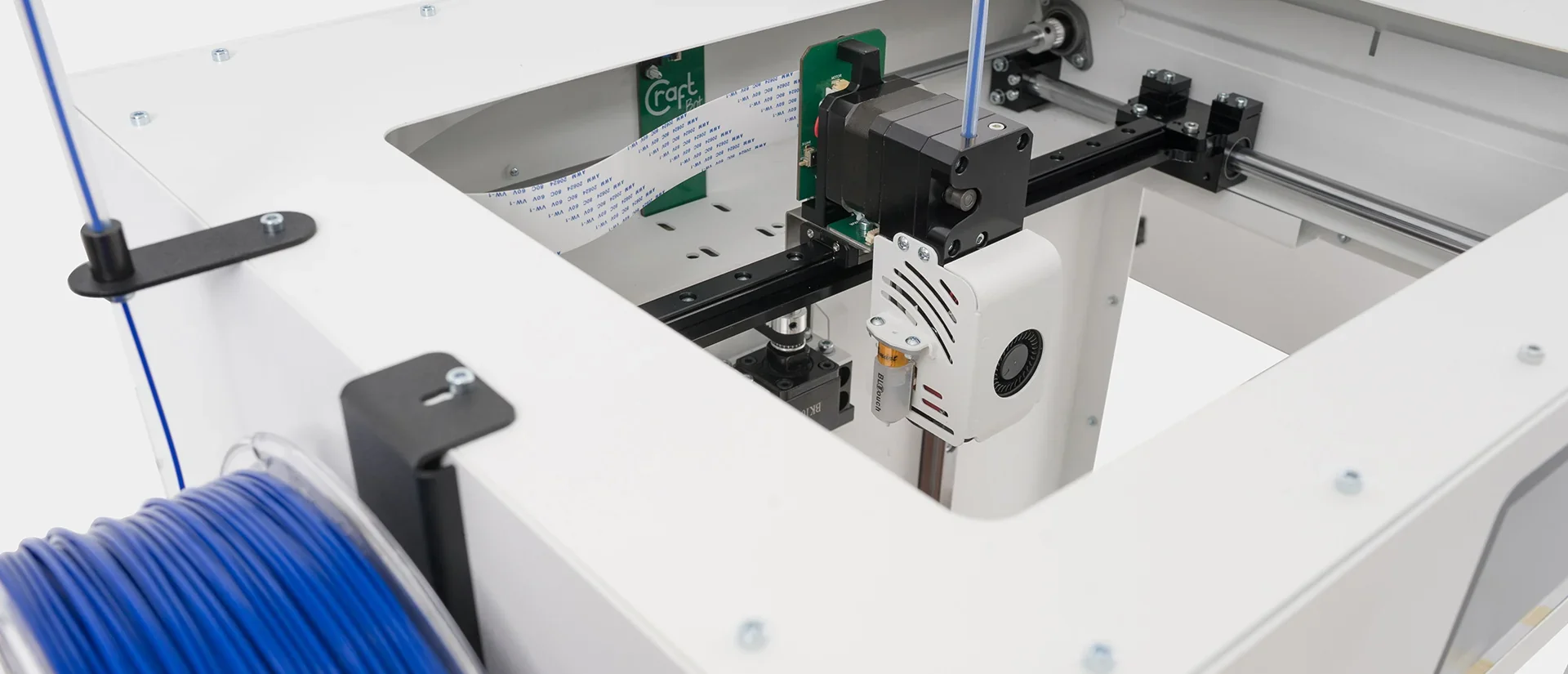
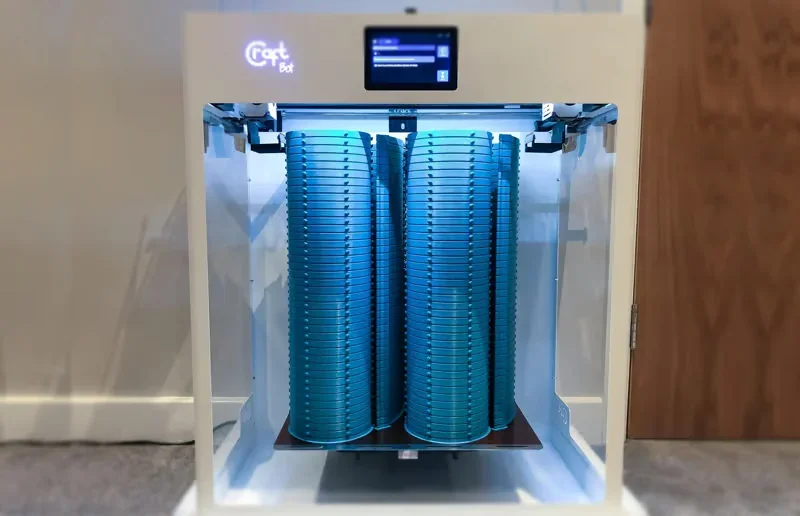
The CraftBot Flow IDEX XL stands out by prioritizing height over width, offering a 425 x 250 x 500mm build volume ideal for tall architectural, artistic, and functional prints. Its stable frame and linear rails ensure precision across its full height, proven by successful multi-day prints like a 2kg stool and a 495mm sculpture. Despite its compact 250mm width, it surpasses typical desktop printers, and its IDEX system allows for duplicate or mirrored prints, doubling output within the same space.
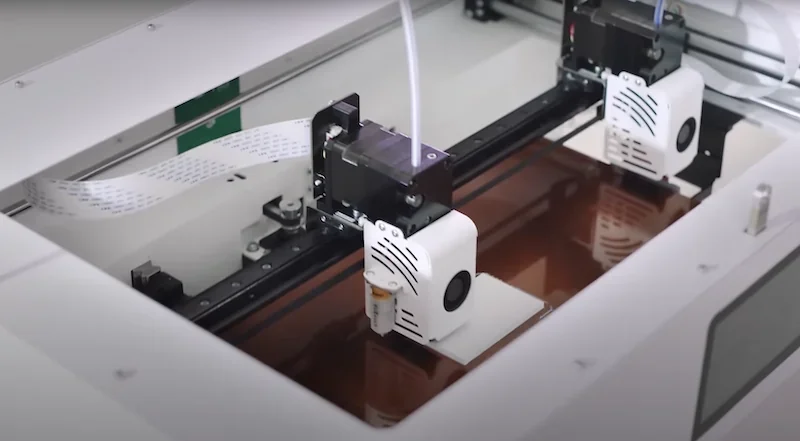
For specialized projects, the CraftBot Flow IDEX XL’s height-focused design allows skyscraper models, lampshades, and vertical assemblies to be printed in one piece instead of sections. Paired with dual extruders for multi-material work, it delivers both vertical capacity and versatility for complex professional projects.
What printer controls are available on the CraftBot Flow IDEX XL?
The CraftBot Flow IDEX XL provides comprehensive printer controls through its 5-inch touchscreen, allowing users to manage filament, temperatures (head up to 300 °C, bed up to 110 °C), print jobs with live updates, mid-print adjustments of print speed, fan speed, extrusion flow, and access calibration wizards for automated bed leveling and nozzle calibration.
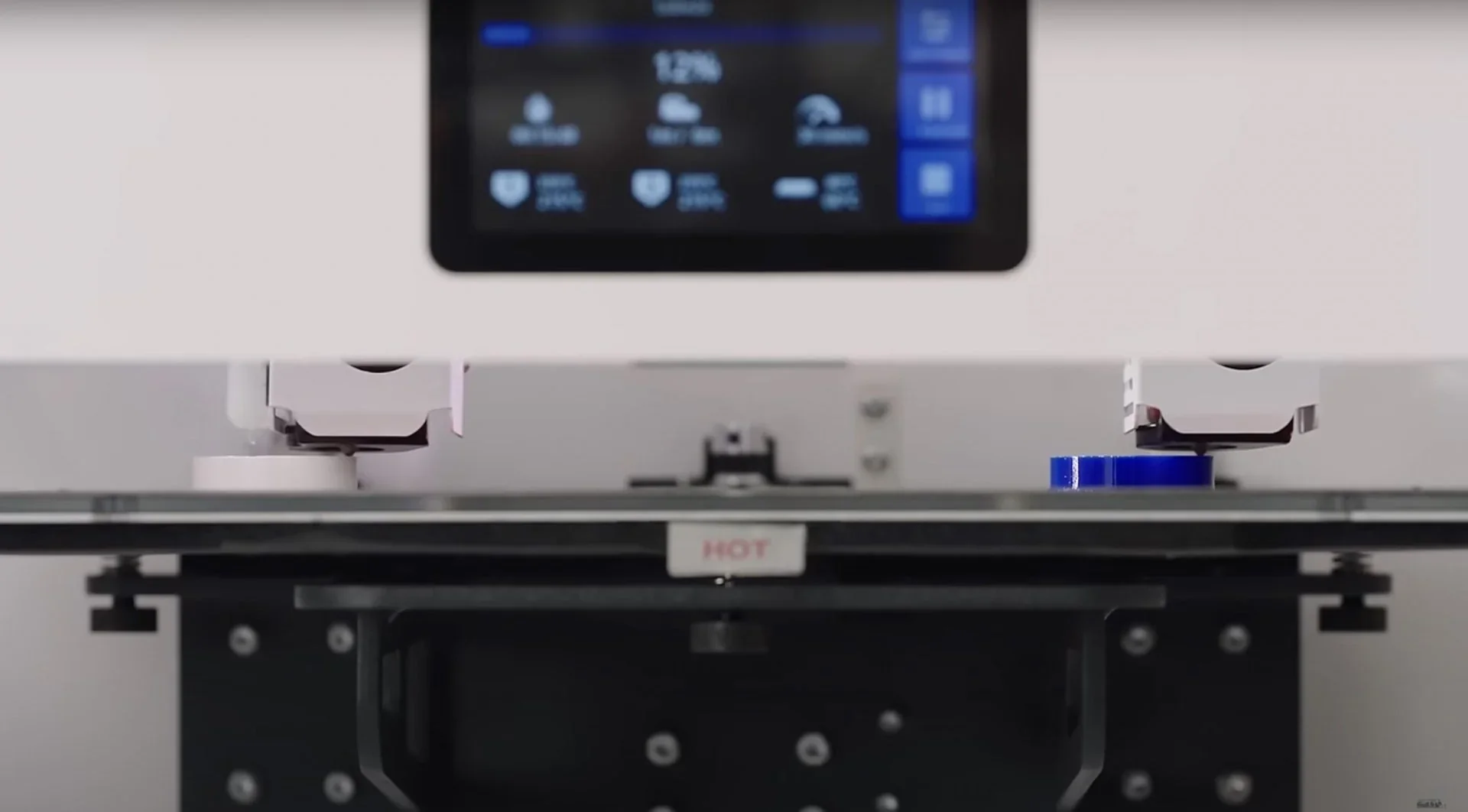
On-device calibration wizards simplify setup, with manual and automated bed leveling plus automatic nozzle calibration through “Wizard Mode.” The CraftBot Flow IDEX XL also supports mid-print adjustments from the touchscreen, filament monitoring with resume capability, and live visual tracking via its built-in camera.
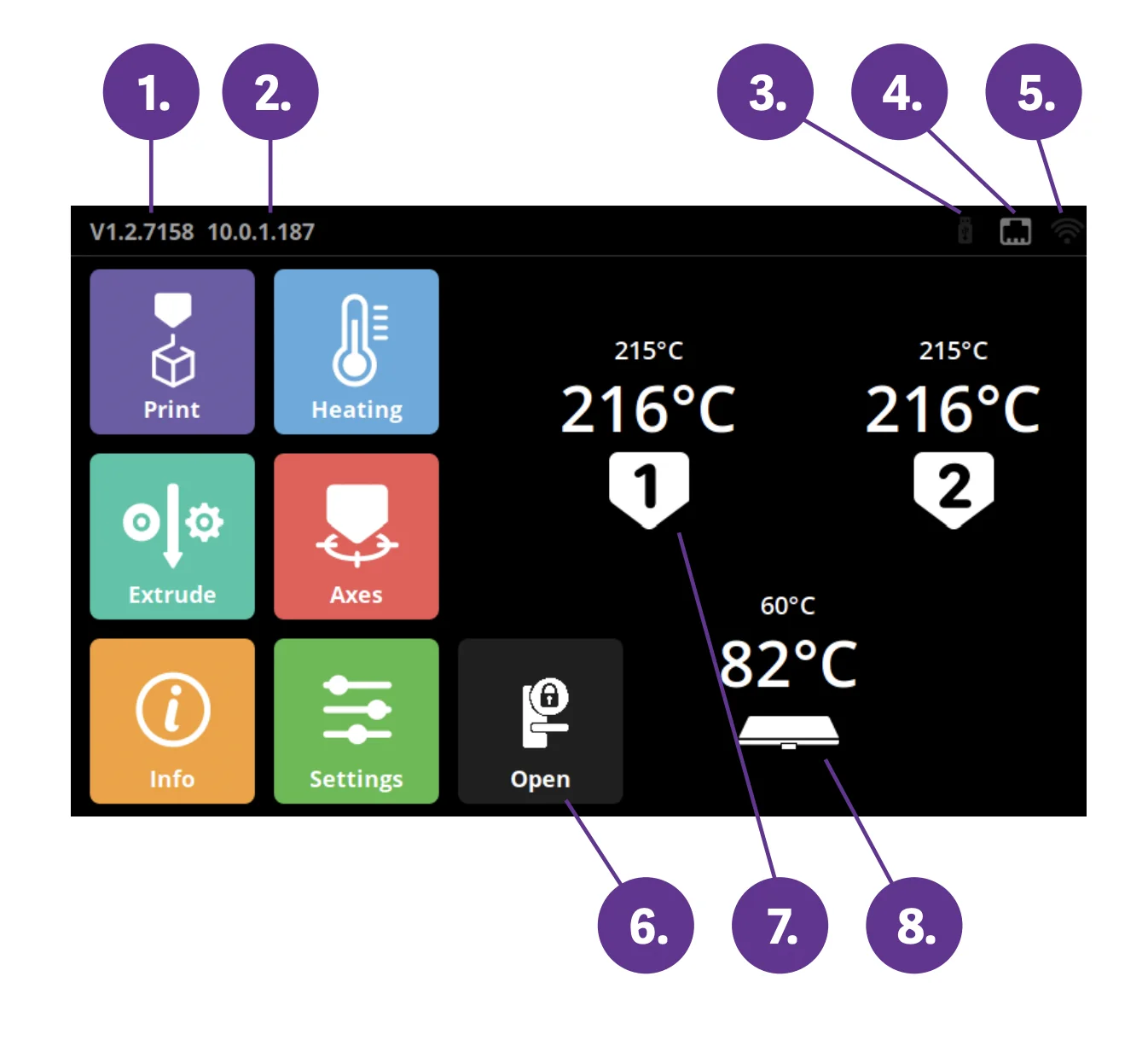
The display shows the following information:
- HMI version number
- Network IP address (when connected)
- Flash drive icon (if inserted)
- LAN connection icon
- Wi-Fi connection icon
- Door open icon
- Head heating icon
- Bed heating icon
Main menu items are on the left side:
- Heating
- Extrude
- Axes
- Info
- Settings
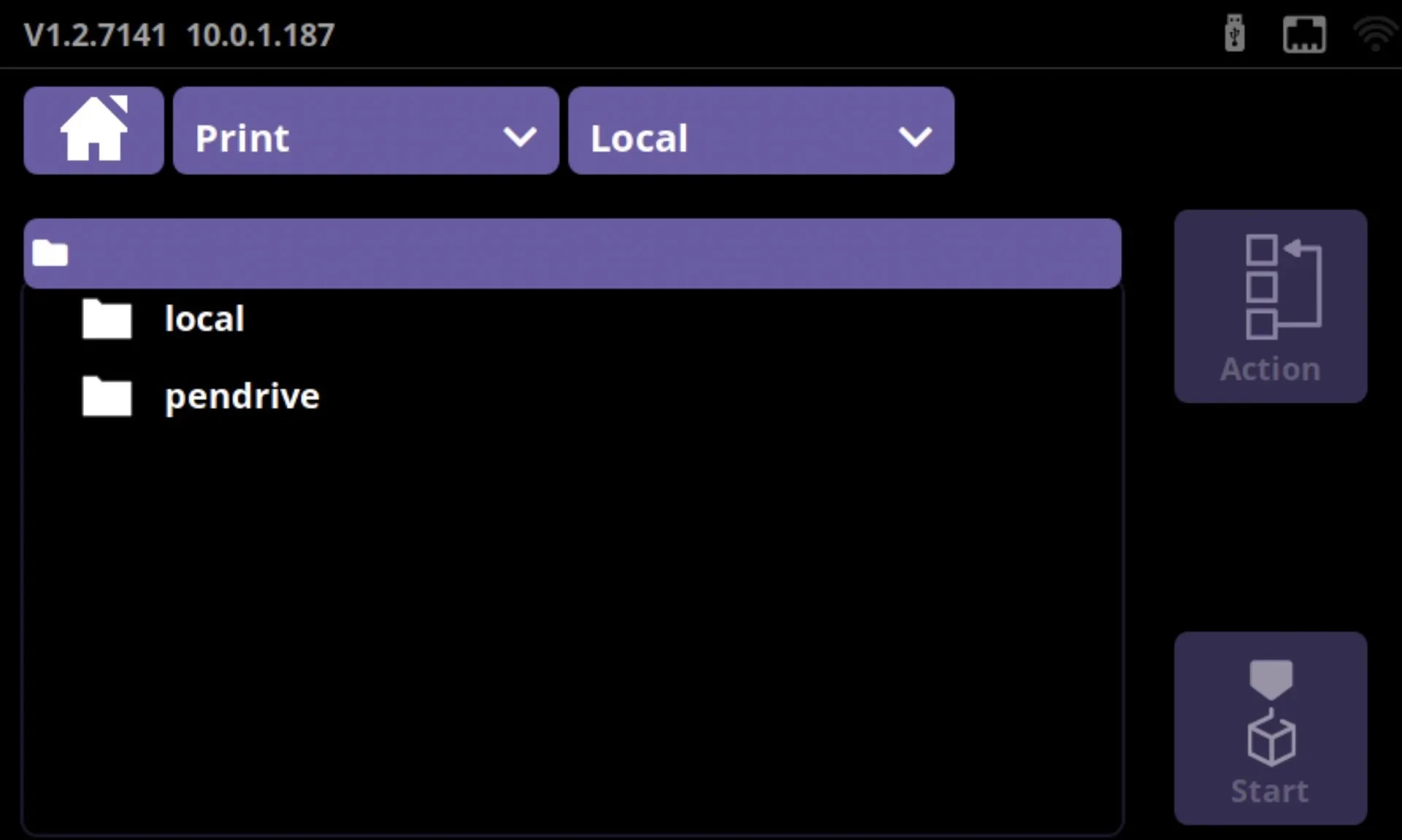
In the Print Menu, users can select a file to print as well as copy, move, or delete items. Files can be transferred between internal storage and a flash drive in either direction.
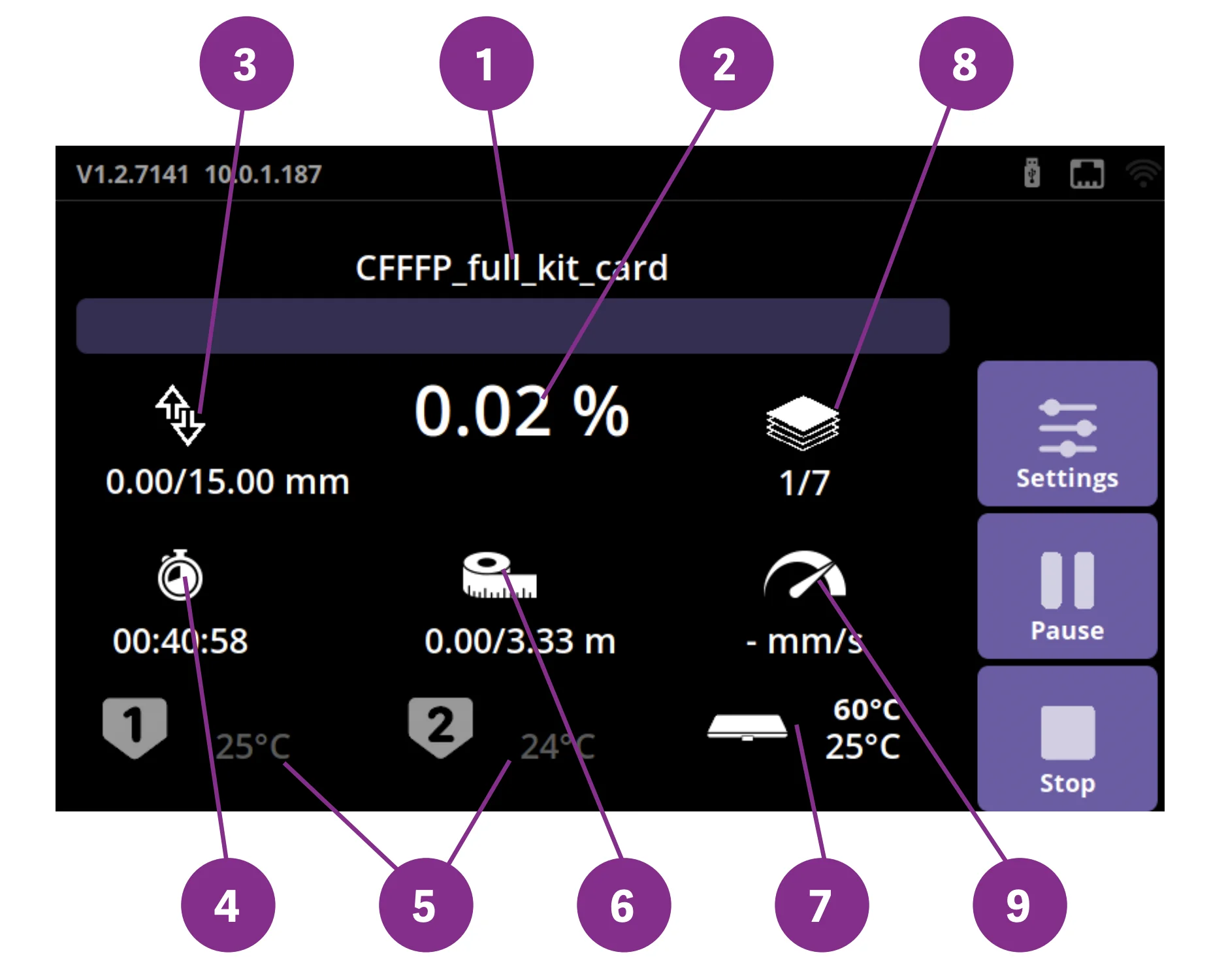
3D printing begins once operating temperature is reached. During a job, the display shows:
- File/object name
- Percentage completed
- Current Z height / total Z height
- Remaining time (including heating)
- Head temperature
- Filament used / total
- Bed temperature
- Layers completed / total layers
- Print speed
During printing, parameters can be adjusted on the fly through the Pause menu, which appears if the job is paused by gcode or from the screen. From here, users can swap filament, resume, or end the job. In-print adjustments override gcode settings and can be accessed via the Settings button on the right icon bar. The following parameters can be changed:
- Print temperatures (head up to 300 °C, bed up to 110 °C)
- Extrusion for loading/unloading filament
- Fan speed (%)
- Print speed (%)
- Filament flow (%)
- Light control
- Filament Monitoring System (FMS)
- Camera time-lapse (1, 5, or 10 sec intervals)
What connectivity options are available on the CraftBot Flow IDEX XL?
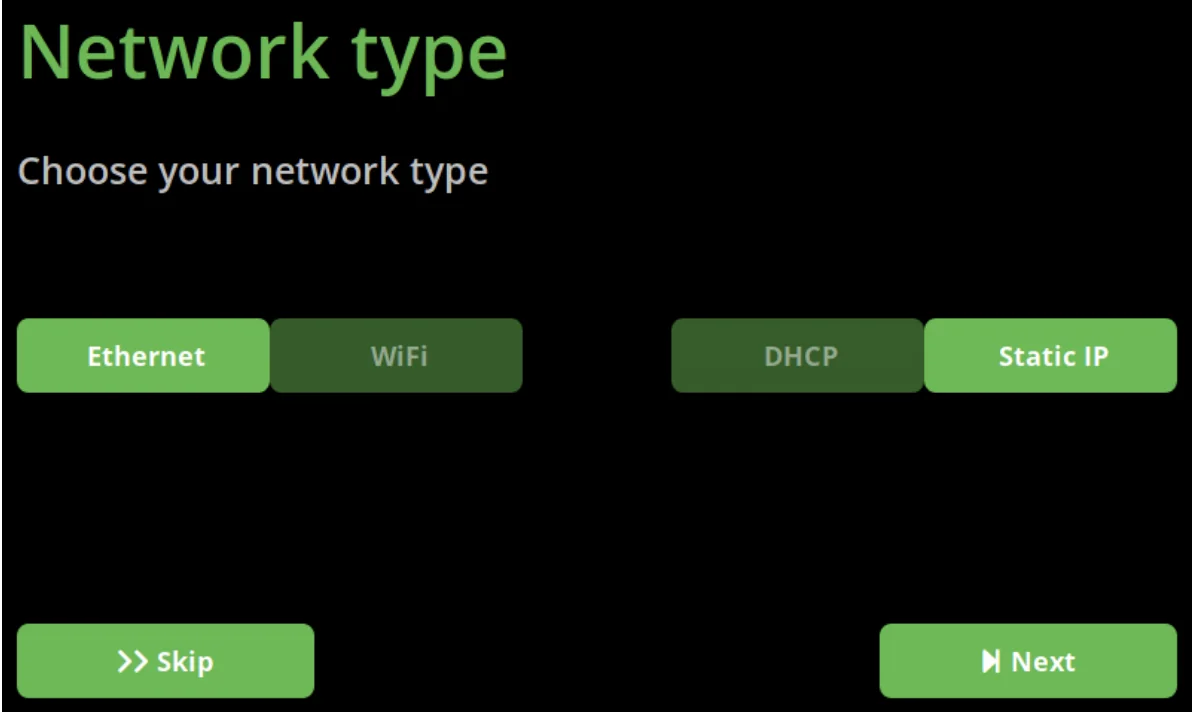
The CraftBot Flow IDEX XL professional FDM 3D printer supports both USB tethering and built-in Wi-Fi for flexible workflow integration. With 4GB of internal storage, it can run standalone after file transfer. A built-in camera enables remote monitoring and time-lapse recording through the web interface.
At its core, the CraftBot Flow IDEX XL uses an integrated Raspberry Pi to run the HMI and web-based 3D cloud interface. This platform allows full printer control, parameter adjustments during active jobs, and streamlined menu navigation. With IoT features and Industry 4.0 compatibility, it can integrate smoothly into networked production environments.
What software is offered with the CraftBot Flow IDEX XL?
The CraftBot Flow IDEX XL ships with CraftWare, Craftunique’s slicer featuring color-coded controls and both basic and advanced modes. Advanced settings cover temperatures, speeds, and infill, along with dedicated options for dual extrusion modes like duplicate, mirror, and multi-material printing. Though optimized for CraftBot printers, CraftWare supports third-party filament profiles. The printer is also compatible with Cura, Slic3r, and Simplify3D for STL processing.
The CraftBot Flow IDEX XL includes a browser-based 3D cloud platform for remote print management and camera monitoring once connected to a network. Users can adjust parameters like temperature in real time without stopping the job. Its Raspberry Pi–powered firmware runs both the touchscreen HMI and web connectivity, while supporting future upgrades.
What is the design and build quality of the CraftBot Flow IDEX XL?
The CraftBot Flow IDEX XL is built with a 38kg powder-coated steel frame that minimizes vibration for consistent results across its 500mm height. Plexiglass side panels maintain visibility while keeping an open-frame design for access. Linear rails guide the print bed, improving precision and reducing maintenance over rod systems.
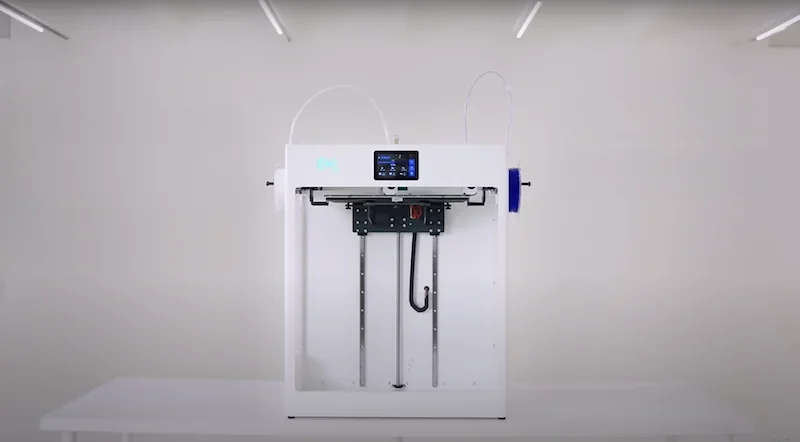
Thoughtful design makes the CraftBot Flow IDEX XL printer more user-friendly. Adjustable spool holders fit different filament sizes, while clean cable routing keeps the interior tidy. Lift handles near the top simplify moving the 38kg frame, and the LED status light doubles as both an indicator and customizable RGB accent.
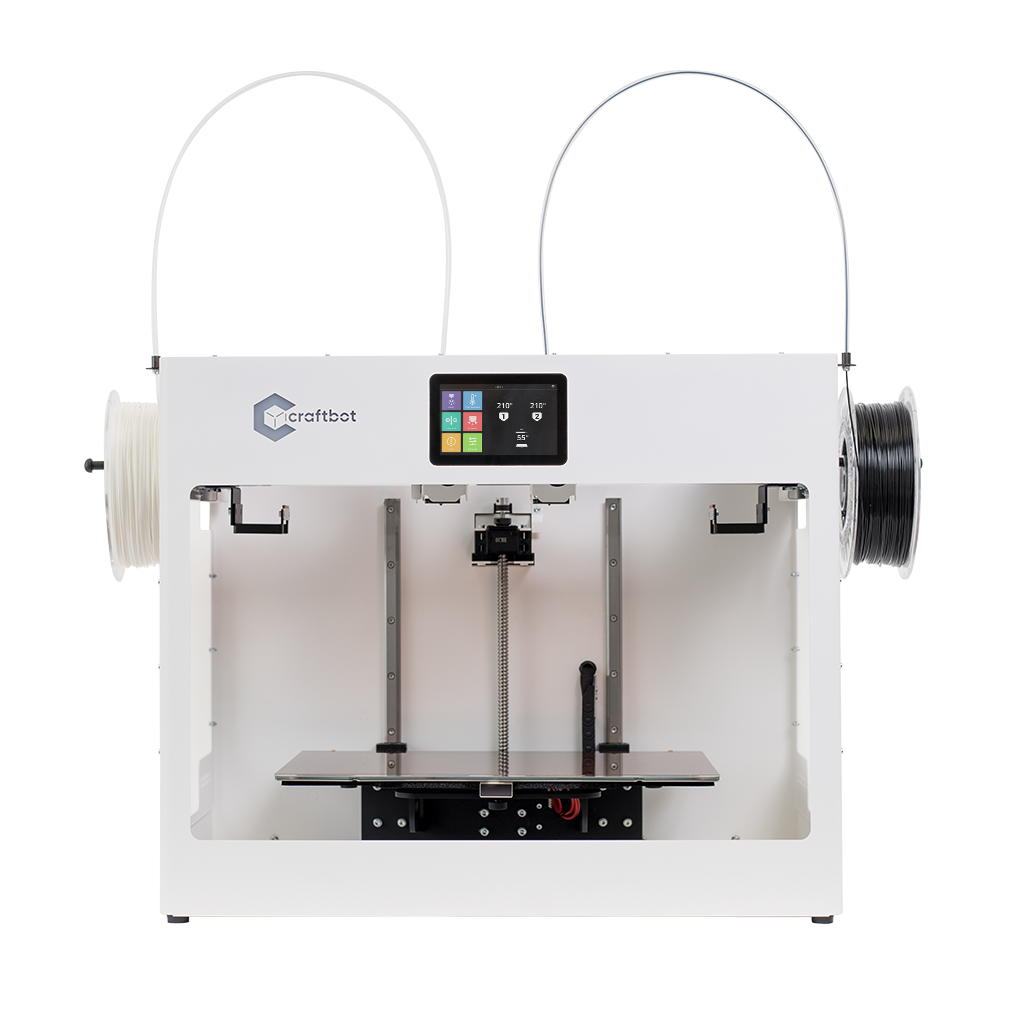
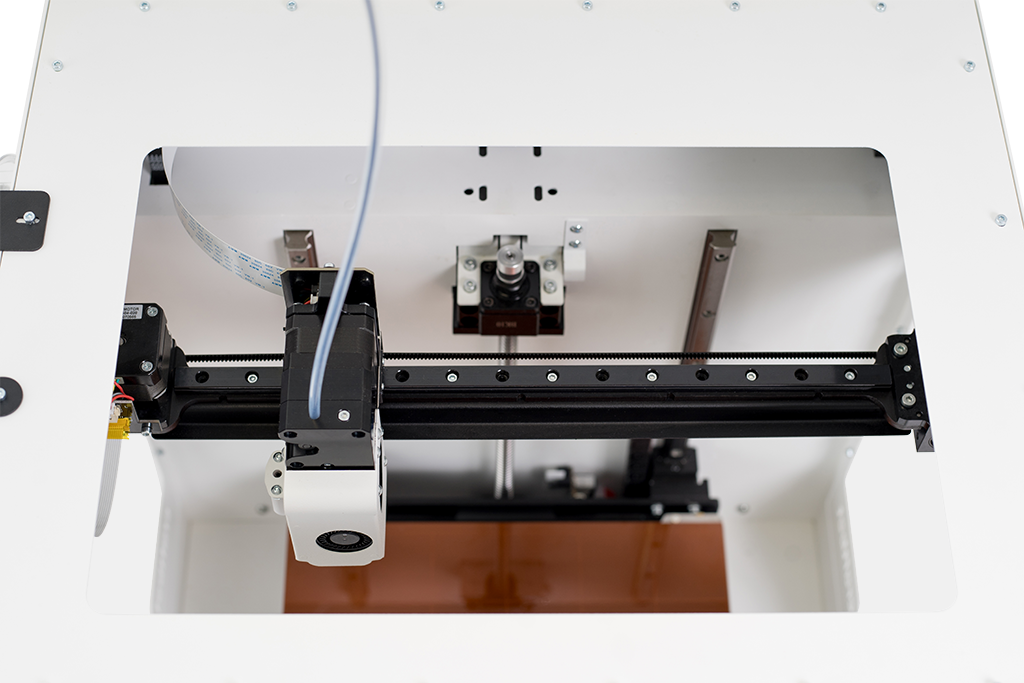
The CraftBot Flow IDEX XL uses independent dual printheads on a shared Y-axis gantry, boosting efficiency with lighter, faster movement.
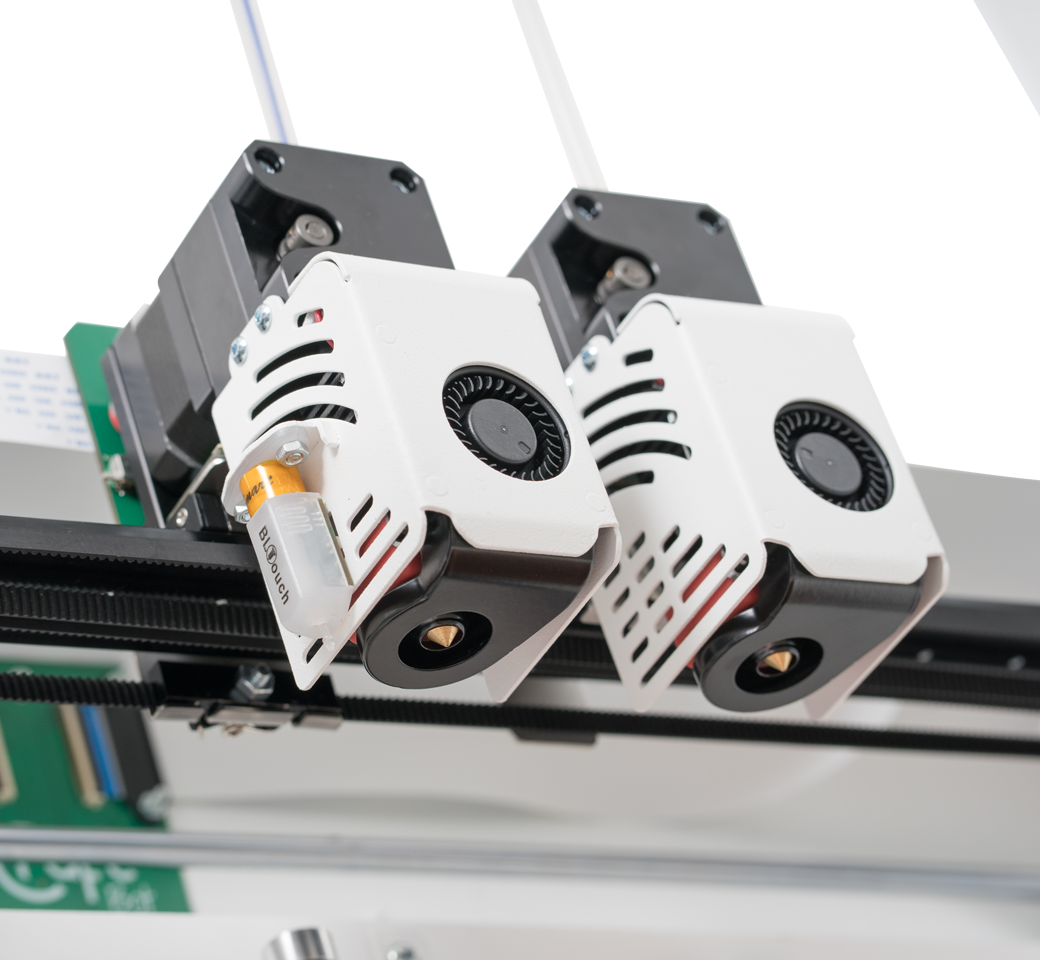
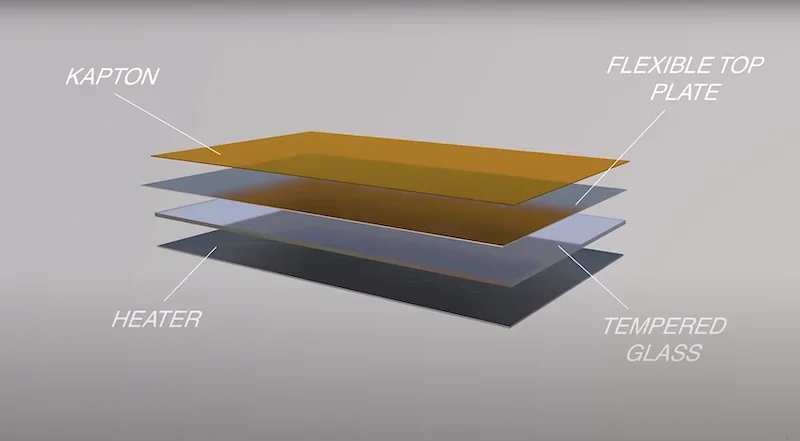
The Creatbot Flow IDEX XL's PR3DATOR 32-bit motherboard ensures precise motor control, while dual-drive extruders deliver reliable filament feeding. A tempered glass heated bed with a magnetic flexible top plate provides strong adhesion during printing and easy part removal without scraping.
What comes included in the box with CraftBot Flow IDEX XL?
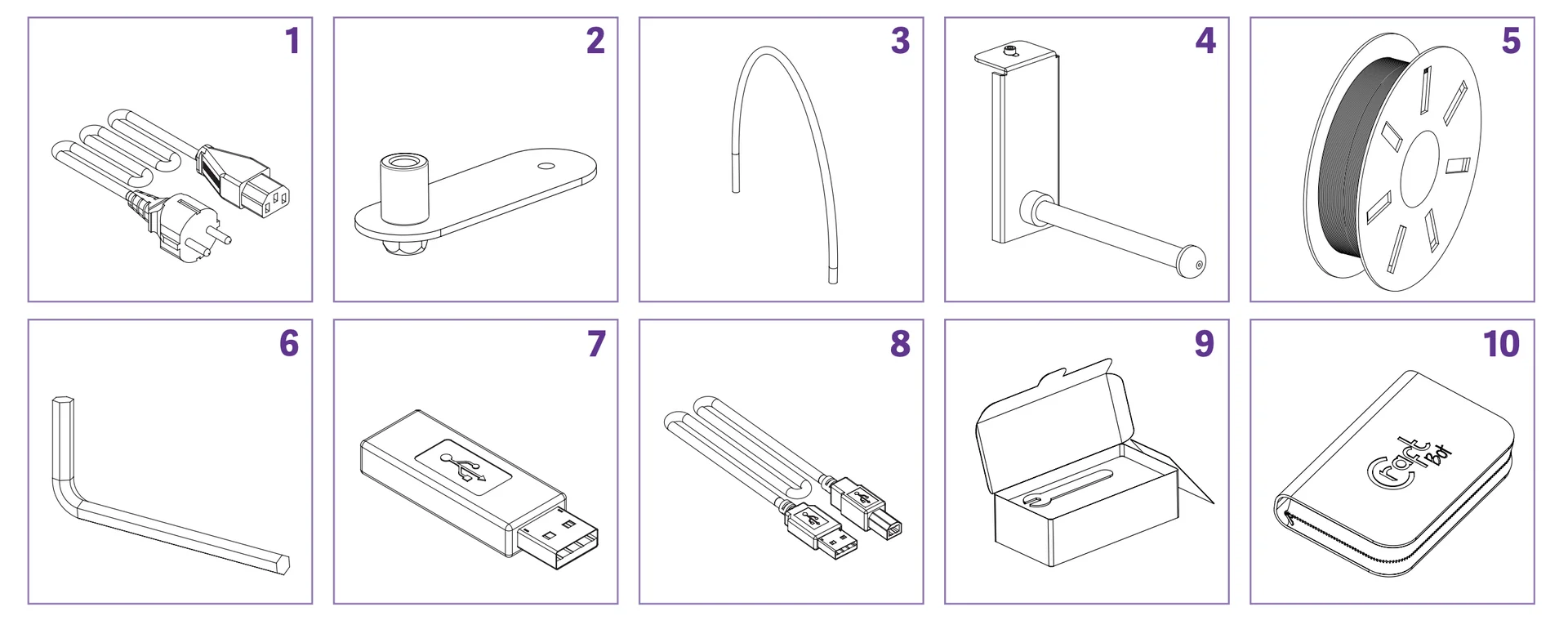
- AC power cable (region-specific)
- 2 filament guide tube holders
- 2 filament guide tubes
- 2 filament spool holders
- 2 filament spools
- 5 hex wrenches
- Flash drive
- USB A-B cable
- 2 nozzle kits
- Cleaning kit
The CraftBot Flow IDEX XL ships fully assembled with a tool kit that includes extras like cleaning wires and micro cutters. Setup is simple—remove shipping clamps, attach spool holders and guide tubes, and follow the quick start guide. Delivered on a pallet due to its 38kg weight, the printer requires two people to position it using the built-in lift handles.
Note: Package contents may vary by manufacturer. Confirm included items with a Top3DShop sales representative before ordering.
What upgrades and accessories are available for the CraftBot Flow IDEX XL?
| Accessory | Function | Price (USD) |
|---|---|---|
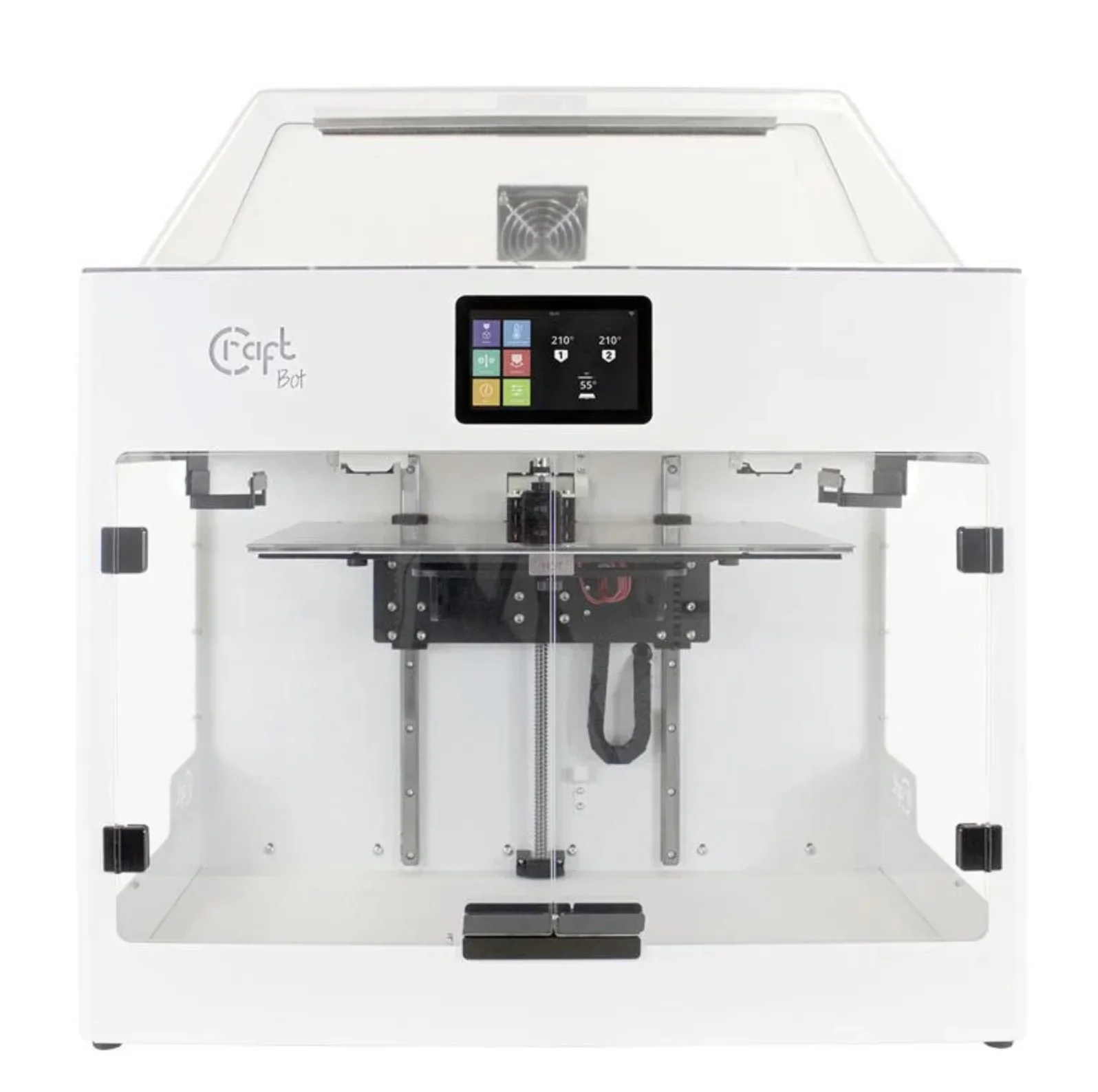
| Full Enclosure Pack | Encloses the print chamber for improved temperature control and reduced warping (includes the Dome Cover and the Door Set) | $420 |
| Dome Cover | Provides overhead protection and helps maintain stable printing environment | $220 |
| Door Set | Adds front access doors to the printer enclosure for enhanced thermal management | $240 |
| Hardened steel nozzle 0.4mm set | Wear-resistant nozzle for printing abrasive filaments like carbon fiber composites | $36 |
| Kapton Set 3 Pcs | Heat-resistant polyimide tape for bed adhesion and surface protection | $40 |
| Springsteel Plate With Kapton | Flexible magnetic build plate with Kapton coating for easy print removal | $50 |
What maintenance is required for the CraftBot Flow IDEX XL?
Every 50 Hours or 6 Months
- Lubricate Z-axis rods (threaded and smooth) and X/Y linear rails with PTFE-based lubricant
- Use lint-free rags, safety gear, and proper lighting
Every 1000 Hours
- Clean the entire system
- Replace worn components as indicated by monitoring system
- Printer issues automatic maintenance warnings
General Cleaning
- Wipe metal housing with a damp cloth
- Wait at least 30 minutes for extruder and bed to cool before cleaning
- Never service heated components
Build Surface
- Clean with window cleaner or acetone, then dry
- Replace Kapton sheet if worn or damaged
Extruder System
- Clean or unclog nozzle when print quality declines
- Replace hotend if heaters fail
- Replace fans if cooling weakens
Mechanical Components
- Adjust X-belt tension for accuracy
- Replace CR2032 battery for system memory
- Perform calibrations (offset, bed leveling, FMS)
Safety
- Ensure full cooldown before maintenance
- Disconnect power during mechanical work
- Wear gloves and safety glasses
- Provide ventilation due to plastic emissions
- Never leave the printer running unattended
What support and warranty come with the CraftBot Flow IDEX XL?
The CraftBot Flow IDEX XL includes a 3-year guarantee for consumers and a 2-year voluntary guarantee for business customers, both starting at purchase. Warranty covers material and manufacturing defects, with CraftBot or authorized service providers handling repairs free of charge within a reasonable timeframe.
Consumables such as belts, gears, fans, Kapton tape, and hotends are covered for 3 months only. The warranty excludes misuse, wear and tear, unauthorized modifications, damage from improper transport, electrical issues, or non-approved software/materials. To keep coverage valid, customers must keep the purchase invoice, use the printer as intended, and avoid unauthorized repairs. Claims go through CraftBot or authorized distributors, with customers covering shipping for warranty service.
Full up-to-date warranty terms are available on the manufacturer's website: https://craftbot.com/terms
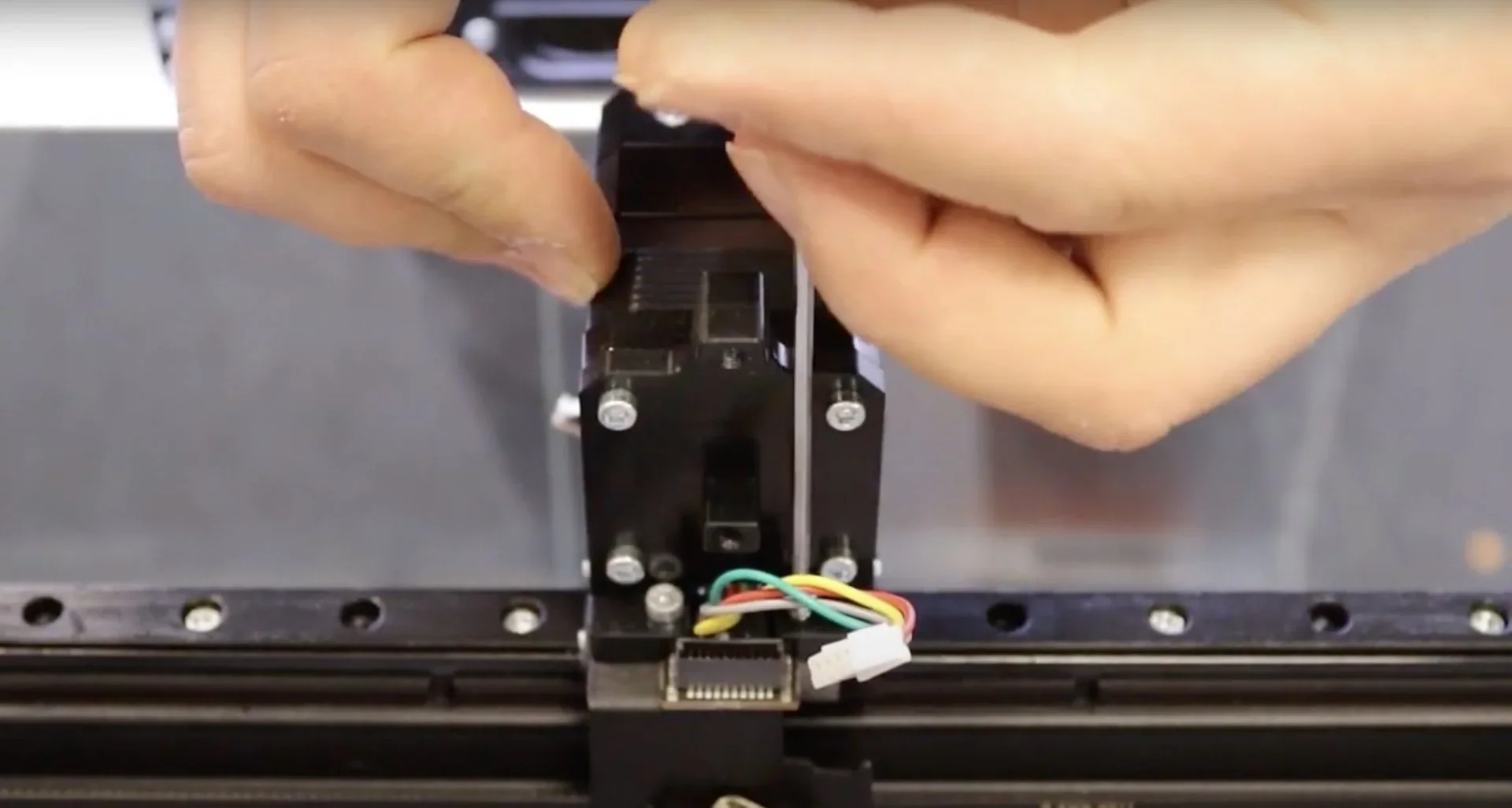
Craftunique supports CraftBot Flow IDEX XL owners through email (info@craftbot.com) and phone assistance during business hours. The support site offers manuals, quick-start guides, and maintenance tutorials with text and visual instructions, covering setup, calibration, and advanced upkeep.
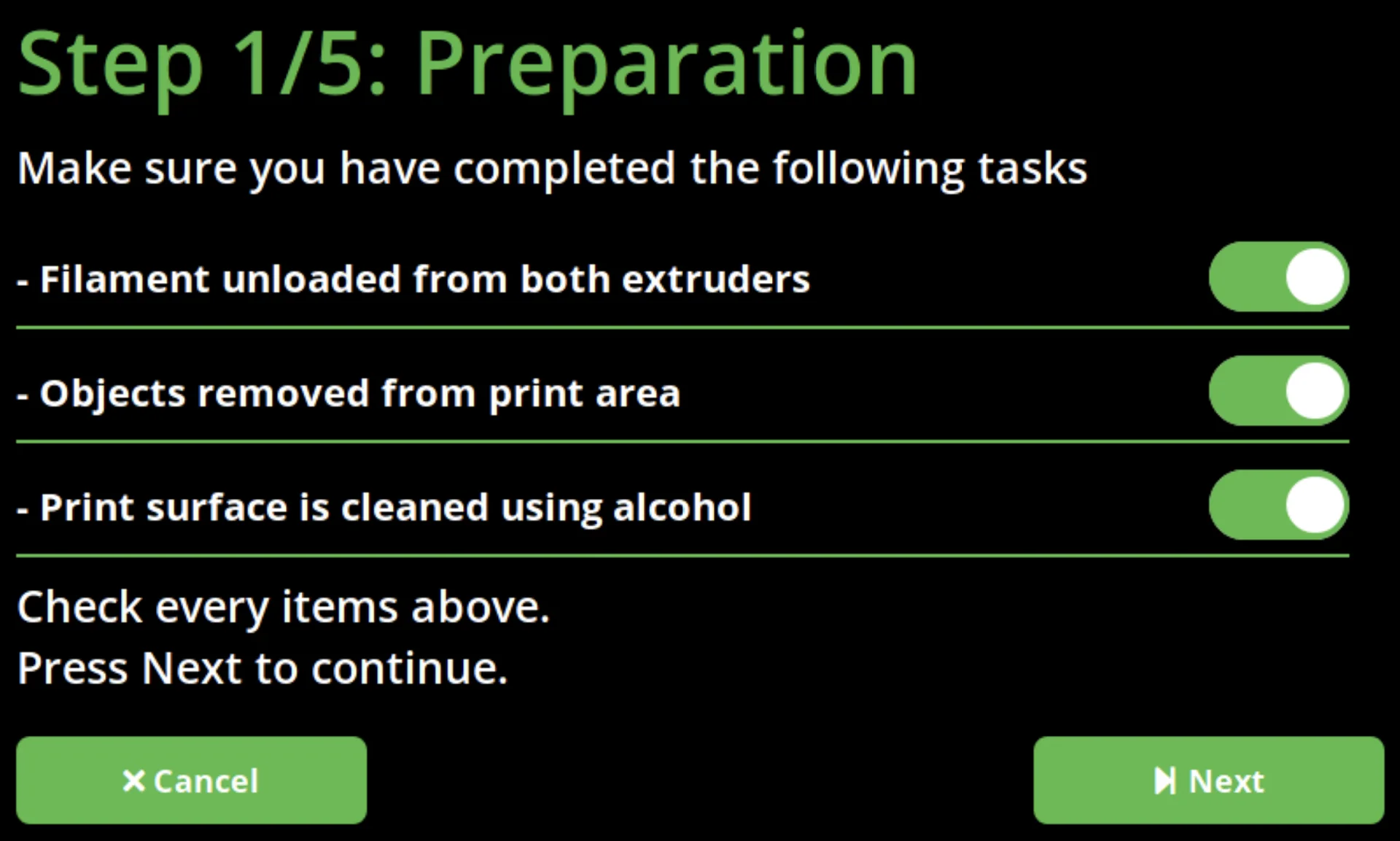
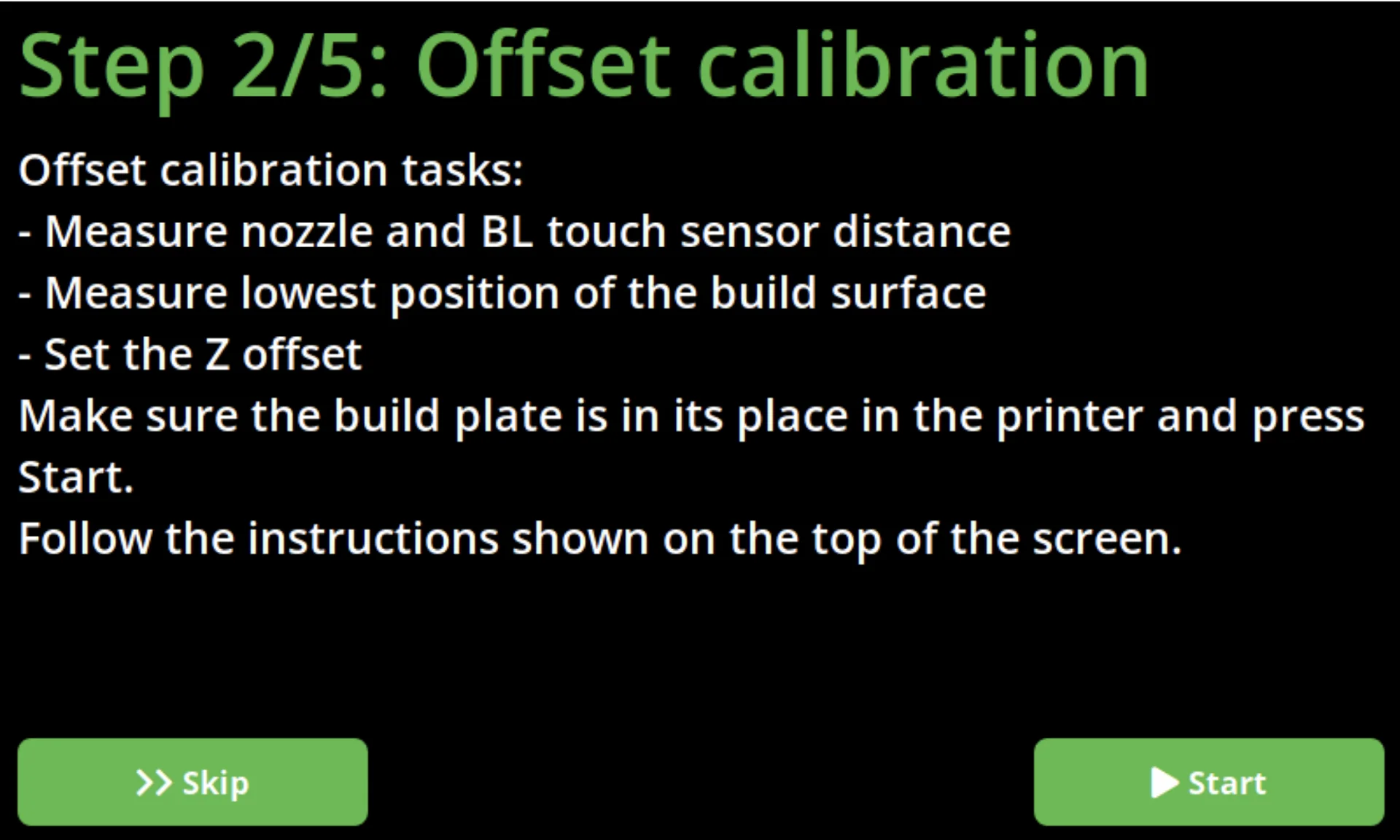
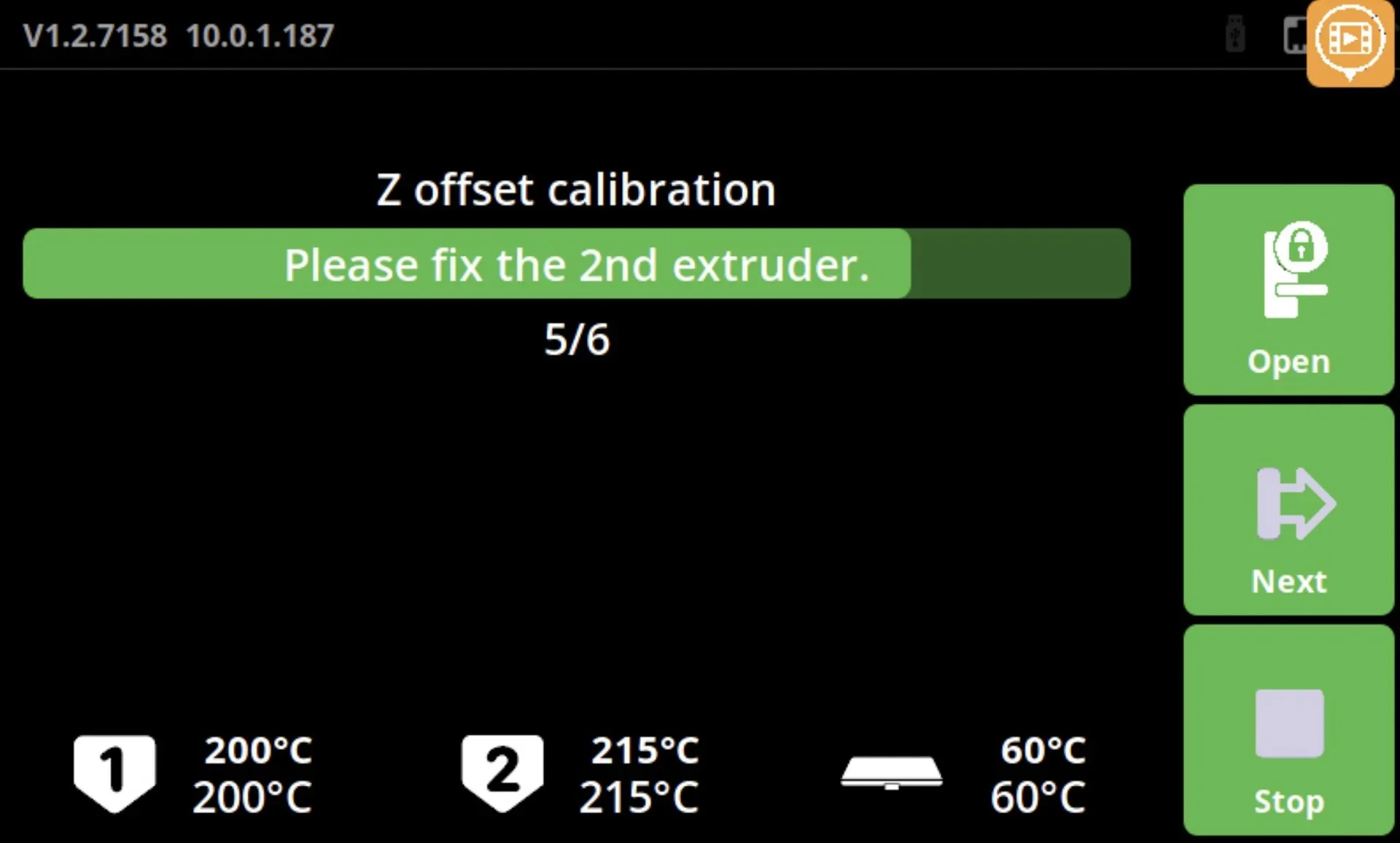
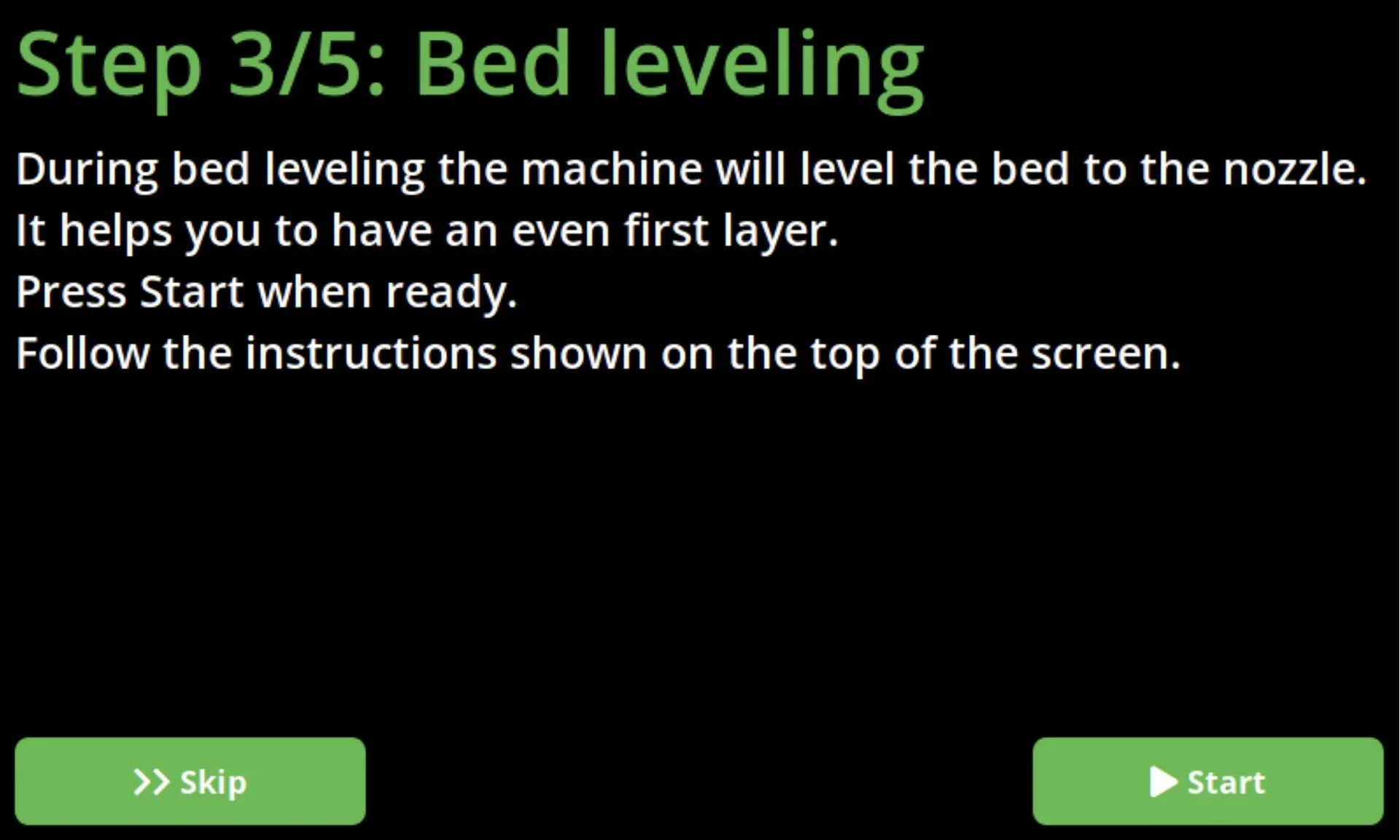
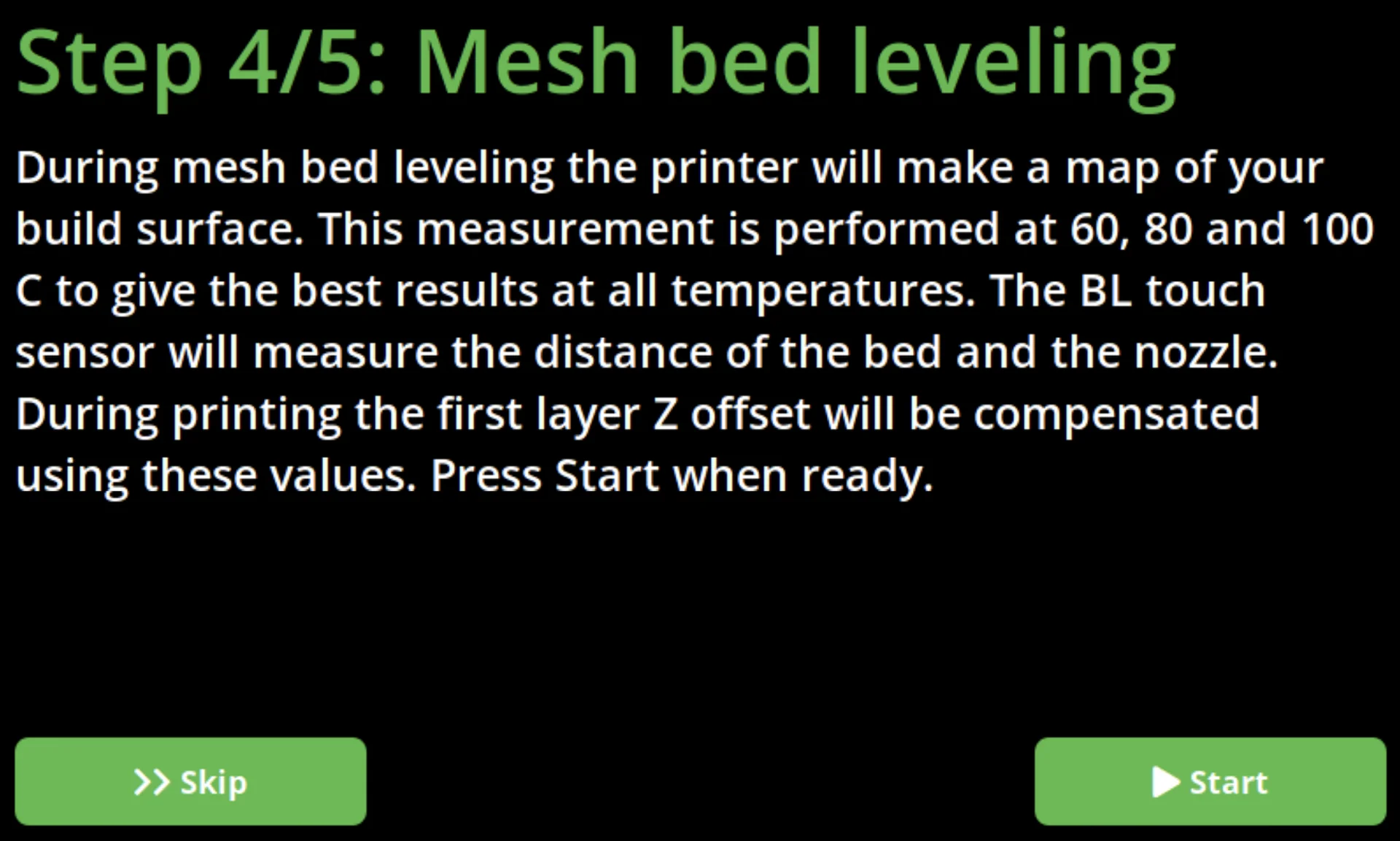
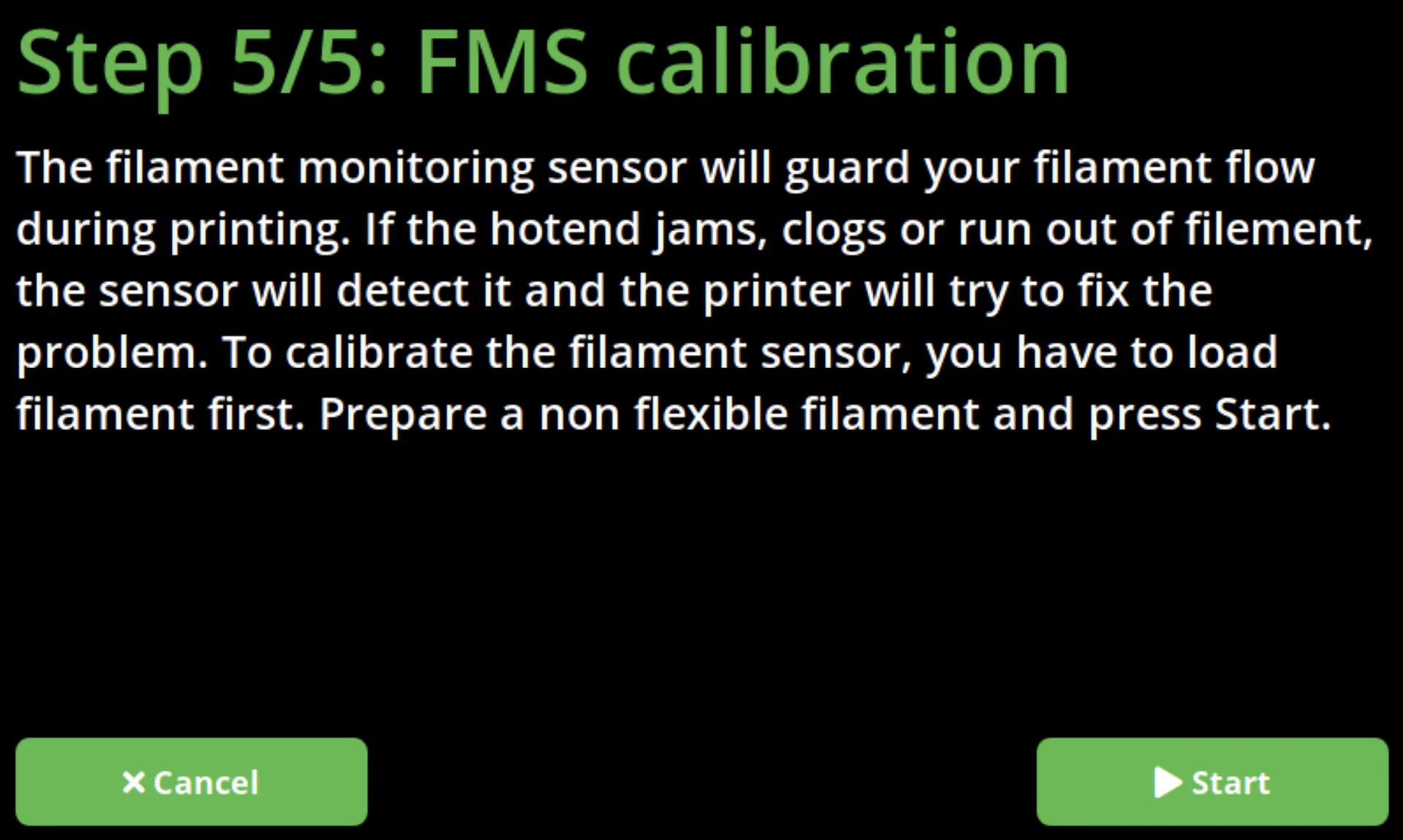
The CraftBot Flow IDEX XL also includes step-by-step in-menu guidance to help users begin successful prints
How much does the CraftBot Flow IDEX XL cost?
The CraftBot Flow IDEX XL is priced at $3,999.00 and offers strong value with its IDEX system, enabling two parts to print simultaneously for doubled productivity. Compared to the standard IDEX model, which costs about 17% less, the XL provides double the build height (500mm vs. 250mm) to print large objects. Its price reflects pro features such as all-metal hotends, reinforced steel frame, 50-micron resolution, IoT connectivity with camera monitoring, and plug-and-play setup. With 12.5-micron XY accuracy, speeds up to 200 mm/s, and compatibility with advanced materials, the XL is positioned as a cost-effective solution for high-volume, precision production.