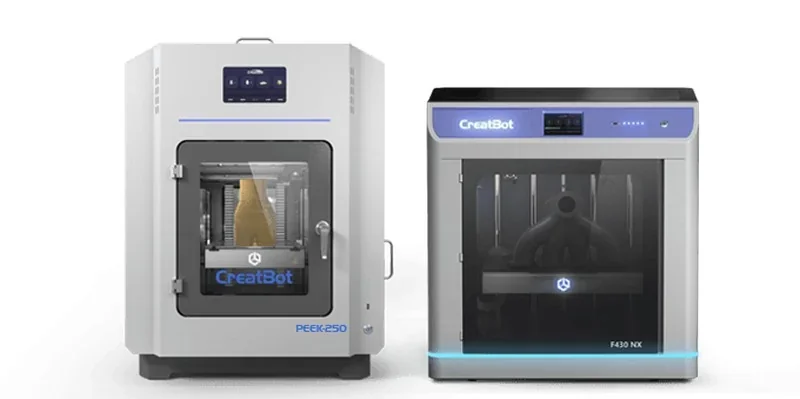
Creatbot PEEK-250: High-Temperature Industrial 3D Printer


- 480°C water-cooled extruder with carbide nozzle
- Integrated annealing function minimizes warping
- Chamber reaches 180°C in 20 minutes
- 50 µm precision for engineering thermoplastics
- Flexible Payment Terms
- 1 Year Warranty
- Local Technical Support
- Free Online Training
- Fully assembled PEEK-250 printer
- High-temperature nozzles
- CreatWare software package
- User manual
GET EXTRA 7% OFF – USE CODE "CREAT7"!
The CreatBot PEEK-250 is an industrial FDM printer built for high-performance polymers such as PEEK, PEI (ULTEM), and other engineering thermoplastics, offering a 250 × 250 × 300 mm build volume with precision down to 50 µm. As the first desktop model with a 200 °C chamber, it reaches 180 °C in just 20 minutes while keeping exterior surfaces below 40 °C, and its integrated annealing function minimizes warping by enabling printing and annealing in one device. A 480 °C water-cooled extruder with a silicon carbide nozzle, paired with an aviation-grade 200 °C heated platform that requires no manual leveling, ensures consistent extrusion and dimensional stability at extreme temperatures.
Designed for demanding applications in medical, aerospace, automotive, and defense sectors, the PEEK-250 delivers the strength, heat resistance, and chemical stability needed for organizations transitioning from traditional to additive manufacturing.
- What is the print quality and performance of the Creatbot PEEK-250 Industrial 3D Printer?
- Which filaments can you use with the Creatbot PEEK-250 high-temperature printer?
- What is the build volume of the Creatbot PEEK-250 Large Scale 3D Printer?
- What is the difference between the Creatbot PEEK-250, Intamsys Funmat HT, CreatBot PEEK-300, 3D Labs HTX, Intamsys Funmat Pro 410 and Mosaic Element?
- What printer controls are available on the Creatbot PEEK-250 high-temperature 3D printer?
- What connectivity options are available on the Creatbot PEEK-250 professional 3D printer?
- What slicing software is offered with the Creatbot PEEK 250?
- What is the design and build quality of the Creatbot PEEK-250?
- What comes included in the box with Creatbot PEEK-250?
- What upgrades and accessories are available for the Creatbot PEEK-250?
- What maintenance does the Creatbot PEEK-250 require?
- What support and warranty come with the Creatbot PEEK-250?
- How much does the Creatbot PEEK-250 cost?
What is the print quality and performance of the Creatbot PEEK-250 Industrial 3D Printer?
The CreatBot PEEK-250 achieves 50 µm layer heights with XY accuracy of 0.0127 mm and Z accuracy of 0.00125 mm, producing smooth surfaces and fine details with strong dimensional stability. Its combination of high-temperature capability and precise motion control minimizes warping and adhesion issues common with advanced filaments like PEEK and PEI. For example, a 3DBenchy printed in PEEK showed no warping and strong interlayer fusion, with an even first layer, clean chimney bore, and minimal stringing — only slight faint Z-seam, all tunable via slicer settings.
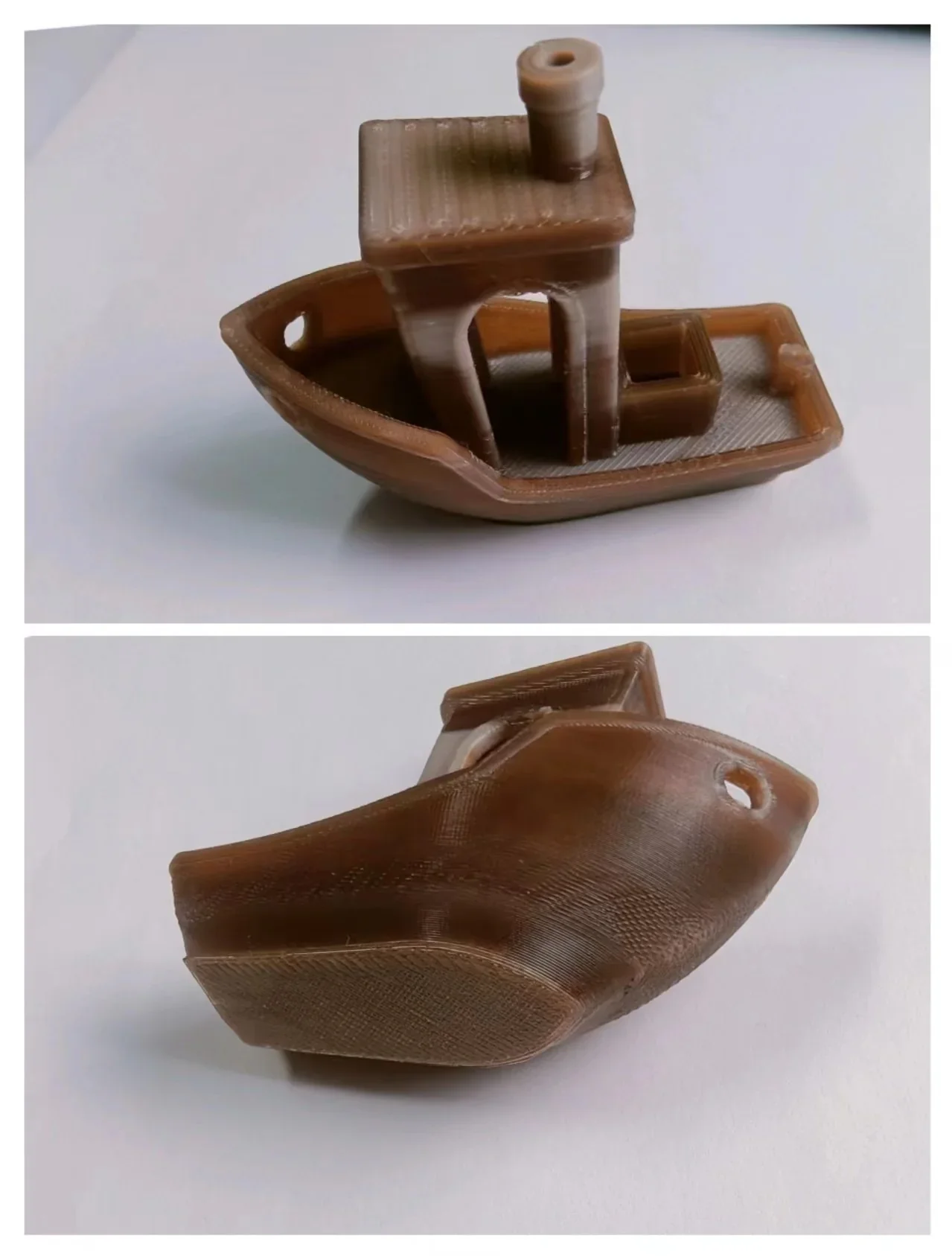
ABS XYZ Calibration Test Cube:
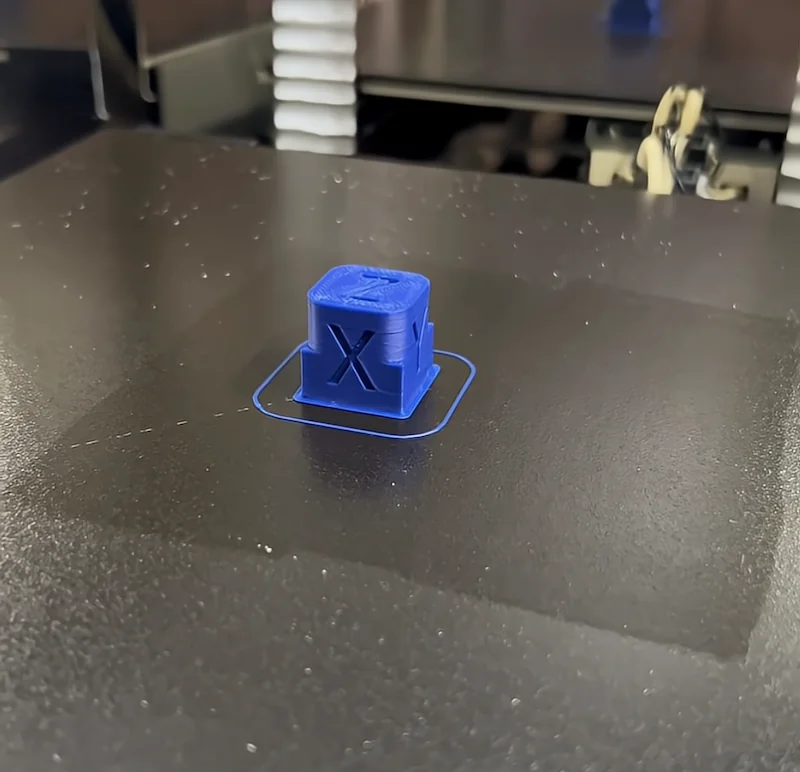
PEEK XYZ Calibration Test Cube:
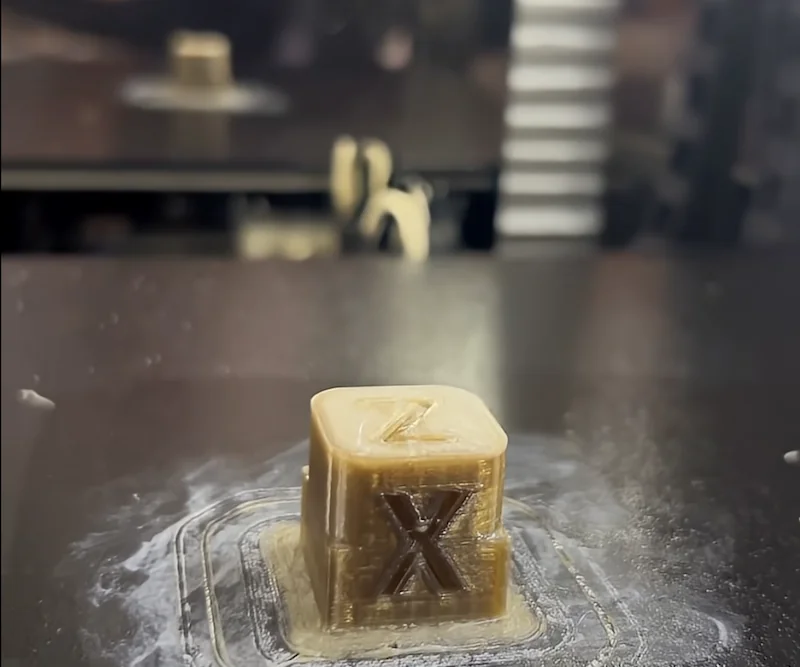
The CreatBot PEEK-250 prints optimally at 55 mm/s, with speeds up to 200 mm/s supported by its Cartesian motion system running on precision linear rails.
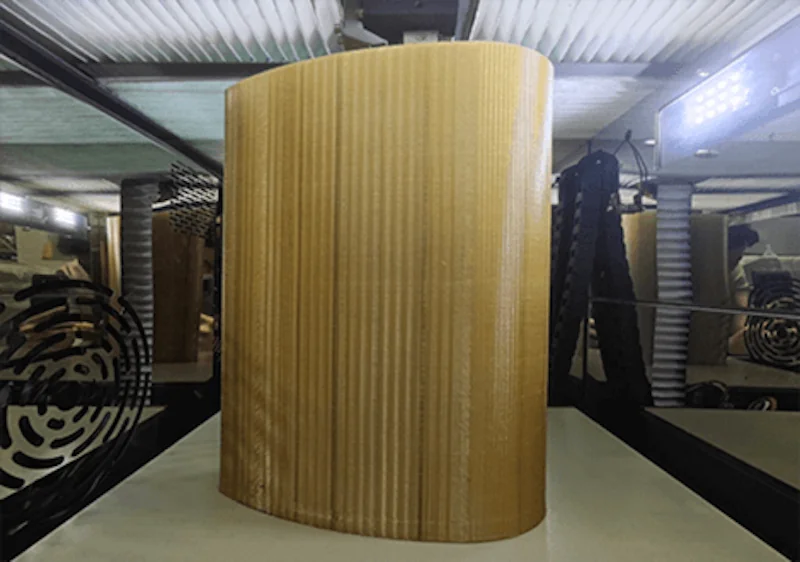
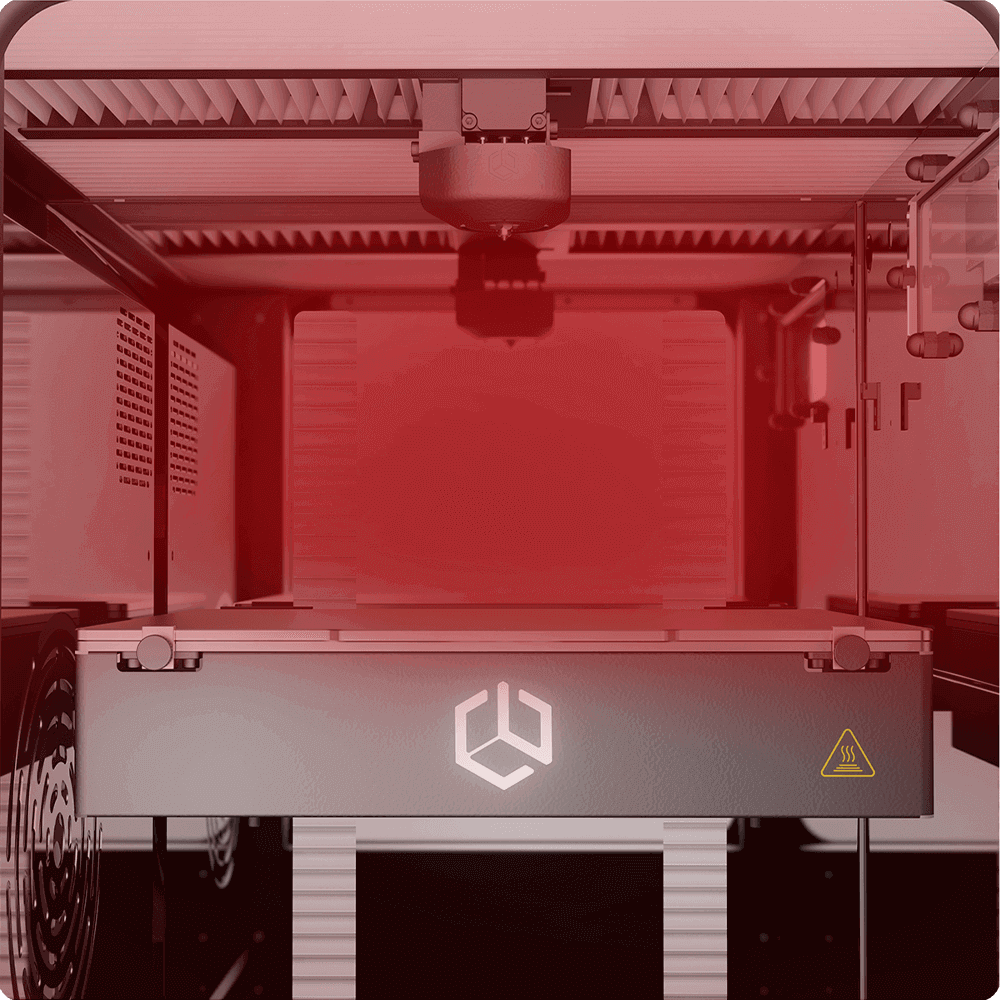
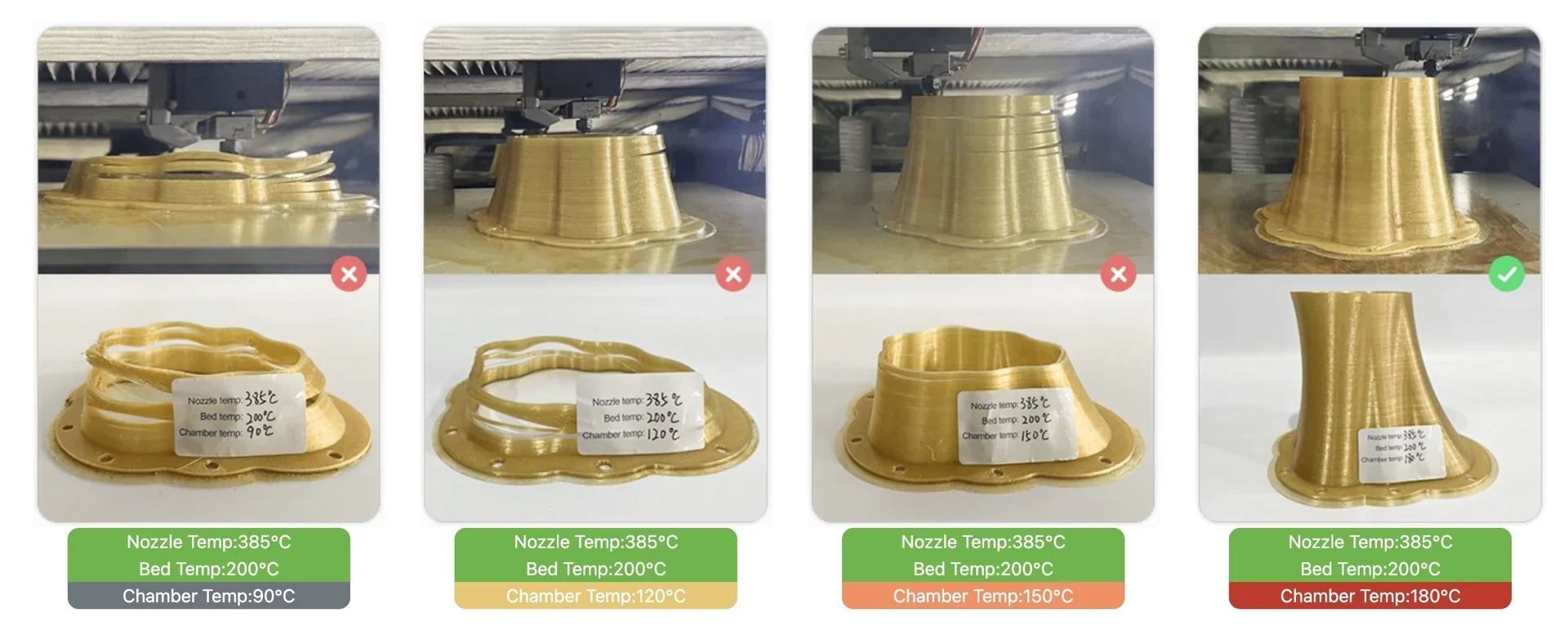
Thermal management includes a 480 °C nozzle, 200 °C platform, and 200 °C chamber that heats to 180 °C in just 20 minutes, providing the controlled environment needed for crystallization and bonding of high-performance filaments.
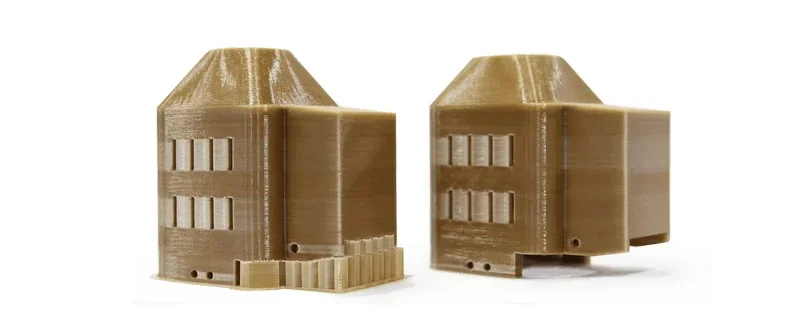
Example: Architectural models printed with PEEK
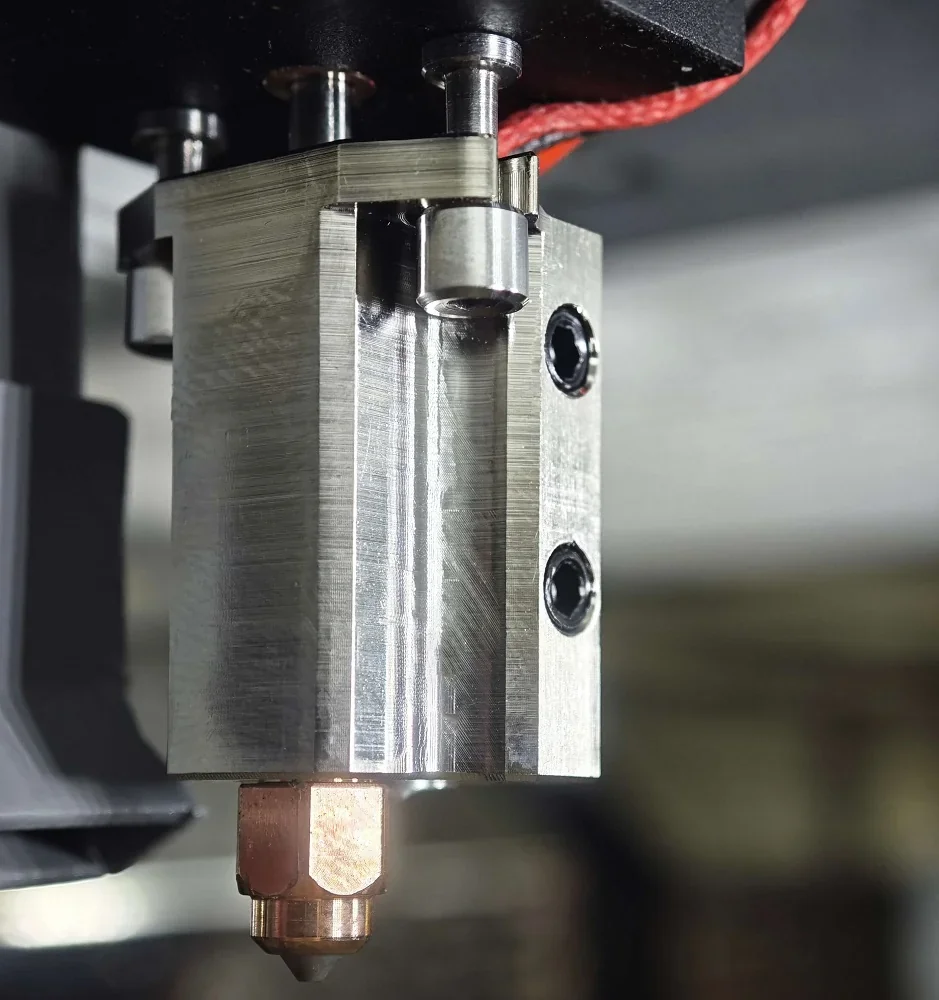
The CreatBot PEEK-250’s design enhances print quality with a double-tooth silicon carbide extruder for high torque and wear resistance, ideal for abrasive composites.
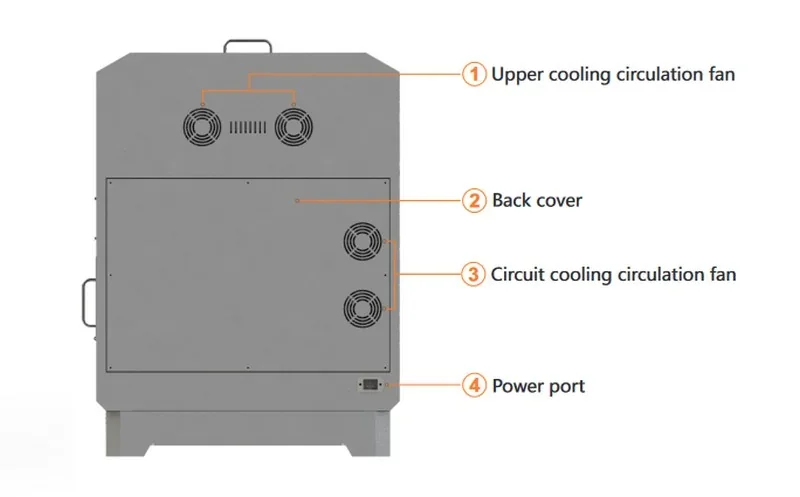
An integrated water cooling system ensures stable extrusion at extreme temperatures, while a spoiler device circulates hot air 360° for uniform chamber heating.
This consistent temperature supports proper crystallization and uniform mechanical properties in printed parts.
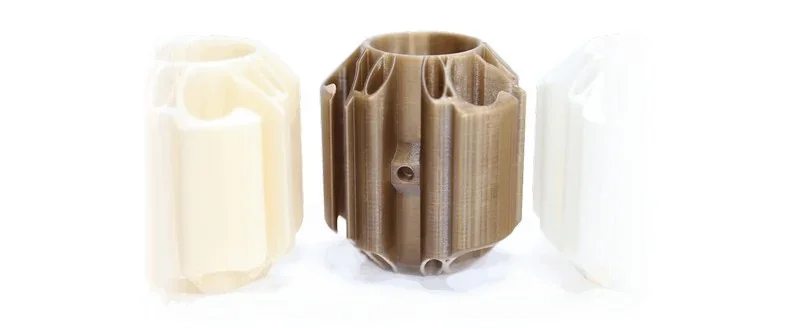
Test PEEK samples
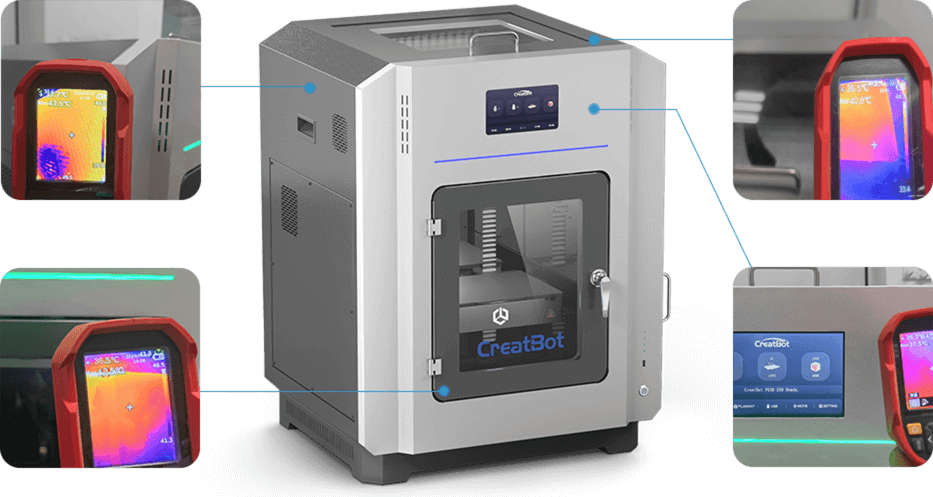
The CreatBot PEEK-250 employs an aviation-grade three-layer thermal insulation system with optimized heat dissipation (managed by active air cooling) and high-temperature resistant components, keeping all external surfaces below 40 °C even when the chamber reaches 180 °C to ensure user safety.
Its one-stop annealing function allows PEEK and PEI parts to be annealed directly in the printer without any time delay, avoiding transfer-related warping and ensuring optimized mechanical properties and dimensional stability for end-use applications.
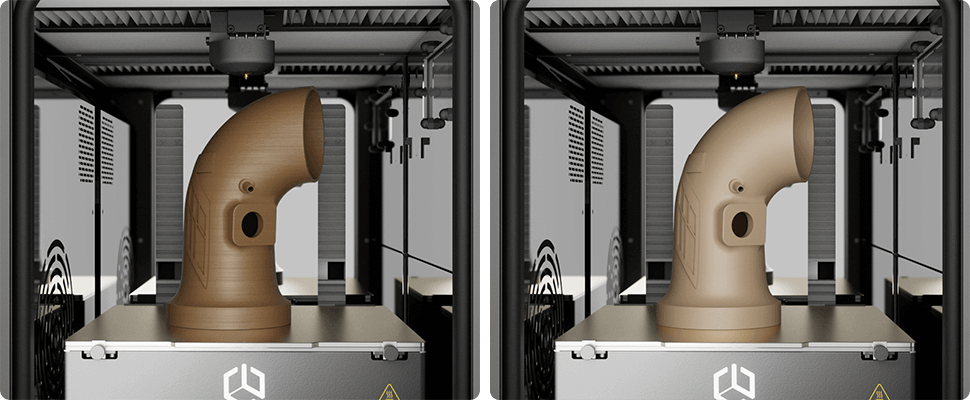
Which filaments can you use with the Creatbot PEEK-250 high-temperature printer?
The CreatBot PEEK-250 is a high-performance 3D printer supporting over 18 filament types, from standard engineering plastics to ultra-performance polymers such as PEEK, PEI (ULTEM™), PEKK, and their carbon- and glass-fiber reinforced variants. The printer accepts standard 1.75 mm filaments, supports third-party materials, and includes a one-stop annealing function to enhance part strength and stability without post-processing transfers.
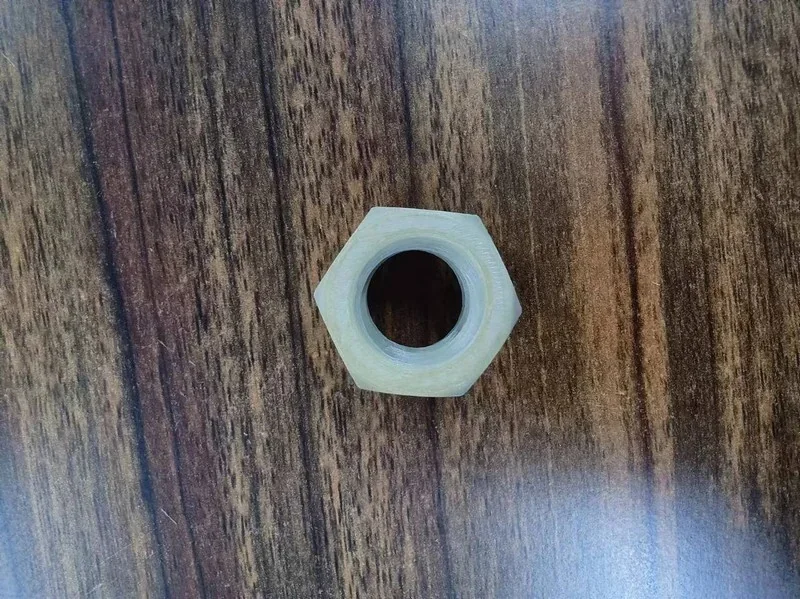
PEEK 3D Print Sample: A hexagonal nut
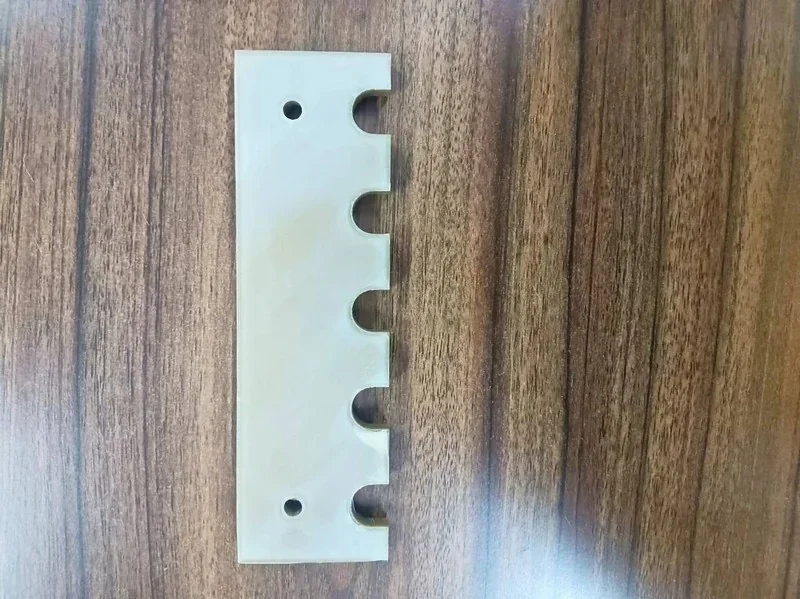
PEEK 3D Print Sample: Alignment plate
PEEK-CF (PEEK w/ Carbon Fiber) 3D Print Sample: Holder
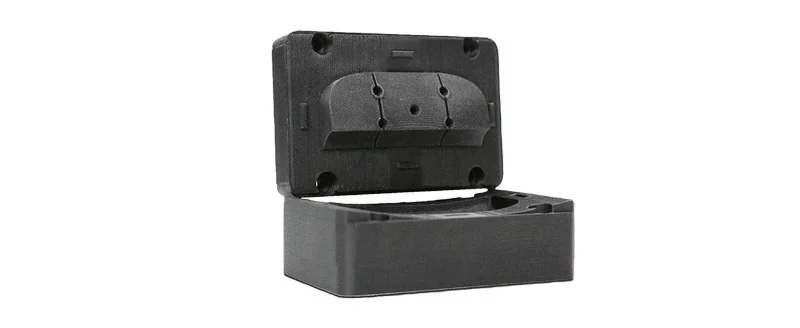
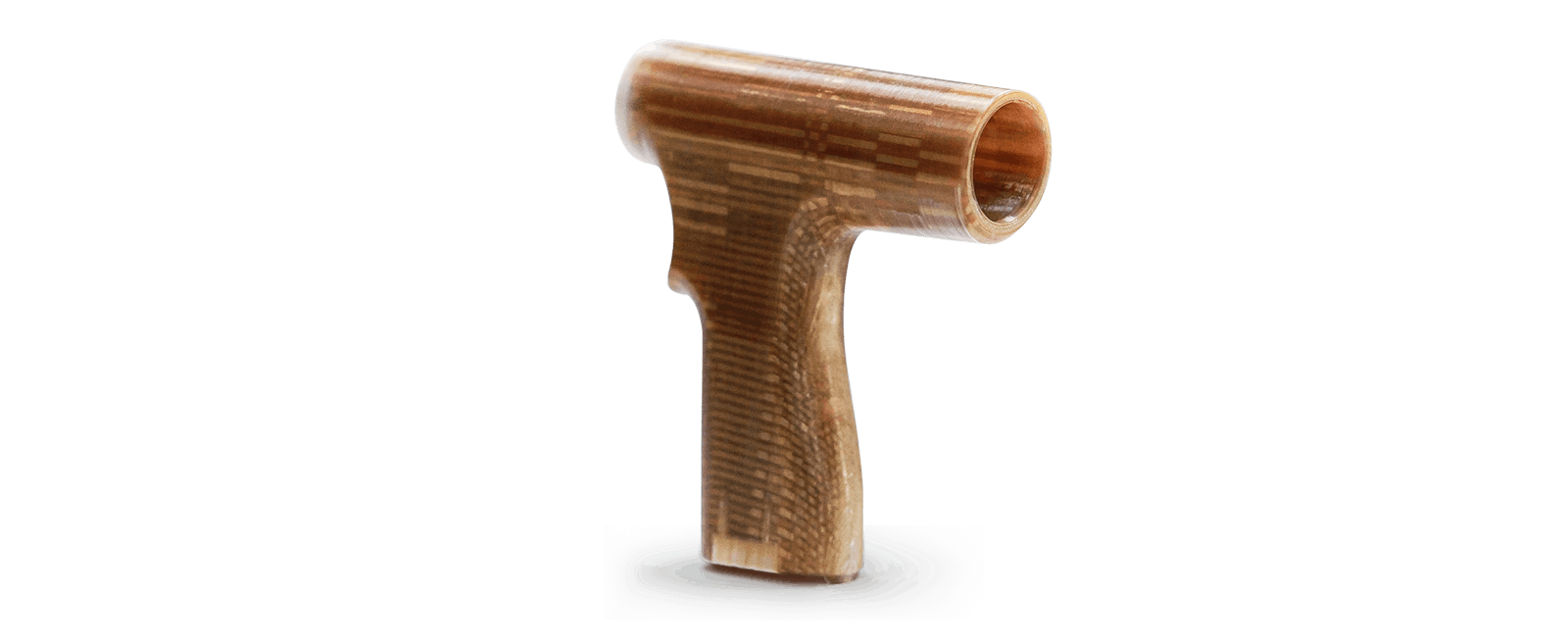
PEEK 3D Print Sample: Grip
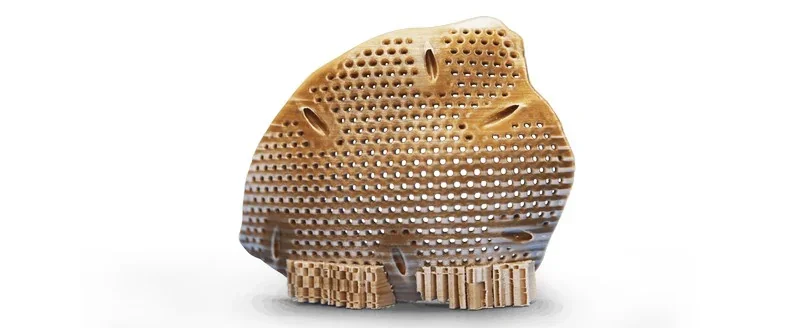
PEEK 3D Print Sample: Implant
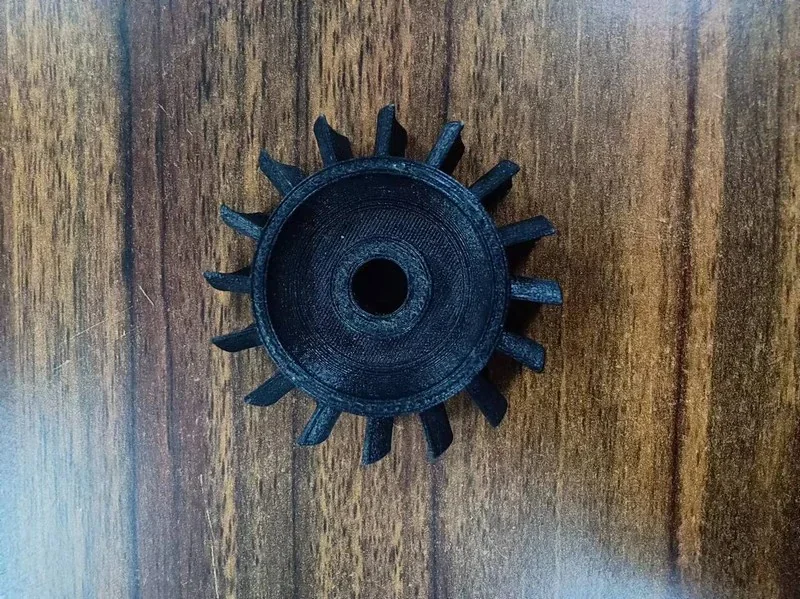
CF-PEEK 3D Print Sample: Sprocket
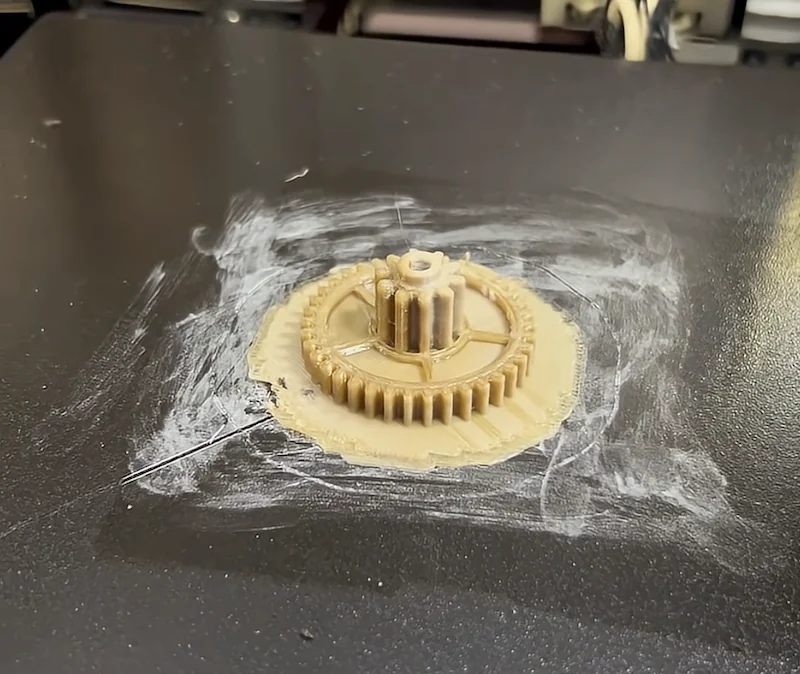
PEEK 3D Print Sample:
What is the build volume of the Creatbot PEEK-250 Large Scale 3D Printer?
The CreatBot PEEK-250 offers a 250 × 250 × 300 mm (9.8 × 9.8 × 11.8 in) build volume.
What is the difference between the Creatbot PEEK-250, Intamsys Funmat HT, CreatBot PEEK-300, 3D Labs HTX, Intamsys Funmat Pro 410 and Mosaic Element?
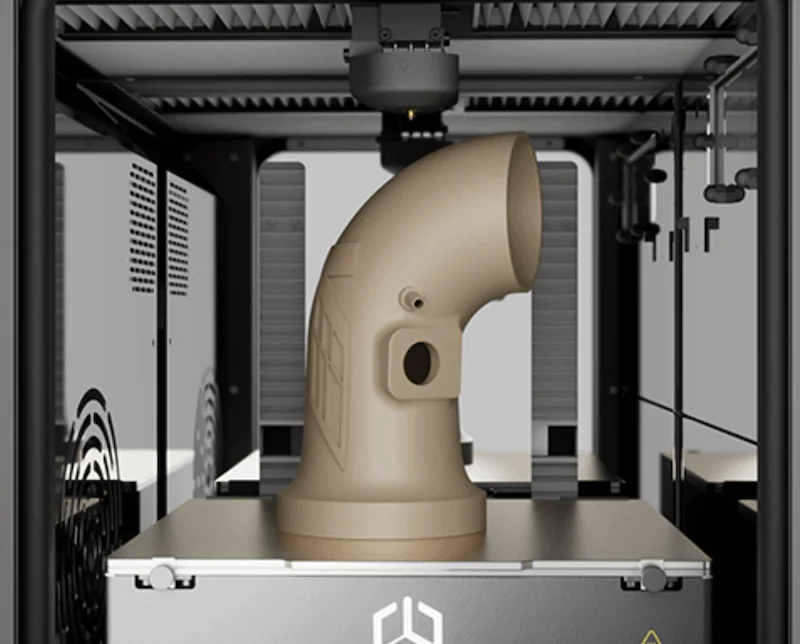
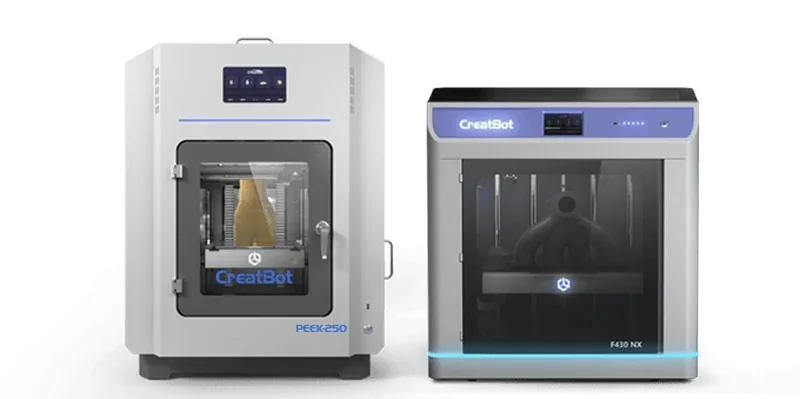
CreatBot PEEK-250 is the first desktop PEEK 3D printer capable of printing with ULTEM. Main advantages over its competitors: a 200 °C active chamber with in-process direct annealing (no post-anneal step), 480 °C nozzle, 200 °C bed, and a water-cooled direct-drive extruder over a 250×250×300 mm volume at $11,999+ — aimed at strong crystallinity and dimensional stability without extra heat-treat cycles.
In contrast:
- Intamsys Funmat HT — Wins: lowest price ($7,000+). Loses to PEEK-250: cooler thermals (450 °C nozzle, 160 °C bed, 90 °C chamber), no direct annealing, smaller Z (260 mm), and no water-cooled drive.
- CreatBot PEEK-300 — Wins: larger 300×300×400 mm build and dual, water-cooled direct-drives. Loses: higher price ($15,000+) and cooler chamber (120 °C vs 200 °C).
- 3D Labs HTX — Wins: bigger 370×300×300 mm volume, hotter 500 °C nozzle and 220 °C bed, dual drives. Loses: cooler 100 °C chamber, no direct annealing, higher price ($15,500+), and no water-cooling listed.
- Intamsys Funmat Pro 410 — Wins: largest reach in this set (305×305×406 mm), dual water-cooled direct-drives, 500 °C nozzle. Loses: highest price among non-Stratasys peers ($28,000+), cooler 90 °C chamber and 160 °C bed, and no direct annealing.
- Mosaic Element — Wins: large 355×355×355 mm volume at a lower price ($10,000+) with a 500 °C nozzle. Loses: much cooler environment (120 °C bed, 80 °C chamber), no direct annealing, and single direct-drive without water-cooling.
| Feature | CreatBot PEEK-250 | Intamsys Funmat HT | CreatBot PEEK-300 | 3D Labs HTX | Intamsys Funmat Pro 410 | Mosaic Element |
|---|---|---|---|---|---|---|
| Build Volume (mm) | 250 × 250 × 300 | 260 × 260 × 260 | 300 × 300 × 400 | 370 × 300 × 300 | 305 × 305 × 406 | 355 × 355 × 355 |
| Chamber Temp (°C) | 200 | 90 | 120 | 100 | 90 | 80 |
| Direct Annealing | Yes | No | Yes | No | No | No |
| Nozzle Temp (°C) | 480 | 450 | 480 | 500 | 500 | 500 |
| Bed Temp (°C) | 200 | 160 | 200 | 220 | 160 | 120 |
| Extruder | Single Direct Drive, Water Cooled | Single Direct Drive | Dual Direct Drive, Water-Cooled | Dual Direct Drive | Dual Direct-Drive, Water-Cooled | Single Direct Drive |
| Price | $11,999+ | $7,000+ | $15,000+ | $15,500+ | $28,000+ | $10,000+ |
What printer controls are available on the Creatbot PEEK-250 high-temperature 3D printer?
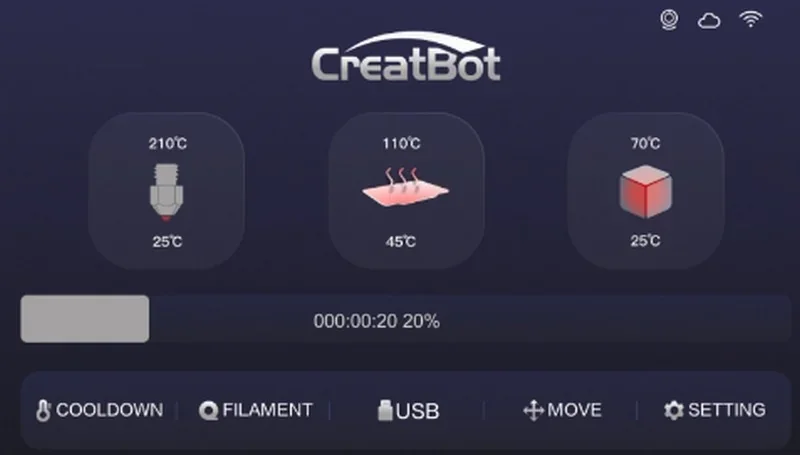
The CreatBot PEEK-250 has a 7-inch touchscreen for full printer control. It supports multiple languages and lets users monitor and adjust nozzle (up to 480°C), platform (up to 200°C), and chamber (up to 200°C) temperatures in real time.
Physical Controls (3 categories):
- Power switch.
- U-disk port.
- USB cable port.
Touchscreen Controls (categories):
- Home Menu
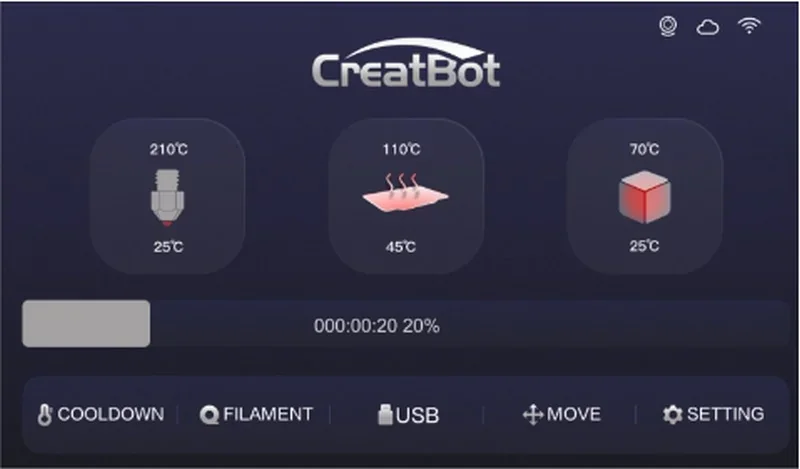
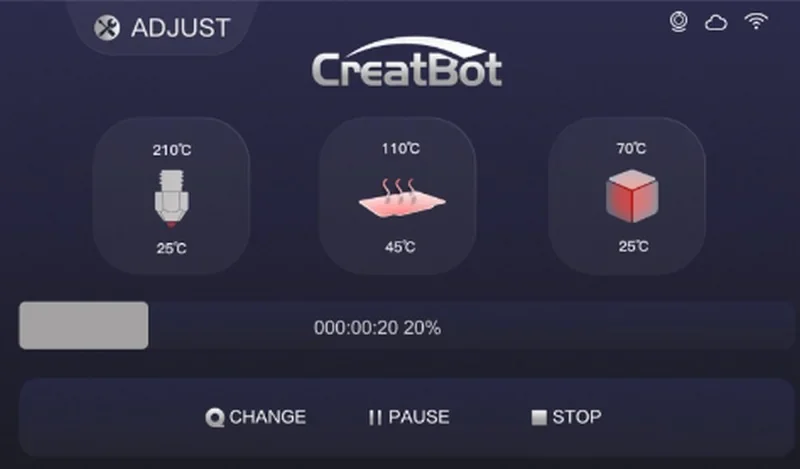
- Print Job Controls: Print from SD Card, pause, resume, stop.
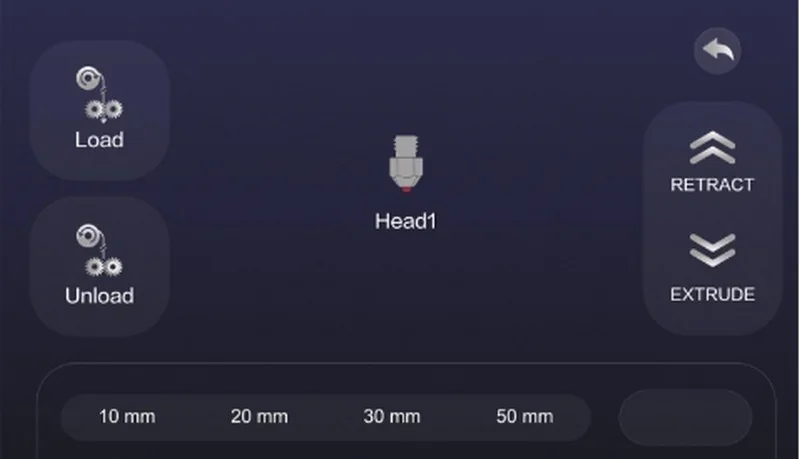
- Filament Management Controls: Load/unload filament, extrude, retract.
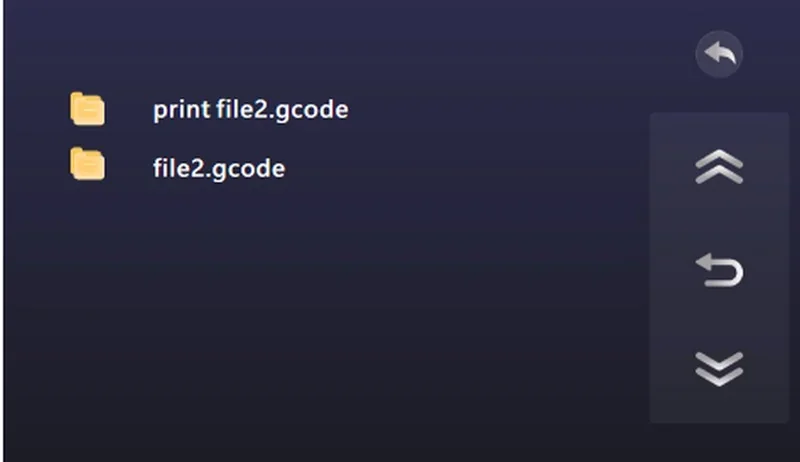
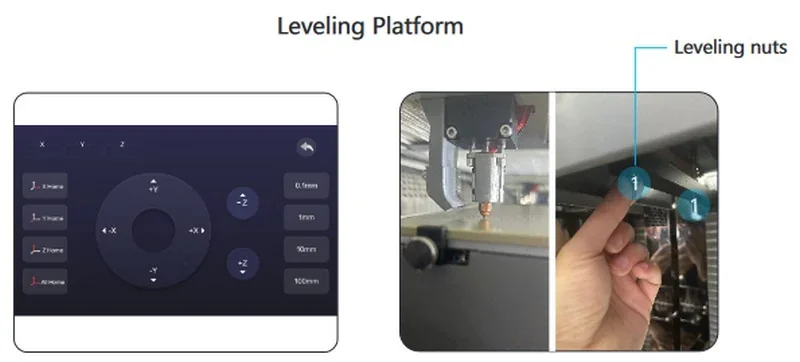
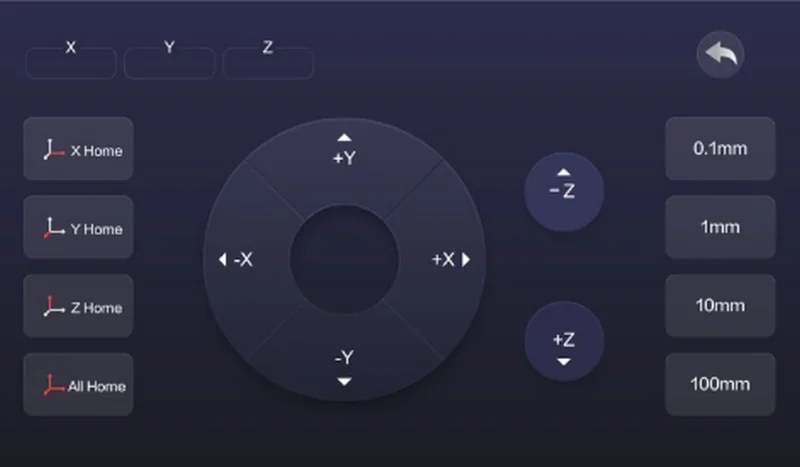
- Calibration: Move axis (X, Y, Z), bed leveling, etc.
- Temperature: Set nozzle temperature, hotbed temperature, chamber temperature, preheat, cool down.
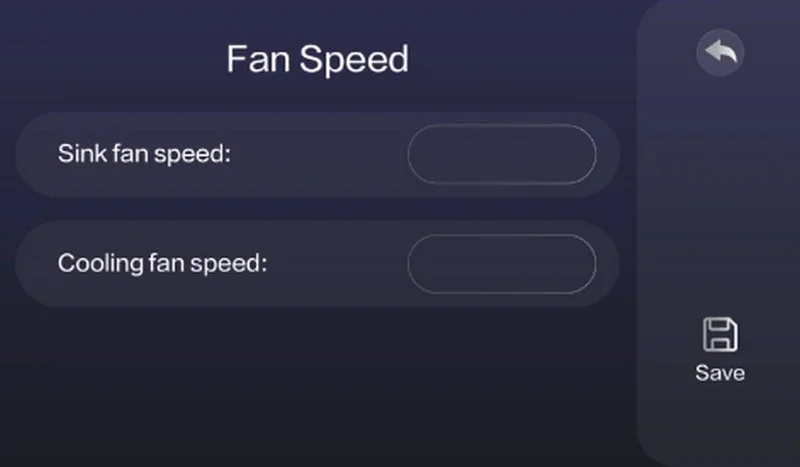
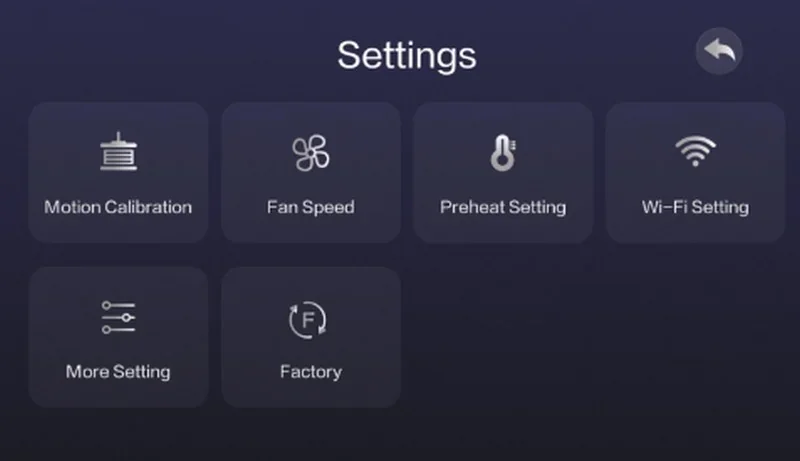
- Other Settings: Adjust print speed, set cooling fan speed, WiFi setup, update Firmware, etc.
What connectivity options are available on the Creatbot PEEK-250 professional 3D printer?
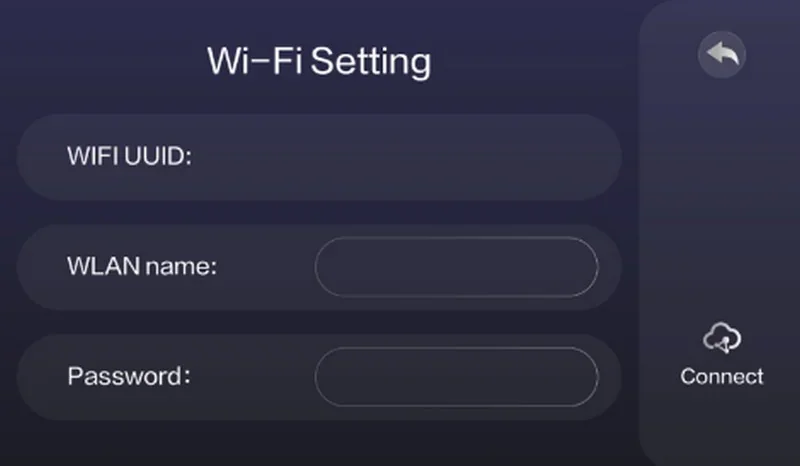
The CreatBot PEEK-250 offers both USB and 2.4 GHz WiFi connectivity, allowing it to operate as a standalone or networked device in professional manufacturing and R&D environments. Print files can be transferred directly via USB without a connected workstation, while WiFi setup is managed through the touchscreen interface.
What slicing software is offered with the Creatbot PEEK 250?
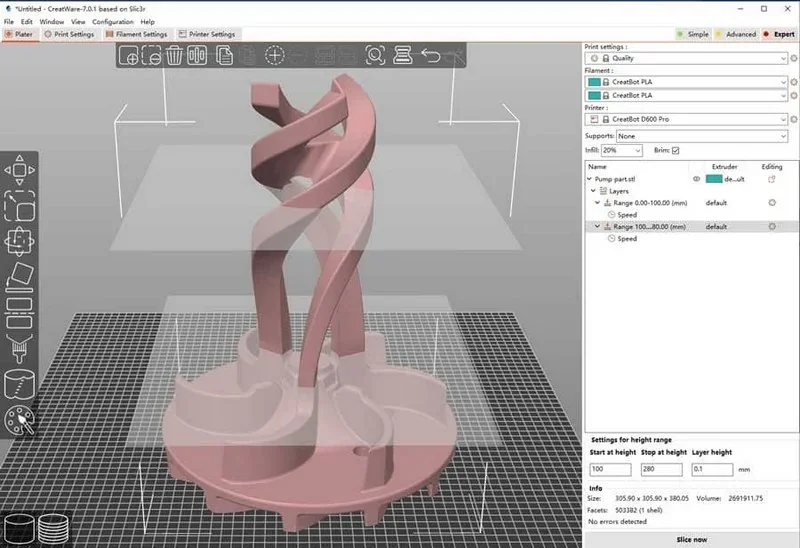
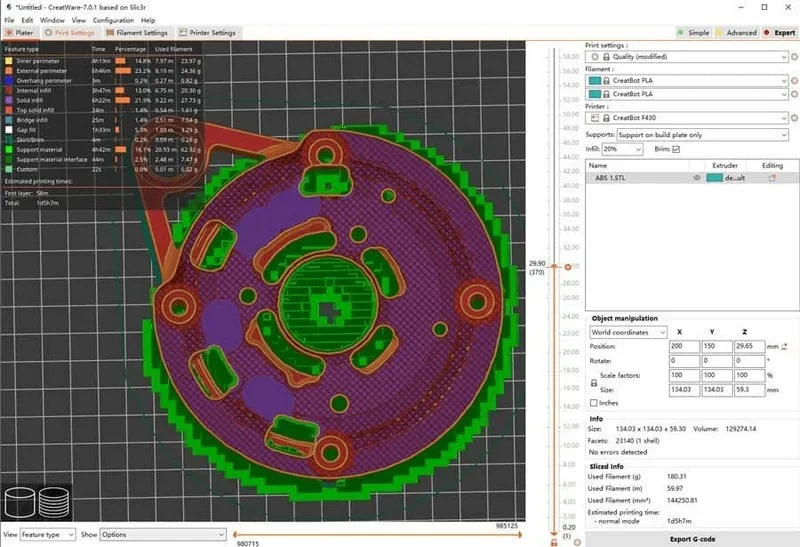
The CreatBot PEEK-250 includes CreatWare, a proprietary multilingual slicer optimized for high-temperature printing on Windows and macOS, while also supporting third-party slicers such as Simplify3D, Cura, and Slic3r with full compatibility for STL, OBJ, AMF, and G-code files. Designed for industrial reliability, CreatWare offers specialized temperature profiles and filament-specific settings for consistent results with advanced polymers, and it integrates directly with the printer’s 7-inch touchscreen, enabling seamless transfer and execution of print jobs via USB or storage device.
What is the design and build quality of the Creatbot PEEK-250?
The CreatBot PEEK-250 is a desktop 3D printer, featuring a fully enclosed, office-compatible design built from aviation-grade materials for thermal insulation and safety.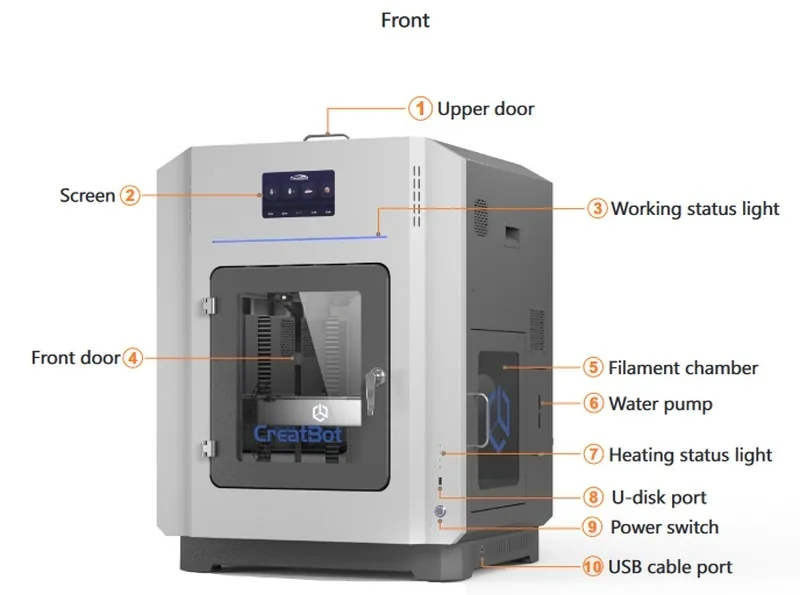
What are the build platform specifications of the CreatBot PEEK-250?
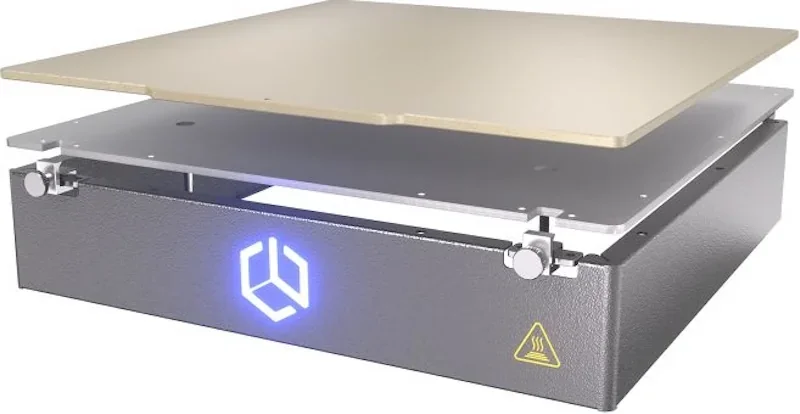
The CreatBot PEEK-250 uses an aluminum base with a polymer-coated platform.
What is the hotend and extruder system of the CreatBot PEEK-250?
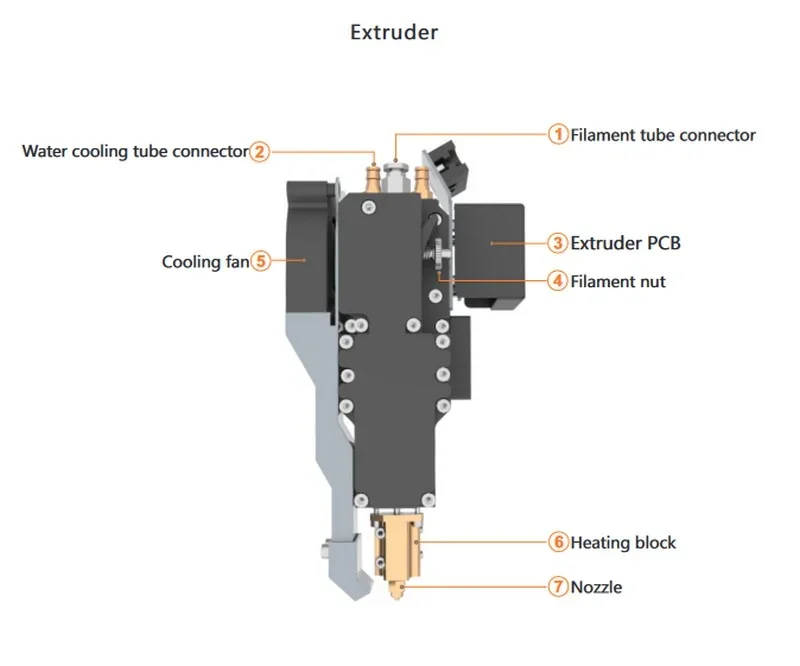
The CreatBot PEEK-250 uses a 480 °C direct-drive extruder with a silicon carbide hotend for high torque and wear resistance. Its die-casting wear-resistant nozzle can be replaced in 30 seconds without screws.
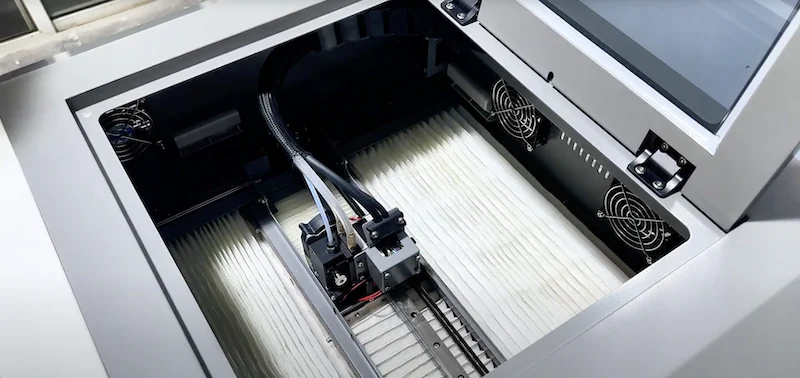
The motion system uses high temperature resistance motors, linear rails, belts and circuits to ensure long time high temperature printing.
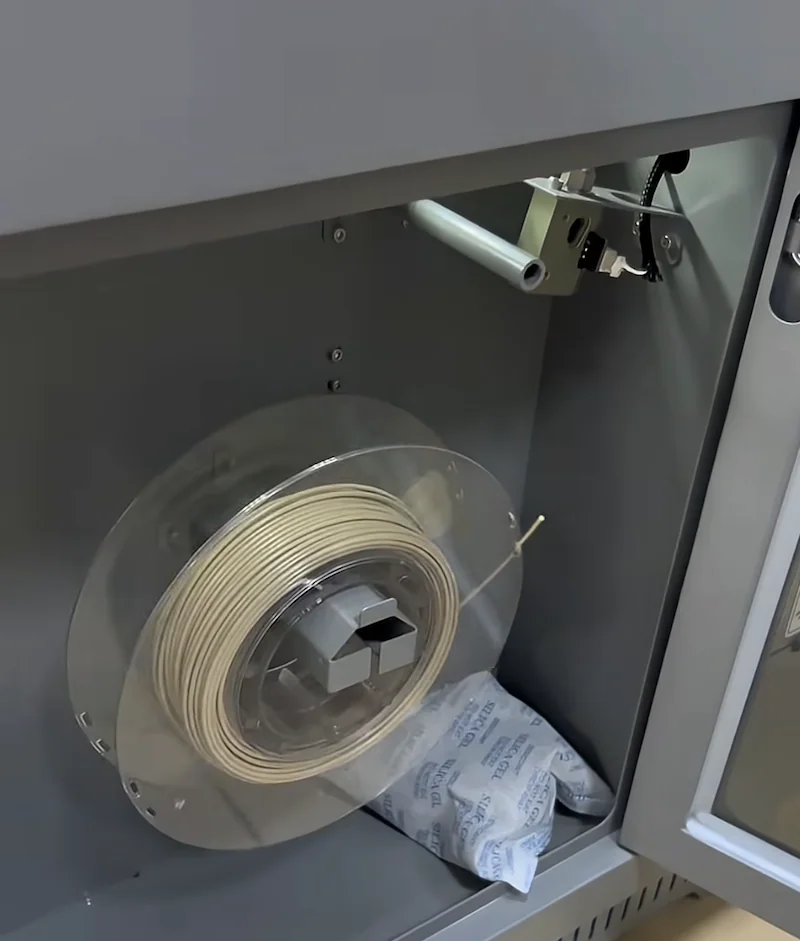
How does the CreatBot PEEK-250 handle filament storage and feeding?
The CreatBot PEEK-250 includes a dedicated filament chamber with a run-out sensor for material monitoring. Filament is fed by the direct-drive extruder, with loading and unloading handled through a tube connector and nut as outlined in the manual.
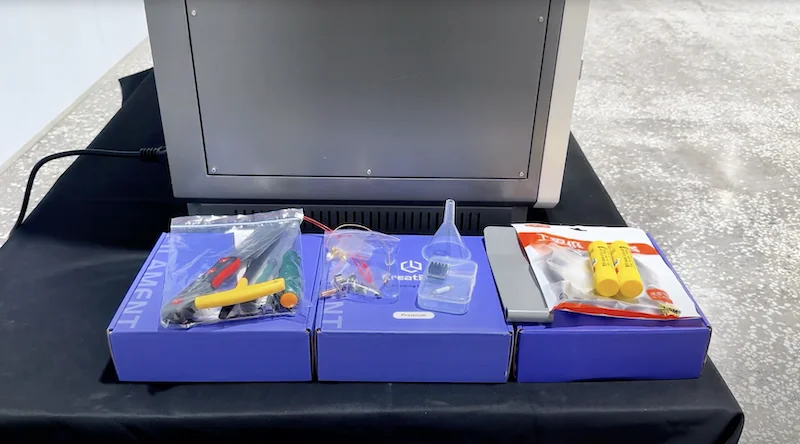
What comes included in the box with Creatbot PEEK-250?
- 1x Fully assembled CreatBot PEEK-250 3D Printer
- High-temperature nozzles
- 1x Set of necessary tools
- 1x CreatWare software package
- 1x User manual
The CreatBot PEEK-250 ships fully assembled and ready to use, supplied with high-temperature nozzles for advanced polymers like PEEK and PEI, the CreatWare slicing software, a detailed user manual, and a complete tool set for routine maintenance.
Please note: Package contents are determined by the manufacturer and may change without notice. To confirm the current inclusions, contact a Top3DShop sales representative before placing your order.
What upgrades and accessories are available for the Creatbot PEEK-250?
Creatbot offers 6 accessories and replacement parts.
| Accessory | Price (USD) | Image |
|---|---|---|
| GROUP: Build Plate and Heated Bed Parts | ||
| CREATBOT COATED REMOVABLE ALUMINUM PLATE FOR CREATBOT PEEK-250 | $199.00 | 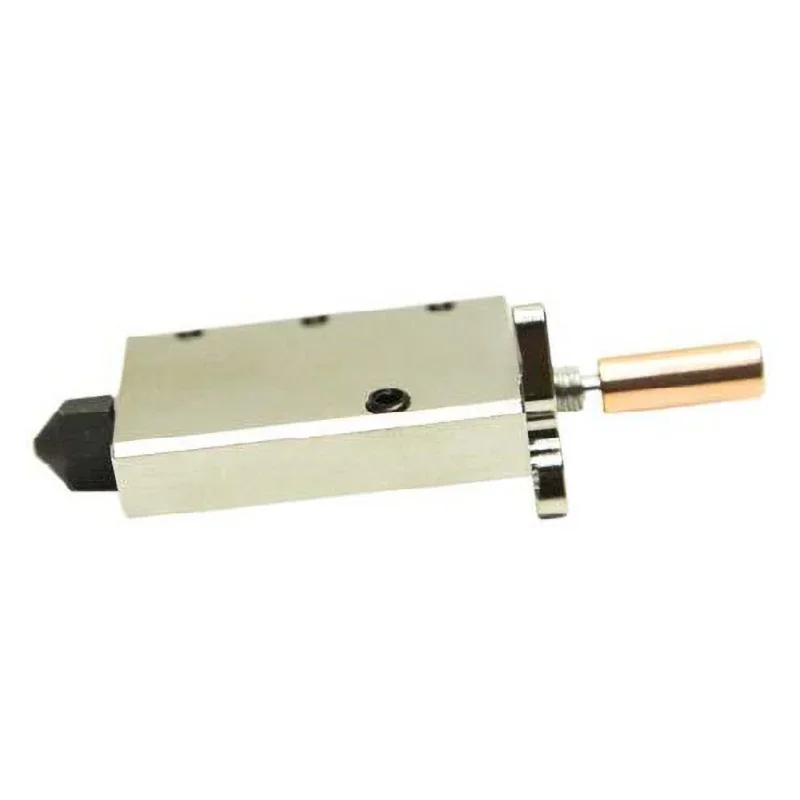 |
| CREATBOT ALUMINUM HEATING PLATE FOR CREATBOT PEEK-250 | $499.00 | 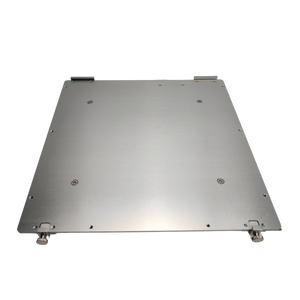 |
| GROUP: Hotend and Nozzle Components | ||
| CREATBOT HOTEND FOR CREATBOT PEEK-250 3D PRINTER | $149.00 | 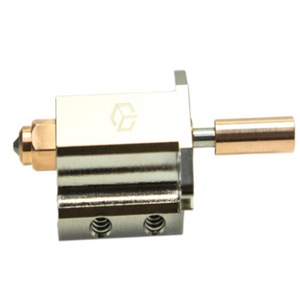 |
| CREATBOT NOZZLE & HEATBREAK (HARDENED STEEL ONLY) FOR CREATBOT PEEK-250 3D PRINTER | $149.00 | 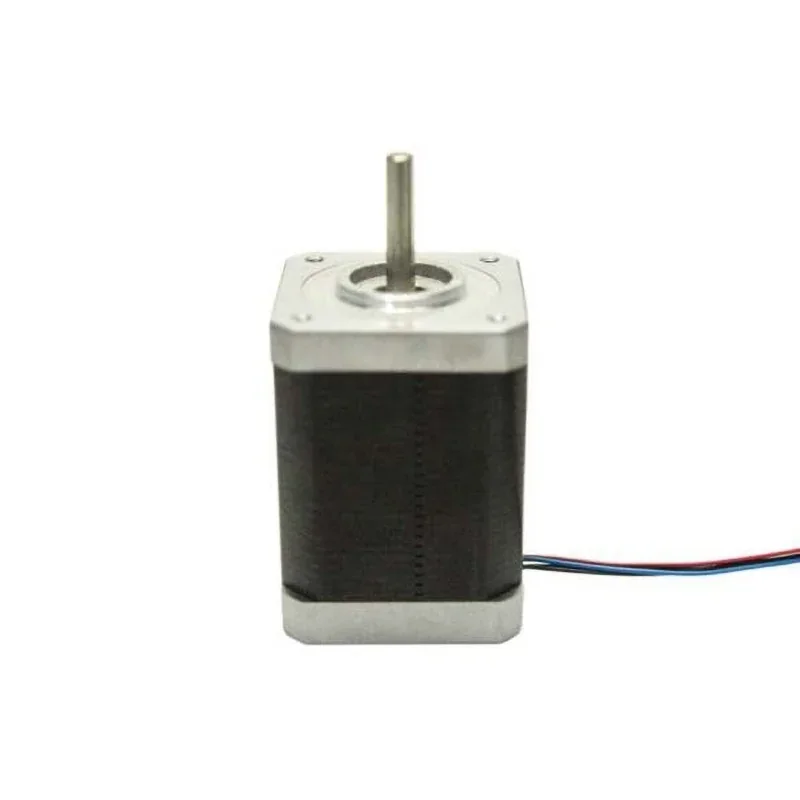 |
| GROUP: Electronics and Control Boards | ||
| CREATBOT MOTHERBOARD FOR CREATBOT PEEK-250 3D PRINTER | $499.00 | 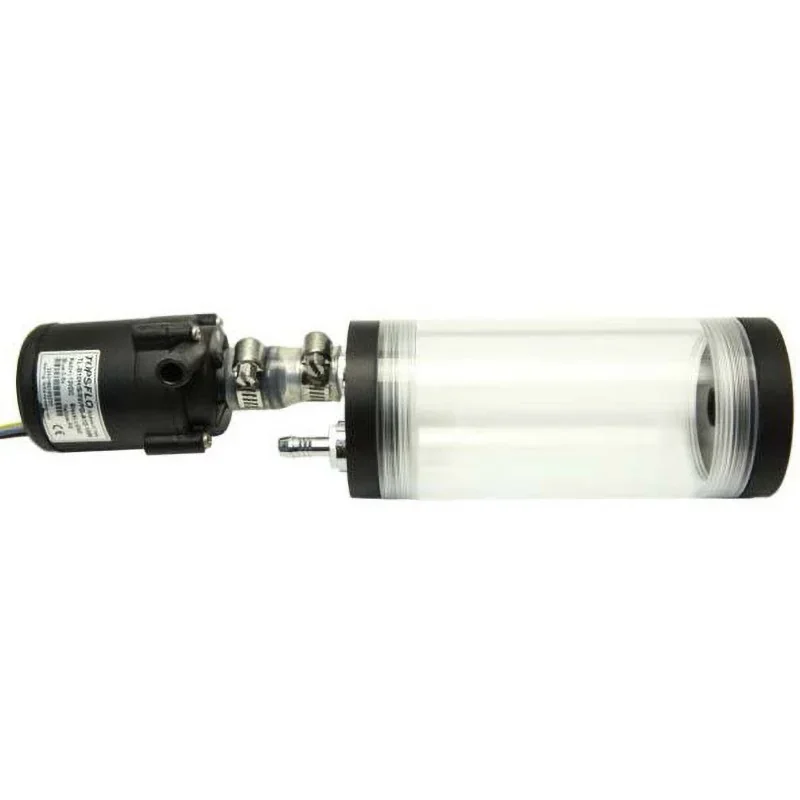 |
| CREATBOT EXTRUDER PCB FOR CREATBOT PEEK-250 3D PRINTER | $169.00 | 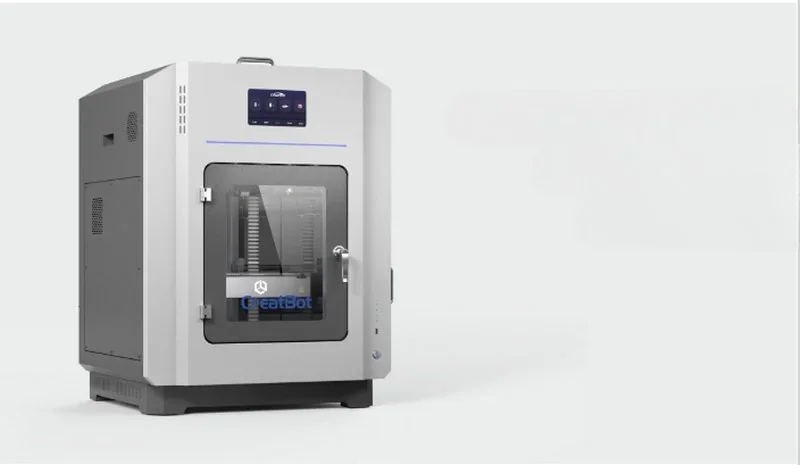 |
What maintenance does the Creatbot PEEK-250 require?
The PEEK-250 requires regular bed leveling, lubrication of rails, nozzle cleaning, belt inspection, and careful filament handling. Its water-cooled extruder and circulation fans should also be checked to maintain stable high-temp performance.
Regular Maintenance
- Bed Leveling: Use leveling nuts to keep nozzle–bed gap at ~0.1 mm (business card thickness).
- Filament Handling: Straighten before loading; store sealed and dry to prevent damage.
- Environment: Keep printer clean, dry, and within 5–30 °C operating range.
Mechanical Maintenance
- Lubrication: Clean guide rails and oil if head sticks or moves roughly.
- Belts & Pulleys: Check belt tension and tighten pulleys if head skips or stalls.
Extruder & Nozzle
- Nozzle Blockages: Use clean filament; clean nozzle if extrusion slows or stops.
- Temperature Calibration: Match nozzle temperature to filament type (PLA: 190–210 °C, ABS: 230–250 °C).
Electrical & Cooling
- Fans & Sensors: Ensure all fans run properly; check sensors for MINTEMP/MAXTEMP errors.
- Water Cooling: Keep pump and tubes clear and leak-free for stable extrusion.
Storage
- Filament: Store with desiccant in sealed bags when not in use.
- Printer: Power off and cover to protect from dust and moisture during long breaks.
What support and warranty come with the Creatbot PEEK-250?
The CreatBot PEEK-250 is backed by a 12-month manufacturer’s warranty covering conformance to published specifications, with free replacement parts and repair guidance provided during the period (excluding normal wear items). Nozzles and hot-end assemblies carry a separate 6-month warranty due to expected wear from high-temperature and abrasive filaments. Coverage applies to manufacturing defects and excludes damage from unauthorized modifications, uncertified materials, improper handling, or environmental factors.
Manufacturer support from Henan Creatbot Technology Limited is also available through support@creatbot.com, typically responding within 24 hours. Free lifetime online support, including manuals and maintenance documentation, is accessible through the support portal: https://www.creatbot.com/support/
Full warranty terms: https://www.creatbot.com/en/warranty.html
How much does the Creatbot PEEK-250 cost?
The CreatBot PEEK-250 high performance 3D printer is priced at $11,999.00, delivering professional-grade performance for ultra-high-temperature polymers like PEEK and PEI with its 480 °C nozzle and 200 °C chamber. Key features include a water-cooled extruder, one-click annealing, and aviation-grade insulation that keeps exterior surfaces under 40 °C even when the chamber reaches 180 °C. For bulk orders or custom configurations, contact the Top3DShop team for a personalized quote.