FLUX Beamo Autofocus

(2 Reviews)
- Two modes of action
- Automated operation
- Deeper cutting
- Easy installation
- FREE Delivery
- 1 Year Warranty
- Local U.S. Support
- FREE training
- All the necessary cables
- Main body
- Required screws
- Stickers
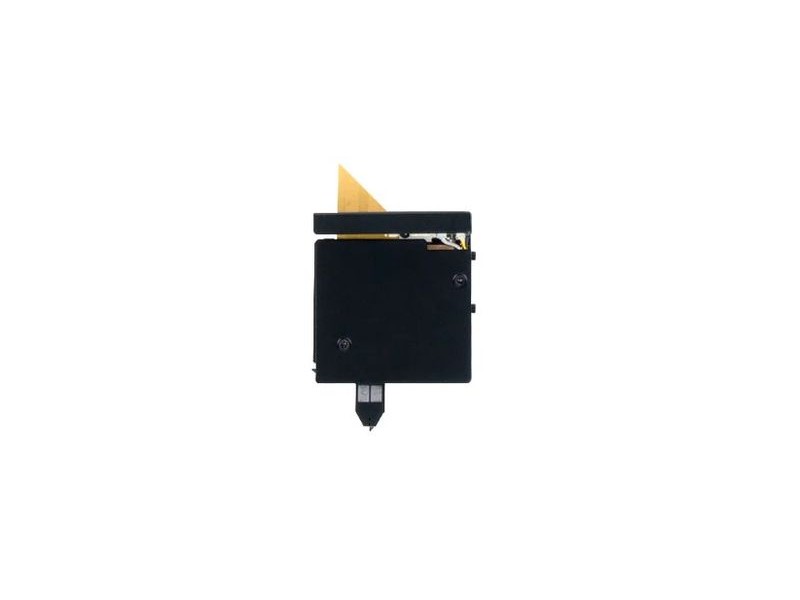
The FLUX Autofocus Add-on for Beamo automatically adjusts the laser focus to the correct position based on material thickness, eliminating manual focusing and reducing errors. It enables deeper cutting in multiple passes by automatically lowering the laser head between passes (Z Step), which is essential for cutting thicker materials.
The module comes fully assembled and supports two operating modes: Manual Probe Mode, where a double-tap on the side button triggers automatic height detection, and Software Mode through Beam Studio, where you can set per-layer focus adjustment and Z Step values for precise multi-pass cutting.
Condition: New.
Products marked as “Clearance” in the product title are final sales and are not covered by the 14-day return policy.
How It Works
Manual Probe Mode: Double-tap the button on the side of the module while it is positioned directly above the material. The probe automatically detects the material height. Long-press the button to return the laser head to its origin.
Software Mode (Beam Studio): Enable autofocus in Beam Studio under Preferences > Add-on. Once enabled, each layer gains a “Focus Adjustment” option where you set the object height. When a layer runs multiple passes, the “Z Step” setting controls how much the laser head lowers between passes — ideal for cutting through thicker materials.

Note: If you need to use the rotary and autofocus module simultaneously, a focus sensor extension is required.
What’s in the Box
- Beamo Autofocus Module x1
Specifications
- Module dimensions: 90 x 75 x 120 mm
- Module weight: 250 g
- Package dimensions: 150 x 85 x 11 mm
- Package weight: 0.5 kg
- Compatible model: Beamo
Price
The price of the FLUX Beamo Autofocus is $199.00.