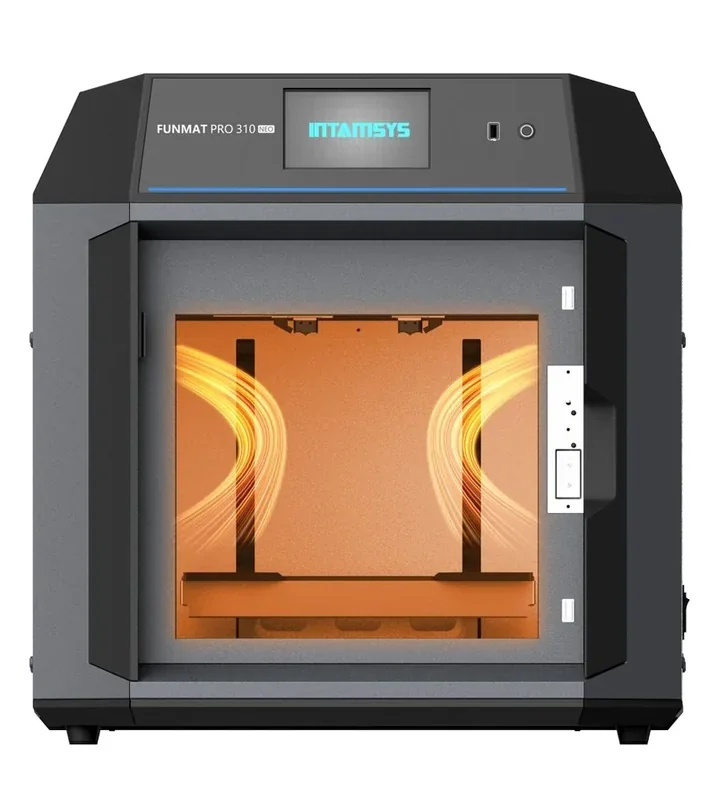
Intamsys Funmat Pro 310 NEO 3D Printer: High-Speed IDEX Printing


- CoreXY structure with 20,000 mm/s² acceleration
- 500°C nozzle for advanced engineering filaments
- AI-powered Lidar detects print failures
- G3, H12 HEPA and carbon filtration
- Flexible Payment Terms
- 1 Year Warranty
- Local Technical Support
- Free Online Training
- Intamsys Funmat Pro 310 NEO 3D Printer
- IntamBox dry box
- 2x Extruder Assemblies
- Power cable
The Intamsys Funmat Pro 310 NEO is a high-speed 3D printer built for engineering applications, featuring a 310 × 310 × 300 mm build volume, 500°C nozzle temperature, and support for advanced filaments like PPA-CF/GF and PPS-CF. Its carbon-fiber rod CoreXY structure enables 20,000 mm/s² acceleration and 500 mm/s travel speeds, reducing print time without sacrificing quality. AI-powered Lidar and computer vision detect first-layer issues and spaghetti failures, while a G3, H12 HEPA, and carbon filtration system ensures a safer workspace. Designed for demanding prototypes and end-use parts, it combines speed, precision, and safety.
- What is the print quality and performance of the Intamsys Funmat Pro 310 NEO Desktop 3D printer?
- Which filaments can you use with the Intamsys Funmat Pro 310 NEO IDEX 3D Printer?
- What is the build volume of the Intamsys Funmat Pro 310 NEO?
- What is the difference between the Intamsys Funmat Pro 310 NEO and its competitors?
- What printer controls are available on the Intamsys Funmat Pro 310 NEO?
- What connectivity options are available on the Intamsys Funmat Pro 310 NEO?
- What slicing software is offered with the Intamsys Funmat Pro 310 NEO?
- What is the design and build quality of the Intamsys Funmat Pro 310 NEO?
- What comes included in the box with Intamsys Funmat Pro 310 NEO?
- What upgrades and accessories are available for the Intamsys Funmat Pro 310 NEO?
- What maintenance does the dual extruder Intamsys Funmat Pro 310 NEO require?
- What support and warranty come with the Intamsys Funmat Pro 310 NEO?
- How much does the Intamsys Funmat Pro 310 NEO cost?
What is the print quality and performance of the Intamsys Funmat Pro 310 NEO Desktop 3D printer?
The Intamsys Funmat Pro 310 NEO delivers industrial-grade print quality with desktop-level convenience, offering 16 μm XY and 1.25 μm Z-axis movement precision. It processes over 12 high-speed materials, outputting 500–1000g per day at speeds up to 500 mm/s with 10,000 mm/s² acceleration. At Schneider Electric’s Plovdiv factory, it cut print times from 12–15 hours to 2, enabled multi-material prints (e.g., PA6-CF + SP3030 jigs in under 6 hours), expanded in-house production with materials like PC, PA6, PA12, PPA, and TPU95A, and reduced development time and outsourcing costs.
Since 2018, ASMPT has used INTAMSYS’ 3D printers — including the FUNMAT PRO 310 NEO launched in 2024 — to produce over 30,000 parts across prototyping, tooling, end-use parts, and casting.
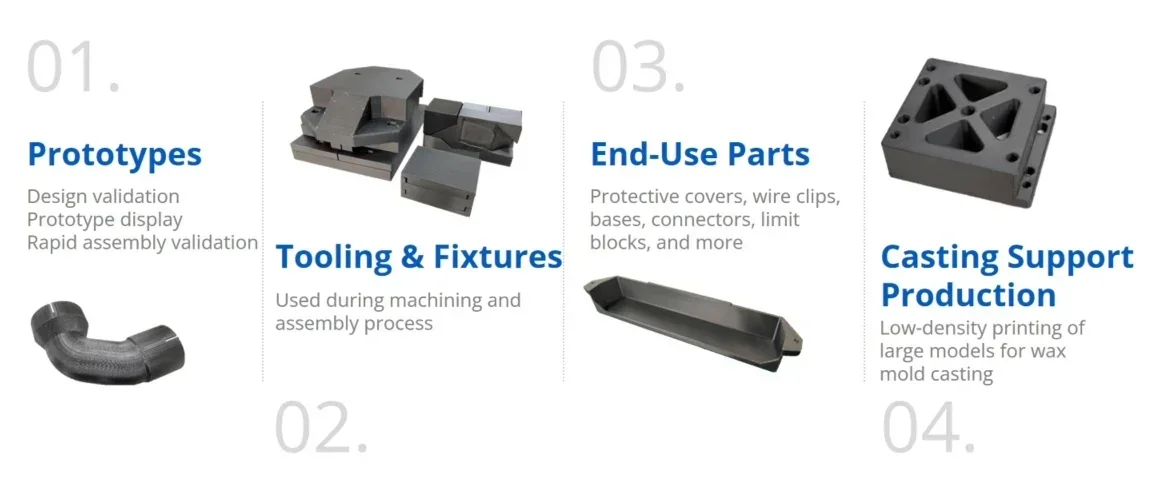 ASMPT achieved 50%+ cost savings, 500–1000g daily print rates for PC/ABS, and validated uptime over 240,000 hours with the Intamsys 3D printers.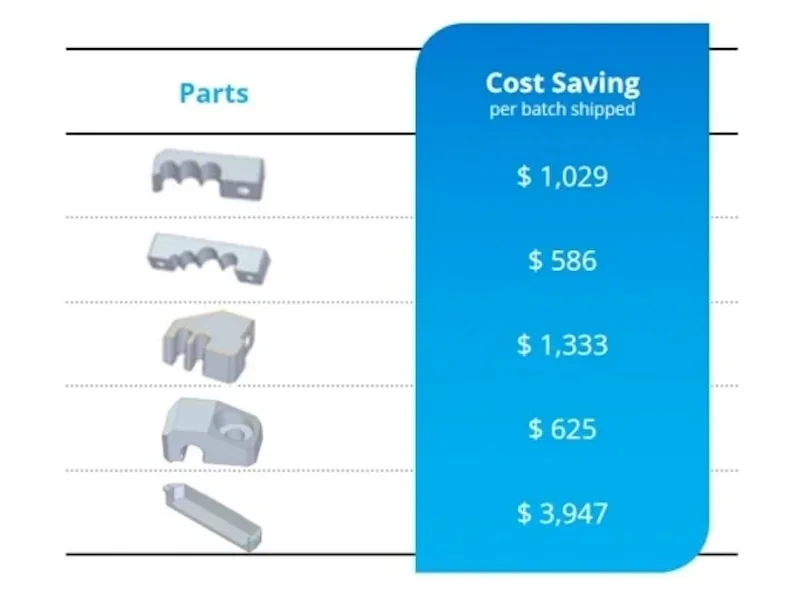
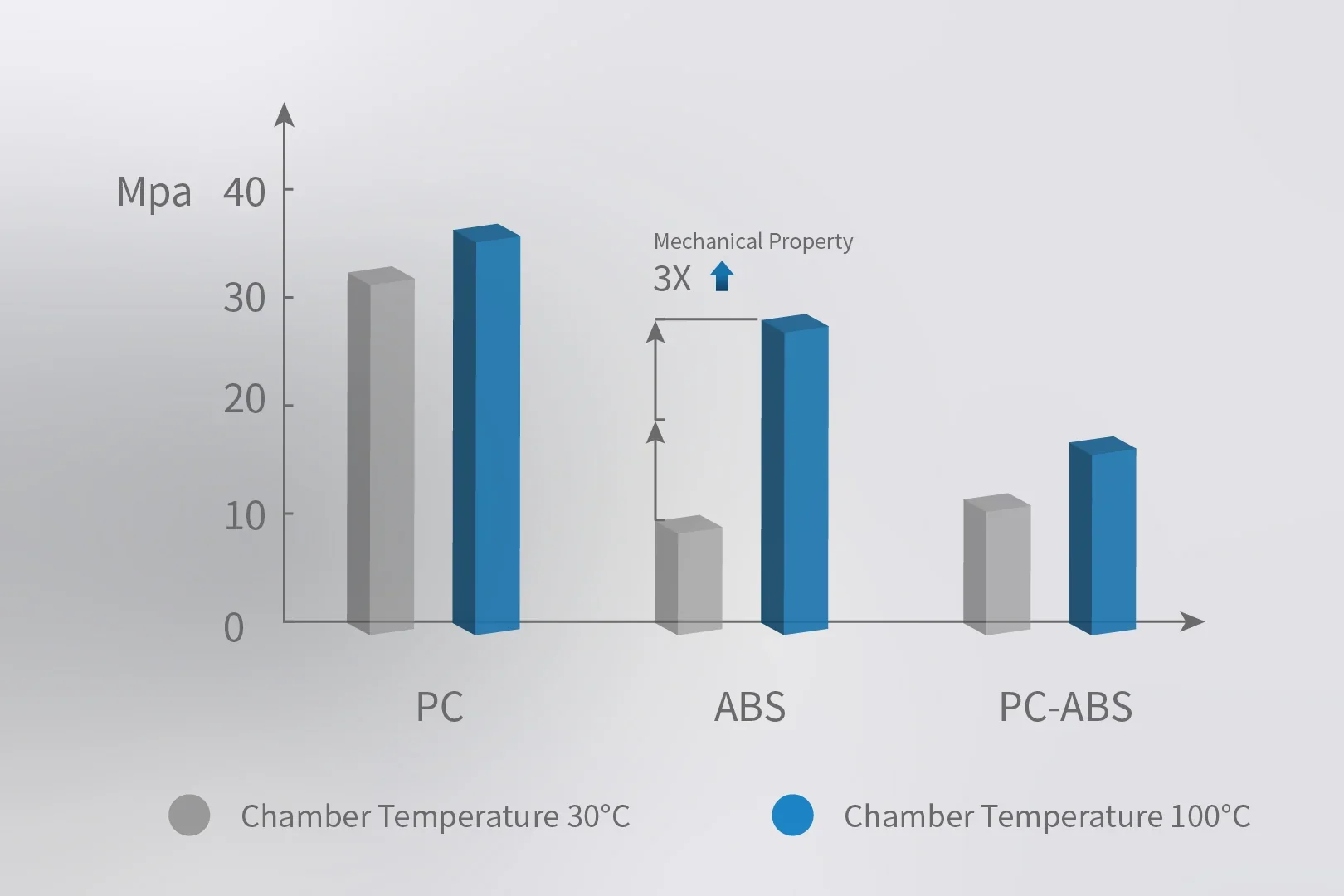
The 100°C heated chamber improves part quality and strength across 29+ validated materials.
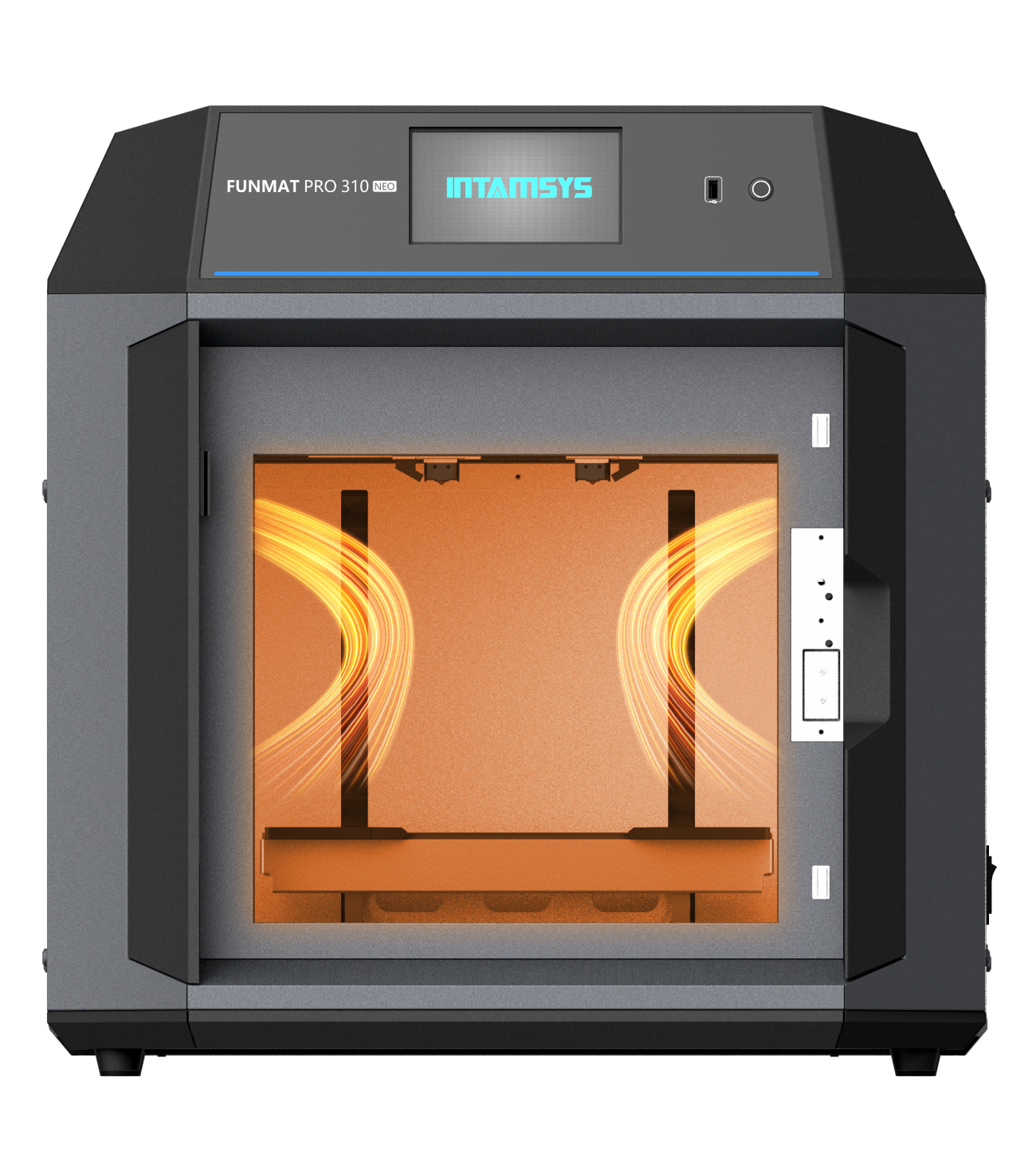
The thermal control system maintains optimal print conditions. With chamber heating, ABS parts show 3× greater tensile strength, while PC and PC-ABS gain better interlayer bonding and dimensional stability.
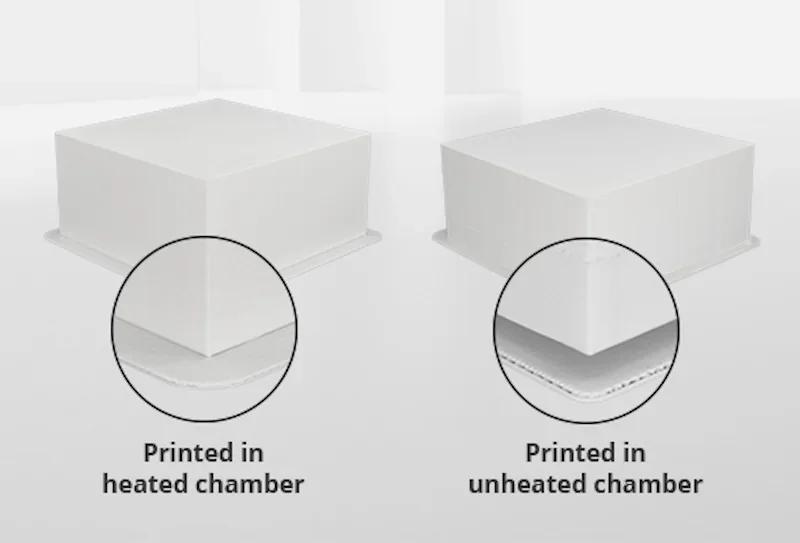
 The actively heated chamber, 350°C nozzle, and 160°C platform allow full-format additive manufacturing of engineering plastics without warping, delamination, and deformation, even for parts over 100 mm.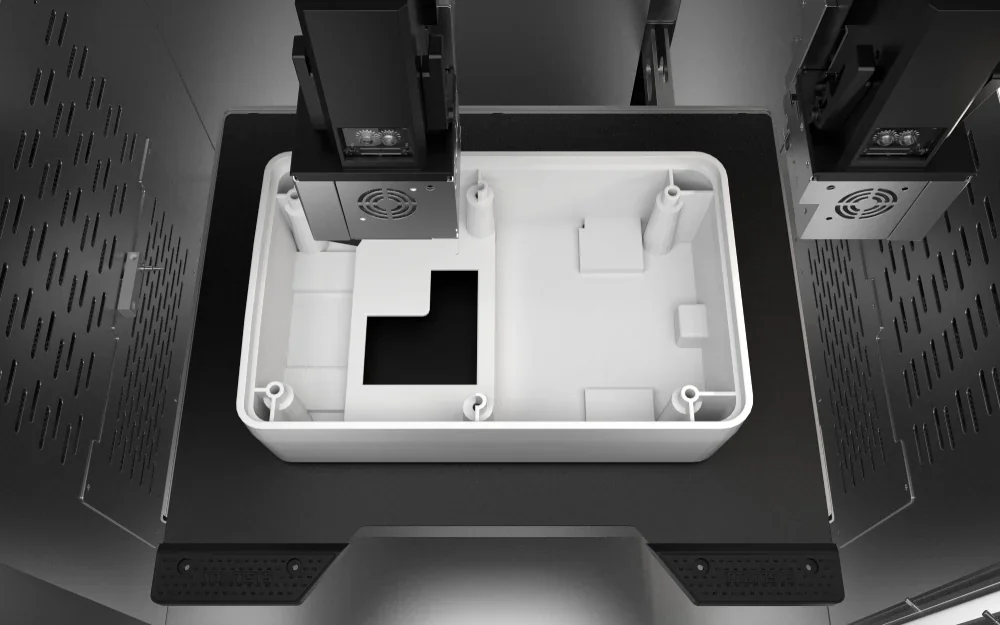
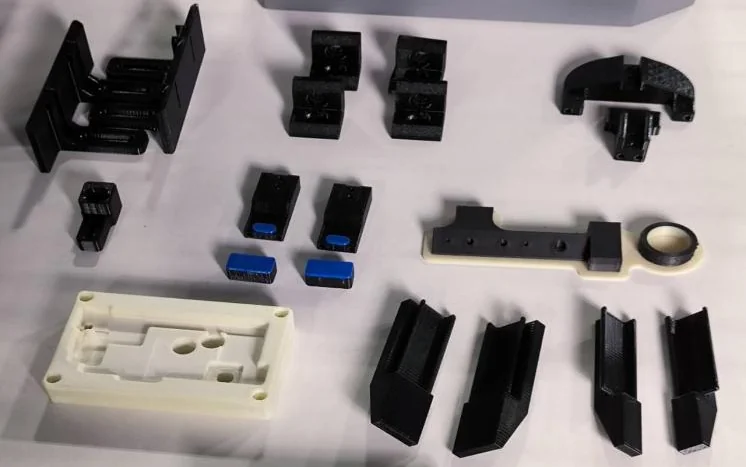
Neometrix 3D printed 24 ABS plasma bag holders and springs for Tropitronics’ medical defrosters, producing stronger parts than OEMs through faster local manufacturing. The parts passed validation on the first try and restored full functionality.

The IDEX dual-extruder system enables duplicate and mirror modes, boosting output to over 1 kg per day with consistent quality. Schneider Electric uses it to print complex multi-material parts — like TPU95A and PETG grippers or PA6-CF welding jigs with soluble supports — in under six hours.
Automatic bed leveling and precise temperature control deliver consistent quality, with lower variation in mechanical properties than ambient printing — especially for PC parts over 150 mm.
Advanced motion control ensures smooth surface finishes by predicting speed based on path complexity and adjusting extrusion rates to avoid defects at high speeds.
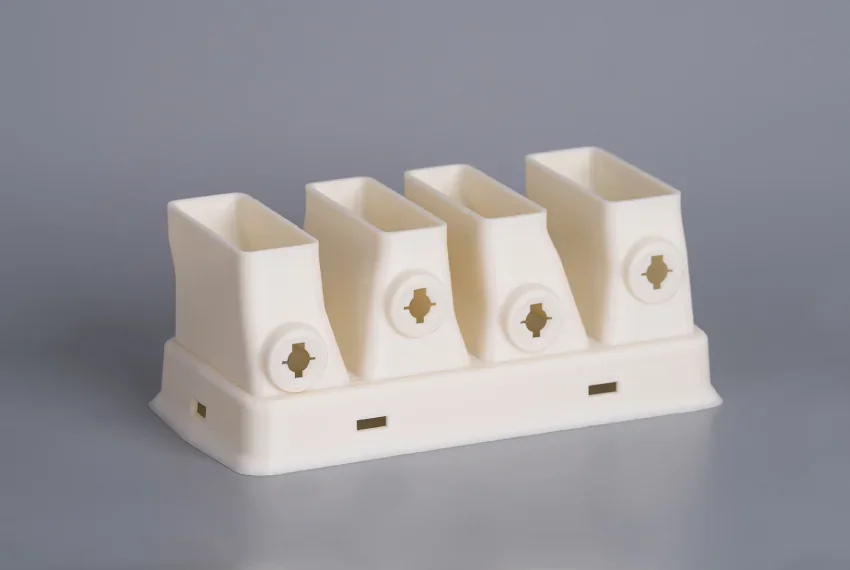
Which filaments can you use with the Intamsys Funmat Pro 310 NEO IDEX 3D Printer?
The INTAMSYS FUNMAT PRO 310 NEO FFF 3D printer supports 29 filament types across high-performance, engineering, flexible, and support materials. It handles engineering plastics such as PC, PC-FR, ABS, ABS-HS, ASA, Nylon, PET, and PPA composites; flexible TPU95A; standard PLA; and soluble and breakaway supports, including HIPS, PVA, SP3030, SP3050, SP5000, SP5010, SP5040, and SP5080. It also supports third-party filaments like KIMYA ABS-ESD and BASF PC/ABS-FR.
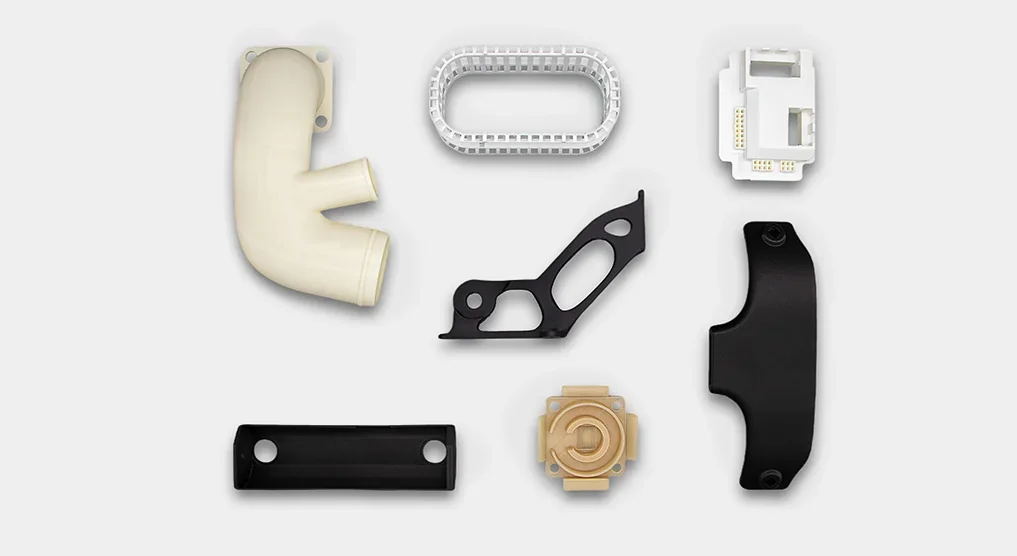
A 350°C nozzle, 100°C chamber, and 160°C build plate enable broad material compatibility. Intamsys offers pre-calibrated filaments but also supports any 1.75 mm third-party filament.
ABS 3D Print Sample: A 200х150х40 мм assembly fixture printed in 4 hours
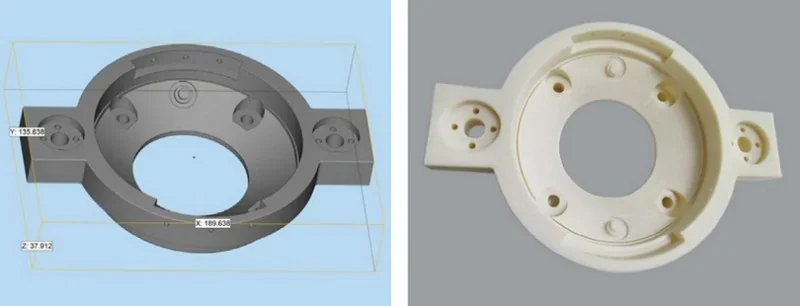
ABS 3D Print Sample: Geely uses 3D-printed ABS parts to test Lotus car components. Printing a 240 × 60 × 60 mm part takes about 14 hours, with HIPS as the support material.
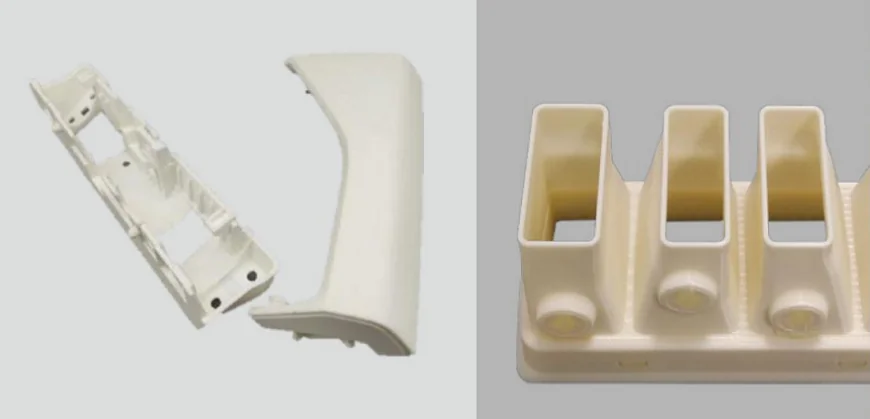
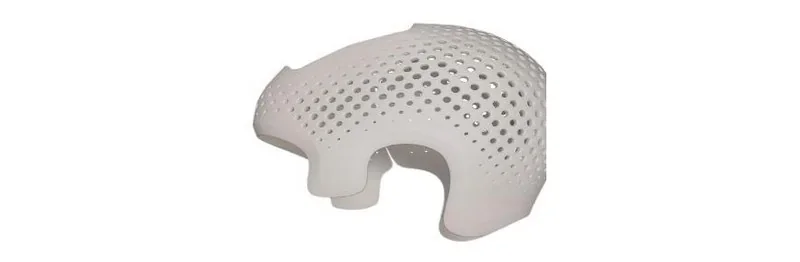
ABS 3D Print Sample: A 200×200×200 mm orthopedic helmet printed in 5 hours
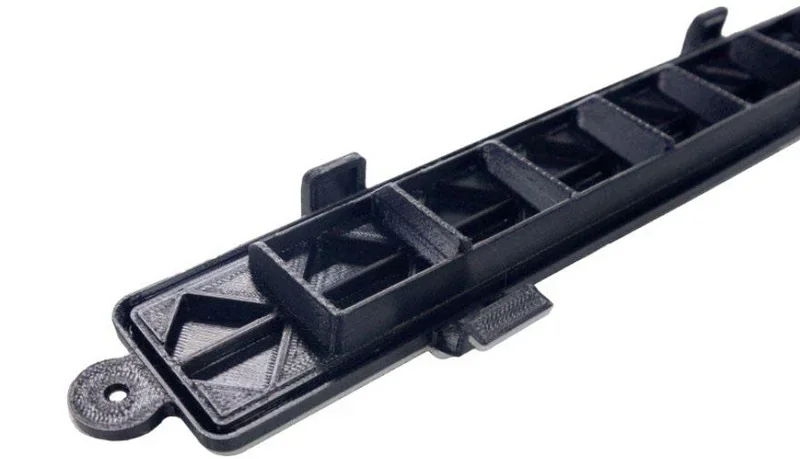
ASA 3D Print Sample: a 240×20×20 mm air conditioner filter cover printed in 7hours
PC 3D Print Samples: 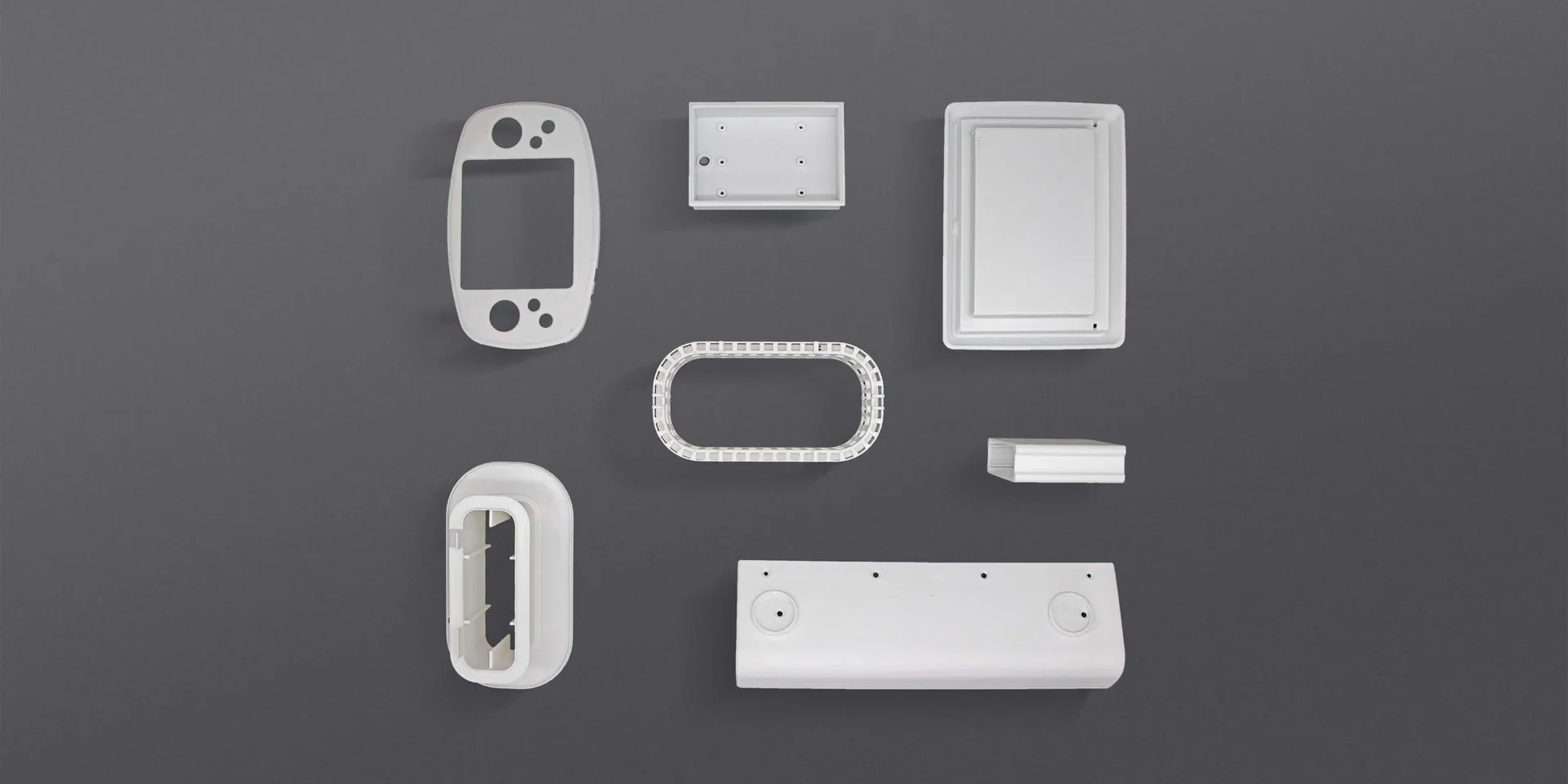
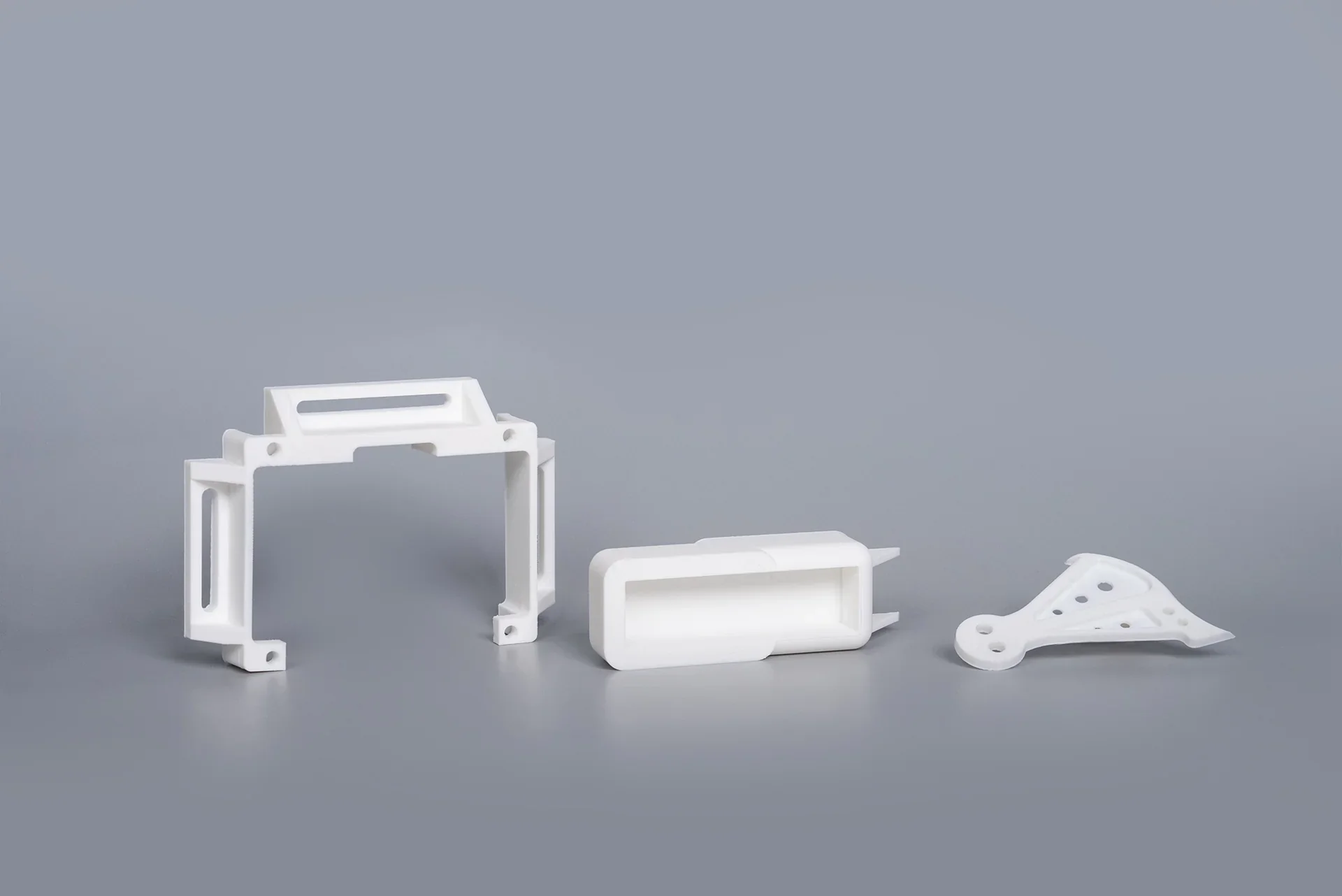
PPA-CF/PPA-GF 3D Print Samples:
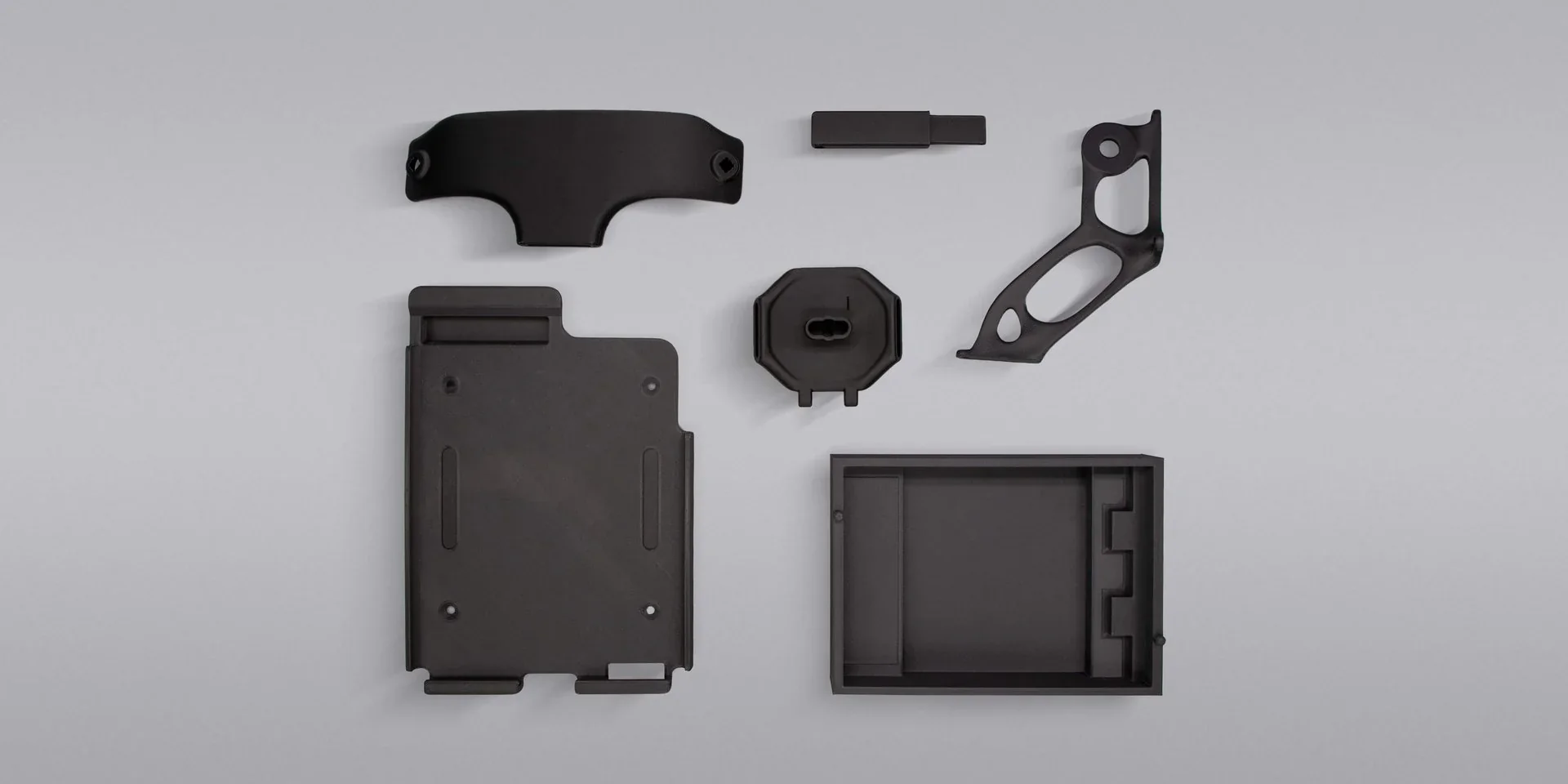
PPS-GF 3D Print Samples:
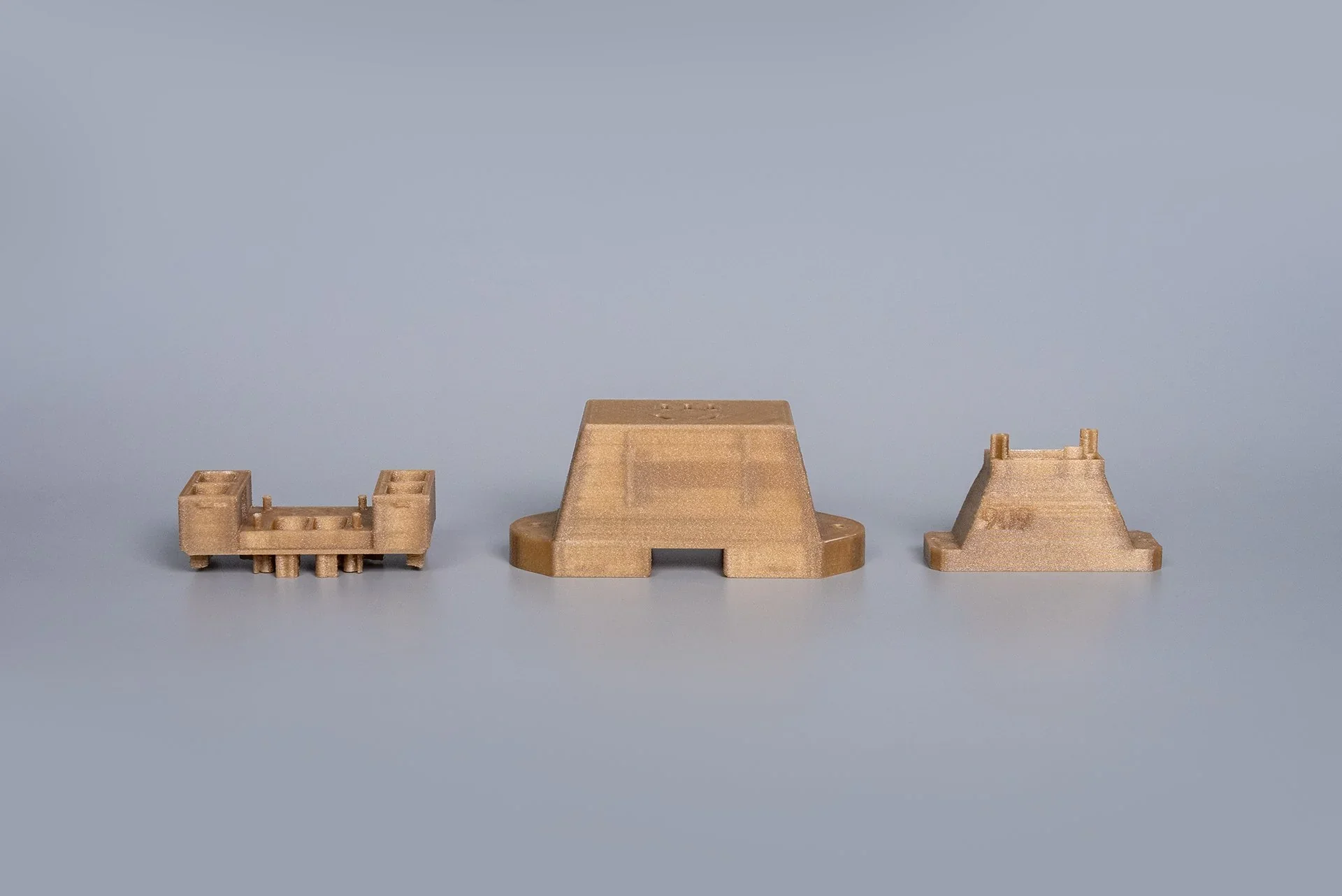
TPU-95A 3D Print Samples:
What is the build volume of the Intamsys Funmat Pro 310 NEO?
The build volume of the Intamsys Funmat Pro 310 NEO is 305 × 260 × 260 mm with a single nozzle, and 260 × 260 × 260 mm with dual nozzles.
What is the difference between the Intamsys Funmat Pro 310 NEO and its competitors?
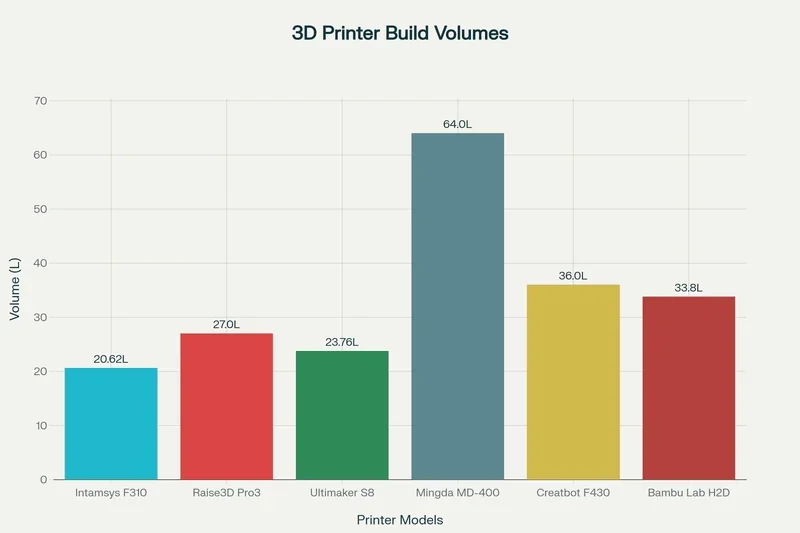
The Intamsys Funmat Pro 310 NEO is an industrial FDM printer with a 100 °C heated chamber, 160 °C bed, and 350 °C nozzle, enabling reliable printing of engineering polymers like PPS, PPA-CF/GF, and high-strength ABS. It offers stronger thermal management than the Raise3D Pro3 HS and Ultimaker S8 Pro, which have lower chamber capabilities. Although the Mingda MD-400D and Creatbot F430 NX have larger build volumes, they lack comparable chamber heating, affecting print quality with technical materials. The Bambu Lab H2D excels in print speed and automation but is limited to a 65 °C chamber, making it better for prototyping. The Funmat Pro 310 NEO also includes IDEX dual extrusion for duplicate or mirror mode printing — unlike single-head systems like the H2D — doubling productivity. It delivers a strong balance of thermal performance, versatility, and industrial reliability.
| Specification | Funmat Pro 310 NEO | Raise3D Pro3 HS | Ultimaker S8 Pro | Mingda MD-400D | Creatbot F430 NX | Bambu Lab H2D |
|---|---|---|---|---|---|---|
| Price (USD) | $9,500+ | $5,599+ | $12,298+ | $4,499+ | $6,499+ | $2,149+ |
| Build Volume (mm) | 305×260×260 / 260×260×260 | 300×300×300 / 255×300×300 | 330×240×300 | 400×400×400 / Copy: 400×200×400 | 400×300×300 / 360×300×300 | 325×320×325 / 300×320×325 |
| Nozzle Temp. (°C) | 350 | 320 | 340 | 350 (≤320 rec.) | 420 | 350 |
| Bed Temp. (°C) | 160 | 120 | 120 | 110 | 140 | 120 |
| Chamber Temp. (°C) | 100 | Passive heating | Passive heating | Passive heating | 70 | 65 |
| Max Speed (mm/s) | 500 | 500 | 500 | 500 (200–300 rec.) | 300 | 1000 |
| Extrusion System | IDEX | Dual (not IDEX) | Dual (not IDEX) | IDEX | IDEX | Dual (not IDEX) |
| Dimensions (mm) | 700×655×700 | 620×626×760 | 495×488×1187.5 | 690×790×910 | 780×550×800 | 492×514×626 |
What printer controls are available on the Intamsys Funmat Pro 310 NEO?
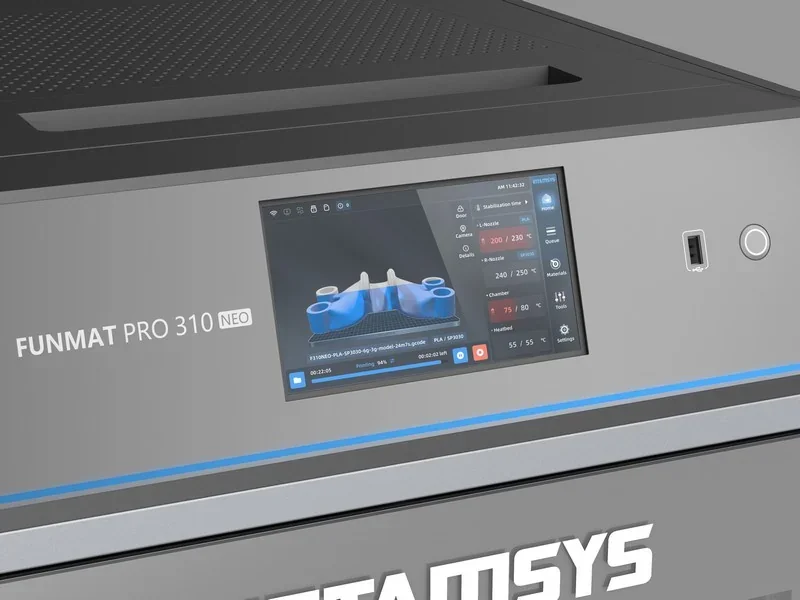
The Intamsys Funmat Pro 310 NEO provides 10 main control categories consisting of 4 physical controls and 6 touchscreen interface sections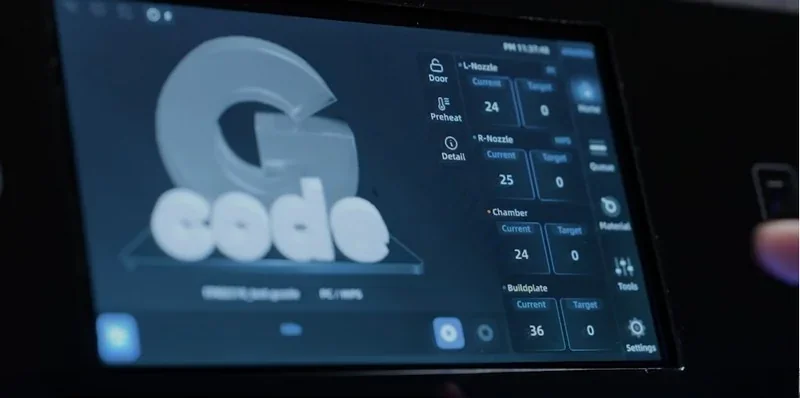
Physical Controls (4 categories):
- Power button located on the front side of the printer.
- Power switch on the lower right side of the machine.
- Front ON/OFF button on the right side of the screen.
- USB and network interfaces.
Touchscreen Controls (6 categories):
- Home Menu
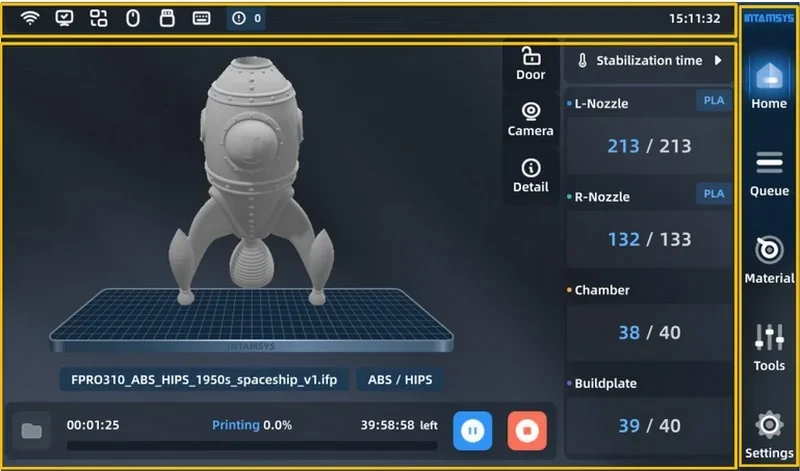
Print Job Controls: Start, pause, or stop printinting process, queueing, reprint completed task, select printing modes (duplicate and mirror), etc. 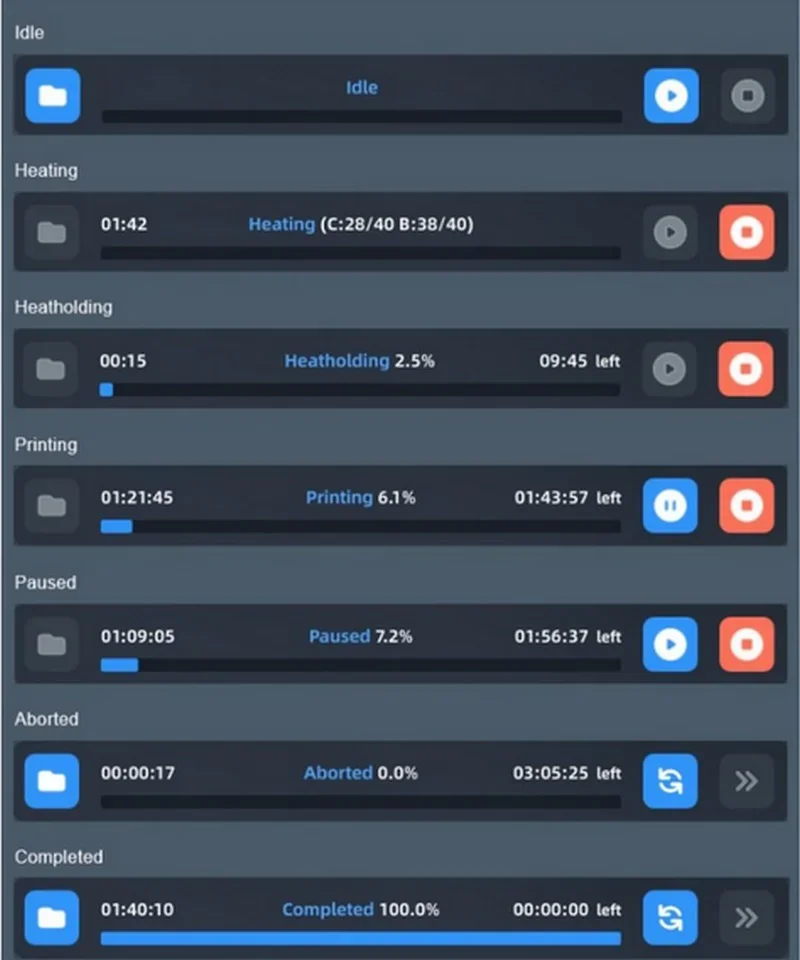
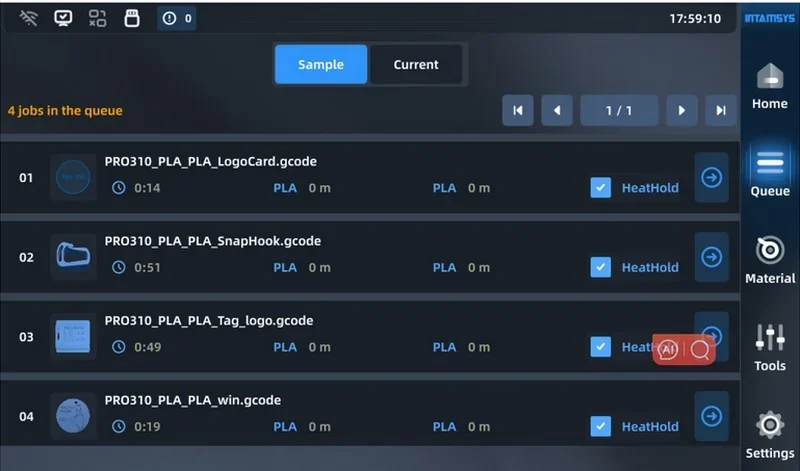
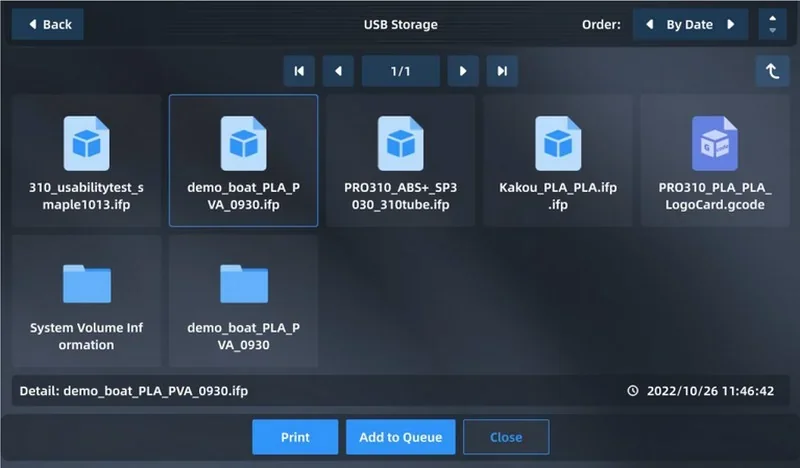
- Filament Management Controls: Load/unload filament, supply filament during out-of-material alarm, material database management, etc.
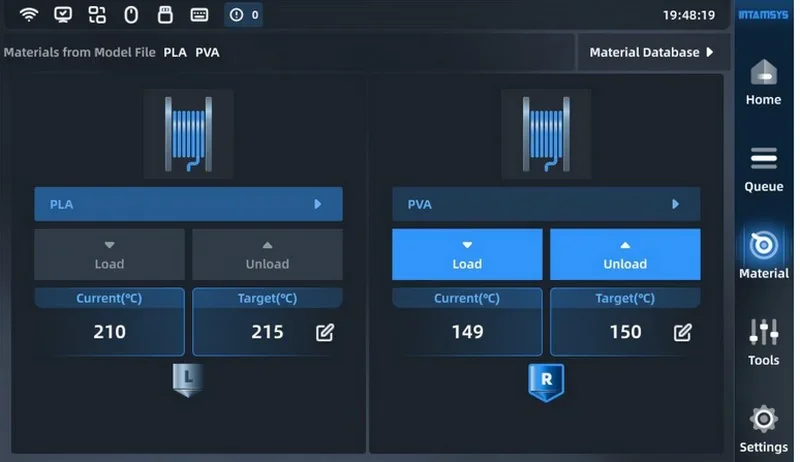
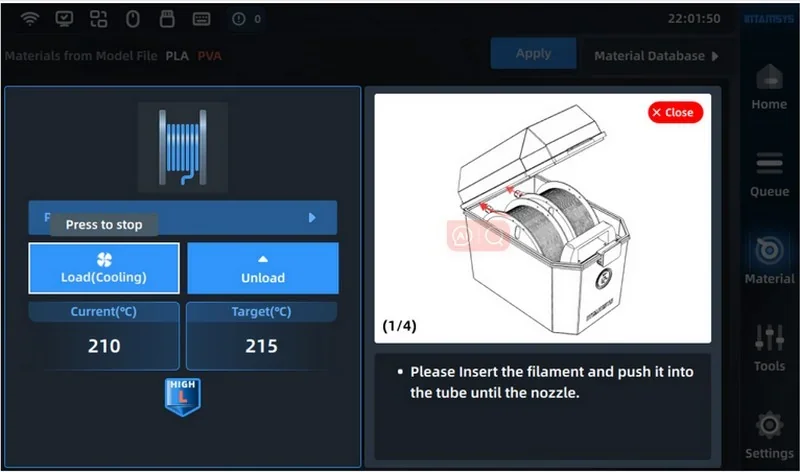
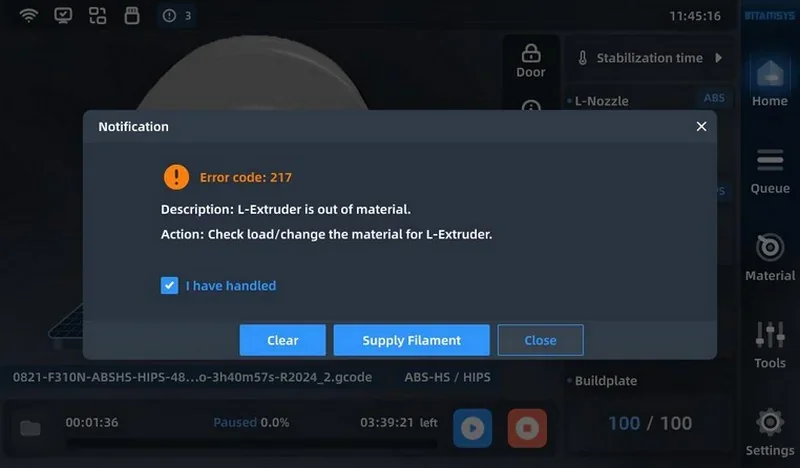
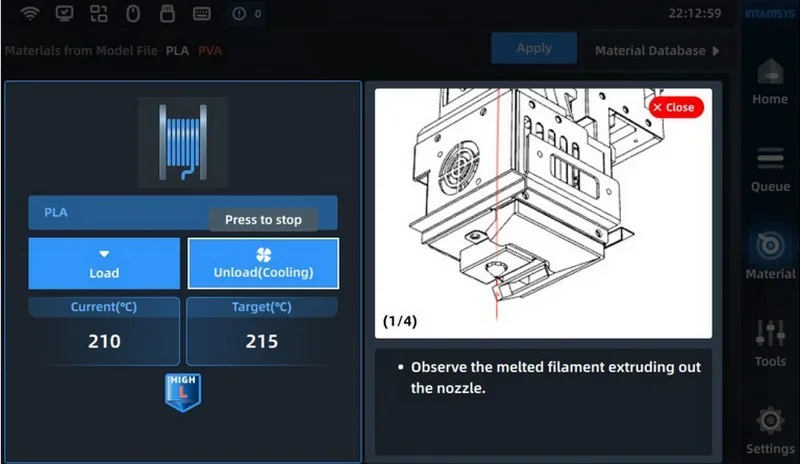
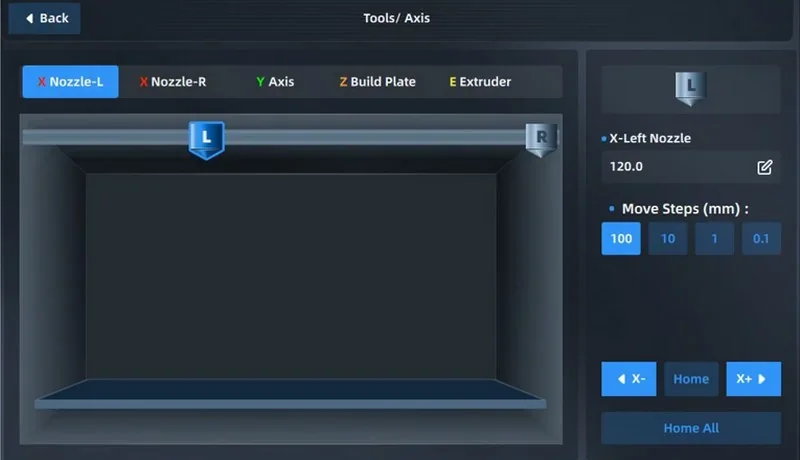
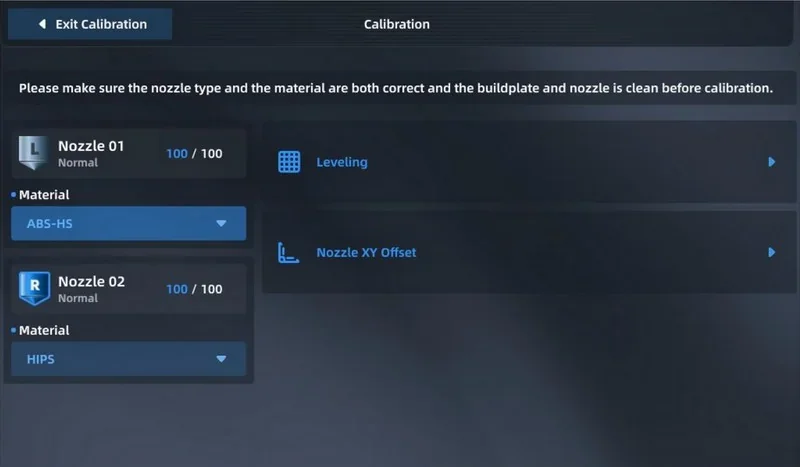
- Calibration: Automatic/manual platform leveling, nozzle XY offset calibration, axis control.
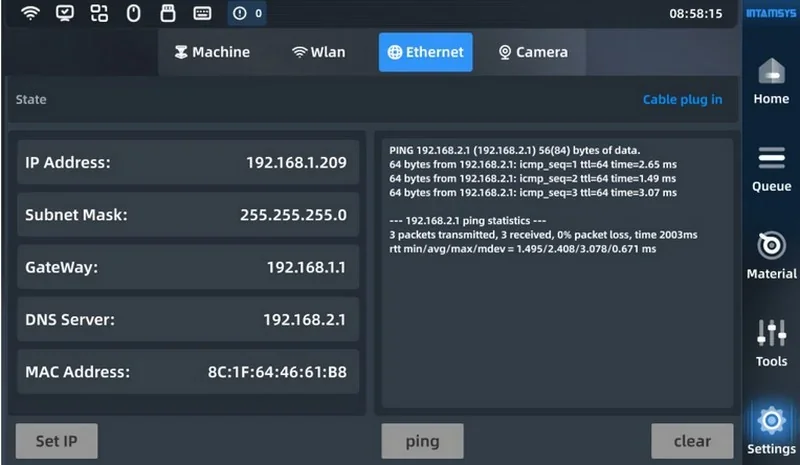
- Other Settings: Wi-Fi settings, wired network, nozzle adjustment, camera control for online monitoring, etc.
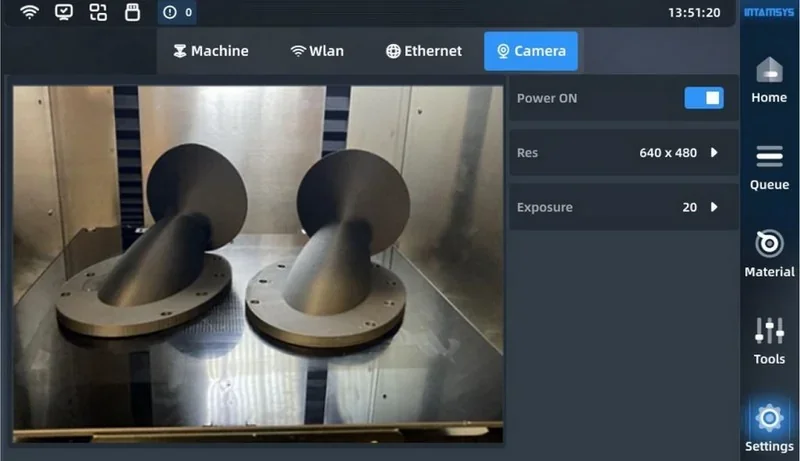
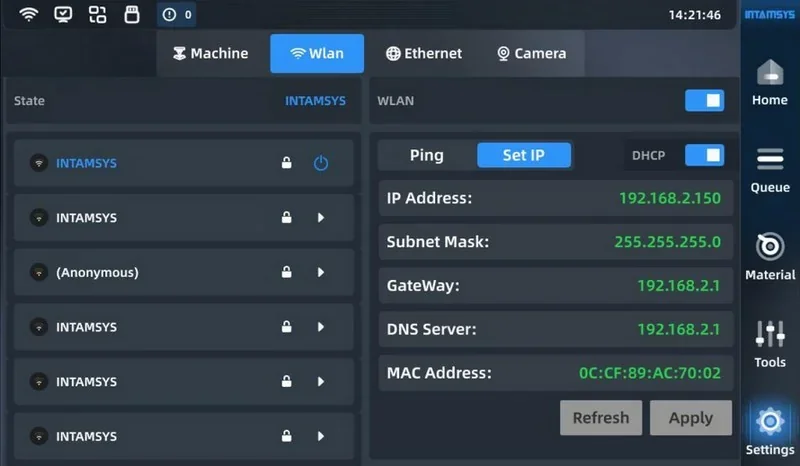
What connectivity options are available on the Intamsys Funmat Pro 310 NEO?
The Funmat Pro 310 NEO offers Wi-Fi, Ethernet, and dual USB ports for flexible file transfer and printing. The left USB connects to a computer; the right handles U-disk transfers. Wi-Fi supports auto-reconnect, password management, and IP settings, while Ethernet offers a stable wired option. Remote printing is available via FTP, INTAMSUITE NEO, or the Local Print app, enabling seamless workflow integration.
What slicing software is offered with the Intamsys Funmat Pro 310 NEO?
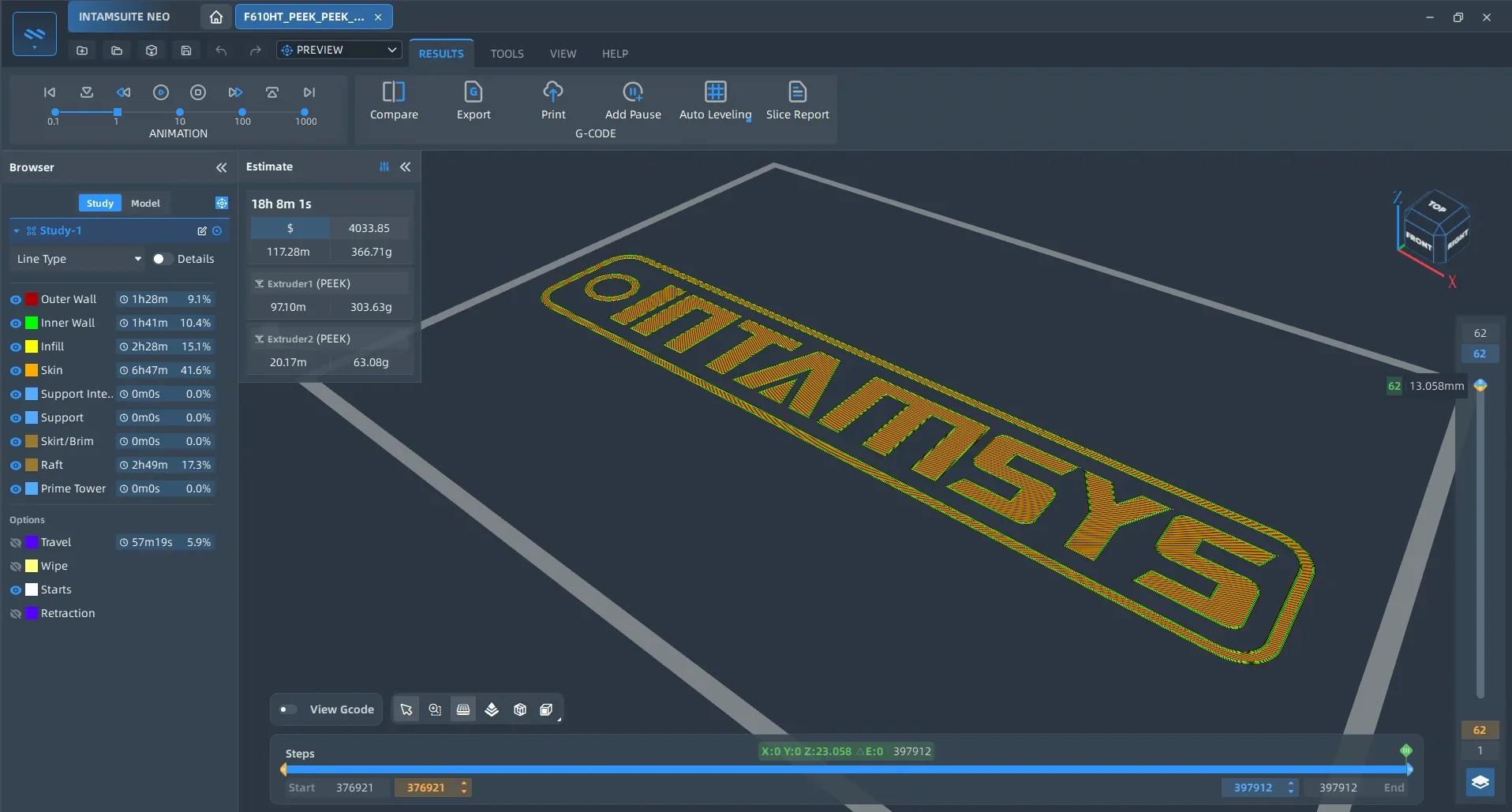
The Intamsys Funmat Pro 310 NEO includes INTAMSUITE NEO, an industrial-grade slicing software with a project-based workflow for managing multiple tasks in one interface. It features a ribbon-style UI, tested print profile templates, and dynamic settings based on printer, material, and print mode.
Technical features include LAN-based remote printing and monitoring, auto support generation, adaptive blockers, G-code previews, and a standalone monitoring app. It supports formats like .stl, .obj, .3mf, .stp, and .iges, with tools for automated slicing, mesh repair, per-model settings, DFAM checks, and model transformation. The software is compatible with all FUNMAT printers and available in English, French, German, Japanese, and Chinese.
What is the design and build quality of the Intamsys Funmat Pro 310 NEO?
What is the design and form factor of the Intamsys Funmat Pro 310 NEO?
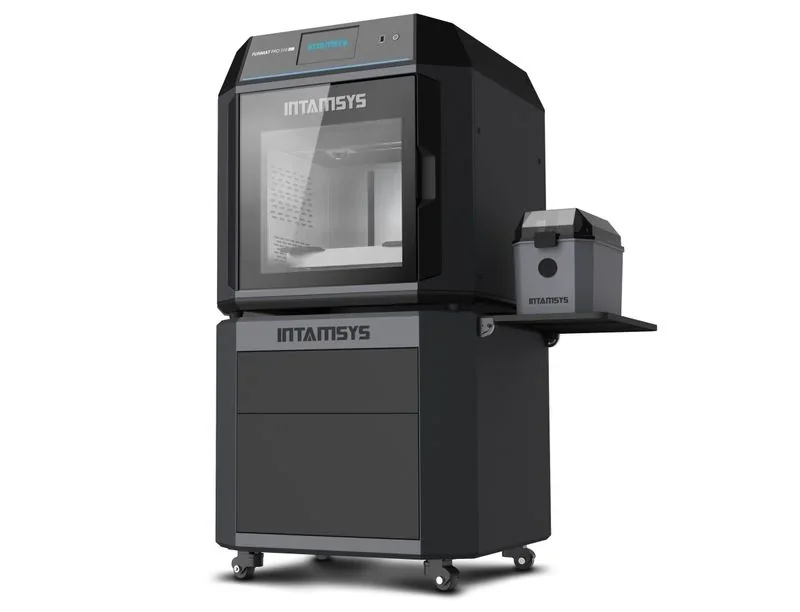
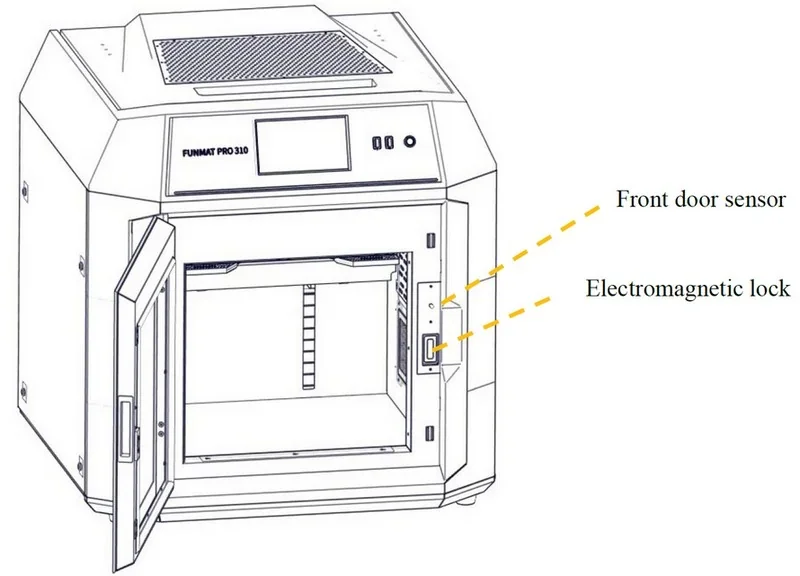
The Funmat Pro 310 NEO has excellent thermal insulation design (thickened insulation layer, front door with double glass, and a temperature-resistant cover on the top). It includes removable side panels, locking front and top doors with electromagnetic safety locks, and overhead access via damping hinges. Measuring 700 × 620 × 800 mm, it has a front-mounted touchscreen, USB ports, and power switch, with space for an external filament drying box on the right. Designed for indoor use.
What is the motion system of the Intamsys Funmat 310 NEO?
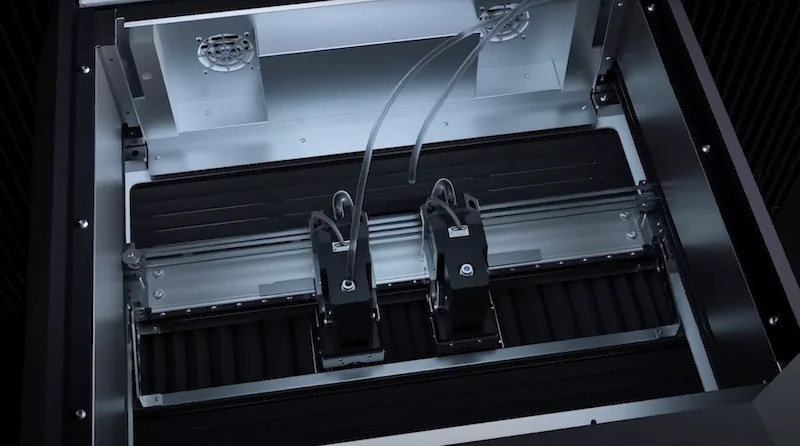
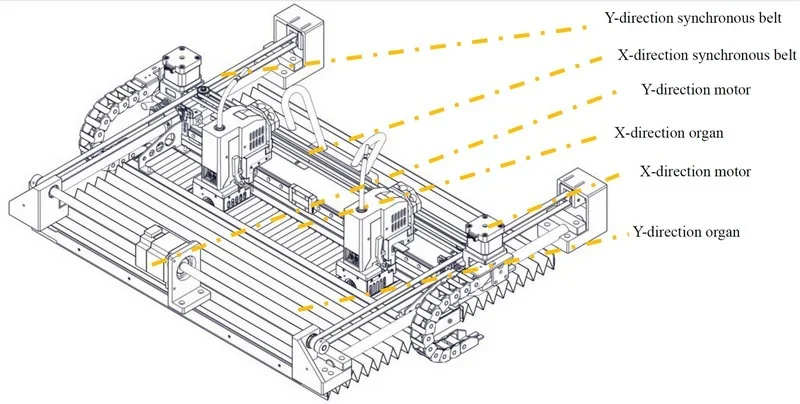
The Intamsys FUNMAT 310 NEO uses factory-tensioned synchronous belts and linear guide rails for X and Y axis motion, driving the dual-extruder horizontally.
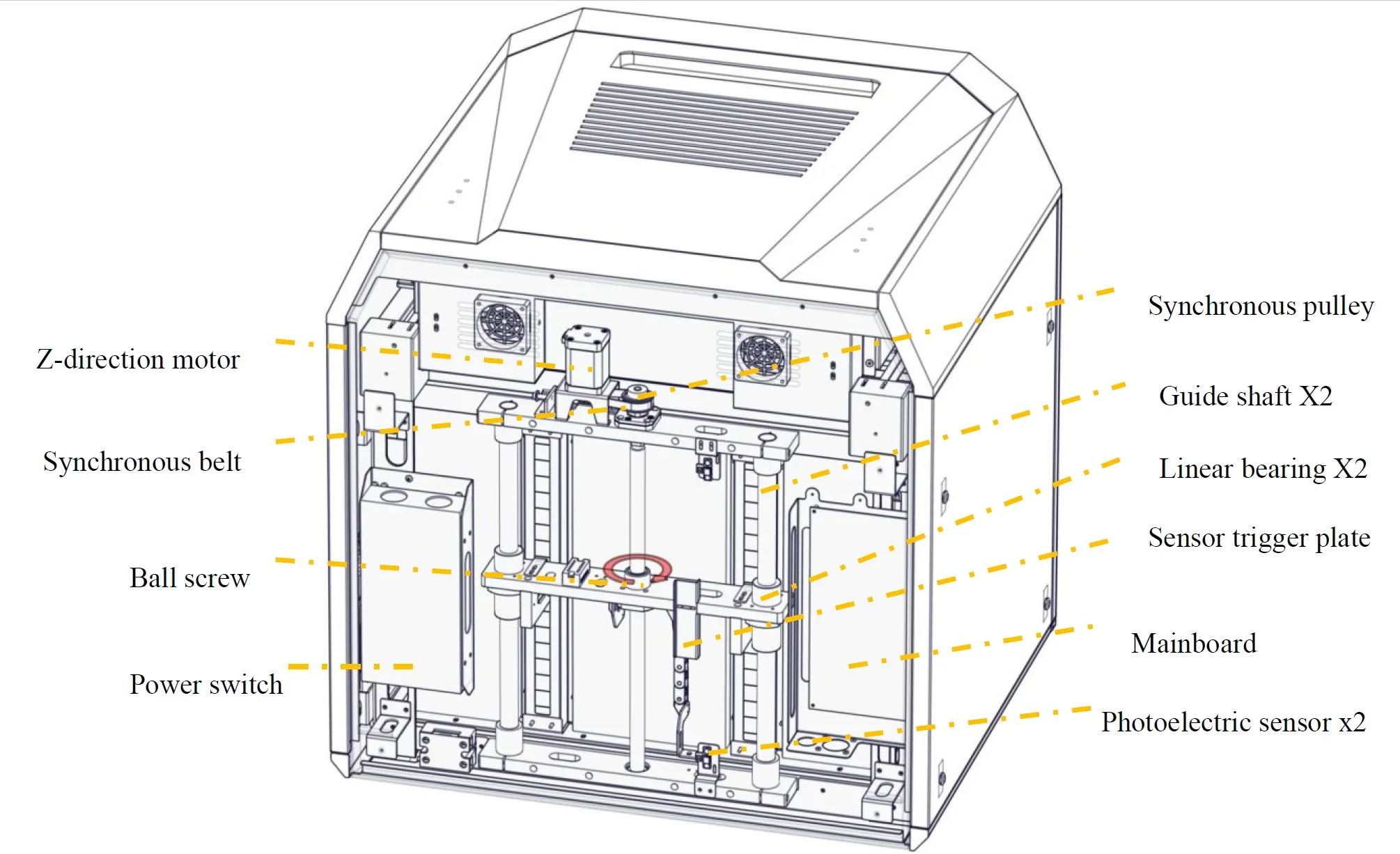
 The Z-axis employs 2 linear bearings and a ball screw to move the heated bed vertically.
What are the build platform specifications of the Intamsys Funmat 310 NEO?
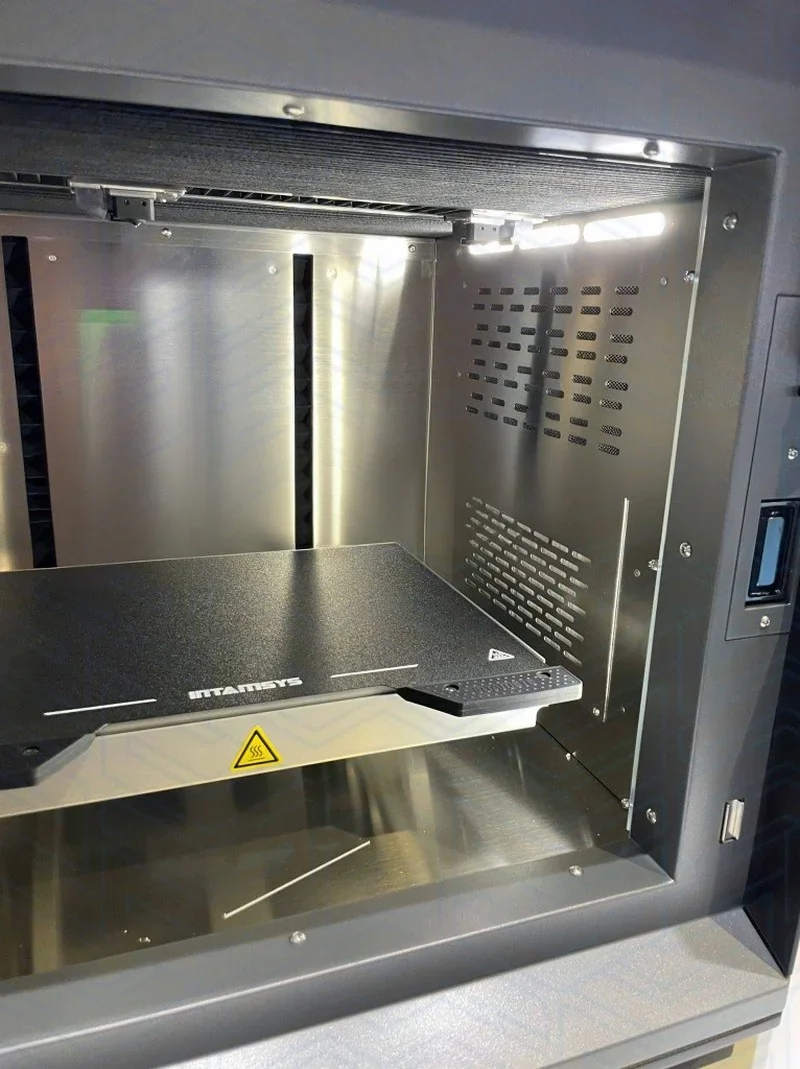
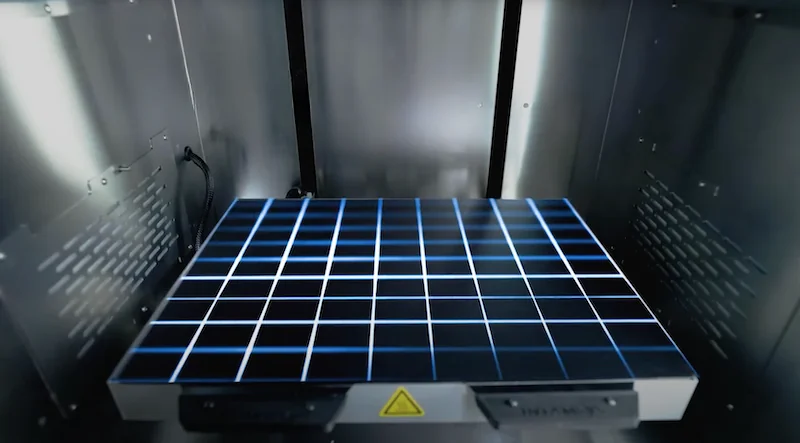
The Intamsys Funmat Pro 310 NEO includes a magnetic stainless steel flexible build plate for easy part removal with glue-free bed adhesion. The build platform features auto mesh leveling with 100-point surface flatness measurement and automatic Z-axis compensation. Manual leveling with a 0.2 mm feeler gauge and four manual leveling knobs is also supported.
What is the hotend and extruder system of the Intamsys Funmat 310 NEO?
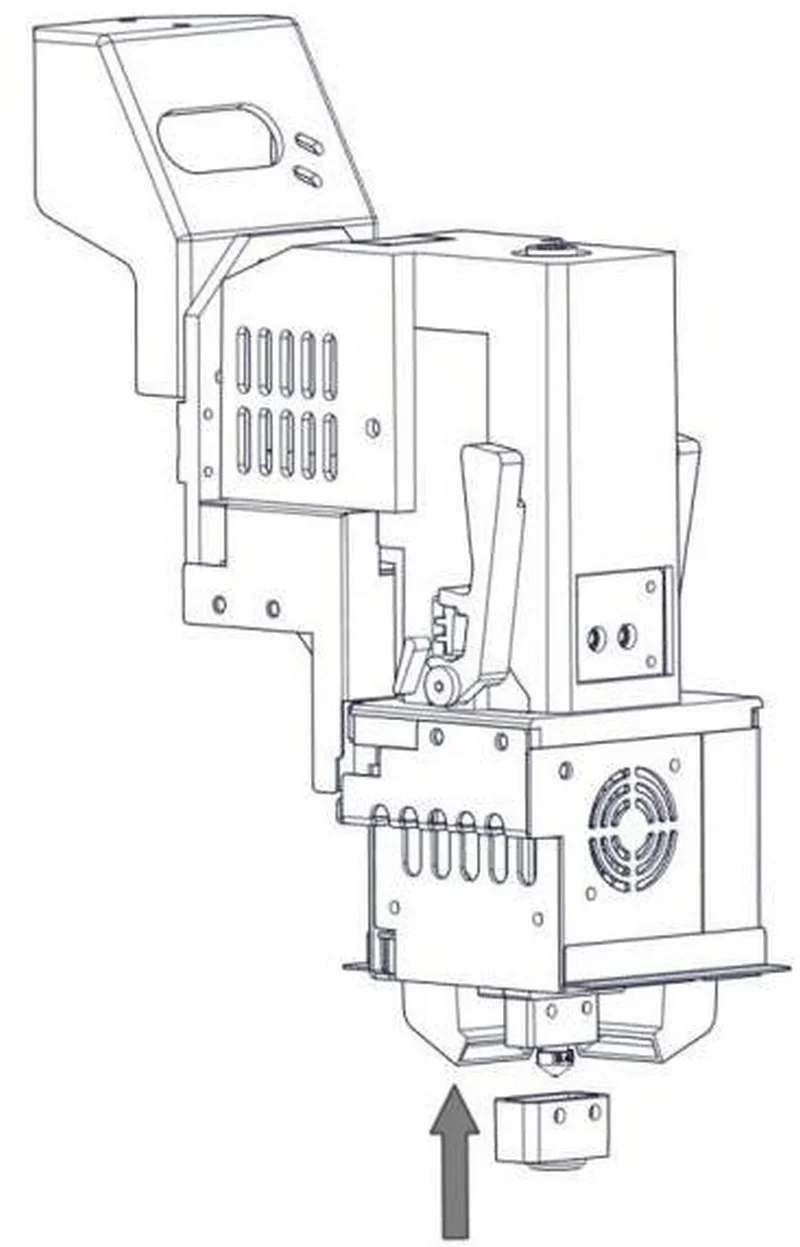
The Intamsys Funmat 310 NEO uses an Independent Dual Extruder (IDEX) system with two print heads, each reaching up to 350°C. The extruder system uses dual feeding gears. It includes CuCrZr nozzles for standard materials (ABS, PC, PLA, PETG) and hardened steel-tipped nozzles for fiber-filled materials (PA6-CF, PA12-CF, PPS-CF).
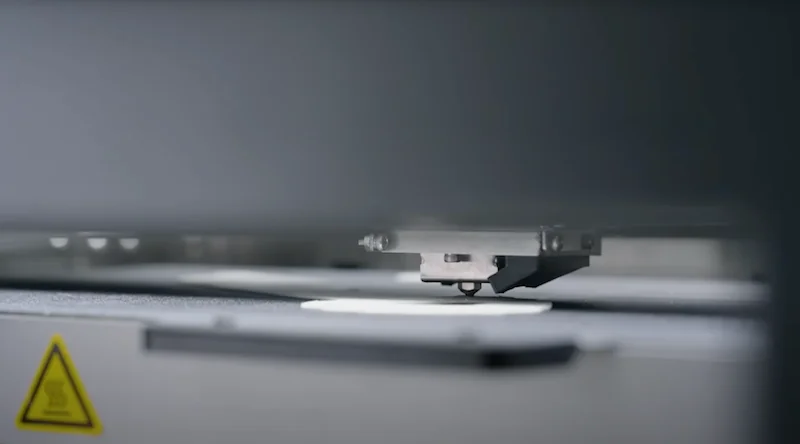
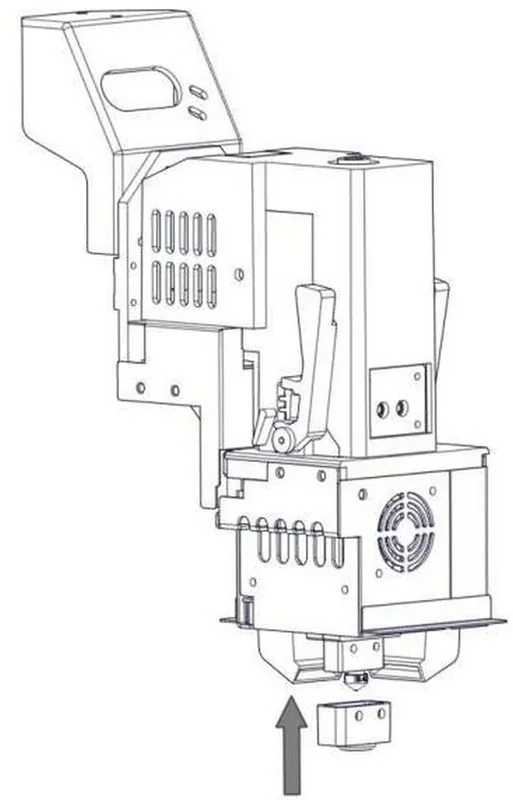
Quick-release extruders with modular design allow fast, tool-free nozzle changes.
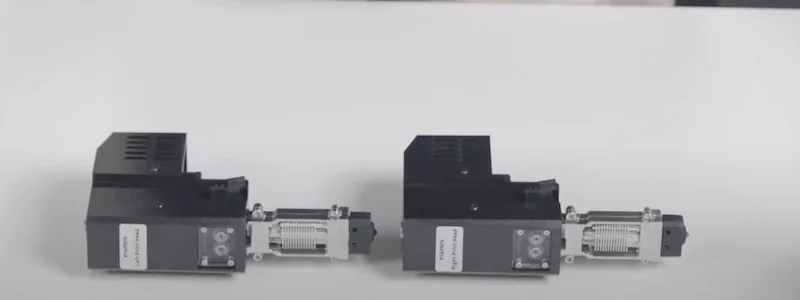 Extruder installation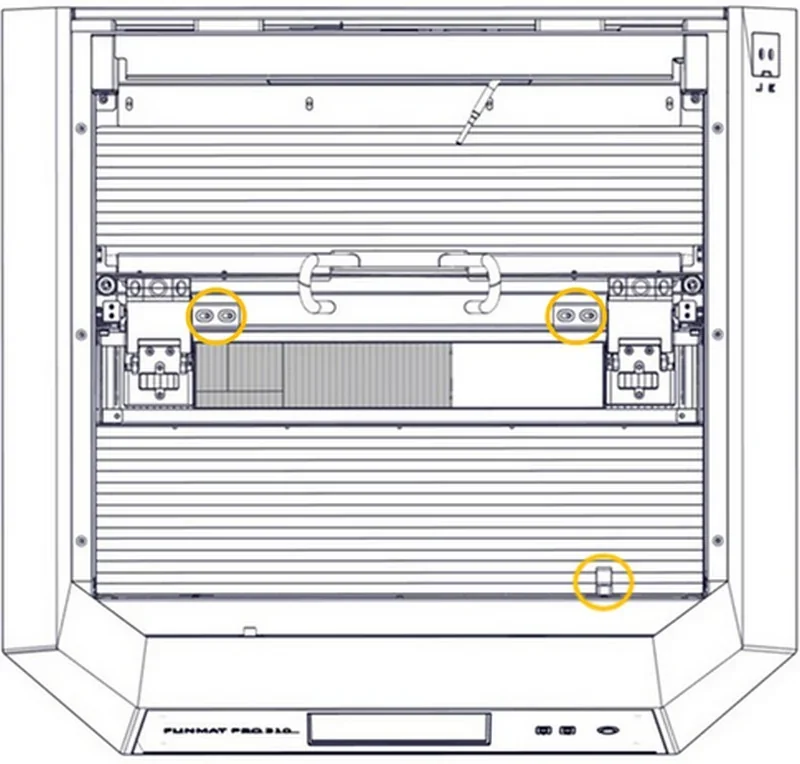
How does the Intamsys Funmat 310 NEO handle filament storage and feeding?
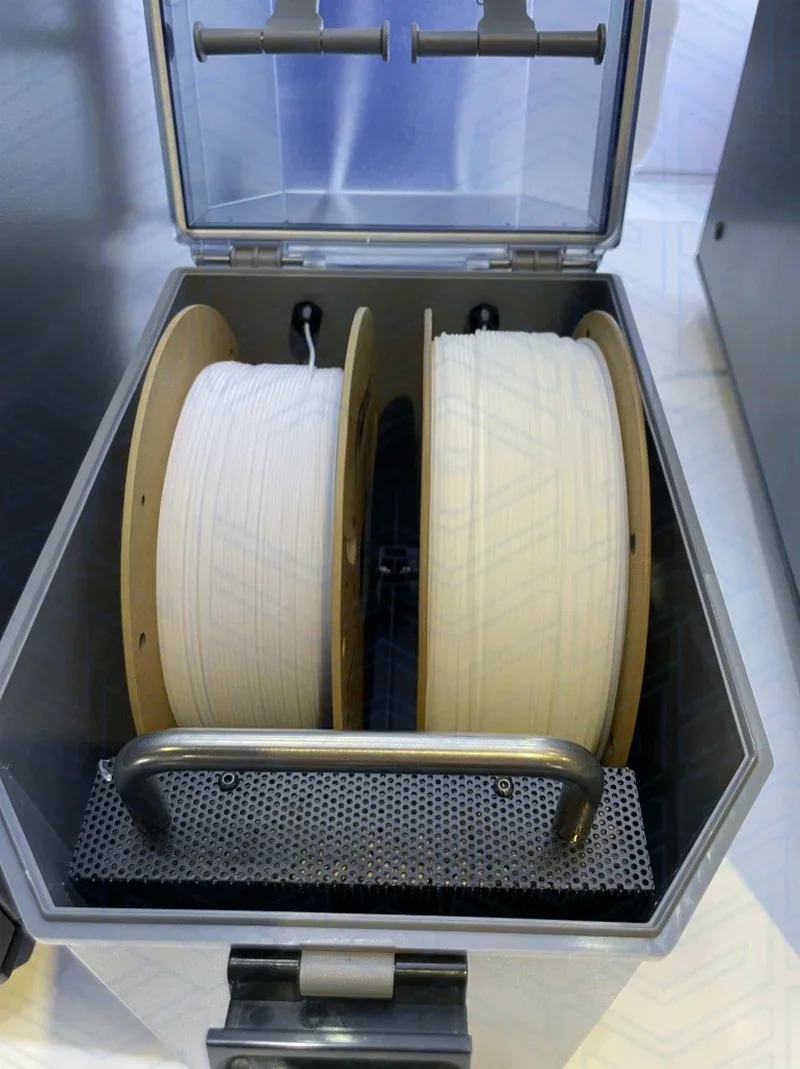
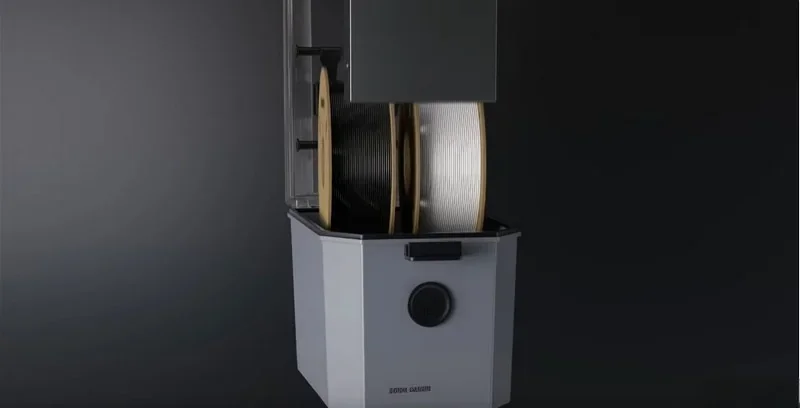
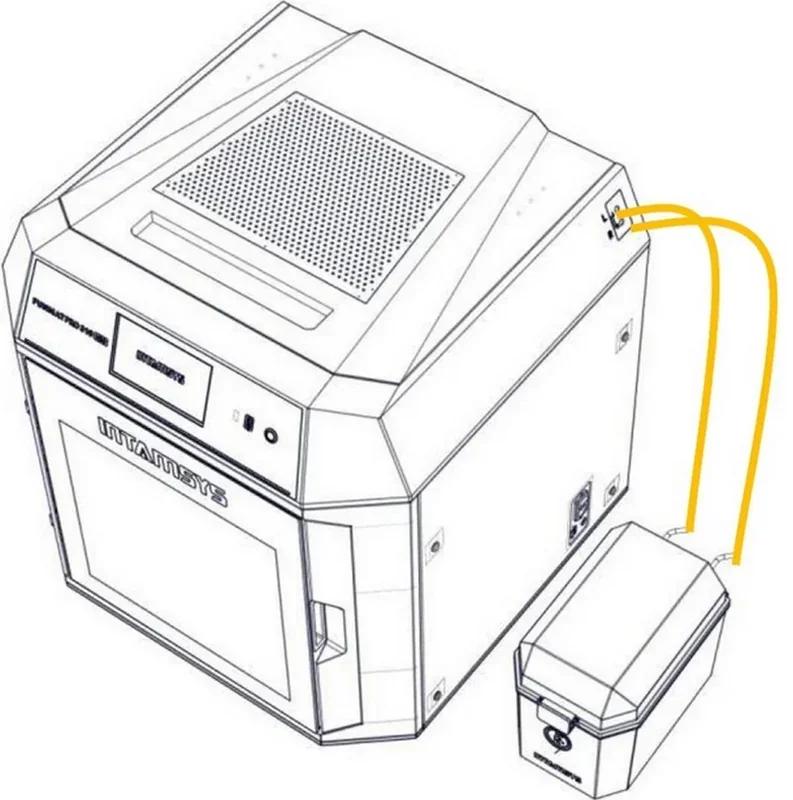
The Intamsys Funmat 310 NEO uses an independent INTAMBox Sealed Drying Filament Box that holds two 1kg spools — left for model material and right for support. It maintains low humidity with seal rings, buckles, and 4A molecular sieve desiccant, while a cover tension device prevents filament loosening and spool toppling. Filament feeds through quick-connect tubes with sensors that pause printing when material runs out, allowing reload and resume. The system also includes intelligent material recognition to detect mismatches with G-code settings and supports both automatic and manual loading via the touch screen. The anti-tangle design avoids tangling and knotting of filament to ensurecontinuous printing.
What are the power supply specifications of the Intamsys Funmat 310 NEO?
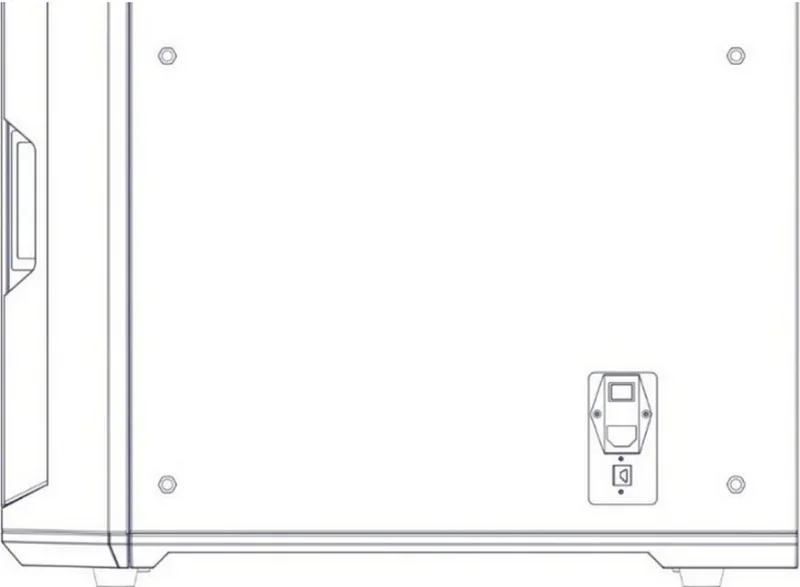
The Intamsys Funmat Pro 310 NEO supports 110 V and 220 V AC input, with a power switch on the lower right side. It’s designed for indoor use within 15°C to 30°C and 30% to 70% relative humidity (non-condensing). The device complies with FCC Part 15 and Industry Canada RSS standards and must be operated at least 20 cm from users to meet RF exposure requirements.
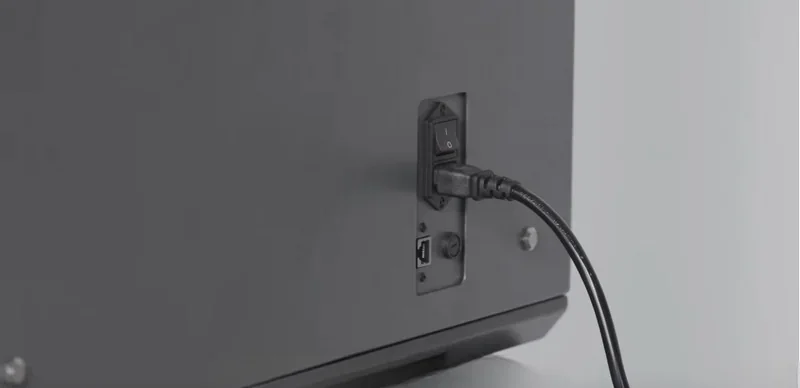
Intamsys Funmat 310 NEO power switch
What comes included in the box with Intamsys Funmat Pro 310 NEO?
- Intamsys Funmat Pro 310 NEO 3D Printer
- IntamBox, a sealed dual-spool dry box with integrated humidity/temperature monitoring and a rechargeable 4A molecular-sieve desiccant that keeps filament at ≤10% RH for up to 20 days
- 2x Extruder Assemblies
- 2x Intamsys filament spools
- 1x Blue pliers/wire cutters
- 1x hex key/Allen wrench set
- 1x Cleaning brush
- 2x Black electronic connectors/modules
- 1x USB cable
- 1x Power cable
- 2x Black build plates
- 1x Pair of protective gloves (in sealed packaging)
- Multiple instruction manuals and quick start guides
- Test model (stored in IntamBox)
- Setup documentation (multiple sheets)
- Screws, fasteners, mounting brackets
- Cleaning supplies and maintenance items
Please Note: Package contents are determined by the manufacturer and may change without notice. To confirm the current items included with this product, please contact a Top3DShop sales representative before placing your order.
What upgrades and accessories are available for the Intamsys Funmat Pro 310 NEO?
Intamsys offers 11 accessories and replacement spare parts.
| Accessory | Function | Price (USD) | Image |
|---|---|---|---|
| GROUP: Mobile Printer Cabinet and Tool Storage for FUNMAT PRO 310 | |||
| INTAMSYS FUNMAT PRO 310 Cabinet |
Dedicated mobile cabinet for the INTAMSYS FUNMAT PRO 310 3D printer. Sets the printer at an ergonomic working height and provides a stable, secure base matched to the PRO 310 form factor. Uses lockable casters for safe positioning and easy movement between work areas. Includes integrated storage drawers for tools and consumables to keep the workspace organized and reduce setup time. Includes a folding side shelf to add temporary workspace for part handling and post-processing. What's included:
|
$1,250.00 |
|
| GROUP: Nozzles and Nozzle Heating Sensor Parts for FUNMAT PRO 310 | |||
| INTAMSYS Nozzle CuCrZr 0.4 mm for FUNMAT PRO 310 | Replacement 0.4 mm CuCrZr (copper-chromium-zirconium) nozzle for the FUNMAT PRO 310. Restores correct nozzle orifice size and stable extrusion after wear, clogging, or damage. CuCrZr nozzle material supports consistent heat transfer at the nozzle for reliable melting and flow control. | $18.60 | 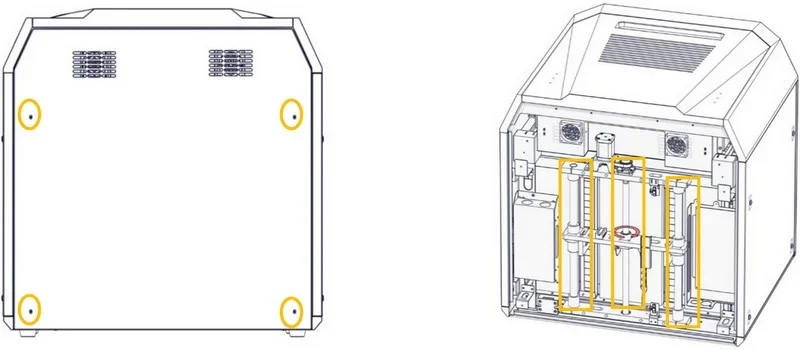 |
| INTAMSYS Nozzle Hardened Steel 0.4 mm for FUNMAT PRO 310 | Replacement 0.4 mm hardened-steel nozzle for the FUNMAT PRO 310. Designed for higher wear resistance during printing, helping maintain nozzle diameter and extrusion accuracy over longer use. Use when nozzle wear reduces dimensional accuracy or causes unstable flow. | $36.40 | 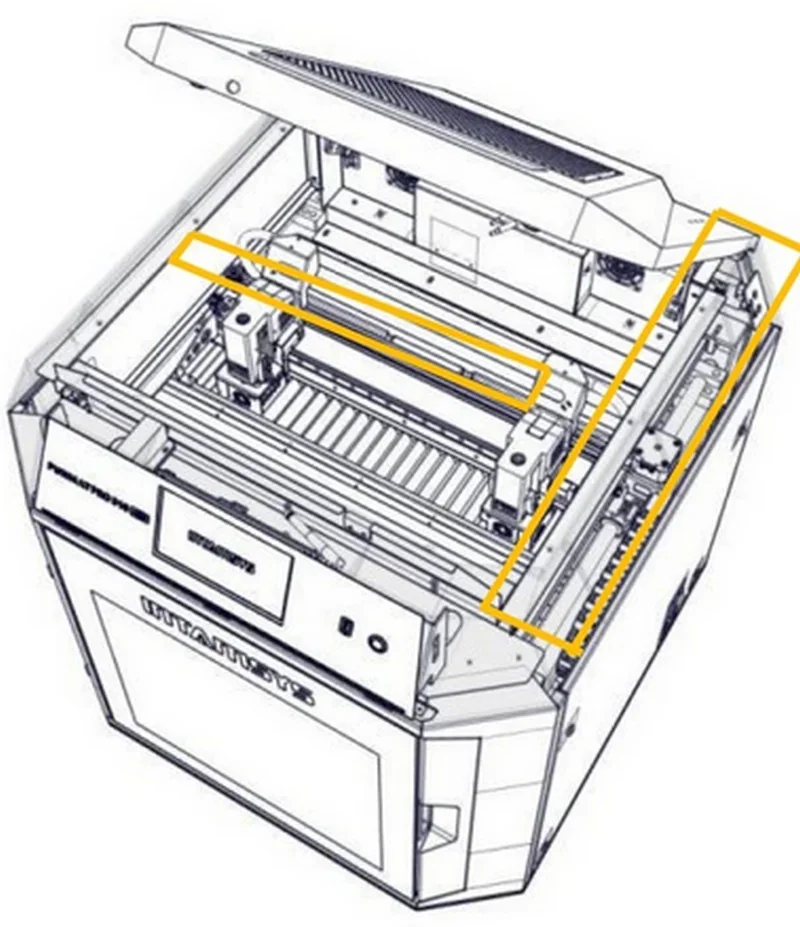 |
| INTAMSYS Nozzle Heater Assembly for FUNMAT PRO 310 | Replacement nozzle heater assembly for the FUNMAT PRO 310 hotend. Restores nozzle heating performance and temperature stability when the original heater is damaged or no longer reaches/holds set temperature. | $31.60 | 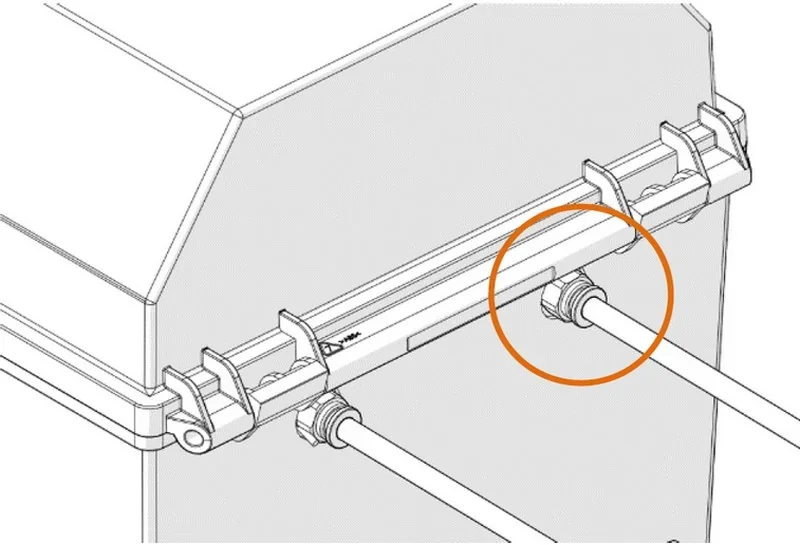 |
| INTAMSYS Nozzle Thermistor Assembly for FUNMAT PRO 310 | Replacement nozzle thermistor (temperature sensor) assembly for the FUNMAT PRO 310 hotend. Restores accurate nozzle temperature measurement for stable extrusion and reliable process control. Use when temperature readings drift, fluctuate, or trigger heater errors. | $73.00 | 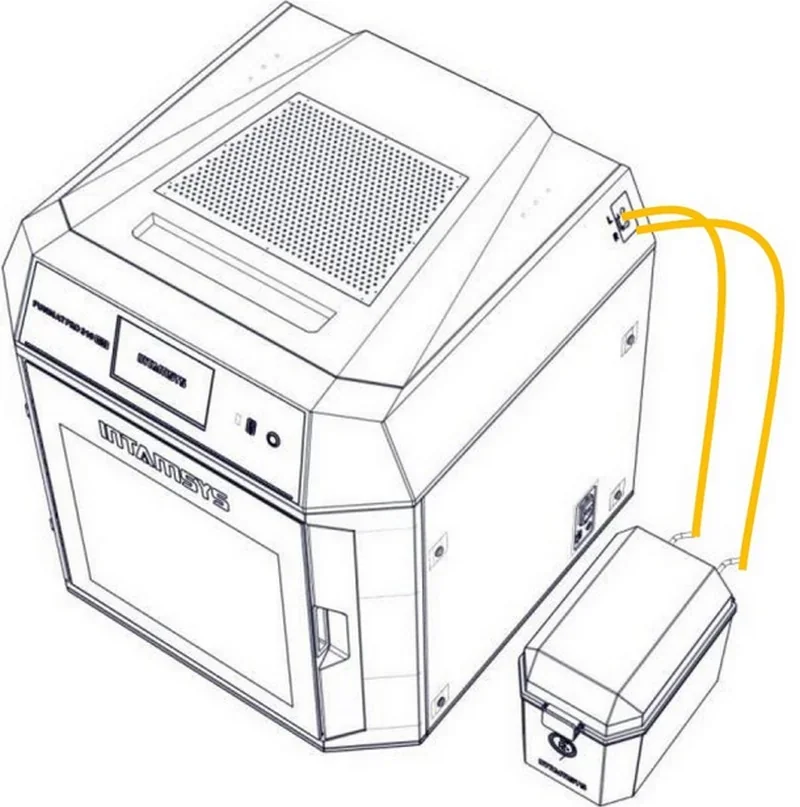 |
| INTAMSYS Normal-Temperature Heatbreak + Heating Block Assembly for FUNMAT PRO 310 | Replacement “normal temperature” heatbreak and heating block assembly for the FUNMAT PRO 310. Restores the hotend thermal barrier and melt-zone hardware when the original assembly is clogged, damaged, or degraded. Supports consistent thermal separation and stable extrusion behavior. | $52.00 | 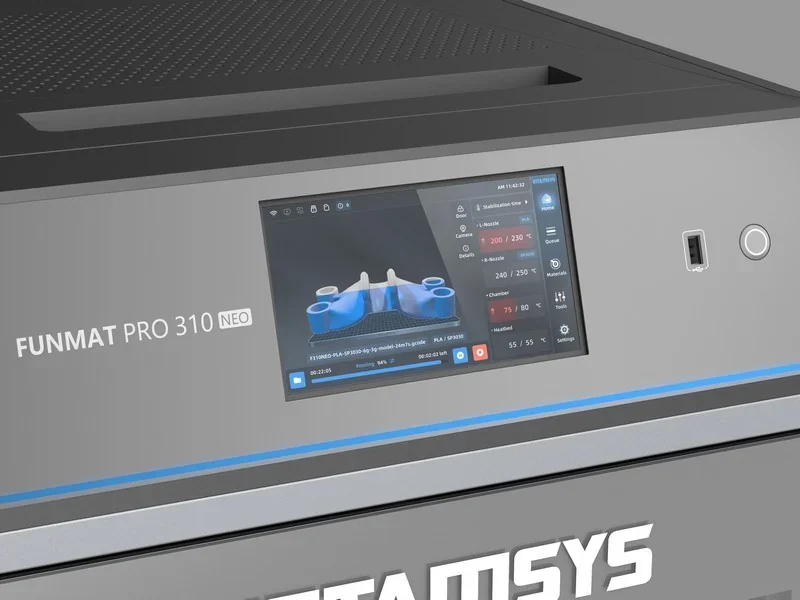 |
| GROUP: Printhead Replacement and Printhead Mounting Hardware for FUNMAT PRO 310 | |||
| INTAMSYS Left Printhead Seat Assembly for FUNMAT PRO 310 | Replacement left-side printhead seat assembly for the FUNMAT PRO 310. Provides the mechanical mounting interface that secures and positions the printhead. Use when the original seat is damaged, loose, or causes misalignment that affects print quality or repeatability. | $349.10 | 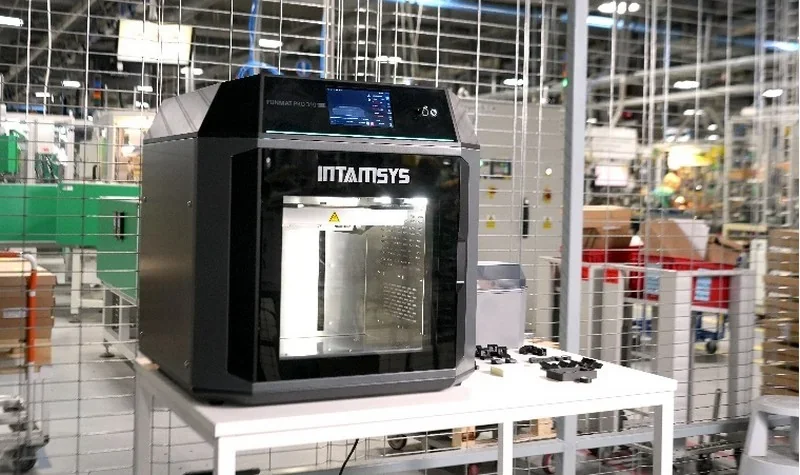 |
| INTAMSYS Right Printhead Seat Assembly for FUNMAT PRO 310 | Replacement right-side printhead seat assembly for the FUNMAT PRO 310. Provides the mechanical mounting interface that secures and positions the printhead. Use when the original seat is damaged, loose, or causes misalignment that affects print quality or repeatability. | $349.10 | 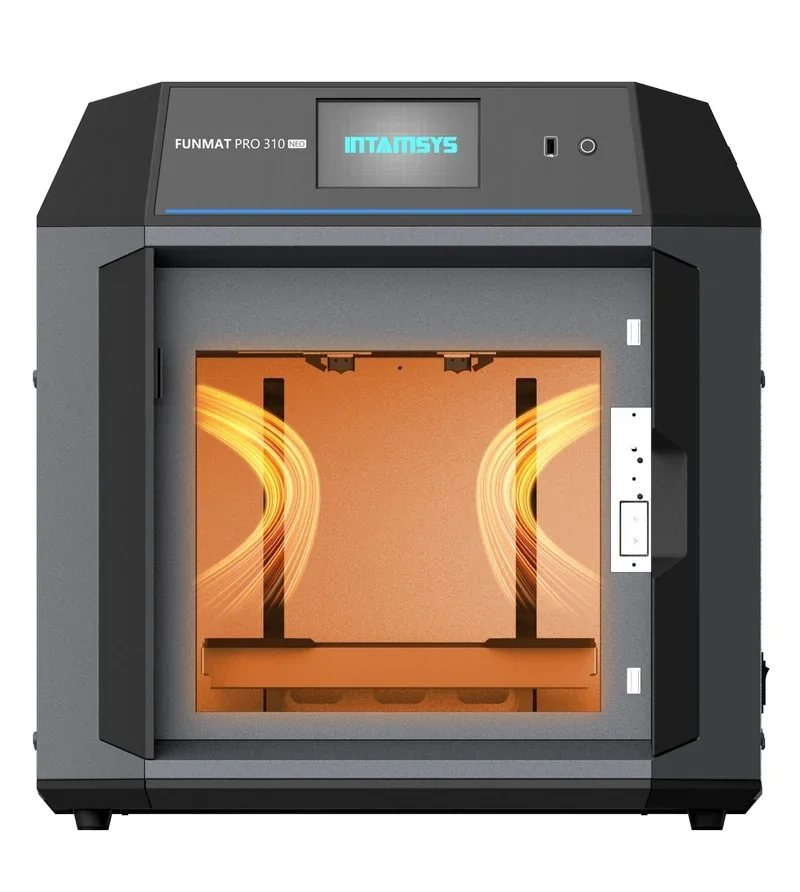 |
| GROUP: Build Surface and Part Removal Hardware for FUNMAT PRO 310 | |||
| INTAMSYS Buildplate with Handles for FUNMAT PRO 310 | Replacement build plate with integrated handles for the FUNMAT PRO 310. Handles support safer, faster plate handling during part removal and build plate changes. Use when the original build plate is damaged, warped, or needs a spare plate to increase throughput. | $44.00 | 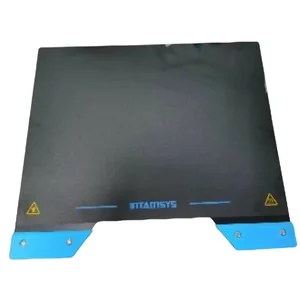 |
| GROUP: Enclosure Air Filtration for FUNMAT PRO 310 | |||
| INTAMSYS Air Filter for FUNMAT PRO 310 | Replacement air filter for the FUNMAT PRO 310 enclosure. Supports cleaner exhaust airflow and improved operator environment by filtering airborne output from the print chamber. Replace on schedule or when airflow and filtration performance drop. | $38.50 | 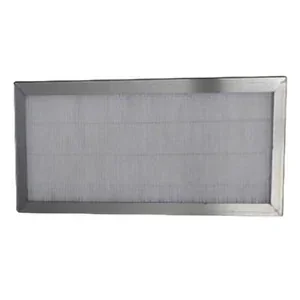 |
| Consumables | |||
| PVP Glue |
PVP Glue is a water-soluble adhesive used on the FUNMAT PRO 310 build plate. It increases first-layer grip for demanding engineering polymers, reduces warping and edge lift, and helps parts release cleanly after cooling. |
$10 | 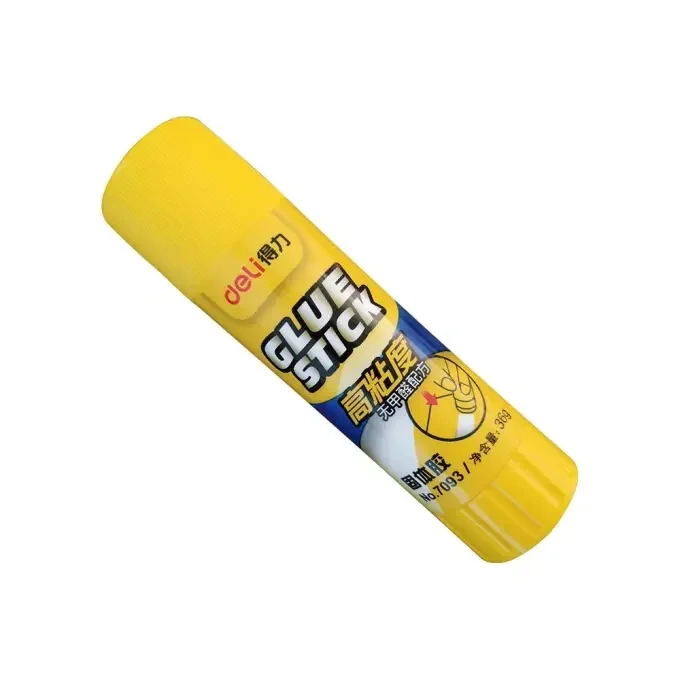 |
What maintenance does the dual extruder Intamsys Funmat Pro 310 NEO require?
3D Printer FUNMAT PRO 310 NEO requires scheduled maintenance procedures to ensure reliable operation, consistent print quality, and component longevity.
Before Each Print:- Inspect the magnetic platform for debris, secure magnets, and a clean, attached build plate.
- Clean filament and debris from the print chamber.
- Check the nozzle for clogs or buildup; heat and clean with a copper brush if needed.
- If the filament box humidity exceeds 20% after 24 hours, dry the desiccant at 200°C for 2 hours, then cool and reinstall.
- Wearing gloves, remove the build plate, flex to release the print, clean it, and reattach.
- Heat the nozzle to extrusion temperature, then clean with a copper brush.
- Remove material chips from the chamber.
- Remove the front housing of the extruder and inspect the feeding gears for accumulated filament chips; clean gear teeth using a small copper wire brush or tweezers.
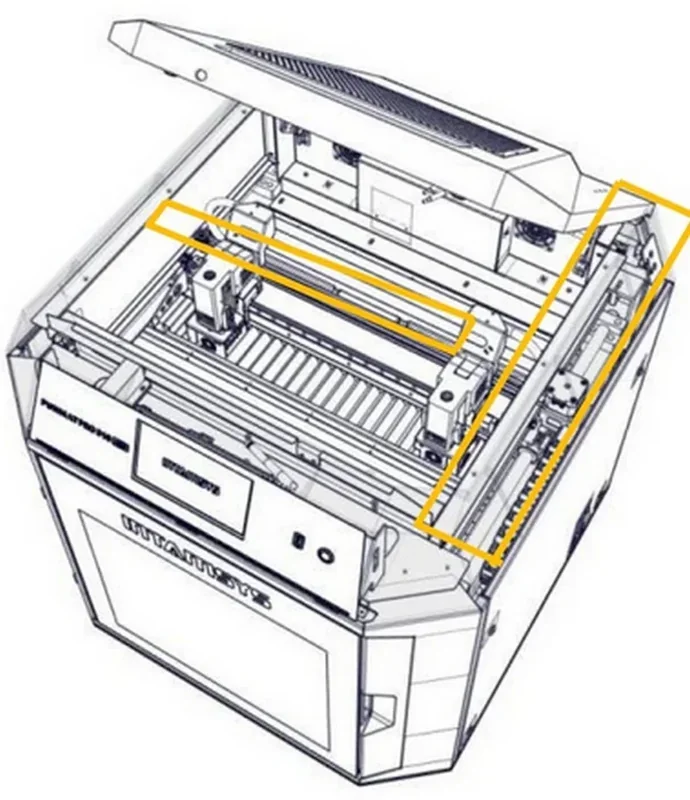
- Lubricate X and Y-axis rails with PFPE or lithium grease:
- Disable motors, center extruder, wipe old grease, apply new grease with a soft brush, and move extruder to spread it.
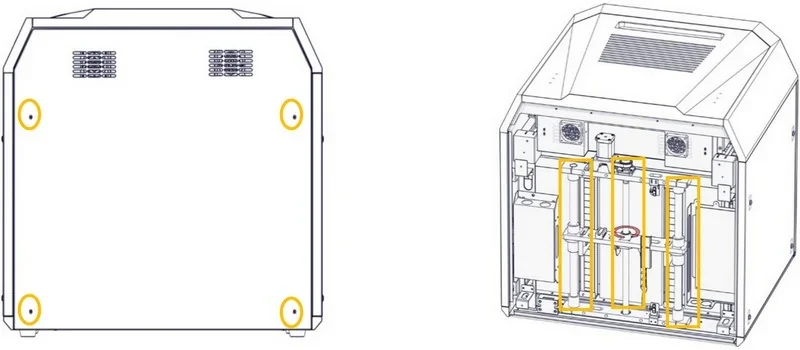
- Lubricate Z-axis bearings and ball screw:
- Power off and unplug, remove rear cover, grease rails and screw, reinstall cover, power on, and move Z-axis up/down 10 times.
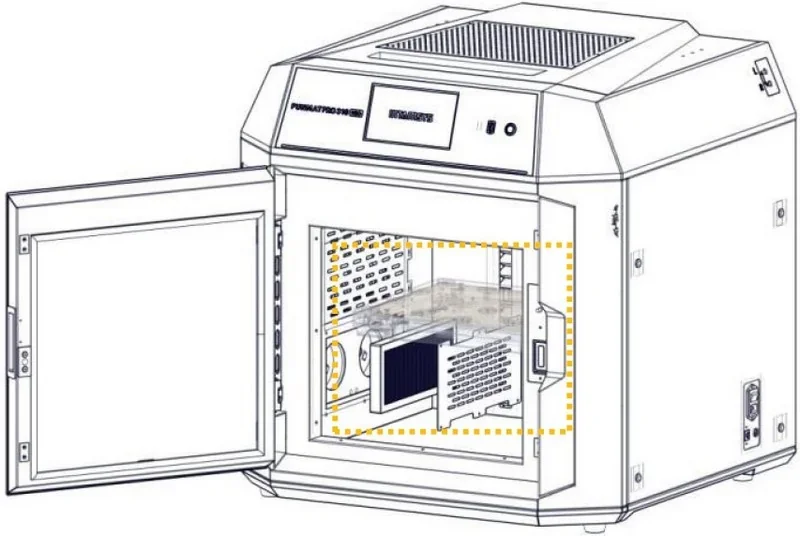
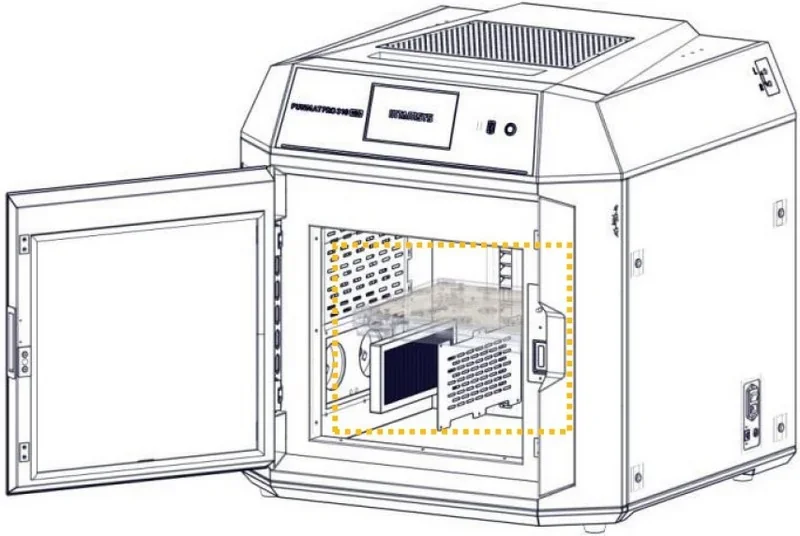
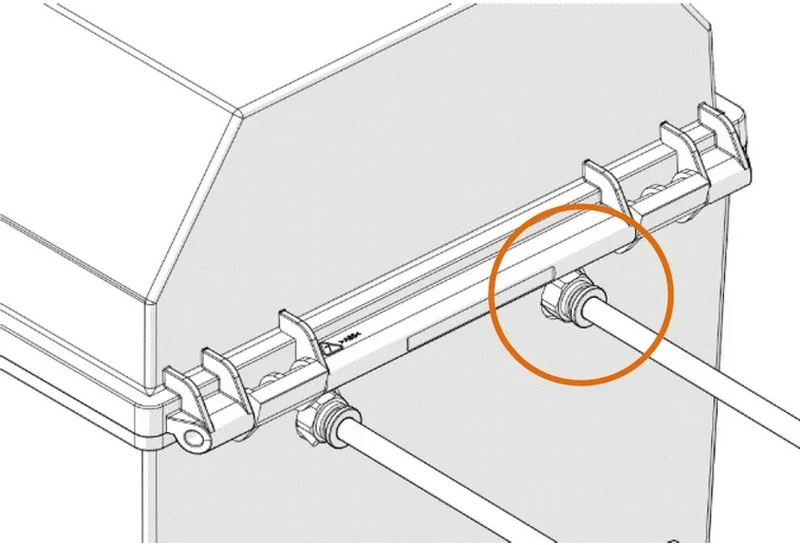
- Inspect or replace air filters at side inlets by removing screws and the cover plate.
To replace feeding tubes:
- Unload filament, power off, and let components cool.
- Center the extruder, press black collars, and remove tubes.
- Install new tubes of equal length, fully inserted.
To clean fans:
- Remove rear cover.
- Clean exhaust and mainboard fan blades with a brush, non-woven fabric, and alcohol.
- For the mainboard fan, remove four screws to clean; do not disconnect power.
 As Needed:
- Replace the nozzle after ~10 kg of filament or if print quality drops, especially with fiber-reinforced materials.
After replacement or alignment issues, perform hotbed leveling and nozzle XY offset calibration.
What support and warranty come with the Intamsys Funmat Pro 310 NEO?
Warranty Coverage:
- Standard warranty: 12 months from purchase for defects affecting operation.
- Limited parts warranty (5 months): nozzle assembly, temperature sensor, nozzle heater, LED components.
- Not covered: nozzle, heater housing, high-temp tape, glass build plate, screws, and cosmetic wear.
Extended Warranty (Optional):
- Available for up to 2 additional years, but must be purchased within the first year.
- Contact Top3DShop for pricing.
Warranty Requirements:
- Keep the original invoice and packaging.
- Valid only if purchased from Top3DShop
Warranty is Void If:
- Serial number is removed.
- Printer is modified or repaired by unauthorized persons.
- Damage results from misuse, poor maintenance, non-original parts/software, or natural disasters.
Repair Works for User-Caused Damage:
- Customer pays for inspection, repair, and shipping costs.
- Repairs done by Top3DShop/Intamsys after estimate approval.
Technical Support & Resources:
Email Support by Region:
- Asia Pacific: Support_APAC@intamsys.com
- EMEA: Support_EMEA@intamsys.com
- Americas: Support_America@intamsys.com
Help Center Resources:
- Service guides, troubleshooting, maintenance, and diagnostics: https://help.intamsys.com/en/INTAMSYSPRINTERS/FUNMATPRO410/FUNMATPRO410ServiceGuide
Authorized Distributor – Top 3D Shop:
- Provides technical assistance, setup support, and genuine parts:
sales@top3dshop.com
How much does the Intamsys Funmat Pro 310 NEO cost?
The Intamsys Funmat Pro 310 NEO high-speed industrial 3D printer, priced at $9,495.00, delivers strong value for professional use with a 500 mm/s max speed and IDEX technology. It prints 500–1000 g per day using a 100 °C heated chamber that supports warp-resistant printing with materials like PC, PA12-CF, and PPA-GF. The 305 × 260 × 260 mm build area is kept thermally stable, while IDEX enables mirror and duplicate modes, boosting output beyond 1 kg/day.