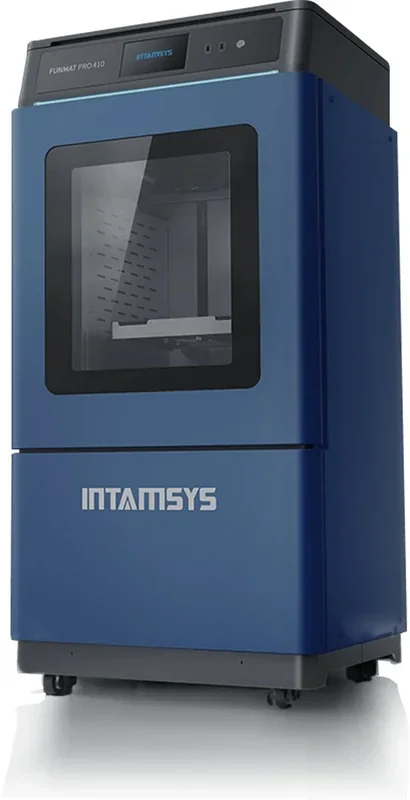
Intamsys Funmat Pro 410: Dual Extrusion PEEK 3D Printer


- 500°C nozzle and 90°C heated chamber
- 305 × 305 × 406 mm build volume
- Prints PEEK, ULTEM, and carbon-fiber composites
- Auto bed leveling and power-loss recovery
- Flexible Payment Terms
- 1 Year Warranty
- Local Technical Support
- Free Online Training
- FUNMAT PRO 410 3D Printer
- Power cable
- Tool kit
- User manual
The INTAMSYS FUNMAT PRO 410 is an industrial dual-extrusion 3D printer with a 305 × 305 × 406 mm build volume and high thermal control (500°C nozzle, 160f°C bed, 90°C chamber) for engineering materials like PEEK, PEKK, ULTEM, PPSU, PC, and carbon-fiber composites. It supports soluble supports for complex parts and includes features like auto bed leveling, jam detection, power-loss recovery, and self-cleaning nozzles. Connectivity options and a built-in camera enable remote monitoring, making it suited for prototyping, testing, and small-batch production with high-temperature filaments.
- What is the print quality and performance of the Intamsys Funmat Pro 410?
- Which filaments can you use with the Intamsys Funmat Pro 410?
- What is the build volume of the Intamsys Funmat Pro 410?
- What is the difference between the Intamsys Funmat Pro 410 and its competitors?
- What printer controls are available on the Intamsys Funmat Pro 410?
- What connectivity options are available on the Intamsys Funmat Pro 410?
- What slicing software is offered with the Intamsys Funmat Pro 410?
- What is the design and build quality of the Intamsys Funmat Pro 410?
- What comes included in the box with Intamsys Funmat Pro 410?
- What upgrades and accessories are available for the Intamsys Funmat Pro 410?
- What maintenance does the Intamsys Funmat Pro 410 require?
- What support and warranty come with the Intamsys Funmat Pro 410?
- How much does the Intamsys Funmat Pro 410 cost?
What is the print quality and performance of the Intamsys Funmat Pro 410?
The FUNMAT PRO 410 prints high-temperature filaments with 50-micron precision and strong layer adhesion, producing durable, chemically resistant parts with fine details and smooth finishes. It handles materials like PEEK and reinforced composites, supporting industrial-scale output—WEERG used it to produce up to 25,000 complex components per day.
Benchmark tests show the FUNMAT PRO 410 achieves high dimensional accuracy, with an average offset of 0.112mm and a low 0.0415mm deviation across prints. It maintains circular precision as well, producing 100mm parts within 99.78–100.12mm, or 99.6% accuracy.
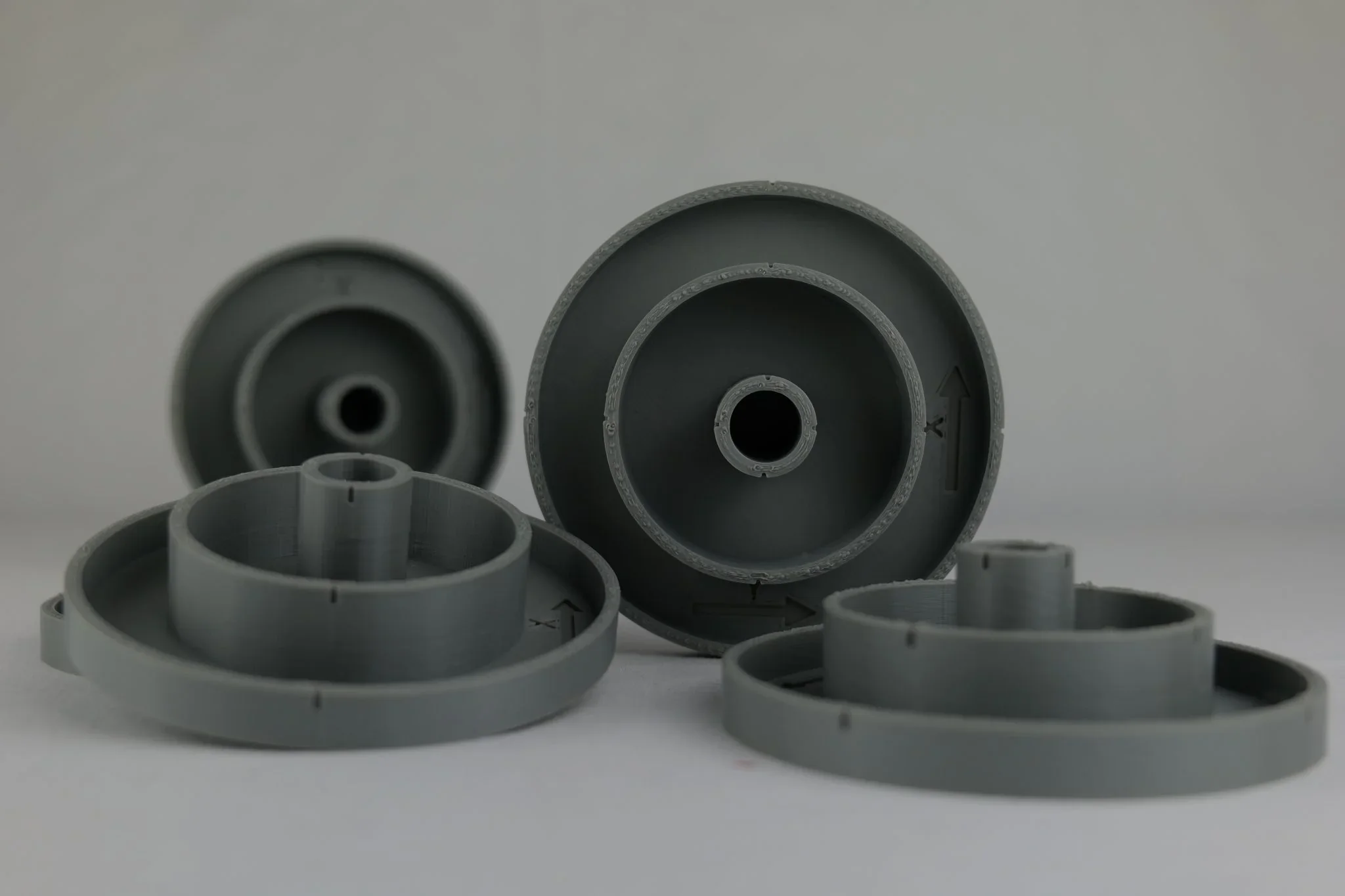
Image Credit: 3DPrintingIndustry.com
The FUNMAT PRO 410 handles demanding tests with ease, printing PEEK overhangs up to 50° without supports and bridging spans up to 20mm before distortion. Its strong retraction control minimizes stringing, maintaining accuracy and surface quality with high-temperature materials. Overall, it scored 77/100 in print performance.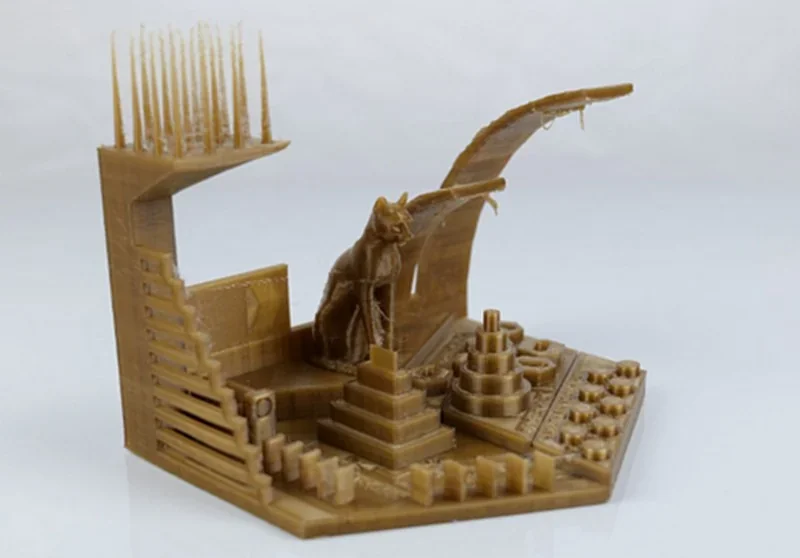
Image Credit: 3DPrintingIndustry.com
The FUNMAT PRO 410 reliably prints complex PEEK parts with fine features, strong layer adhesion, and precise dimensions.
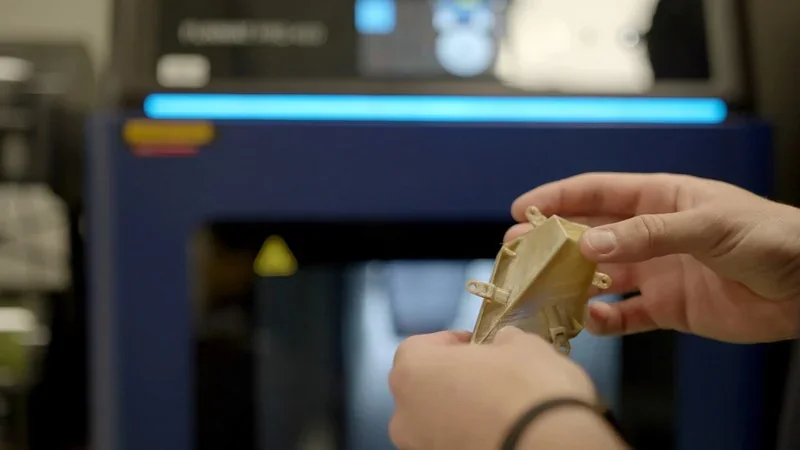
The FUNMAT PRO 410’s thermal system — 90°C chamber, 160°C bed, and liquid-cooled dual extruders — ensures consistent results with tough filaments. The Royal Netherlands Navy uses it to replace metal valve wheels with durable polymer parts and to print PEKK-CF brackets that withstand 20 kg loads in extreme heat and humidity, maintaining performance where standard filaments fail.
A Chinese aerospace institute used the FUNMAT PRO 410 with PEEK to accelerate CubeSat development, cutting costs and time versus molding while enabling greater design freedom and faster structural optimization for space missions.
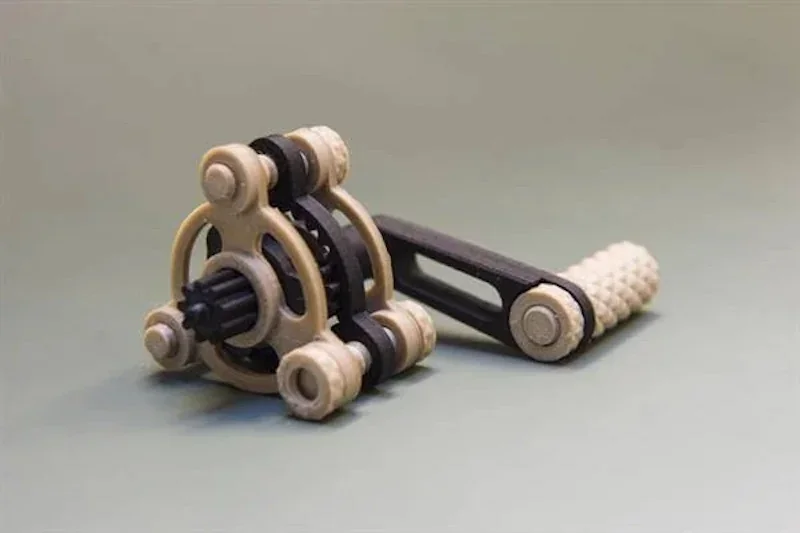
Which filaments can you use with the Intamsys Funmat Pro 410?
The FUNMAT PRO 410 supports 30 filaments, from common plastics like PLA, PETG, TPU, ABS, ASA and PC to high-performance materials like PEEK, PEKK, PAEK, and PPS. Its 500°C nozzle, 160°C bed, and 90°C chamber ensure consistent, high-quality prints. The dual-extrusion system also works with water-soluble PVA and INTAMSYS support filaments.
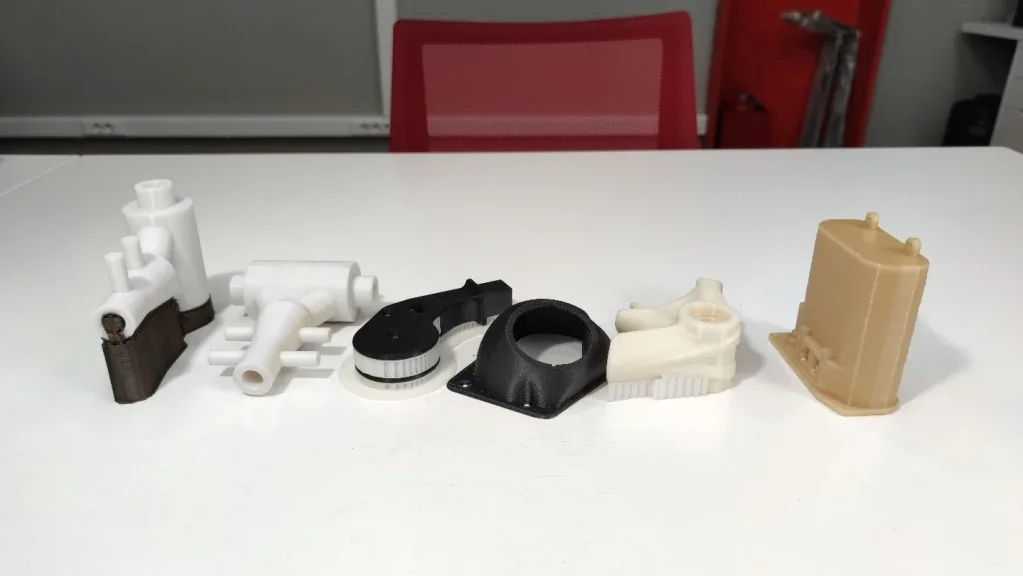
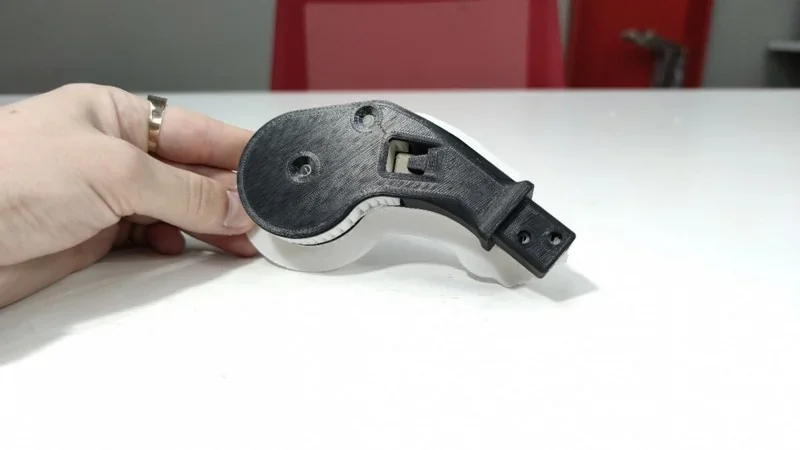
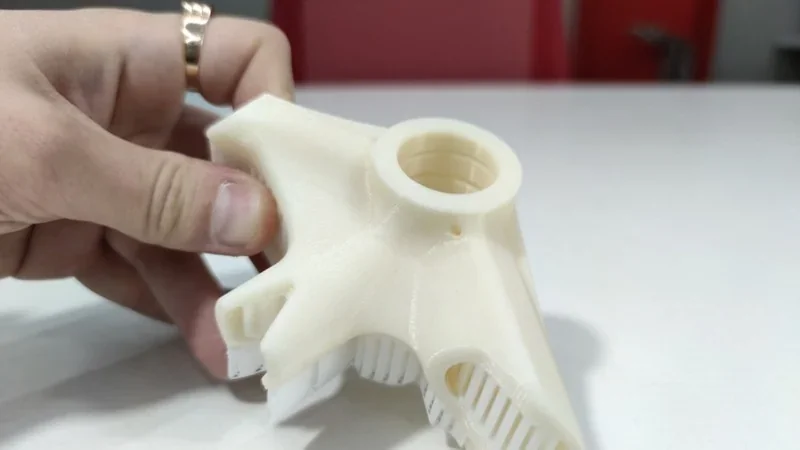
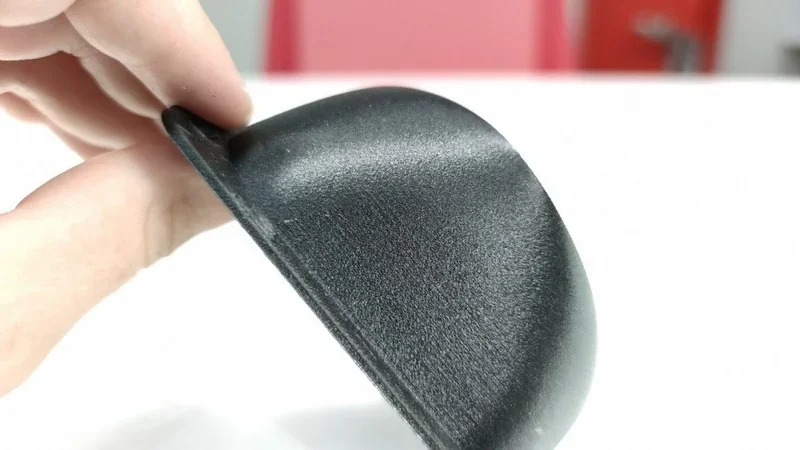
3D Print Samples (from left to right): POM (2 parts), CF-ABS and HIPS, CF-ABS, PC and HIPS, ULTEM.
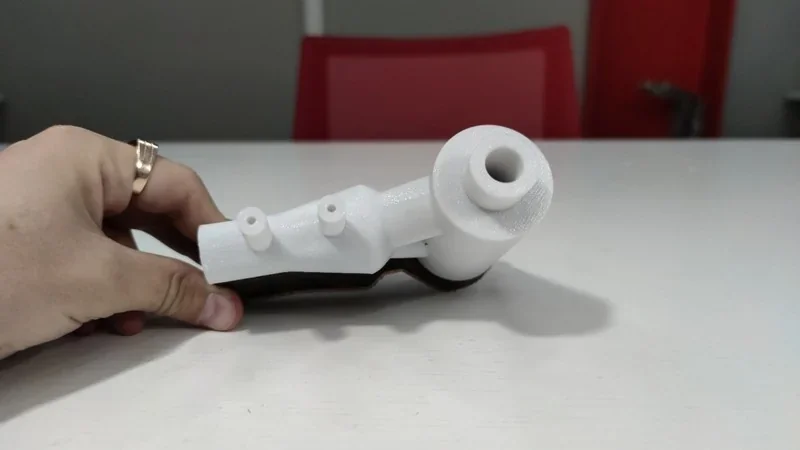
ULTEM 3D Print Sample: A part made of ULTEM, clearly showing how densely the walls are printed.
DMI 3D prints custom orthotics for the Royal Netherlands Navy using PEKK, ABS, or PP from mobile scans. The devices ensure anatomical fit, structural strength, and feature adjustable straps and complex geometries for comfort and performance.

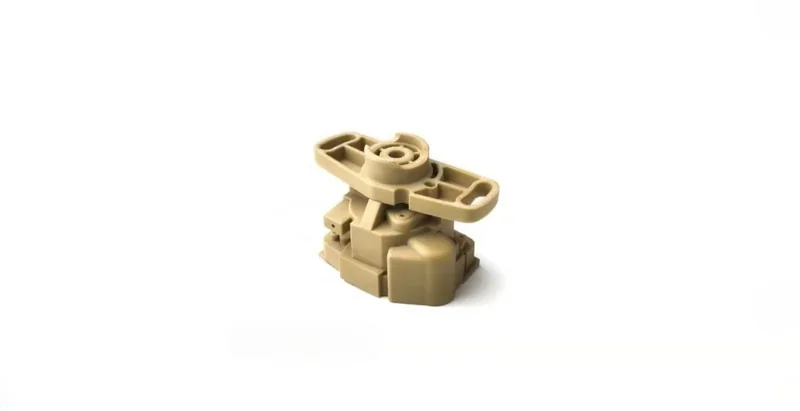
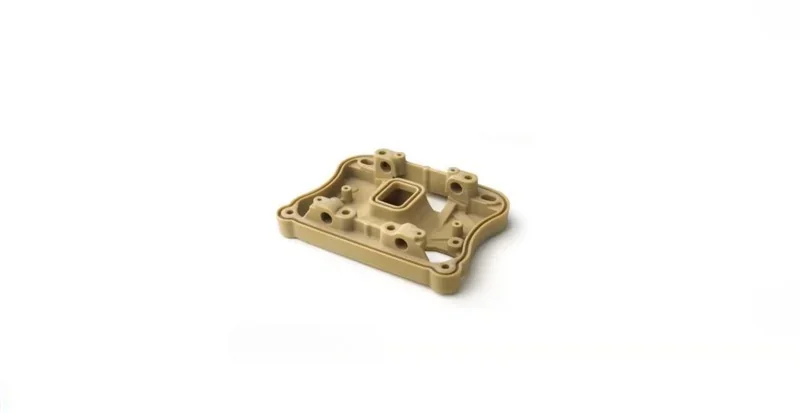
PEEK 3D print samples from WEERG include a complex mechanical assembly and a precision mounting bracket.
POM 3D Print Sample: This part used a combination of POM and corresponding support filament.
CF-ABS and HIPS Sample: This part was printed from carbon-filled ABS with HIPS supports.
CF-ABS: Part made of ABS + carbon fiber composite.
PC and HIPS: Complex geometry parts made of Polycarbonate + HIPS.
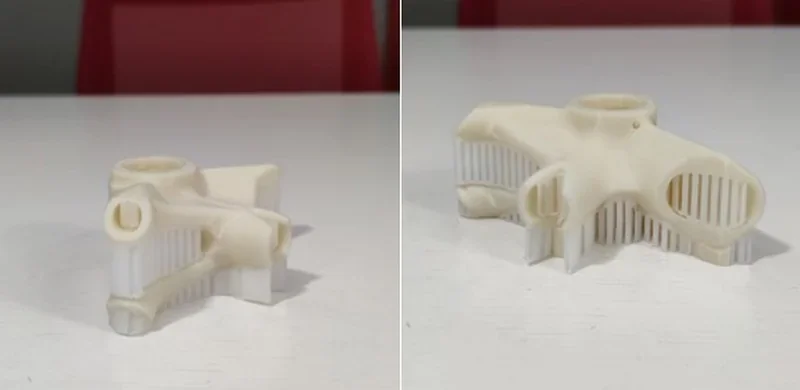
The SP5000 support filament is designed for high-temperature materials like PEEK, PEKK, ULTEM, and PPSU. It provides rigidity during the printing process and dissolves in ethyl acetate for easy removal from complex geometries. The SP3000 series, used for engineering-grade filaments, dissolves in water within 30 minutes.
A significant advantage of the FUNMAT PRO 410 is its open filament system, which is not locked to proprietary filaments. INTAMSYS explicitly designs the printer to work with third-party 1.75mm filaments.
What is the build volume of the Intamsys Funmat Pro 410?
The INTAMSYS FUNMAT PRO 410 offers a 305 x 305 x 406 mm (12 x 12 x 16 inches) build volume.
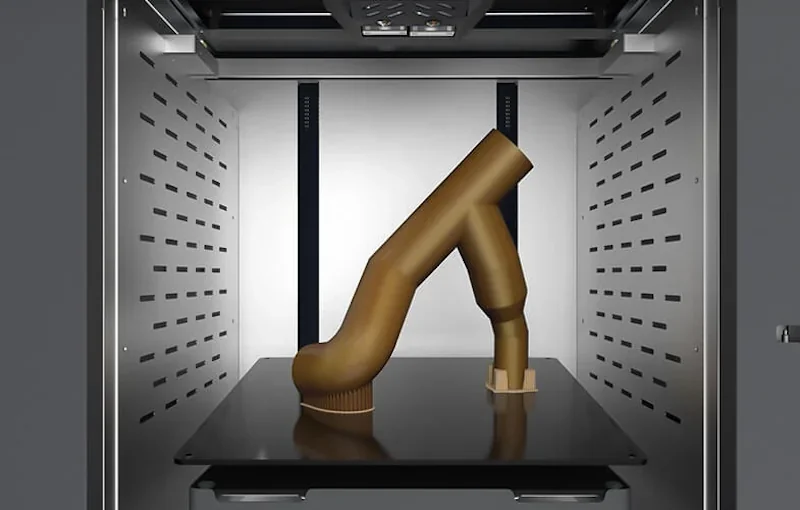
What is the difference between the Intamsys Funmat Pro 410 and its competitors?
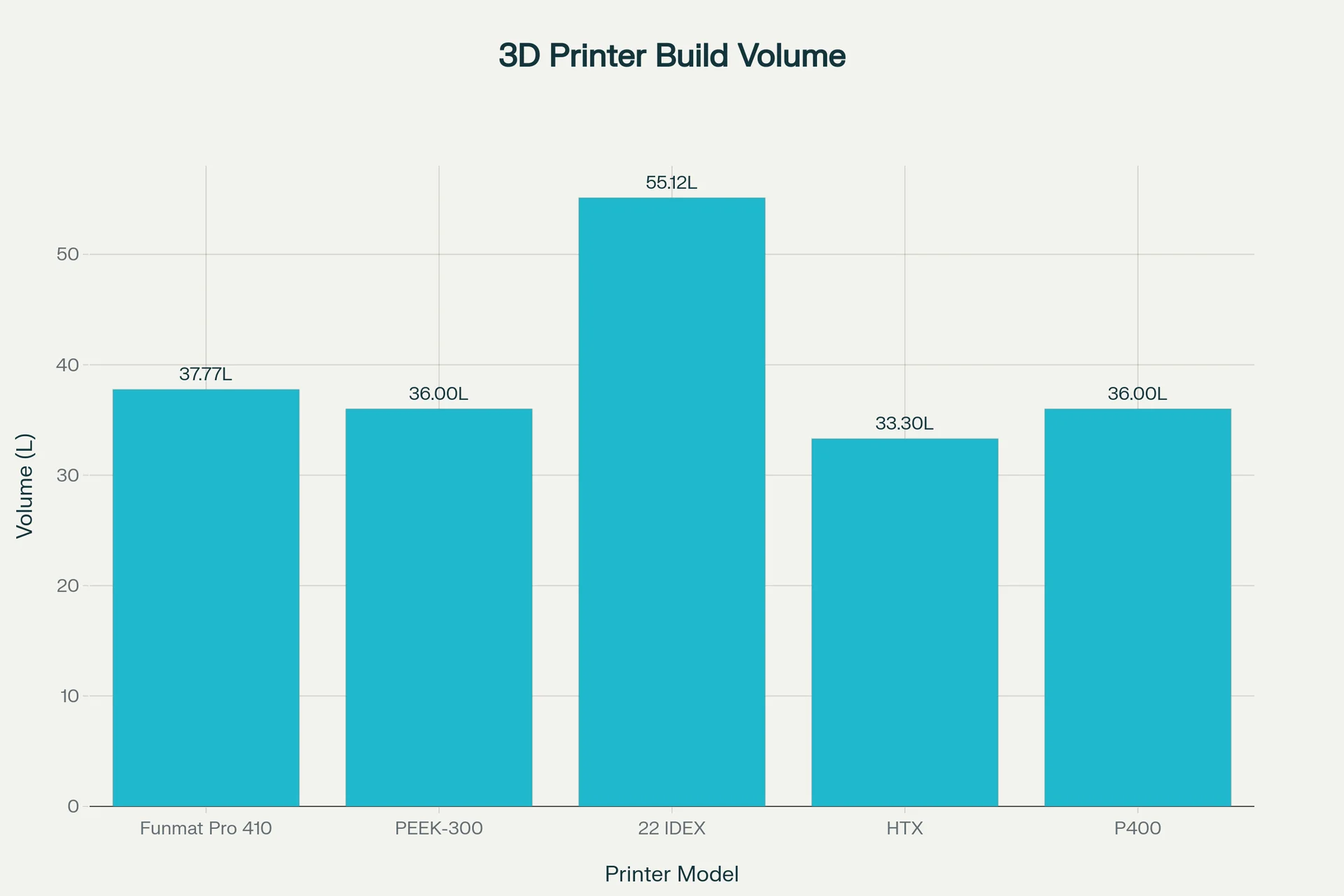
The Intamsys Funmat Pro 410 offers balanced, water-cooled high-temp additive manufacturing (500 °C nozzle, 90 °C chamber) with US/EU support, making it a solid mid-cost choice for those regions. The Apium P400 is the premium solution with enterprise-level support and adaptive zone heating > 500 °C that performs in-situ annealing during printing (no separate post-anneal step). CreatBot PEEK-300 is more affordable with water cooling and a 120 °C chamber, but China-only support slows service in the US/EU. VisionMiner 22 IDEX and 3DLabs HTX are low-cost and open-materials friendly but use air cooling, limiting thermal stability for long PEEK/PEKK jobs. Overall, the Funmat 410 offers reliable high-temp performance and local support without the high price tag.
| Feature | Intamsys Funmat Pro 410 | Creabot PEEK-300 | VisionMiner 22 IDEX | 3DLabs HTX | Apium P400 |
|---|---|---|---|---|---|
| Build Volume (mm) | 305 × 305 × 406 | 300 × 300 × 400 | 350 × 350 × 450 | 370 × 300 × 300 | 400 × 300 × 300 |
| Build Volume (L) | 37.77 | 36.00 | 55.12 | 33.30 | 36.00 |
| Chamber (°C) | 90 | 120 | 100 | 100 | Adaptive heater operates at >500 °C target |
| Nozzle (°C) | 500 | 480 | 500 | 500 | 540 |
| Bed (°C) | 160 | 200 | 250 | 220 | 200 |
| Price (USD) | $27,995+ | $13,999+ | $9,700+ | $15,499+ | $125,000+ |
What printer controls are available on the Intamsys Funmat Pro 410?
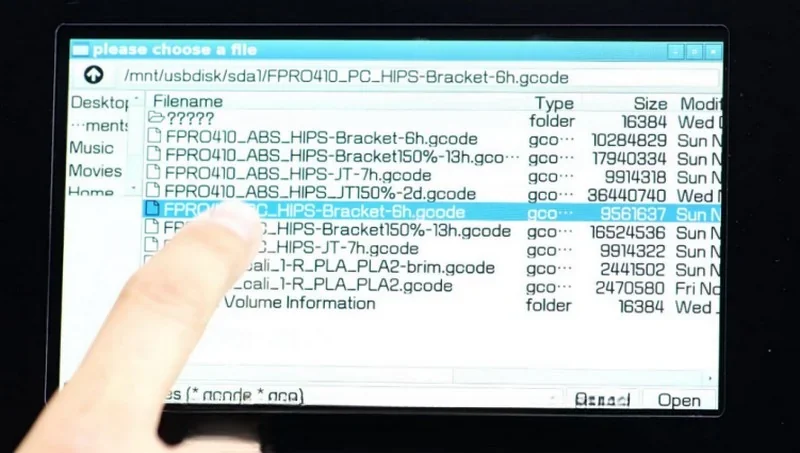
The INTAMSYS FUNMAT PRO 410 has a 7-inch full-color IPS touchscreen with a 170° viewing angle for full print control. Its menus cover print management, temperature, and system settings, including Tune for heating elements, Axis for bed and head movement, and Filament for material parameters. A front-panel light shows status—blue for standby, green for ready, yellow for printing.
Physical Controls (4 categories):
- Levelling Knobs
- Power Switch
- SD Card Slot
- USB Socket
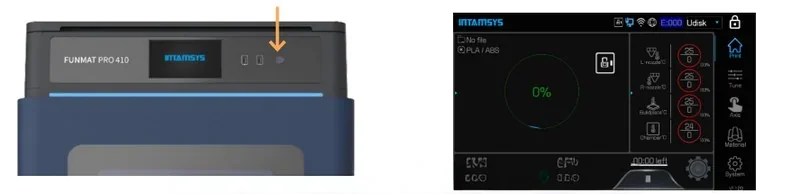
Touchscreen Controls (6 categories):
- Home Menu
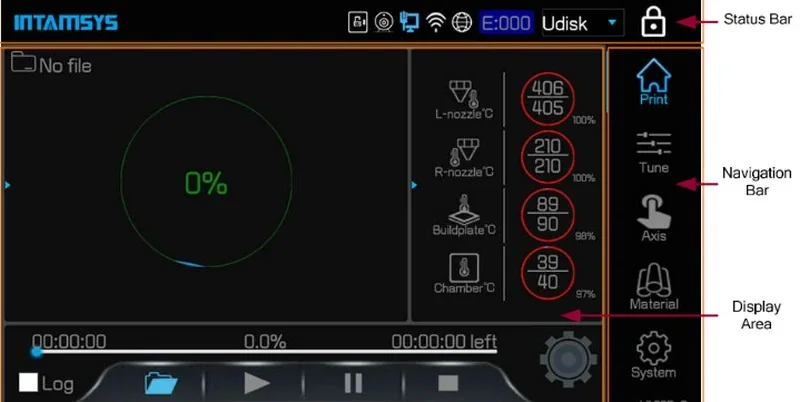
- Print Job Controls: Select, Start, Pause, and Cease print jobs. Track progress, import G-code.
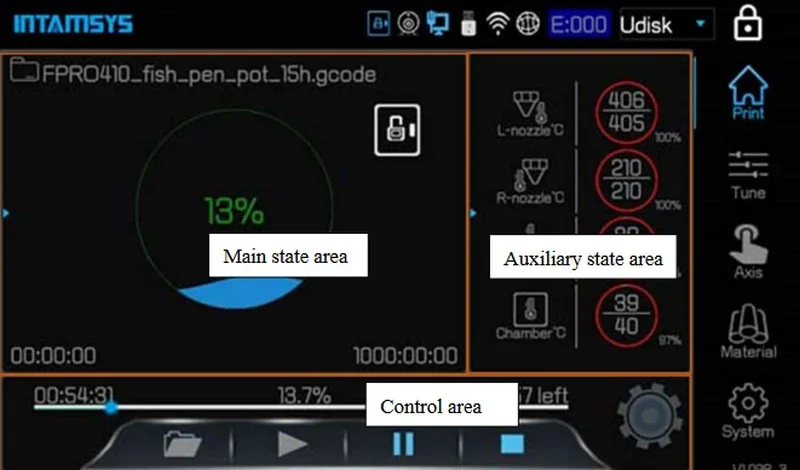
- Filament Management Controls: Material loading and unloading, starved feeding alarm, modify nozzle, buildplate, chamber temperatures, etc.
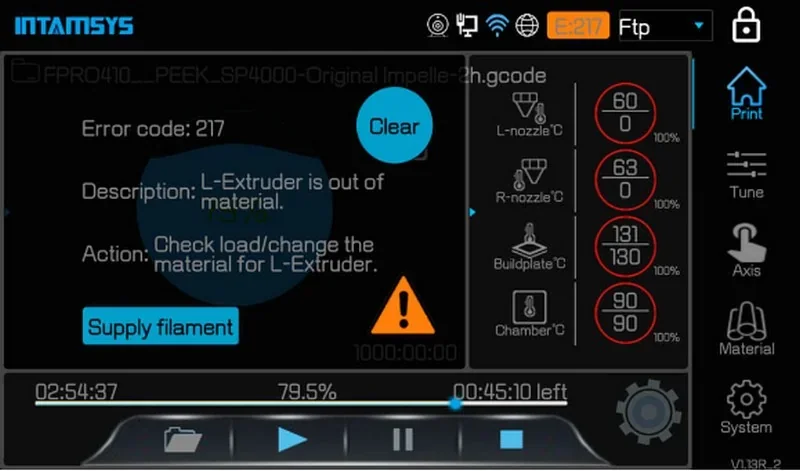
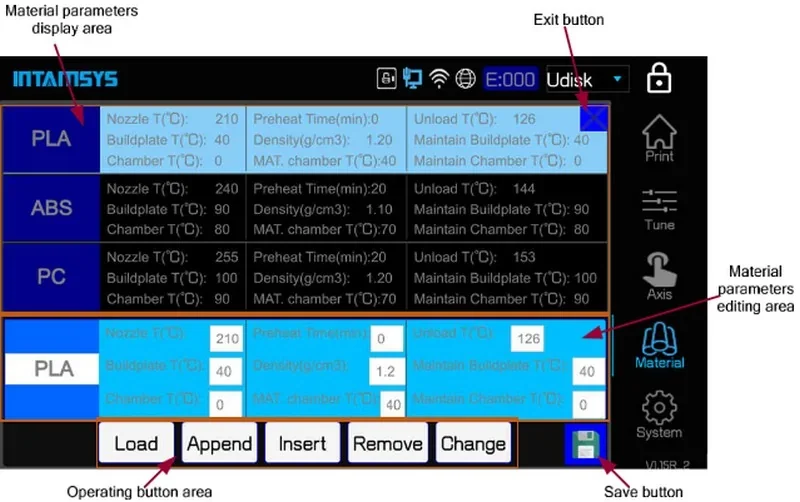
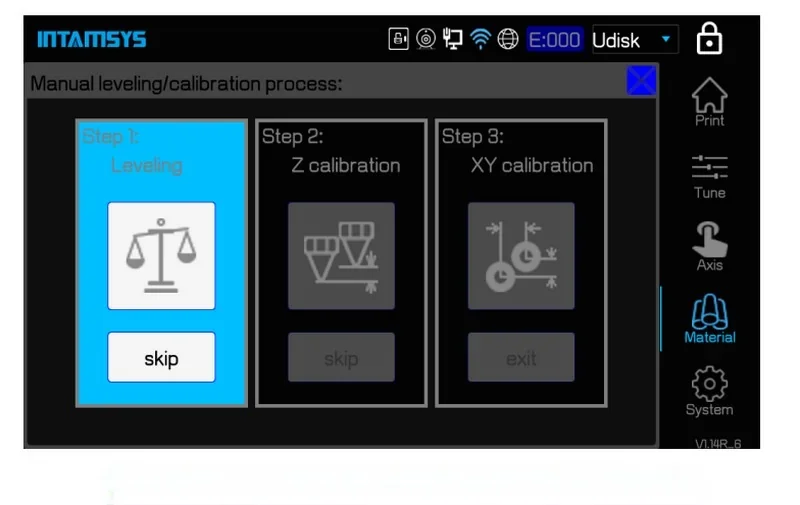
- Calibration: Automatic leveling function, Z-axis and XY-axis calibration procedures.
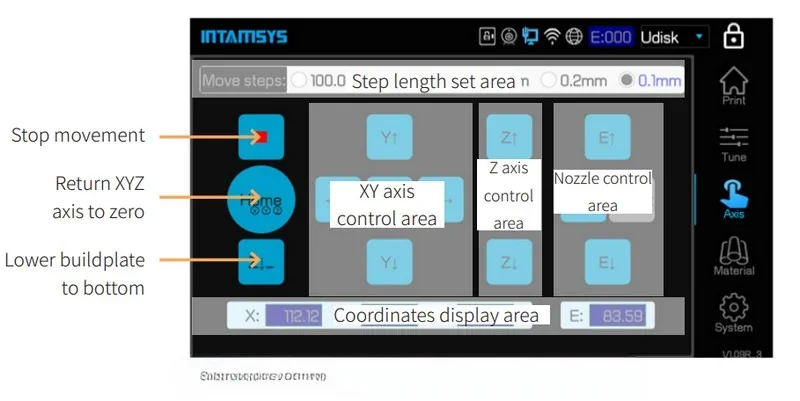
- Temperature: Real-time monitoring/adjustment, preheating and heat maintaining functions.
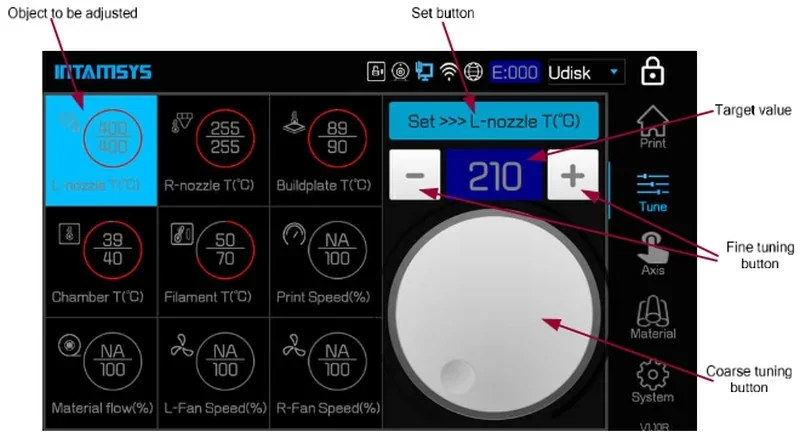
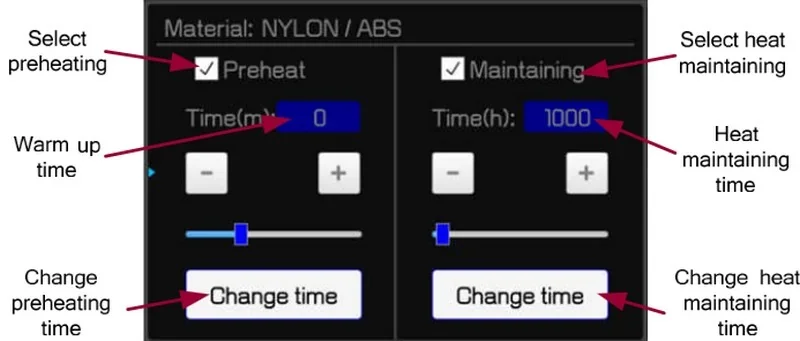
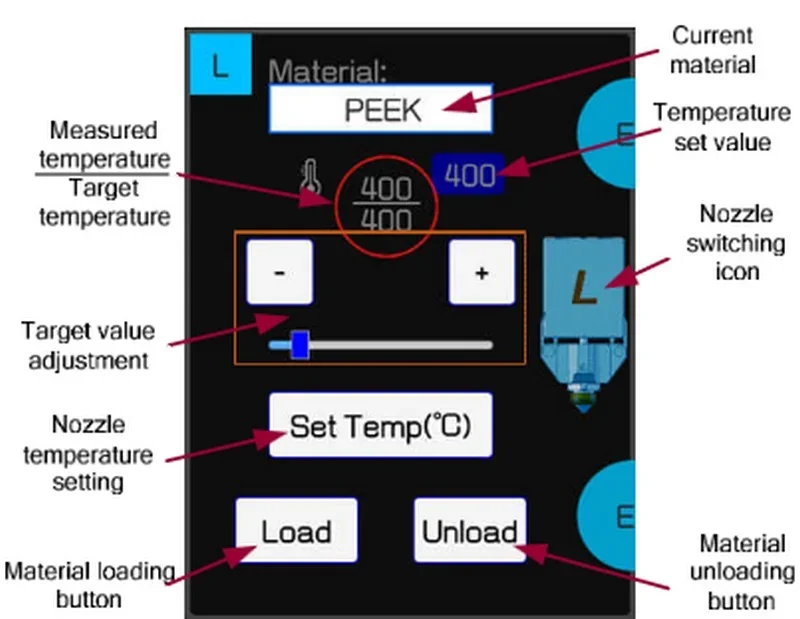
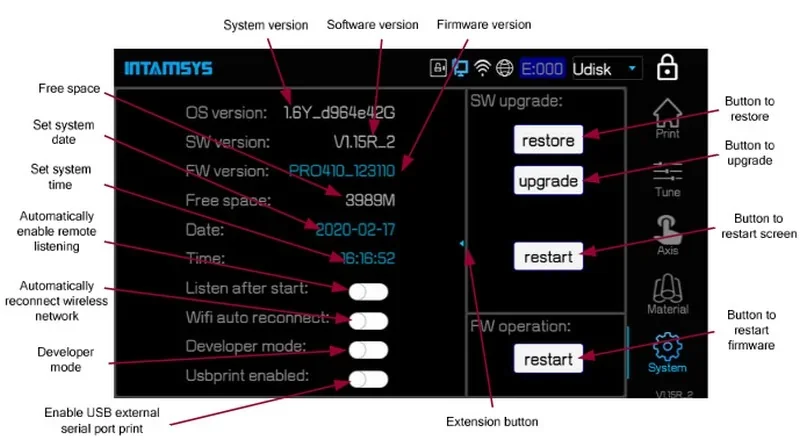
- Other Settings: Fine-tuning controls, Developer mode toggle, screen lock, etc.
What connectivity options are available on the Intamsys Funmat Pro 410?
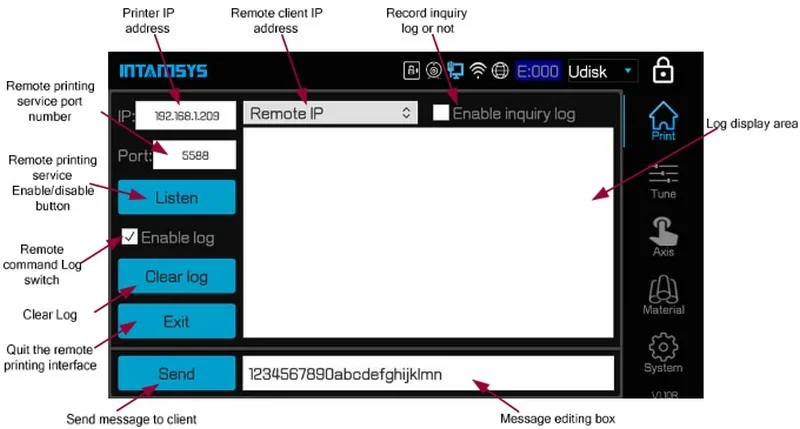
The INTAMSYS FUNMAT PRO 410 supports Wi-Fi, Ethernet, USB, and SD card connectivity, with offline printing via SD card. It includes a camera for remote monitoring and uses INTAMSUITE software on Windows, Linux, and Mac. Power-failure recovery and filament warnings add reliability for industrial use.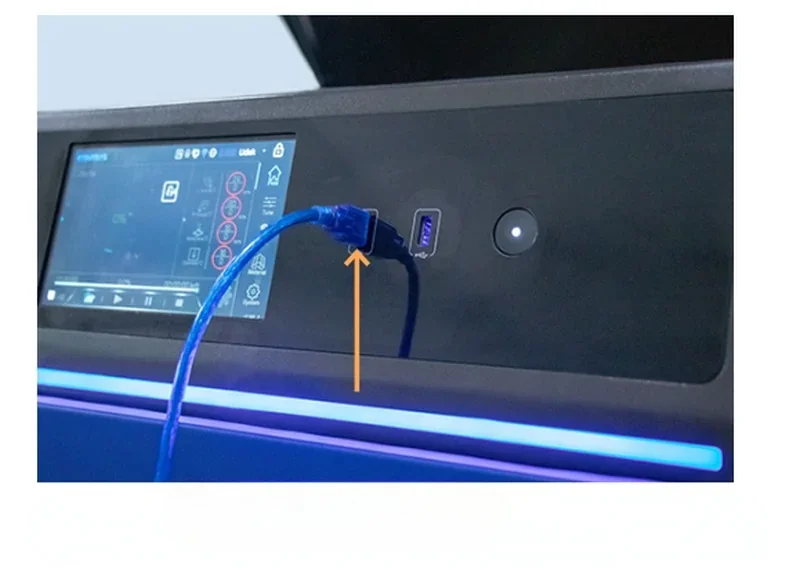
What slicing software is offered with the Intamsys Funmat Pro 410?
The INTAMSYS FUNMAT PRO 410 uses INTAMSUITE, a Cura-based slicer with profiles for high-performance filaments and dual-extrusion settings. INTAMSUITE NEO adds a CAD-style interface, project comparison, and remote monitoring. The printer also supports third-party slicers like Simplify3D, Cura, and Slic3r for flexibility.
What is the design and build quality of the Intamsys Funmat Pro 410?
What is the design and form factor of the Intamsys Funmat Pro 410?
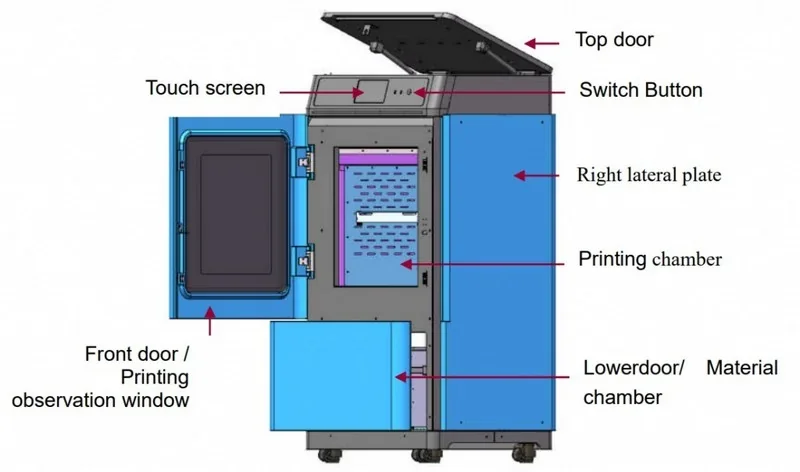
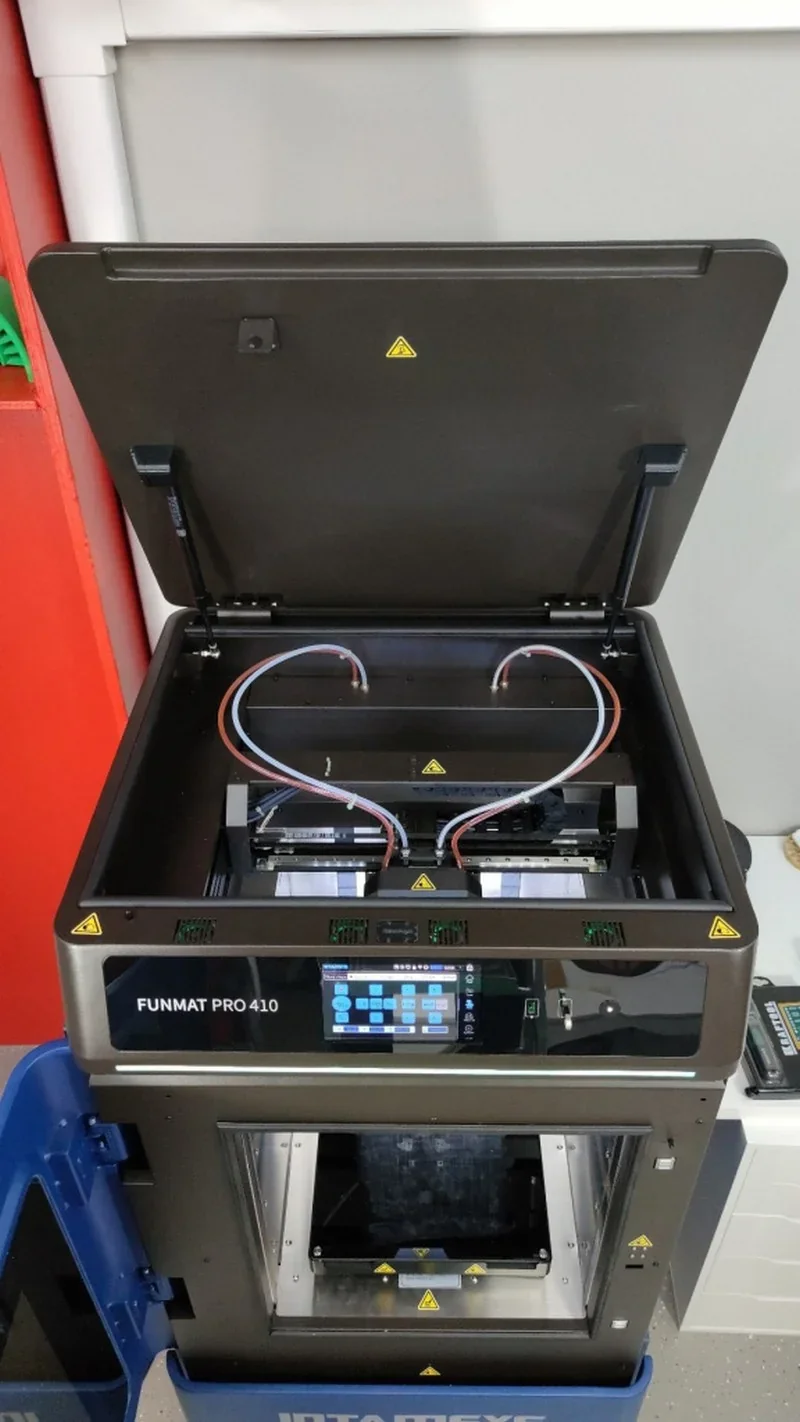
The Intamsys Funmat Pro 410 is a fully enclosed industrial 3D printer, measuring 720 × 670 × 1460 mm, weighing 200 kg, and finished in dark blue powder coat for a professional look. Its three-zone layout includes bottom filament storage, a central heated chamber with large observation windows, and a top control interface.
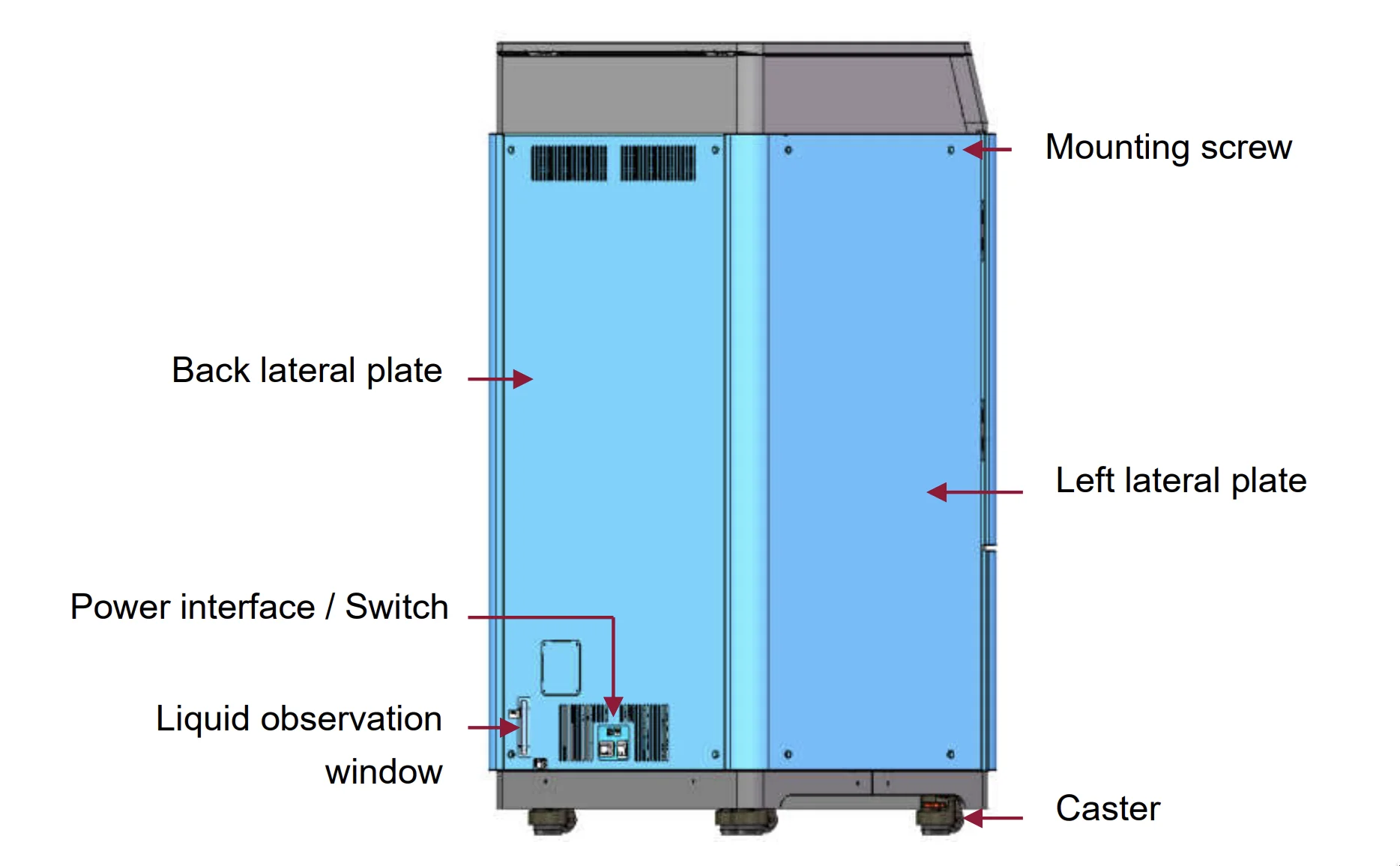
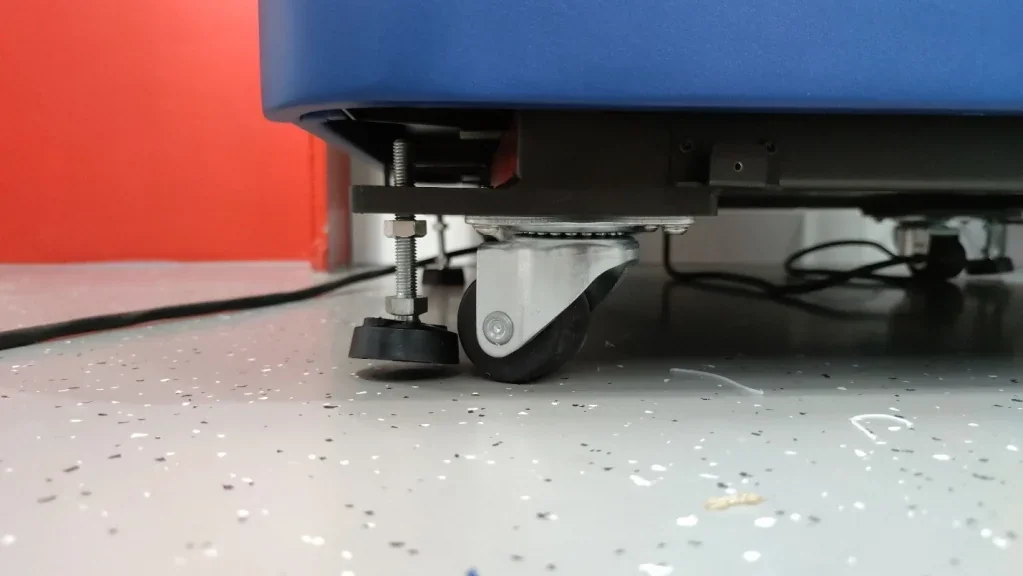
The printer sits on a wheeled, lockable base for easy repositioning.
The chamber features magnetically sealed doors with safety interlocks, a gas-spring top access door, dual-pane windows, an active carbon H13 HEPA filter for safe indoor operation, and LED lighting for safe operation and clear print monitoring.
What is the motion system of the Intamsys Funmat Pro 410?
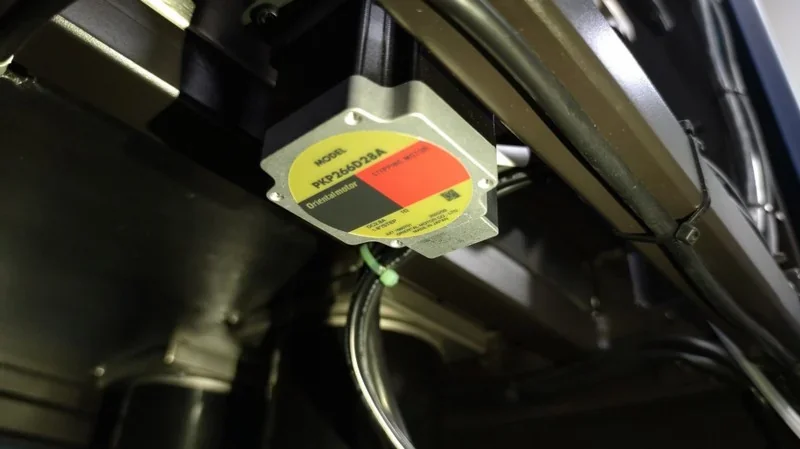
The Funmat Pro 410 uses a Cartesian kinematic system built with industrial-grade components. The X/Y axes run on linear guide rails with Gates LL-2GT timing belts driven by 1.4 N·m stepper motors, ensuring reliable motion even under high-temperature conditions.
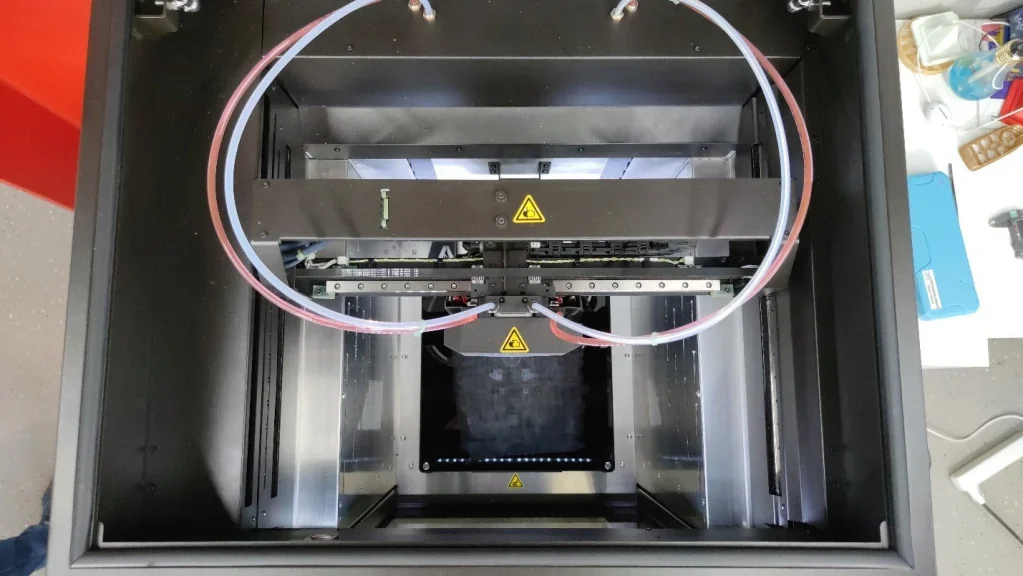
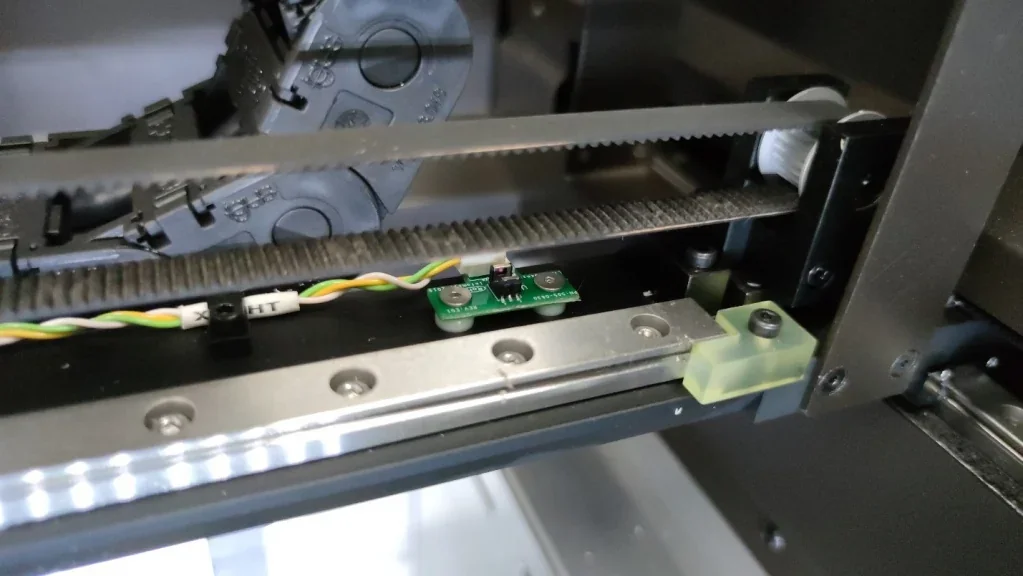
The Z-axis employs dual cylindrical linear guides with a ball screw drive and coupling buffer to minimize backlash, plus polyurethane bumpers for added protection.
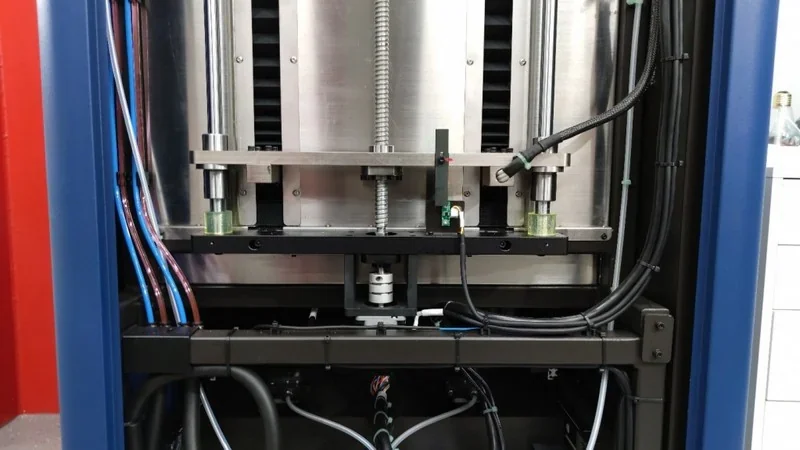
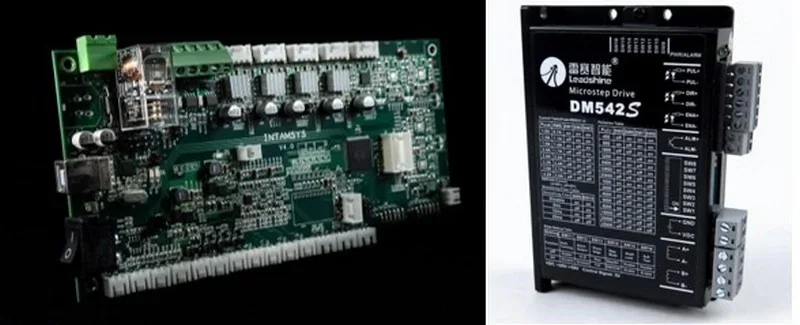
All axes feature optical endstops for precise homing, while motion is powered by Leadshine motor drivers under a System 32 architecture, providing robust command processing and coordinated movement.
Y-Motor:
What are the build platform specifications of the Intamsys Funmat Pro 410?
The Funmat Pro 410 provides a 305 × 305 × 406 mm build volume for large industrial parts. Its heated platform reaches 160 °C and uses interchangeable glass build plates. Two plate types are included: glossy glass for standard materials and matte high-temperature glass for engineering thermoplastics. Plates are mounted with four magnets securing them to the heated aluminum bed.
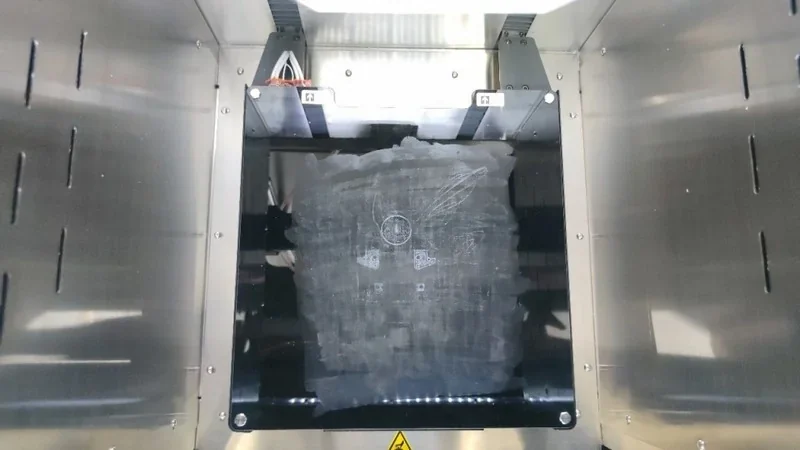
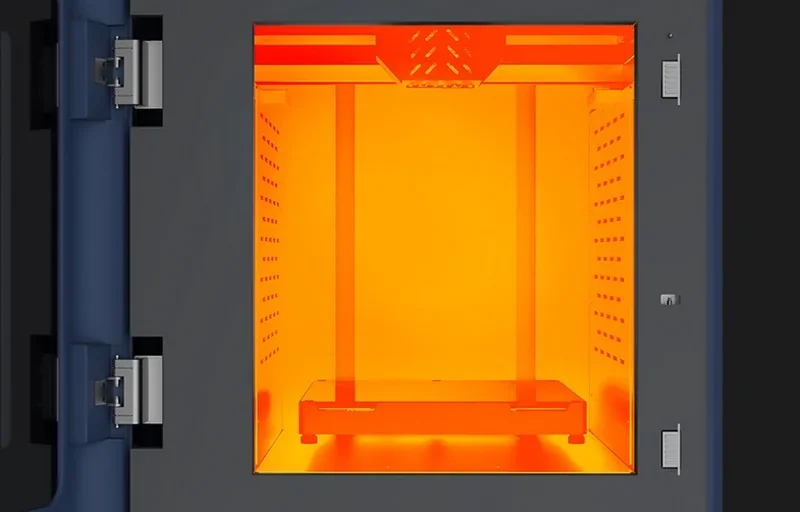
Bed leveling is handled manually with four adjustment screws and a 0.2 mm feeler gauge, or automatically via a sensor integrated into the left extruder.
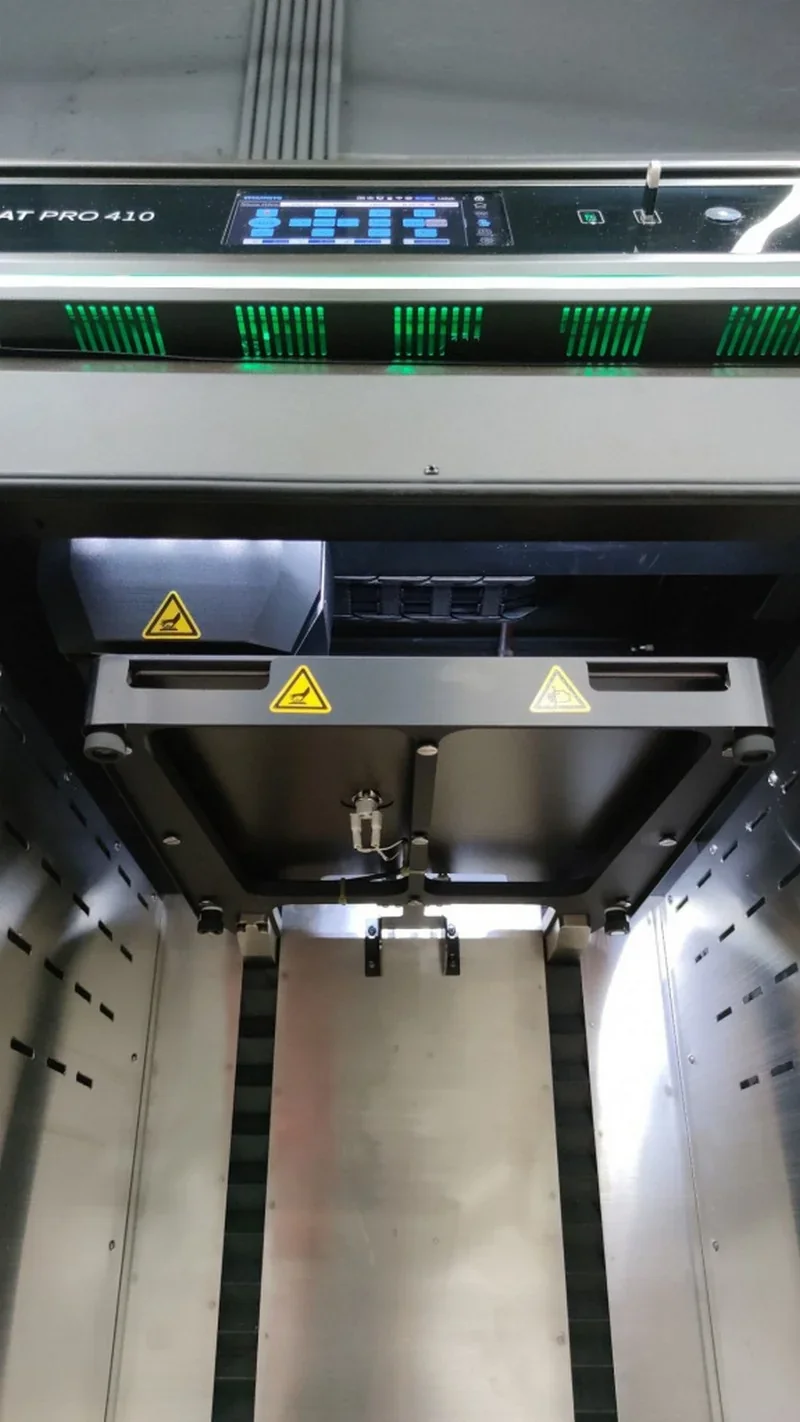
What is the hotend and extruder system of the Intamsys Funmat Pro 410?
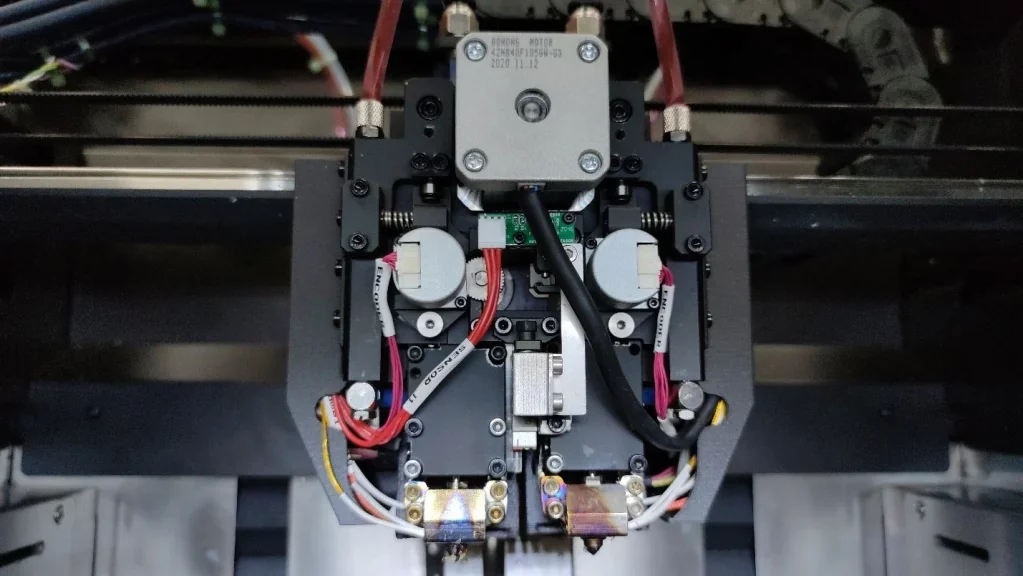
The Funmat Pro 410 uses a dual-extruder system with independent temperature control. The primary high-temperature hotend reaches 500 °C for engineering thermoplastics, while the secondary extruder supports materials up to 260 °C. Both are driven by a direct-drive mechanism with a single stepper motor and switching system.
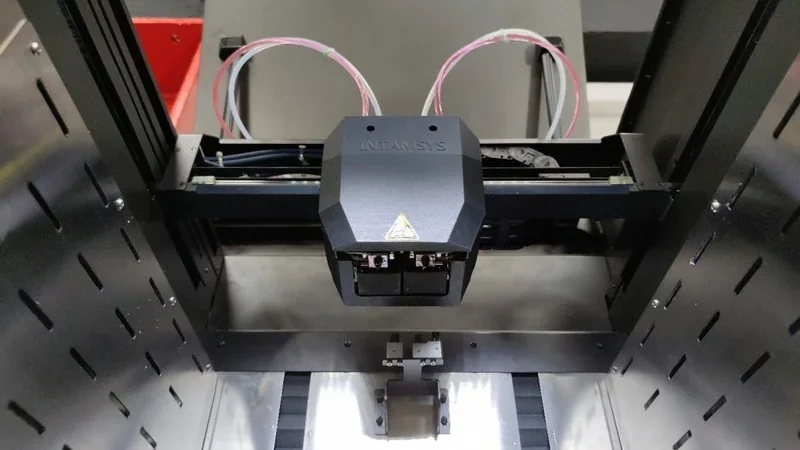
The assembly is liquid-cooled with dedicated cooling blocks to stabilize the cold zones.
Each extruder includes filament runout and feed monitoring sensors for triple-redundant flow control. The hotends use proprietary all-steel nozzles, supplied with interchangeable 0.4 mm tips as standard.
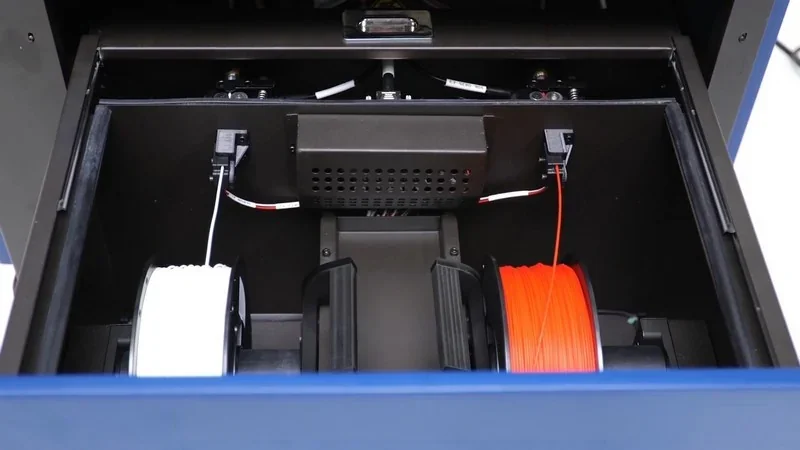
How does the Funmat Pro 410 handle filament storage and feeding?
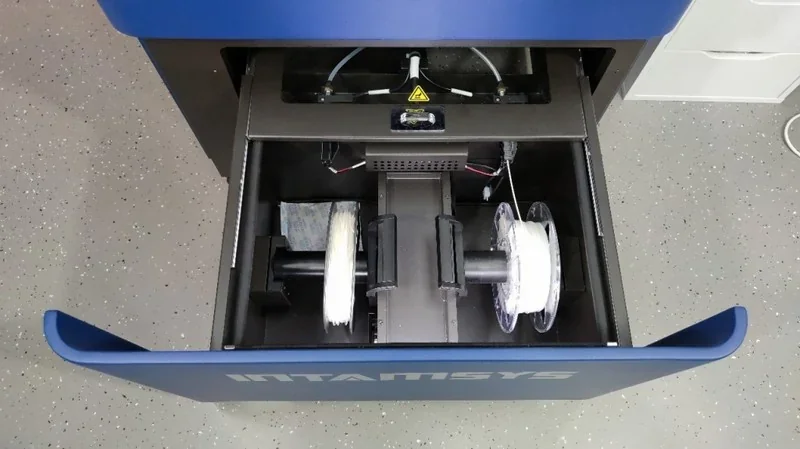
The Funmat Pro 410 features a heated filament chamber up to 70 °C for material drying. It accommodates two 0.5–2 kg spools with weight monitoring, presence sensors, and auxiliary feed mechanisms for reliable delivery. The chamber includes automatic lighting, a sliding magnetic door for humidity control, and secure mounting hardware for stable spool placement.
What is the mainboard of the Intamsys Funmat Pro 410?
The Funmat Pro 410 operates on a System 32 architecture. The control system separates processing for the touchscreen interface and motion coordination. Developer modes allow custom G-code execution and diagnostics.
What are the power supply specifications of the Intamsys Funmat Pro 410?
The Funmat Pro 410 operates on 200–240 V AC, 50–60 Hz input and powers multiple heating zones, including dual extruders, heated bed, chamber, and filament storage. Dual power controls consist of a main AC disconnect and a front panel power button. 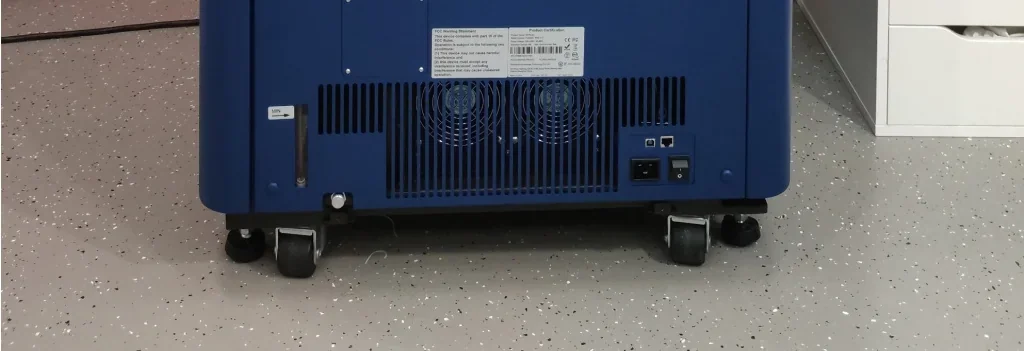
What comes included in the box with Intamsys Funmat Pro 410?
The INTAMSYS FUNMAT PRO 410 package includes:
- 1x INTAMSYS FUNMAT PRO 410 3D Printer (fully assembled)
- 1x Power cable
- 1x Ethernet cable
- 2x USB cables
- 1x Micro SD card
- 1x SD card reader
- 1x USB flash drive (with software and documentation)
- 2x Glass build plates (standard and high-temperature)
- 2x Replacement nozzles (high-temperature and normal)
- 2x PLA filament spools
- 1x Tool kit for maintenance and setup
- 1x User manual
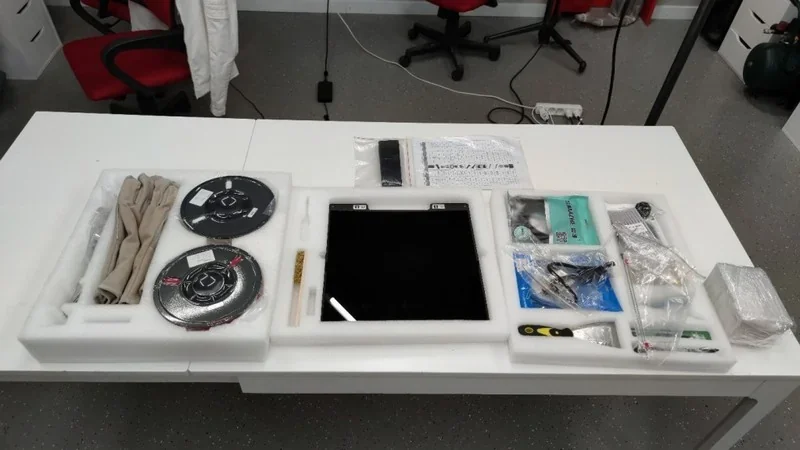
The INTAMSYS FUNMAT PRO 410 ships in a sturdy wooden crate, fully assembled and factory-calibrated for quick setup. It includes a tool kit for maintenance and nozzle changes, plus two glass build plates for standard and high-temperature printing. Users can start printing immediately with the supplied PLA or high-performance polymers without extra accessories.
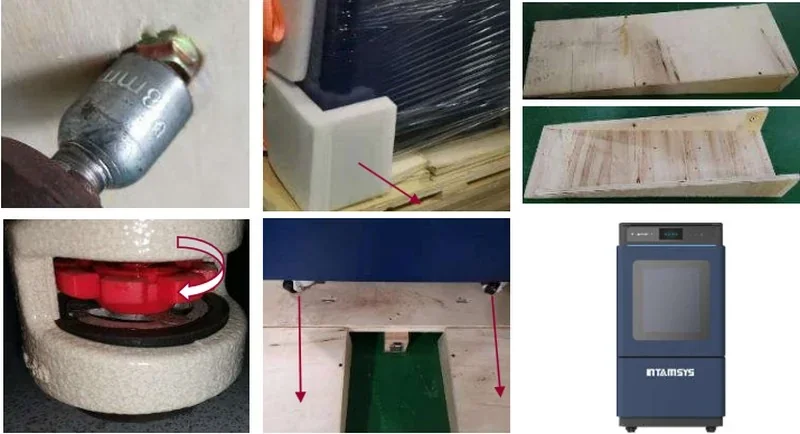
Please Note: Package contents are determined by the manufacturer anotice. To confirm the current items included with this product, please contact a Top3DShop sales representative before placing your order.
What upgrades and accessories are available for the Intamsys Funmat Pro 410?
The Funmat HT Enhanced supports more than 19 replacement components and accessories to extend functionality and ensure reliable performance with high-temperature filaments.
| Accessory | Function | Price (USD) | Image |
|---|---|---|---|
| INTAMSYS Pro 410 Ceramic Glass Plate V2 | Newer-generation ceramic-glass build plate for repeatable adhesion and stable heating; replacement/upgrade plate | $265 | 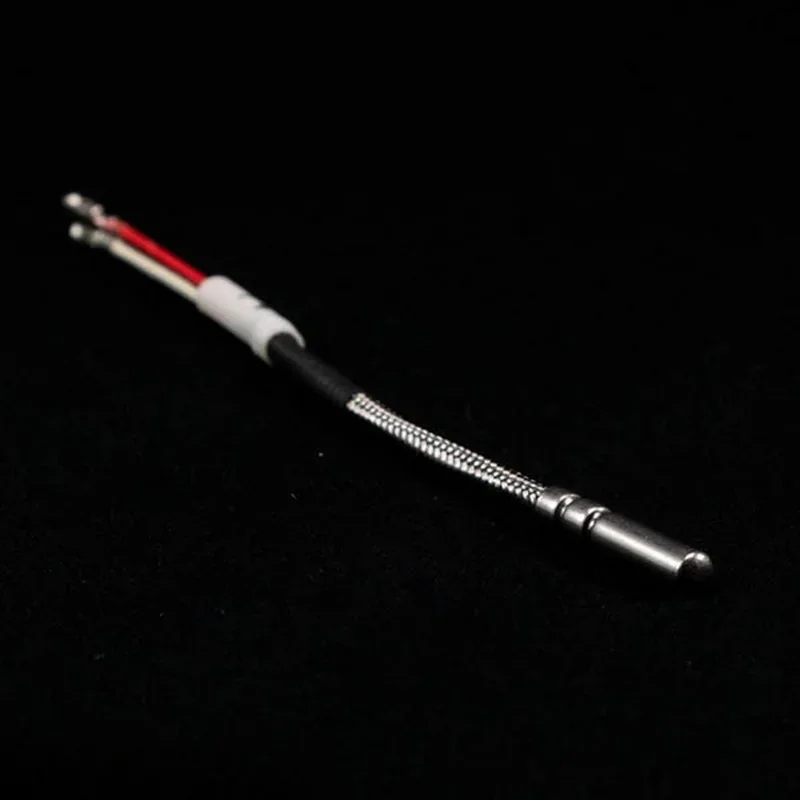 |
| INTAMSYS FUNMAT PRO 410 G1 Fixed Hardened Steel Nozzle 0.4/0.6 mm (right) | Wear-resistant fixed extrusion nozzle designed to hold diameter longer when printing abrasive filaments (e.g., filled composites) | $58 | 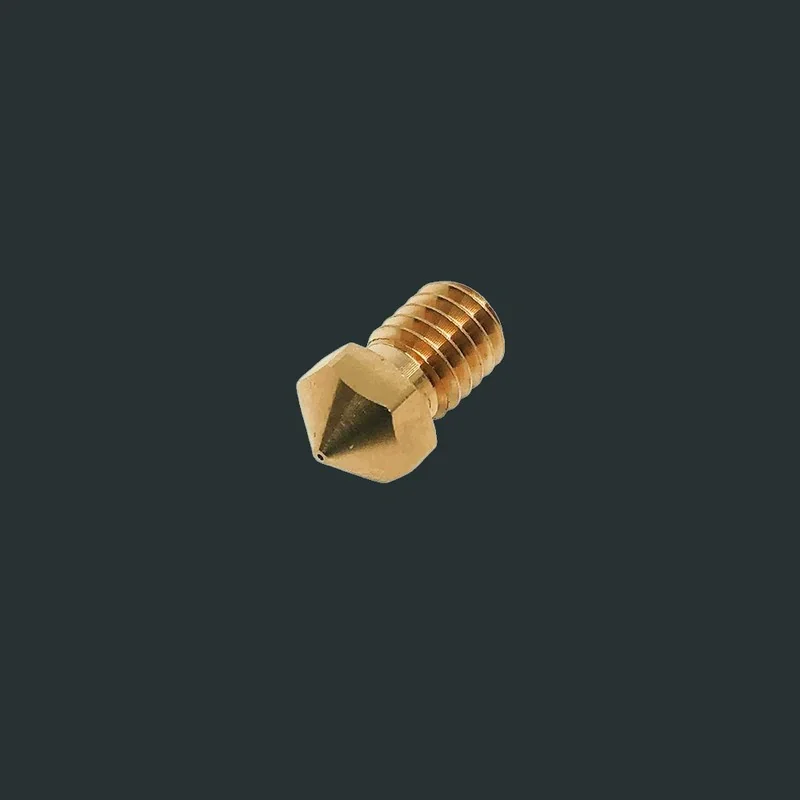 |
| INTAMSYS FUNMAT PRO 410 G1 Fixed Nozzle 0.4/0.6 mm (Cu/Cr/Zr, right) | Durable fixed extrusion nozzle for reliable material flow and stable printing performance (replacement right nozzle) | $47 | 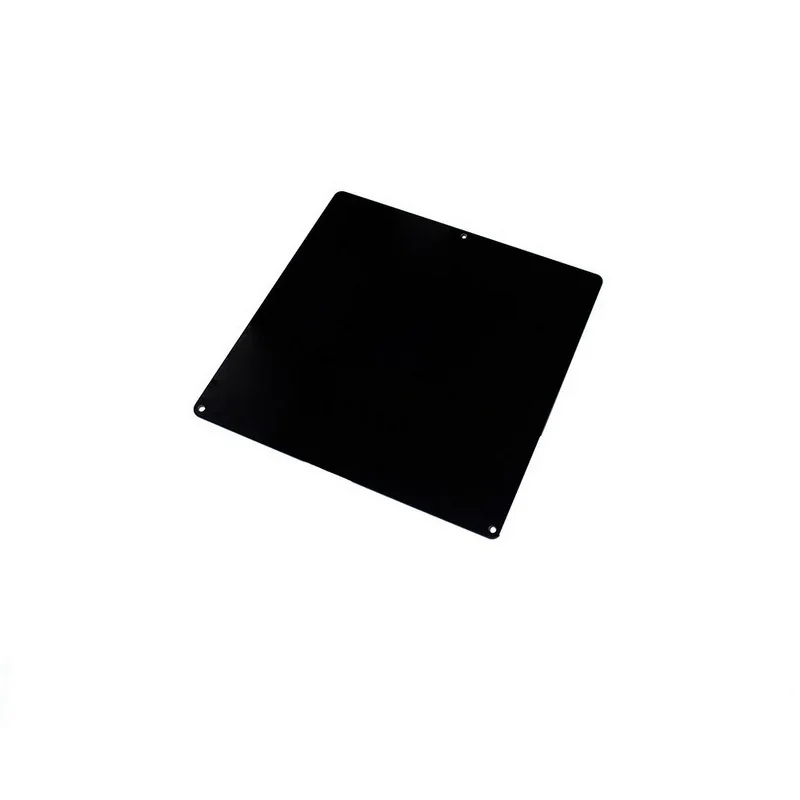 |
| INTAMSYS FUNMAT PRO 410 G1 Retractable Hardened Steel Nozzle 0.4/0.6 mm (left) | Wear-resistant retractable nozzle used for bed calibration/leveling, improving probing reliability and long-term accuracy | $105 |  |
| INTAMSYS FUNMAT PRO 410 G1 Retractable Nozzle 0.4/0.6 mm (Cu/Cr/Zr, left) | Retractable leveling/calibration nozzle for consistent bed probing and repeatable first-layer results (replacement left nozzle) | $99 | 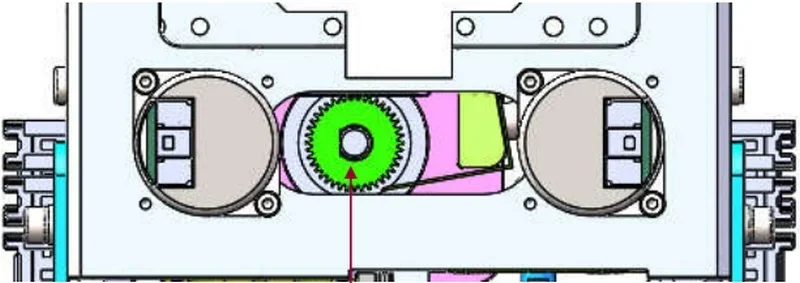 |
| INTAMSYS Pro 410 G2 Nozzle Assembly High Temp 0.4/0.6 mm | G2 print-head nozzle assembly for high-temperature setups; restores clean extrusion and consistent layer deposition | $89 | 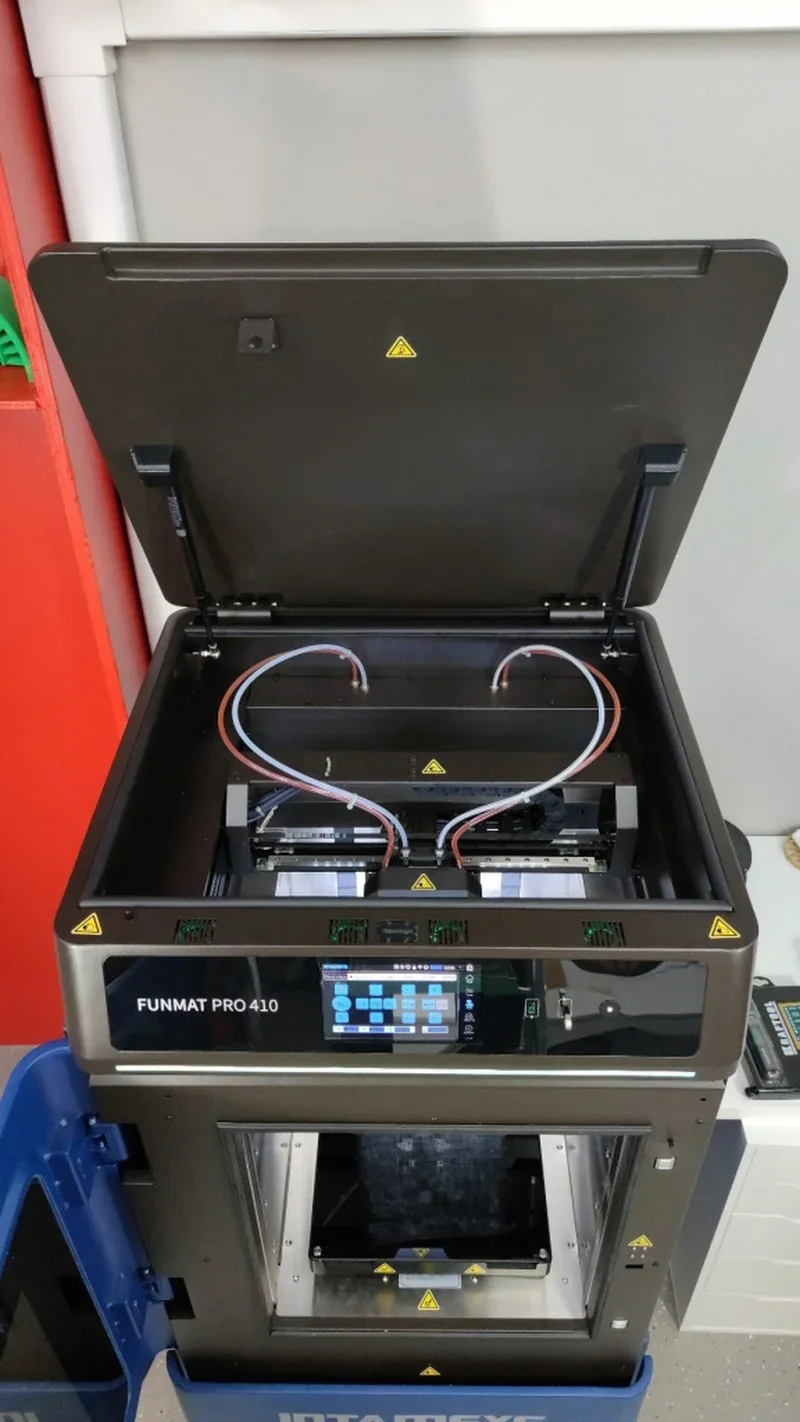 |
| INTAMSYS Pro 410 G2 Nozzle Assembly Low Temp 0.4/0.6 mm | G2 print-head nozzle assembly for lower-temp setups; restores stable extrusion and predictable print quality | $89 | 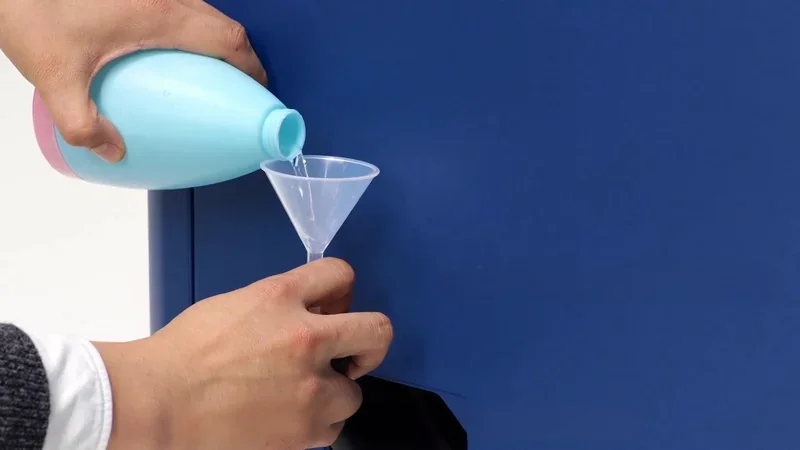 |
| INTAMSYS Mini PC (Linux/WiFi) for FUNMAT PRO 410 | Main control/display module (UI + controller + Wi-Fi) that restores full printer operation and interface responsiveness | $1,330 | 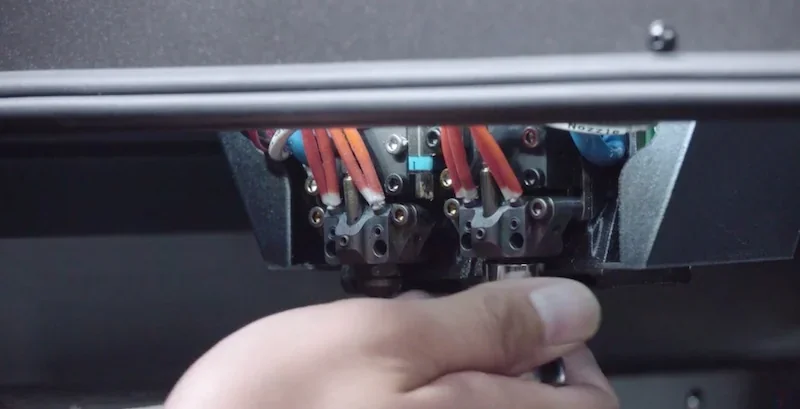 |
| INTAMSYS 40×10 Cooling Fan Assembly (UI/SW board) | Dedicated electronics cooling for the UI/SW board to prevent overheating-related instability and failures | $40 | 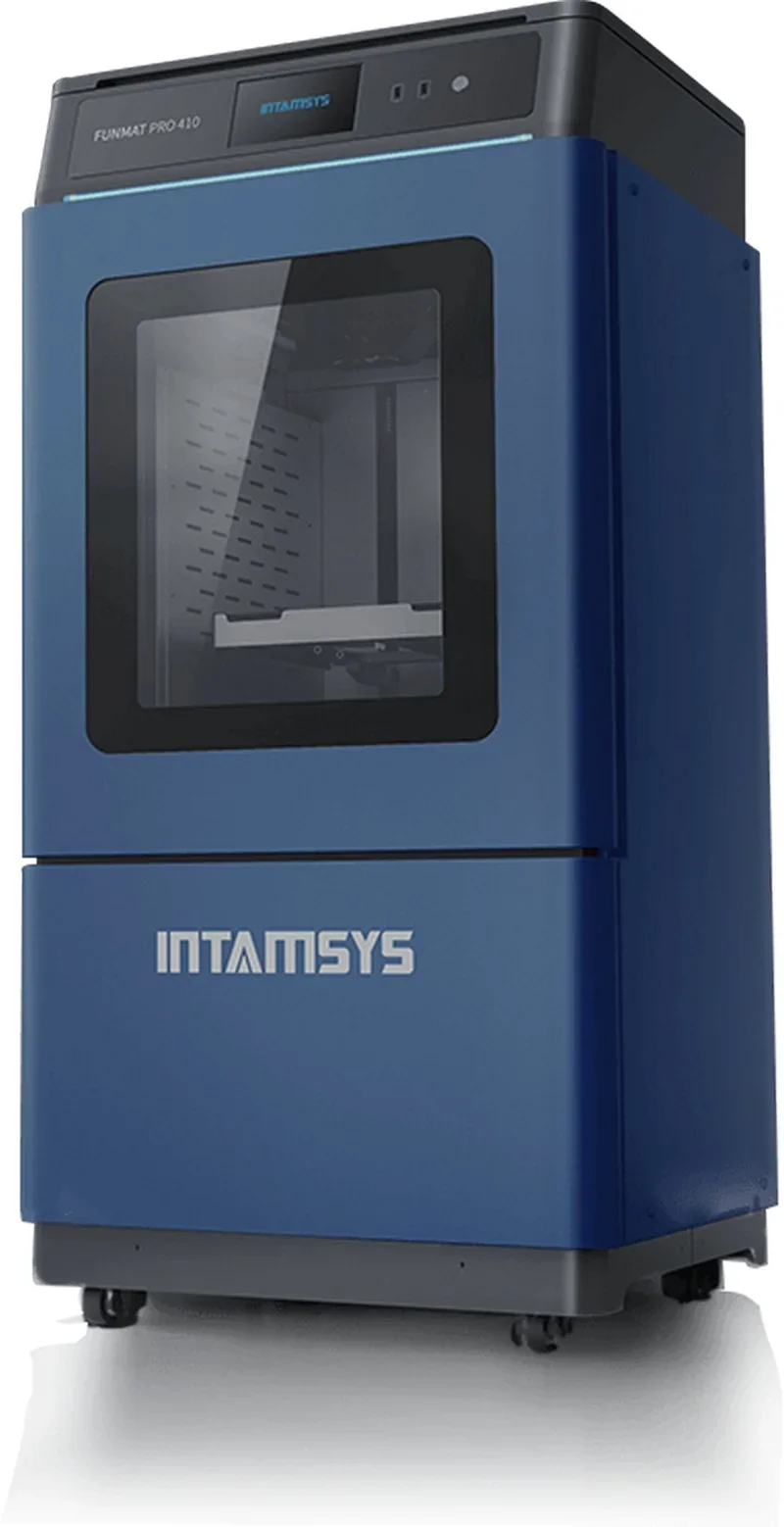 |
| INTAMSYS 40×15 Cooling Fan Assembly (electrical cabinet) | Electrical-cabinet cooling fan that protects internal electronics from heat buildup for higher uptime/reliability | $25 | 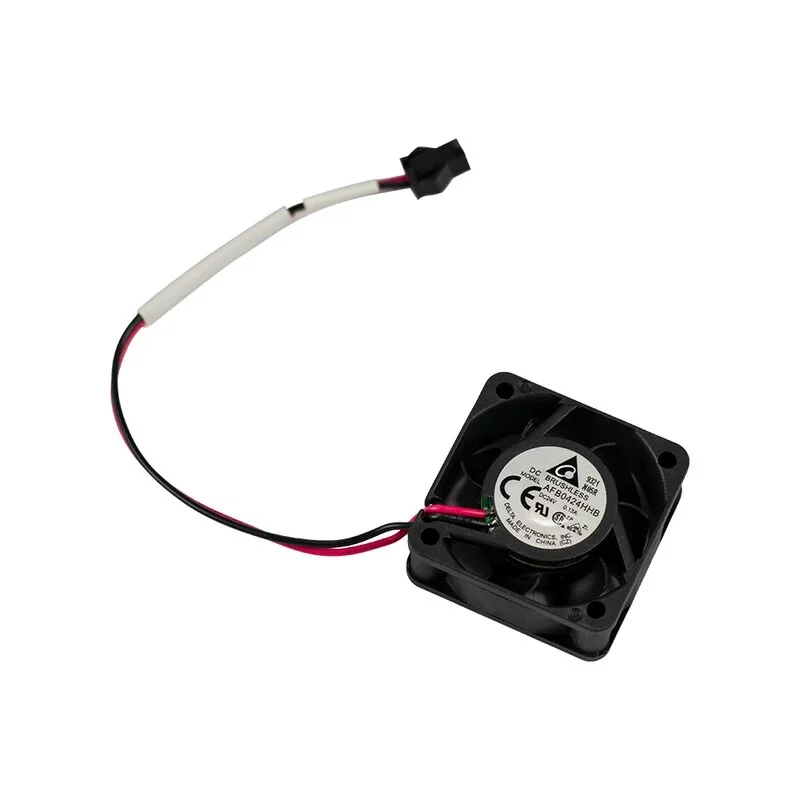 |
| INTAMSYS 60 Cooling Fan Assembly (electrical cabinet) | Higher-capacity cabinet cooling for boards/controllers to maintain stable operating temperatures and reduce fault risk | $50 | 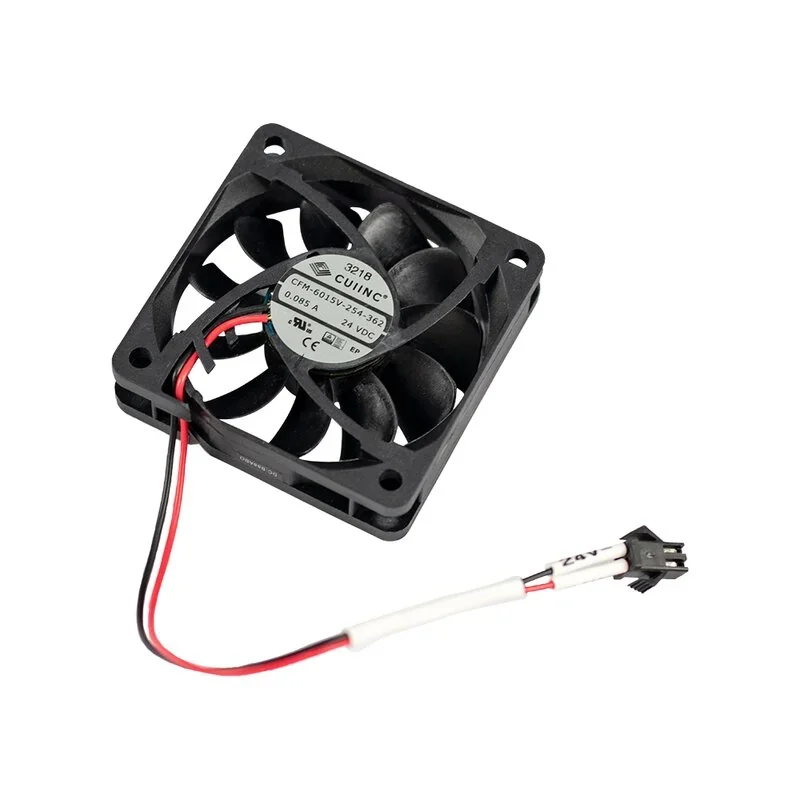 |
| INTAMSYS 42 Stepper Motor (Pro 410) | Replacement motion drive motor that restores accurate axis movement, positioning, and print dimensional consistency | $36 | 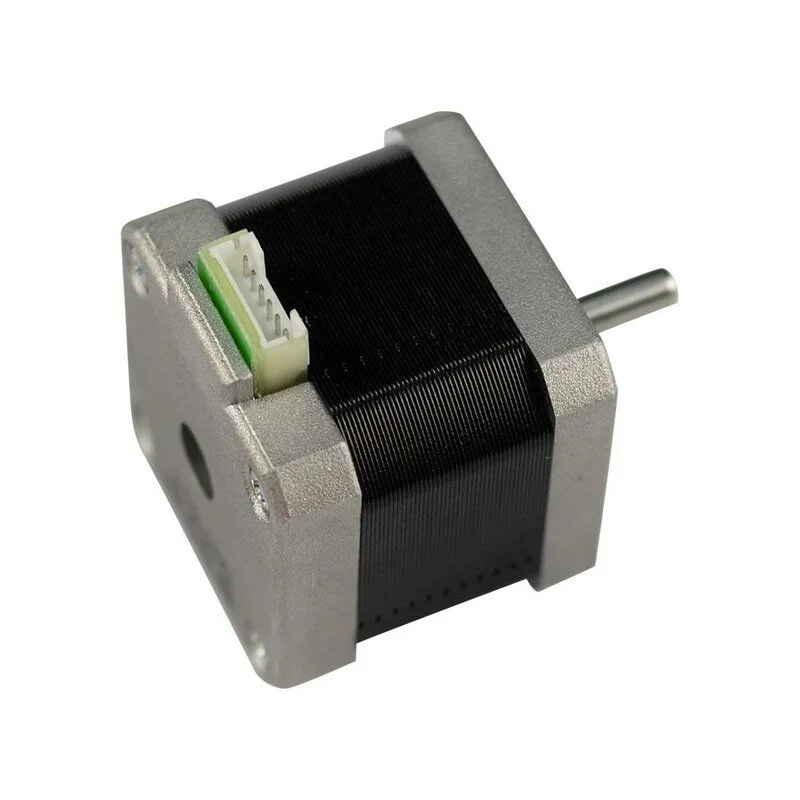 |
| INTAMSYS Backup Power (Pro 410) | Power-loss protection that buffers outages so prints can pause safely and resume, reducing failed builds and waste | $140 | 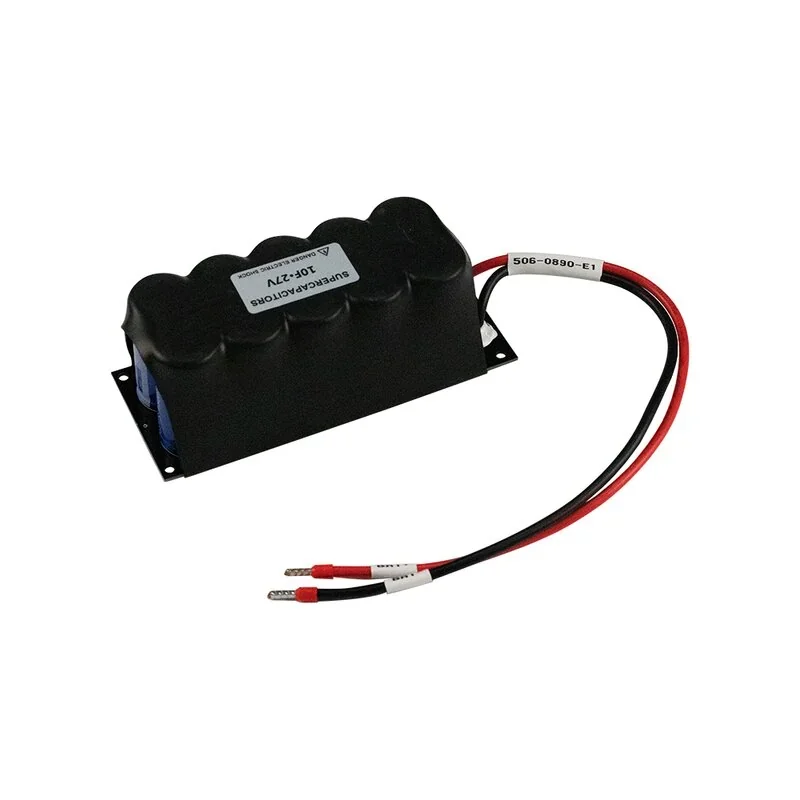 |
| INTAMSYS Buildplate Heater Sheet (Pro 410, 680W/24V) | Replacement heated-bed element that restores fast warm-up and even bed temperature for better adhesion/less warping | $105 | 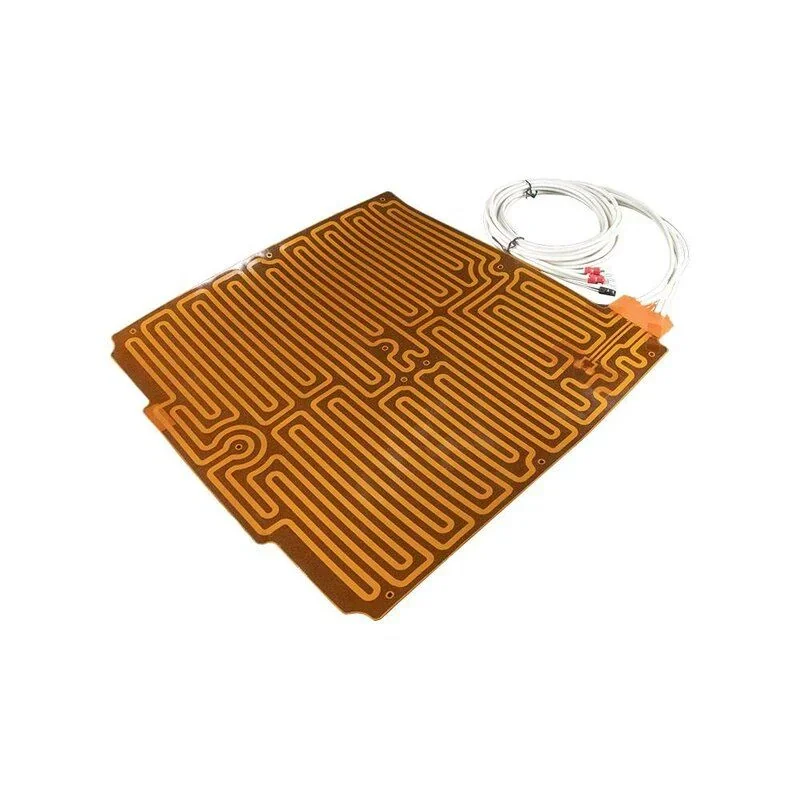 |
| INTAMSYS Camera (Pro 410) | In-chamber monitoring for live progress checks and early detection of failures (remote supervision) | $71 | 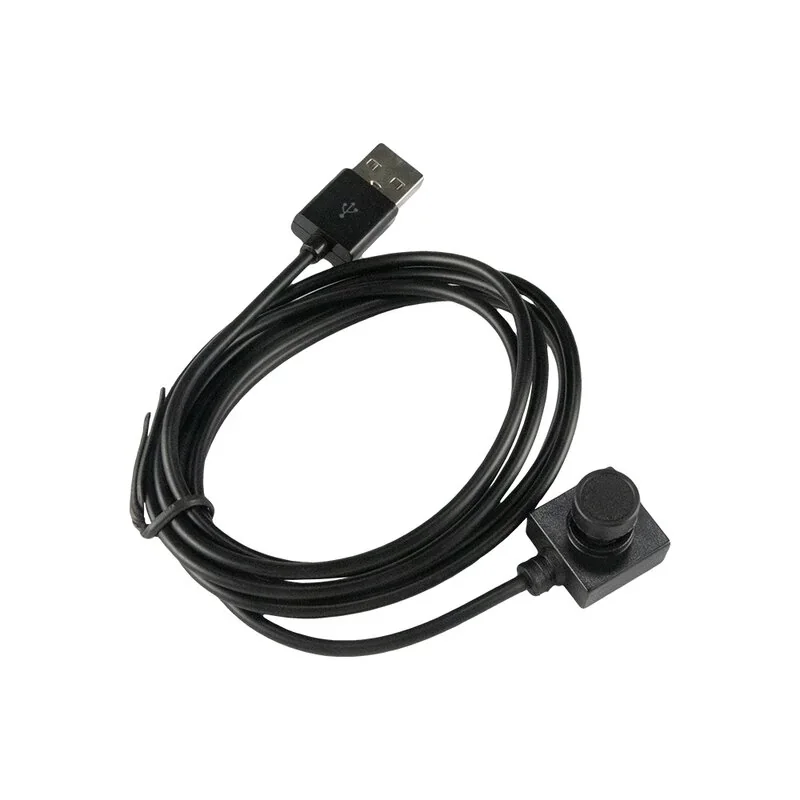 |
| INTAMSYS Chamber Heating Tube (Pro 410) | Replacement chamber heater to maintain a stable heated environment, improving results on warp-prone engineering plastics | $24 | 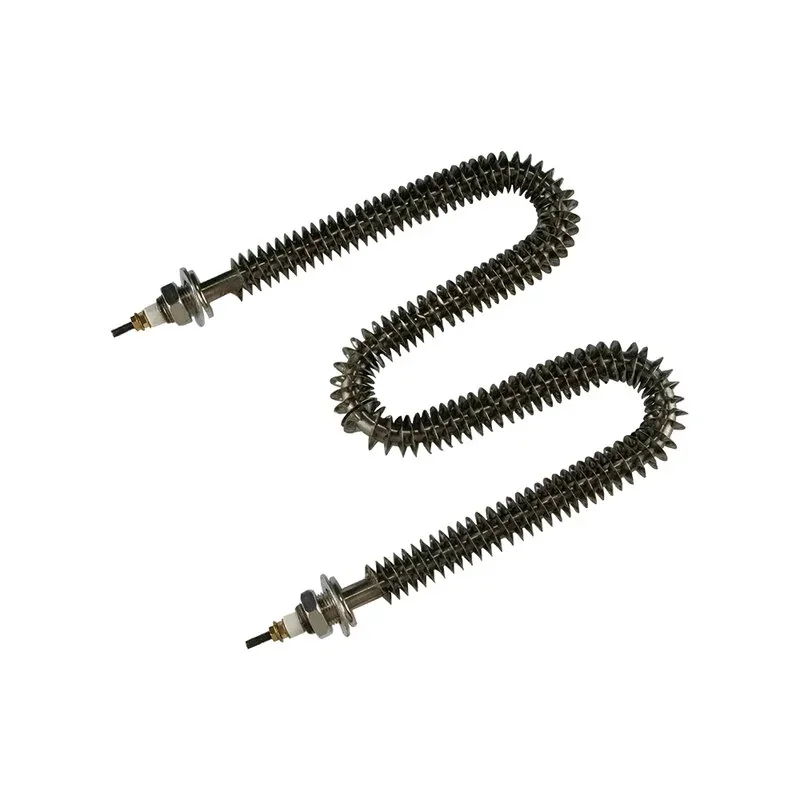 |
| INTAMSYS FUNMAT PRO 410 Filament Tube | Filament guide tube that reduces friction and routing errors for smoother, more reliable feeding | $8 | 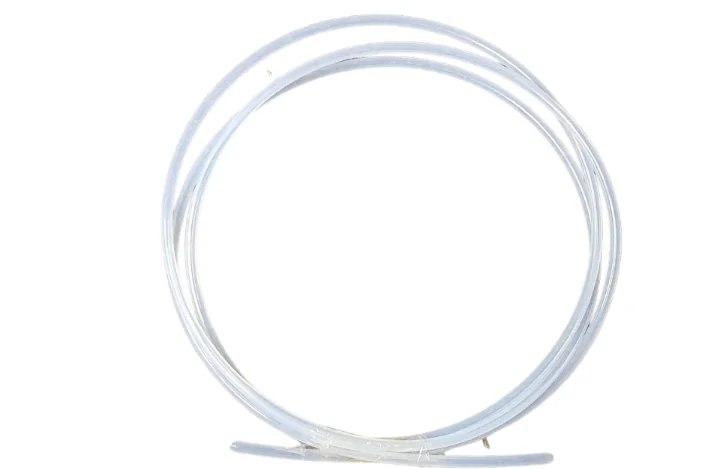 |
| INTAMSYS FUNMAT PRO 410 Nozzle Heater Assembly 2 | Hotend/nozzle heating component that restores proper melt temperature and extrusion stability | $51 | 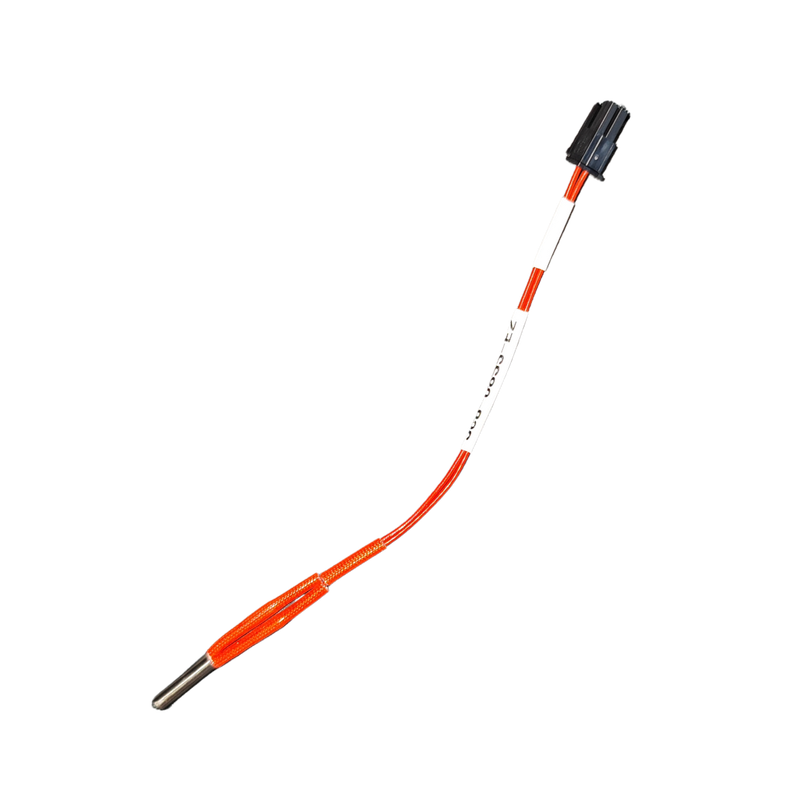 |
| INTAMSYS FUNMAT PRO 410 Nozzle Thermistor Assembly | Nozzle temperature sensor that restores accurate temperature readings/control and prevents temp-related print errors | $125 | 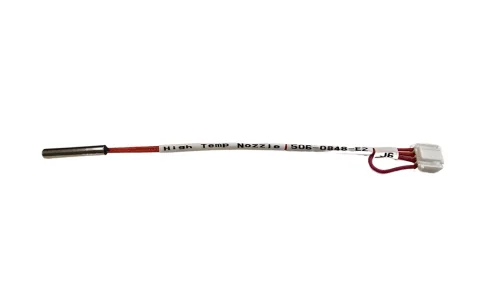 |
What maintenance does the Intamsys Funmat Pro 410 require?
The FUNMAT PRO 410 requires scheduled maintenance to maintain print quality, material feeding, and thermal and mechanical performance.
Before Printing:- Check and clean the glass buildplate.
- Confirm magnet blocks are seated in the hot bed.
- Apply at least 4 layers of PVP glue once the plate cools.
- Clear the chamber of debris to avoid Z-axis issues.
- Inspect nozzles; if clogged, heat to melting temperature and clean with a brass brush.
- Lower and remove the glass buildplate with gloves.
- Detach the print using a scraper.
- Clean and return the buildplate to the hot bed.
- Clean the nozzle brush; replace if worn.
- Adjust brush position for ~1 mm Z-axis overlap with the nozzle.
- Clean the chamber of scraped fragments.
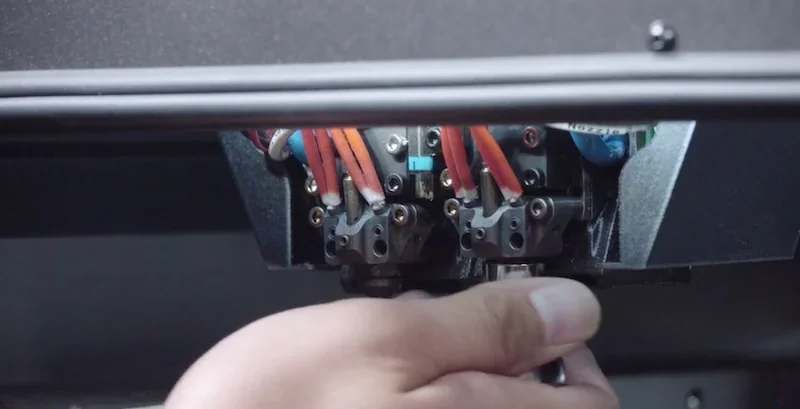
- Inspect nozzle; heat and clean with a brass brush if residue is present.
Feeding gear positioning:
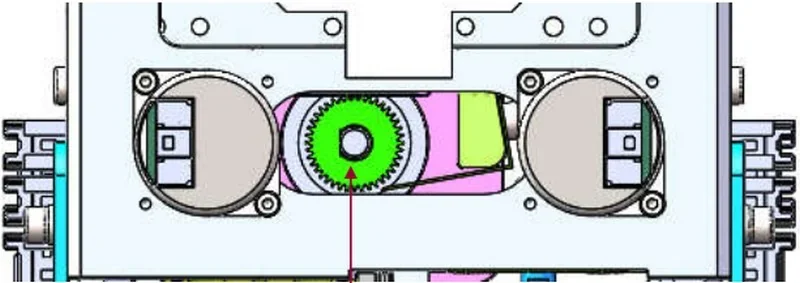
- inspect the extruder feeding gear for material buildup. Remove the nozzle cover and clean gear grooves with a brass brush, tweezers, or similar tool.
- Cean Z-axis bearings and ball screw with an alcohol-damp cloth, then apply perfluoropolyether or lithium soap grease. Remove the back lateral plate for access.
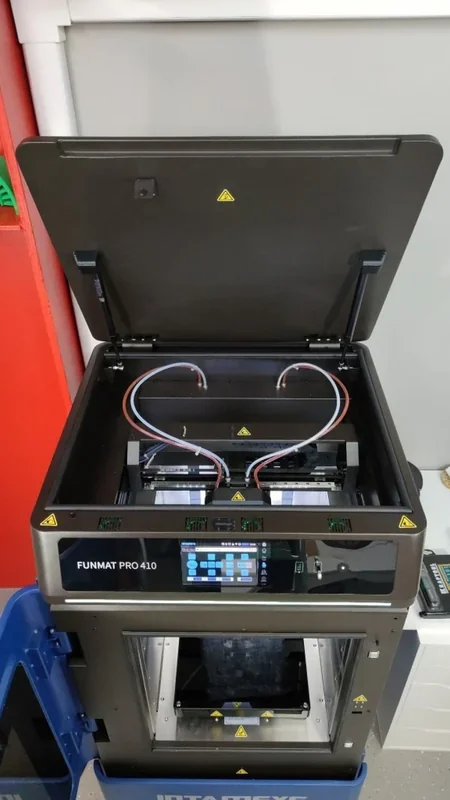
Every 6 Months:
- Wipe X and Y axis linear guide rails with an alcohol-dampened cloth, then apply perfluoropolyether grease. Remove the lateral plates to access the Y-axis rails.
Every 12 Months:
- Inspect or replace the chamber filter screen located in the heating interlayer on the left side of the printing chamber. Remove the coverplate by unscrewing its bolts to access the filter.
- Replace the feeding pipe and cooling pipe, especially the sections inside the printing chamber, due to high-temperature exposure and aging risk. Access the quick connectors from the rear by removing the back plate and pressing the release cover to extract and install new pipes.
Every 2 Years (or per product specification):
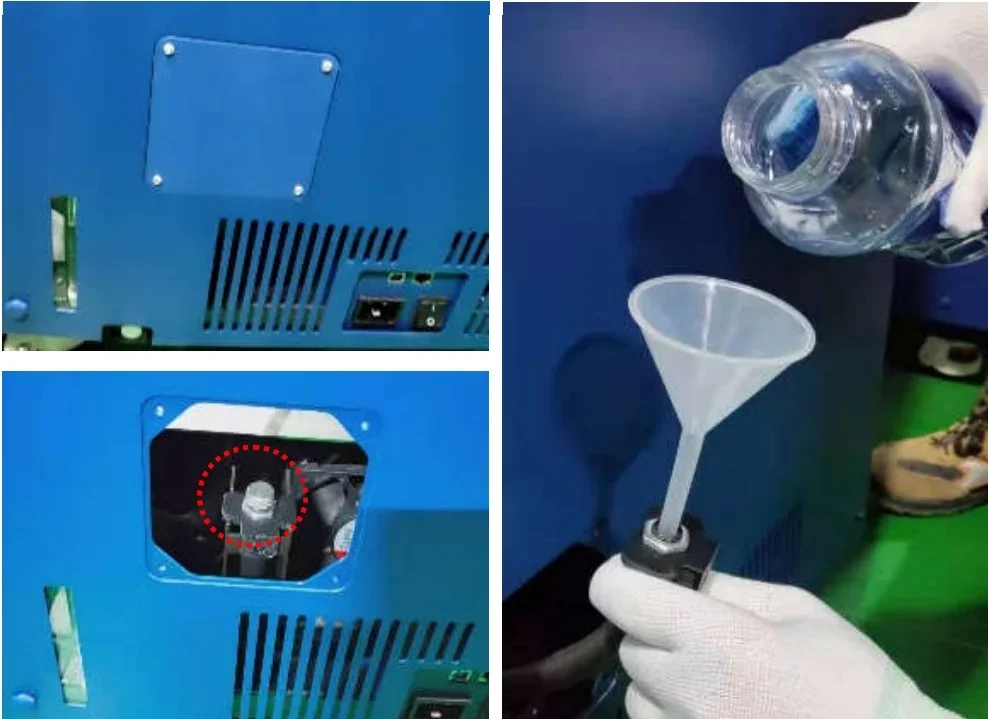
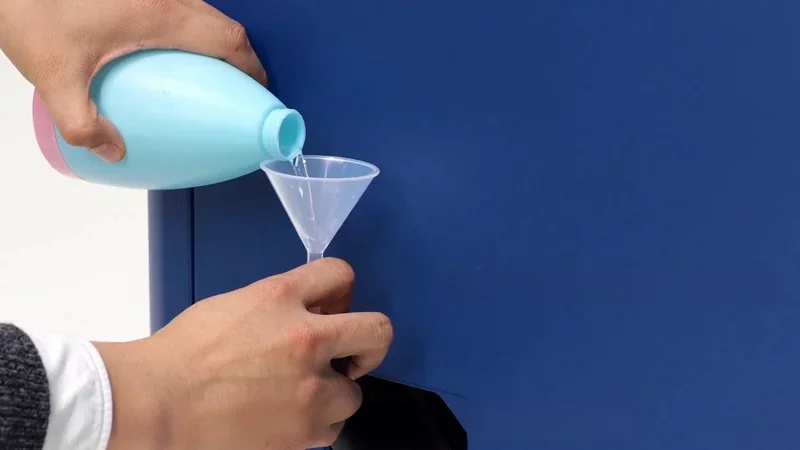
- Replace the coolant with water-free liquid suitable for car engines, ensuring it’s within its validity period. Fill 750–950 ml through the rear charging inlet.
Additional Notes:
- Calibrate weight sensors by placing empty rolls on them and entering their weights under “L-Spooler” and “R-Spooler.”
- Adjust clamp force (L-Clamper and R-Clamper) with the 1.3 mm calibration bar if feeding issues arise, aligning the drive and driven gears for proper filament grip.
- Before the one-year warranty ends, have qualified personnel inspect fans, heaters, and the liquid cooler, disassembling protective parts if needed.
What support and warranty come with the Intamsys Funmat Pro 410?
Warranty Coverage:
- Standard warranty: 12 months from purchase for defects affecting operation.
- Limited parts warranty (5 months): nozzle assembly, temperature sensor, nozzle heater, LED components.
- Not covered: nozzle, heater housing, high-temp tape, glass build plate, screws, and cosmetic wear.
Extended Warranty (Optional):
- Available for up to 2 additional years, but must be purchased within the first year.
| Warranty Plan | Price (USD) |
| 1-Year Extension | 2000 |
| 2-Year Extension | 4000 |
Warranty Requirements:
- Keep the original invoice and packaging.
- Valid only if purchased from Top3DShop
Warranty is Void If:
- Serial number is removed.
- Printer is modified or repaired by unauthorized persons.
- Damage results from misuse, poor maintenance, non-original parts/software, or natural disasters.
Repair Works for User-Caused Damage:
- Customer pays for inspection, repair, and shipping costs.
- Repairs done by Top3DShop/Intamsys after estimate approval.
Technical Support & Resources:
Email Support by Region:
- Asia Pacific: Support_APAC@intamsys.com
- EMEA: Support_EMEA@intamsys.com
- Americas: Support_America@intamsys.com
Help Center Resources:
- Service guides, troubleshooting, maintenance, and diagnostics: https://help.intamsys.com/en/INTAMSYSPRINTERS/FUNMATPRO410
Authorized Distributor – Top 3D Shop:
- Provides technical assistance, setup support, and genuine parts:
sales@top3dshop.com
How much does the Intamsys Funmat Pro 410 cost?
The INTAMSYS FUNMAT PRO 410 is an industrial dual-extrusion 3D printer with a 305 × 305 × 406 mm build chamber for precise functional parts. Pricing varies by installation, service, and use case; quotes are available from Top 3D Shop. Built for demanding environments, it delivers advanced performance and reliability.