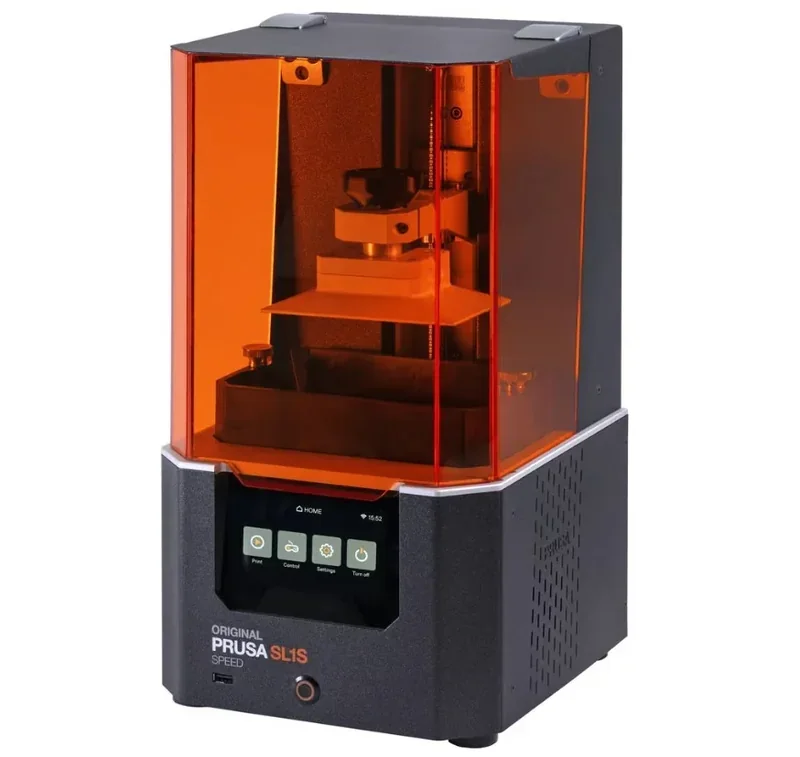
Original Prusa SL1S SPEED: High-Speed Professional mSLA LCD Resin 3D Printer





- Up to 3× faster than predecessor
- 0.049mm XY resolution via monochrome LCD
- 2000-hour LCD lifespan
- Supports castable and biocompatible resins
- Flexible Payment Terms
- 1 Year Warranty
- Local Technical Support
- Free Online Training
- Original Prusa SL1S SPEED printer
- Resin tank with FEP film
- Build platform
- USB drive with firmware
The Original Prusa SL1S SPEED is a fast, masked SLA (MSLA) resin printer with a tilting tank, delivering up to 3× faster prints than its predecessor and 0.049mm XY resolution via a 5.96" monochrome LCD. Designed for professionals, it supports castable and biocompatible resins, excels in applications like jewelry and dentistry, and features a resin level sensor, auto calibration, and remote connectivity. With a 2000-hour LCD lifespan and compatibility with the CW1S washing and curing station, it enables a clean, efficient workflow for precise, small-batch production.
- What is the print quality and performance of the Original Prusa SL1S SPEED MSLA 3D printer?
- Which resins can you use with the Original Prusa SL1S SPEED MSLA 3D printer?
- What is the build volume of the Original Prusa SL1S SPEED 3D printer?
- What is the difference between the Original Prusa SL1S Speed and Elegoo Saturn 4 Ultra, Formlabs Form 4B, Phrozen Sonic Mini 8K?
- What printer controls are available on the Original Prusa SL1S SPEED 3D printer?
- What connectivity options are available on the Original Prusa SL1S SPEED 3D printer?
- What software is offered with the Original Prusa SL1S SPEED 3D printer?
- What is the design and build quality of the Original Prusa SL1S SPEED 3D printer?
- What comes included in the box with Original Prusa SL1S SPEED 3D printer?
- What upgrades and accessories are available for the Original Prusa SL1S SPEED 3D printer?
- What maintenance does the Original Prusa SL1S require?
- What support and warranty come with the Original Prusa SL1S SPEED 3D printer?
- How much does the Original Prusa SL1S SPEED 3D printer cost?
What is the print quality and performance of the Original Prusa SL1S SPEED MSLA 3D printer?
The Original Prusa SL1S uses a 5.96-inch mono LCD with 2560×1620 resolution for 0.049mm XY precision and layer heights from 0.025mm to 0.1mm. Its tilt function ensures clean layer separation, avoiding horizontal flaws seen in non-tilting printers.
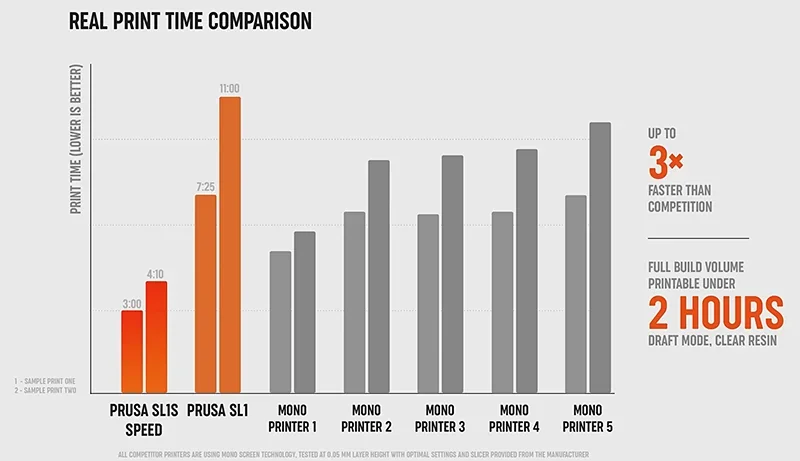
The SL1S SPEED prints three times faster than the original SL1, with 1.3–2.4 second layer exposures and a 3-second tilt cycle.
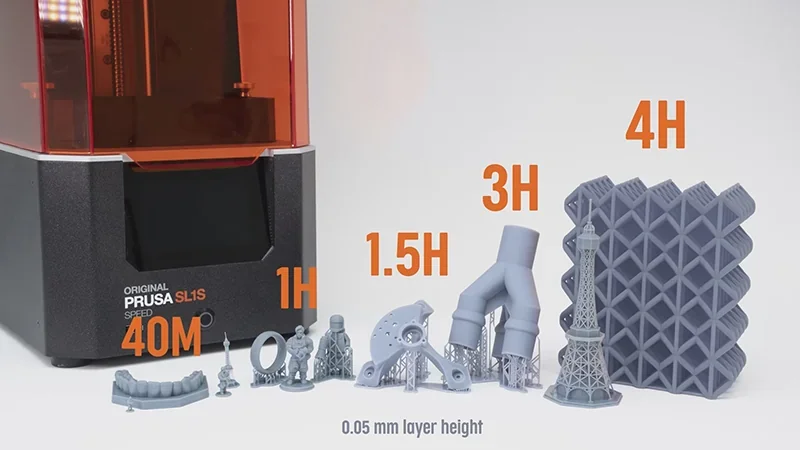
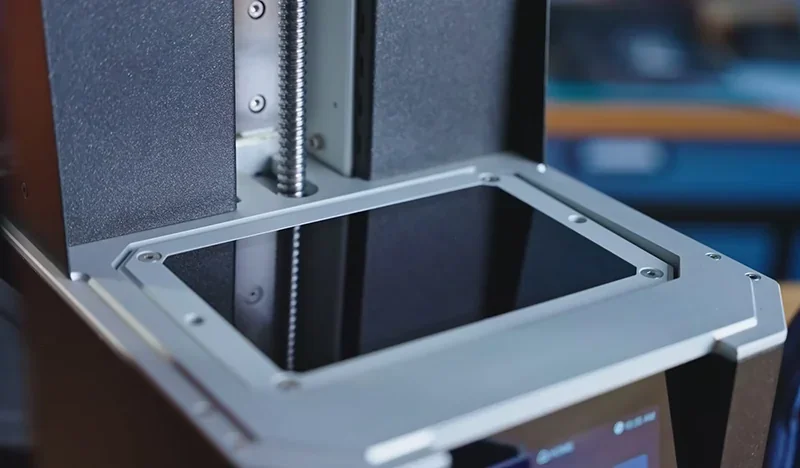
The tilting mechanism improves print success by gently detaching layers from the FEP film and mixing the resin.
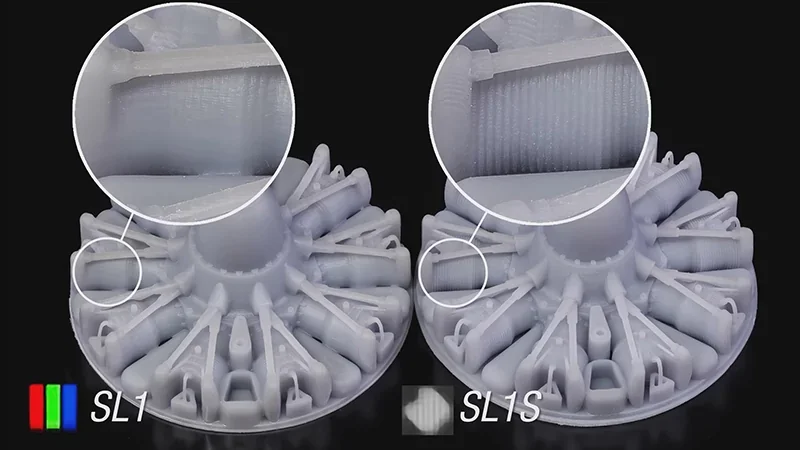
The SL1S SPEED captures fine textures and details with minimal visual artifacts, thanks to superior anti-aliasing.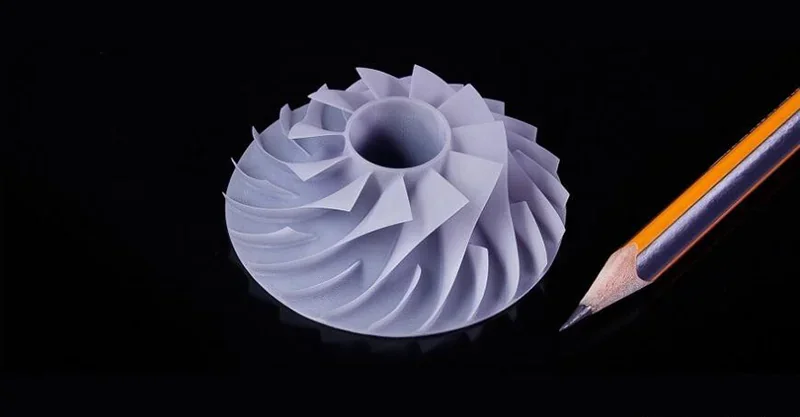
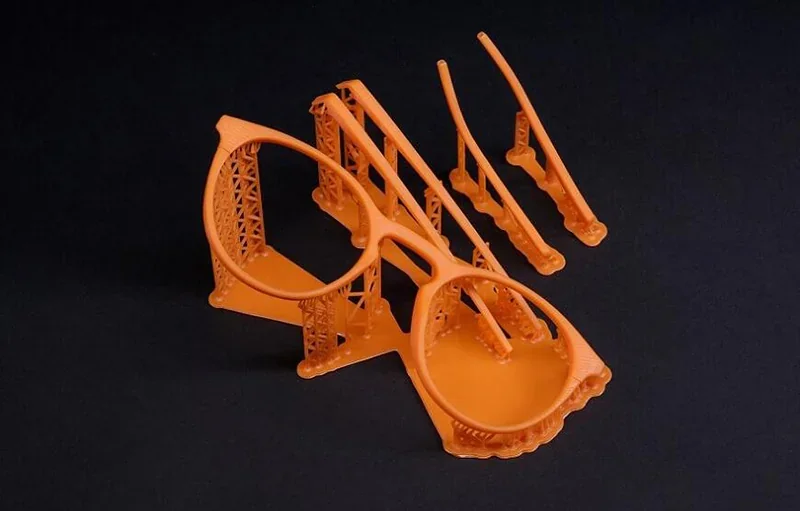
For high-detail work, enhanced anti-aliasing delivers near-4K surface smoothness with minimal layer lines. The ballscrew Z-axis ensures precise layer positioning across the 150mm range, eliminating Z-banding.
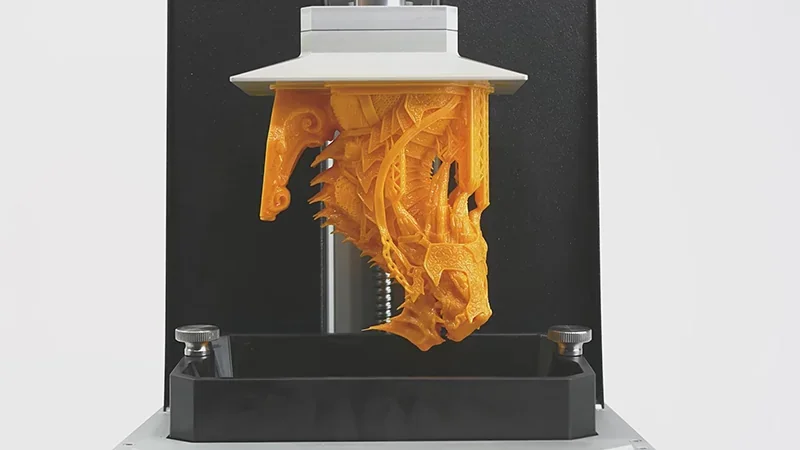
Print sample: Five-part Clicker statue from The Last of Us, showcasing detailed anatomy and infection features, printed in sections for easier assembly.
Which resins can you use with the Original Prusa SL1S SPEED MSLA 3D printer?
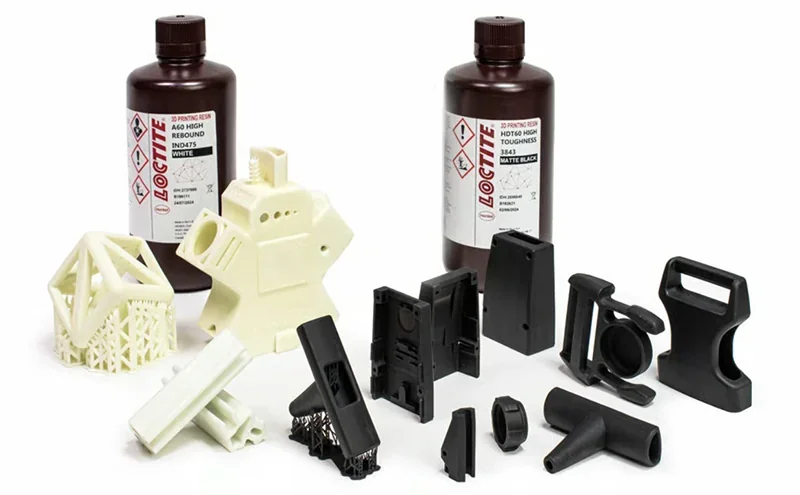
The SL1S SPEED supports all 405nm UV-sensitive resins and includes 0.5 kg of Prusament Resin Tough for immediate use. It’s also compatible with advanced and industrial-grade resins, including those from Henkel Loctite.
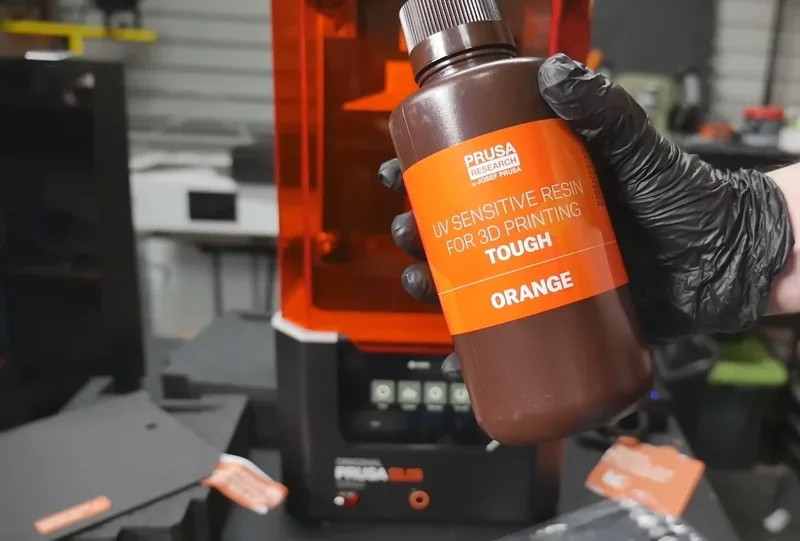
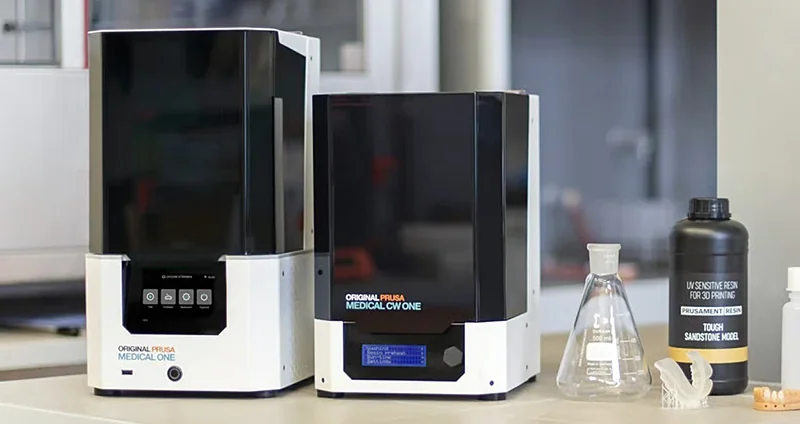
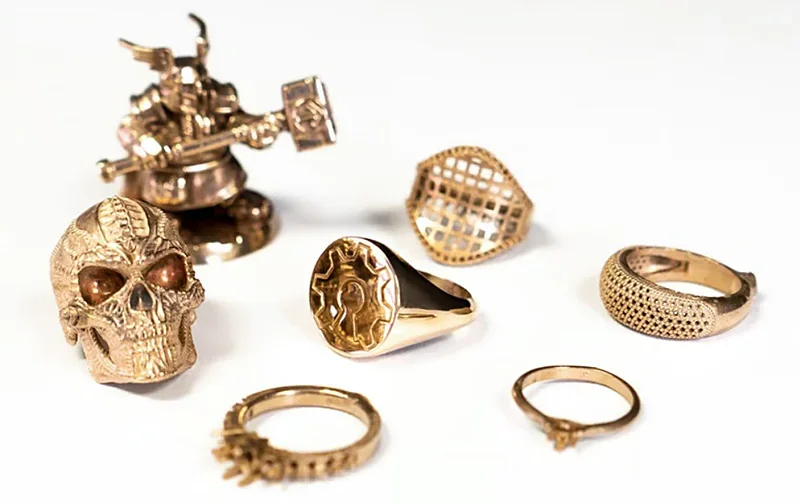
For jewelry, the SL1S SPEED works well with castable resins like Bluecast, producing detailed, cast-ready pieces. As the Medical One system, it supports biocompatible dental resins for restorations, surgical guides, and splints.
The SL1S SPEED’s powerful UV LED array with custom lenses supports long-exposure resins, including specialty engineering materials. It ensures consistent light intensity across the build plate for uniform curing.
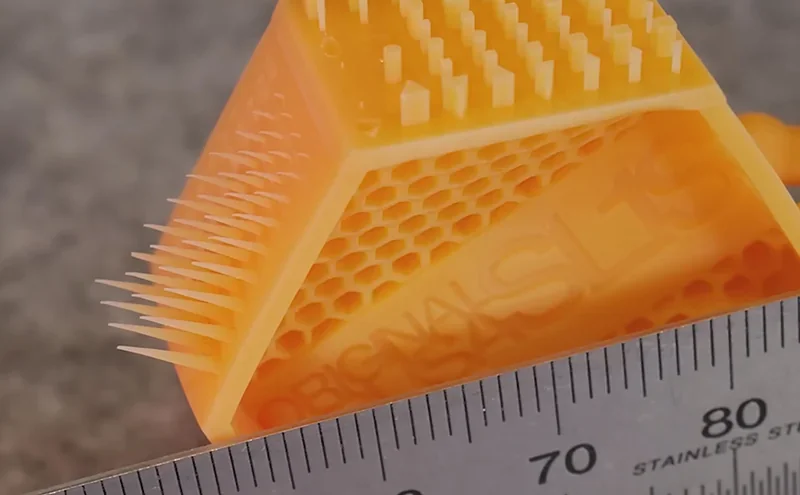
Included test prints
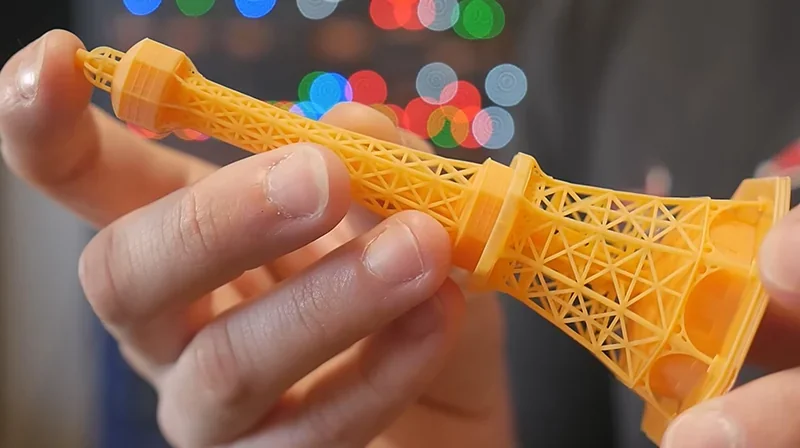
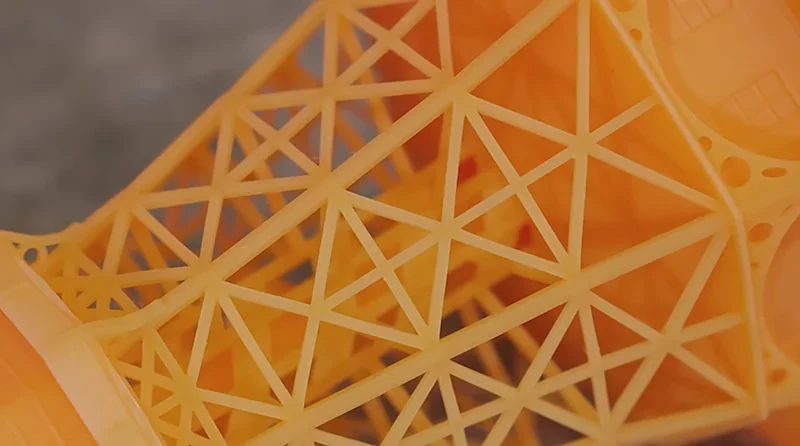
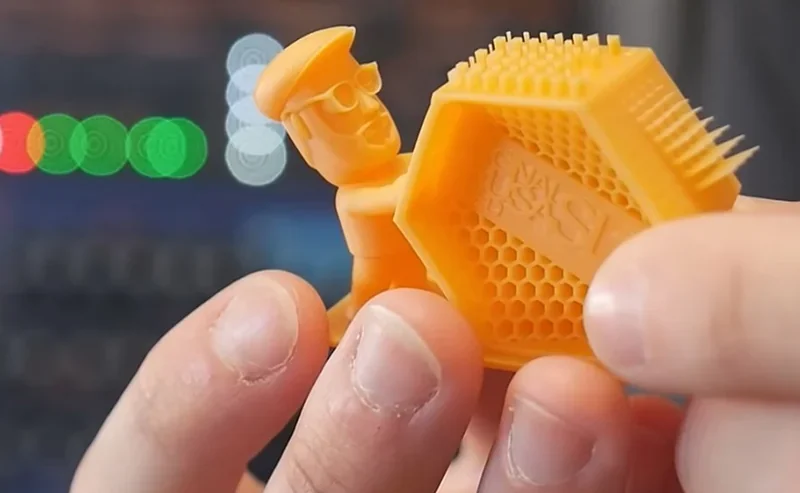
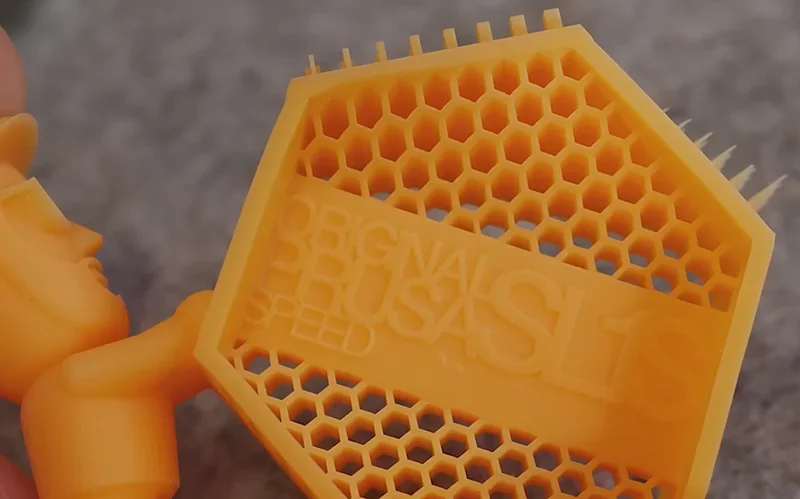
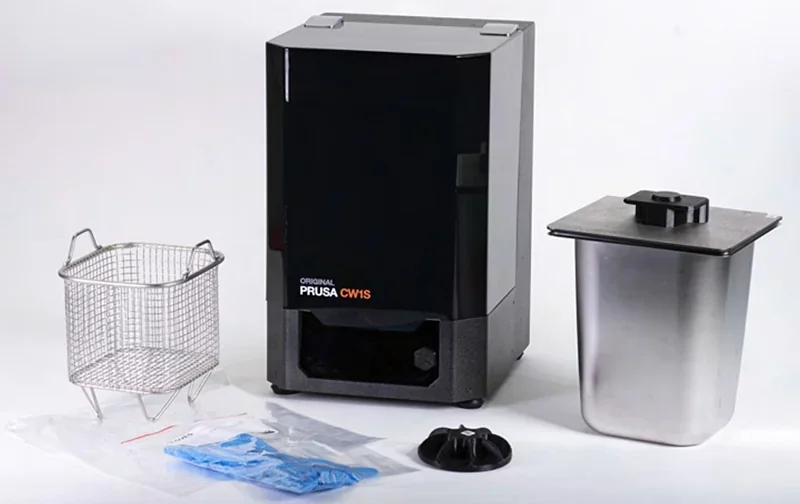
The CW1S pre-heats resin to optimal temperature and viscosity, improving flow and ensuring consistent print results.
The open material system supports a wide range of resin while upholding Prusa's reliability and quality. Built-in resin calibration tests eight exposure settings in one print, making third-party resin setup easy.
How does the Prusa CW1S integrate with the SL1S workflow?
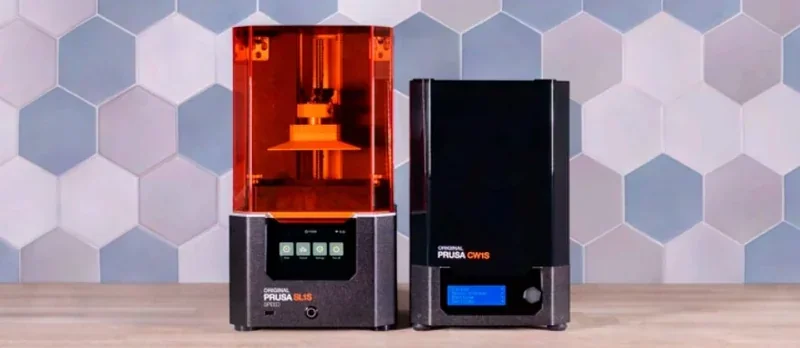
The Prusa CW1S 4-in-1 curing and washing machine post-processes SL1S prints — washing, drying, and curing them in under 10 minutes. It includes a rotating platform and reflective lid for improved efficiency and surface quality.
What is the build volume of the Original Prusa SL1S SPEED 3D printer?
The SL1S offers a compact 127 × 80 × 150 mm build volume, optimized for print speed over size. It prints objects up to 150mm tall — about the height of a coffee mug — while maintaining fast curing times.
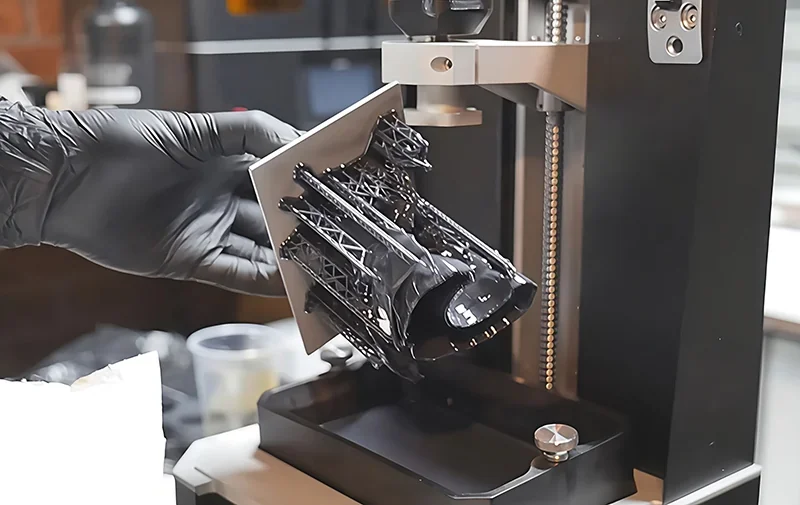
For larger prints, models can be split in PrusaSlicer and assembled post-print. This retains the SL1S SPEED’s speed and detail benefits, with joint lines nearly invisible after post-processing.
What is the difference between the Original Prusa SL1S Speed and Elegoo Saturn 4 Ultra, Formlabs Form 4B, Phrozen Sonic Mini 8K?
Original Prusa SL1S (SL1S Speed) — pro-focused reliability and control: motorized tilting bed (reduced peel forces), quick-release platform, assisted setup, resin-level and safety-spill sensors, advanced LCD cooling with a rear carbon filter, and full network control (USB/Wi-Fi/LAN + browser UI). Build volume 127×80×150 mm; exposure 1.3–2.4 s with supported 0.025–0.10 mm layers (min 0.01 mm).
In contrast:
- Elegoo Mars 5 Ultra — wins on headline specs (18 µm XY, taller Z 165 mm, up to 150 mm/h, 7″ 9K LCD) and price ($270+); loses SL1S’s integrated carbon-filtered airflow, safety-spill vat, and LAN/browser-based control.
- Elegoo Mars 5 — wins on lowest price ($180+) and a wider X/deeper Y area (143.43×89.6×150 mm); loses SL1S’s connectivity (no Wi-Fi/LAN), motorized tilt, carbon-filtered fan, safety-spill protections, and browser control.
- Formlabs Form 4B — wins on largest build (200×125×210 mm), managed print engine (resin heating, Z-force sensing, ultrasonic level, camera) and enterprise software/materials (incl. biocompatible); loses on price ($7,500+) and doesn’t target ultra-fine XY like 18–22 µm (50 µm class).
- Phrozen Sonic Mini 8K — wins on ultra-fine detail (22 µm XY) and value ($500+); loses SL1S’s connectivity (USB-only), safety/automation suite (no listed level sensor, tilt, or carbon filter), and integrated network/browser control.
| Specification | Original Prusa SL1S | Elegoo Mars 5 Ultra | Elegoo Mars 5 | Formlabs Form 4B | Phrozen Sonic Mini 8K |
|---|---|---|---|---|---|
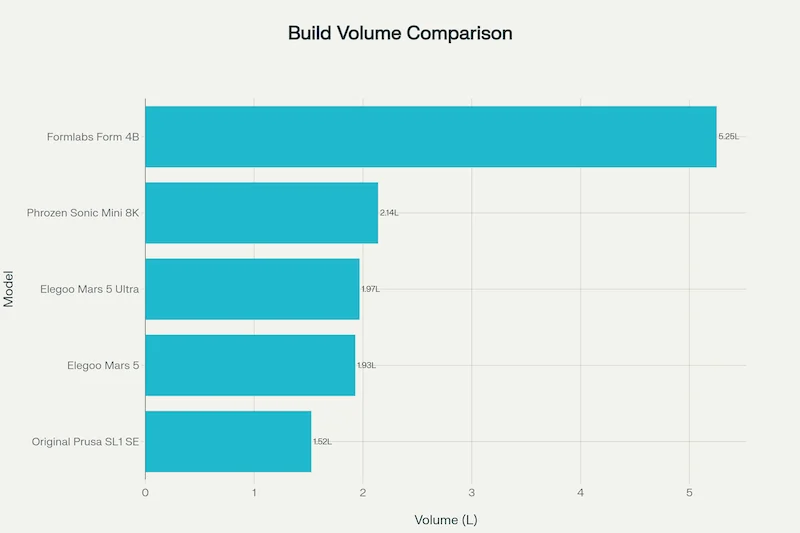
| Build volume (W×D×H, mm) | 127 × 80 × 150 | 153.36 × 77.76 × 165 | 143.43 × 89.6 × 150 | 200 × 125 × 210 (≈5.25 L) | 165 × 72 × 180 |
| Printing technology | MSLA (monochrome LCD + lens system) | MSLA | MSLA | LFD™ (Low Force Display; MSLA-class) | MSLA (Linear Projection LED) |
| XY resolution / pixel | 47 µm (LCD 5.96″, 2560 × 1620) | 18 µm (8520 × 4320, 7″ 9K) | 35 µm (4098 × 2560, 6.6″ 4K) | 50 µm (with anti-aliasing) | 22 µm |
| Layer thickness | 0.025–0.10 mm (min 0.01 mm) | 0.01–0.20 mm | 0.01–0.20 mm | 0.025–0.20 mm | 0.01–0.30 mm |
| Max print speed | up to 80 mm/hr | up to 150 mm/h | up to 70 mm/h | up to 100 mm/h (typ. ~40 mm/h) | up to 80 mm/h |
| Light source / wavelength | 405 nm UV | COB, 405 nm | COB, 405 nm | 60-LED backlight unit, 405 nm | Linear Projection LED, 405 nm |
| LCD / optics | 5.96″ mono LCD, 2560 × 1620 | 7″ 9K mono LCD, tempered glass | 6.6″ 4K mono LCD, PET film | LPU 4 + backlight unit | 7.1″ mono LCD |
| Connectivity | USB, Wi-Fi, LAN | Wi-Fi, USB | USB | Wi-Fi, Ethernet, USB-C | Front USB |
| Slicer / system | PrusaSlicer | EL3D-4.0; Chitubox | EL3D-3.0.1; Chitubox & Voxeldance Tango | PreForm + Dashboard | Phrozen OS; Chitubox ≥1.9 |
| Thermals / cooling | Advanced LCD cooling; ~100 W while printing | 3 copper heat pipes + single fan | 3 copper heat pipes + single fan | Resin heating (25–45 °C), IR sensing; managed thermals | — |
| Special features | Quick-release platform, assisted wizard, motorized tilt, FEP vat, silent Trinamic drivers, carbon rear fan, resin level sensor, safety vat | Tilt Release, 1-click auto-level, self-check & overheat protection, AI camera (empty plate/warp, timelapse), smart mechanical sensor, power-loss resume | 1-click auto-level, self-check & overheat protection, smart mechanical sensor | Force sensing (Z), ultrasonic resin level, load cell, printer leveling sensor, integrated 5MP camera, auto supports, One-Click Print | Dual linear rails, frosted build plate |
| Dimensions (mm) | 225 × 237 × 400 | 260 × 268 × 451.5 | 230 × 230 × 433.5 | 398 × 367 × 554 | 290 × 290 × 430 |
| Materials | 405 nm UV resins | 405 nm UV resins | 405 nm UV resins | 38+ Formlabs materials + Open Material Mode | 405 nm resins |
| Price (USD) | $2,000+ | $270+ | $180+ | $7,500+ | $500+ |
Bottom-Line: Choose the SL1S Speed when you need a compact MSLA workhorse with pro-grade safety, reliability, and networked fleet control; step down to Mars 5/5 Ultra for aggressive value and high nominal resolution, up to Form 4B for enterprise throughput and ecosystem (at a premium), or Mini 8K for maximum surface detail on a budget.
What printer controls are available on the Original Prusa SL1S SPEED 3D printer?
The Original Prusa SL1S 3D printer provides 14 main control functions accessible through its touchscreen interface. The printer offers 3 primary menu categories in the Main Menu: Print, Control, and Settings.
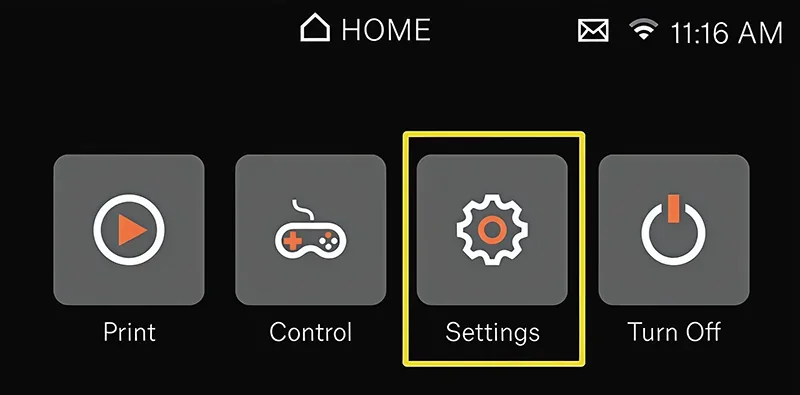
Main Control Functions:
1. Print Menu includes file selection capabilities with 2 sub-sections: Examples (for sample print files) and Local (for files stored in printer's internal memory). Control Menu provides 3 platform management functions: Home Platform, Home Tank, and Disable Steppers.
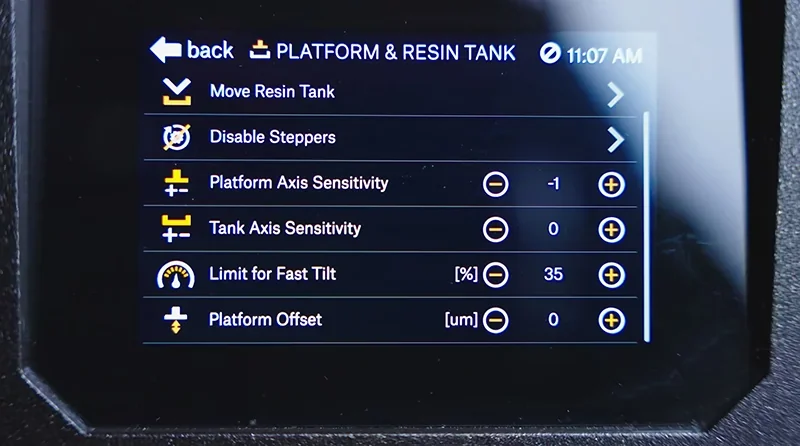
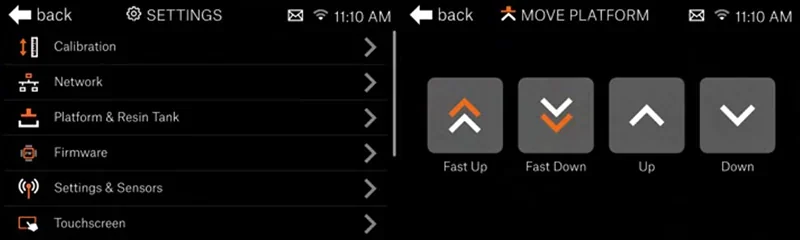
2. Settings Menu contains 10 configuration categories:
- Calibration (with 3 functions including Selftest, Printer Calibration, and Display Test)
- Network (supporting Ethernet, Wi-Fi, Hot Spot, Set Hostname, and Login Credentials)
- Platform & Resin Tank (offering 6 adjustment options including Move Platform, Move Resin tank, and sensitivity controls)
- Firmware
- Settings & Sensors (with 5 toggles including Auto Power Off and Cover Check)
- Touchscreen (2 display controls)
- Language & Time (supporting 2 time configuration modes)
- System Logs (with 2 export options)
- Support (providing 3 help resources)
- System Information
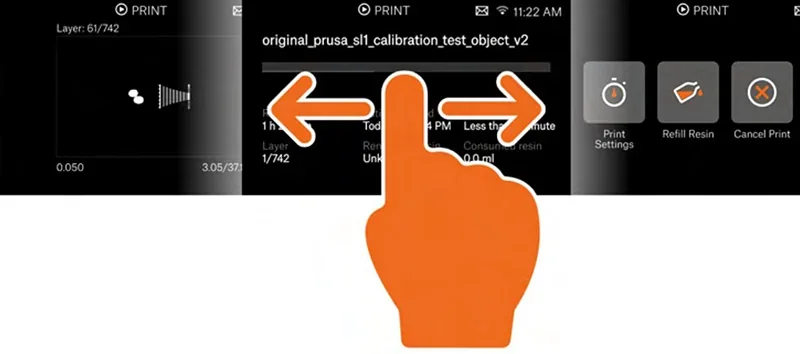
3. Physical Controls include the main Power Button for on/off operation, black Knob on the cantilever for print platform mounting, and capacitive touchscreen supporting tap, swipe, and hold gestures for menu navigation. The touchscreen enables 4 interaction methods: tapping icons to enter sub-menus, using on-screen +/- buttons for value changes, swiping left/right to reveal additional information, and pressing/holding symbols for continuous value adjustment.
What connectivity options are available on the Original Prusa SL1S SPEED 3D printer?
The SL1S SPEED offers 3 connectivity options including USB, Ethernet, and Wi-Fi connectivity. It supports FAT32-formatted USB 2.0/3.0 drives for direct G-code printing.
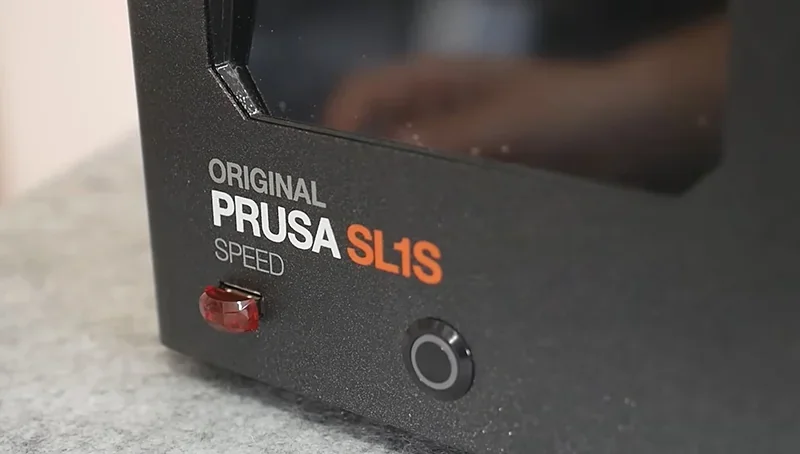
The SL1S SPEED connects to networks via Ethernet or Wi-Fi and can be controlled remotely through PrusaConnect, accessible from any browser.
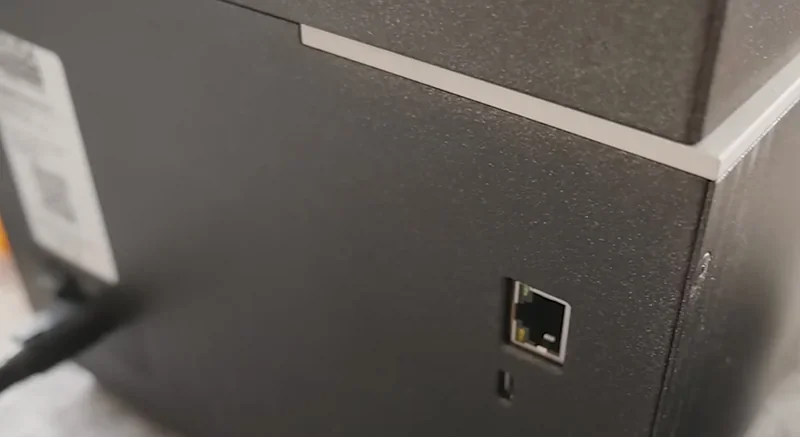
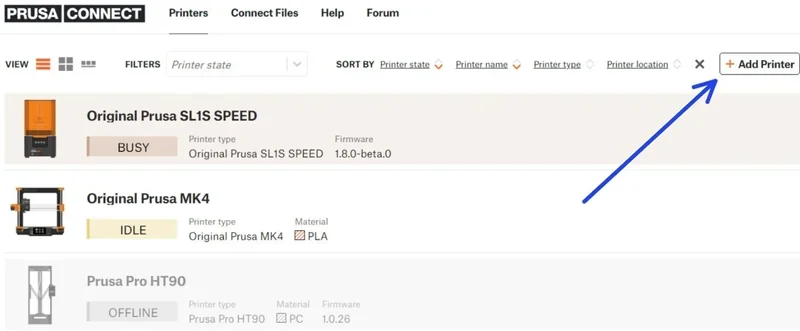
Network connectivity enables firmware updates, remote monitoring, and direct log uploads to support. The printer displays its IP address for browser-based access via the LAN settings menu. The SL1S SPEED supports third-party tools like OctoPrint for expanded remote control.
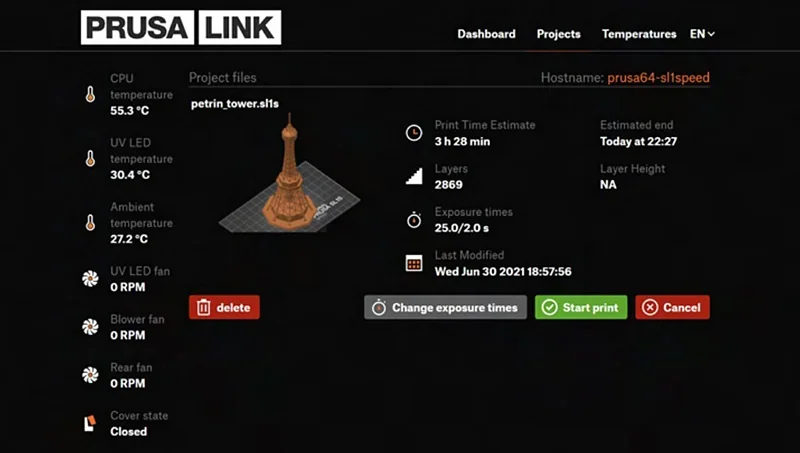
What software is offered with the Original Prusa SL1S SPEED 3D printer?
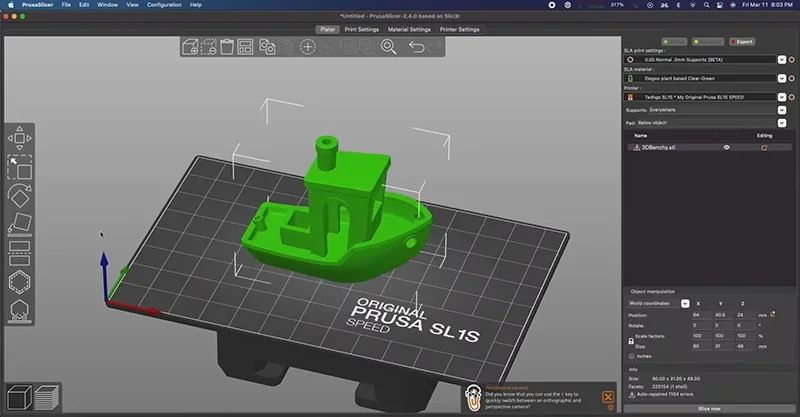
The SL1S SPEED 3D printer uses PrusaSlicer software by Josef Prusa, a free, open-source slicer with tested profiles for the printer and many resins, allowing plug-and-play resin additive manufacturing.
PrusaSlicer includes resin-specific tools like auto-hollowing, drain holes, supports, and object splitting. Users can choose Simple, Advanced, or Expert modes based on experience. It exports in SL1S format and provides accurate print time estimates.
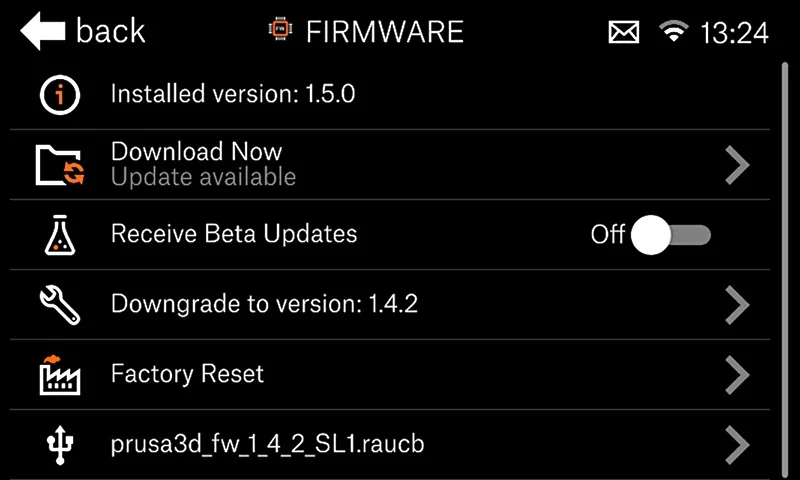
The SL1S SPEED receives automatic firmware updates over the network. Offline updates can be done by loading the update file onto a FAT32 USB drive and restarting the printer.
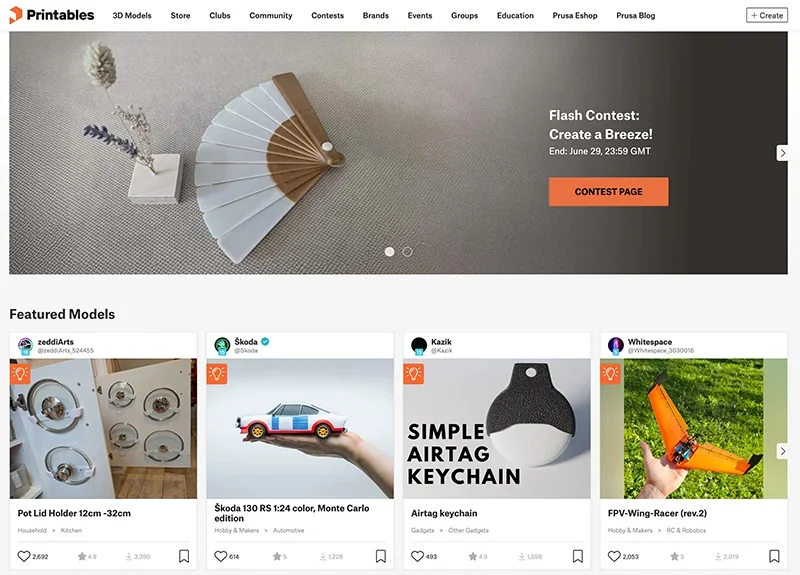
Prusa’s Printables.com offers ready-to-print .sl1s files with no slicing or setup needed.
What is the design and build quality of the Original Prusa SL1S SPEED 3D printer?
The SL1S SPEED combines durable construction with advanced components for high performance and reliability.
What is the design and form factor of the Original Prusa SL1S?
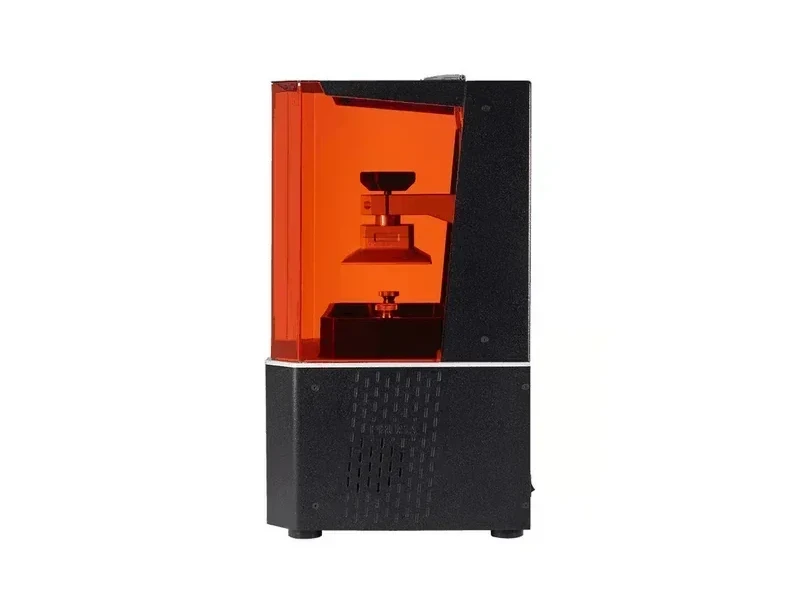
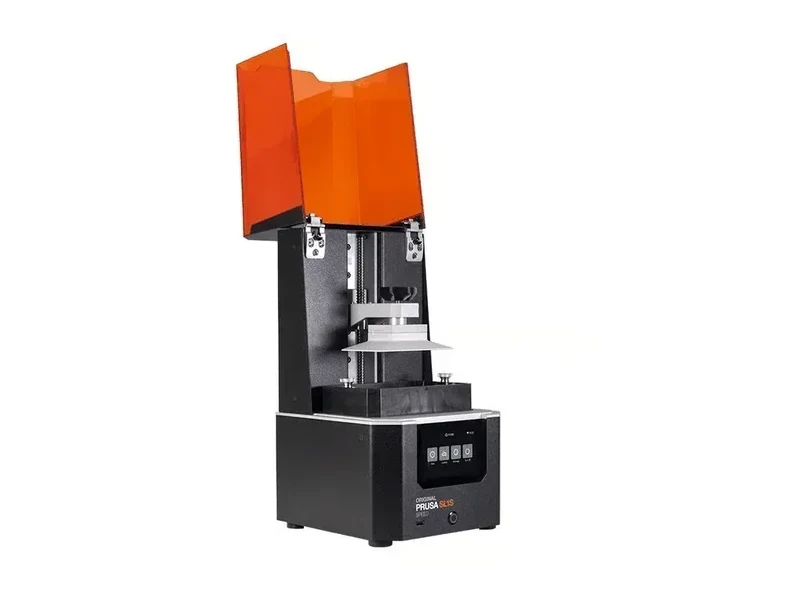
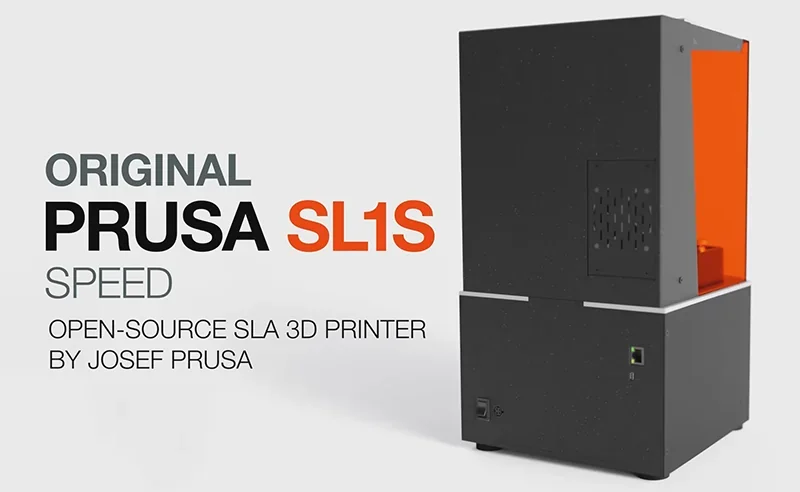
The SL1S SPEED has a compact, rigid aluminum frame measuring 225 × 237 × 400 mm, suitable for desktop use. Its 10.6 kg weight adds stability during fast printing jobs.
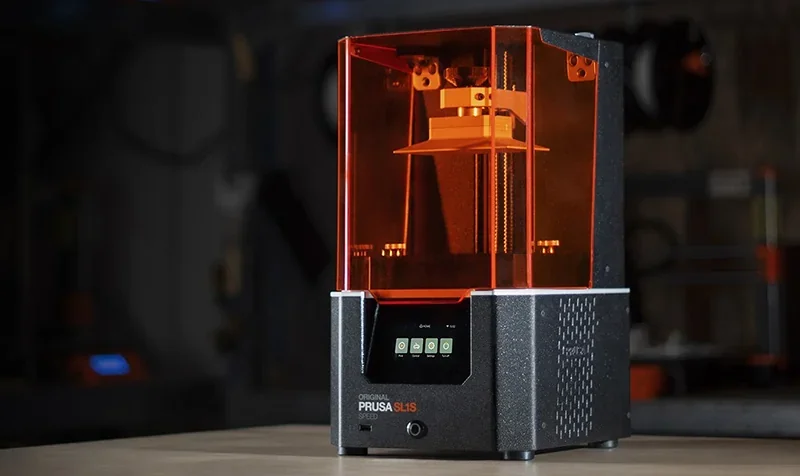
The printer incorporates several key design elements:
- Fully enclosed design with orange-colored acrylic lid for UV protection
- Heavy aluminum body construction to minimize vibrations
- Protective membrane shielding for electronics
- Integrated safety features including resin level sensor
- Vapor extraction system for odor control
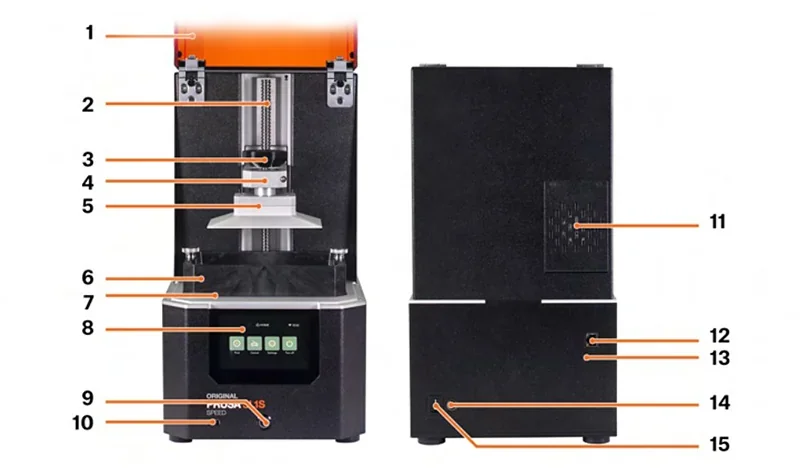
Main components:
- Lid
- Tower / Z-Axis
- Knob
- Cantilever
- Print platform
- Tank
- Tilt
- Touchscreen display
- Power button
- USB port
- Rear fan with activated carbon filter
- Ethernet port
- Service microUSB port
- Power supply unit inlet
- Main power switch
What is the motion system of the Original Prusa SL1S?
The SL1S SPEED uses a precise motion system with a large ball screw and a 24mm linear guide for rigid, accurate Z-axis movement. The cantilevered print platform travels along this axis.
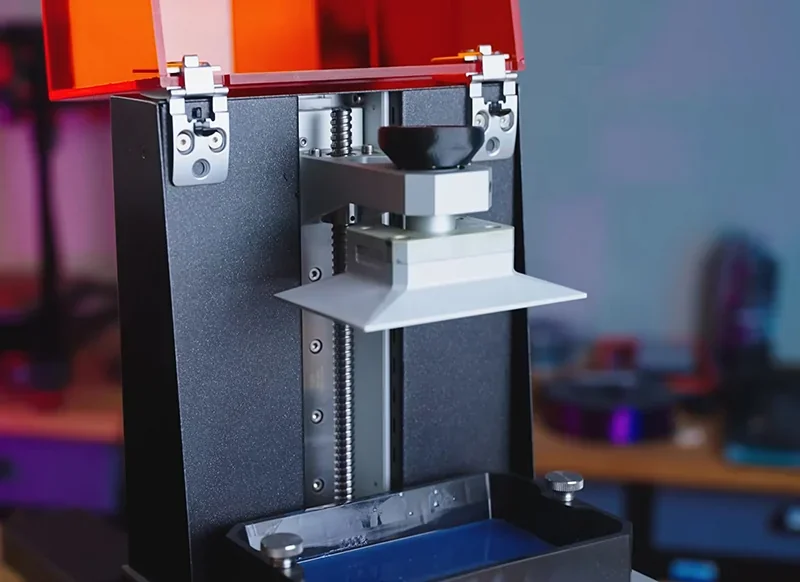
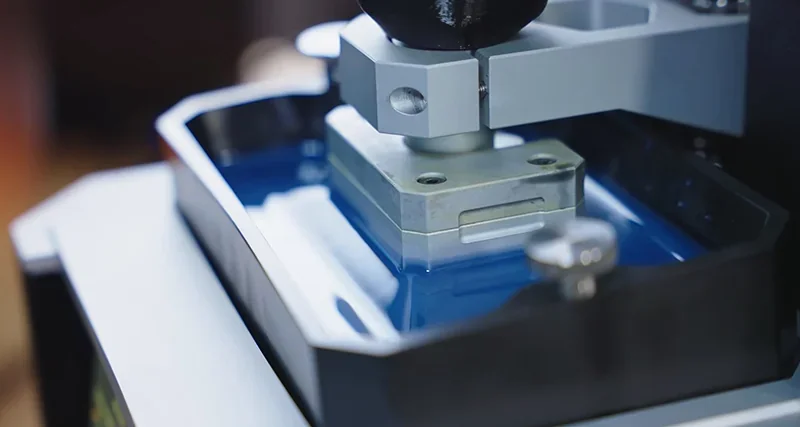
A key feature of the SL1S is its motorized tilting bed, which reduces peel forces for more reliable prints and smoother surfaces. It speeds up layer changes by tilting the resin vat instead of relying only on vertical lifts.
What is the noise level of the Original Prusa SL1S?
The SL1S SPEED runs quietly using Trinamic drivers, though its tilting mechanism produces audible peel sounds during layer changes.
What are the build platform specifications of the Original Prusa SL1S?
The SL1S SPEED's print platform is milled from a single aluminum block for durability and flatness. It connects via a ball joint for auto-calibration and features a quick-release knob for easy removal without losing calibration.
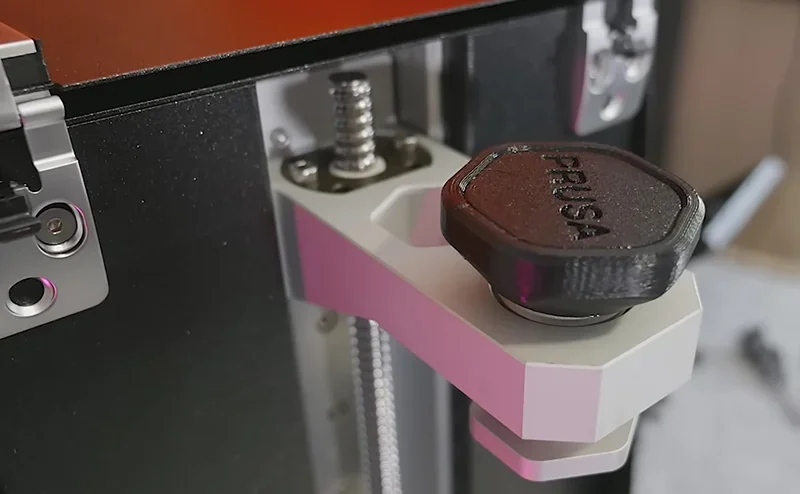
The platform’s tapered top improves print adhesion and removal.
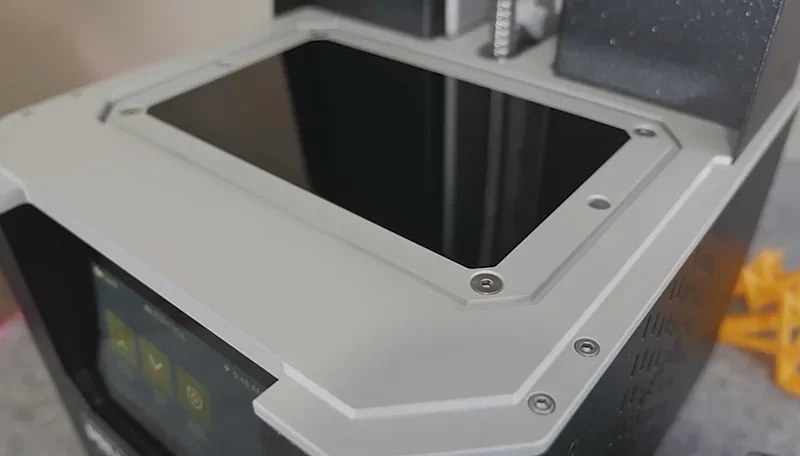
What is the light source of the Original Prusa SL1S?
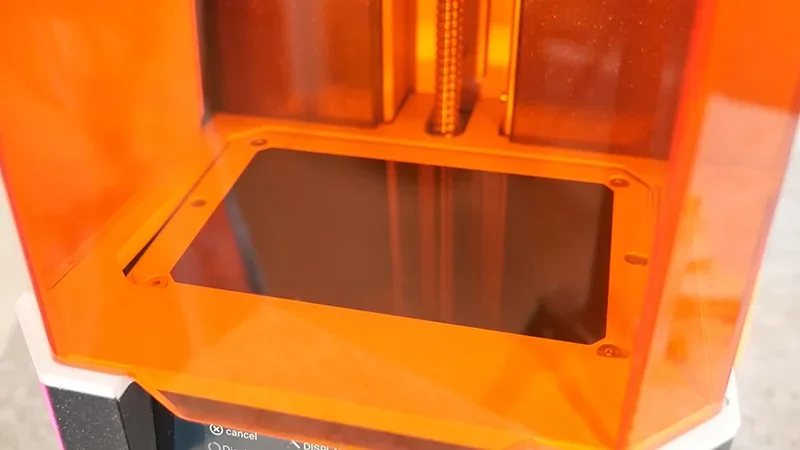
The SL1S SPEED uses a custom 25W 405nm UV LED panel, four times more powerful than the original. Its redesigned optics and lens assembly ensure precise light distribution and faster exposure times.
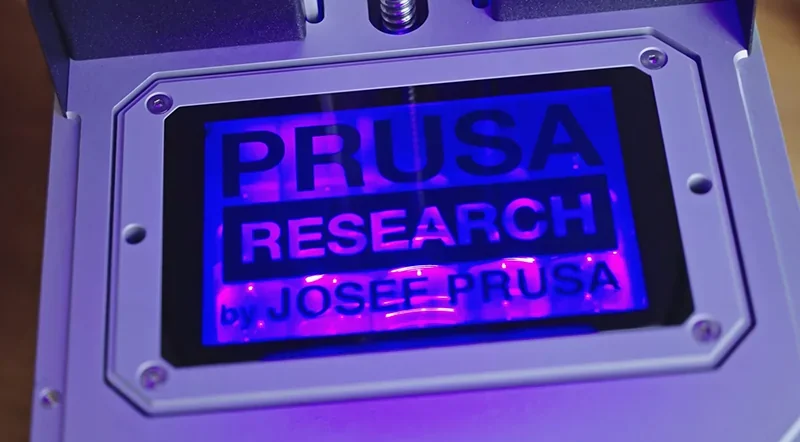
The 25W UV LED panel pairs with a 5.96-inch monochrome LCD screen at 2560 × 1620 resolution. Monochrome tech allows better UV transmission than RGB, enabling exposure times as low as 1.4 seconds per layer.
How does the Original Prusa SL1S handle resin storage and feeding?
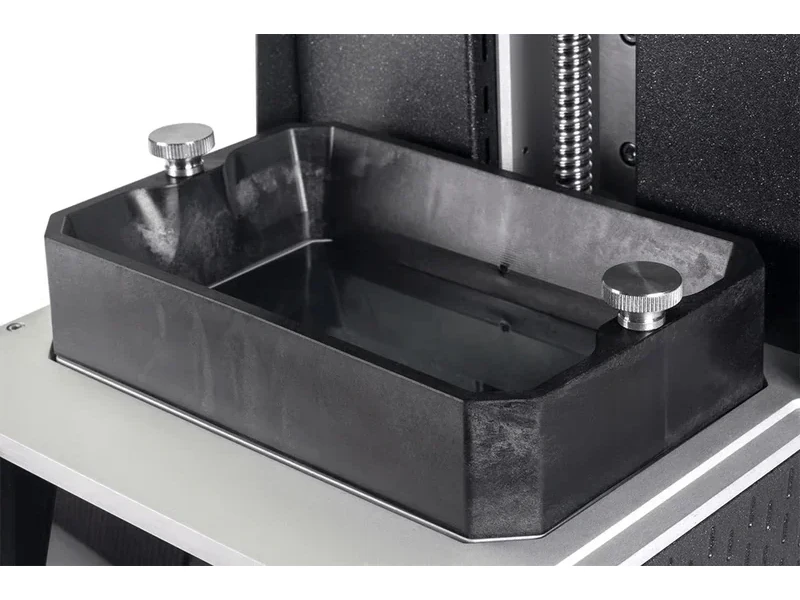
The SL1S SPEED includes a resin tank with a transparent, replaceable FEP film bottom for UV curing. Made from graphite-reinforced nylon, the tank is lighter than aluminum, allowing faster tilting and easier handling.
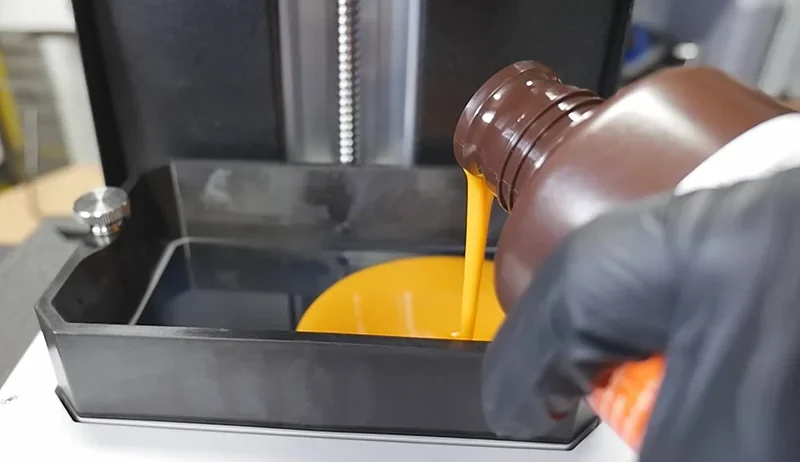
The resin management system includes several key components:
- Integrated resin level sensor for minimum and maximum level monitoring
- Automatic resin calibration features
- Simplified tank cleaning procedures
- Rear fan with activated carbon filter for odor control
- Standard 405nm wavelength resin compatibility
- Third-party material support without proprietary restrictions
What is the mainboard of the Original Prusa SL1S?
The SL1S SPEED uses a 64-bit motherboard to power its advanced features and supports USB, Ethernet, and Wi-Fi (802.11 b/g/n). Wi-Fi speeds reach up to 72.2 Mbps on 802.11n, 54 Mbps on g, and 11 Mbps on b.
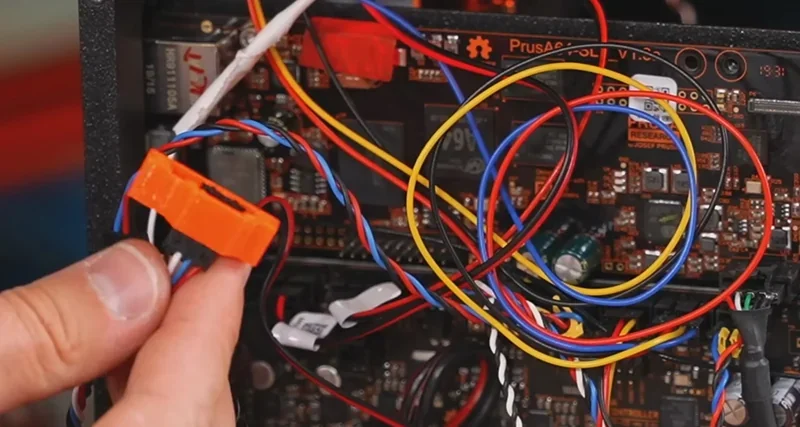
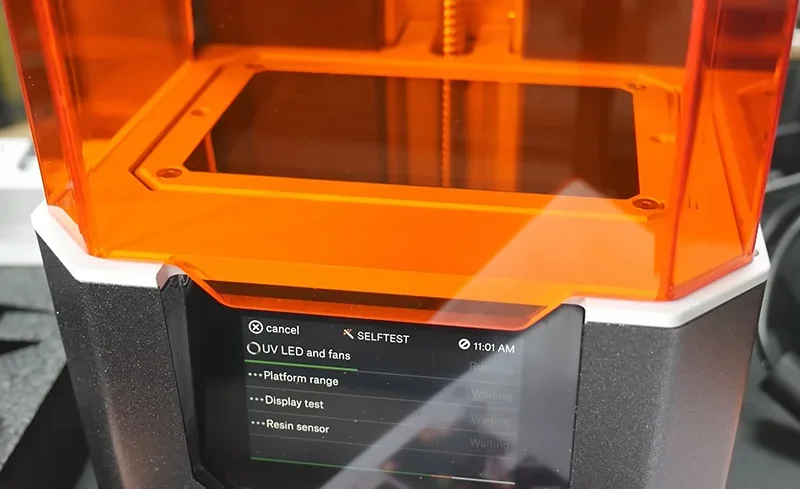
The SL1S SPEED features a 4-inch color touchscreen for control. Its mainboard supports over-the-air updates and detailed logging for troubleshooting.
What are the power supply specifications of the Original Prusa SL1S?
The SL1S SPEED uses a universal 100–240 VAC power supply, drawing up to 100 W ±5 W. A main power switch is located on the rear panel near the power inlet.
The power specifications include:
- Universal voltage compatibility (100-240 VAC)
- Operating frequency range of 50-60 Hz
- Maximum power draw of 100W ±5W during operation
- Low energy consumption suitable for extended printing sessions
- International electrical system compatibility
What comes included in the box with Original Prusa SL1S SPEED 3D printer?
- 1x Original Prusa SL1S SPEED 3D printer (fully assembled)
- 1x Resin tank with FEP film installed
- 3x Extra FEP film sheets
- 1x Build platform
- 1x USB drive with firmware files
- 1x Allen key
- 1x Spanner (size 10)
- 1x Acupuncture needle (for nozzle cleaning)
- 1x 500g bottle of Prusament Resin Tough Orange
- 1x Package of IPA-infused cleaning wipes
- 1x Power cable
- 1x Printed handbook
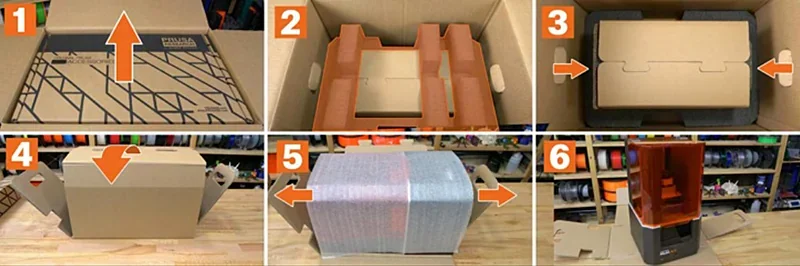
The SL1S SPEED ships fully assembled and ready-to-use. You will receive everything needed to start printing, including a pre-installed FEP film, three spares, and 500g of Prusament Resin Tough Orange. It also comes with maintenance tools — spanner, Allen key, and needle — plus a printed handbook for upkeep and troubleshooting.
Please Note: Package contents are determined by the manufacturer and may change without notice. To confirm the current items included with this product, please contact a Top3DShop sales representative before placing your order.
What upgrades and accessories are available for the Original Prusa SL1S SPEED 3D printer?
Prusa3D offers 6 accessories and parts for the Original Prusa SL1S SPEED 3D printer.
| Accessory | Function | Price (USD) | Image |
|---|---|---|---|
| Original Prusa CW1S |
Original Prusa CW1S is a compact 4-in-1 resin post-processing unit that preheats resin, washes prints in IPA using a magnet-driven propeller, dries them, and then cures them with 405 nm UV LEDs (4 strips, up to 52.8 W). CW1S inner box dimensions:218×232×345 mm (X×Y×Z) |
$899 | 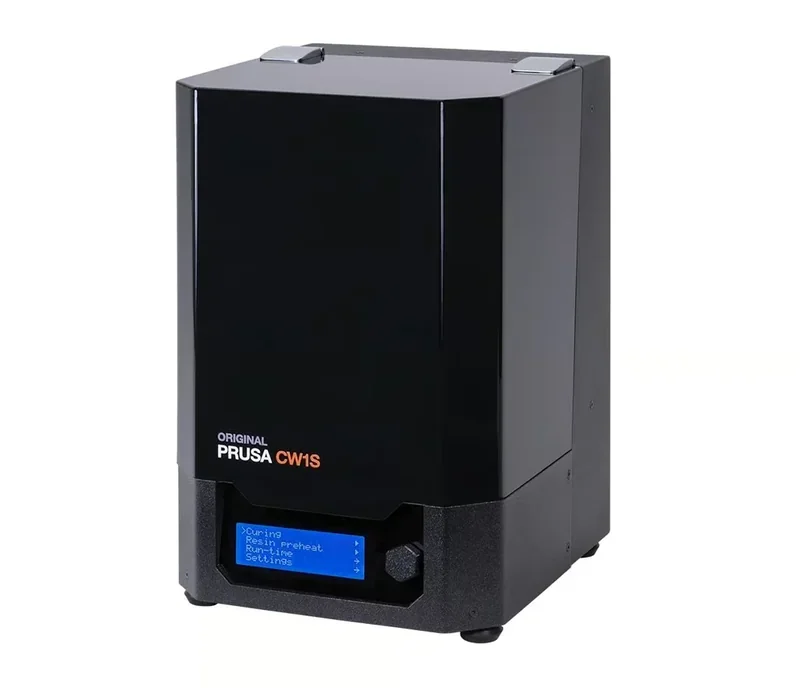 |
| SL1S Build Platform Components |
Fully assembled print platform (build platform) for the Prusa SL1S resin 3D printer. Use as a replacement build platform when the original is damaged or worn; restores a secure surface for prints to attach during printing. |
$80 | 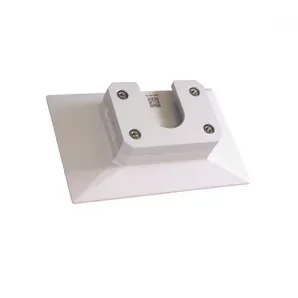 |
| Replacement Monochrome LCD | Replacement display for high-res resin printing | $150 | 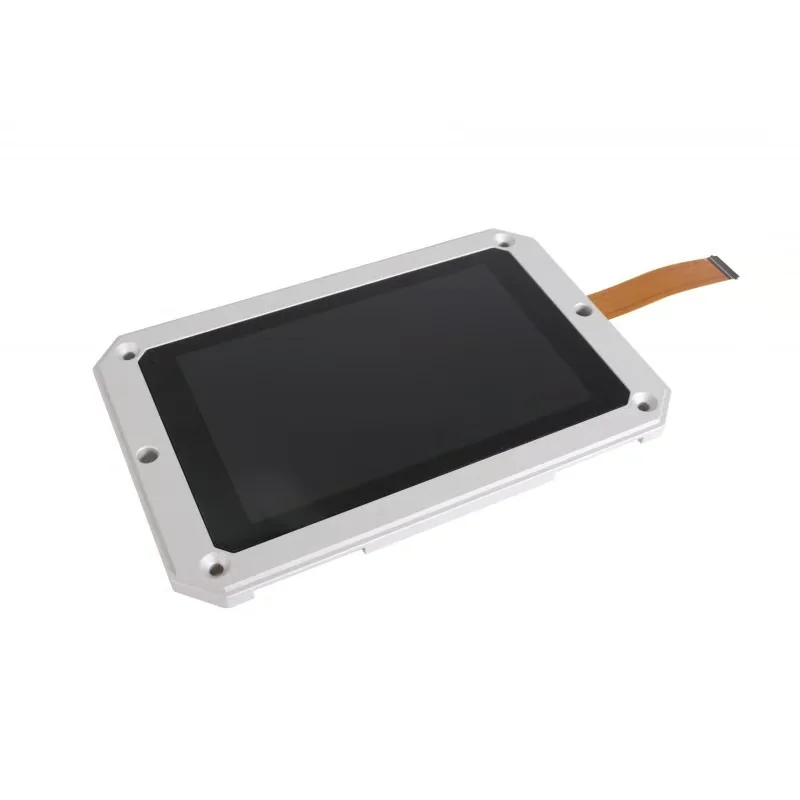 |
| FEP film (3 pcs) - SL1S | Pack of 3 replacement FEP films for the Prusa SL1S resin tank. Replacing worn/scratched/cloudy film helps restore reliable layer release and reduces the risk of failed prints or leaks caused by damaged film. | $21 |  |
| Resin tank - SL1S | Replacement resin tank (vat) for the Prusa SL1S. Holds resin during printing; use as a spare tank for faster resin changes or as a replacement if the original tank is damaged. | $35 | 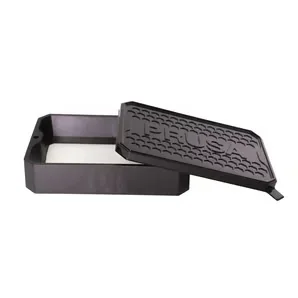 |
| Resin tank - SL1S (Assembled) | Pre-assembled replacement resin tank (vat) for the Prusa SL1S. Designed to minimize downtime versus a non-assembled tank by reducing setup steps before printing. | $52 | 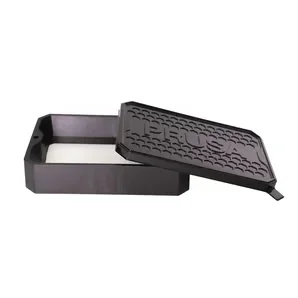 |
What maintenance does the Original Prusa SL1S require?
The Original Prusa SL1S 3D printer requires 9+ maintenance procedures to ensure optimal print quality, prevent equipment damage, and maintain safe operation.
The full manual: https://help.prusa3d.com/product/sl1s-speed/printer-maintenance_247
Daily/Per Print Maintenance
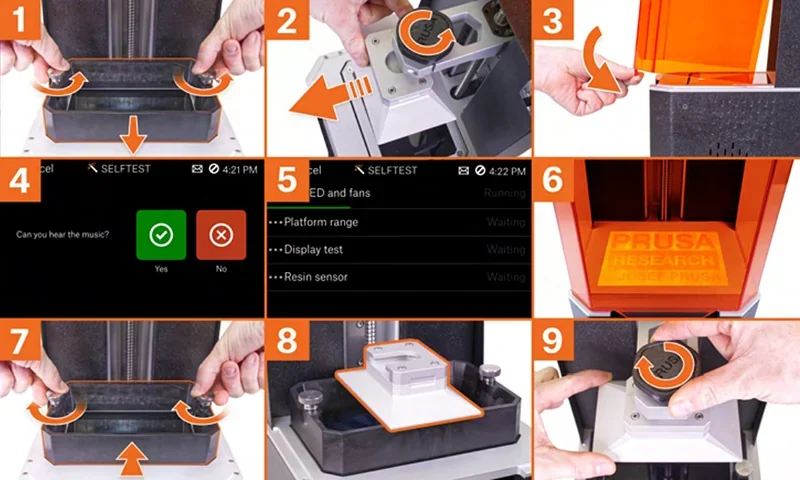
- Resin Tank Cleaning and Inspection: Remove the resin tank, filter and pour resin back into the bottle (without mixing used and unused resin), and wipe the tank with a soft cloth. Inspect the FEP film before and after every print for damage; clean it with warm water and soap if it turns grey.
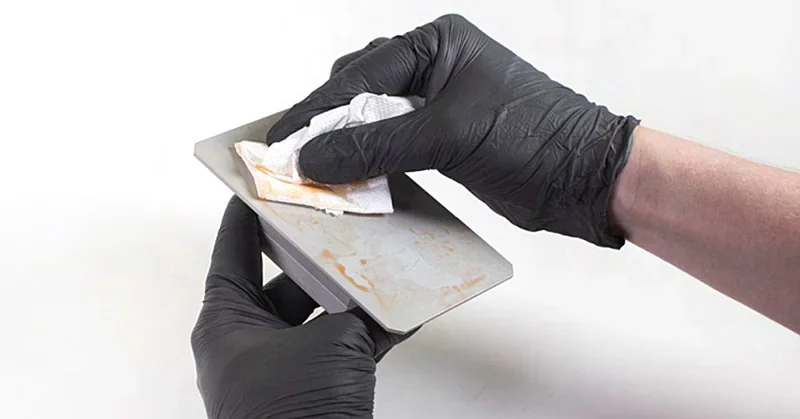
- Print Platform Maintenance: Place the black tray on the printer, wipe the platform top, remove the print, and clean with isopropyl alcohol and paper towels. Use a metal spatula to remove leftover supports, clean the underside, and ensure the platform is fully dry before reuse.
- General Cleanliness: Maintain cleanliness during every use by wiping spills immediately with paper towels. Use isopropyl alcohol for resin removal, a soap-water mix for delicate surfaces like the display, and place a plastic tablecloth under the printer — without covering the bottom fan — for easier cleanup.
Periodic Maintenance (6-8 Week Intervals)
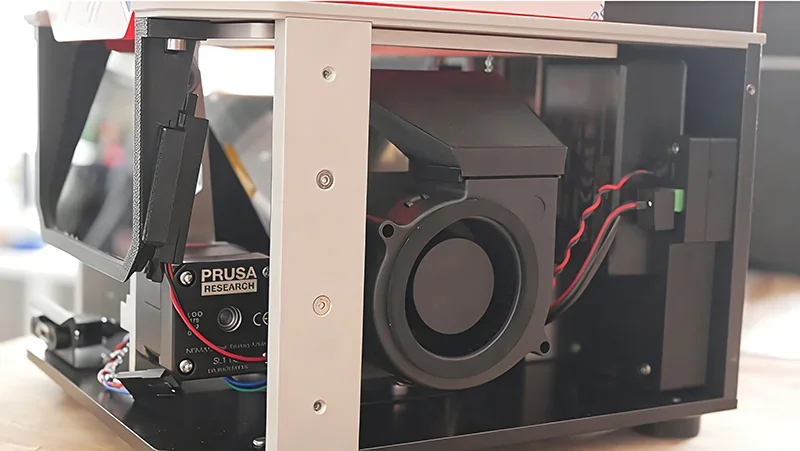
- Fan Cleaning and Dust Removal: Clean the SL1S SPEED’s fans every 6–8 weeks, depending on environment. Turn off and unplug the printer, remove eight side screws to access the side and bottom fans, and slide off the cover carefully to avoid damaging power button cables. Use compressed air (never on running fans). For the rear fan, remove two screws on the back door. To clean the display reflector, remove eight display screws and gently blow air from 30 cm away.
- Carbon Filter Inspection and Replacement: Inspect and replace the carbon filter periodically to maintain ventilation. Use an Allen key to remove two screws on the back panel, open the door, check the filter, and replace it if needed.
As-Needed Maintenance
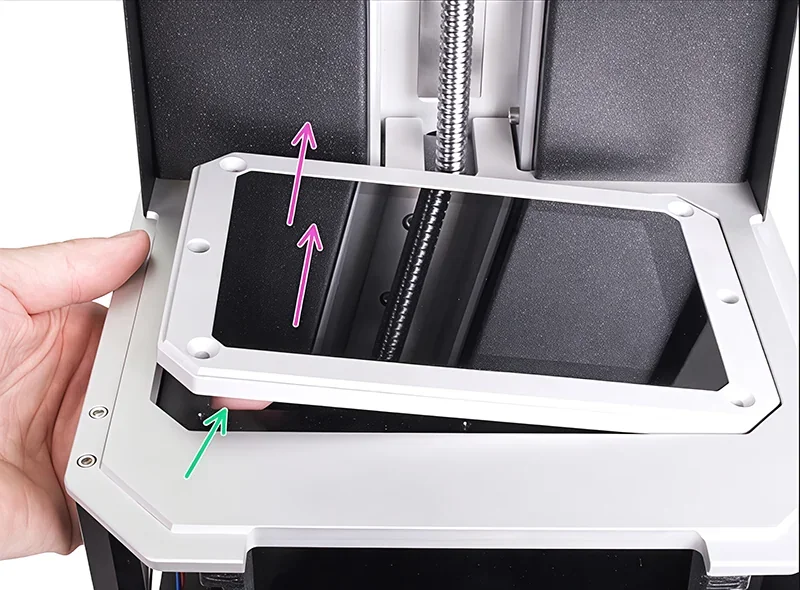
- Exposure Screen Maintenance: Clean the exposure screen if smudges, stains, or damage appear. Use a damp cloth or LCD cleaner, and avoid rough materials or poor-quality paper towels. Never use sharp tools; use isopropyl alcohol or dish soap with soft paper towels instead.
- Acrylic Lid Cleaning: Clean the acrylic lid with glass cleaner or isopropyl alcohol. Avoid acetone, technical alcohol, and rough materials, as they can damage the surface.
- Tower (Z-axis) Lubrication: Lubricate the Z-axis tower only if you hear unusual noises during platform movement. Apply high-quality super lube to the trapezoidal rod.
- Tilt Platform Maintenance: Keep the tilt platform clean by always using the included plastic tray during resin handling or print removal to prevent spills.
Component Replacement Schedules
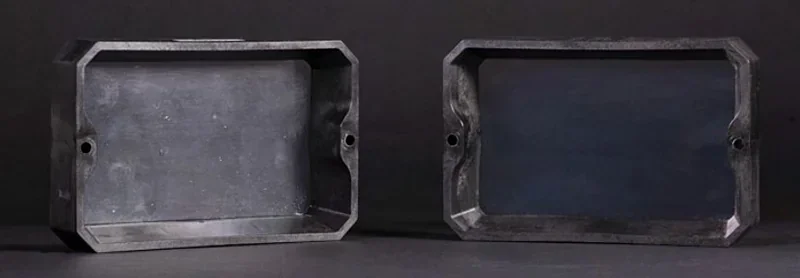
- The FEP film typically lasts 10 cycles but can last longer with proper care. Replace it immediately if damaged or cloudy, then recalibrate the printer.
- The exposure display lasts up to 2000 printing hours and, like similar wear parts, isn’t covered under warranty.
Critical Safety Requirements: Never look directly at the UV light, never print without the cover, and check the UV LED panel only using a smartphone camera or photo.
What support and warranty come with the Original Prusa SL1S SPEED 3D printer?
The SL1S SPEED includes a warranty based on region and customer type. EU end users get 24 months; EU businesses and all other customers get 12 months. Coverage starts on delivery and applies to defects and failures under normal use. The exposure display is covered for 2000 print hours, and the FEP film for 10 cycles. Both can last longer with proper use. Warranty excludes damage from misuse, poor maintenance, or unauthorized modifications.
Prusa offers 24/7 live chat support in English and email support in seven languages during business hours. The SL1S SPEED displays error screens with QR codes linking to troubleshooting guides, speeding up diagnostics. Users can also access help through Prusa’s active community forums.
Top3DShop offers local support with specialists available before and after purchase. We assist with setup, optimization, and maintenance tailored to your needs, working closely with Prusa to stay aligned with official guidance and updates.
Full warranty terms: https://help.prusa3d.com/article/warranty_2288
How much does the Original Prusa SL1S SPEED 3D printer cost?
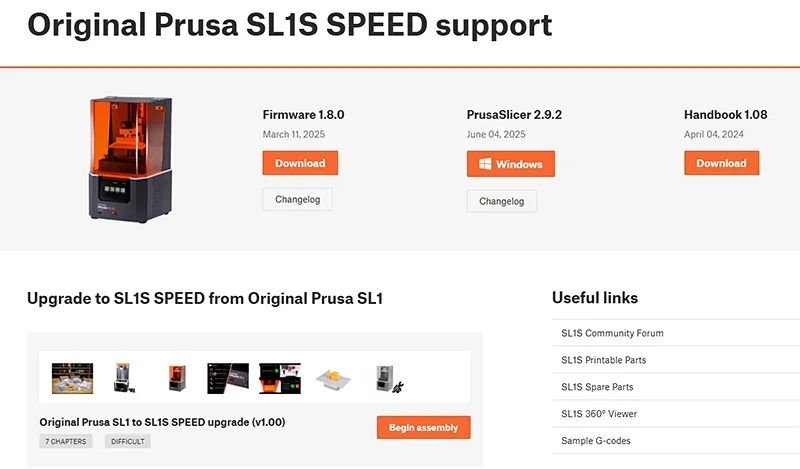
The Original Prusa SL1S SPEED is available for $2,400.00, including the assembled printer, 500g of Prusament Resin Tough Orange, maintenance tools, and full access to Prusa support. A bundle with the CW1S adds about 30% to the cost, offering integrated washing, drying, curing, and resin preheating. SL1 owners can upgrade to SL1S SPEED for roughly 20% of the new printer’s price via an official kit. For Medical One configurations, contact our sales team for pricing and certification details.