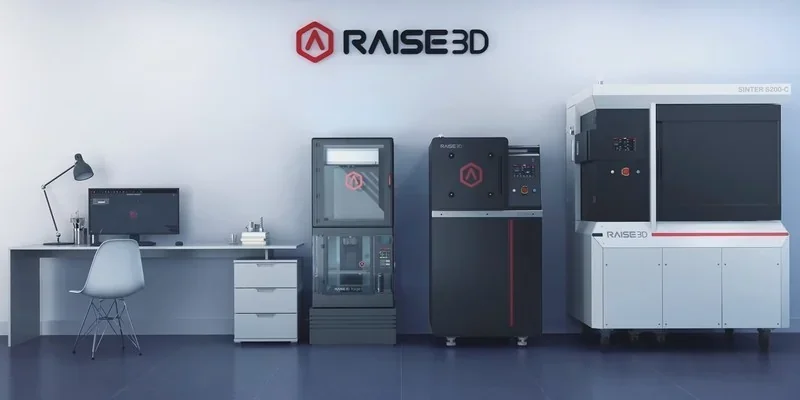
Raise3D MetalFuse & Raise3D Forge1 3D Printer: Complete Metal 3D Printing System for Small Batch Production of Metal Parts

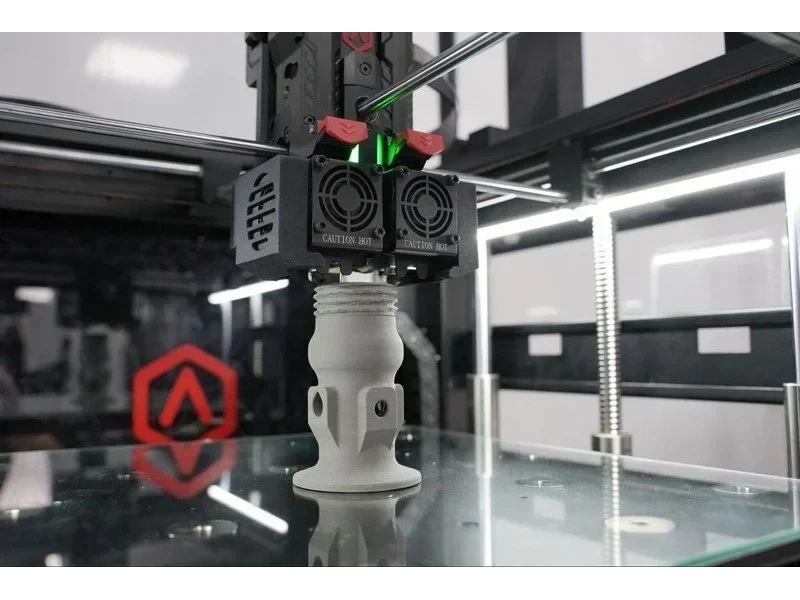




- 60% faster debinding with oxalic acid process
- Achieves 97% wrought iron density
- Dual extrusion with 300mm³ build volume
- Cost-effective for single parts and small batches
- Flexible Payment Terms
- 1 Year Warranty
- Local Technical Support
- Free Online Training
- Power cable
- Glass build plate
- Hex wrenches set
- Spatula
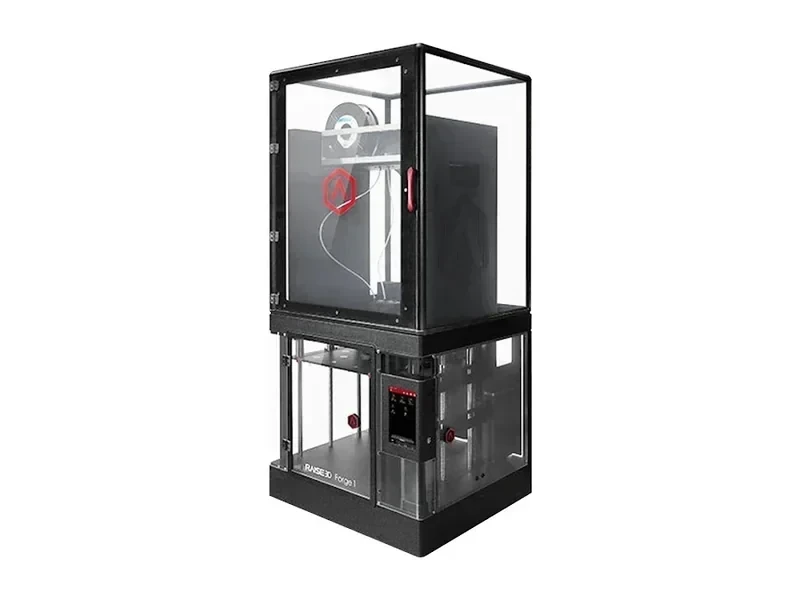
The Raise3D MetalFuse is a professional 3D printing system for in-house metal part production via an indirect metal 3d printing process, combining the Forge1 metal FFF printer, D200-E debinder, and S200-C sintering furnace. Using an oxalic acid catalytic debinding process, it reduces debinding time by 60% and achieves 97% of wrought iron's density. The Forge1 metal FFF 3D printer features dual extrusion, a build volume up to 300 × 300 × 300 mm, and layer heights of 0.1–0.25 mm. Designed for cost-effective production of single parts or small batches, it excels in printing complex, functional parts for tooling, jigs, fixtures, and prototypes.
- What is the print quality and performance of the Raise3D MetalFuse printer?
- Which metal filaments can you use with the Raise3D MetalFuse 3D system?
- What is the build volume of the Raise3D MetalFuse Metal Printing system?
- What is the advantage of the Raise3D MetalFuse Metal Printing system over Markforged?
- What printer controls are available on the Raise3D MetalFuse 3D Printer?
- What connectivity options are available on the Raise3D MetalFuse 3D printer?
- What software is offered with the Raise3D MetalFuse 3D printer?
- What is the design and build quality of the Raise3D MetalFuse 3D printer?
- What comes included in the box with Raise3D MetalFuse printer?
- What maintenance does Raise3D MetalFuse require?
- What support and warranty come with the Raise3D MetalFuse?
- How much does the Raise3D MetalFuse cost?
What is the print quality and performance of the Raise3D MetalFuse printer?
The Forge1 metal 3D printer operates at 0.1–0.25 mm layer heights with an XYZ step size of 0.78125/0.78125/0.078125 µm, using a glass build plate on a silicone-heated bed for flatness and first-layer adhesion. Nominal print-head travel speed is 30–150 mm/s; nozzle temperature up to 300 °C and build plate to 120 °C match the processing window of Ultrafuse® metal filaments.
3D Printed Sample: A metal car-key pendant printed on a Raise3D Forge1 with BASF Ultrafuse® 316L (0.4 mm nozzle), sized 49.75 × 55.50 × 5.82 mm, took 4 h 42 min to print, then 7 h debinding and 21 h sintering to reach >97% density, with a final weight of 57.47 g.
At ~97% density, MetalFuse parts can be machined and finished and have documented assembly-grade precision (±0.2 mm); In internal testing, the 316L samples produced by BASF and Raise3D showed tensile strength ~499–528 MPa, ductility 64–69%, and low porosity, aligning with quality expectations for metal injection molding (MIM). Together, these indicate parts suitable for real production — not just prototypes. Raise3D MetalFuse parts support post-processing methods such as magnetic abrasive finishing, electroplating, or polishing for better surface quality.
| State | MPIF 35-2016 (MIM) using 316L* | Raise3D MetalFuse printing with Ultrafuse® 316L |
|---|---|---|
| Density (g/cm³) | ≥ 7.6 | 7.87 |
| Porosity (%) | NA | 1.28 ~ 1.86 |
| Tensile Strength (MPa) | ≥ 450 | 499 ~ 528 |
| Yield Strength (MPa) | ≥ 140 | 172 ~ 205 |
| Ductility (%) | ≥ 40 | 64 ~ 69 |
| Hardness HV | ≤ 200 | 121 |
*MPIF: American Powder Metallurgy Industry Association’s MIM Standard
3D Print Sample: a cable car connecting buckle printed from BASF Ultrafuse® 316L with a 0.4 mm nozzle (192.5 g, 11 h 41 min), then debound for 18 h and sintered for 20 h on the D200-E and S200-C, yielding a high-strength, smooth-finish component with >97% density and assembly-grade accuracy.
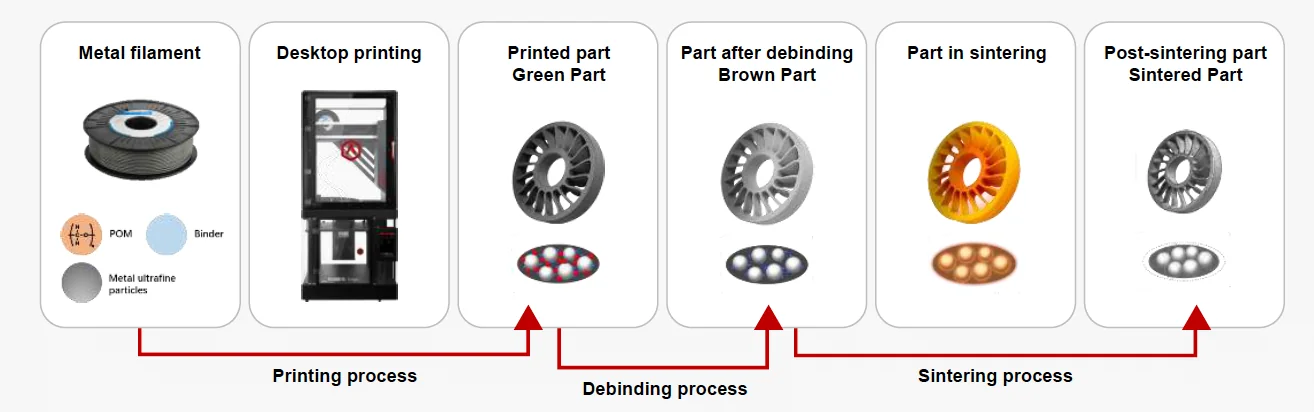
The Raise3D D200-E debinds with oxalic acid in an Ar–Nₒ atmosphere at >1 mm/h, finishing in 4–12 h (~60% faster than conventional). The S200-C vacuum sinters in 10–24 h (vs. 17–31 h typical). This FFF metal 3D printing workflow yields parts up to 97% of wrought iron density — ~52% denser than conventional debinding — and compatible with MIM standards.
 Research Study. Shanghai University printed M2 parts on a Raise3D MetalFuse. The optimal sinter was 1270 °C × 1 h in Nₒ, achieving near-full density (max 98.95%) and 60.40 HRC (vs ASTM A600-92a M2 benchmark 65 HRC). Shrinkage was X = 13.33%, Y = 13.221%, Z = 14.388% (Z > X≈Y), requiring axis-specific scaling. Debinding showed no cracks, blisters, or major deformation, indicating effective binder removal with the catalytic + thermal sequence.
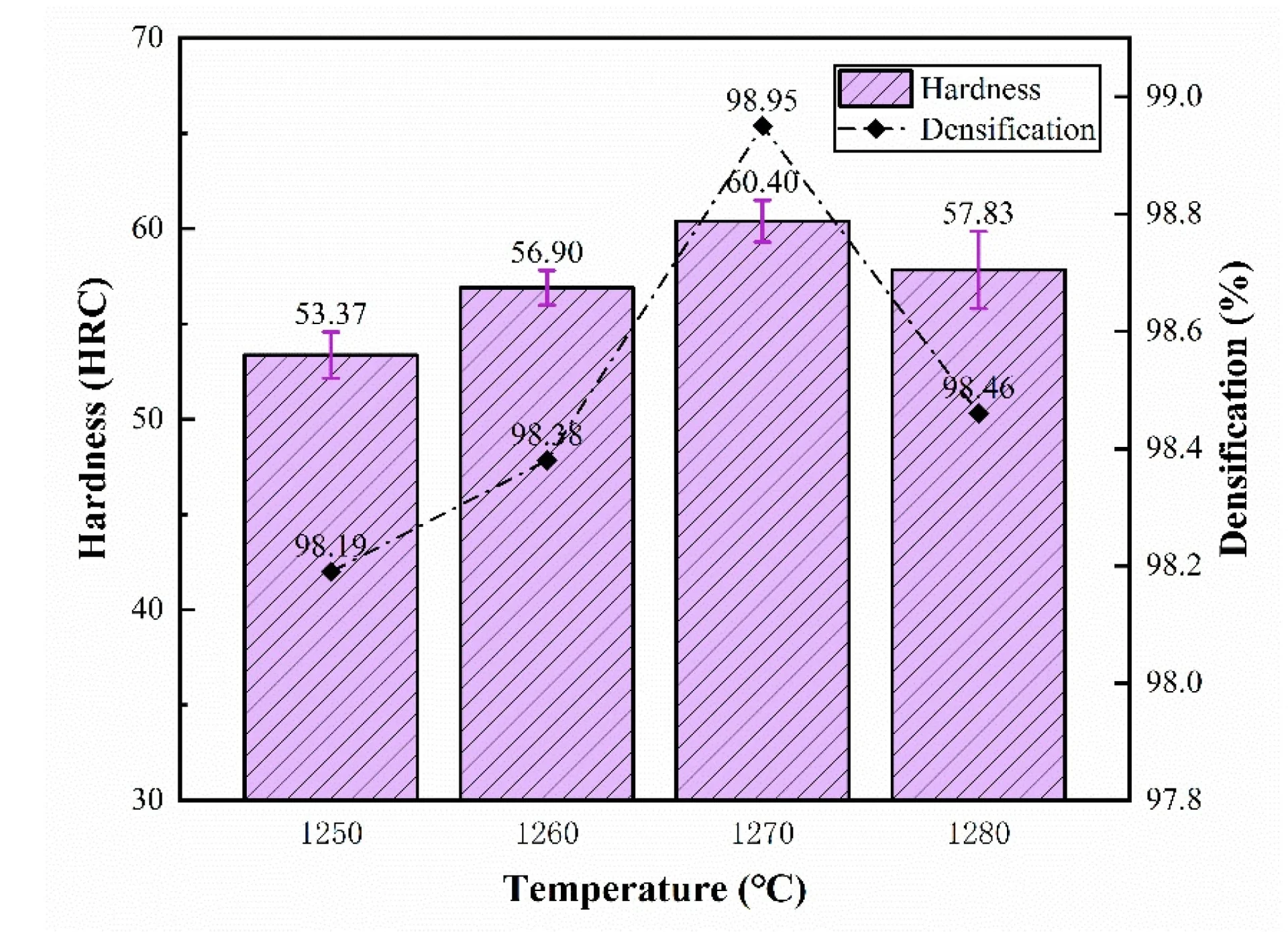
Source: C. Wang, et al, “Microstructure and Mechanical Properties of M2 High-speed Steel Fabricated by Fused Filament Fabrication,” J. Jpn. Soc. Powder Powder Metallurgy, vol. 72, pp. S1049–S1056, 2025, doi: 10.2497/jjspm.16A-T7-24.
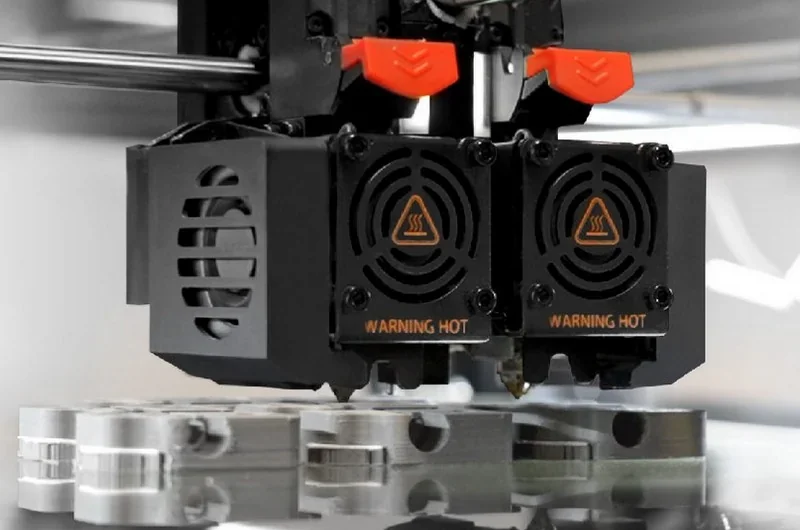
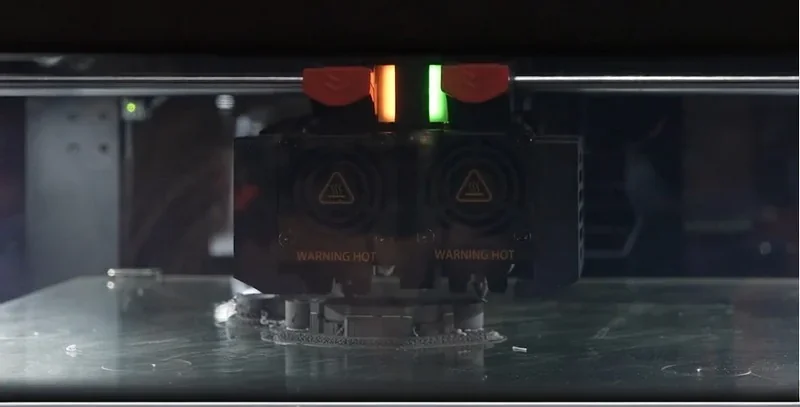
A dual head with electronic auto-lift prevents idle-nozzle scarring, auto-leveling maintains Z-offset uniformity, and the Ultrafuse® Support Layer (AlₒO₃) isolates contacts for clean separation and surface protection after sintering; hardware aids — optical filament run-out sensor, quick-release hot end, and integrated chamber/part cooling fans — reduce interruptions and variability.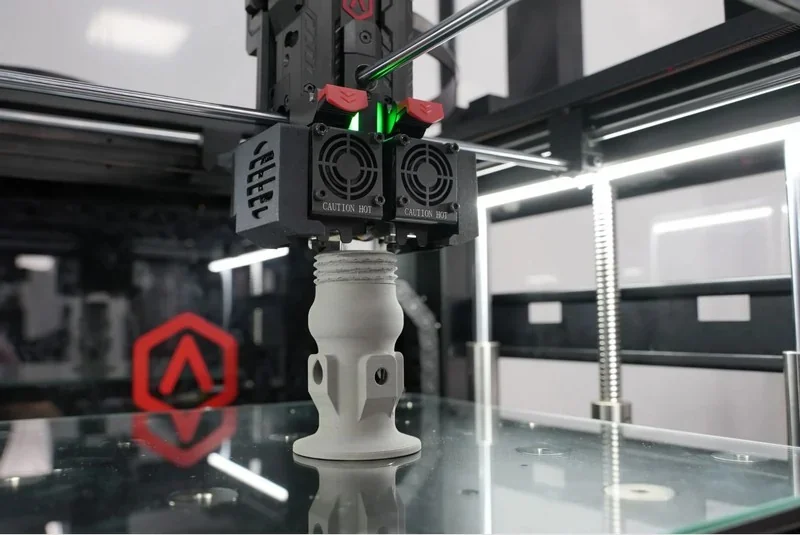
3D Printed Metal Part: a hexagonal lattice produced on a Raise3D Forge1 using BASF Ultrafuse® 316L and processed with the Raise3D MetalFuse solution (0.2 mm nozzle), measuring 14.5 × 14.1 × 10.5 mm, weighing 2 g, achieving >97% of wrought 316L density, with a workflow of 45 min printing, 3 h debinding, and 20 h sintering.
3D Printed Sample: Ring
3D Printed Sample: Mold with Conforming Cooling Channels
3D Printed Sample: Aerospace Component Cross Section Model
3D Printed Sample: Ring
High Repeatability:
\
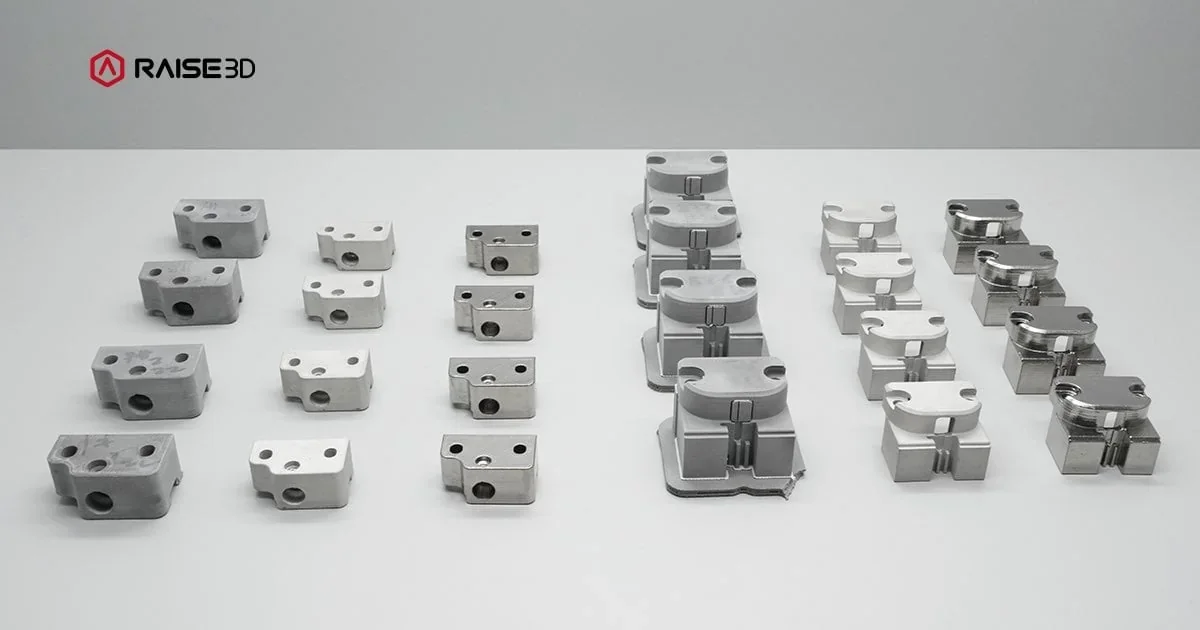
Which metal filaments can you use with the Raise3D MetalFuse 3D system?
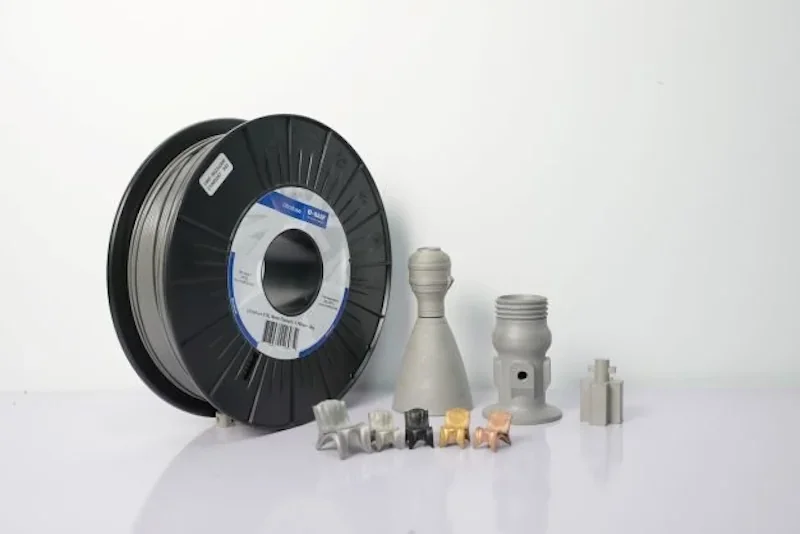
The Raise3D MetalFuse system supports Ultrafuse 316L, Ultrafuse 17-4 PH, and a support filament, creating a dedicated metal 3D printing ecosystem. Ultrafuse 316L is an austenitic stainless steel with better corrosion resistance than 304/304L. Ultrafuse 17-4 PH is a precipitation-hardening martensitic stainless steel offering high strength, hardness, and corrosion resistance. Filament contains 80–90% stainless steel metal particles with 10–20% POM binder. During printing, the binder melts to carry metal and form green parts.
Comparison of Technical Specifications
| Property | Ultrafuse® 316L — as-sintered | Ultrafuse® 17-4PH — as-sintered | Ultrafuse® 17-4PH — sintered with additional heat treatment |
|---|---|---|---|
| State | Printed, debound, and sintered | Printed, debound, and sintered | Printed, debound, and sintered, post-sinter heat treated: 1) Solution anneal: 1030 °C for ~50 minutes, then gas quenched (nitrogen) to form a martensitic matrix, 2) Aging treatment: 482 °C (900 °F) for 1 hour, then air cooled. |
| Relative density (vs wrought) | ~98–98.5% | ~96–98% | ~96–98% |
| Ultimate tensile strength (UTS) | ~436–504 MPa | ~780–950 MPa | ~1000–1200 MPa |
| Yield strength (0.2% offset) | ~167–223 MPa | ~650–800 MPa | ~900–1100 MPa |
| Elongation at break | ~20–38 % | ~2–6 % | ~2–6 % |
| Hardness | ~134–145 HV10 | ~HRC 20–28 | ~HRC 35–40 |
| Magnetic response | Non-magnetic (austenitic) | Magnetic (martensitic after sinter) | Magnetic |
| Corrosion resistance | Very high (316L) | Good stainless corrosion resistance; inferior to 316L in chlorides | Good; typically below 316L in chloride environments |
| Notes | Stable ductility and corrosion performance; strength below wrought | Much higher strength than 316L in as-sintered state, but low ductility | Aging dramatically raises strength/hardness with modest ductility |
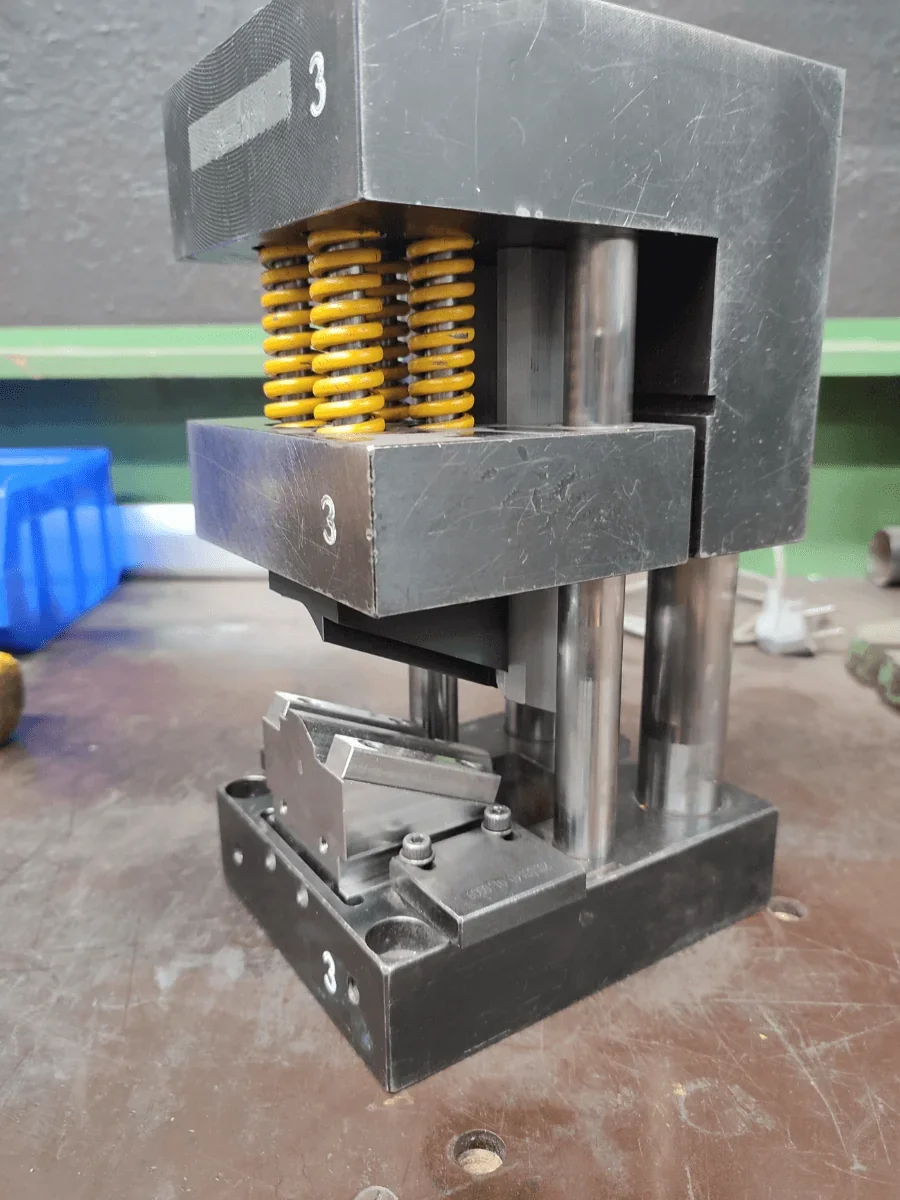
BASF UltraFuse 17-4PH 3D Print Sample: WKW.automotive produced a functional pre-serial deep-drawing tool that forms aluminum prototype parts to OEM tolerances while significantly reducing lead time, cost, and machining steps.
BASF UltraFuse 316L 3D Print Sample: A stainless-steel component printed from BASF Ultrafuse® 316L with a 0.4 mm nozzle, completed in 6 h 11 min and weighing 192.5 g.
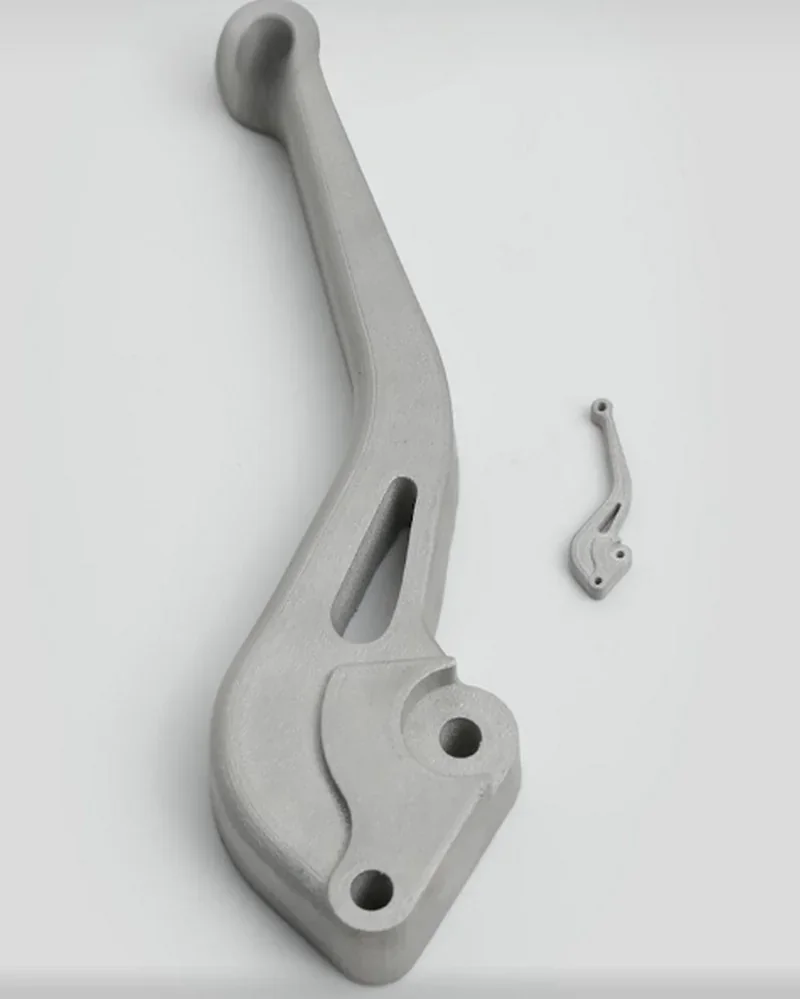
BASF Ultrafuse 316L 3D Printed Sample: A small clutch lever (36.7 × 10.6 × 4.3 mm, 2.8 g) was 3D printed in 40 min using with a 0.2 mm nozzle, then debound for 3 h and sintered for 20 h. A big clutch lever (176.4×50.7×21.4 mm) was printed on a Forge1 in 9h 28m, then debound/sintered to 147×42.2×17 mm in 18h 26m. Both can be finished using standard MIM processes to ~Ra 0.06 μm.
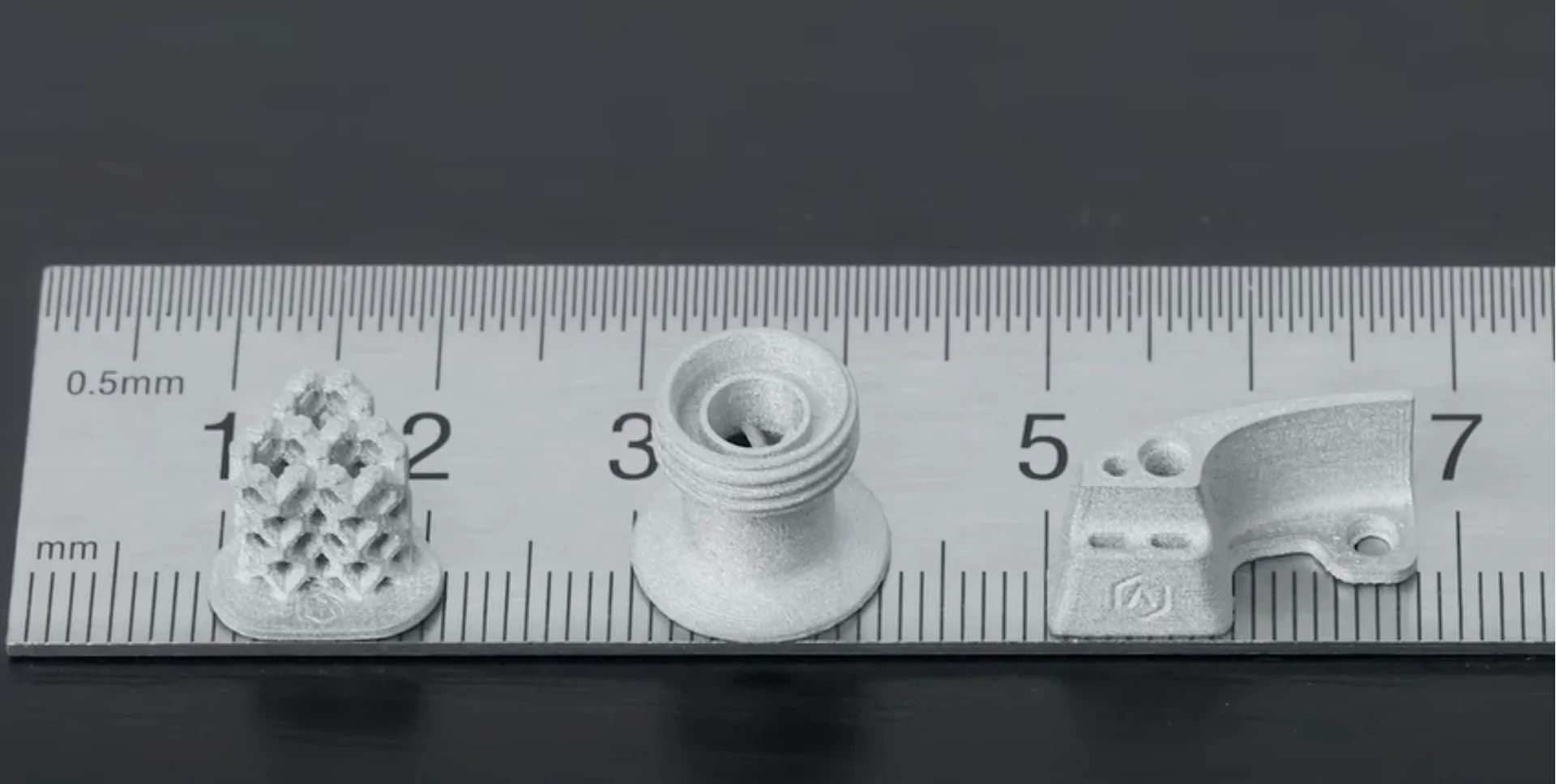
3D Printed Samples: Three BASF Ultrafuse® 316L parts— a 2 g hexagonal lattice (14.5 × 14.1 × 10.5 mm, 45 min), a 3.7 g fixture (12 × 21.6 × 10 mm, ~1 hr), and a 3.8 g turboclamp (15.2 × 15.2 × 14.1 mm, 1 hr 8 min) — were each printed with a 0.2 mm nozzle and completed with 3 hours of debinding and 20 hours of sintering.
 BASF Ultrafuse 316L 3D print sample: A 10 x 10 x 10 mm tiny metal cube, infill rate of 50%
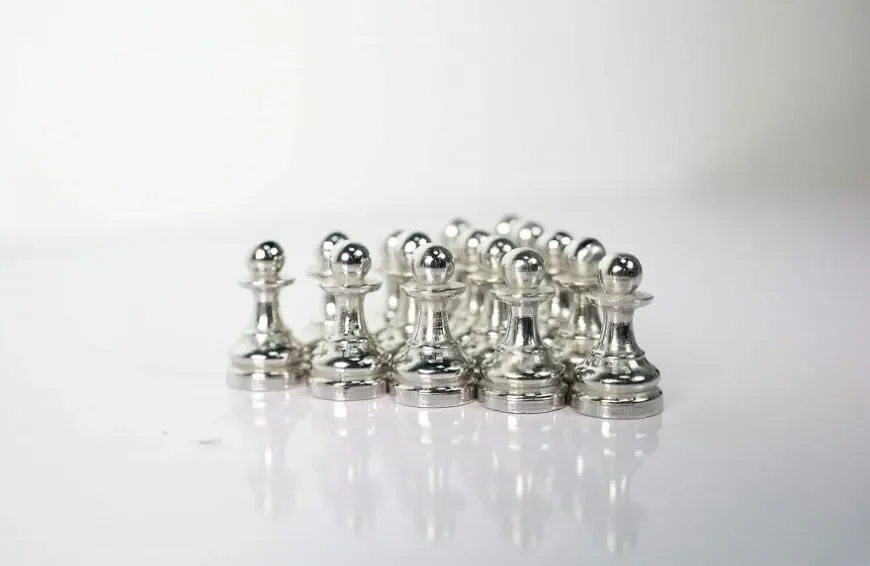
BASF Ultrafuse 316L 3D Print Sample: Chess Pieces
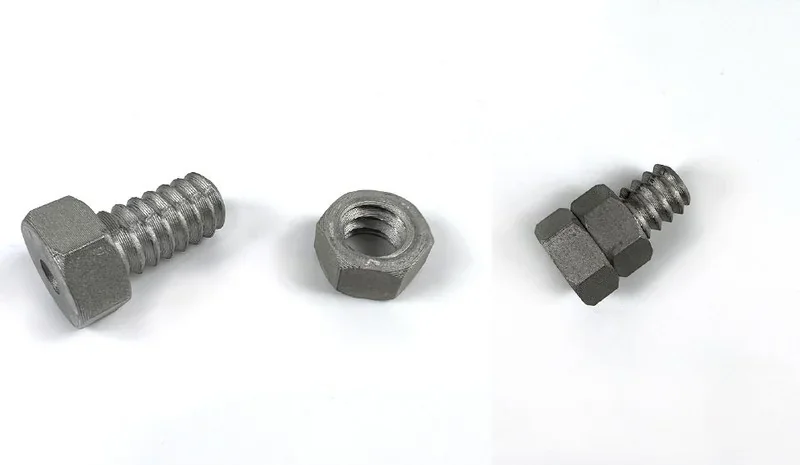
BASF Ultrafuse 316L 3D Print Samples: Screw and Nut
What is the build volume of the Raise3D MetalFuse Metal Printing system?
The Forge1 build volume is 300 × 300 × 300 mm (single) or 255 × 300 × 300 mm (dual), but debinding/sintering on the ceramic plate effectively limits parts to 180 × 90 × 80 mm, with larger parts prone to distortion/damage.
What is the advantage of the Raise3D MetalFuse Metal Printing system over Markforged?
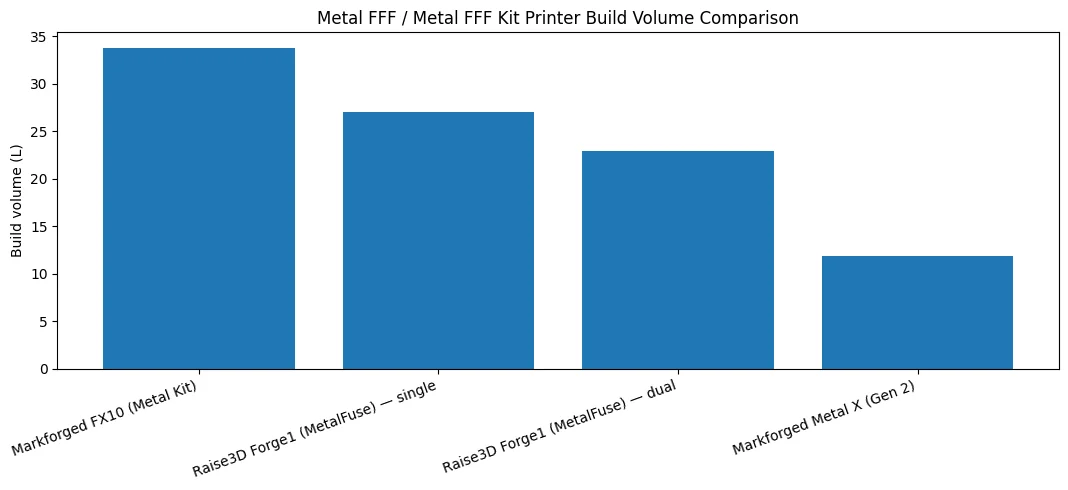
Raise3D MetalFuse combines the Forge1 + D200-E catalytic debinder + S200-C furnace into a single, in-house workflow optimized for BASF Ultrafuse® metals, which reduces hand-offs, protects confidentiality, and shortens idea-to-part lead time. Its oxalic-acid catalytic debinding (vs. Markforged’s solvent wash + thermal debind) is validated to cut debinding time by ~60% and reach up to ~98% of wrought density, while avoiding solvent handling and multi-cycle wash/dry/weigh bottlenecks. Paired with ideaMaker for Metal and tuned profiles, this yields more predictable shrink compensation and part quality with less operator intervention. Pricing also favors MetalFuse: at $149,999+ it undercuts the FX10 Metal Kit ($250,000) and sits within the Metal X Gen 2 range ($137,990–$197,990) — but uniquely delivers catalytic debind plus a fully integrated Ultrafuse-centric process in the box.
| Attribute | Raise3D Forge1 (MetalFuse) | Markforged Metal X (Gen 2) | Markforged FX10 (Metal Kit) |
|---|---|---|---|
| Price | $149,999+ | $137,990 – $197,990 | $250,000 |
| Print process | FFF (dual head, electronic lifting) | Metal fused filament fabrication | Metal fused filament fabrication (swappable metal engine) |
| Printer build volume (W×D×H) | 300×300×300 mm (single); 255×300×300 mm (dual) | 300×220×180 mm | 375×300×300 mm (printer envelope) |
| Max final/validated part size | X 180×Y 90×Z 80 mm on MetalFuse ceramic setter (Raise3D training); practical guidance: keep parts ≲ 4 in in X/Y/Z for best results | 240×132×131 mm, up to 10 kg | 292×132×131 mm, up to 10 kg |
| Layer height (stated) | 0.1–0.25 mm (green print) | 50 µm / 125 µm (post-sinter spec) | 127 µm (post-sinter spec) |
| Qualified metals (examples) | BASF Ultrafuse® 316L, 17-4 PH | 17-4 PH, H13, A2, D2, Inconel 625, Copper | 17-4 PH, 316L, H13 |
| Debinding route | Catalytic oxalic-acid debinding (D200-E) → furnace sinter (Raise3D process) | Solvent wash (Wash-1, Opteon SF-79) → thermal debind + sinter (per Markforged docs provided) | Wash-1 → Sinter-1/2 required for metal parts |
| Software | ideaMaker for Metal (Windows) | Eiger Cloud | Eiger Cloud |
What printer controls are available on the Raise3D MetalFuse 3D Printer?
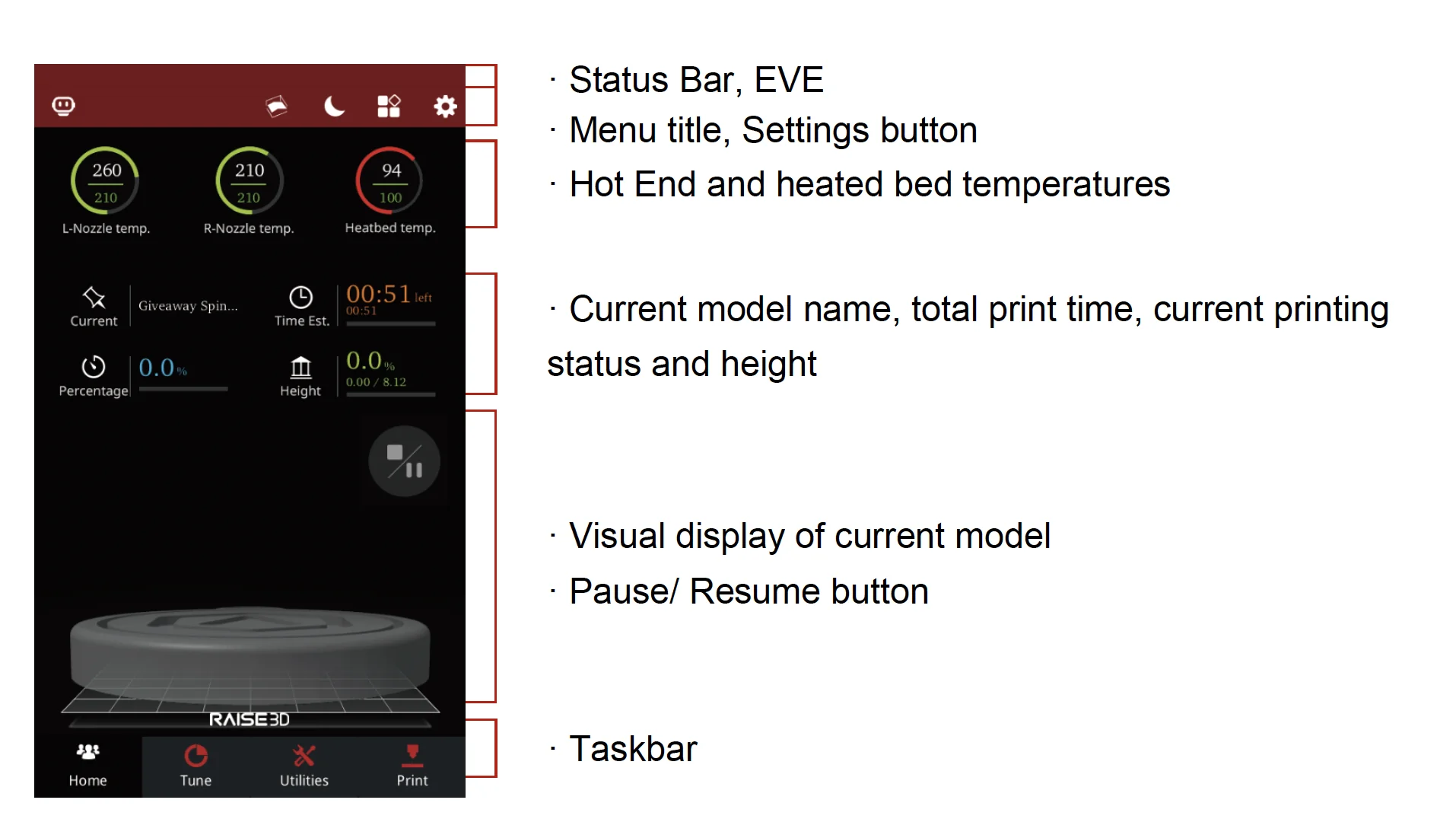
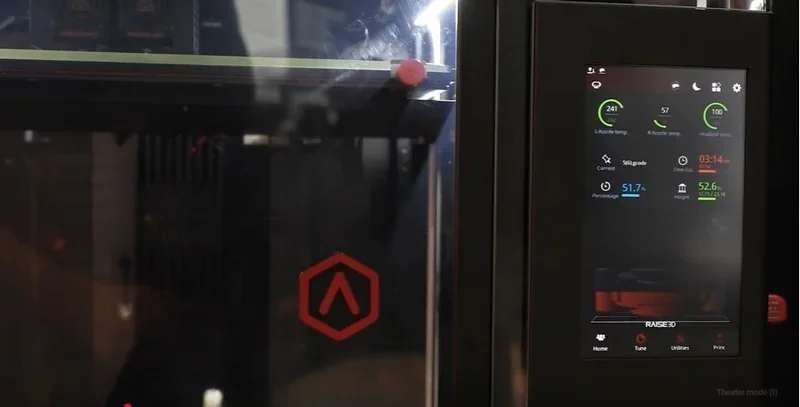
The Forge1 industrial grade 3D printer uses a 7-inch RaiseTouch screen for control.
The Home screen displays temperatures, job details, and controls for Pause/Resume/Stop. Tabs for Tune, Utilities, and Print provide access to settings and adjustments.
In Utilities, operators can set step distance, move or home axes, and disable motors for manual checks and Z-offset verification.
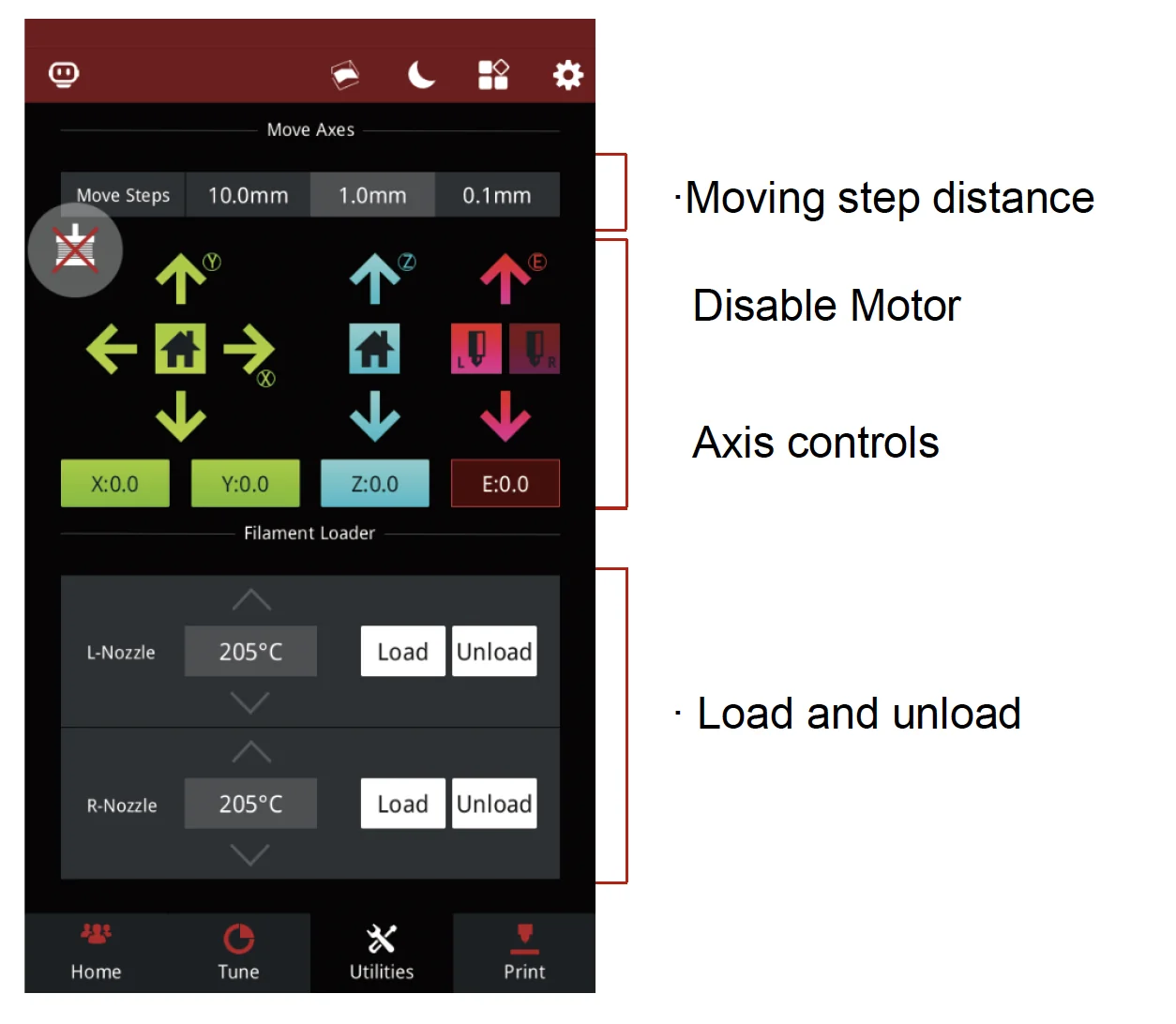
Print jobs start via Print → USB Storage, selecting a .gcode/.data file. During the 3D printing process, the screen shows live status and provides Pause/Resume/Stop. Extruder load/unload commands are also under Utilities, with guided prompts.
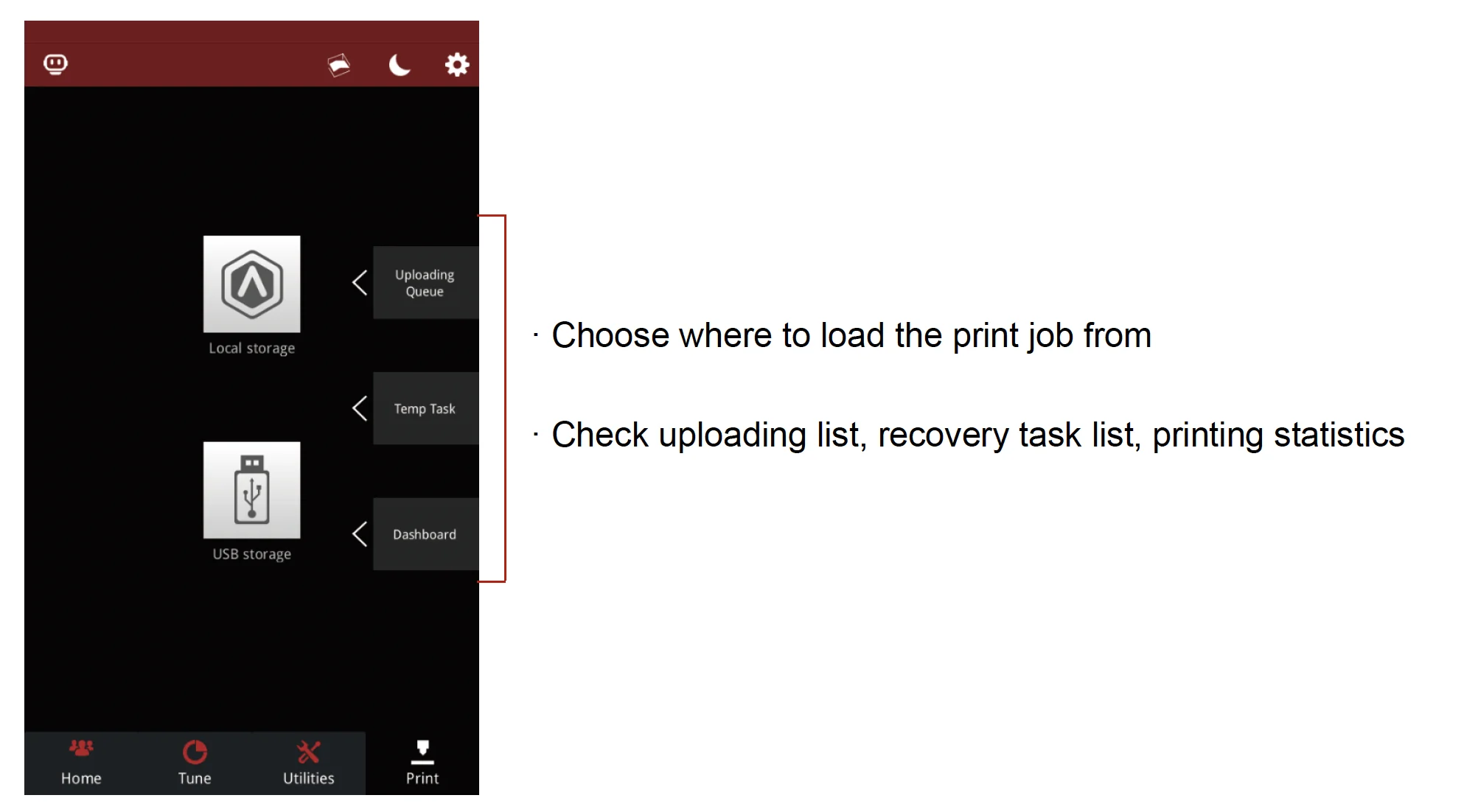
Additional features include uploading lists, recovery tasks, and print stats for tracking and quick recovery.
What connectivity options are available on the Raise3D MetalFuse 3D printer?
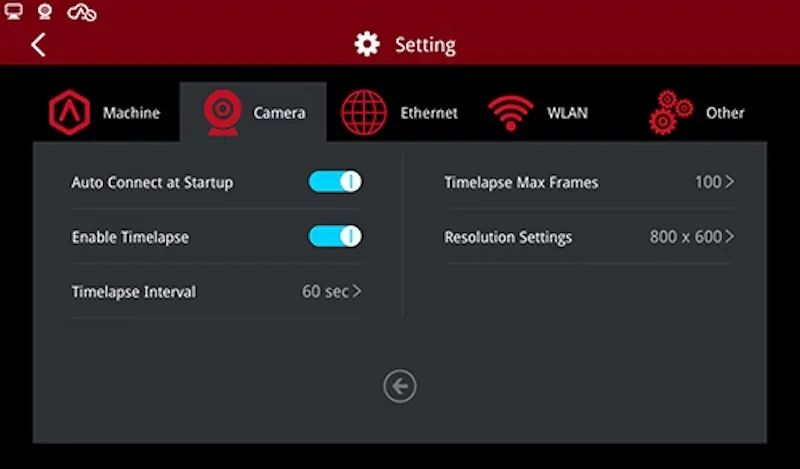
The MetalFuse system supports Wi-Fi, Ethernet, and USB. The Forge1 connects via Wi-Fi/Ethernet, includes dual USB ports, and features a built-in camera for local and remote monitoring. The D200-E debinder and S200-C furnace also support WLAN/Ethernet with browser-based UIs for remote control, logs, and real-time status.
What software is offered with the Raise3D MetalFuse 3D printer?
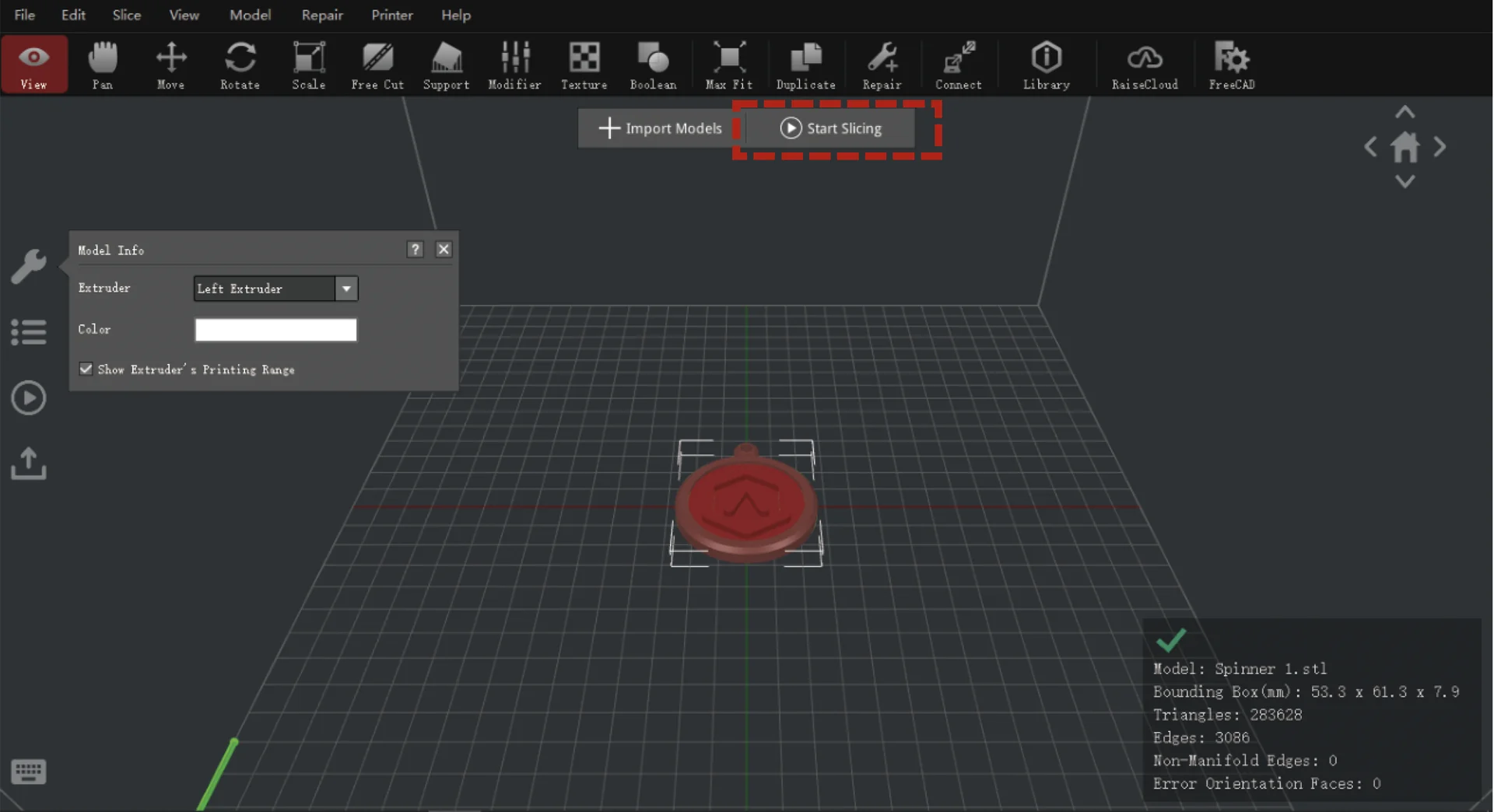
MetalFuse includes ideaMaker for Metal (Windows), provided on USB and downloadable. It requires a Password Disk (hardware key), slices to GCODE, and supports STL/OBJ/3MF/OLTP. The software offers validated metal-specific templates and automatic shrink compensation, reducing setup and tuning time.
Example:
It is necessary to obtain a sintered size of 10mm square, corresponding to X, Y and Z dimensions of 10mm. The software will automatically calculate the shrinkage rate, and increase the part's dimensions accordingly.
| Print direction | Size after sintering Ls (mm) | Lg = OFS × Ls (mm) | Lg = Ls / (1−S) (mm) | Lg = Ls / P (mm) | OFS = Lg/Ls | Shrinkage S = 1−P | Compensation rate P = Ls/Lg |
|---|---|---|---|---|---|---|---|
| X & Y | 10.0 | 11.9 | 11.9 | 11.9 | 1.19 | 15.97% | 0.8403 |
| Z | 10.0 | 12.2 | 12.2 | 12.2 | 1.22 | 18.03% | 0.8197 |
Platforms & Cloud
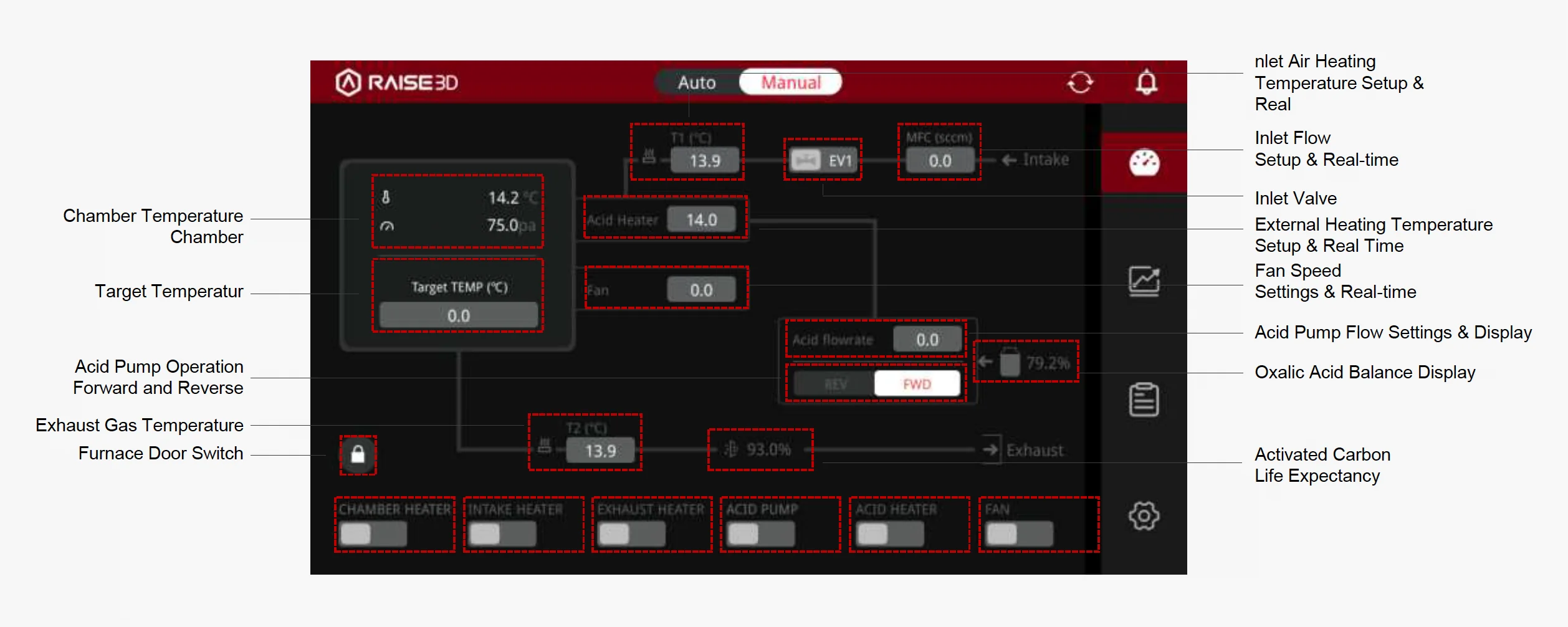
The D200-E and S200-C use browser-based interfaces for thermal processing with live job tracking and auto-generated profiles. They integrate with ideaMaker for Metal and RaiseCloud for centralized monitoring and standardized cycle parameters.
What is the design and build quality of the Raise3D MetalFuse 3D printer?
What is the design and form factor of the Raise3D MetalFuse?
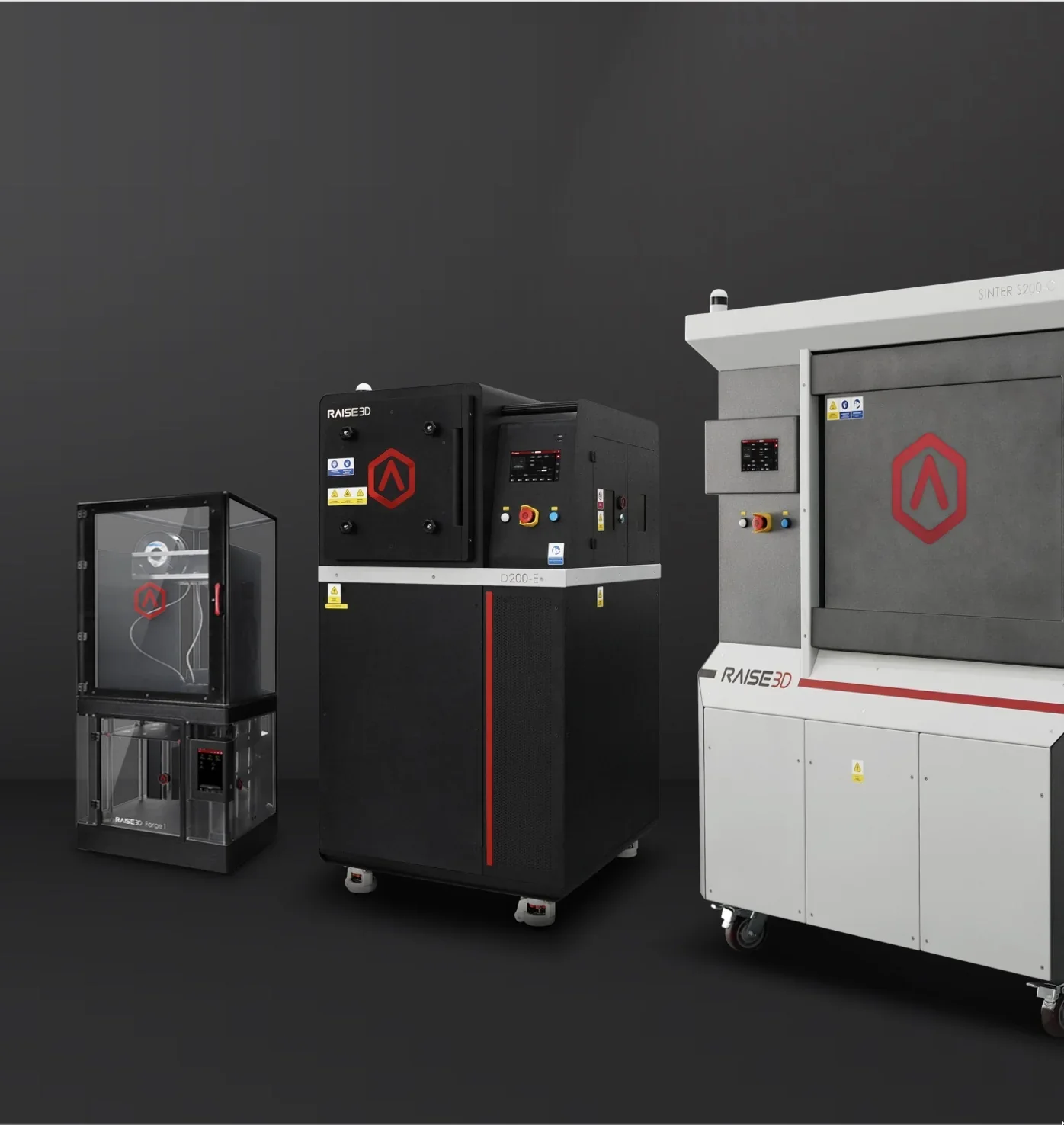
The Raise3D MetalFuse consists of 3 systems:
- Forge1 (3D printer): steel cabinet with front door, top cover, and 7" touchscreen; 620 × 626 × 1390 mm, 80.55 kg; workload envelope: 300 × 300 × 300 mm.
- D200-E (catalytic debinder): floor-standing cabinet with sealed chamber; 806 × 905 × 1583 mm, ~380 kg; workload envelope 200 × 200 × 200 mm.
- S200-C (sintering furnace): tall, front-loading hot-zone; 1434 × 1137 × 1974 mm, ~800 kg; workload envelope 200 × 200 × 200 mm.
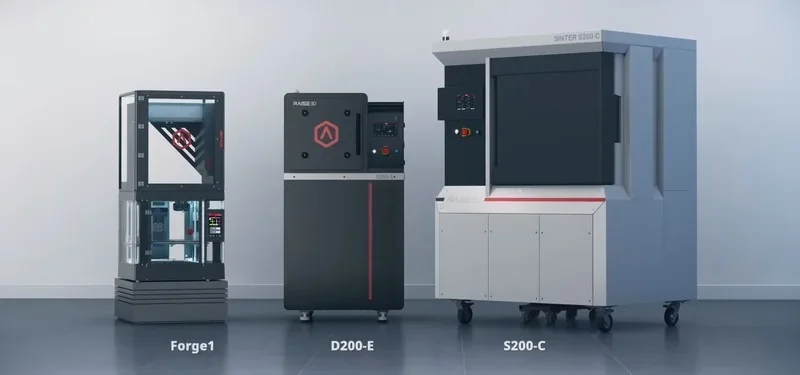
The complete in-house solution requires ancillary equipment (not part of the MetalFuse system): Nitrogen tank, Argon tank, industrial chiller, air compressor.
Ancillary equipment technical requirements:
- Nitrogen tank — For D200-E: Nₒ purity ≥ 99.9% with regulated supply pressure 0.2–0.4 MPa; intake guidance also allows 0.1–0.4 MPa; For S200-C: Nₒ purity ≥ 99.99% with regulated supply pressure 0.1–0.4 MPa.
- Argon tank — For D200-E: Ar purity ≥ 99.9% with regulated supply pressure 0.2–0.4 MPa; intake guidance also allows 0.1–0.4 MPa; For S200-C: Ar purity ≥ 99.99% with regulated supply pressure 0.1–0.4 MPa.
- Industrial chiller (for S200-C cooling water) — Closed-loop cooling water at 25–28 °C with line pressure 0.2–0.3 MPa to the furnace; verify adequate water supply before sintering.
- Air compressor (for S200-C compressed-air path) — Purified compressed air (clean/dry) with filtration accuracy < 40 and regulated supply pressure 0.4–0.7 MPa.
Notes: D200-E connects its process-gas intake via a quick-plug fitting (size per kit) and is designed for Ar/Nₒ protection gas; ensure regulators and hoses match the 0.1–0.4/0.2–0.4 MPa setpoints above.
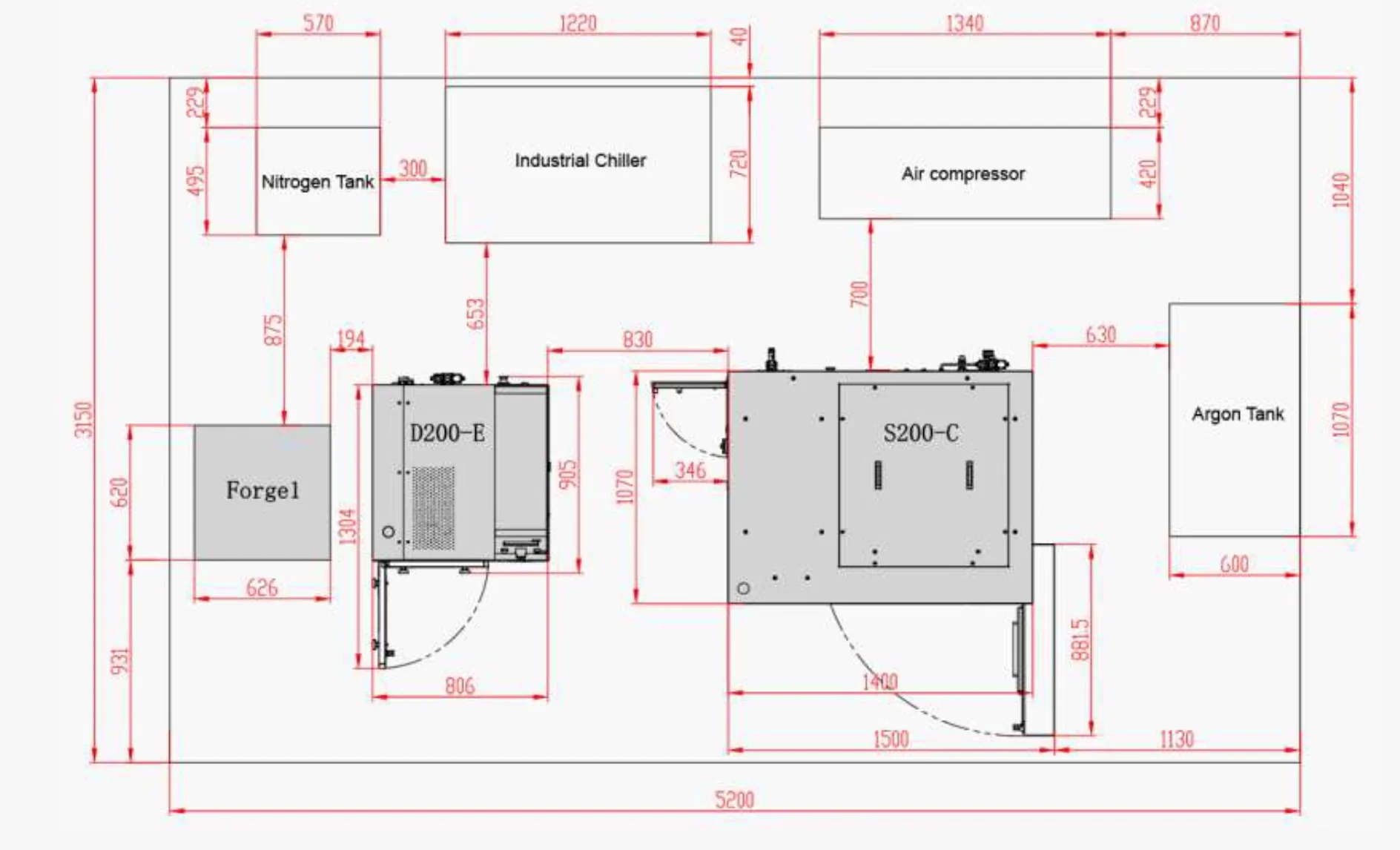 To accommodate these systems, reserve a room that fits the 5.2 m × 3.15 m layout plus gas-cylinder handling zones and service aisles, with utilities (power, chilled water, compressed air, Nₒ/Ar lines) routed to the D200-E/S200-C and a clear ceiling height of at least 2.0 m (≥1,974 mm to fit the S200-C), with ~2.6–3.0 m preferred for overhead utilities and service access.
What is the motion system of the Raise3D MetalFuse?
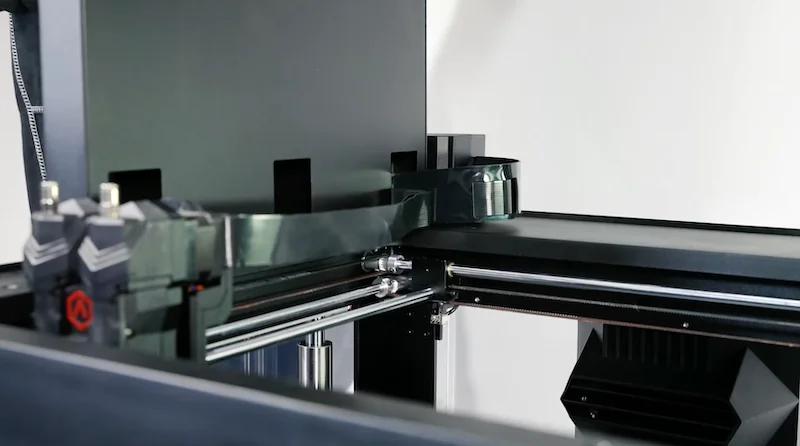
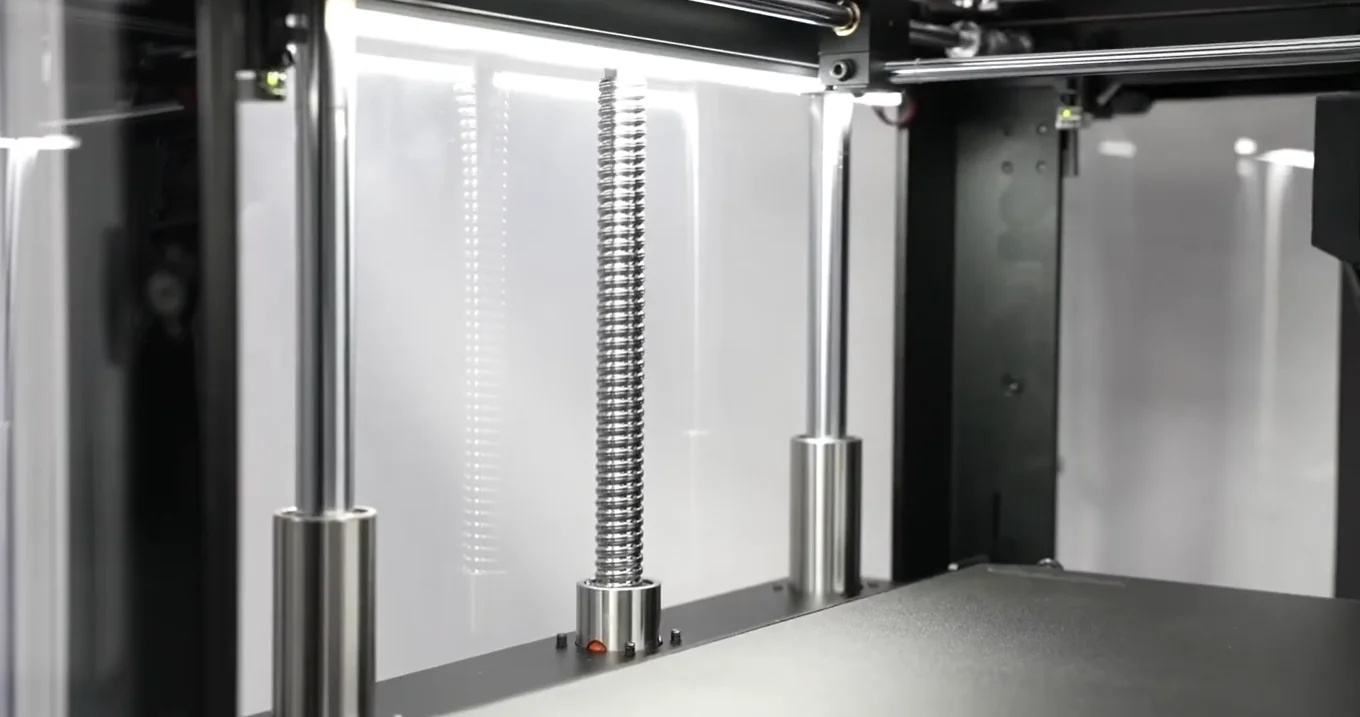
The cartesian XYZ system uses scissor kinematics for XY movement and dual lead screws for precise Z control, with 16 mm Z guides and 8 mm X/Y guides to boost stability.
What is the noise level of the Raise3D MetalFuse?
Noise emission is 55 dB(A) during printing.
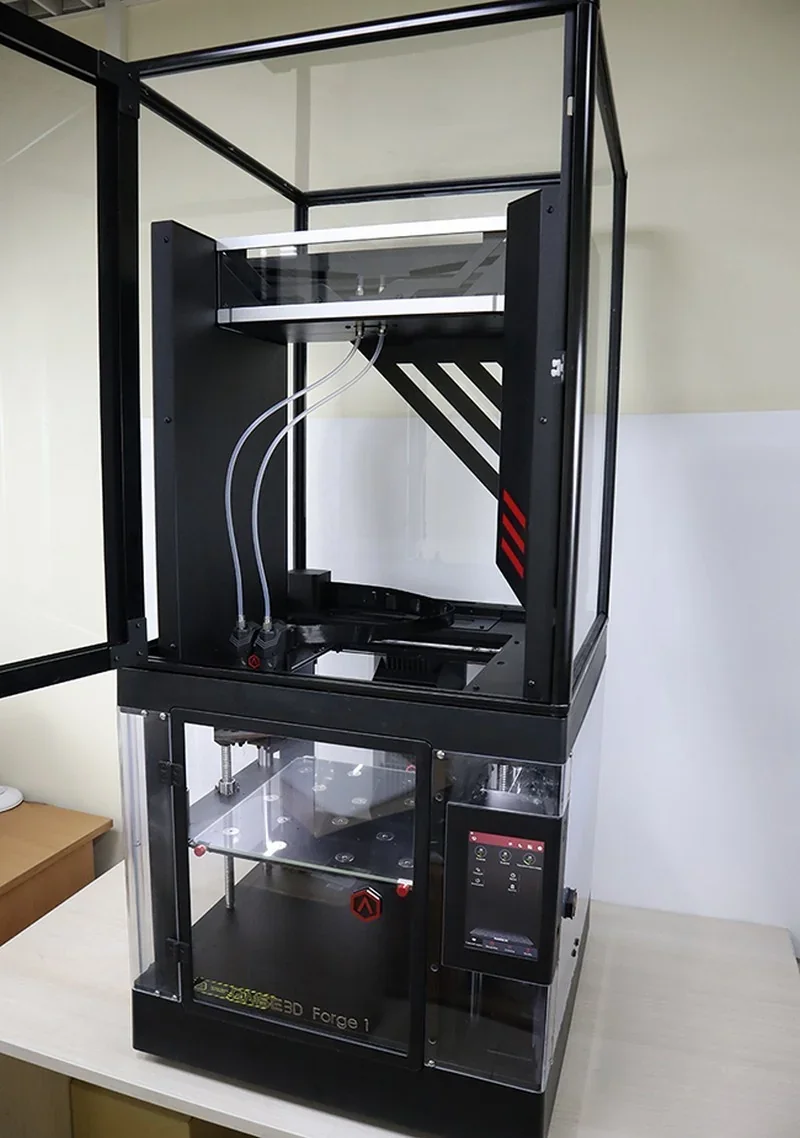
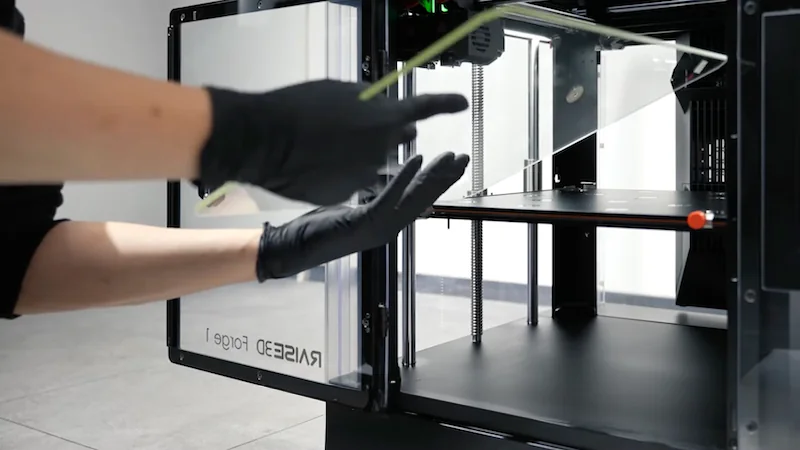
What are the build platform specifications of the Raise3D MetalFuse?
The glass build plate sits on a silicone-heated bed rated to 120 °C and features auto-leveling. It's held by two rear and two front clips. Prints are released by soaking the cooled glass in water, with a metal-specific adhesive applied beforehand.
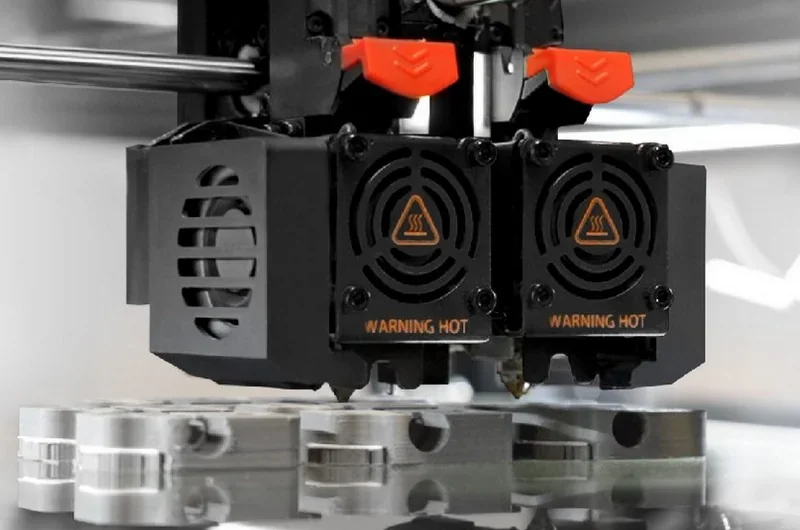
What is the hotend and extruder system of the Raise3D MetalFuse?
Raise3D MetalFuse (Forge1) uses dual extruders with an electronic lifting system. Nozzle options include 0.2, 0.4, and 0.6 mm, with a 300 °C maximum nozzle temperature and 1.75 mm filament. The hotend is quick-release for fast servicing.
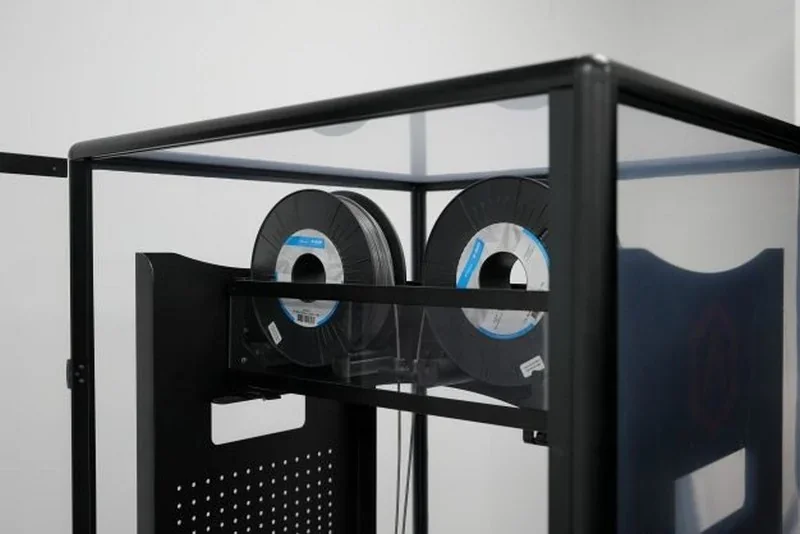
How does the Raise3D MetalFuse handle filament storage and feeding?
Filament is stored inside the enclosure under the top cover on rolling holders for two 3 kg spools. Guide tubes feed material to the extruders, with an optical run-out sensor pausing prints when filament runs out. Loading is done via quick coupler and guided by on-screen prompts.
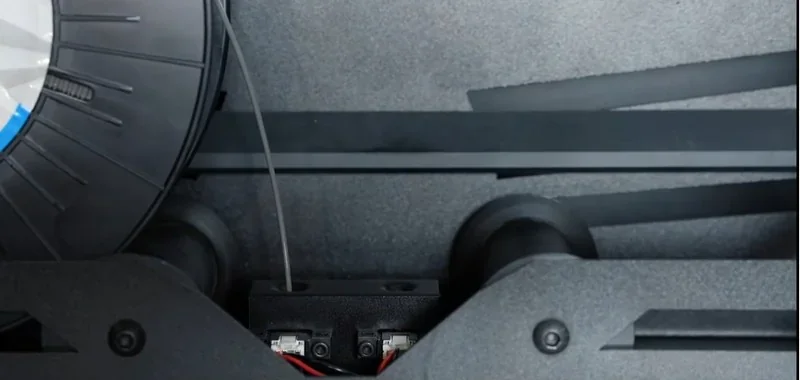
What is the mainboard of the Raise3D MetalFuse?
Control is handled by an Atmel ARM Cortex-M4 (120 MHz FPU) motion controller and an NXP ARM Cortex-A9 Quad (1 GHz) logic controller running Embedded Linux, with 1 GB RAM and 16 GB flash storage.
What are the power supply requirements of the Raise3D MetalFuse?
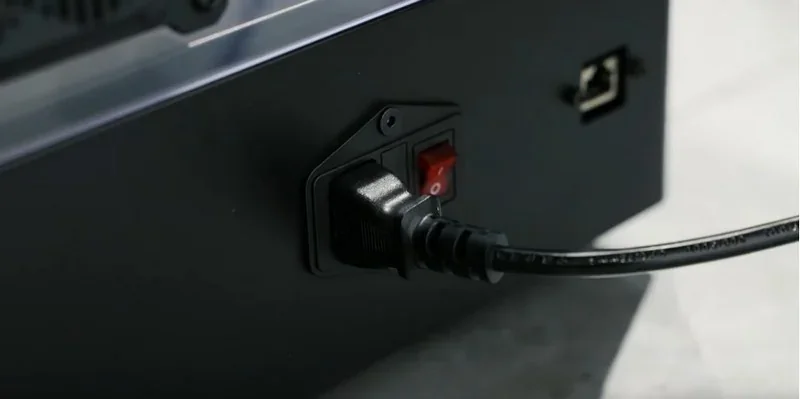
- Forge1: power input 100–240 VAC, 50–60 Hz (230 V @ 3.3 A); PSU output 24 V DC, 600 W.
- D200-E: single-phase 220–230 VAC, 50/60 Hz (protective earth required).
- S200-C: 380–400 VAC, 50/60 Hz, 3-phase (5-wire), 45 A / 30 kW peak draw (protective earth required).
What are the temperature and humidity requirements of the Raise3D MetalFuse?
- Forge1: operating ambient temperature: 15–30 °C, Relative Humidity (non-condensing): 10–90%.
- D200-E: operating ambient temperature: 5–35 °C, Relative Humidity ≤ 15–70%.
- S200-C: operating ambient temperature: −5 to +35 °C, Relative Humidity ≤ 50%.
What comes included in the box with Raise3D MetalFuse printer?
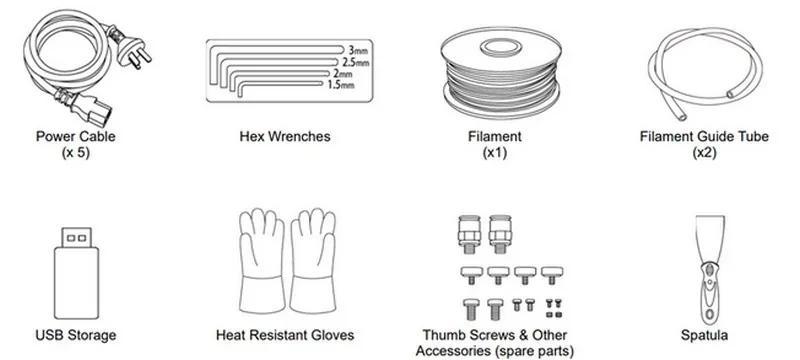
- 5 x Power cable
- 1 x Filament (Ultrafuse® 316L)
- 2 x Filament guide tube
- 1 x USB storage (ideaMaker for Metal installer)
- 1 x Password Disk (license dongle for the IdeaMaker Metal Slicer)
- 1 x Glass build plate
- 1 x Front clamp
- 1 x Back clamp
- 1 x 0.3 mm feeler gauge
- 1 x Hex wrenches set
- 1 x Spatula
- 1 x Glue (Magigoo Pro Metal)
- 1 x Tweezers
- 1 x Heat-resistant gloves (pair)
- 2 x Nitrile gloves (pairs) for the D200-E
- 1 x PTFE tube 6×4 mm × 5 m for the D200-E
- 1 x PTFE tube 4×2 mm × 5 m for the D200-E
- 1 x Vacuum pump for the S200-C (shipped in a separate crate)
- 1 x Graphite hot-zone device for the S200-C (shipped in a separate crate)
- 1 x Thumb screws & spare accessories kit for the Forge1
What maintenance does Raise3D MetalFuse require?
Before each print / daily
- Ensure the D200-E chamber is clear of foreign objects, close and lock all four door handles, and confirm safety interlocks.
- Check the oxalic acid level; if below ⅓, refill to ~⅓, then close the side door.
- Check door O-ring seating; if residue has bonded the seal, preheat chamber to 150 °C for ~30 minutes before opening.
- Confirm Nₒ/Ar gas connections and intake pressure meet specs; test MFC and solenoid manually.
- In manual mode, run a quick check of solenoid valves, MFC, intake heater, chamber heaters, exhaust heater, fan, and pressure readout.
- For Forge1, apply Magigoo Pro Metal evenly to a cold glass plate; after printing, let it cool, then remove parts by soaking the plate in water.
- For long prints (>48 h), ensure the build plate cools to ~100 °C after the first ~20 bottom layers.
- Keep ambient conditions between 15–30 °C and 10–65% RH; ensure the machine stays well-insulated during the printing process to prevent defects.
Per job / as triggered by duration
- For the first job or total print time >50 h, perform Z-offset/bed-level checks using the wizard or a 0.3 mm feeler gauge.
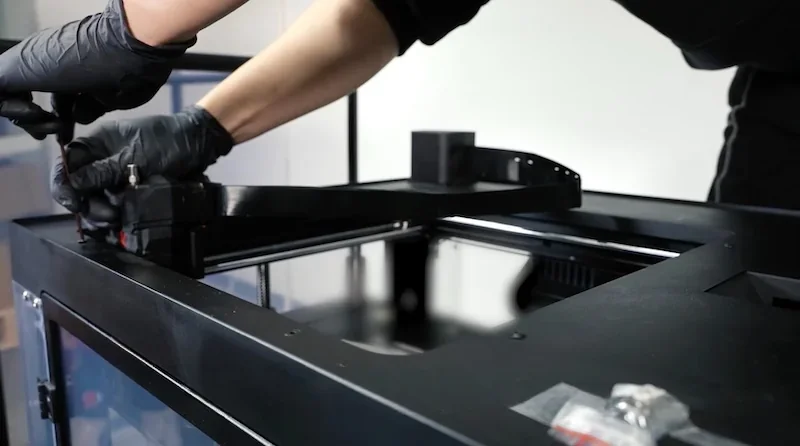
- Inspect or replace hardened nozzles at ~100 h of use; check for surface anomalies indicating wear.
- Avoid heating the nozzle above 200 °C for over ~15 minutes to prevent jams; purge if necessary.
- Weekly
- Inspect the D200-E fan for abnormal noise; check isolator and coupling, and reseat or replace seals as needed.
- Wipe/clean ceramic plates used for the sintering process; rub two plates at ~45° to remove surface impurities before reuse.
- Monthly / quarterly
- Replace the D200-E exhaust carbon cartridge (~12 kg capacity; supports ~20 h debinding of ~200 g green parts per run; lasts up to ~3 months). Update service time on the HMI after replacement.
- If chamber-pressure alarms occur, check “Filter element 1”; replace if blocked and reset the service counter.
When alarms or symptoms appear
- If acid-gas leaks at the door, ensure all four handles are torqued, the O-ring is in place, and the exhaust line is clear (use bubble test).
- For MFC-flow instability, check upstream/downstream fittings and gas source; replace MFC if faulty.
- For TC errors or heating timeouts on intake, exhaust, or chamber heaters, inspect TC integrity and wiring; resume only after faults are cleared. After power loss or E-stop, restart the D200-E program from the beginning and wait for chamber to cool below 80 °C before removing samples.
General handling
- Follow max part size limits for debind/sinter fixtures (~180 × 90 × 80 mm on matching ceramic plates) to prevent distortion.
- Maintain specified ranges for environment and utilities: power, grounding, compressed air filtration, gas purity (99.99%), and cooling water temperature and pressure.
- Use the slicing workflow (ideaMaker for Metal + password disk) and export properly to retain job previews and logs.
What support and warranty come with the Raise3D MetalFuse?
Raise3D offers a limited hardware warranty to the original user, covering defects from normal use. Repairs or replacements are at Raise3D’s discretion. The warranty excludes consumables (e.g., nozzles, hotends, filters), misuse, poor maintenance, unauthorized repairs, cosmetic issues, external damage, or use of non-approved parts or filaments.
The standard warranty lasts 12 months from the invoice date. Extended warranties are available — contact Top3DShop for a quote.
Manufacturer support channels.
- Remote technical support available by phone, email (support@raise3d.freshdesk.com), and video conference (during the warranty period).
- Ticket portal: https://help.raise3d.com/support/home (submit tickets/track cases)
Working hours & locations (manufacturer):
- US Office: 13310 Pike Road, Stafford, TX 77477 — Mon–Fri, 8:00–18:00; Phone: +1 888-963-9028.
- Europe – Netherlands Office: Tenorweg 6, 3363LN, Sliedrecht — Mon–Fri, 9:00–18:00; Phone: +31 (0)6 23872606.
- Europe – Portugal Office: R. do Vergão 80, 4520-614, São João de Ver — Mon–Fri, 9:00–18:00.
Self-support resources (manufacturer):
- Raise3D Support Center (Wiki/KB): searchable how-tos, troubleshooting, downloads. Link: https://support.raise3d.com/
- Raise3D Academy: structured tutorials, getting-started courses, and how-to articles. Link: https://www.raise3d.com/academy/
- Official Raise3D YouTube channel: tech-tip videos, tutorials, and support content. Link: https://www.youtube-nocookie.com/raise3d
How much does the Raise3D MetalFuse cost?
The Raise3D MetalFuse costs $0.00 and includes the Forge1 printer, D200-E debinder, and S200-C sintering furnace — providing a complete, integrated metal printing workflow without third-party hardware. The system is optimized for Ultrafuse® filaments to ensure consistent print-to-metal results, offering an alternative to selective laser melting processes. Buy Raise3D Metal Fuse at Top3DShop for expert training, installation and on-site support. Contact Top3DShop for a custom quote.