Raise3D Pro2 Plus: Professional Dual Extruder 3D Printer
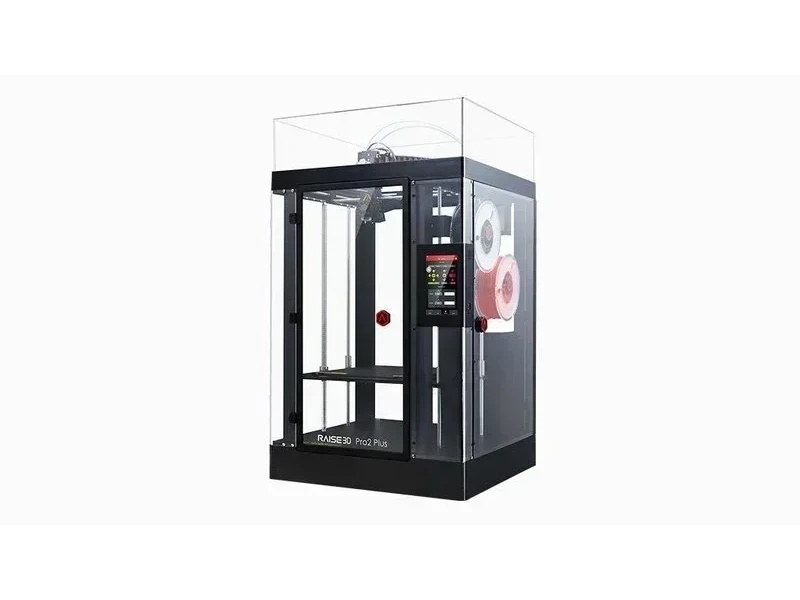


- 305 × 305 × 605 mm build volume
- High-resolution prints down to 0.01 mm
- 5-micron precision dual extrusion system
- Supports 40+ filament types including composites
- Flexible Payment Terms
- 1 Year Warranty
- Local Technical Support
- Free Online Training
- Raise3D Pro2 Plus 3D printer
- Removable aluminum build plate
- Set of hex wrenches
- Sample spool of PLA filament
The Raise3D Pro2 Plus is a professional large-format, dual-extruder 3D printer with a 305 × 305 × 605 mm build volume, delivering high-resolution prints (down to 0.01 mm) in a fully enclosed, production-ready setup. Its Electronic Driven Lifting Dual Extrusion system enables fast nozzle switching with 5-micron precision, while 300°C hotends and a 110°C heated bed support 40+ filament types, including flexible, engineering, and composite materials. Designed for manufacturing, prototyping, and education, it includes a HEPA filter, power loss recovery, filament run-out detection, a 7-inch touchscreen, wireless connectivity, and integration with ideaMaker software and RaiseCloud for streamlined, professional-grade workflows.
- What is the print quality and performance of the Raise3D Pro2 Plus 3D Printer?
- Which filaments can you use with the Raise3D Pro2 Plus 3D Printer?
- What is the build volume of the Raise3D Pro2 Series?
- What is the difference between the Raise3D Pro2 Plus and its competitors?
- What printer controls are available on the Raise3D Pro2 Plus?
- What connectivity options are available on the Raise3D Pro2 Plus?
- What software is offered with the Raise3D Pro2 Plus?
- What is the design and build quality of the Raise3D Pro2 Plus?
- What comes included in the box with Raise3D Pro2 Plus?
- What upgrades and accessories are available for the Raise3D Pro2 Plus?
- What maintenance does the Raise3D Pro2 Plus require?
- What support and warranty come with the Raise3D Pro2 Plus?
- How much does the Raise3D Pro2 Plus cost?
What is the print quality and performance of the Raise3D Pro2 Plus 3D Printer?
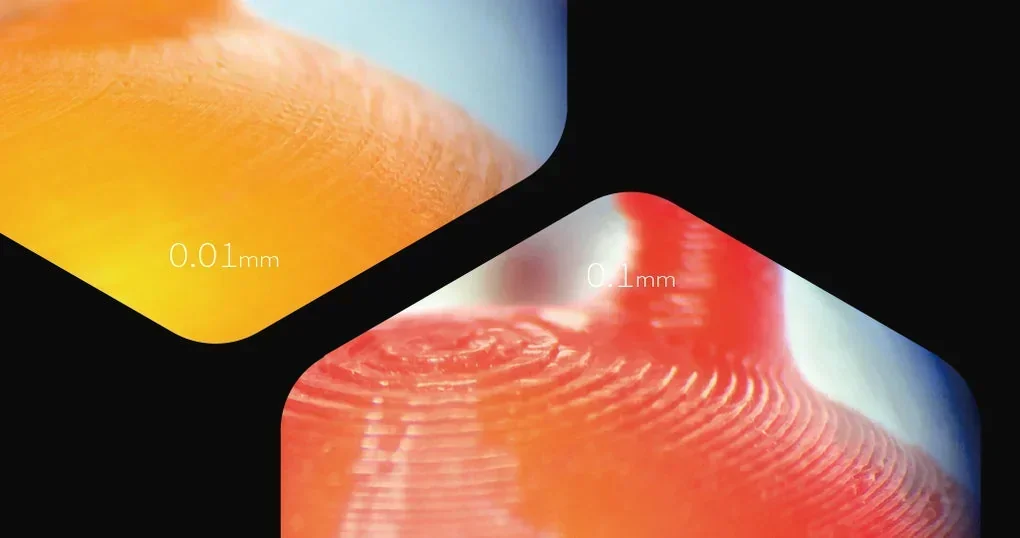
The Raise3D Pro2 Plus offers 0.01 mm layer heights, ±0.1 mm dimensional accuracy, a top benchmark score for precision, and fast 1.5 mm nozzle retraction for clean dual-material printing. The ultra-fine 0.01 mm layers give smooth surfaces with minimal lines, while 0.1 mm layers show more visible stepping, especially on curves and overhangs.
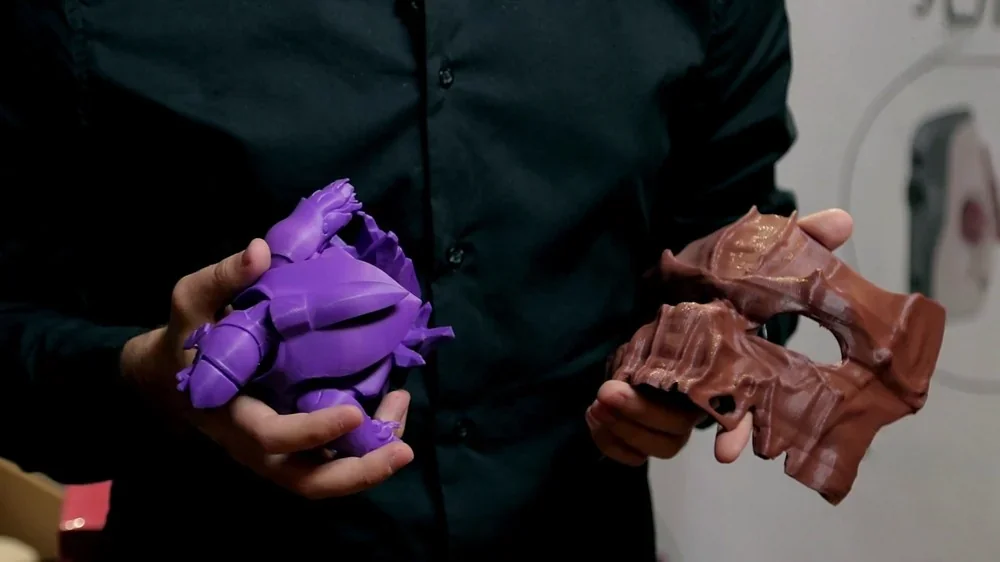
PLA Samples produced by Raise 3D: The 10-micron purple model has a smooth, uniform surface, while the 200-micron brown model shows visible layer lines and a rough texture.
The precision motion system achieves ±0.1mm accuracy for engineering and prototyping. A rigid metal frame and advanced components reduce vibration, while the optimized print head ensures consistent extrusion.
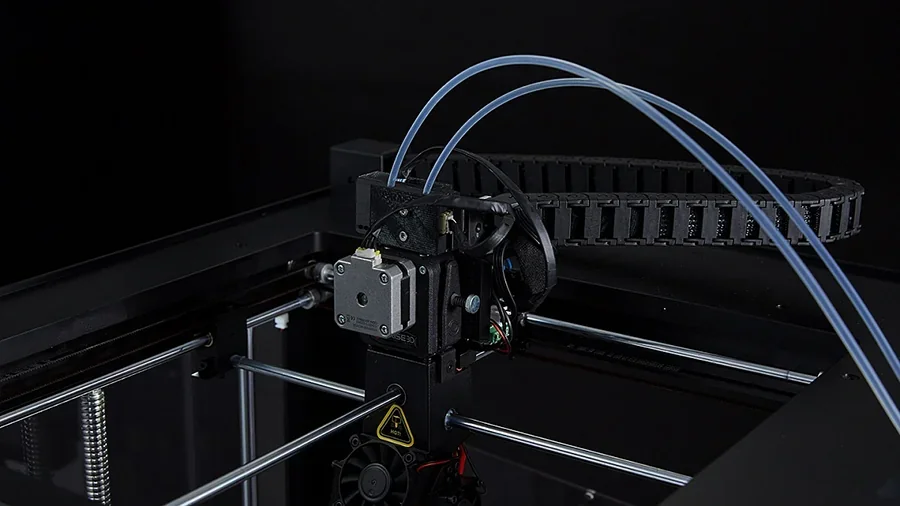
Benchmark testing gave the Pro2 Plus a perfect 5/5 for dimensional accuracy, with strong Z-axis quality and minimal XY resonance. Though fine flow control and steep overhangs showed room for improvement, it scored 17/30 overall, proving competitive with top-tier printers.
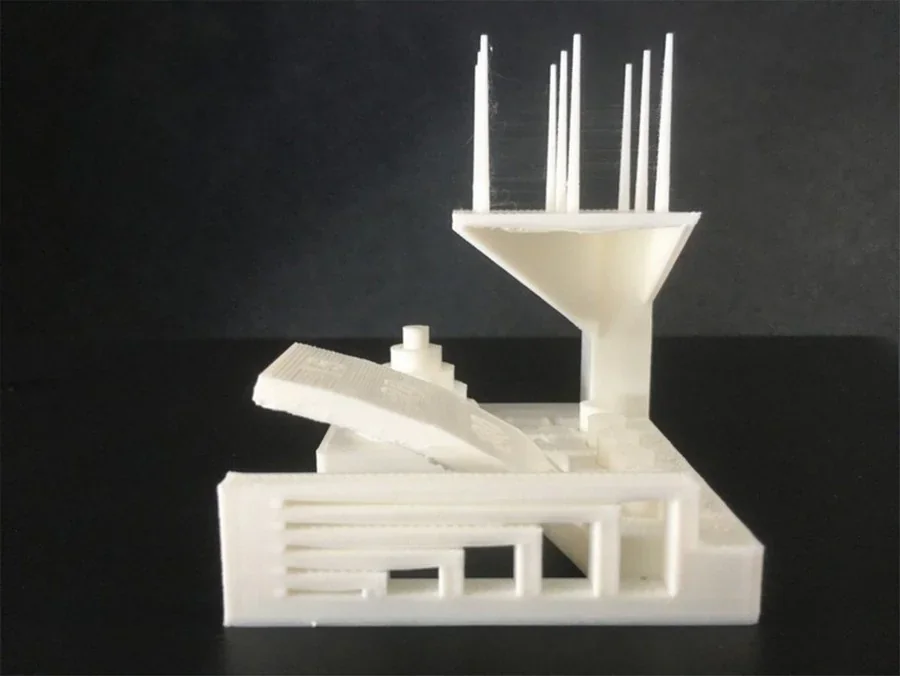
Source: All3DP
PLA Sample: A white Benchy tugboat with professional finish, minor edge overlap, and excellent dimensional accuracy within ±0.5% FDM tolerances.
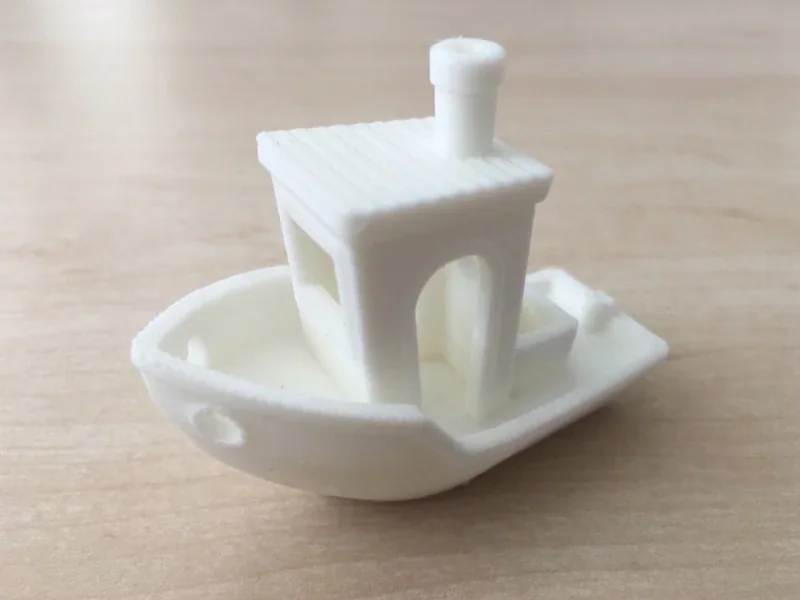
Source: All3DP
Even when upgraded with the Hyper Speed Upgrade, the Raise3D Pro2 prints 200% faster without quality loss. A full test print at 0.1mm layer height using Hyper Speed PLA finished in 4 hours 32 minutes, maintaining fine detail on columns, overhangs, thin walls, and precision holes. This removes the usual speed-versus-quality trade-off in 3D printing.
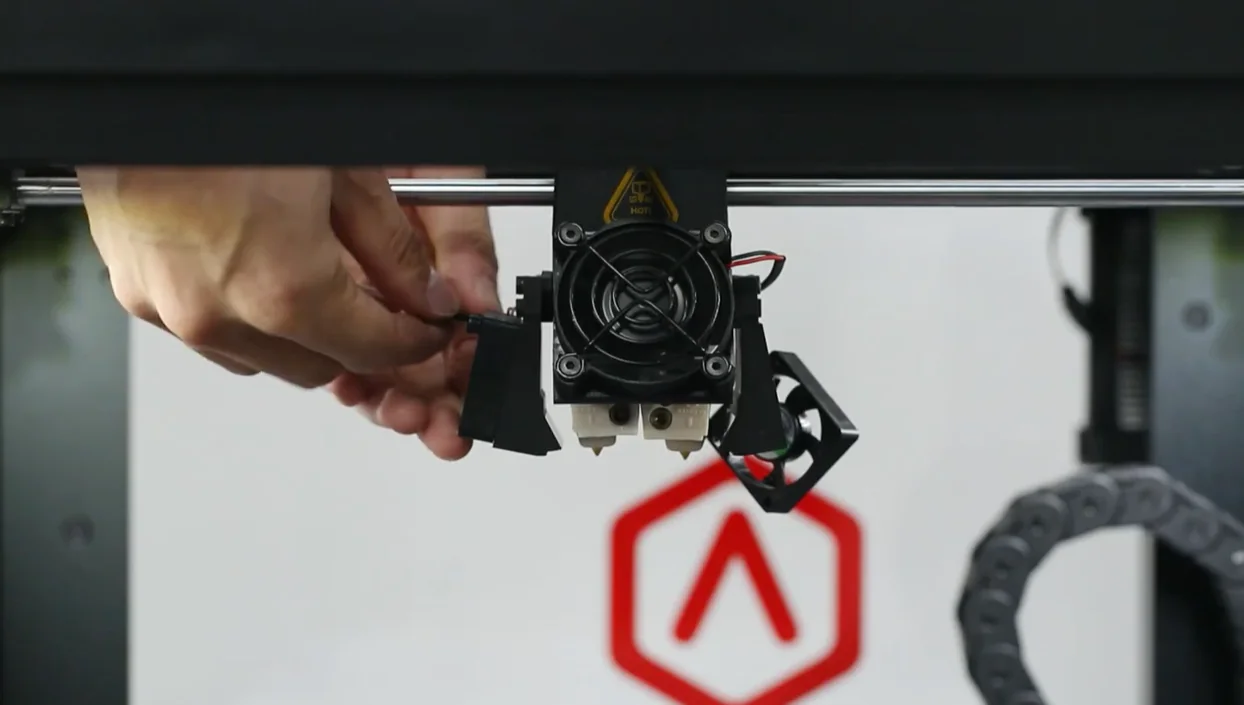
The Raise3D Pro2 Plus uses a dual extruder with electronic lifting, retracting the inactive nozzle 1.5 mm in under a second to prevent interference and support flexible filaments.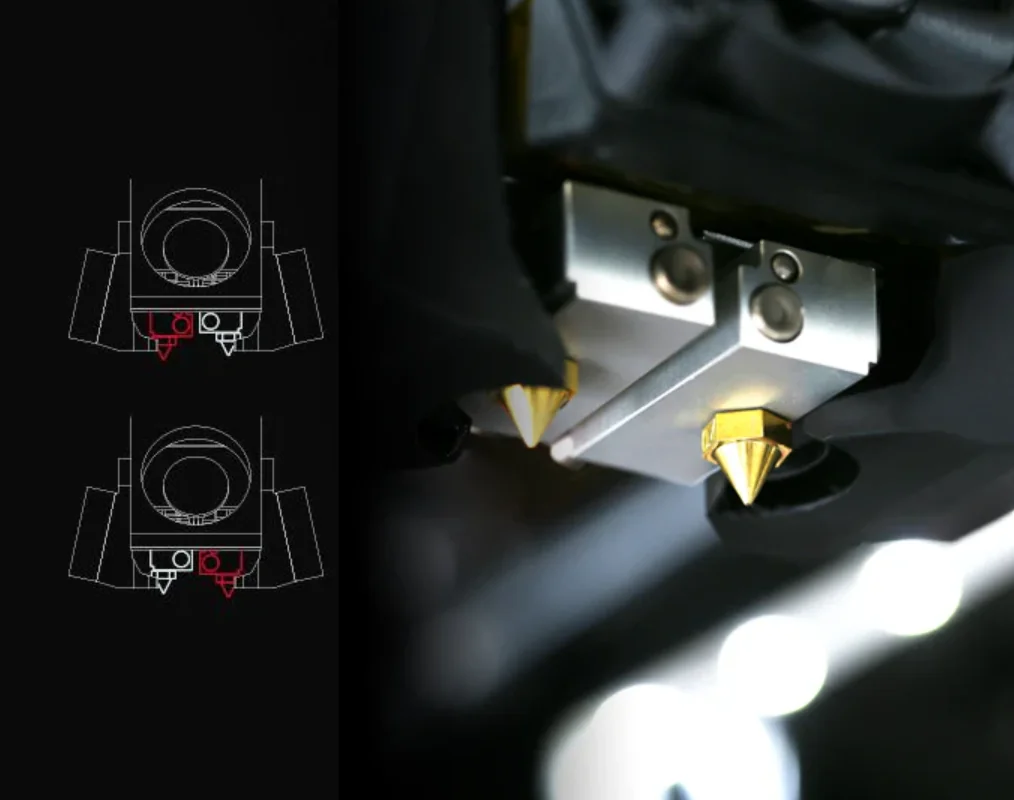
The dual extrusion system cleanly separates colors by lifting the idle nozzle, preventing cross-contamination. This allows detailed, multi-component prototypes with precise geometry.
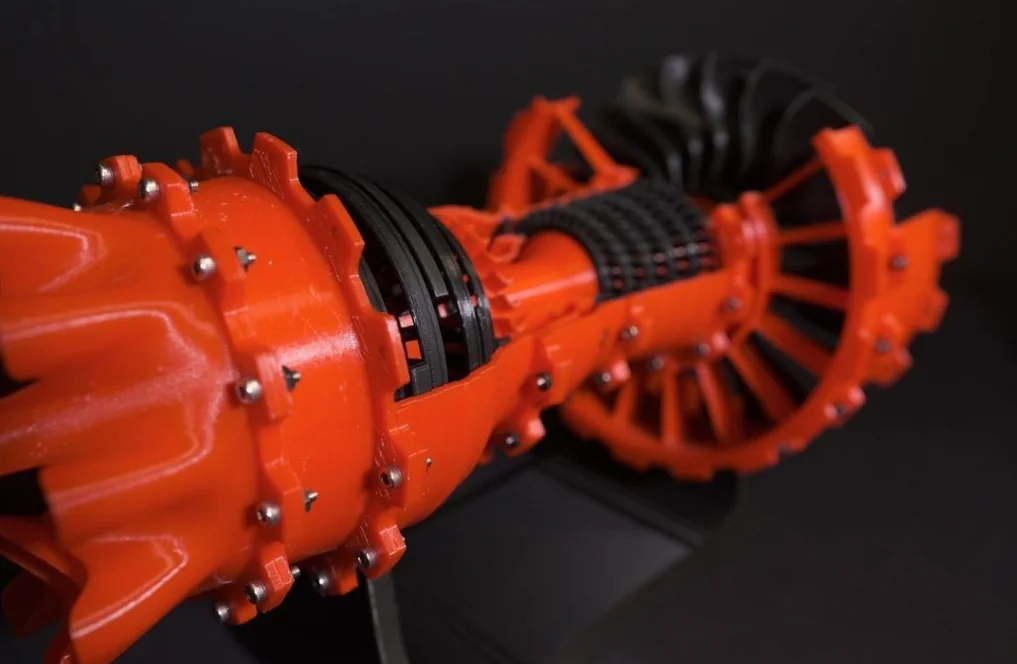
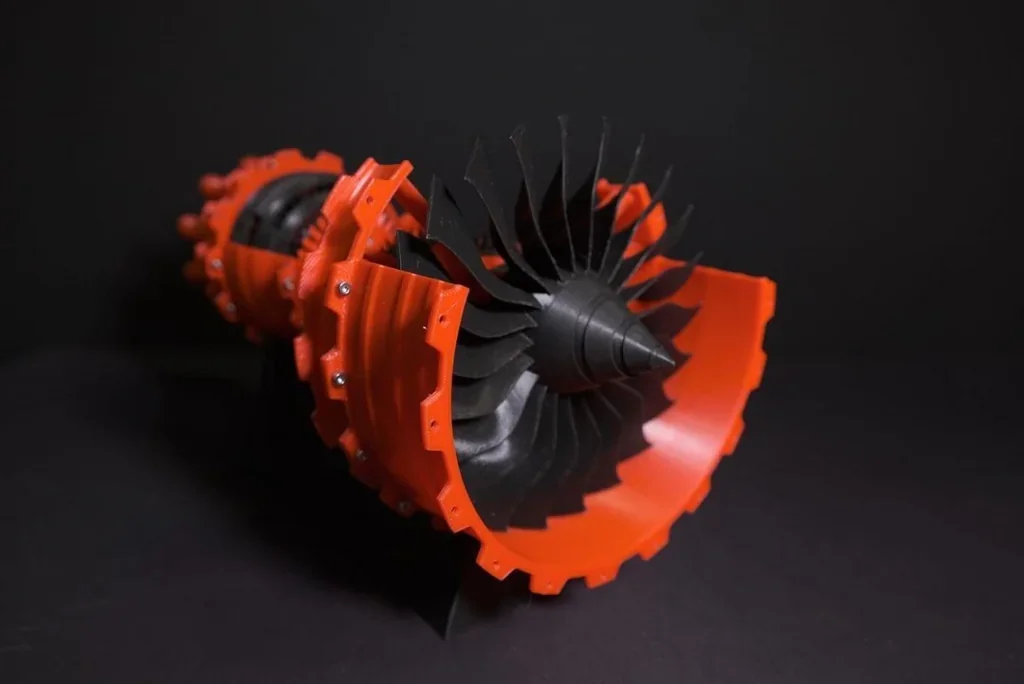
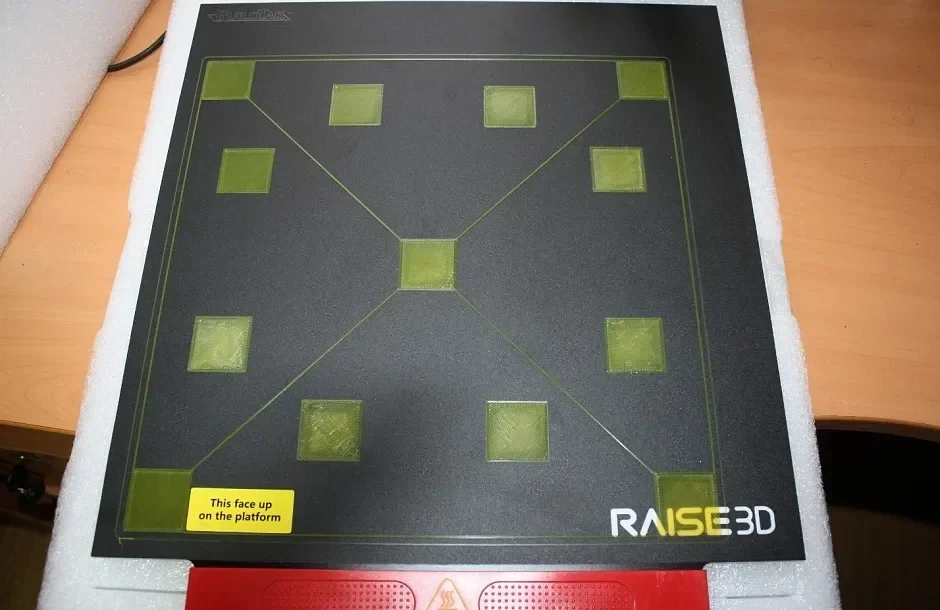
The Raise3D Pro2 Plus has pre-calibrated bed leveling for consistent prints. Its magnetic aluminum build plate ensuring optimal heat distribution and prevents warping with high-temperature materials. Before leaving factory, every Raise3D Pro2 3D printer is tested for bed leveling.
Case Study: At Foothill High School, Mr. Farr leads a five-course engineering program in CAD, machining, welding, and robotics. His team set a world record by stacking 21 cones. The school uses five Raise3D printers in the program.
Case Study: A Foothill High School student used Raise3D printers to prototype parts for a high-performance electric skateboard, improving design through iteration and reducing costs. He later applied these skills to prosthetic leg concepts, exploring custom sockets using 3D scanning and printing.
Which filaments can you use with the Raise3D Pro2 Plus 3D Printer?
The Raise3D Pro2 Plus supports over 15 filament types, including PLA, PETG, ABS, ASA, TPU, Nylon, PC, and composite materials with glass, carbon, metal, or wood. Its open system and dual extrusion work with both Raise3D and third-party 1.75 mm filaments. An enclosed chamber prevents warping in materials like ABS and Nylon, while a HEPA and charcoal filter reduces fumes. Interchangeable nozzles (0.2–0.8mm) allow for adjustable detail and extrusion. The Open Filament Program provides slicing profiles for over 139 3D printing materials via the ideaMaker Library: https://www.ideamaker.io/ofpMaterials.html
PLA test prints showed high detail and handled complex geometries well. Large single-pass prints were rated from “good” to “magnificent,” with excellent quality despite minor shrinkage and artifacts.
PLA Print Sample: A scaled-up Lego horn replica with a conical trumpet shape, ridged grip, and flared bell, 3D printed at 0.15 mm resolution using extensive PVA supports for overhangs.
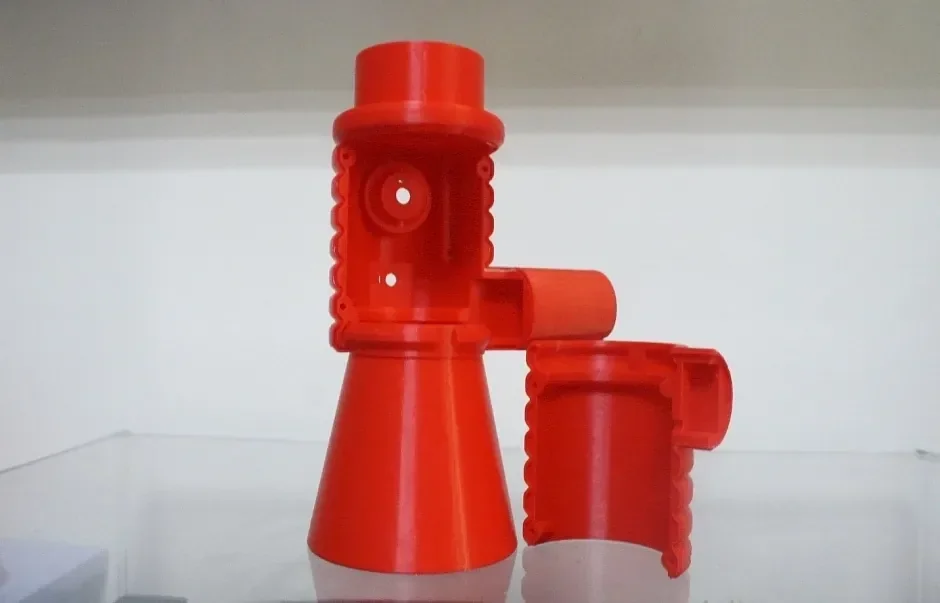
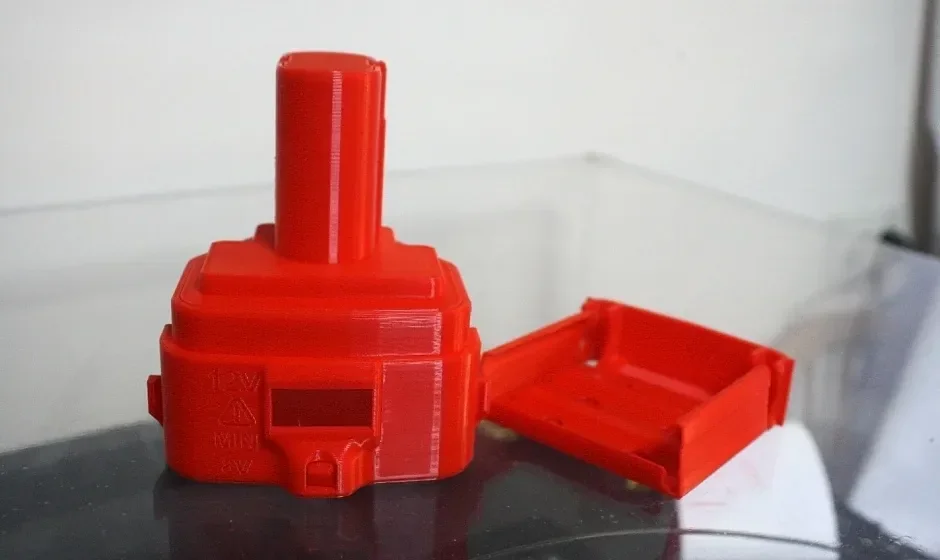
PLA Print Sample: Cordless drill battery housing with a stepped cylindrical body, ventilation slots, removable cover, and mounting brackets, 3D printed at 0.2 mm resolution.
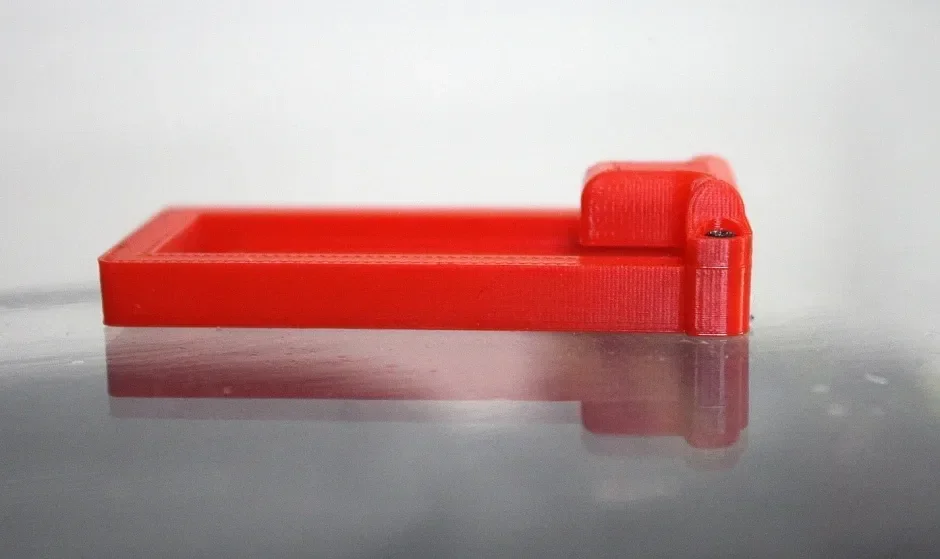
PLA Print Sample: Rectangular circuit board enclosure with raised walls and a cylindrical mounting post, 3D printed at 0.1mm resolution.
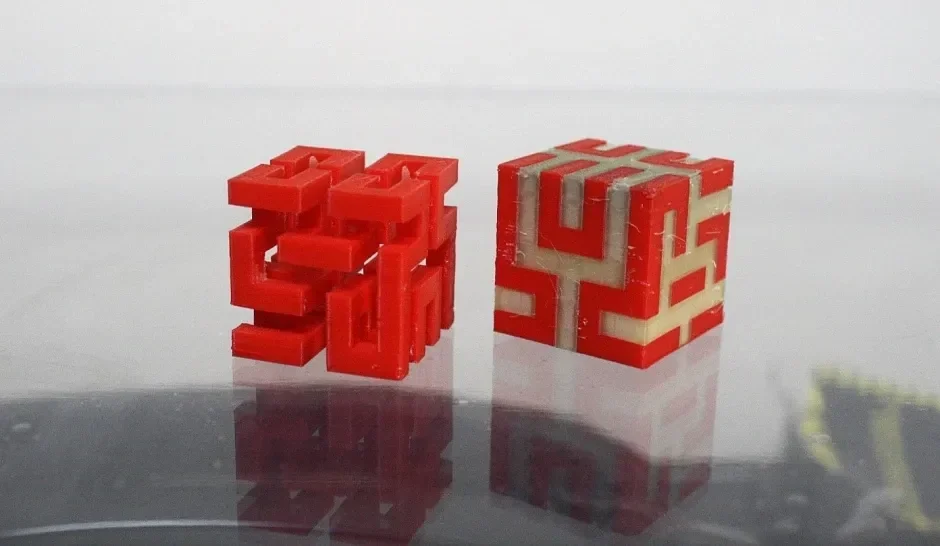
PLA Print Sample: Interlocking geometric puzzle cube with movable components, 3D printed with water-soluble PVA supports.
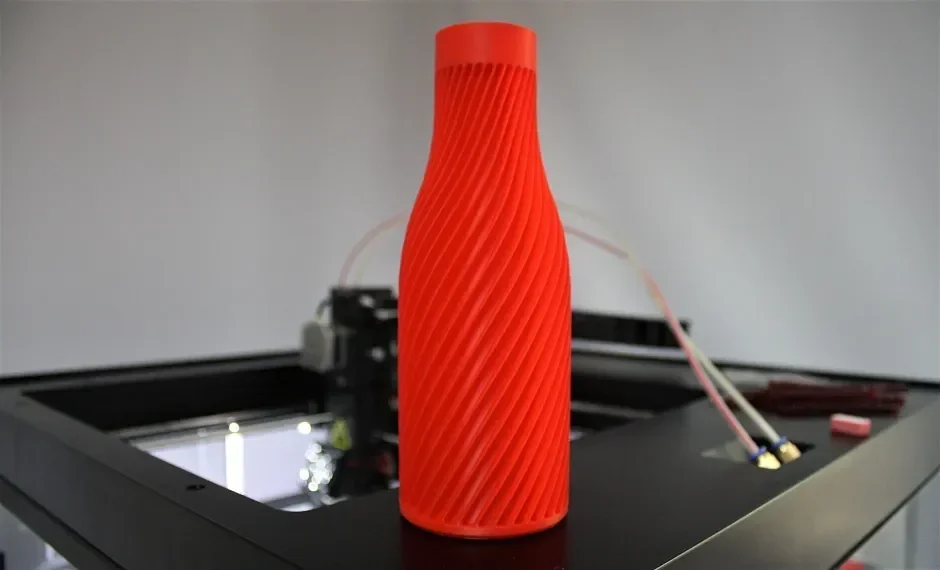
PLA Print Sample: Bottle-shaped coin bank with a helical groove spiraling from base to neck, 3D printed at 0.2 mm resolution.
PLA Print Sample: Fish-shaped decorative vase with scale texture and an integrated base, 3D printed at 0.2 mm resolution.
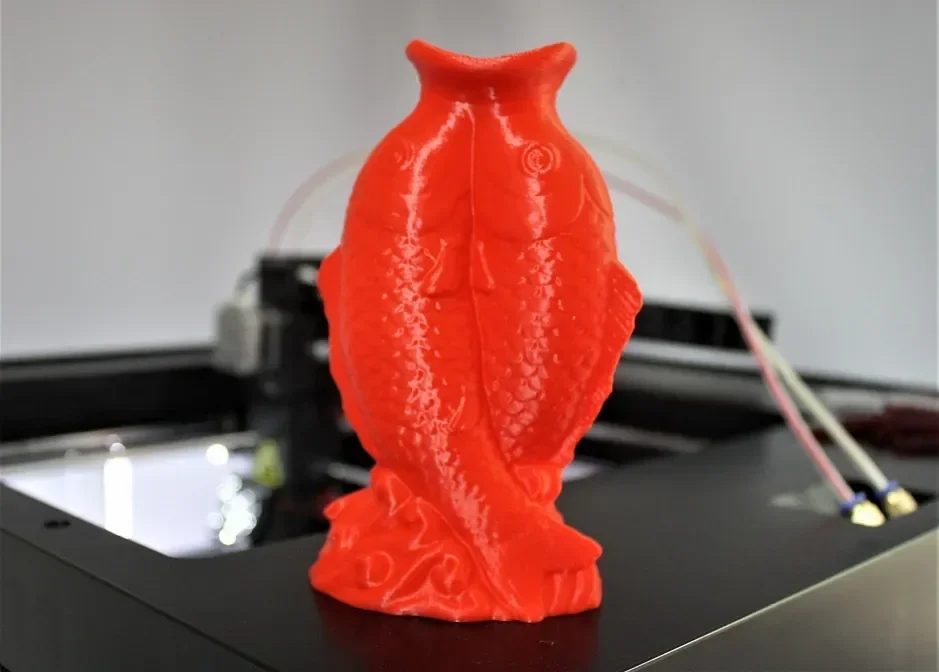
PLA and PVA Print Sample: PVA filament provides water-soluble supports that fully dissolve.
TPU Print Sample: Soft, rubber-like bellows connector prototype.
ABS and PC Print Samples: Fire-retardant ABS and PC self-extinguish quickly, making them suitable for electrical housings and safety-critical uses under UL94 fire safety standards.
What is the build volume of the Raise3D Pro2 Series?
The Raise3D Pro2 Plus has a large build volume of 305 × 305 × 605 mm (12 × 12 × 23.8 inches) with one extruder, or 280 × 305 × 605 mm (11 × 12 × 23.8 inches) with dual extrusion. It is 30 cm taller than the Pro2.
What is the difference between the Raise3D Pro2 Plus and its competitors?
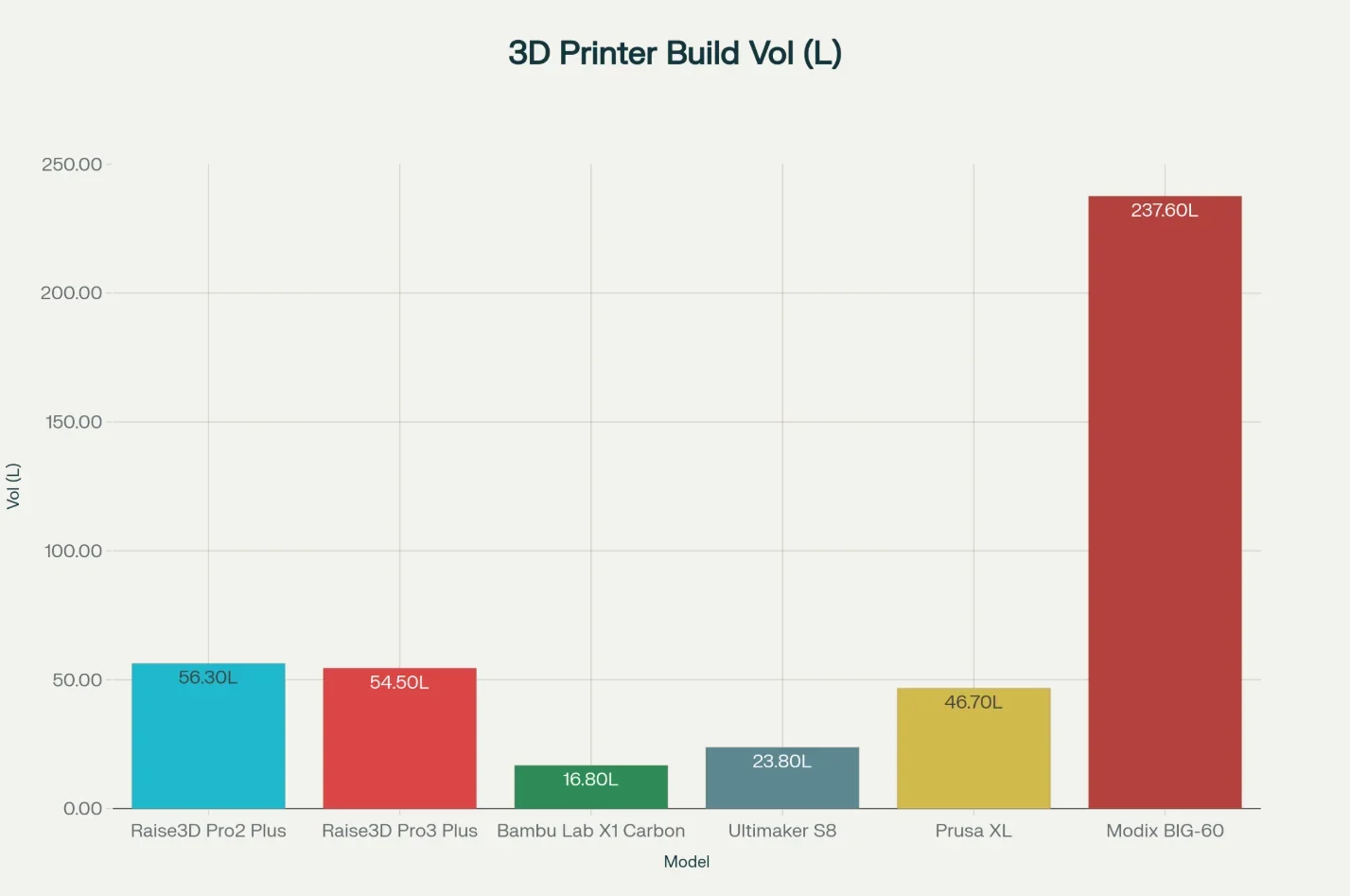
Raise3D Pro2 Plus — Tall-part, dual-material workhorse: 605 mm Z-axis in a factory enclosed chassis with HEPA+activated-carbon filtration and an electronically lifting dual extruder for clean interfaces and soluble supports — aimed at reliable, long prints and multi-material jobs.
In contrast:
- Prusa XL — Wins: big 360×360 mm XY and up to 5-tool changer for multi-material; segmented 16-zone heatbed. Loses: open frame by default (enclosure is optional), lower Z (360 mm) and 290 °C nozzle ceiling vs Pro2 Plus, and no built-in filtration.
- Modix BIG-60 V4 (kit) — Wins: the largest volume here (600×600×660 mm) and extreme throughput with Griffin Ultra (rated ~500 g/h, 160 mm³/s), plus optional IDEX. Loses: self-assembly kit with optional enclosure and no active chamber heat; very large footprint.
- Bambu Lab X1 Carbon — Wins: automation & speed—500 mm/s head speed, 20 m/s² accel, Micro LiDAR, rich closed-loop fans, onboard 1080p camera. Loses: much smaller build (256³ mm) and single toolhead (no independent second nozzle) vs Pro2 Plus.
- UltiMaker S8 — Wins: refined dual-extrusion with auto nozzle-lift, up to 35 mm³/s flow, advanced Cheetah motion planner, and a broad 2.85 mm ecosystem with Air Manager. Loses: smaller volume (330×240×300 mm) and much shorter Z than Pro2 Plus; enclosed volume is < 50 °C (open-loop).
| Specifications / Models | Raise3D Pro2 Plus | Prusa XL (1–5 toolheads) | Modix BIG-60 V4 (kit) | Bambu Lab X1 Carbon | UltiMaker S8 |
|---|---|---|---|---|---|
| Build volume (mm) | 305×305×605 (single) / 280×305×605 (dual) | 360×360×360 | 600×600×660 | 256×256×256 | 330×240×300 |
| Tool / extrusion | Dual extruders with electronic lift | Toolchanger (up to 5), direct-drive | Single; IDEX optional; Griffin heads (Std/High-Flow/Ultra) | Single direct-drive; cutter, hardened gears | Dual with auto nozzle-lift |
| Enclosure / filtration | Enclosed, HEPA + carbon | Open by default (optional enclosure) | Enclosure optional; no active chamber heat | Enclosed; carbon filter | Air Manager; enclosed volume < 50 °C |
| Max nozzle (°C) | 300 | 290 | Components rated 500 (tested ~340) | 300 | 340 |
| Max bed (°C) | 110 | 120 | 110 (with enclosure) | 110–120 | 120 |
| Key strengths | Tall parts, clean dual-material with lift, ready-to-run enclosed setup | Big XY and multi-tool flexibility | Largest volume & high-flow throughput options | Speed & automation (LiDAR, sensing) in compact cube | Polished dual-extrusion and broad 2.85 mm ecosystem |
Bottom-Line: Pick Pro2 Plus when you need tall parts and ready-to-run dual-material printing in a filtered, enclosed machine; choose Prusa XL for large-area, multi-tool projects, Modix BIG-60 for maximum volume/throughput (and you’re OK with a kit and optional enclosure), X1 Carbon for speed & sensing in a compact cube, and UltiMaker S8 for polished dual-extrusion and an open 2.85 mm platform—but with a smaller build.
What printer controls are available on the Raise3D Pro2 Plus?
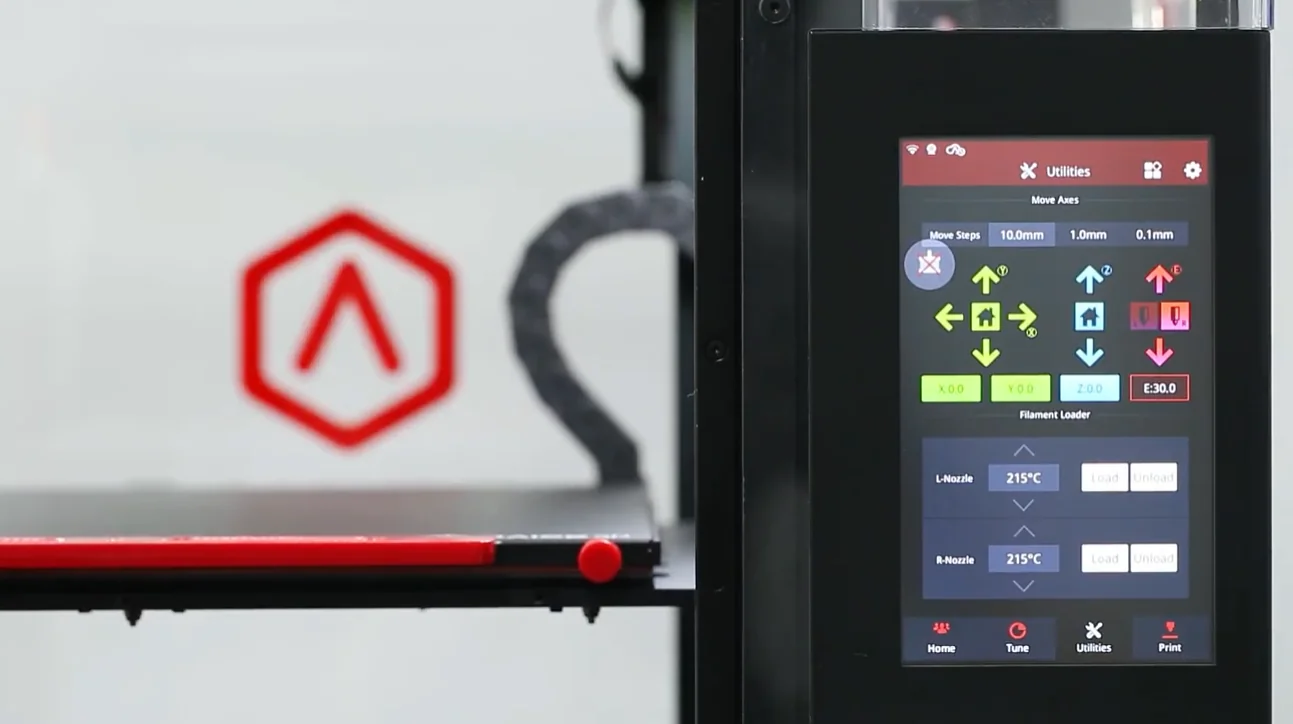
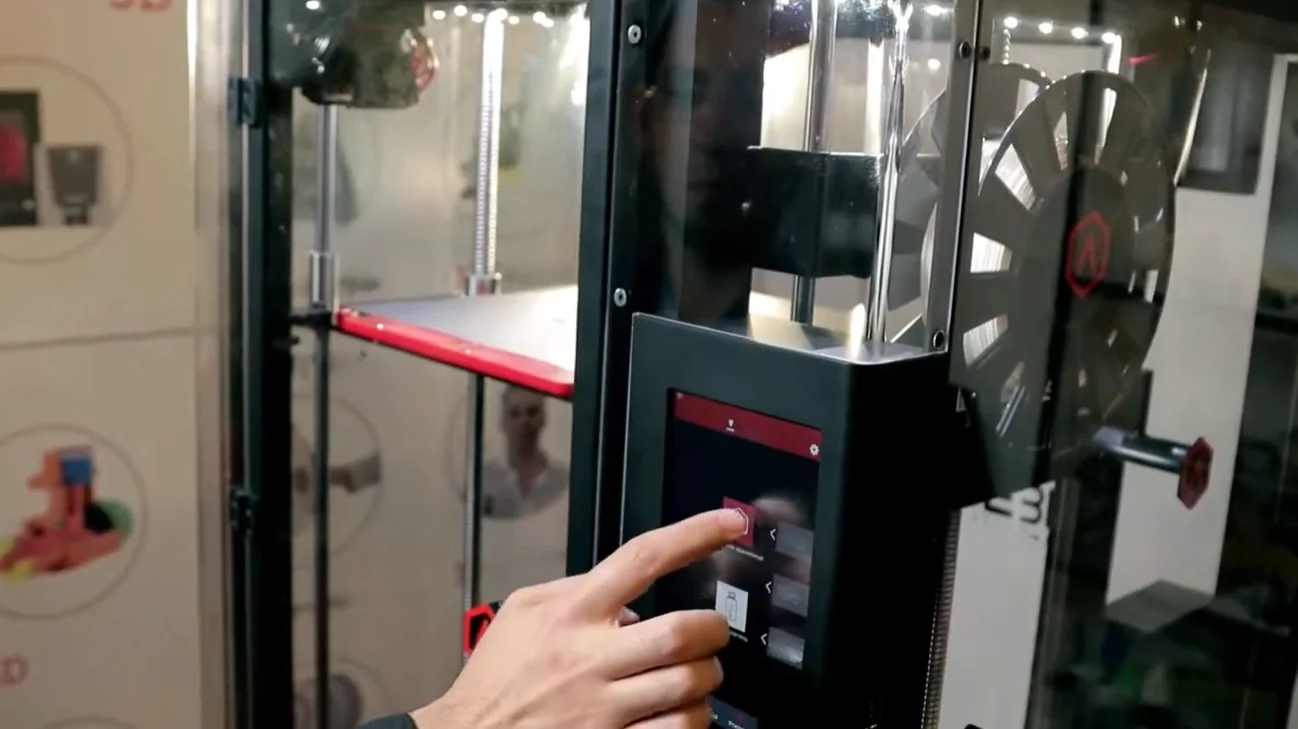
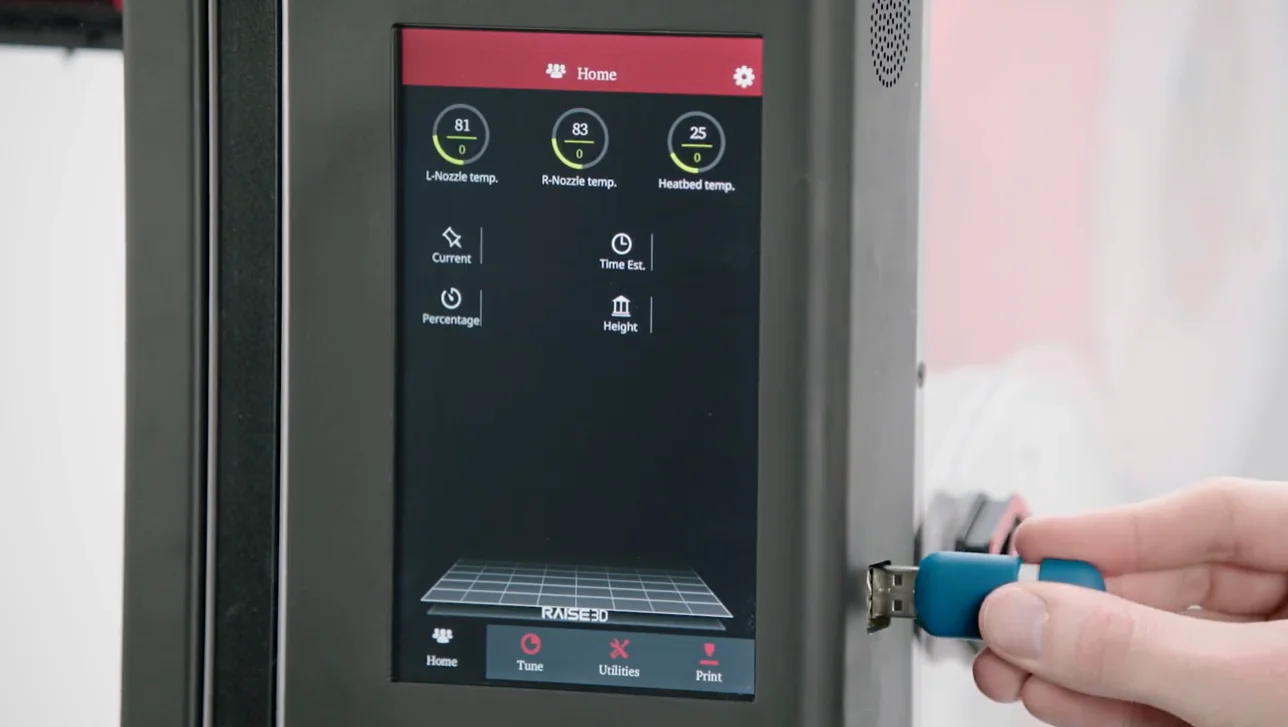
The Raise3D Pro2 Plus features a 7-inch touchscreen with tabs for Print, Utilities, Tune, Home, and a settings menu for network, firmware, and device configuration.
Operational Tabs
- Print Tab: Manage files from internal storage, USB, or network, then start jobs.
- Utilities Tab: Control axis movement, load/unload filament, and run calibration or bed leveling.
- Tune Tab: Adjust temperatures, print speed, flow rate, and fan speed during prints.
- Home Tab: Monitor prints with model preview, progress, and controls to pause, resume, or cancel; status bar shows temperatures and connectivity.
Settings Menu
The Settings menu (⚙️) in the upper-right corner configures printer hardware and software:
- Network: Set up Wi-Fi or Ethernet, including static IPs.
- Machine: View firmware, serial number, and printer ID.
- Other Settings: Adjust brightness, language, or restore factory defaults.
What connectivity options are available on the Raise3D Pro2 Plus?
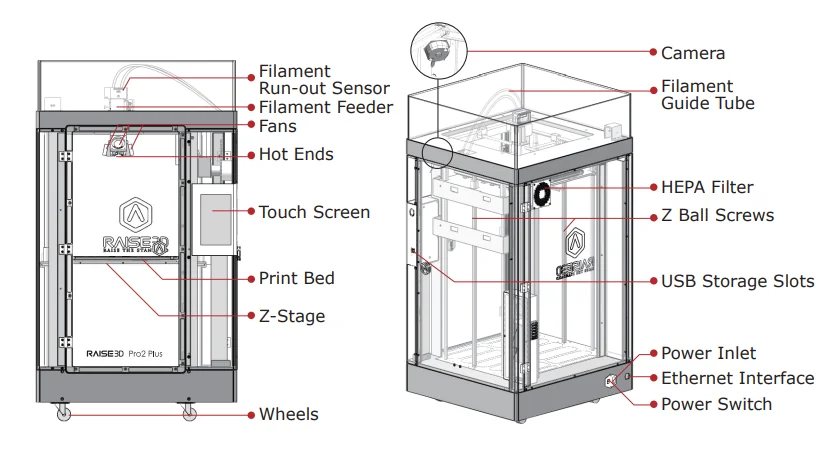
The Raise3D Pro2 Plus connects via Wi-Fi, Ethernet (LAN), or USB. It has two USB 2.0 ports for file transfer and an Ethernet port for wired networking, all clearly labeled on the exterior for easy access.
Wi-Fi supports 2.4GHz (HT20) and 5GHz (HT40), enabling integration with office or workshop networks. Users connect by selecting the Wi-Fi SSID and entering the password on the touchscreen.
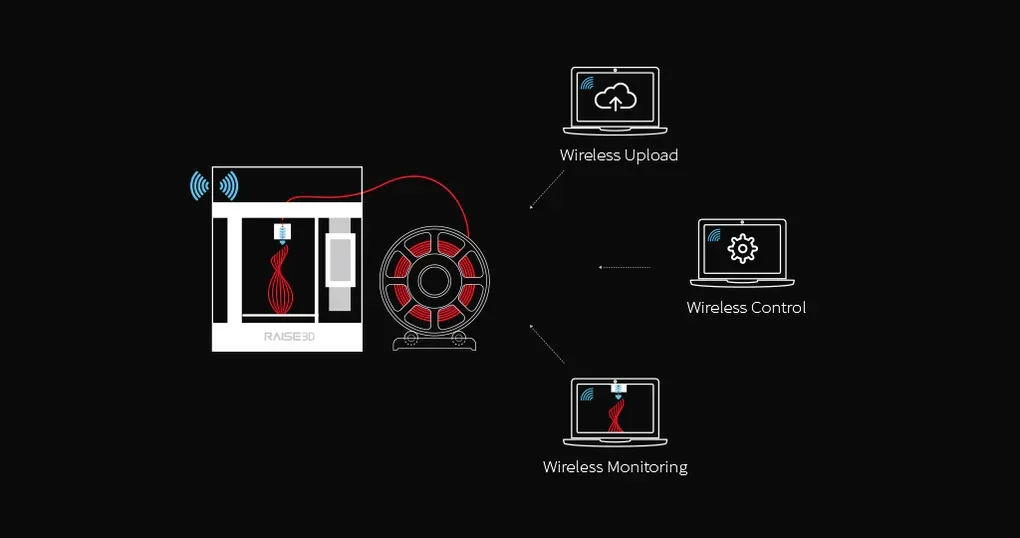
The Pro2 Plus has a built-in camera for remote monitoring on computers, smartphones, or tablets, working with all connection methods for real-time print observation.
Files transfer to the Pro2 Plus via network or USB storage.
What software is offered with the Raise3D Pro2 Plus?
The Raise3D Pro2 Plus uses ideaMaker, proprietary slicing software for Windows, macOS, and Linux. This 3D slicer software includes model repair, profiles for 40+ materials (from PLA and ABS to composites like carbon fiber), and supports STL, OBJ, 3MF, and OLTP file formats, exporting to GCODE. Users can customize dual-extruder settings such as wipe wall, supports, and material combinations.
The Raise 3D Pro2 Plus connects to the Raise3D ecosystem with ideaMaker Library and RaiseCloud. ideaMaker Library provides slicing profiles for Raise3D and OFP-certified third-party materials. RaiseCloud is acloud-based 3D printing management platform, it enables remote monitoring, job management, and wireless file transfer. Firmware updates are installed via USB using files from the Raise3D website. These software tools improve the 3D printing process for print farms.
What is the design and build quality of the Raise3D Pro2 Plus?
What is the design and form factor of the Raise3D Pro2 Plus?
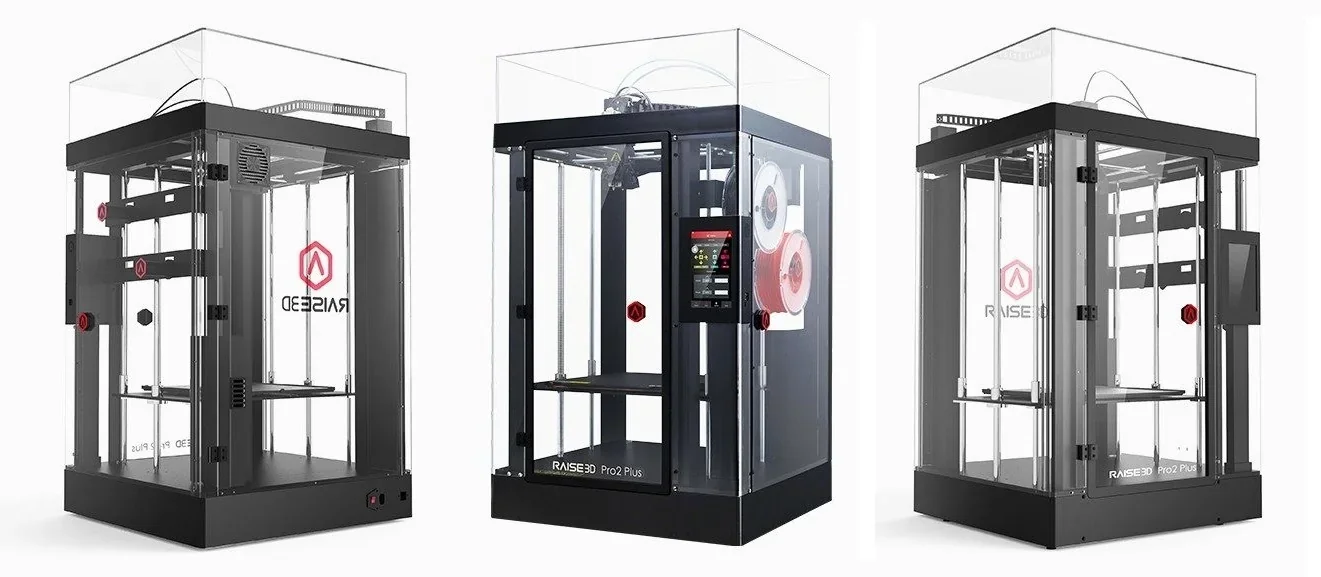
The Raise3D Pro2 Plus has a professional industrial design with a fully enclosed frame made from aluminum and plastic. It maintains visual consistency with previous models, featuring transparent acrylic panels for clear visibility of the print.
Measuring 620×590×1105 mm (24.4×23.2×43.5 inches) and weighing 59.3 kg (79.6 kg with packaging), the printer includes a front door with a magnetic closure and a side door for accessing filament compartments. Lockable wheels at the base provide mobility.
What is the motion system of the Raise3D Pro2 Plus?
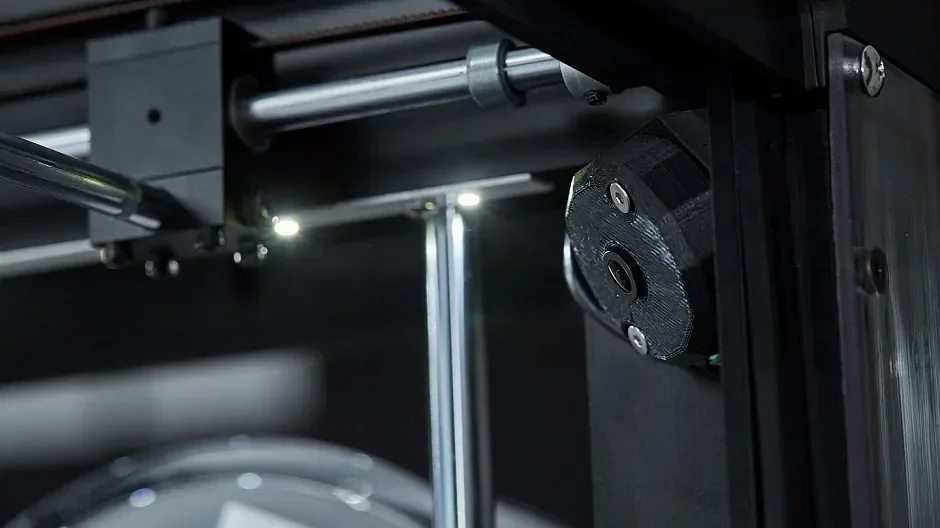
The Raise3D Pro2 Plus uses a CoreXY kinematic system with dual parallel guide rails. X and Y axes run on 16 mm steel rods.
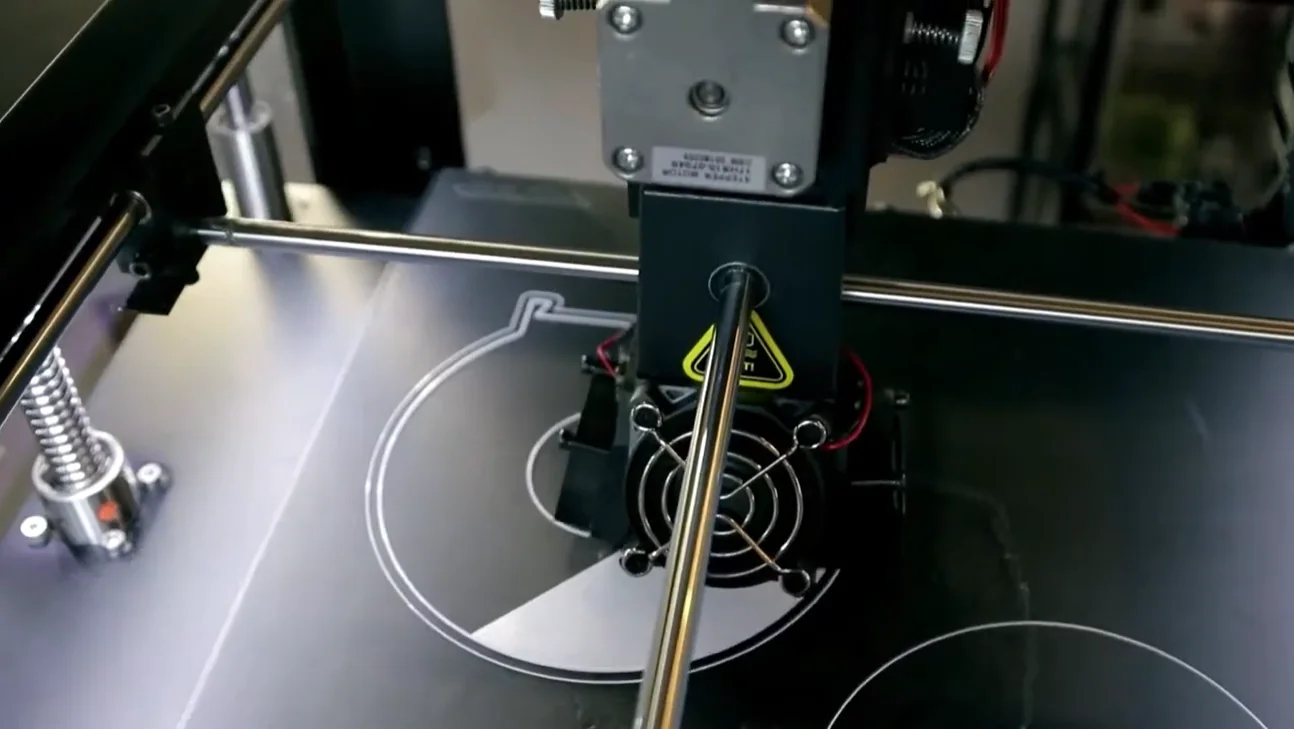 The Z-axis uses dual ball screws with two guide rods per side for stability.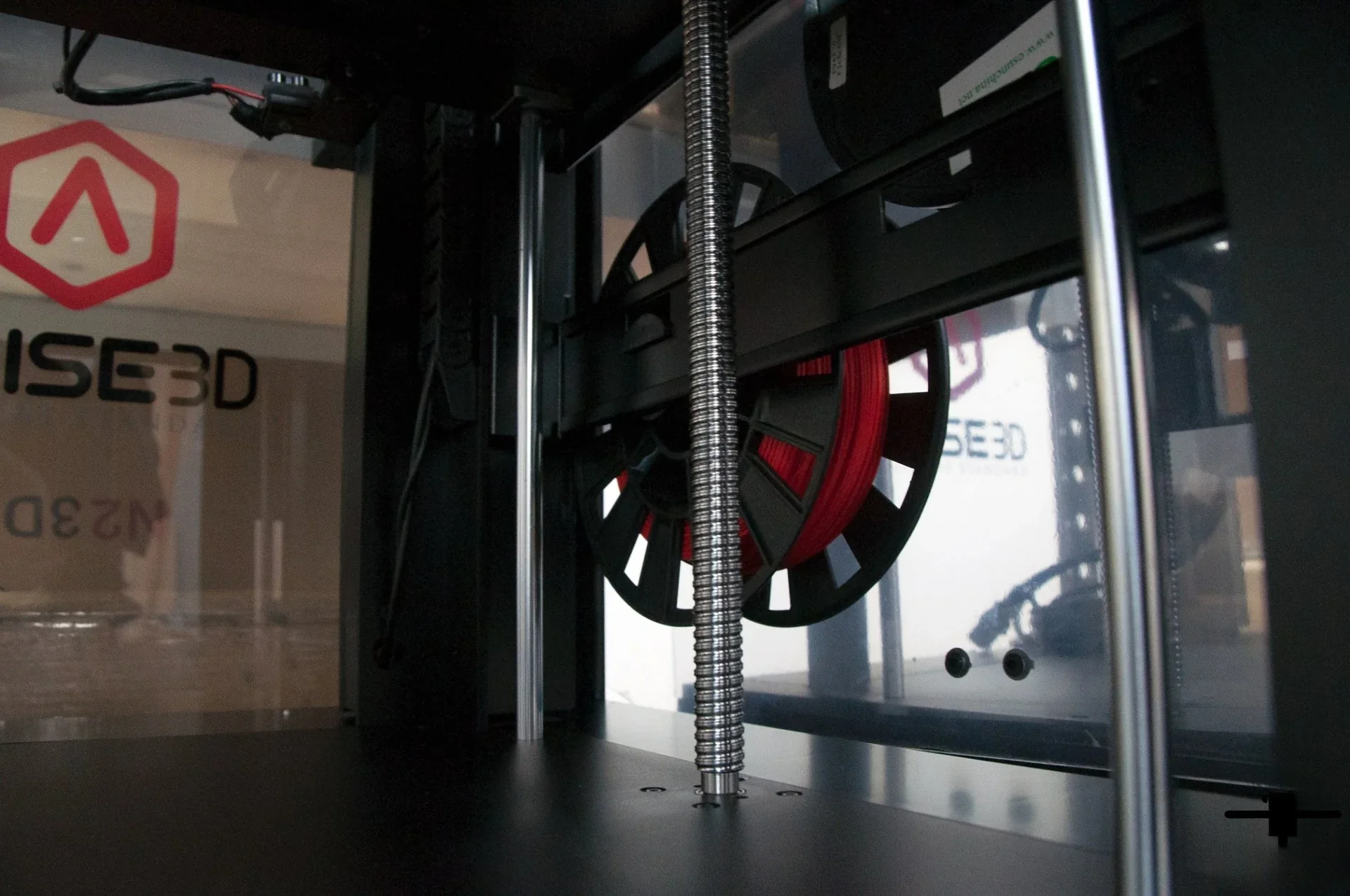
Optical endstops replace mechanical ones on all axes, improving homing accuracy. Positioning precision is 12.5 µm on X and Y.
What is the noise level of the Raise3D Pro2 Plus?
The Raise3D Pro2 Plus runs below 50 dBA, making it quiet enough for office use. Its enclosed design reduces noise, and magnetic door closures remove latch clicking.
What are the build platform specifications of the Raise3D Pro2 Plus?
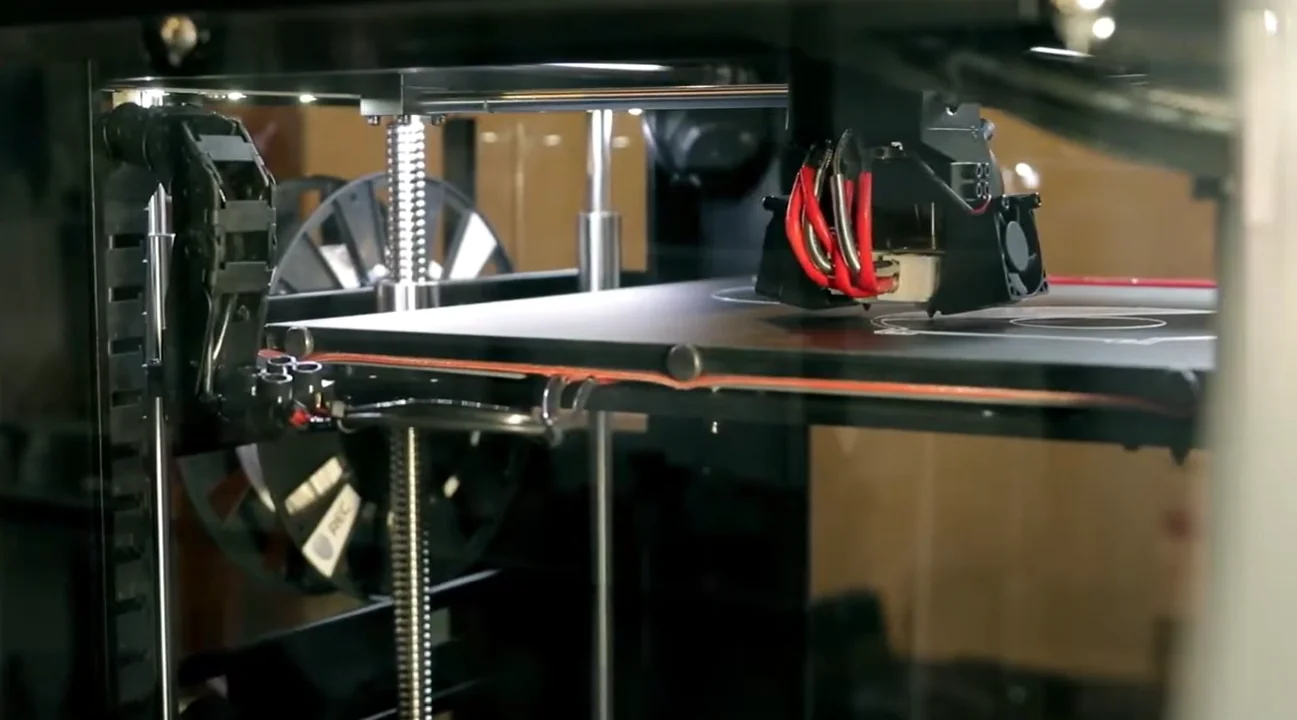
Theprint bed system uses a heated aluminum base (up to 110°C) with a removable magnetic aluminum sheet coated in BuildTak silicone, replacing the older glass platform design.
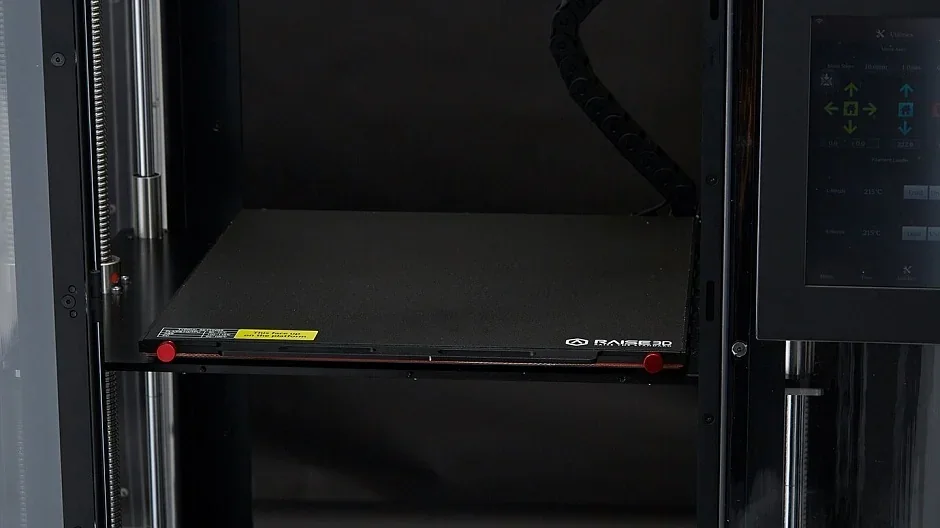
Four corner magnets secure the platform, preventing sliding and flexing during large format 3D printing. The platform uses a 4+9 point lock system for stability and is factory-tested for flatness with calibration models, which must be removed before first use.
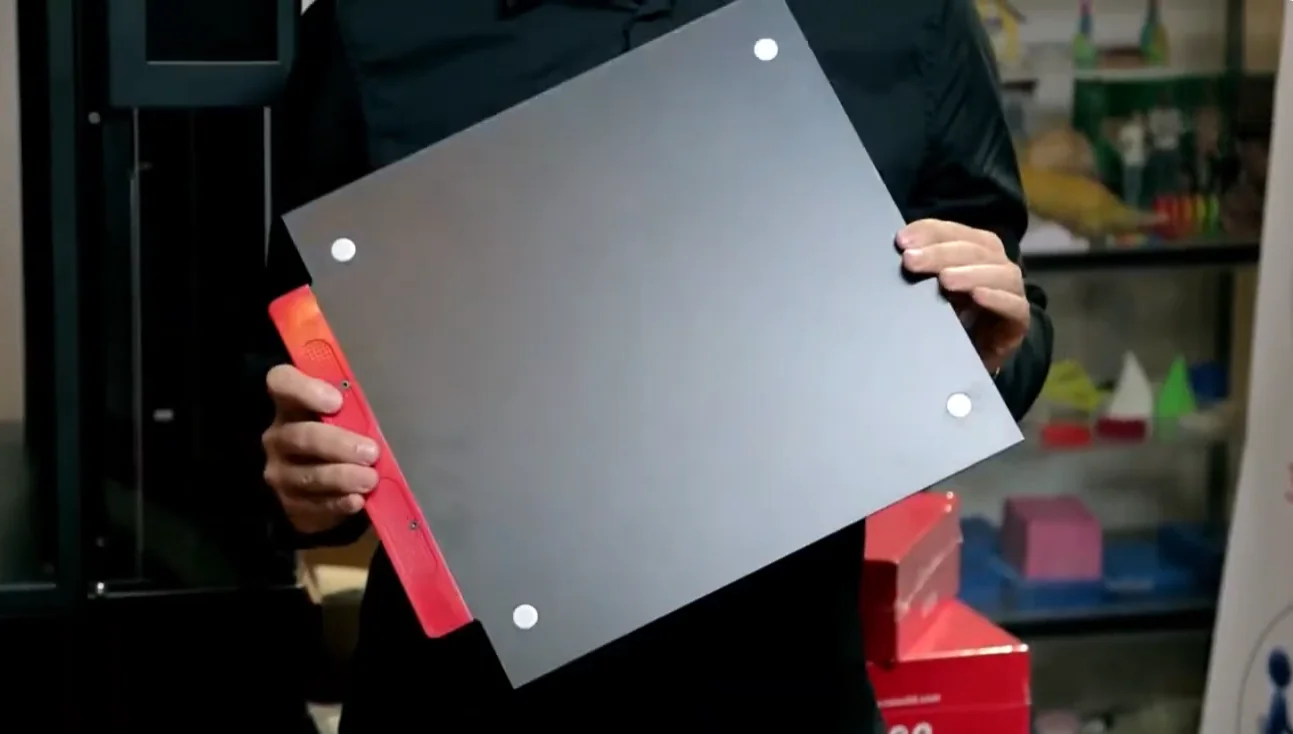 The platform detaches in one motion for easy part removal.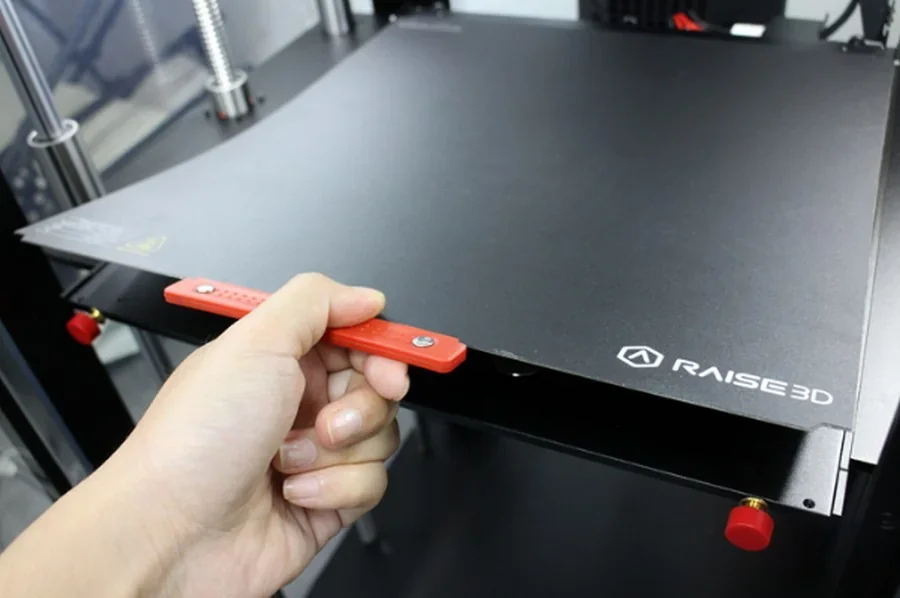
What is the hotend and extruder system of the Raise3D Pro2 Plus?
The Raise3D Pro2 Plus features a V3 hotend with dual independent extruders, each with brass nozzles (standard 0.4mm, with 0.2mm, 0.6mm, and 0.8mm options).
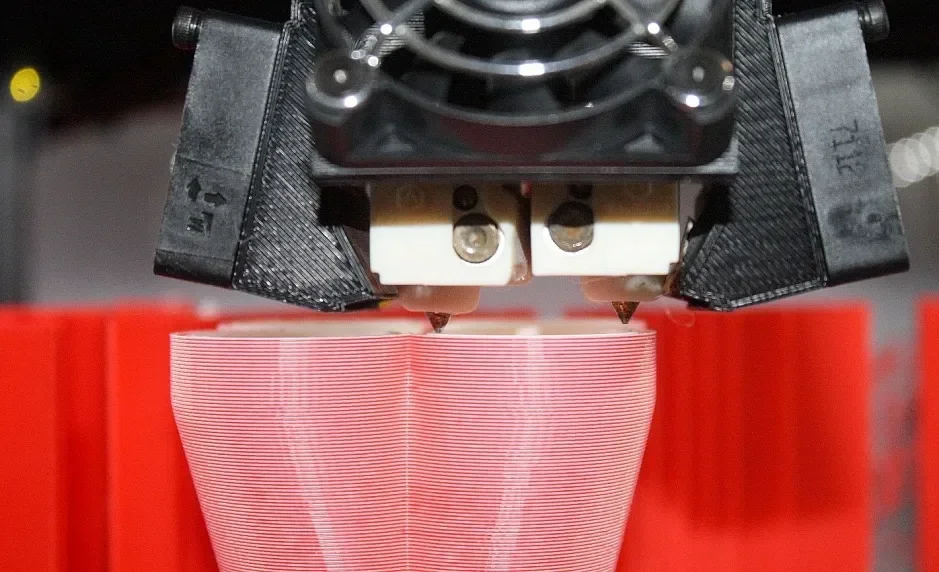
The dual-gear extruders deliver 4x the torque of previous models and up to 50% faster printing. Print heads operate at 15–150 mm/s and switch extruders in under a second, reducing print time and transition artifacts. Each extruder includes a titanium throat tube (20.7mm) with PTFE lining for smooth filament flow and anti-clogging.
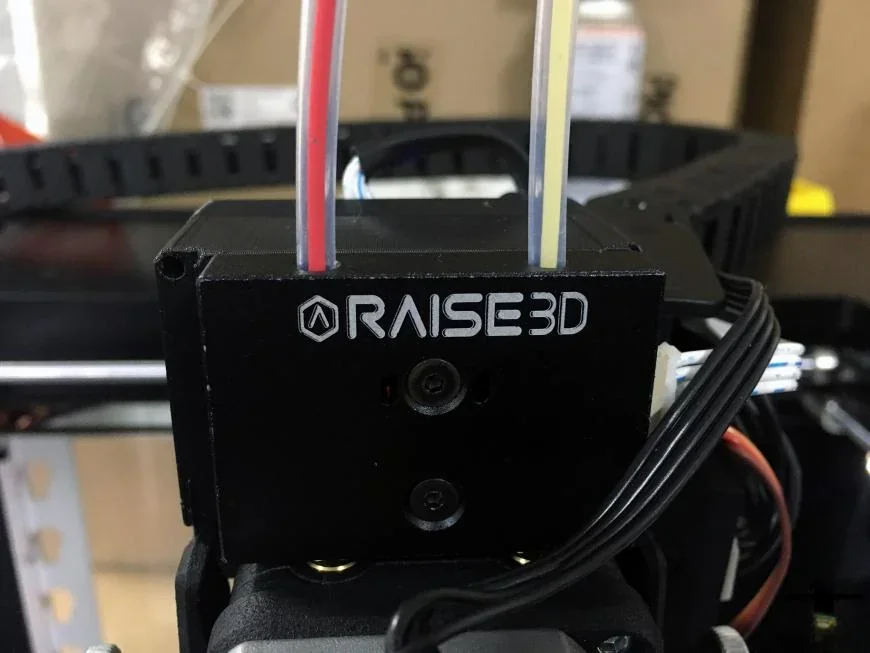
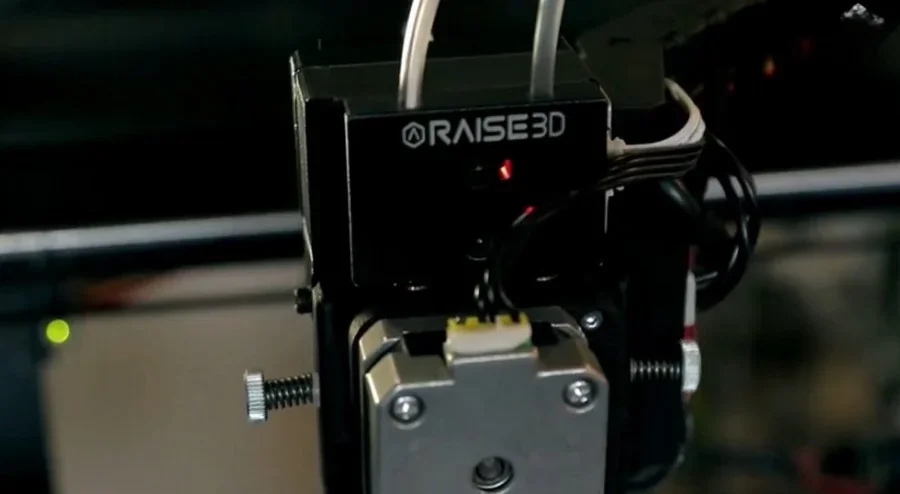
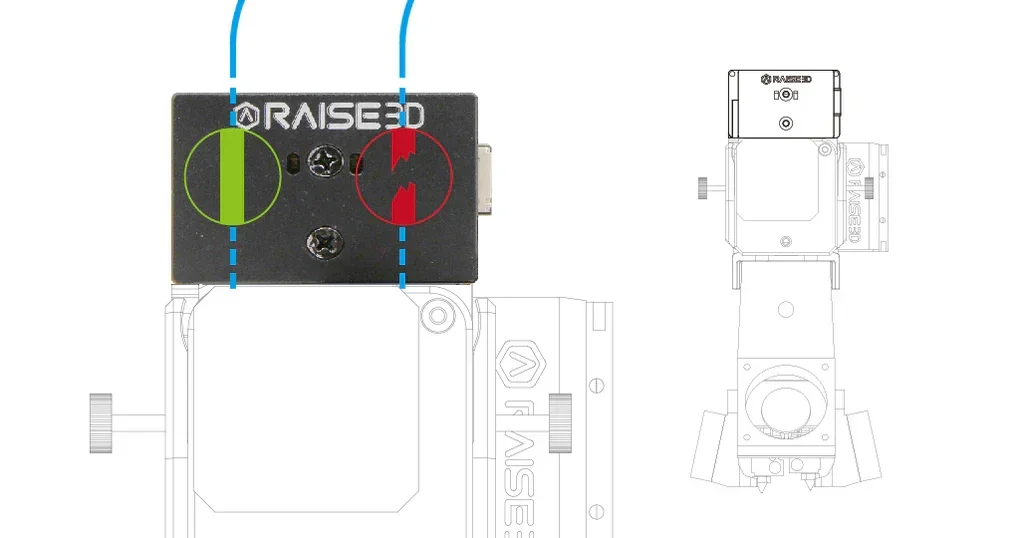
A filament run-out sensor pauses printing when filament runs out, letting users reload and resume seamlessly. Mounted above the extruder, it includes LEDs for status feedback.
How does the Raise3D Pro2 Plus handle filament storage and feeding?
The printer has side compartments for filament storage with mounting points for spool holders, supporting 1kg spools.
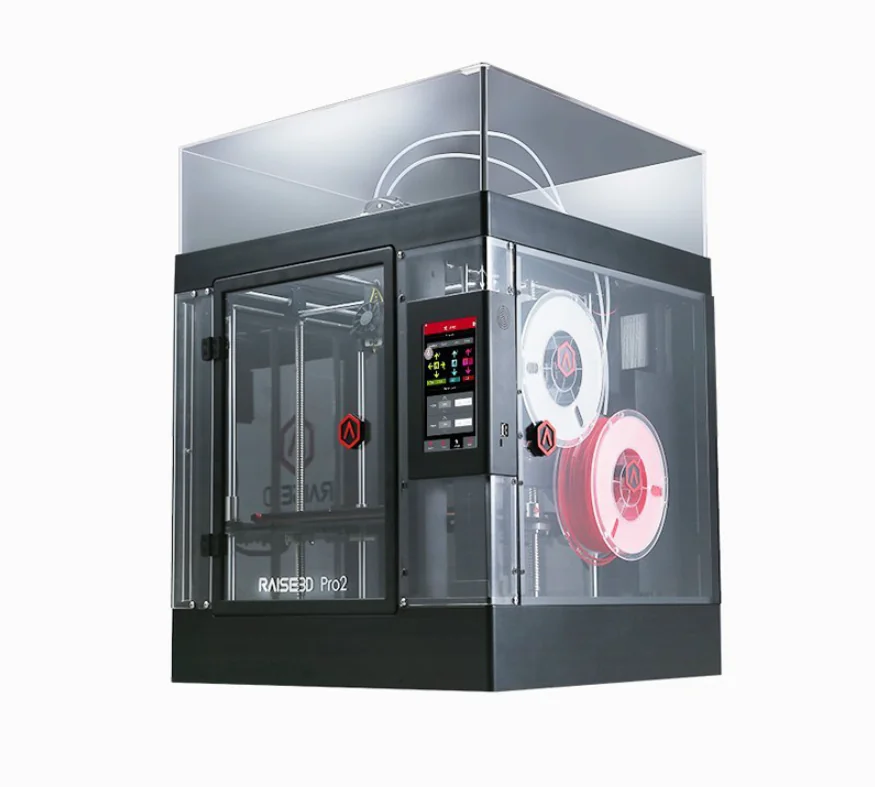
The filament feeding system has sensors to detect material flow and automatically pause printing when the filament runs out. Printing can resume after filament replacement without losing progress.
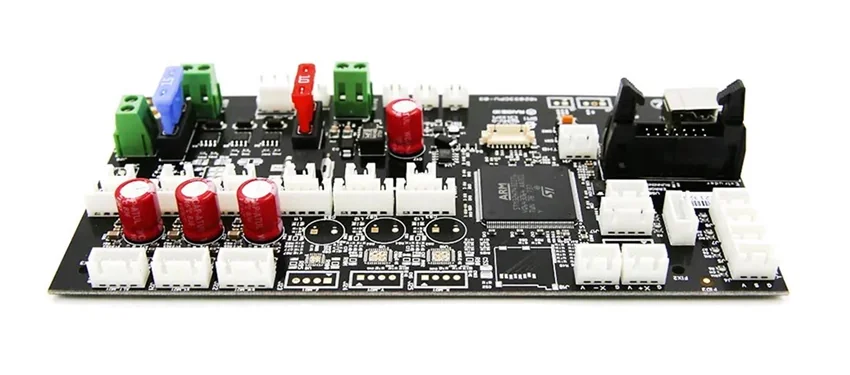
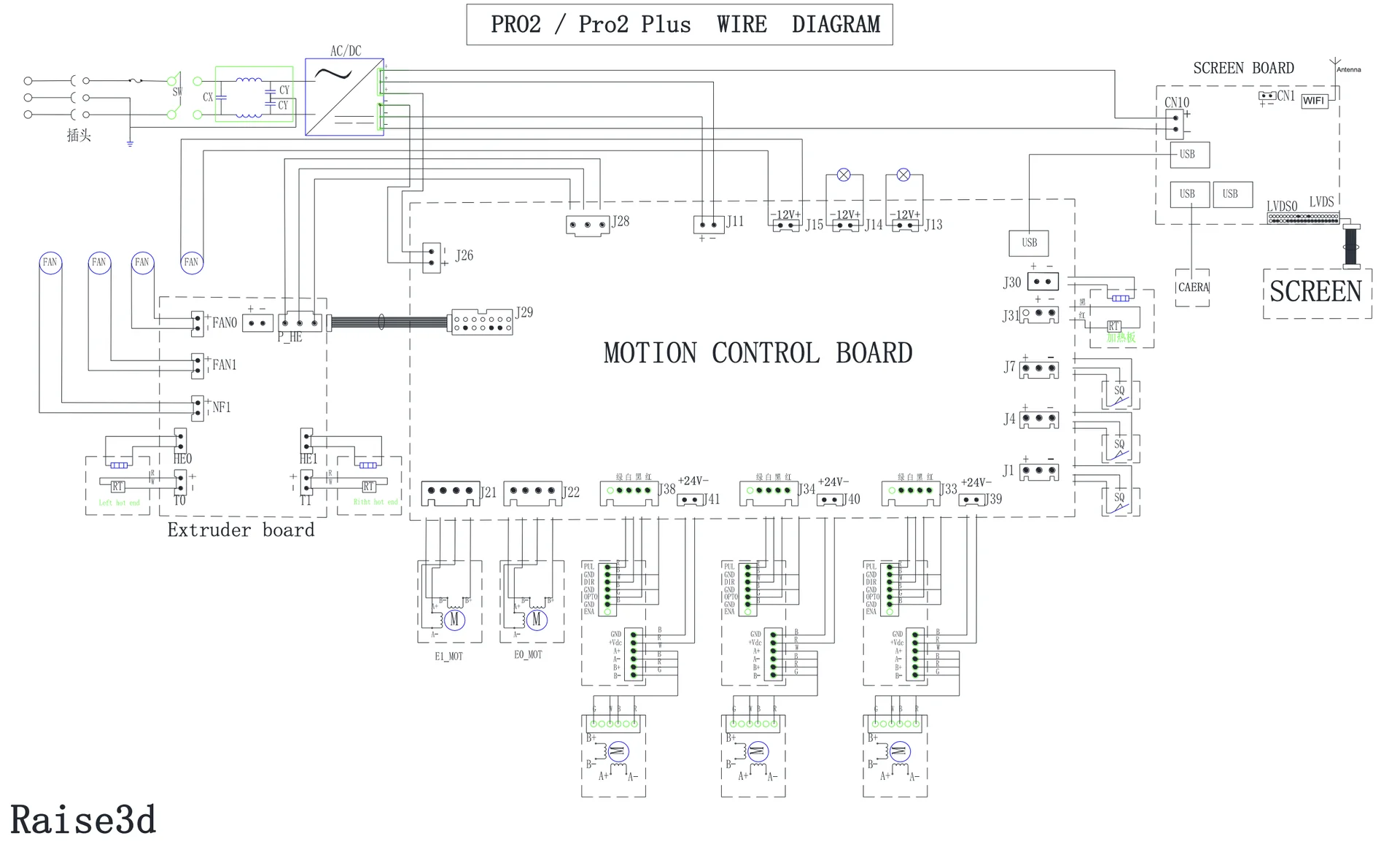
What is the mainboard of the Raise3D Pro2 Plus?
The Raise3D Pro2 Plus runs on a 32-bit system with a 400 MHz ARM Cortex M7 processor. Its logic controller uses a 1 GHz quad-core ARM i.MX6 with 1 GB RAM and 8 GB flash storage, running embedded Linux. Connectivity includes USB 2.0, Ethernet, and Wi-Fi. It features a 7-inch, 1024×600 touchscreen. Power loss recovery uses energy storage, replacing the older lithium battery system.
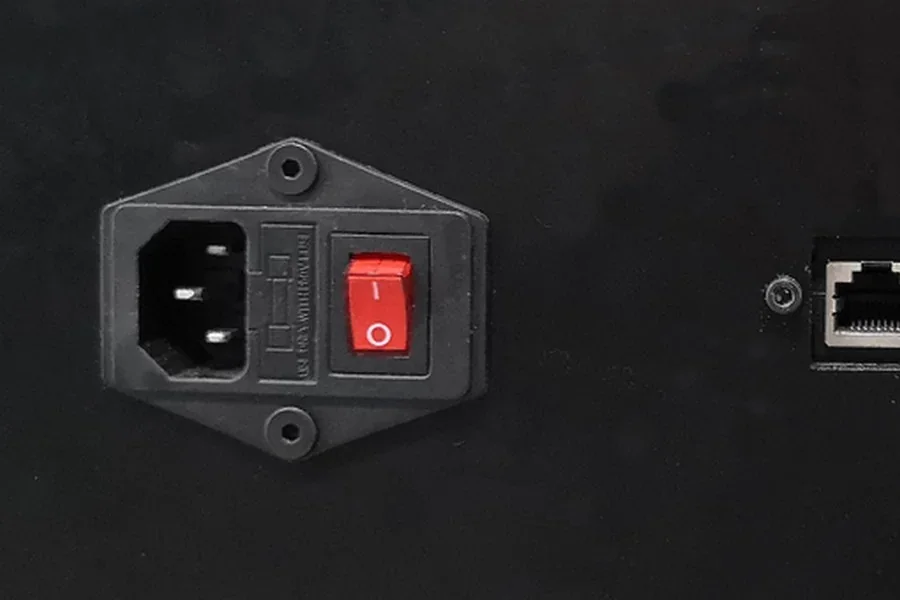
What are the power supply specifications of the Raise3D Pro2 Plus?
The Raise3D Pro2 Plus uses a universal input power supply (100-240V AC, 50/60 Hz, 3.3A max at 230V). The internal supply provides 24V DC output with a maximum power consumption of 600W.
What comes included in the box with Raise3D Pro2 Plus?
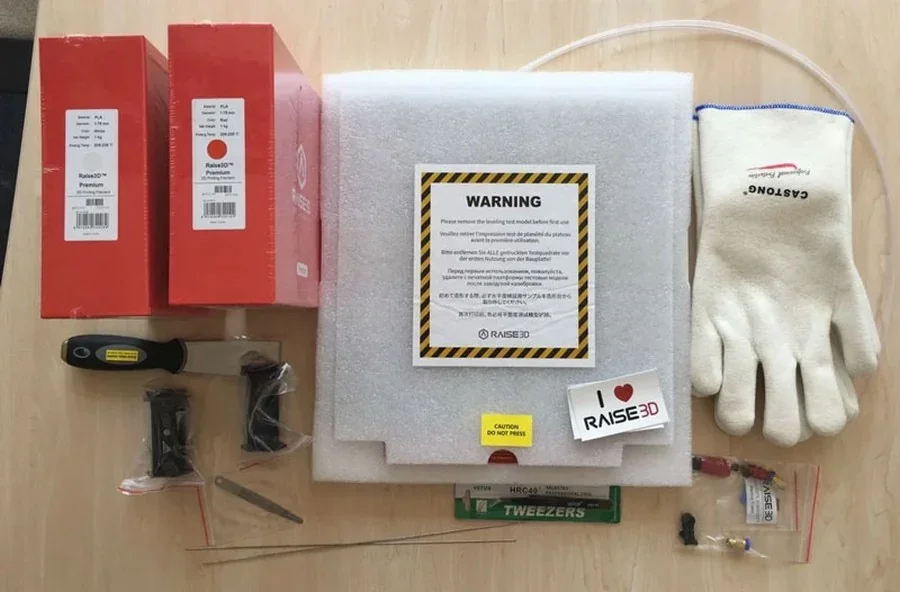
What's Included in the Box:
- 1x Raise3D Pro2 Plus 3D printer (fully assembled)
- 1x Removable aluminum build plate with magnetic connectors
- 1x Set of hex wrenches
- 1x Putty knife/spatula
- 1x Feeler gauge for bed leveling
- 2x Filament spool holders
- 1x USB storage drive with ideaMaker software and test models
- 1x Sample spool of Raise3D PLA filament
- 1x Pair of protective gloves
- 1x Power cable
- 1x Quick start guide
The Raise3D Pro2 Plus comes fully assembled with maintenance tools like hex wrenches and a putty knife. A USB drive includes ideaMaker software, documentation, and test models. The aluminum build plate has a coated surface that eliminates the need for adhesives, and a feeler gauge is provided for calibration. All parts are securely packed with foam and spacers, which must be removed before use.
Note: Package contents may vary. Contact a Top3DShop sales rep for confirmation before ordering.
What upgrades and accessories are available for the Raise3D Pro2 Plus?
The Raise3D Pro2 Plus offers over 9 official accessories and upgrades.
| Accessory | Function | Price (USD) | Image |
|---|---|---|---|
| Raise3D 2.5 kg Filament Box | The Raise3D 2.5 kg Filament Box stores one 2.5 kg spool or two 1 kg spools of filament. It includes a digital sensor and display to monitor humidity and temperature, ensuring optimal filament conditions. The airtight seal protects filament from moisture, reducing the risk of print failures. | $79 | 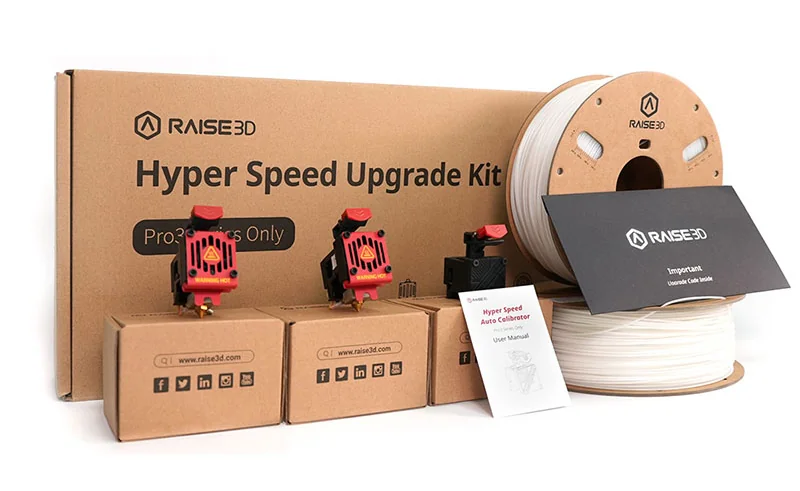 |
| Raise3D Cabinet for Plus Size Printer | The Raise3D Cabinet for Plus Size Printers supports the Pro3 Plus HS, Pro3 Plus, Pro2 Plus, and Forge1. It includes dual filament/dry box frames, a slotted tool drawer, and a large divided storage unit. Built from PC, PE, and metal, it measures 620 × 590 × 530 mm, weighs 48.1 kg packaged, and has lockable wheels for stability. | $799 | 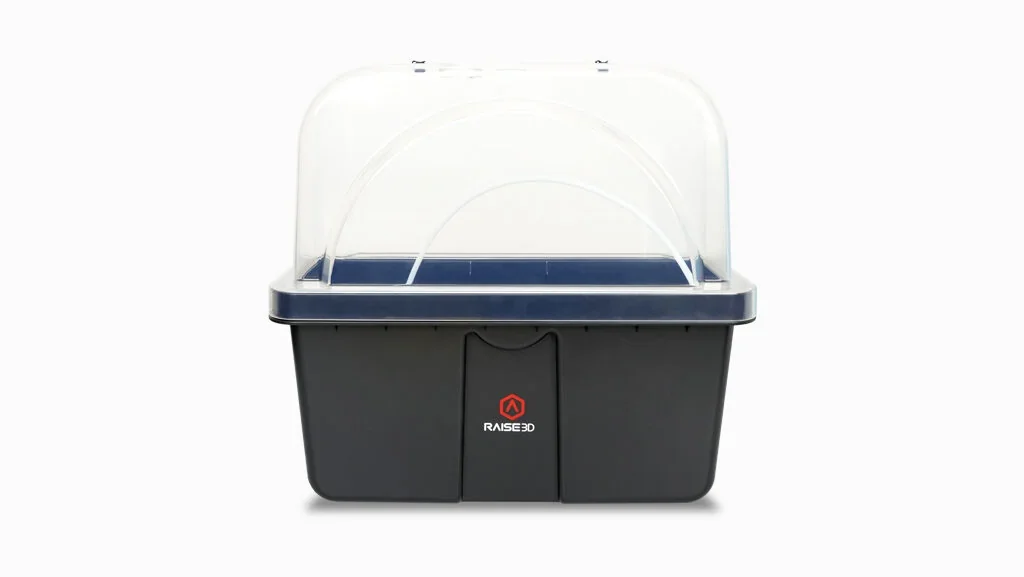 |
| Hot End Assembly | The Raise3D Hot End Assembly is a 24V replacement for Pro2 and Pro2 Plus printers, operating up to 330°C for repairs or upgrades. It integrates with the Dual Extrusion system for 5-micron switching accuracy, and factory-tested components ensure compatibility and reliability without thermal cycling delays. | $79.99 | 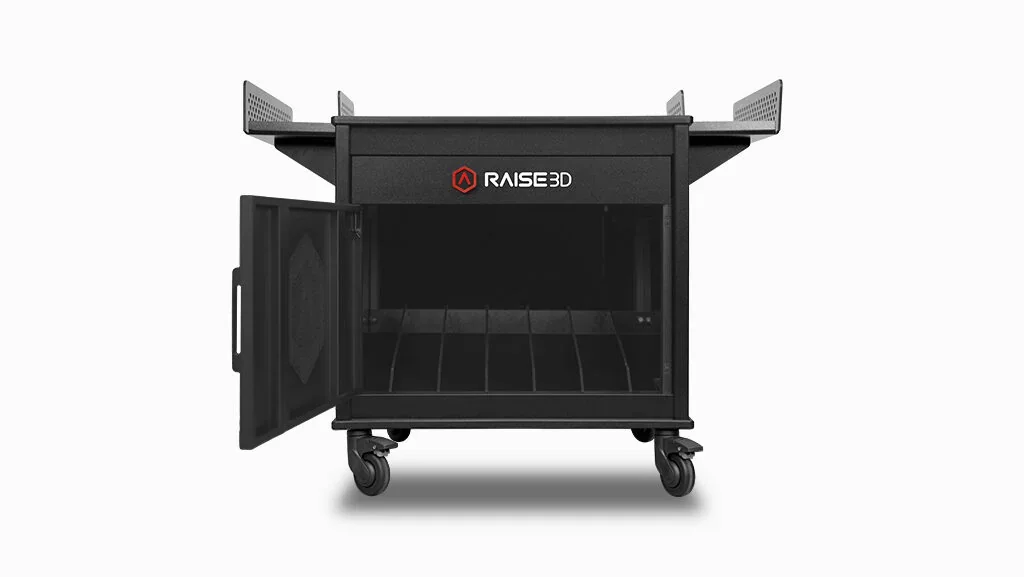 |
| Heater Rod | The Heater Rod is a 24V, 60W cartridge for Raise3D Pro2 and N Series printers. It maintains the hotend temperature for filament extrusion. With a compact design (130×110×10 mm, 19 g), it installs directly into the hotend assembly for easy maintenance or replacement. It provides reliable thermal performance for various filaments and print jobs. | $14.99 | 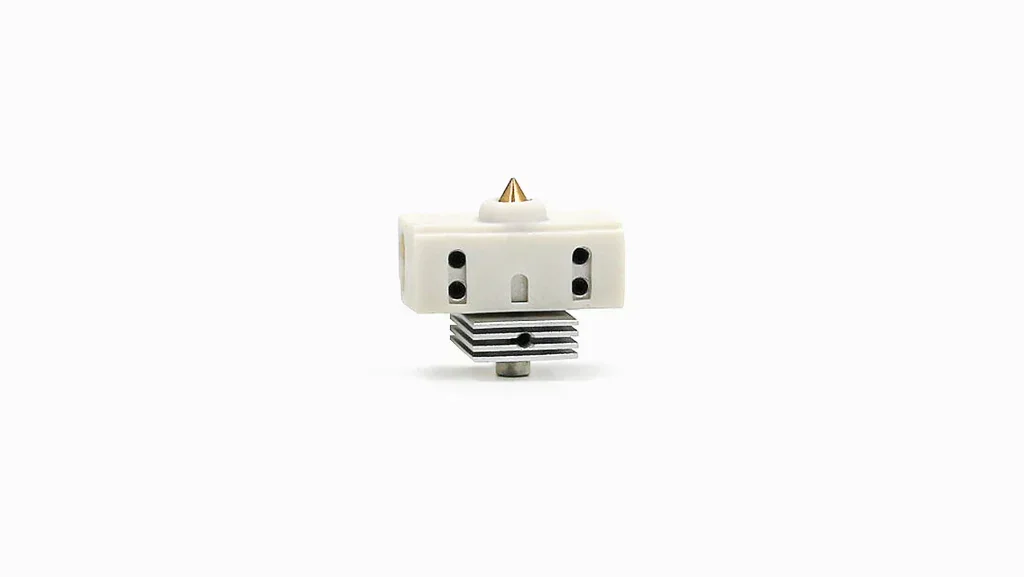 |
| 3D Printing Build Surface | The 3D Printing Build Surface is a 330 mm × 340 mm BuildTak-based platform for Raise3D printers. It’s heat-resistant, providing strong adhesion for model retention and easy part removal. Compatible with various filaments, it supports temperatures up to 300°C. The surface is reusable, easy to clean with water or alcohol, and designed for minimal wear with proper scraping. | $59.99 | 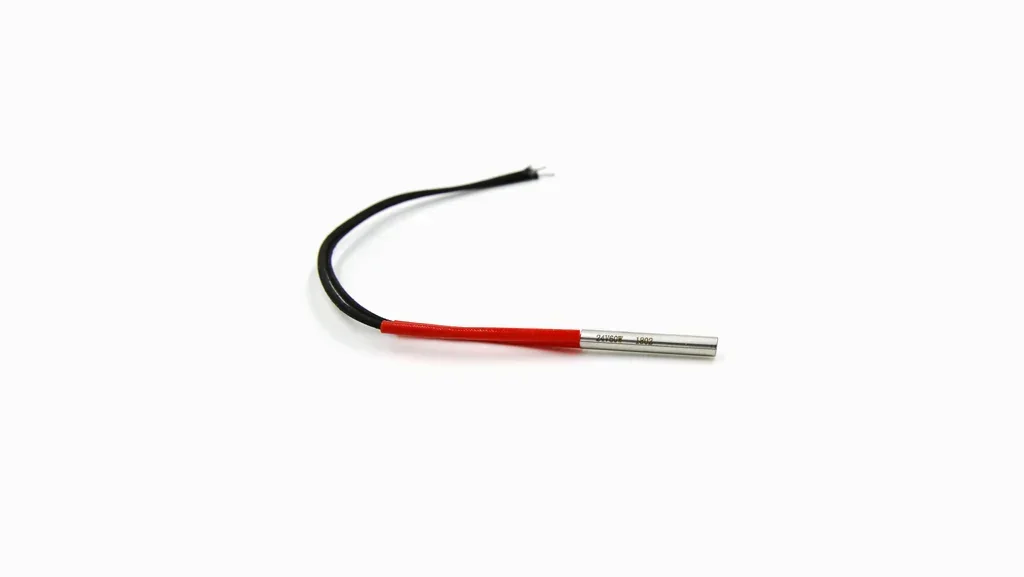 |
| Steel Nozzle with WS2 Coating | The Steel Nozzle with WS2 Coating is available in 0.4 mm, 0.6 mm, and 0.8 mm sizes for 1.75 mm filaments, compatible with Raise3D Pro3 HS, Pro3, Pro2 Series, and E2 printers. The tungsten disulfide (WS2) coating, with a Mohs hardness of 7.8, supports temperatures up to 450°C. It reduces friction, prevents material buildup, and increases durability, making it ideal for composite and abrasive filaments like carbon fiber, ceramic, and metal-filled materials. For non-abrasive filaments, brass nozzles are recommended. | $49.99 | 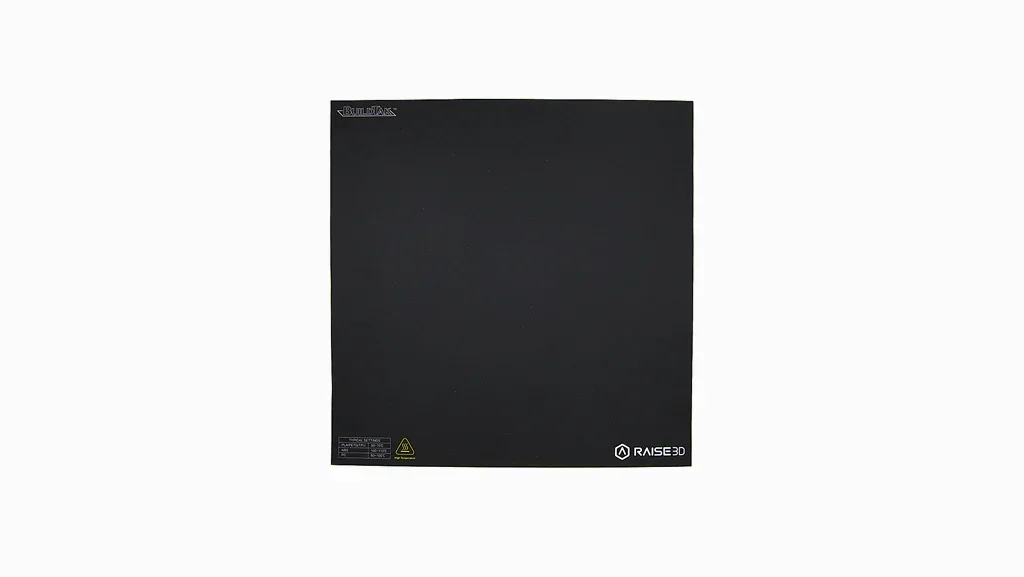 |
| Brass Nozzle V3 0.4mm | The Brass Nozzle V3 0.4 mm is designed for Raise3D Pro3 HS, Pro3, Pro2 Series, and E2 printers. It has a 0.4 mm diameter, suitable for 1.75 mm filaments, and supports print temperatures up to 300°C. With high thermal conductivity and a smooth inner wall (less than 0.02 mm variation), it ensures consistent extrusion. Compatible with standard and composite filaments, it is recommended for non-abrasive materials to extend nozzle life. | $19.99 | 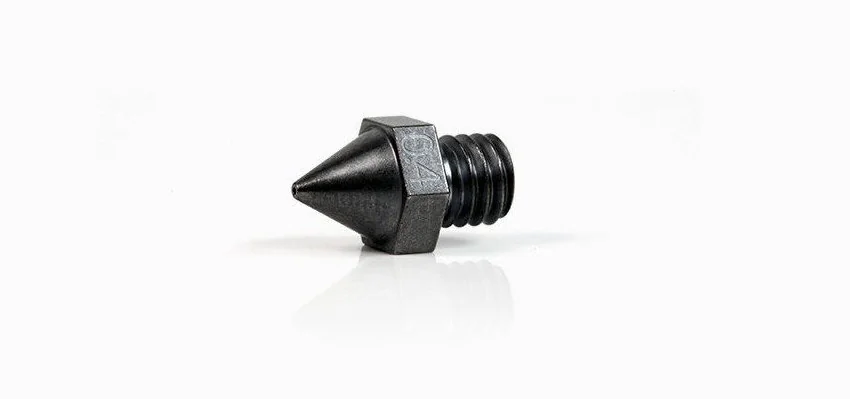 |
| Thermocoupler V2 | The Thermocouple V2 is a temperature sensor for Raise3D Pro2 and N Series printers. It measures hotend temperature for accurate thermal regulation and consistent extrusion, ensuring reliable operation with various filaments on dual-extrusion systems. | $14.99 | 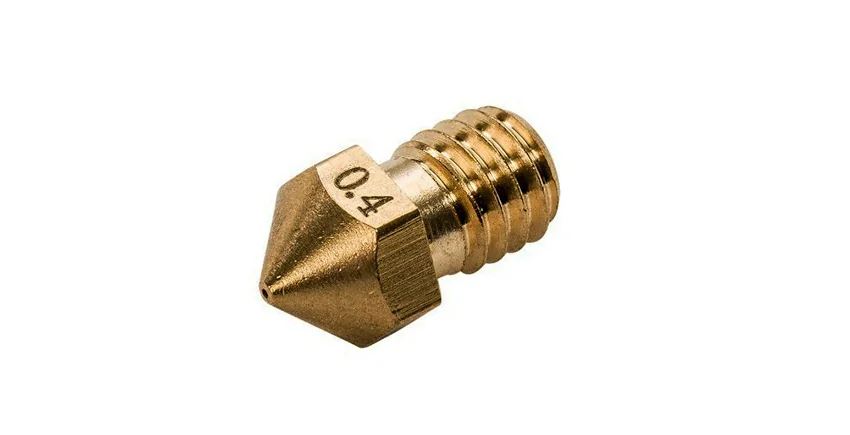 |
| Extruder Side Cooling Fan | The Extruder Side Cooling Fan is a replacement fan for Raise3D Pro2 and N Series printers. It cools printed parts during extrusion and maintains safe temperatures, ensuring optimal print quality. Measuring 130×110×10 mm and weighing 17 g, it installs in the extruder assembly, crucial for stable layers and reducing defects, particularly in high-speed and dual-extrusion prints. | $14.99 | 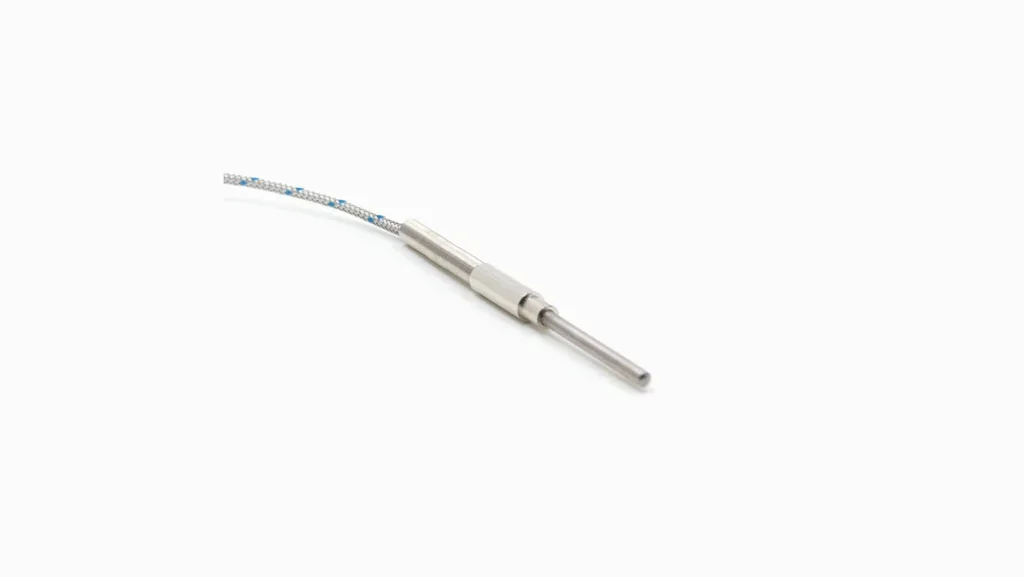 |
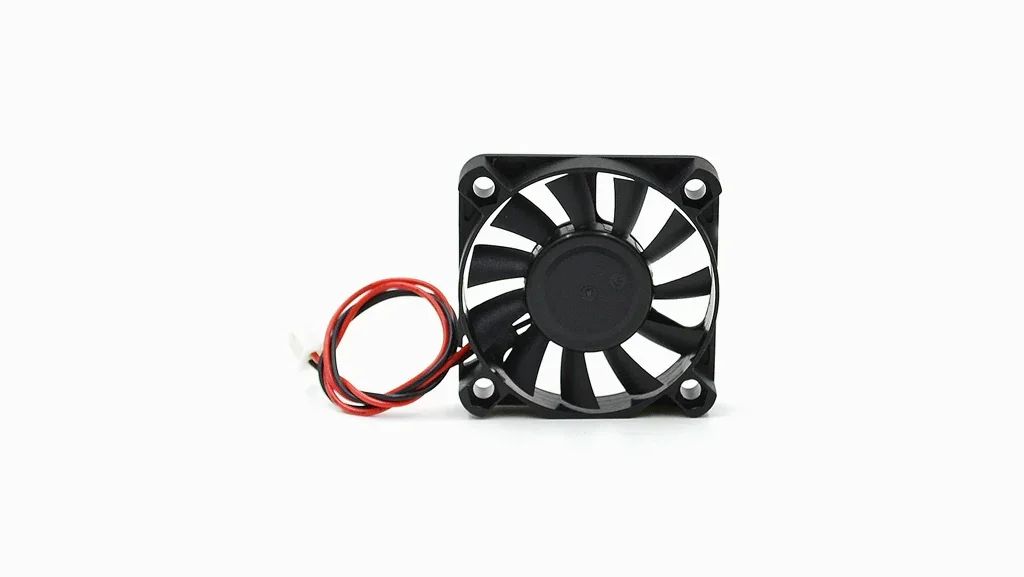
| Extruder Front Cooling Fan | The Extruder Front Cooling Fan for Raise3D Pro2 Series 3D printers provides targeted airflow to the extruder. Measuring 130×110×20 mm and weighing 31 g, it helps maintain extrusion temperatures and improves print quality during long or multi-material prints. It integrates with the printer’s original design for easy replacement and consistent performance. | $19.99 | 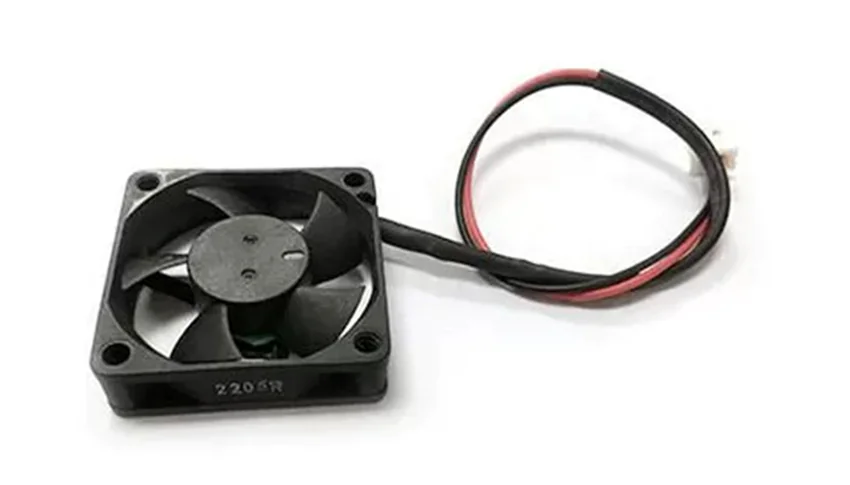 |
What maintenance does the Raise3D Pro2 Plus require?
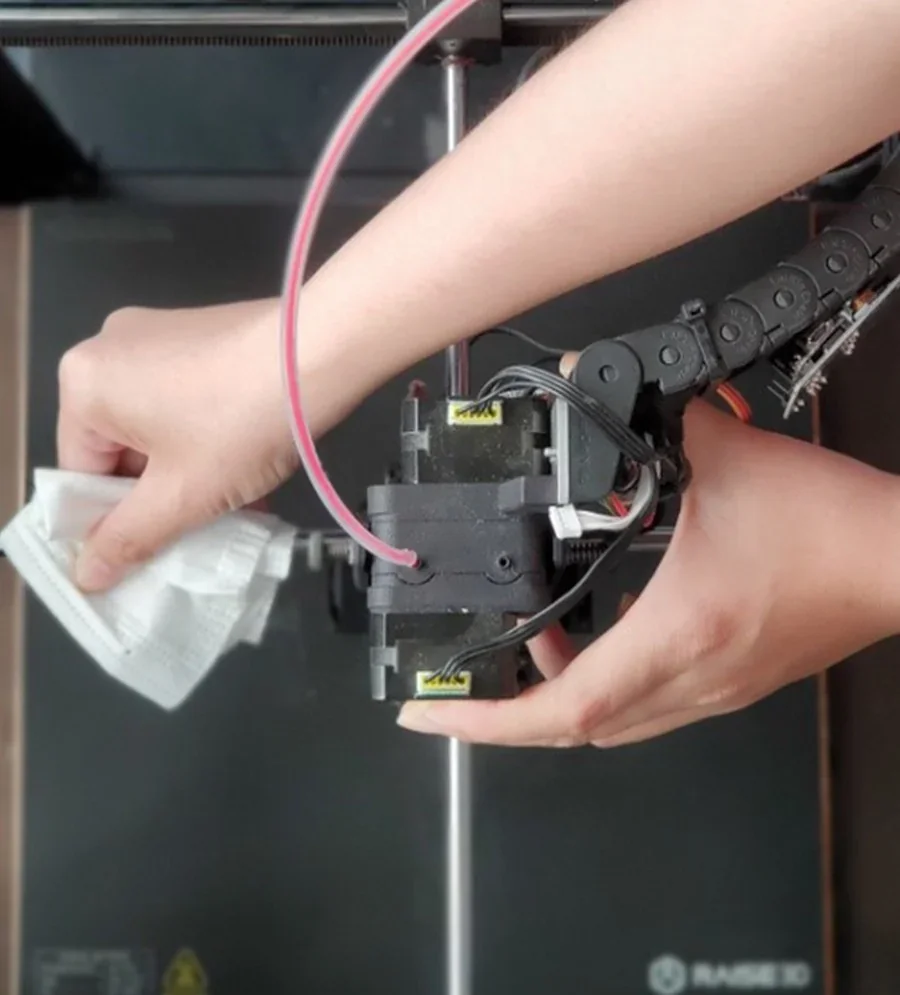
The Raise3D Pro2 Series requires over 19 maintenance tasks to maintain high-quality prints and prevent equipment failure. Full tutorials: https://support.raise3d.com/Pro2-Series/maintenance-guide-4-932.html
Before Each Print Job:
- Clean the machine and surroundings, especially under the platform.
- Check and tighten the hotend if needed.
- Remove any material remains or lumps from the hotend.
- Ensure fans are working.
- Verify the first layer sticks to the build surface.
- Check smooth material feed.
- Clean the build surface with isopropyl alcohol.
- Inspect the build plate for deformation.
- Ensure gantry rods are clean.
- Clear the Z-Axis screw and rails of material.
Every 200 Working Hours:
- Ensure the print head moves freely when motors are disabled.
Every 300 Working Hours:
- Clean the nozzles.
- Tighten screws on the heater rod and thermocouple.
- Check X/Y axis drive belt tension.
- Tighten X/Y axis screws and motor pulleys.
- Lubricate X/Y axis and gantry rods.
- Check and secure Z-axis screws and nuts (Note: Z-axis screw nut should not be fully tightened to prevent bed bending).
Every 400 Working Hours:
- Lubricate the Z-axis.
After Material Consumption:
- Check and clean the hotend and nozzle for clogs after finishing a spool.
Conditional Maintenance:
- Lubricate X/Y axis and gantry rods if the extruder runs unevenly or makes noise.
- Check the print head movement if the extruder is not smooth or makes noise.
Safety: Always turn off the printer, let it cool, and wear safety gloves and glasses during maintenance.
What support and warranty come with the Raise3D Pro2 Plus?
The Raise3D Pro2 Plus is covered by a 12-month Standard Limited Warranty (from the invoice date) and offers 1-Year and 2-Year warranty extensions plans.
| Warranty Plan | What’s Included | Price |
|---|---|---|
| Standard Limited Warranty (12 months) | Coverage for the printer and its parts against defects in materials/workmanship under normal use; excludes consumables such as Hotend(s), Hotend(s) Assembly(ies), Nozzle(s), Fan Cover(s), Build Surface, Build Plate(s), Top Acrylic Lid, Filter, Extruder Front Model Cooling Fan, P Thermocouple, Screw Buckle, Raise3D 2.5KG Filament Box, PC Cable Support, Short Tube, Filament Detection Assembly (Filament Run-out Sensor Assembly), 2.5kg Filament Support Shaft Sleeve, Top Cover(s), USB flash drive, SD card, E3 Desiccant Storage Box(es), or other items that are expended in the normal operation of the product, nor does it cover external devices, accessories or parts added to the PRODUCTS after the system is shipped from RAISE3D. | Included (with printer purchase) |
| 1-Year RaiseShield Warranty Plan | Full warranty coverage of electrical and mechanical components of Raise3D Pro2 Series printers for 1 year, consumables and cosmetic imperfection not included. | $500 |
| 2-Year RaiseShield Warranty Plan |
Full warranty coverage of electrical and mechanical components of Raise3D Pro2 Series printers for 2 years, consumables and cosmetic imperfection not included. |
$750 |
Technical Support
Support Center: Access user guides, maintenance tips, and troubleshooting resources at https://support.raise3d.com/.
Submit Tickets: For assistance, submit tickets via http://help.raise3d.com/.
Phone Support:
- US: +1 (888) 963-9028
- Europe: +31 1080 8068
- Asia: +86 21 65337855
Educational Resources
- Raise3D Academy: Step-by-step guides, "how-to" articles, and video tutorials at https://www.raise3d.com/academy/
- Webinars: Focus on Pro2 Series maintenance and print quality tips at https://www.raise3d.com/webinar/
- Raise3D Community: https://www.facebook.com/groups/1196742157005496/
Certifications
Access CE, CB, FCC, and RoHS certifications on the Raise3D website.
Full warranty terms: https://www.raise3d.com/download/raise3d-limited-warranty-all-versions/
How much does the Raise3D Pro2 Plus cost?
The Raise3D Pro2 Plus is priced at $2,849.05, offering professional-grade 3D printing with dual extruders, HEPA air filtration, a 7-inch touchscreen, and connectivity via Wi-Fi, LAN, and USB. It costs about 25% more than the standard Pro2, mainly due to its larger build volume (605mm vs. 300mm height), while keeping the same precision and material compatibility. RaiseShield warranty extensions are available for an additional cost, with options for 1, 2, or 3 years of coverage, including electronic components.